2016 CHEVROLET VOLT steering
[x] Cancel search: steeringPage 111 of 366

Chevrolet VOLT Owner Manual (GMNA-Localizing-U.S/Canada/Mexico-
9159388) - 2016 - crc - 5/20/15
110 Instruments and Controls
.Poor fuel quality can cause
inefficient engine operation and
poor driveability, which may go
away once the engine is warmed
up. If this occurs, change the
fuel brand. It may require at
least one full tank of the proper
fuel to turn the light off. See Fuel
0 219.
If the light remains on, see your
dealer.
Emissions Inspection and
Maintenance Programs
If the vehicle requires an Emissions
Inspection/Maintenance test, the
test equipment will likely connect to
the vehicle's Data Link
Connector (DLC).
The DLC is under the instrument
panel to the left of the steering
wheel. Connecting devices that are not used to perform an Emissions
Inspection/Maintenance test or to
service the vehicle may affect
vehicle operation See
Add-On
Electrical Equipment 0224. See
your dealer if assistance is needed.
The vehicle may not pass
inspection if:
. The light is on when the engine
is running.
. The light does not come on
when the vehicle is in Service
Only Mode.
. Critical emission control systems
have not been completely
diagnosed. If this happens, the
vehicle would not be ready for
inspection and might require
several days of routine driving
before the system is ready for
inspection. This can happen if
the 12-volt battery has recently
been replaced or run down, or if
the vehicle has been recently
serviced.
See your dealer if the vehicle will
not pass or cannot be made ready
for the test.
Brake System Warning
Light
The vehicle brake system consists
of two hydraulic circuits. If one
circuit is not working, the remaining
circuit can still work to stop the
vehicle. For normal braking
performance, both circuits need to
be working.
If the warning light comes on, there
is a brake problem. Have the brake
system inspected right away.
MetricEnglish
This light comes on briefly when the
vehicle is turned on. If it does not
come on then, have it fixed so it will
be ready to warn if there is a
problem.
If the light comes on and stays on,
there is a brake problem.
Page 113 of 366
Chevrolet VOLT Owner Manual (GMNA-Localizing-U.S/Canada/Mexico-
9159388) - 2016 - crc - 5/20/15
112 Instruments and Controls
needs service. If the ABS warning
light is on, but the regular brake
system warning light is not on, the
antilock brakes are not working
properly, but the regular brakes are
still functioning. Have the vehicle
serviced right away. If both brake
lights are on, the vehicle does not
have antilock brakes, and there is a
problem with the regular brakes as
well. Have the vehicle towed for
service. SeeTowing the Vehicle
0 300.
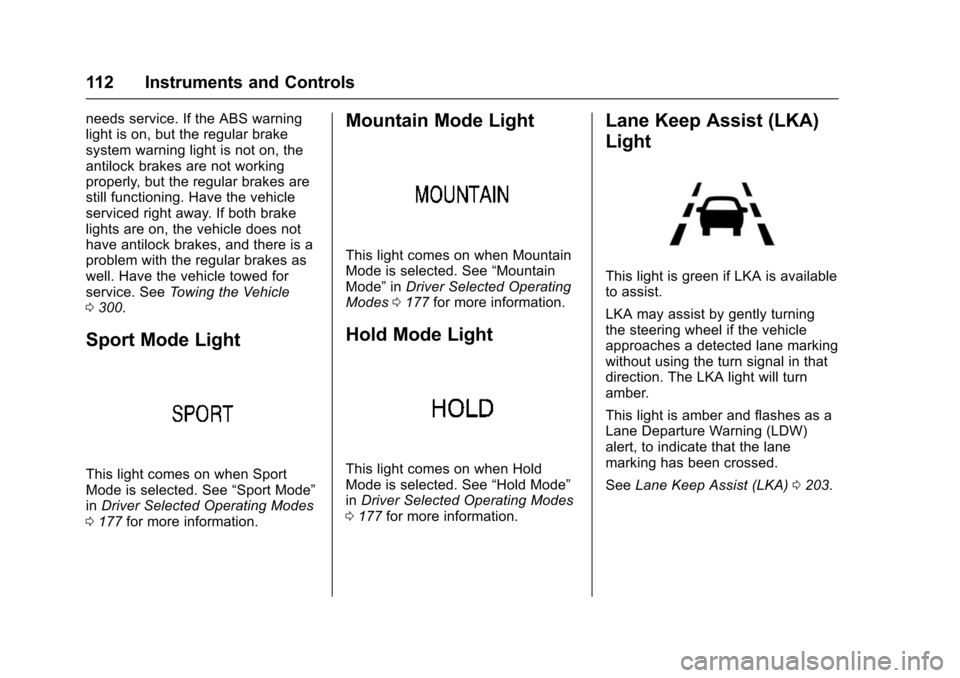
Sport Mode Light
This light comes on when Sport
Mode is selected. See “Sport Mode”
in Driver Selected Operating Modes
0 177 for more information.
Mountain Mode Light
This light comes on when Mountain
Mode is selected. See “Mountain
Mode” inDriver Selected Operating
Modes 0177 for more information.
Hold Mode Light
This light comes on when Hold
Mode is selected. See “Hold Mode”
in Driver Selected Operating Modes
0 177 for more information.
Lane Keep Assist (LKA)
Light
This light is green if LKA is available
to assist.
LKA may assist by gently turning
the steering wheel if the vehicle
approaches a detected lane marking
without using the turn signal in that
direction. The LKA light will turn
amber.
This light is amber and flashes as a
Lane Departure Warning (LDW)
alert, to indicate that the lane
marking has been crossed.
See Lane Keep Assist (LKA) 0203.
Page 136 of 366

Chevrolet VOLT Owner Manual (GMNA-Localizing-U.S/Canada/Mexico-
9159388) - 2016 - crc - 5/20/15
Instruments and Controls 135
SERVICE FRONT CAMERA
If this message remains on after
continued driving, see your dealer
for service. Do not use the Lane
Keep Assist (LKA), Lane Departure
Warning (LDW), Front Automatic
Braking (FAB), and Forward
Collision Alert (FCA) features.
SERVICE PARK ASSIST
This message displays if there is a
problem with the Parking Assist
system. Do not use this system to
help you park. See your dealer for
service.
SERVICE SIDE DETECTION
SYSTEM
If this message remains on after
continued driving, the vehicle needs
service. Side Blind Zone Alert
(SBZA), Lane Change Alert (LCA),
and Rear Cross Traffic Alert (RCTA)
features will not work. See your
dealer for service.
SIDE DETECTION SYSTEM
UNAVAILABLE
This message indicates that Side
Blind Zone Alert (SBZA), Lane
Change Alert (LCA), and Rear
Cross Traffic Alert (RCTA) are
disabled either because the sensor
is blocked and cannot detect
vehicles in the blind zone, or the
vehicle is passing through an open
area, such as the desert, where
there is insufficient data for
operation. This message may also
activate during heavy rain or due to
road spray. The vehicle does not
need service. For cleaning, see
"Washing the Vehicle" under
Exterior Care0304.
TAKE STEERING
If LKA does not detect active driver
steering, an alert and chime may be
provided. Move the steering wheel
to dismiss. See Lane Keep Assist
(LKA) 0203.
Propulsion Power
Messages
PROPULSION POWER IS
REDUCED
This message displays when the
propulsion power is reduced and
can affect the ability to accelerate.
If this message is on, but there is no
reduction in performance, proceed
to your destination. The
performance may be reduced the
next time the vehicle is driven. The
vehicle may be driven at a reduced
speed while this message is on, but
maximum acceleration and speed
may be reduced. If this message
stays on when the malfunction
indicator lamp is on, the vehicle
should be taken to your dealer for
service as soon as possible.
This message can display when
driving in mountainous terrain
without using Mountain Mode or by
not entering Mountain Mode soon
enough to build a sufficient battery
charge reserve before climbing
steep grades. This is normal
operation to protect the high voltage
Page 138 of 366

Chevrolet VOLT Owner Manual (GMNA-Localizing-U.S/Canada/Mexico-
9159388) - 2016 - crc - 5/20/15
Instruments and Controls 137
ENGINE NOT AVAILABLE
SERVICE SOON
This message displays when the
engine is not available due to a
malfunction that will not allow the
engine to start. The vehicle can
continue to be driven in Electric
Mode until the battery is depleted,
but will have reduced acceleration.
When this message is displayed,
the vehicle should be taken to your
dealer for service as soon as
possible. SeeOut of Fuel/Engine
Unavailable 0179.
SERVICE AC SYSTEM
This message displays if there is a
problem with the air conditioning
system. See your dealer for service.
SERVICE HEATER SOON
This message displays if there is a
problem with the heater system.
See your dealer for service.
SERVICE POWER STEERING
This message displays and a chime
may sound when there may be a
problem with the power steering
system. If this message displays
and a reduction in steering
performance or loss of power
steering assistance is noticed, see
your dealer for service.
SERVICE VEHICLE SOON
This message displays if there is a
problem with the vehicle. See your
dealer for service. Depending on the
severity of a crash, this message
may come on along with the airbag
readiness light.
Starting the Vehicle
Messages
PRESS BRAKE TO START
VEHICLE
This message displays when
attempting to start the vehicle
without first pressing the brake
pedal.
PRESS BUTTON AGAIN TO
TURN ENGINE OFF
This message displays as a
reminder to press POWER
Oto turn
the vehicle off when an attempt is
made to turn off the vehicle while it
is in motion.
SERVICE KEYLESS START
SYSTEM
This message is displayed if there is
a problem with the pushbutton start
system. See your dealer for service.
Tire Messages
SERVICE TIRE MONITOR
SYSTEM
This message displays if there is a
problem with the Tire Pressure
Monitor System (TPMS). See Tire
Pressure Monitor Operation 0270.
TIRE LEARNING ACTIVE
This message displays when the
system is learning new tires. See
Tire Pressure Monitor Operation
0270.
Page 140 of 366

Chevrolet VOLT Owner Manual (GMNA-Localizing-U.S/Canada/Mexico-
9159388) - 2016 - crc - 5/20/15
Instruments and Controls 139
Personalization Menus
The following list of menu items may
be available:
.Time and Date
. Language (Language)
. Valet Mode
. Radio
. Vehicle
. Bluetooth
. Voice
. Display
. Rear Camera
. Return to Factory Settings
. Software Information
Each menu is detailed in the
following information.
Time and Date
Manually set the time and date. See
Clock 097.
Language (Language)
Select Language, then select from
the available language(s).
Valet Mode (If Equipped)
This will lock the infotainment
system and steering wheel controls.
It may also limit access to vehicle
storage locations (if equipped).
To enable valet mode:
1. Enter a four-digit code on the keypad.
2. Select Enter to go to the confirmation screen.
3. Re-enter the four-digit code.
Press LOCK or UNLOCK to lock or
unlock the system. Press Back to go
back to the previous menu.
Radio
Select and the following may
display:
. Manage Favorites
. Number of Favorites Shown
. Auto Volume
. Maximum Startup Volume
. Audio Cue Volume Manage Favorites
This allows favorites to be edited.
See
“Manage Favorites” in
“Settings” under“Radio” in the
infotainment manual.
Number of Favorites Shown
Select to set the number of favorites
to display.
Select the desired number or select
Auto and the infotainment system
will automatically adjust the number
of favorites shown.
Auto Volume
This feature adjusts the volume
based on vehicle speed and
ambient noise.
Select Off, Low, Medium-Low,
Medium, Medium-High, or High.
Maximum Startup Volume
This feature sets the maximum
startup volume. If the vehicle is
started and the volume is greater
than this level, the volume is
adjusted to this level. To set the
maximum startup volume, touch +
or −to increase or decrease.
Page 147 of 366

Chevrolet VOLT Owner Manual (GMNA-Localizing-U.S/Canada/Mexico-
9159388) - 2016 - crc - 5/20/15
146 Lighting
Lighting
Exterior Lighting
Exterior Lamp Controls . . . . . . . 146
Headlamp High/Low-BeamChanger . . . . . . . . . . . . . . . . . . . . 147
Flash-to-Pass . . . . . . . . . . . . . . . . 148
Daytime Running Lamps (DRL) . . . . . . . . . . . . . . . 148
Automatic Headlamp System . . . . . . . . . . . . . . . . . . . . . . 148
Hazard Warning Flashers . . . . . 149
Turn and Lane-Change Signals . . . . . . . . . . . . . . . . . . . . . . 149
Interior Lighting
Instrument Panel IlluminationControl . . . . . . . . . . . . . . . . . . . . . . 150
Dome Lamps . . . . . . . . . . . . . . . . . 150
Reading Lamps . . . . . . . . . . . . . . 151
Lighting Features
Entry Lighting . . . . . . . . . . . . . . . . 151
Exit Lighting . . . . . . . . . . . . . . . . . . 151
Battery Power Protection . . . . . 152
Exterior Lighting
Exterior Lamp Controls
The exterior lamp control is on the
instrument panel to the left of the
steering column.
There are four positions.
O: Turns the exterior lamps off.
AUTO : Turns the exterior lamps on
and off automatically depending on
outside lighting.
;: Turns on the parking lamps
including all lamps, except the
headlamps.
5: Turns on the headlamps
together with the parking lamps and
instrument panel lights.
IntelliBeam®System
If equipped, this system turns the
vehicle's high-beam headlamps on
and off according to surrounding
traffic conditions.
The system turns the high-beam
headlamps on when it is dark
enough and there is no other traffic
present.
This light
bcomes on in the
instrument cluster when the
IntelliBeam system is enabled.
Turning On and Enabling
IntelliBeam
To enable the IntelliBeam system,
press
bon the turn signal lever
when the exterior lamp control is in
the AUTO or
5position. The blue
Page 151 of 366

Chevrolet VOLT Owner Manual (GMNA-Localizing-U.S/Canada/Mexico-
9159388) - 2016 - crc - 5/20/15
150 Lighting
If after signaling a turn or lane
change, the arrow flashes rapidly or
does not come on, a signal bulb
may be burned out.
Have any burned out bulbs
replaced. If a bulb is not burned out,
check the fuse. SeeInstrument
Panel Fuse Block 0256.Interior Lighting
Instrument Panel
Illumination Control
The brightness of the instrument
panel cluster display, infotainment
display and controls, steering wheel
controls, and all other illuminated
controls, as well as feature status
indicators can be adjusted.
The knob for this feature is on the
instrument panel beside the steering
column.
Turn the knob clockwise or
counterclockwise to brighten or dim
the lights.
Dome Lamps
The dome lamp controls are in the
overhead console.
To operate, press the following
buttons:
jOFF : Press to turn the lamps
off, even when a door is open.
+ ON/OFF : Press to turn the dome
lamps on manually or automatically
when a door is opened.
Page 162 of 366

Chevrolet VOLT Owner Manual (GMNA-Localizing-U.S/Canada/Mexico-
9159388) - 2016 - crc - 5/20/15
Driving and Operating 161
Driving and
Operating
Driving Information
Distracted Driving . . . . . . . . . . . . 162
Defensive Driving . . . . . . . . . . . . . 163
Drunk Driving . . . . . . . . . . . . . . . . . 163
Control of a Vehicle . . . . . . . . . . . 163
Braking . . . . . . . . . . . . . . . . . . . . . . . 163
Steering . . . . . . . . . . . . . . . . . . . . . . 164
Off-Road Recovery . . . . . . . . . . . 164
Loss of Control . . . . . . . . . . . . . . . 165
Driving on Wet Roads . . . . . . . . 165
Hill and Mountain Roads . . . . . 166
Winter Driving . . . . . . . . . . . . . . . . 167
If the Vehicle Is Stuck . . . . . . . . 168
Vehicle Load Limits . . . . . . . . . . . 168
Starting and Operating
New Vehicle Break-In . . . . . . . . . 171
Power Button . . . . . . . . . . . . . . . . . 171
Starting and Stopping theVehicle . . . . . . . . . . . . . . . . . . . . . . 173
Retained Accessory Power (RAP) . . . . . . . . . . . . . . . . 174
Shifting Into Park . . . . . . . . . . . . . 174
Shifting out of Park . . . . . . . . . . . 175
Parking over Things That Burn . . . . . . . . . . . . . . . . . . . 176
Electric Vehicle Operating
Modes
System Operation . . . . . . . . . . . . 176
Electric Mode . . . . . . . . . . . . . . . . . 176
Extended Range Mode . . . . . . . 176
Driver Selected OperatingModes . . . . . . . . . . . . . . . . . . . . . . 177
Out of Fuel/Engine Unavailable . . . . . . . . . . . . . . . . . 179
Maintenance Modes . . . . . . . . . . 180
Engine Exhaust
Engine Exhaust . . . . . . . . . . . . . . 182
Running the Vehicle While Parked . . . . . . . . . . . . . . . . . . . . . . 182
Electric Drive Unit
Electric Drive Unit . . . . . . . . . . . . 183
Brakes
Antilock BrakeSystem (ABS) . . . . . . . . . . . . . . . 184
Electric Parking Brake . . . . . . . . 185
Hill Start Assist (HSA) . . . . . . . . 186
Regenerative Braking . . . . . . . . 187
Ride Control Systems
Traction Control/Electronic Stability Control . . . . . . . . . . . . . 188
Driver Mode Control . . . . . . . . . . 190
Cruise Control
Cruise Control . . . . . . . . . . . . . . . . 190
Driver Assistance Systems
Driver Assistance Systems . . . 193
Assistance Systems for Parking or Backing . . . . . . . . . . 193
Assistance Systems for Driving . . . . . . . . . . . . . . . . . . . . . . 197
Forward Collision Alert (FCA) System . . . . . . . . . . . . . . . . . . . . . . 198
Front Automatic Braking (FAB) System . . . . . . . . . . . . . . . . . . . . . . 200
Side Blind Zone Alert (SBZA) . . . . . . . . . . . . . . . . 201
Lane Change Alert (LCA) . . . . . 201
Lane Departure Warning (LDW) . . . . . . . . . . . . . 203
Lane Keep Assist (LKA) . . . . . . 203
Charging
Plug-In Charging . . . . . . . . . . . . . 205
Delayed Charging Override . . . 206
Charging Status Feedback . . . 207
Charge Cord . . . . . . . . . . . . . . . . . 210
Utility Interruption of Charging . . . . . . . . . . . . . . . . . . . . 218
Electrical Requirements for Battery Charging . . . . . . . . . . . . 218