2016 CHEVROLET SILVERADO ignition
[x] Cancel search: ignitionPage 55 of 533
Chevrolet Silverado Owner Manual (GMNA-Localizing-U.S./Canada/Mexico-
9159338) - 2016 - crc - 10/21/15
54 Keys, Doors, and Windows
window will need to be
reprogrammed for the express-up
feature to work.
To reprogram the power windows:1. Close all doors.
2. Place the ignition in ACC/ ACCESSORY or ON/RUN.
3. From any open position, pull the power window switch up
until the window is fully closed.
4. Hold the switch up for approximately two seconds
after the window is fully closed.
The window is now reprogrammed.
Express Window Anti-Pinch
Feature
If any object is in the path of the
window when express-up is active,
the window stops at the obstacle
and auto-reverses to a preset
factory position. Weather conditions
such as severe icing also cause the
window to auto-reverse. The
window returns to normal operation
once the obstacle or condition is
removed.
Express Window Anti-Pinch
Override
{Warning
If express override is activated,
the window will not reverse
automatically. You or others could
be injured and the window could
be damaged. Before you use
express override, make sure that
all people and obstructions are
clear of the window path.
The anti-pinch feature can be
overridden in a supervised mode.
Hold the window switch in the
partially or fully pulled up position.
The window rises for as long as the
switch is held. Once the switch is
released, the express mode is
reactivated.
In this mode, the window can still
close on an object in its path. Use
care when using the override mode.
Window Lockout
Crew/Double Cab Premium Trim Shown, Other Models Similar
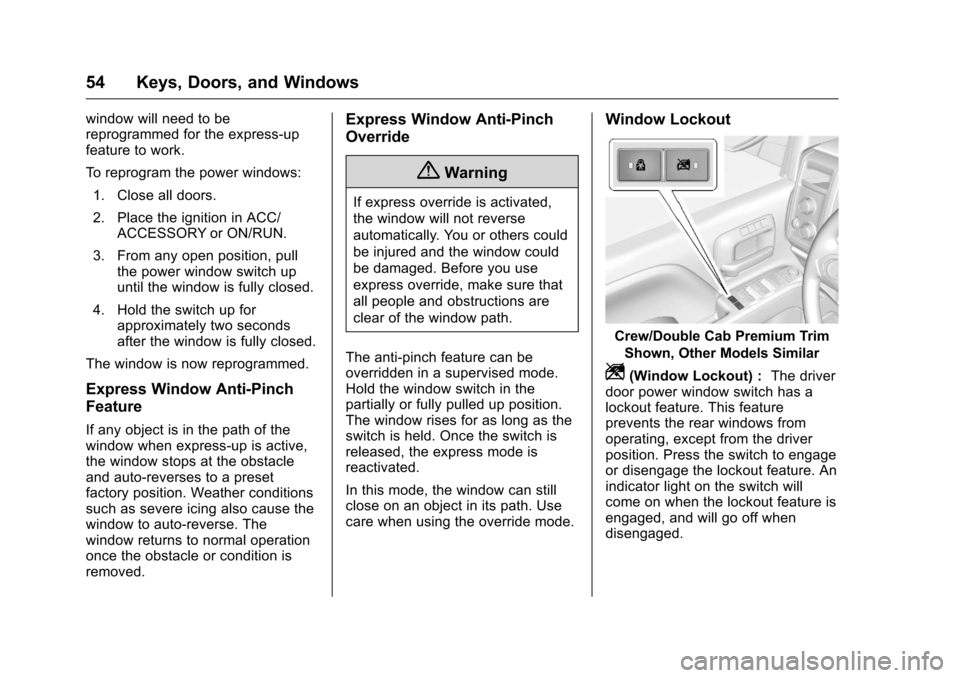
Z(Window Lockout) : The driver
door power window switch has a
lockout feature. This feature
prevents the rear windows from
operating, except from the driver
position. Press the switch to engage
or disengage the lockout feature. An
indicator light on the switch will
come on when the lockout feature is
engaged, and will go off when
disengaged.
Page 56 of 533
Chevrolet Silverado Owner Manual (GMNA-Localizing-U.S./Canada/Mexico-
9159338) - 2016 - crc - 10/21/15
Keys, Doors, and Windows 55
Rear Windows
Power Sliding Rear Window
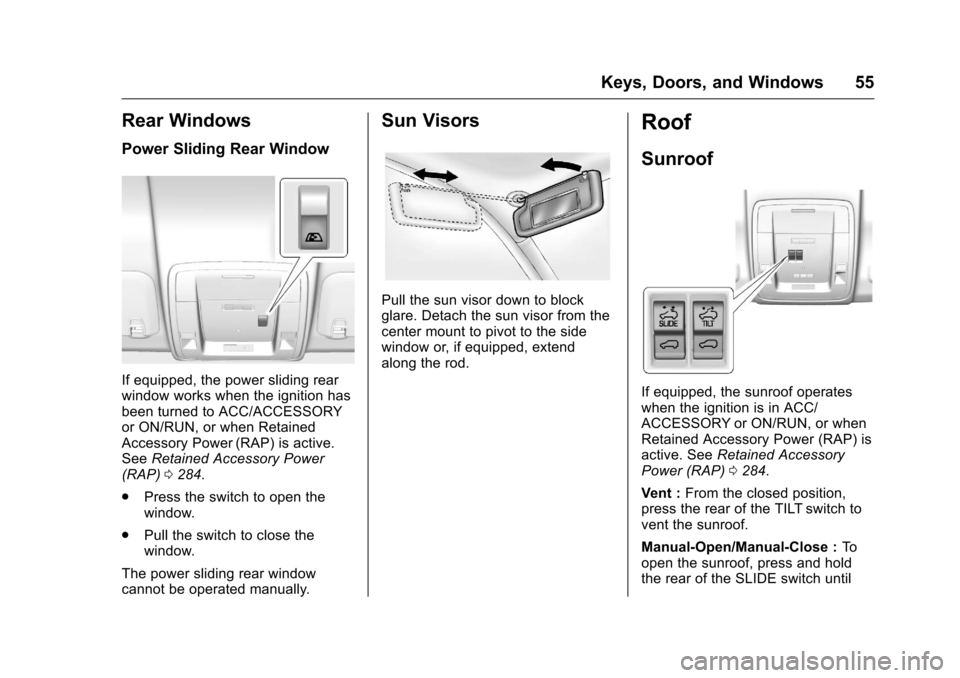
If equipped, the power sliding rear
window works when the ignition has
been turned to ACC/ACCESSORY
or ON/RUN, or when Retained
Accessory Power (RAP) is active.
SeeRetained Accessory Power
(RAP) 0284.
. Press the switch to open the
window.
. Pull the switch to close the
window.
The power sliding rear window
cannot be operated manually.
Sun Visors
Pull the sun visor down to block
glare. Detach the sun visor from the
center mount to pivot to the side
window or, if equipped, extend
along the rod.
Roof
Sunroof
If equipped, the sunroof operates
when the ignition is in ACC/
ACCESSORY or ON/RUN, or when
Retained Accessory Power (RAP) is
active. See Retained Accessory
Power (RAP) 0284.
Vent : From the closed position,
press the rear of the TILT switch to
vent the sunroof.
Manual-Open/Manual-Close : To
open the sunroof, press and hold
the rear of the SLIDE switch until
Page 63 of 533
Chevrolet Silverado Owner Manual (GMNA-Localizing-U.S./Canada/Mexico-
9159338) - 2016 - crc - 10/21/15
62 Seats and Restraints
To return the seatback to the upright
position:1. Lift the lever fully without applying pressure to the
seatback, and the seatback will
return to the upright position.
2. Push and pull on the seatback to make sure it is locked.
Power Reclining Seatbacks
To recline a power seatback,
if equipped:
.Tilt the top of the control
rearward to recline.
. Tilt the top of the control forward
to raise.
Memory Seats
Crew/Double Cab Shown, Other
Models Similar
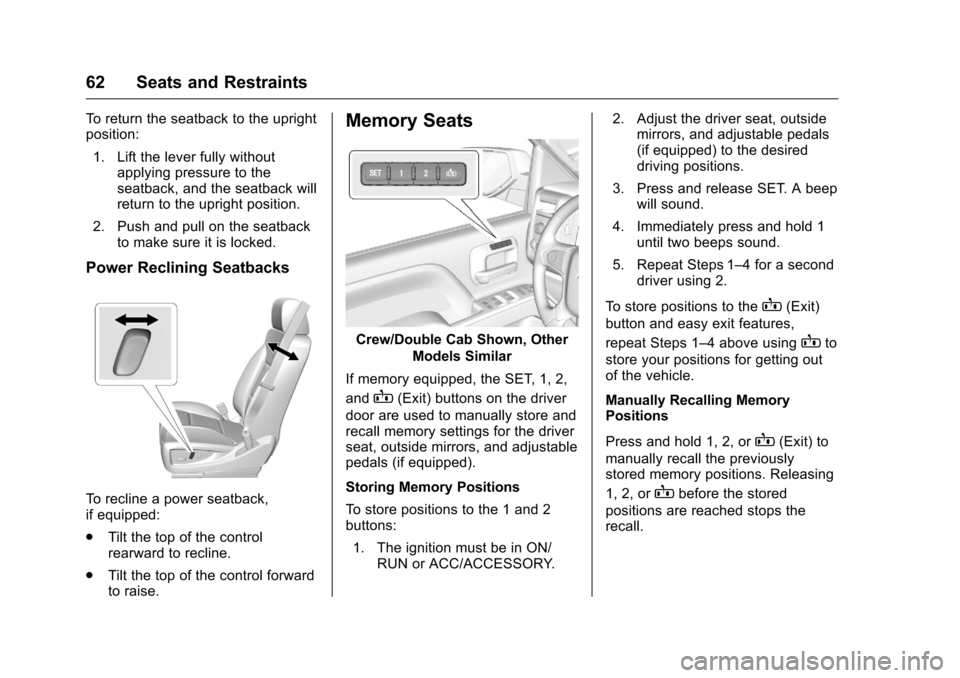
If memory equipped, the SET, 1, 2,
and
B(Exit) buttons on the driver
door are used to manually store and
recall memory settings for the driver
seat, outside mirrors, and adjustable
pedals (if equipped).
Storing Memory Positions
To store positions to the 1 and 2
buttons:
1. The ignition must be in ON/ RUN or ACC/ACCESSORY. 2. Adjust the driver seat, outside
mirrors, and adjustable pedals
(if equipped) to the desired
driving positions.
3. Press and release SET. A beep will sound.
4. Immediately press and hold 1 until two beeps sound.
5. Repeat Steps 1–4 for a second driver using 2.
To store positions to the
B(Exit)
button and easy exit features,
repeat Steps 1–4 above using
Bto
store your positions for getting out
of the vehicle.
Manually Recalling Memory
Positions
Press and hold 1, 2, or
B(Exit) to
manually recall the previously
stored memory positions. Releasing
1, 2, or
Bbefore the stored
positions are reached stops the
recall.
Page 64 of 533
Chevrolet Silverado Owner Manual (GMNA-Localizing-U.S./Canada/Mexico-
9159338) - 2016 - crc - 10/21/15
Seats and Restraints 63
Automatically Recalling Memory
Positions (Auto Recall)
If programmed on in the vehicle
personalization menu, the Auto
(Automatic) Memory Recall feature
automatically recalls the current
driver’s previously stored 1 or 2
position when the ignition is
changed from OFF to ON/RUN or
ACC/ACCESSORY.
See “Auto Memory Recall” under
“Comfort and Convenience” in
Vehicle Personalization 0165.
To stop recall movement, press one
of the memory, power mirror or
power seat controls; or press the
adjustable pedal control (if
equipped).
RKE Transmitters are not labeled
with a number. If your memory seat
position is stored to 1 or 2 but this
position is not automatically
recalling, then store your positions
to the other button or switch RKE
transmitters with the other driver. Easy Exit Recall
If programmed on in the vehicle
personalization menu, the easy exit
feature automatically recalls the
previously stored
B(Exit) position.
See “Storing Memory Positions”
listed previously. See also Vehicle
Personalization 0165.
Easy exit recall automatically
activates when one of the following
occurs:
. The vehicle is turned off and the
driver door is opened within a
short time.
. The vehicle is turned off with the
driver door open.
Obstructions
If something has blocked the driver
seat and/or adjustable pedals while
recalling a memory position, the
recall may stop. Remove the
obstruction. Then do one of the
following:
. For manual or automatic recall
positions, press and hold the
appropriate manual control for two seconds. Try recalling again
by pressing the appropriate
memory button.
. For exit recall position, press
and hold the appropriate manual
control for the exit feature not
recalling for two seconds. Then
try recalling the exit position
again.
If the memory position is still not
recalling, see your dealer for
service.
Heated and Ventilated
Front Seats
{Warning
If you cannot feel temperature
change or pain to the skin, the
seat heater may cause burns. To
reduce the risk of burns, people
with such a condition should use
care when using the seat heater,
especially for long periods of
time. Do not place anything on
the seat that insulates against (Continued)
Page 65 of 533
Chevrolet Silverado Owner Manual (GMNA-Localizing-U.S./Canada/Mexico-
9159338) - 2016 - crc - 10/21/15
64 Seats and Restraints
Warning (Continued)
heat, such as a blanket, cushion,
cover, or similar item. This may
cause the seat heater to
overheat. An overheated seat
heater may cause a burn or may
damage the seat.
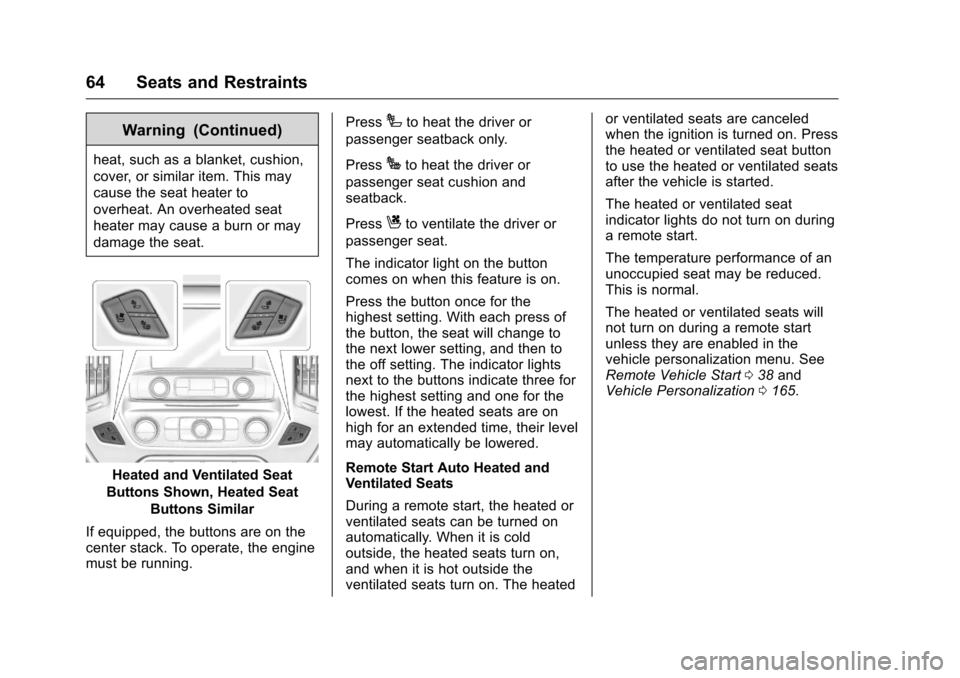
Heated and Ventilated Seat
Buttons Shown, Heated Seat Buttons Similar
If equipped, the buttons are on the
center stack. To operate, the engine
must be running. Press
Ito heat the driver or
passenger seatback only.
Press
Jto heat the driver or
passenger seat cushion and
seatback.
Press
Cto ventilate the driver or
passenger seat.
The indicator light on the button
comes on when this feature is on.
Press the button once for the
highest setting. With each press of
the button, the seat will change to
the next lower setting, and then to
the off setting. The indicator lights
next to the buttons indicate three for
the highest setting and one for the
lowest. If the heated seats are on
high for an extended time, their level
may automatically be lowered.
Remote Start Auto Heated and
Ventilated Seats
During a remote start, the heated or
ventilated seats can be turned on
automatically. When it is cold
outside, the heated seats turn on,
and when it is hot outside the
ventilated seats turn on. The heated or ventilated seats are canceled
when the ignition is turned on. Press
the heated or ventilated seat button
to use the heated or ventilated seats
after the vehicle is started.
The heated or ventilated seat
indicator lights do not turn on during
a remote start.
The temperature performance of an
unoccupied seat may be reduced.
This is normal.
The heated or ventilated seats will
not turn on during a remote start
unless they are enabled in the
vehicle personalization menu. See
Remote Vehicle Start
038 and
Vehicle Personalization 0165.
Page 83 of 533
Chevrolet Silverado Owner Manual (GMNA-Localizing-U.S./Canada/Mexico-
9159338) - 2016 - crc - 10/21/15
82 Seats and Restraints
Warning (Continued)
passenger frontal airbag unless
the person sitting there is in a risk
group.
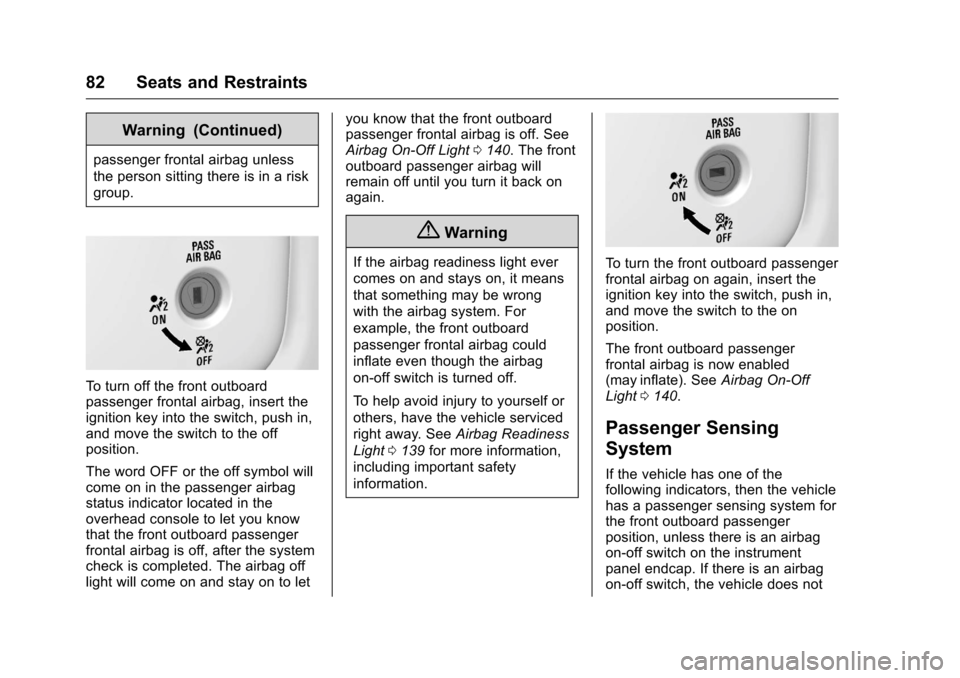
To turn off the front outboard
passenger frontal airbag, insert the
ignition key into the switch, push in,
and move the switch to the off
position.
The word OFF or the off symbol will
come on in the passenger airbag
status indicator located in the
overhead console to let you know
that the front outboard passenger
frontal airbag is off, after the system
check is completed. The airbag off
light will come on and stay on to letyou know that the front outboard
passenger frontal airbag is off. See
Airbag On-Off Light
0140. The front
outboard passenger airbag will
remain off until you turn it back on
again.
{Warning
If the airbag readiness light ever
comes on and stays on, it means
that something may be wrong
with the airbag system. For
example, the front outboard
passenger frontal airbag could
inflate even though the airbag
on-off switch is turned off.
To help avoid injury to yourself or
others, have the vehicle serviced
right away. See Airbag Readiness
Light 0139 for more information,
including important safety
information.To turn the front outboard passenger
frontal airbag on again, insert the
ignition key into the switch, push in,
and move the switch to the on
position.
The front outboard passenger
frontal airbag is now enabled
(may inflate). See Airbag On-Off
Light 0140.
Passenger Sensing
System
If the vehicle has one of the
following indicators, then the vehicle
has a passenger sensing system for
the front outboard passenger
position, unless there is an airbag
on-off switch on the instrument
panel endcap. If there is an airbag
on-off switch, the vehicle does not
Page 122 of 533
Chevrolet Silverado Owner Manual (GMNA-Localizing-U.S./Canada/Mexico-
9159338) - 2016 - crc - 10/21/15
Storage 121
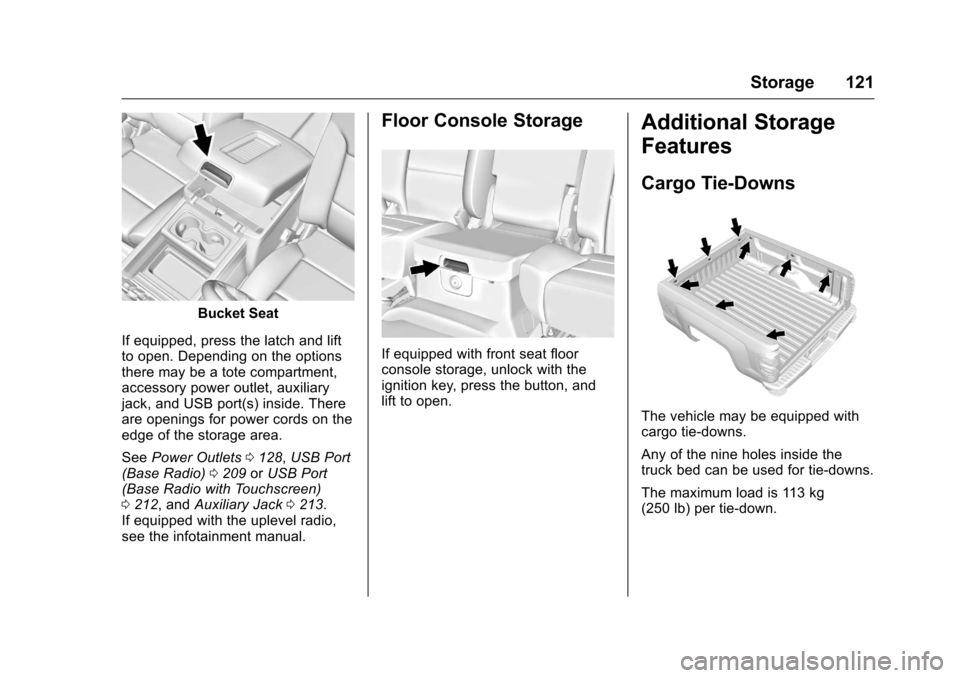
Bucket Seat
If equipped, press the latch and lift
to open. Depending on the options
there may be a tote compartment,
accessory power outlet, auxiliary
jack, and USB port(s) inside. There
are openings for power cords on the
edge of the storage area.
See Power Outlets 0128, USB Port
(Base Radio) 0209 orUSB Port
(Base Radio with Touchscreen)
0 212, and Auxiliary Jack 0213.
If equipped with the uplevel radio,
see the infotainment manual.
Floor Console Storage
If equipped with front seat floor
console storage, unlock with the
ignition key, press the button, and
lift to open.
Additional Storage
Features
Cargo Tie-Downs
The vehicle may be equipped with
cargo tie-downs.
Any of the nine holes inside the
truck bed can be used for tie-downs.
The maximum load is 113 kg
(250 lb) per tie-down.
Page 127 of 533
Chevrolet Silverado Owner Manual (GMNA-Localizing-U.S./Canada/Mexico-
9159338) - 2016 - crc - 10/21/15
126 Instruments and Controls
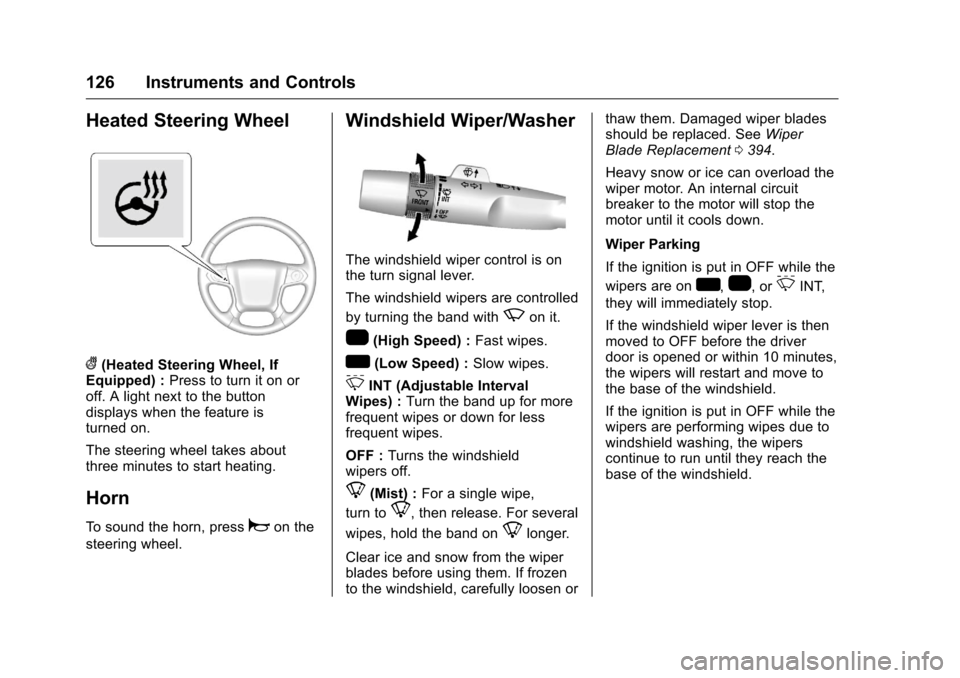
Heated Steering Wheel
((Heated Steering Wheel, If
Equipped) : Press to turn it on or
off. A light next to the button
displays when the feature is
turned on.
The steering wheel takes about
three minutes to start heating.
Horn
To sound the horn, pressaon the
steering wheel.
Windshield Wiper/Washer
The windshield wiper control is on
the turn signal lever.
The windshield wipers are controlled
by turning the band with
zon it.
1(High Speed) : Fast wipes.
w(Low Speed) :Slow wipes.
3INT (Adjustable Interval
Wipes) : Turn the band up for more
frequent wipes or down for less
frequent wipes.
OFF : Turns the windshield
wipers off.
8(Mist) : For a single wipe,
turn to
8, then release. For several
wipes, hold the band on
8longer.
Clear ice and snow from the wiper
blades before using them. If frozen
to the windshield, carefully loosen or thaw them. Damaged wiper blades
should be replaced. See
Wiper
Blade Replacement 0394.
Heavy snow or ice can overload the
wiper motor. An internal circuit
breaker to the motor will stop the
motor until it cools down.
Wiper Parking
If the ignition is put in OFF while the
wipers are on
w,1, or3INT,
they will immediately stop.
If the windshield wiper lever is then
moved to OFF before the driver
door is opened or within 10 minutes,
the wipers will restart and move to
the base of the windshield.
If the ignition is put in OFF while the
wipers are performing wipes due to
windshield washing, the wipers
continue to run until they reach the
base of the windshield.