2016 CHEVROLET MALIBU warning
[x] Cancel search: warningPage 119 of 420
Chevrolet Malibu Owner Manual (GMNA-Localizing-U.S./Canada/Mexico-
9087641) - 2016 - crc - 9/3/15
118 Instruments and Controls
Passenger Safety Belt
Reminder Light
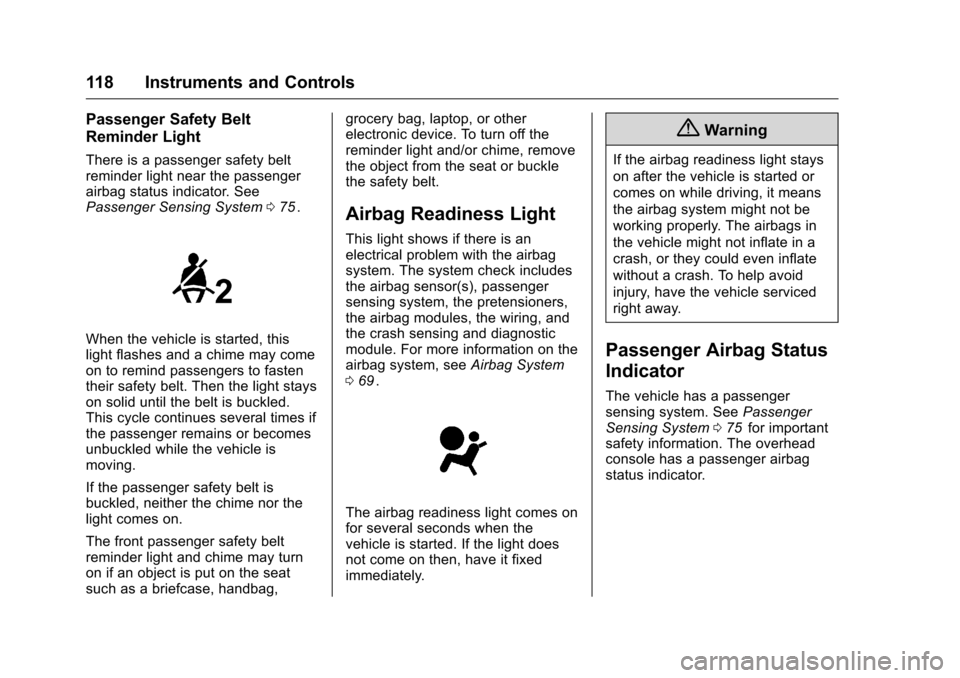
There is a passenger safety belt
reminder light near the passenger
airbag status indicator. See
Passenger Sensing System075
ii.
When the vehicle is started, this
light flashes and a chime may come
on to remind passengers to fasten
their safety belt. Then the light stays
on solid until the belt is buckled.
This cycle continues several times if
the passenger remains or becomes
unbuckled while the vehicle is
moving.
If the passenger safety belt is
buckled, neither the chime nor the
light comes on.
The front passenger safety belt
reminder light and chime may turn
on if an object is put on the seat
such as a briefcase, handbag, grocery bag, laptop, or other
electronic device. To turn off the
reminder light and/or chime, remove
the object from the seat or buckle
the safety belt.
Airbag Readiness Light
This light shows if there is an
electrical problem with the airbag
system. The system check includes
the airbag sensor(s), passenger
sensing system, the pretensioners,
the airbag modules, the wiring, and
the crash sensing and diagnostic
module. For more information on the
airbag system, see
Airbag System
0 69
ii.
The airbag readiness light comes on
for several seconds when the
vehicle is started. If the light does
not come on then, have it fixed
immediately.
{Warning
If the airbag readiness light stays
on after the vehicle is started or
comes on while driving, it means
the airbag system might not be
working properly. The airbags in
the vehicle might not inflate in a
crash, or they could even inflate
without a crash. To help avoid
injury, have the vehicle serviced
right away.
Passenger Airbag Status
Indicator
The vehicle has a passenger
sensing system. See Passenger
Sensing System 075
iifor important
safety information. The overhead
console has a passenger airbag
status indicator.
Page 120 of 420
Chevrolet Malibu Owner Manual (GMNA-Localizing-U.S./Canada/Mexico-
9087641) - 2016 - crc - 9/3/15
Instruments and Controls 119
United States and Canada
Mexico
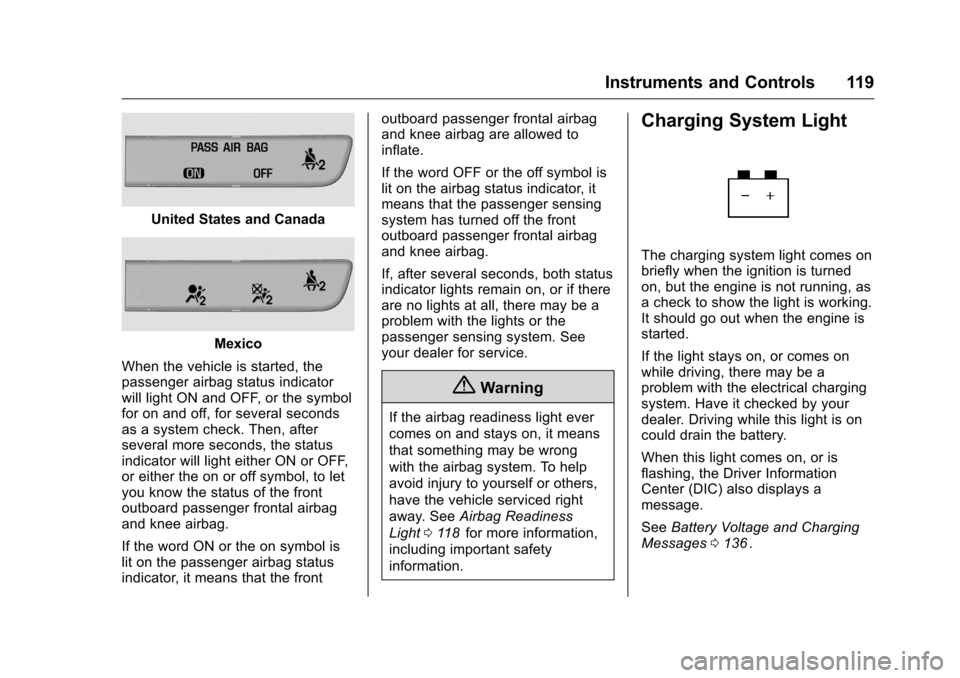
When the vehicle is started, the
passenger airbag status indicator
will light ON and OFF, or the symbol
for on and off, for several seconds
as a system check. Then, after
several more seconds, the status
indicator will light either ON or OFF,
or either the on or off symbol, to let
you know the status of the front
outboard passenger frontal airbag
and knee airbag.
If the word ON or the on symbol is
lit on the passenger airbag status
indicator, it means that the front outboard passenger frontal airbag
and knee airbag are allowed to
inflate.
If the word OFF or the off symbol is
lit on the airbag status indicator, it
means that the passenger sensing
system has turned off the front
outboard passenger frontal airbag
and knee airbag.
If, after several seconds, both status
indicator lights remain on, or if there
are no lights at all, there may be a
problem with the lights or the
passenger sensing system. See
your dealer for service.
{Warning
If the airbag readiness light ever
comes on and stays on, it means
that something may be wrong
with the airbag system. To help
avoid injury to yourself or others,
have the vehicle serviced right
away. See
Airbag Readiness
Light 0118
iifor more information,
including important safety
information.
Charging System Light
The charging system light comes on
briefly when the ignition is turned
on, but the engine is not running, as
a check to show the light is working.
It should go out when the engine is
started.
If the light stays on, or comes on
while driving, there may be a
problem with the electrical charging
system. Have it checked by your
dealer. Driving while this light is on
could drain the battery.
When this light comes on, or is
flashing, the Driver Information
Center (DIC) also displays a
message.
See Battery Voltage and Charging
Messages 0136
ii.
Page 123 of 420
Chevrolet Malibu Owner Manual (GMNA-Localizing-U.S./Canada/Mexico-
9087641) - 2016 - crc - 9/3/15
122 Instruments and Controls
See your dealer if the vehicle will
not pass or cannot be made ready
for the test.
Brake System Warning
Light
The vehicle brake system consists
of two hydraulic circuits. If one
circuit is not working, the remaining
circuit can still work to stop the
vehicle. For normal braking
performance, both circuits need to
be working.
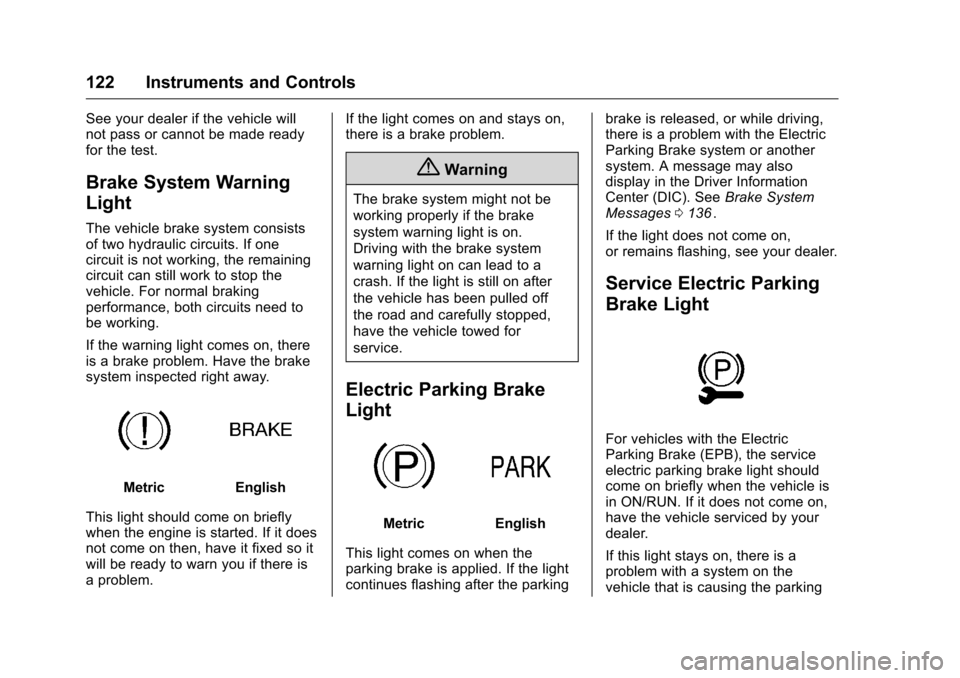
If the warning light comes on, there
is a brake problem. Have the brake
system inspected right away.
MetricEnglish
This light should come on briefly
when the engine is started. If it does
not come on then, have it fixed so it
will be ready to warn you if there is
a problem. If the light comes on and stays on,
there is a brake problem.
{Warning
The brake system might not be
working properly if the brake
system warning light is on.
Driving with the brake system
warning light on can lead to a
crash. If the light is still on after
the vehicle has been pulled off
the road and carefully stopped,
have the vehicle towed for
service.
Electric Parking Brake
Light
MetricEnglish
This light comes on when the
parking brake is applied. If the light
continues flashing after the parking brake is released, or while driving,
there is a problem with the Electric
Parking Brake system or another
system. A message may also
display in the Driver Information
Center (DIC). See
Brake System
Messages 0136
ii.
If the light does not come on,
or remains flashing, see your dealer.
Service Electric Parking
Brake Light
For vehicles with the Electric
Parking Brake (EPB), the service
electric parking brake light should
come on briefly when the vehicle is
in ON/RUN. If it does not come on,
have the vehicle serviced by your
dealer.
If this light stays on, there is a
problem with a system on the
vehicle that is causing the parking
Page 124 of 420
Chevrolet Malibu Owner Manual (GMNA-Localizing-U.S./Canada/Mexico-
9087641) - 2016 - crc - 9/3/15
Instruments and Controls 123
brake system to work at a reduced
level. The vehicle can still be driven,
but should be taken to a dealer as
soon as possible. SeeElectric
Parking Brake 0238
ii. If a message
displays in the Driver Information
Center (DIC), see Brake System
Messages 0136
ii.
Antilock Brake System
(ABS) Warning Light
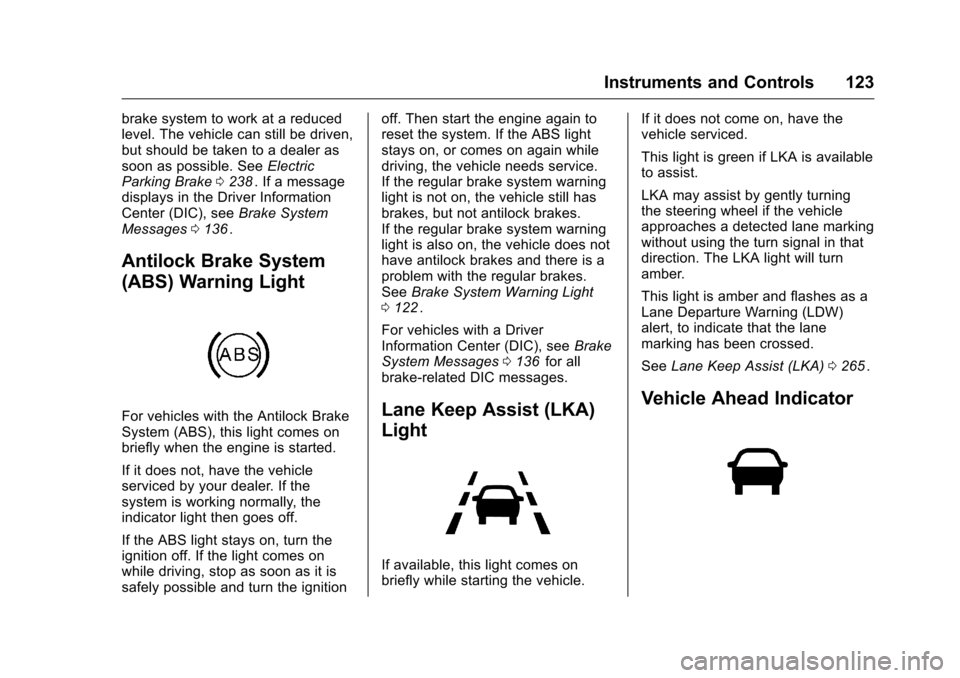
For vehicles with the Antilock Brake
System (ABS), this light comes on
briefly when the engine is started.
If it does not, have the vehicle
serviced by your dealer. If the
system is working normally, the
indicator light then goes off.
If the ABS light stays on, turn the
ignition off. If the light comes on
while driving, stop as soon as it is
safely possible and turn the ignition off. Then start the engine again to
reset the system. If the ABS light
stays on, or comes on again while
driving, the vehicle needs service.
If the regular brake system warning
light is not on, the vehicle still has
brakes, but not antilock brakes.
If the regular brake system warning
light is also on, the vehicle does not
have antilock brakes and there is a
problem with the regular brakes.
See
Brake System Warning Light
0 122
ii.
For vehicles with a Driver
Information Center (DIC), see Brake
System Messages 0136
iifor all
brake-related DIC messages.
Lane Keep Assist (LKA)
Light
If available, this light comes on
briefly while starting the vehicle. If it does not come on, have the
vehicle serviced.
This light is green if LKA is available
to assist.
LKA may assist by gently turning
the steering wheel if the vehicle
approaches a detected lane marking
without using the turn signal in that
direction. The LKA light will turn
amber.
This light is amber and flashes as a
Lane Departure Warning (LDW)
alert, to indicate that the lane
marking has been crossed.
See
Lane Keep Assist (LKA) 0265
ii.
Vehicle Ahead Indicator
Page 125 of 420
Chevrolet Malibu Owner Manual (GMNA-Localizing-U.S./Canada/Mexico-
9087641) - 2016 - crc - 9/3/15
124 Instruments and Controls
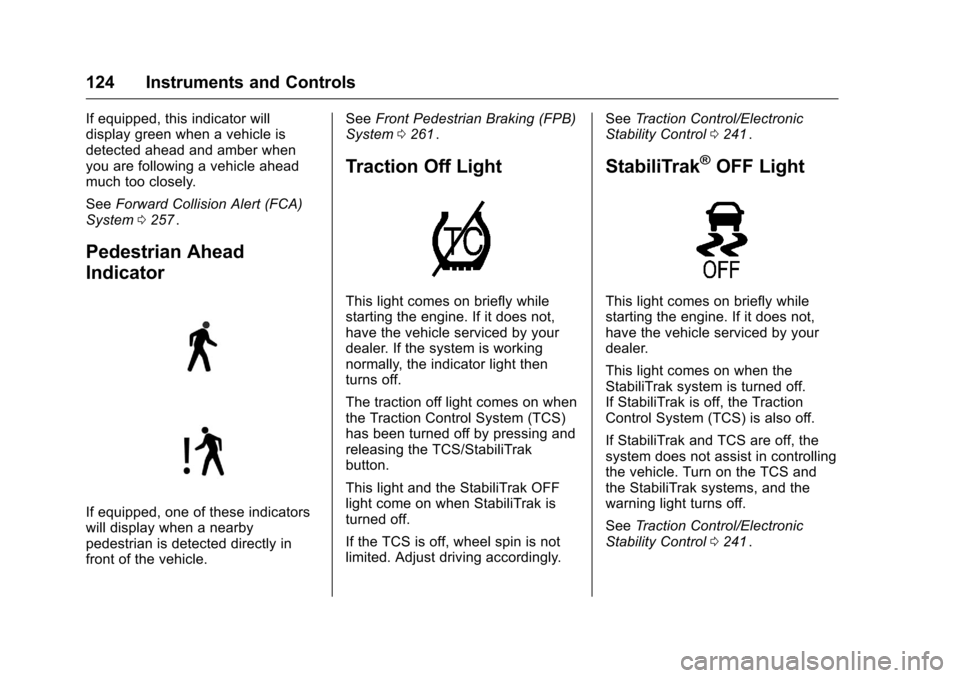
If equipped, this indicator will
display green when a vehicle is
detected ahead and amber when
you are following a vehicle ahead
much too closely.
SeeForward Collision Alert (FCA)
System 0257
ii.
Pedestrian Ahead
Indicator
If equipped, one of these indicators
will display when a nearby
pedestrian is detected directly in
front of the vehicle. See
Front Pedestrian Braking (FPB)
System 0261
ii.
Traction Off Light
This light comes on briefly while
starting the engine. If it does not,
have the vehicle serviced by your
dealer. If the system is working
normally, the indicator light then
turns off.
The traction off light comes on when
the Traction Control System (TCS)
has been turned off by pressing and
releasing the TCS/StabiliTrak
button.
This light and the StabiliTrak OFF
light come on when StabiliTrak is
turned off.
If the TCS is off, wheel spin is not
limited. Adjust driving accordingly. See
Traction Control/Electronic
Stability Control 0241
ii.
StabiliTrak®OFF Light
This light comes on briefly while
starting the engine. If it does not,
have the vehicle serviced by your
dealer.
This light comes on when the
StabiliTrak system is turned off.
If StabiliTrak is off, the Traction
Control System (TCS) is also off.
If StabiliTrak and TCS are off, the
system does not assist in controlling
the vehicle. Turn on the TCS and
the StabiliTrak systems, and the
warning light turns off.
See Traction Control/Electronic
Stability Control 0241
ii.
Page 127 of 420
Chevrolet Malibu Owner Manual (GMNA-Localizing-U.S./Canada/Mexico-
9087641) - 2016 - crc - 9/3/15
126 Instruments and Controls
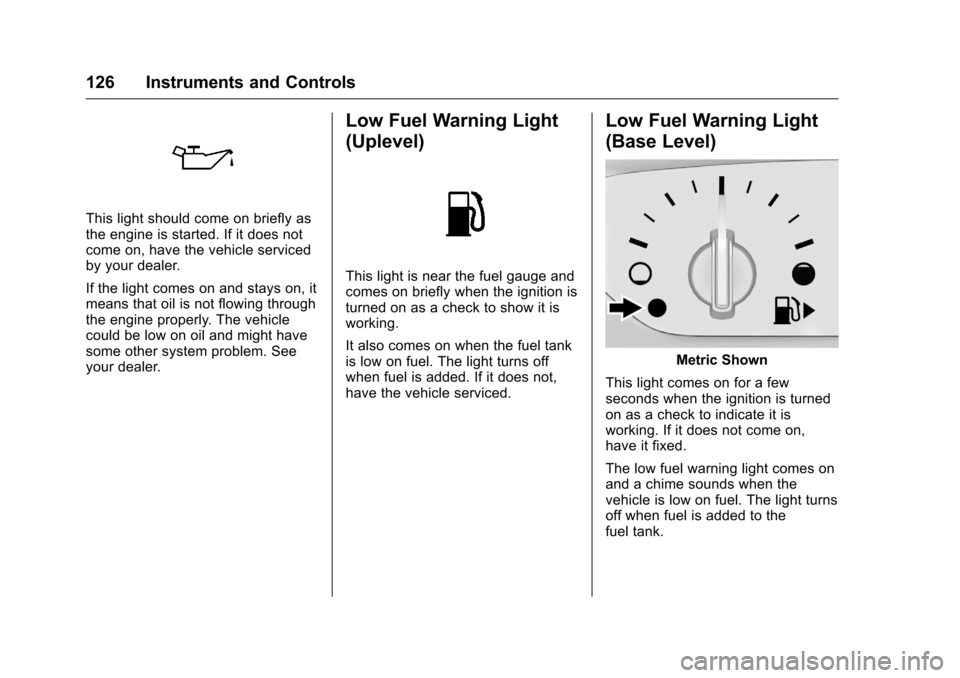
This light should come on briefly as
the engine is started. If it does not
come on, have the vehicle serviced
by your dealer.
If the light comes on and stays on, it
means that oil is not flowing through
the engine properly. The vehicle
could be low on oil and might have
some other system problem. See
your dealer.
Low Fuel Warning Light
(Uplevel)
This light is near the fuel gauge and
comes on briefly when the ignition is
turned on as a check to show it is
working.
It also comes on when the fuel tank
is low on fuel. The light turns off
when fuel is added. If it does not,
have the vehicle serviced.
Low Fuel Warning Light
(Base Level)
Metric Shown
This light comes on for a few
seconds when the ignition is turned
on as a check to indicate it is
working. If it does not come on,
have it fixed.
The low fuel warning light comes on
and a chime sounds when the
vehicle is low on fuel. The light turns
off when fuel is added to the
fuel tank.
Page 132 of 420
Chevrolet Malibu Owner Manual (GMNA-Localizing-U.S./Canada/Mexico-
9087641) - 2016 - crc - 9/3/15
Instruments and Controls 131
To stop the timer, pressVbriefly
while Timer is displayed. To reset
the timer to zero, press and hold
V.
Navigation : Used for the OnStar
Turn-by-Turn guidance. See OnStar
Overview 0398
ii.
Vehicle Information Menu
(VEHICLE) Items
Usew xto scroll through the
menu items. Not all items are
available on every vehicle. The
following is a list of all possible
menu items:
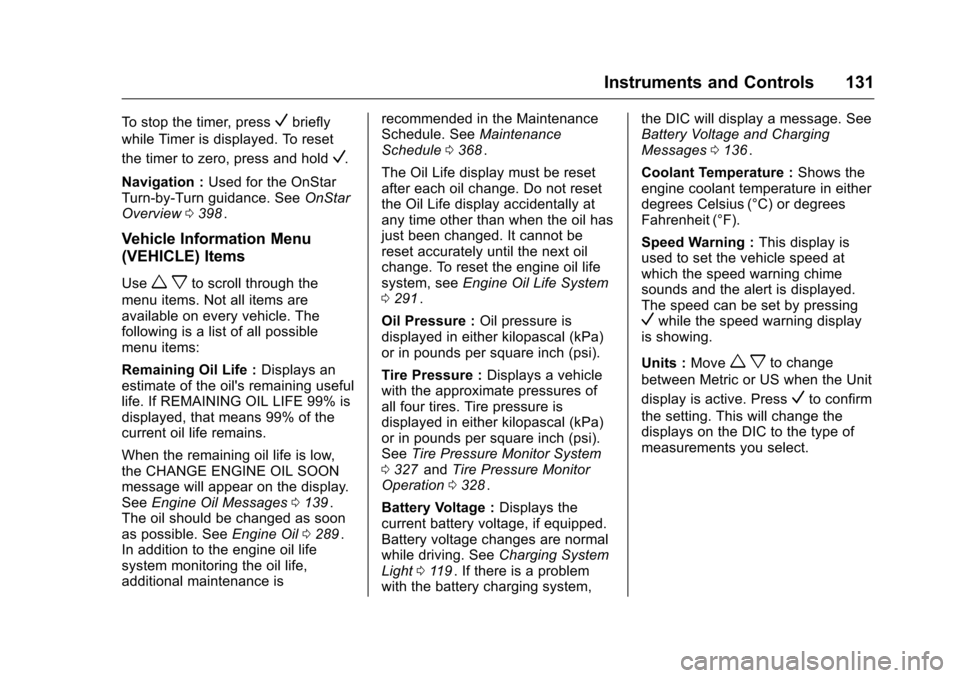
Remaining Oil Life : Displays an
estimate of the oil's remaining useful
life. If REMAINING OIL LIFE 99% is
displayed, that means 99% of the
current oil life remains.
When the remaining oil life is low,
the CHANGE ENGINE OIL SOON
message will appear on the display.
See Engine Oil Messages 0139
ii.
The oil should be changed as soon
as possible. See Engine Oil0289
ii.
In addition to the engine oil life
system monitoring the oil life,
additional maintenance is recommended in the Maintenance
Schedule. See
Maintenance
Schedule 0368
ii.
The Oil Life display must be reset
after each oil change. Do not reset
the Oil Life display accidentally at
any time other than when the oil has
just been changed. It cannot be
reset accurately until the next oil
change. To reset the engine oil life
system, see Engine Oil Life System
0 291
ii.
Oil Pressure : Oil pressure is
displayed in either kilopascal (kPa)
or in pounds per square inch (psi).
Tire Pressure : Displays a vehicle
with the approximate pressures of
all four tires. Tire pressure is
displayed in either kilopascal (kPa)
or in pounds per square inch (psi).
See Tire Pressure Monitor System
0 327
iiand Tire Pressure Monitor
Operation 0328ii.
Battery Voltage : Displays the
current battery voltage, if equipped.
Battery voltage changes are normal
while driving. See Charging System
Light 0119
ii. If there is a problem
with the battery charging system, the DIC will display a message. See
Battery Voltage and Charging
Messages
0136
ii.
Coolant Temperature : Shows the
engine coolant temperature in either
degrees Celsius (°C) or degrees
Fahrenheit (°F).
Speed Warning : This display is
used to set the vehicle speed at
which the speed warning chime
sounds and the alert is displayed.
The speed can be set by pressing
Vwhile the speed warning display
is showing.
Units : Move
w xto change
between Metric or US when the Unit
display is active. Press
Vto confirm
the setting. This will change the
displays on the DIC to the type of
measurements you select.
Page 142 of 420
Chevrolet Malibu Owner Manual (GMNA-Localizing-U.S./Canada/Mexico-
9087641) - 2016 - crc - 9/3/15
Instruments and Controls 141
Adaptive Cruise Control (ACC),
some last-second automatic braking
capability is still provided, though
less likely to occur. SeeFront
Automatic Braking (FAB) System
0 259
ii.
AUTOMATIC COLLISION PREP
UNAVAILABLE
This message displays when the
Front Automatic Braking (FAB)
System has been unavailable for
some time. The FAB System does
not need service.
This can occur under the following
conditions:
.
The front of the vehicle or
windshield is not clean. Keep
these areas clean and free of
mud, dirt, snow, ice, and slush.
For cleaning instructions, see
Exterior Care 0358
ii.
. Heavy rain or snow is interfering
with the object detection
performance. This message may also be
displayed if there is a problem with
the StabiliTrak system. See
Traction
Control/Electronic Stability Control
0 241
ii
FORWARD COLLISION
ALERT OFF
This message displays when the
Forward Collision Alert has been
turned off.
FRONT CAMERA BLOCKED
CLEAN WINDSHIELD
This message displays when the
camera is blocked. Cleaning the
outside of the windshield behind the
rearview mirror may correct the
issue. The Front Pedestrian Braking
(FPB), Lane Keep Assist (LKA), and
Lane Departure Warning (LDW) will
not operate. Adaptive Cruise Control
(ACC), Forward Collision Alert
(FCA), and the Front Automatic
Braking (FAB) System may not work
or may not work as well.
LANE CHANGE ALERT OFF
This message indicates that the
driver has turned the Side Blind
Zone Alert (SBZA) and Lane
Change Alert (LCA) systems off.
LANE KEEPING ASSIST
UNAVAILABLE
This message displays when the
Lane Keep Assist (LKA) and Lane
Departure Warning (LDW) system is
temporarily unavailable. The LKA
system does not need service.
This message could be due to the
camera being blocked. Cleaning the
outside of the windshield behind the
rearview mirror may correct the
issue.
PARK ASSIST OFF
This message displays when the
Parking Assist system has been
turned off or when there is a
temporary condition causing the
system to be disabled.