2016 CHEVROLET EXPRESS AUX
[x] Cancel search: AUXPage 106 of 289

Chevrolet Express Owner Manual (GMNA-Localizing-U.S./Canada/Mexico-
15555951) - 2022 - CRC - 1/27/22
Infotainment System 105
.Files with an .mp3 or .wma file extension.
.AAC files stored on an iPod.
.FAT16.
.FAT32.
Connecting a USB Storage Device or iPod
The USB port can be used to control an iPod
or a USB storage device.
To connect a USB storage device, connect
the device to the USB port on the
instrument panel.
To connect an iPod, connect one end of the
USB cable that came with the iPod to the
iPod’s dock connector and connect the other
end to the USB port on the instrument
panel. If the vehicle is on and the USB
connection works,“OK to disconnect” and a
GM logo may appear on the iPod, and iPod
appears on the infotainment display. The
iPod music appears on the infotainment
display and begins playing.
The iPod charges while it is connected to
the vehicle if the ignition is on or in ACC/
ACCESSORY. When the vehicle is turned off,
the iPod automatically powers off and will
not charge or draw power from the vehicle's
battery. If you have an older iPod model that is not
supported, it can still be used by connecting
it to the auxiliary input jack using a
standard 3.5 mm (1/8 in) stereo cable. See
“Using the Auxiliary Input Jack”
previously in
this section.Using the Radio to Control a USB
Storage Device or iPod
The radio can control a USB storage device
or an iPod using the radio buttons and
knobs, and can display song information on
the infotainment display.
f: Turn to select files.
©SEEK : Press to go to the start of the
track, if more than 10 seconds have played.
Press and hold or press multiple times to
continue moving backward through tracks.
¨SEEK : Press to go to the next track. Press
and hold or press multiple times to continue
moving forward through tracks.
sREV : Press and hold to reverse playback
quickly. Sound is heard at a reduced volume.
Release
sREV to resume playing. The
elapsed time of the file displays.
\FWD : Press and hold to advance
playback quickly. Sound is heard at a
reduced volume. Release
\FWD to resume
playing. The elapsed time of the file
displays.
4: Press to display additional information
about the selected track.
Using Softkeys to Control a USB Storage
Device or iPod
The five softkeys below the infotainment
display are used to control the functions
listed below.
To use the softkeys:
1. Press the first or fifth softkey below the infotainment display to display the
functions listed below, or press the
softkey below the function if it is
currently displayed.
2. Press the softkey below the tab with the function on it to use that function.
j:Press the softkey belowjto pause the
track. The tab appears raised when pause is
being used. Press the softkey below
jagain
to resume playback.
Page 117 of 289

Chevrolet Express Owner Manual (GMNA-Localizing-U.S./Canada/Mexico-
15555951) - 2022 - CRC - 1/27/22
116 Climate Controls
Heated Mirrors: If equipped with heated
outside mirrors, the mirrors heat to help
clear fog or frost from the surface of the
mirror when
1is pressed. SeeHeated
Mirrors 018.
Do not drive the vehicle until all the
windows are clear.
Caution
Do not use a razor blade or sharp object
to clear the inside rear window. Do not
adhere anything to the defogger grid
lines in the rear glass. These actions may
damage the rear defogger. Repairs would
not be covered by the vehicle warranty.
Rear Heating System
If equipped, the rear heating system lets
you adjust the amount of air flowing into
the rear of the vehicle, from the front
seating area. This feature works with the
main climate control system in the vehicle.
AUX : The thumbwheel for this system is on
the instrument panel below the audio
system.
9: Turn the thumbwheel up or down to
increase or decrease the amount of heated
air sent to the rear seating area.
Q: This position supplies the most amount
of heat to the rear seating area.
c: This position supplies half the amount
of heat to the rear seating area.
R: This position supplies the least amount
of heat to the rear seating area.
9: This turns the rear heating system off.
Rear Climate Control System
If equipped with a rear heating and air
conditioning system, it controls the
temperature, fan speed, and air delivery for
the rear seat passengers only. The front
climate control panel is in the overhead
console between the driver and front
passenger.
Page 118 of 289

Chevrolet Express Owner Manual (GMNA-Localizing-U.S./Canada/Mexico-
15555951) - 2022 - CRC - 1/27/22
Climate Controls 117
Front Climate Control Panel
1. Fan Control
2. Air Delivery Mode Control
3. Temperature Control
Use this control panel to maintain a
separate temperature setting. Adjust the
direction of the airflow or adjust the fan
speed for the rear seat passenger(s). When the fan knob is in the AUX position,
the rear climate control panel can be used
to adjust the climate settings in the rear
seating area.
Page 119 of 289

Chevrolet Express Owner Manual (GMNA-Localizing-U.S./Canada/Mexico-
15555951) - 2022 - CRC - 1/27/22
118 Climate Controls
Rear Climate Control Panel
1. Fan Control
2. Air Delivery Mode Control
3. Temperature Control
For vehicles with a rear climate control
panel, it is located overhead behind the
driver and front passenger, centered in front
of the second row. To adjust the rear
climate control panel settings by a rear seat
passenger, the front climate control panel
fan knob must be in the AUX position. The
fan speed, air delivery mode, and
temperature can then be adjusted. AUX :
Turn the fan knob on the front
climate control panel to AUX to let rear seat
passengers use the control panel in the rear
seating area. This disables the front control
panel. To return control to the front panel,
move the fan knob out of AUX.
9: Turns the system off.
9:Turn clockwise or counterclockwise to
increase or decrease the fan speed in the
rear seating area.
Temperature Control : Turn clockwise or
counterclockwise to increase or decrease the
temperature in the rear seating area. The air conditioning system on the main
climate control panel must be turned on to
direct cooled air to the rear of the vehicle.
If it is not on, then the temperature in the
rear of the vehicle remains at cabin
temperature.
Air Delivery Mode Control :
Turn clockwise
or counterclockwise to change the direction
of the airflow in the rear seating area.
To change the current mode, select one of
the following:
H: Air is directed to the upper outlets,
with some directed to the floor outlets.
2: Air is directed to the floor outlets.
Be sure to keep the area under the front
seats clear of any objects so that the air
inside of the vehicle can circulate effectively.
For information on how to use the main
climate control system, see Climate Control
Systems 0114. For information on
ventilation, see Air Vents0118.
Air Vents
Use the outlets located near the center and
on the sides of the instrument panel to
change the direction of airflow.
Page 134 of 289

Chevrolet Express Owner Manual (GMNA-Localizing-U.S./Canada/Mexico-
15555951) - 2022 - CRC - 1/27/22
Driving and Operating 133
pushing the accelerator pedal all the way
to the floor and holding it there as you
hold the key in START for up to
15 seconds. Wait at least 15 seconds
between each try, to allow the cranking
motor to cool down. When the engine
starts, let go of the key and accelerator.
If the vehicle starts briefly but then
stops again, do the same thing. This
clears the extra gasoline from the
engine. Do not race the engine
immediately after starting it. Operate
the engine and transmission gently until
the oil warms up and lubricates all
moving parts.
Fast Idle System
If equipped, this feature is available only
with cruise control. The manual fast idle
switch is operated using the cruise control
buttons on the left side of the steering
wheel.
This system can be used to increase engine
idle speed whenever the following
conditions are met:
.The parking brake is set.
.The brake pedal is not pressed.
.The vehicle must not be moving and the
accelerator must not be pressed.To control the fast idle:
.To enable the Fast Idle System, press and
release the cruise control on/off button
and ensure that the switch indicator light
is lit.
.Press and release the cruise control SET-
button. Engine speed will be held at
approximately 1200 rpm.
When the fast idle is active, the Driver
Information Center (DIC) will display FAST
IDLE ON.
One of the following actions will turn off
the fast idle:
.Pressing the brake.
.Selecting the cruise control cancel button.
.Releasing the parking brake.
.Moving the transmission shift lever out of
P (Park) or N (Neutral).
.Selecting the cruise control on/off button
when it was previously on.
.Pressing the cruise control SET- button a
second time.
.Pressing the accelerator more than
one-quarter of the way down.
.Turning the ignition off.
Retained Accessory Power (RAP)
When the ignition is turned from on to off,
the following features (if equipped) will
continue to function for up to 10 minutes,
or until the driver door is opened. These
features will also work when the ignition is
in RUN or ACC/ACCESSORY:
.Infotainment System
.Power Windows (during RAP this
functionality will be lost when any door
is opened)
.Sunroof (during RAP this functionality will
be lost when any door is opened)
.Auxiliary Power Outlet
.Audio System
.OnStar System
Engine Coolant Heater
If the vehicle has a diesel engine, see the
Duramax diesel supplement.
{Warning
Do not plug in the engine block heater
while the vehicle is parked in a garage or
under a carport. Property damage or (Continued)
Page 201 of 289

Chevrolet Express Owner Manual (GMNA-Localizing-U.S./Canada/Mexico-
15555951) - 2022 - CRC - 1/27/22
200 Vehicle Care
FusesUsage
3 Right Trailer Stoplamp/ Turn Signal Lamp
4 –
5 –
6 Fuel System Control Module/Ignition
7 Body Control Module 5
8 Body Control Module 7
9 Body Control Module 4
10 Instrument Cluster 11 Trailer Wiring
12 –
13 Interior Rear Vision Camera Module
14 Windshield Washer
16 Horn 17 Transmission
18 A/C
19 Engine Control Module Battery Fuses
Usage
20 Left Stop/Turn Cutaway Lamp
21 Left Stop/Turn Trailer Lamp
22 Right Stop/Turn Cutaway Lamp
23 NOX Sensor (Diesel Only)
24 Fuel Pump 25 Auxiliary Power Outlet
26 Body Control Module 3 27 Special Equipment Option
28 Airbag
29 Steering Wheel Sensor
30 Engine Control Module Ignition
31 Transmission Control Module Ignition
32 Transmission Control Module 1 Battery
33 Rear Parking Aid Module Fuses
Usage
34 NOX Sensor (Diesel Only)
35 Fuel Heater Control Module (Diesel Only)
36 Fuel System Control Module Battery
41 Transmission Control Module 2, Battery
Signal
42 Trailer Wiring
43 Electro Viscous Fan Clutch (Diesel Only)
44 Starter Solenoid 45 Engine Control Module/ Powertrain Signal 2
46 DC-AC Inverter 47 Fan Low Speed 51 Left High-Beam Headlamp
52 Right High-Beam Headlamp
53 Left Low-Beam Headlamp
Page 202 of 289
Chevrolet Express Owner Manual (GMNA-Localizing-U.S./Canada/Mexico-
15555951) - 2022 - CRC - 1/27/22
Vehicle Care 201
FusesUsage
54 Right Low-Beam Headlamp
55 Wipers
56 Canister Vent Solenoid
58 Body Control Module 2
59 Body Control Module 1 61 Engine Oil Solenoid/ Crankcase Vent Heater
(Diesel Only)
62 O2 Sensor 2
63 –
64 Mass Airflow/ Canister Vent
65 Ignition Coils/Injectors –Odd
66 Daytime Running Lamps 2
67 Daytime Running Lamps 1
68 Auxiliary Stoplamps
69 External Power for Trailer Fuses
Usage
70 Upfitter Stoplamps 71 Fuel Heater/FlexFuel Sensor
72 Body Control Module 6
73 Lighter/Data Link Connector
74 Front Blower 75 Engine Control Module
76 Soot Sensors (Diesel Only)
77 O2 Sensor 1
78 Engine Control Module/ Powertrain Signal 1
79 Ignition Coils/Injectors –Even
Relays Usage
15 Run/Crank
37 NOX Sensor (Diesel Only)
38 Fuel Pump
39 Crank Relays
Usage
40 A/C Compressor 48 Electro Viscous Fan Clutch (Diesel Only)
49 Powertrain 50 –
57 Fan Low Speed
60 Fan Control
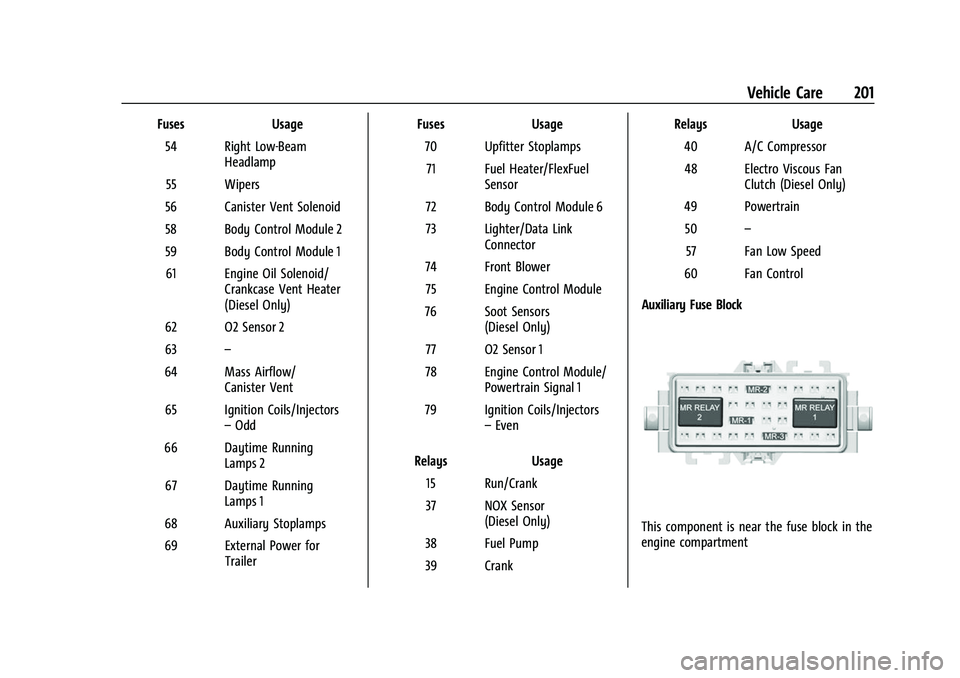
Auxiliary Fuse Block
This component is near the fuse block in the
engine compartment
Page 204 of 289

Chevrolet Express Owner Manual (GMNA-Localizing-U.S./Canada/Mexico-
15555951) - 2022 - CRC - 1/27/22
Vehicle Care 203
Mini-FusesUsage
F1 –
F2 Steering Wheel Sensor
F3 Auxiliary Parking Lamps
F4 Front Parking Lamps F5 Trailer Parking Lamps
F6 Upfitter/Parking Lamps F7 Right Rear Parking Lamp
F8 Left Rear Parking Lamp
F9 Outside View Mirror Switch/Front Camera
Module
F10 Airbag/Automatic Occupant Sensing
F11 –/OnStar
F12 –
F13 HVAC 2
F14 HVAC 1 F15 Reflected LED Display
F16 Upfitter Aux 1/Gas Ambulance Mini-Fuses
Usage
F17 Heated Outside Mirrors
F18 Rear Window Defogger
F19 Compass
F20 Radio/Chime/SiriusXM Satellite Radio
F21 Remote Function Actuator/Tire Pressure
Monitor
F22 Ignition Switch/Discrete Logic Ignition Sensor/
Pass Key 3
F23 Instrument Cluster
F24 –
F25 HVAC Control
F26 Auxiliary/Trailer Reverse Lamps
F27 Reverse Tail Lamps
F28 Upfitter 2/Gas Ambulance
F29 Rear Blower
F30 Upfitter/Courtesy Lamps Mini-Fuses
Usage
F31 Front Door Lock
F32 Rear Door Lock
F33 Cargo Door Unlock
F34 Front Passenger Door Unlock
F35 Rear Passenger Door Unlock
F36 Driver Door Unlock F37 –
F38 –
Relays Usage
K1 Run
K2 –
K3 Parking Lamps
K4 Upfitter 2 K5 Rear Window Defogger
K6 Retained Accessory Power