2016 CHEVROLET CRUZE LIMITED wheel
[x] Cancel search: wheelPage 94 of 357
Chevrolet Cruze Limited Owner Manual (GMNA-Localizing-U.S./Canada-
9282844) - 2016 - crc - 9/3/15
Instruments and Controls 93
Instruments and
Controls
Controls
Steering Wheel Adjustment . . . . 94
Steering Wheel Controls . . . . . . . 94
Horn . . . . . . . . . . . . . . . . . . . . . . . . . . . 95
Windshield Wiper/Washer . . . . . . 95
Compass . . . . . . . . . . . . . . . . . . . . . . 96
Clock . . . . . . . . . . . . . . . . . . . . . . . . . . 96
Power Outlets . . . . . . . . . . . . . . . . . 97
Cigarette Lighter . . . . . . . . . . . . . . . 98
Ashtrays . . . . . . . . . . . . . . . . . . . . . . . 98
Warning Lights, Gauges, and
Indicators
Warning Lights, Gauges, andIndicators . . . . . . . . . . . . . . . . . . . . 99
Instrument Cluster . . . . . . . . . . . . 100
Speedometer . . . . . . . . . . . . . . . . . 101
Odometer . . . . . . . . . . . . . . . . . . . . . 101
Trip Odometer . . . . . . . . . . . . . . . . 101
Tachometer . . . . . . . . . . . . . . . . . . . 101
Fuel Gauge . . . . . . . . . . . . . . . . . . . 101
Engine Coolant Temperature Gauge . . . . . . . . . . . . . . . . . . . . . . 102
Safety Belt Reminders . . . . . . . . 102
Airbag Readiness Light . . . . . . . 103 Passenger Airbag Status
Indicator . . . . . . . . . . . . . . . . . . . . 103
Charging System Light . . . . . . . 104
Malfunction Indicator Lamp (Check Engine Light) . . . . . . . . 104
Brake System Warning Light . . . . . . . . . . . . . . . . . . . . . . . . 106
Antilock Brake System (ABS) Warning Light . . . . . . . . . . . . . . . 107
Up-Shift Light . . . . . . . . . . . . . . . . . 107
Power Steering Warning Light . . . . . . . . . . . . . . . . . . . . . . . . 108
Traction Off Light . . . . . . . . . . . . . 108
StabiliTrak
®OFF Light . . . . . . . . 108
Traction Control System (TCS)/ StabiliTrak
®Light . . . . . . . . . . . 108
Tire Pressure Light . . . . . . . . . . . 109
Engine Oil Pressure Light . . . . 109
Low Fuel Warning Light . . . . . . . 110
Security Light . . . . . . . . . . . . . . . . . 110
Reduced Engine Power Light . . . . . . . . . . . . . . . . . . . . . . . . 110
High-Beam On Light . . . . . . . . . . 110
Front Fog Lamp Light . . . . . . . . . 111
Lamps On Reminder . . . . . . . . . . 111
Cruise Control Light . . . . . . . . . . . 111
Door Ajar Light . . . . . . . . . . . . . . . . 111
Information Displays
Driver Information Center (DIC) . . . . . . . . . . . . . . . . 112
Vehicle Messages
Vehicle Messages . . . . . . . . . . . . 115
Battery Voltage and ChargingMessages . . . . . . . . . . . . . . . . . . . 115
Brake System Messages . . . . . 116
Compass Messages . . . . . . . . . . 116
Cruise Control Messages . . . . . 116
Door Ajar Messages . . . . . . . . . . 116
Engine Cooling System Messages . . . . . . . . . . . . . . . . . . . 116
Engine Oil Messages . . . . . . . . . 117
Engine Power Messages . . . . . 117
Fuel System Messages . . . . . . . 117
Key and Lock Messages . . . . . . 118
Lamp Messages . . . . . . . . . . . . . . 118
Object Detection System Messages . . . . . . . . . . . . . . . . . . . 118
Ride Control System Messages . . . . . . . . . . . . . . . . . . . 119
Airbag System Messages . . . . . 119
Safety Belt Messages . . . . . . . . 119
Security Messages . . . . . . . . . . . 120
Service Vehicle Messages . . . . 120
Starting the Vehicle Messages . . . . . . . . . . . . . . . . . . . 120
Tire Messages . . . . . . . . . . . . . . . . 120
Transmission Messages . . . . . . 121
Vehicle Reminder Messages . . . . . . . . . . . . . . . . . . . 121
Page 95 of 357
Chevrolet Cruze Limited Owner Manual (GMNA-Localizing-U.S./Canada-
9282844) - 2016 - crc - 9/3/15
94 Instruments and Controls
Vehicle Personalization
Vehicle Personalization . . . . . . . 122Controls
Steering Wheel
Adjustment
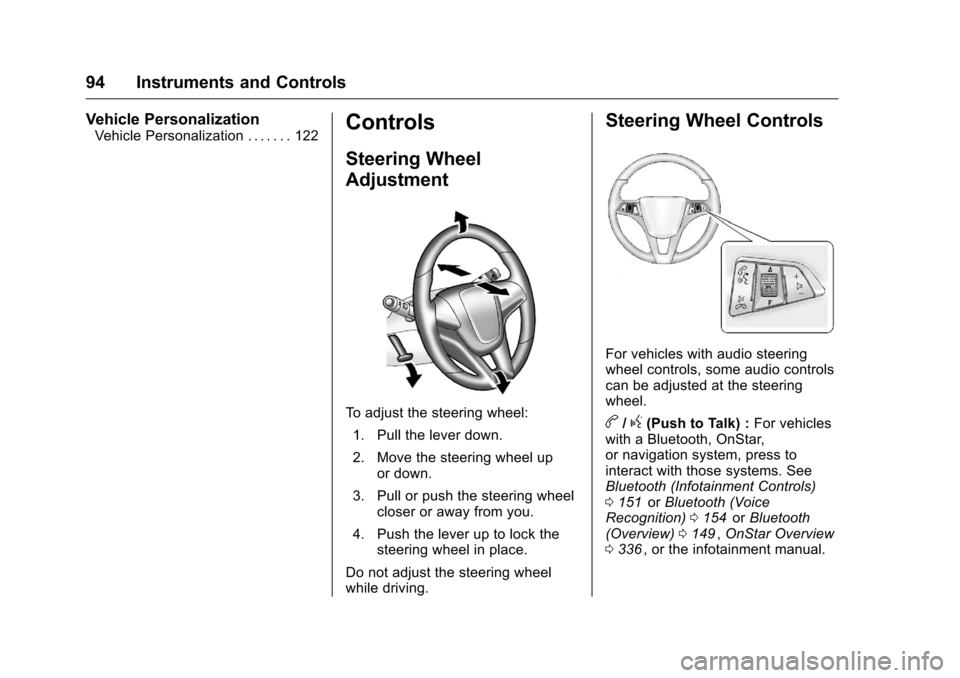
To adjust the steering wheel:1. Pull the lever down.
2. Move the steering wheel up or down.
3. Pull or push the steering wheel closer or away from you.
4. Push the lever up to lock the steering wheel in place.
Do not adjust the steering wheel
while driving.
Steering Wheel Controls
For vehicles with audio steering
wheel controls, some audio controls
can be adjusted at the steering
wheel.
b/g(Push to Talk) : For vehicles
with a Bluetooth, OnStar,
or navigation system, press to
interact with those systems. See
Bluetooth (Infotainment Controls)
0 151
iior Bluetooth (Voice
Recognition) 0154iior Bluetooth
(Overview) 0149ii,OnStar Overview
0 336ii, or the infotainment manual.
Page 96 of 357
Chevrolet Cruze Limited Owner Manual (GMNA-Localizing-U.S./Canada-
9282844) - 2016 - crc - 9/3/15
Instruments and Controls 95
$/i(Mute/End Call) :Press to
silence the vehicle speakers only.
Press again to turn the sound on.
For vehicles with OnStar or
Bluetooth systems, press to reject
an incoming call, or end a
current call.
_SRC^(Source/Favorite) : Press
to select a source or turn to change
favorite stations.
Press
_or^to select AM, FM, CD,
or MP3 track.
Turn
_or^to select the next or
previous saved favorite radio
stations.
+
x− (Volume) : Press + to
increase the volume. Press −to
decrease the volume.
Horn
Pressaon the steering wheel pad
to sound the horn.
Windshield Wiper/Washer
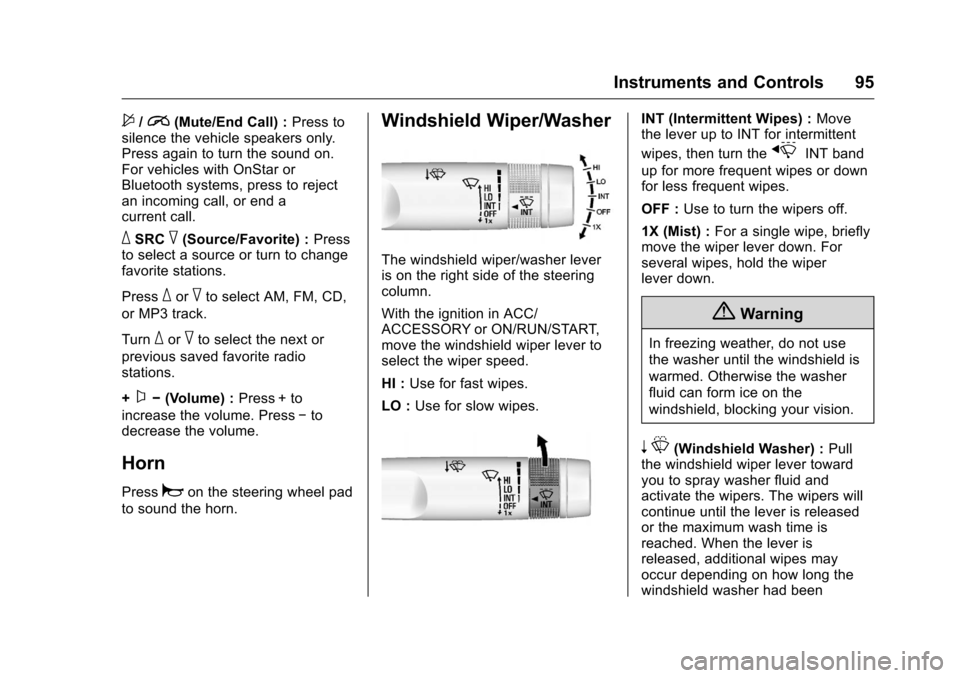
The windshield wiper/washer lever
is on the right side of the steering
column.
With the ignition in ACC/
ACCESSORY or ON/RUN/START,
move the windshield wiper lever to
select the wiper speed.
HI : Use for fast wipes.
LO : Use for slow wipes.
INT (Intermittent Wipes) : Move
the lever up to INT for intermittent
wipes, then turn the
xINT band
up for more frequent wipes or down
for less frequent wipes.
OFF : Use to turn the wipers off.
1X (Mist) : For a single wipe, briefly
move the wiper lever down. For
several wipes, hold the wiper
lever down.
{Warning
In freezing weather, do not use
the washer until the windshield is
warmed. Otherwise the washer
fluid can form ice on the
windshield, blocking your vision.
n L(Windshield Washer) : Pull
the windshield wiper lever toward
you to spray washer fluid and
activate the wipers. The wipers will
continue until the lever is released
or the maximum wash time is
reached. When the lever is
released, additional wipes may
occur depending on how long the
windshield washer had been
Page 107 of 357
Chevrolet Cruze Limited Owner Manual (GMNA-Localizing-U.S./Canada-
9282844) - 2016 - crc - 9/3/15
106 Instruments and Controls
least one full tank of the proper
fuel to turn the light off. SeeFuel
0 209
ii.
If the light remains on, see your
dealer.
Emissions Inspection and
Maintenance Programs
If the vehicle requires an Emissions
Inspection/Maintenance test, the
test equipment will likely connect to
the vehicle's Data Link
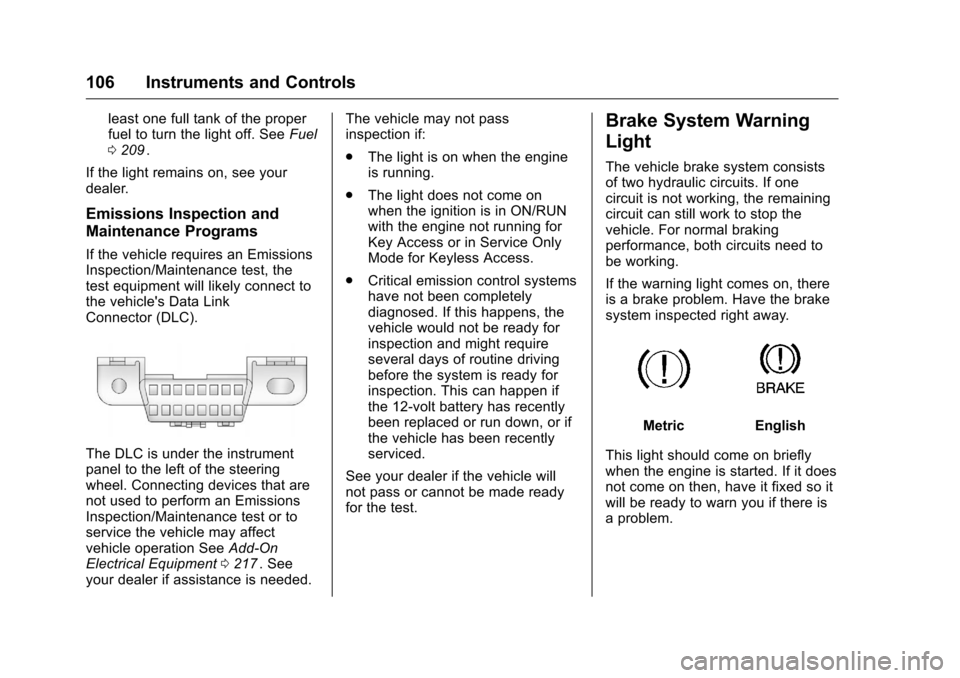
Connector (DLC).
The DLC is under the instrument
panel to the left of the steering
wheel. Connecting devices that are
not used to perform an Emissions
Inspection/Maintenance test or to
service the vehicle may affect
vehicle operation See Add-On
Electrical Equipment 0217
ii. See
your dealer if assistance is needed. The vehicle may not pass
inspection if:
.
The light is on when the engine
is running.
. The light does not come on
when the ignition is in ON/RUN
with the engine not running for
Key Access or in Service Only
Mode for Keyless Access.
. Critical emission control systems
have not been completely
diagnosed. If this happens, the
vehicle would not be ready for
inspection and might require
several days of routine driving
before the system is ready for
inspection. This can happen if
the 12-volt battery has recently
been replaced or run down, or if
the vehicle has been recently
serviced.
See your dealer if the vehicle will
not pass or cannot be made ready
for the test.
Brake System Warning
Light
The vehicle brake system consists
of two hydraulic circuits. If one
circuit is not working, the remaining
circuit can still work to stop the
vehicle. For normal braking
performance, both circuits need to
be working.
If the warning light comes on, there
is a brake problem. Have the brake
system inspected right away.
MetricEnglish
This light should come on briefly
when the engine is started. If it does
not come on then, have it fixed so it
will be ready to warn you if there is
a problem.
Page 109 of 357
Chevrolet Cruze Limited Owner Manual (GMNA-Localizing-U.S./Canada-
9282844) - 2016 - crc - 9/3/15
108 Instruments and Controls
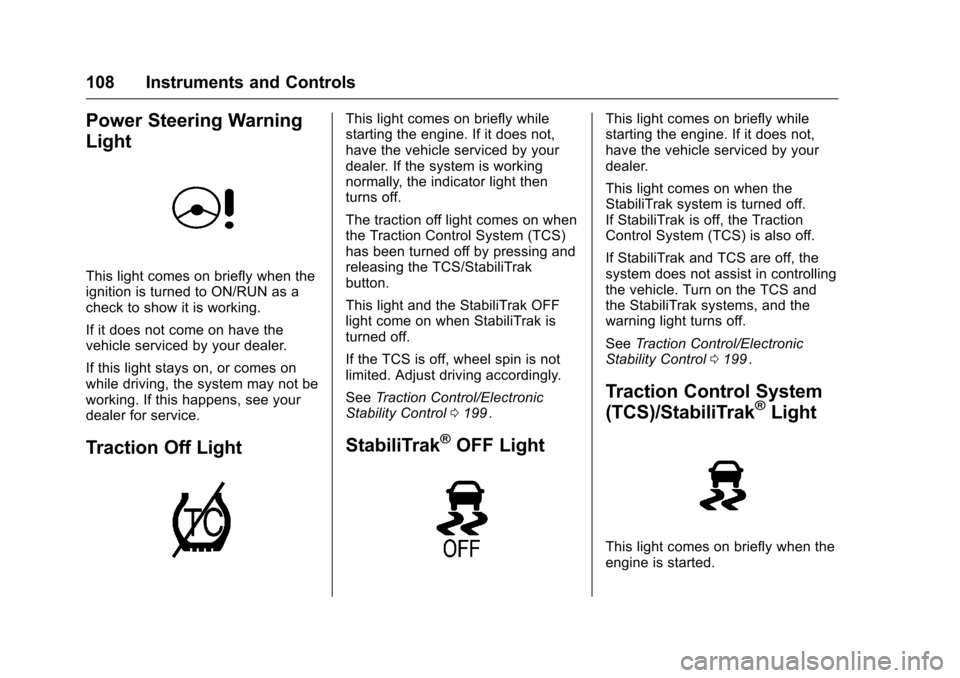
Power Steering Warning
Light
This light comes on briefly when the
ignition is turned to ON/RUN as a
check to show it is working.
If it does not come on have the
vehicle serviced by your dealer.
If this light stays on, or comes on
while driving, the system may not be
working. If this happens, see your
dealer for service.
Traction Off Light
This light comes on briefly while
starting the engine. If it does not,
have the vehicle serviced by your
dealer. If the system is working
normally, the indicator light then
turns off.
The traction off light comes on when
the Traction Control System (TCS)
has been turned off by pressing and
releasing the TCS/StabiliTrak
button.
This light and the StabiliTrak OFF
light come on when StabiliTrak is
turned off.
If the TCS is off, wheel spin is not
limited. Adjust driving accordingly.
SeeTraction Control/Electronic
Stability Control 0199
ii.
StabiliTrak®OFF Light
This light comes on briefly while
starting the engine. If it does not,
have the vehicle serviced by your
dealer.
This light comes on when the
StabiliTrak system is turned off.
If StabiliTrak is off, the Traction
Control System (TCS) is also off.
If StabiliTrak and TCS are off, the
system does not assist in controlling
the vehicle. Turn on the TCS and
the StabiliTrak systems, and the
warning light turns off.
See Traction Control/Electronic
Stability Control 0199
ii.
Traction Control System
(TCS)/StabiliTrak®Light
This light comes on briefly when the
engine is started.
Page 121 of 357
Chevrolet Cruze Limited Owner Manual (GMNA-Localizing-U.S./Canada-
9282844) - 2016 - crc - 9/3/15
120 Instruments and Controls
SHIFTER UNLOCKED. BRAKE
TO SHIFT
This message displays when the
Safety Belt Assurance System times
out and allows the vehicle to be
shifted out of P (Park) after
30 seconds following brake apply.
See“Safety Belts” and“Child
Restraints” in the Index for
information about the importance of
proper restraint use.
This system may not function
properly if the airbag readiness light
is on. See Airbag Readiness Light
0 103
ii.
Security Messages
THEFT ATTEMPTED
This message displays if the vehicle
detects a tamper condition.
Service Vehicle Messages
CHANGE TIMING BELT
This message displays when
scheduled maintenance on the
timing belt is required. See your
dealer for service.
SERVICE POWER STEERING
This message displays and a chime
may sound when there may be a
problem with the power steering
system. If this message displays
and a reduction in steering
performance or loss of power
steering assistance is noticed, see
your dealer.
SERVICE STEERING
COLUMN LOCK
This message displays if there is a
problem with the steering column
lock. Take the vehicle to your dealer
for service.
SERVICE VEHICLE SOON
This message displays if there is a
problem with the vehicle. Take the
vehicle to your dealer for service.
Starting the Vehicle
Messages
TURN STEERING WHEEL
START VEHICLE AGAIN
This message displays when you try
to start the vehicle, but the column
remains locked. Try turning the
steering wheel while starting the
vehicle to unlock the steering
column. If the vehicle still does not
start, turn the steering wheel the
other way, and try starting the
vehicle again.
Tire Messages
SERVICE TIRE MONITOR
SYSTEM
This message displays if there is a
problem with the Tire Pressure
Monitor System (TPMS). See Tire
Pressure Monitor Operation 0264
iifor more information.
Page 132 of 357
Chevrolet Cruze Limited Owner Manual (GMNA-Localizing-U.S./Canada-
9282844) - 2016 - crc - 9/3/15
Lighting 131
Raise or lower the lever until the
arrow starts to flash to signal a lane
change. The turn signal flashes
three times.
The lever returns to its starting
position when it is released.
If after signaling a turn or lane
change the arrow flashes rapidly or
does not come on, a signal bulb
may be burned out. Replace any
burned out bulbs. If a bulb is not
burned out, check the fuse. See
Fuses and Circuit Breakers0250
ii.
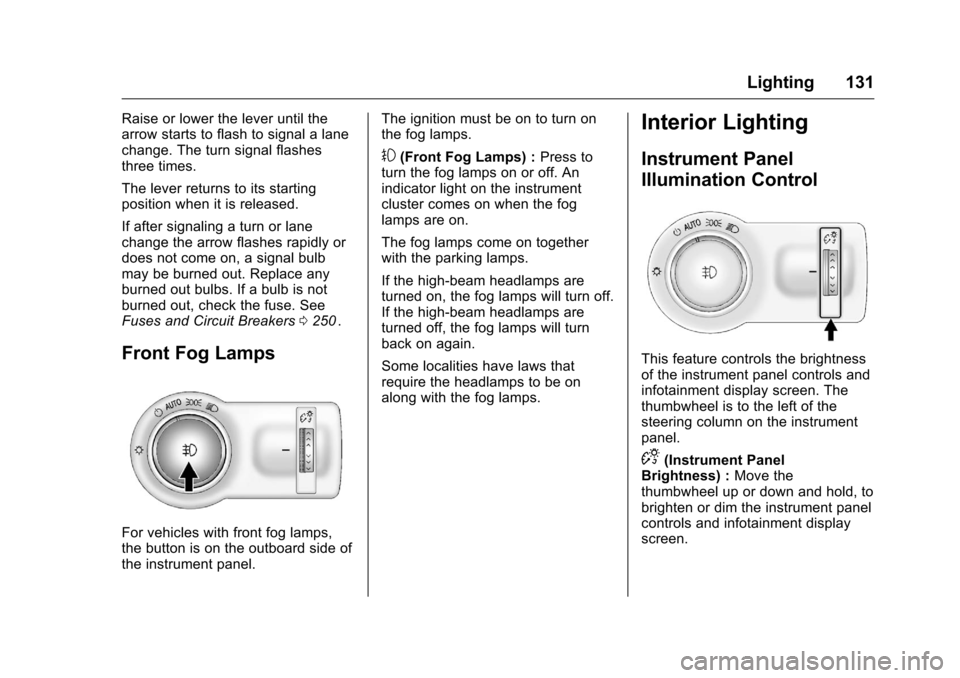
Front Fog Lamps
For vehicles with front fog lamps,
the button is on the outboard side of
the instrument panel. The ignition must be on to turn on
the fog lamps.
#(Front Fog Lamps) :
Press to
turn the fog lamps on or off. An
indicator light on the instrument
cluster comes on when the fog
lamps are on.
The fog lamps come on together
with the parking lamps.
If the high-beam headlamps are
turned on, the fog lamps will turn off.
If the high-beam headlamps are
turned off, the fog lamps will turn
back on again.
Some localities have laws that
require the headlamps to be on
along with the fog lamps.
Interior Lighting
Instrument Panel
Illumination Control
This feature controls the brightness
of the instrument panel controls and
infotainment display screen. The
thumbwheel is to the left of the
steering column on the instrument
panel.
D(Instrument Panel
Brightness) : Move the
thumbwheel up or down and hold, to
brighten or dim the instrument panel
controls and infotainment display
screen.
Page 138 of 357
Chevrolet Cruze Limited Owner Manual (GMNA-Localizing-U.S./Canada-
9282844) - 2016 - crc - 9/3/15
Infotainment System 137
10.Y(Eject)
. Removes a disc from the
CD slot.
11. MENU/SEL .Turn to open menus,
highlight menu items, or set
numeric values while in
a menu.
. Press to select menu items.
. Radio: Manually selects
radio stations.
. CD: Selects tracks.
12. BACK .Menu: Moves one
level back.
. Character Input: Deletes
the last character.
13. FAV (Favorite Pages) .Radio: Opens the
favorites list.
14.
5\>(Phone/Mute)
. Opens the phone
main menu.
. Mutes the audio system. 15. CONFIG (Configure)
.Opens the settings menu.
16. CD Slot .Insert a CD.
17. CD/AUX .Selects the CD player or an
external audio source.
18. BAND .Changes the band while
listening to the radio.
. Selects the radio when
listening to a different audio
source.
Operation
Controls
The infotainment system is operated
by using the pushbuttons,
multifunction knobs, menus shown
on the display, and steering wheel
controls, if equipped.
Turning the System On or Off
O(Power/Volume) : Press to turn
the system on and off. Automatic Switch-Off
If the infotainment system has been
turned on after the ignition is turned
off, the system will turn off
automatically after 10 minutes.
Volume Control
O(Power/Volume) :
Turn to adjust
the volume.
5/>(Phone/Mute) : Press to
mute the infotainment system. Press
5/>again, or turn theOknob to
cancel mute.
Menu System
The menu system appears on the
display screen.
Controls
The MENU/SEL knob and the BACK
button are used to navigate the
menu system.
MENU/SEL Knob : Press to:
. Enter the menu system.
. Select or activate the highlighted
menu option.
. Confirm a set value.