2016 CHEVROLET CORVETTE light
[x] Cancel search: lightPage 111 of 351
Chevrolet Corvette Owner Manual (GMNA-Localizing-U.S./Canada/Mexico-
9085364) - 2016 - crc - 9/15/15
110 Instruments and Controls
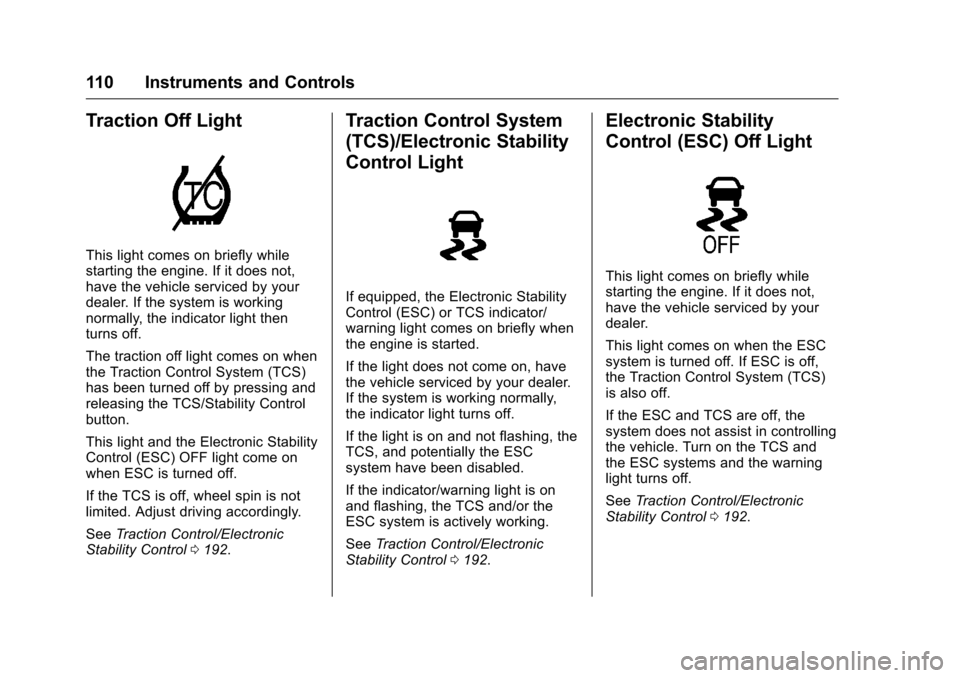
Traction Off Light
This light comes on briefly while
starting the engine. If it does not,
have the vehicle serviced by your
dealer. If the system is working
normally, the indicator light then
turns off.
The traction off light comes on when
the Traction Control System (TCS)
has been turned off by pressing and
releasing the TCS/Stability Control
button.
This light and the Electronic Stability
Control (ESC) OFF light come on
when ESC is turned off.
If the TCS is off, wheel spin is not
limited. Adjust driving accordingly.
SeeTraction Control/Electronic
Stability Control 0192.
Traction Control System
(TCS)/Electronic Stability
Control Light
If equipped, the Electronic Stability
Control (ESC) or TCS indicator/
warning light comes on briefly when
the engine is started.
If the light does not come on, have
the vehicle serviced by your dealer.
If the system is working normally,
the indicator light turns off.
If the light is on and not flashing, the
TCS, and potentially the ESC
system have been disabled.
If the indicator/warning light is on
and flashing, the TCS and/or the
ESC system is actively working.
See Traction Control/Electronic
Stability Control 0192.
Electronic Stability
Control (ESC) Off Light
This light comes on briefly while
starting the engine. If it does not,
have the vehicle serviced by your
dealer.
This light comes on when the ESC
system is turned off. If ESC is off,
the Traction Control System (TCS)
is also off.
If the ESC and TCS are off, the
system does not assist in controlling
the vehicle. Turn on the TCS and
the ESC systems and the warning
light turns off.
See Traction Control/Electronic
Stability Control 0192.
Page 112 of 351

Chevrolet Corvette Owner Manual (GMNA-Localizing-U.S./Canada/Mexico-
9085364) - 2016 - crc - 9/15/15
Instruments and Controls 111
Engine Coolant
Temperature Warning
Light
This light comes on briefly while
starting the vehicle.
If it does not, have the vehicle
serviced by your dealer. If the
system is working normally the
indicator light goes off.
Caution
The engine coolant temperature
warning light indicates that the
vehicle has overheated. Driving
with this light on can damage the
engine and it may not be covered
by the vehicle warranty. See
Engine Overheating0237. The engine coolant temperature
warning light comes on when the
engine has overheated.
If this happens, pull over and turn
off the engine as soon as possible.
See
Engine Overheating 0237.
Tire Pressure Light
For vehicles with the Tire Pressure
Monitor System (TPMS), this light
comes on briefly when the engine is
started. It provides information
about tire pressures and the TPMS.
When the Light Is On Steady
This indicates that one or more of
the tires are significantly
underinflated.
A Driver Information Center (DIC)
tire pressure message may also
display. See Tire Messages 0128.
Stop as soon as possible, and inflate the tires to the pressure value
shown on the Tire and Loading
Information label. See
Tire
Pressure 0262.
When the Light Flashes First and
Then Is On Steady
If the light flashes for about a minute
and then stays on, there may be a
problem with the TPMS. If the
problem is not corrected, the light
will come on at every ignition cycle.
See Tire Pressure Monitor
Operation 0266.Engine Oil Pressure Light
Caution
Lack of proper engine oil
maintenance can damage the
engine. Driving with the engine oil
low can also damage the engine.
The repairs would not be covered
by the vehicle warranty. Check
the oil level as soon as possible.
Add oil if required, but if the oil
level is within the operating range
(Continued)
Page 113 of 351

Chevrolet Corvette Owner Manual (GMNA-Localizing-U.S./Canada/Mexico-
9085364) - 2016 - crc - 9/15/15
112 Instruments and Controls
Caution (Continued)
and the oil pressure is still low,
have the vehicle serviced. Always
follow the maintenance schedule
for changing engine oil.
This light should come on briefly as
the engine is started. If it does not
come on, have the vehicle serviced
by your dealer.
If the light comes on and stays on, it
means that oil is not flowing through
the engine properly. The vehicle
could be low on oil and might have
some other system problem. See
your dealer.
Low Fuel Warning Light
This light is near the fuel gauge and
comes on briefly when the ignition is
turned on as a check to show it is
working.
It also comes on when the fuel tank
is low on fuel. The light turns off
when fuel is added. If it does not,
have the vehicle serviced.
Security Light
The security light should come on
briefly as the engine is started. If it
does not come on, have the vehicleserviced by your dealer. If the
system is working normally, the
indicator light turns off.
If the light stays on and the engine
does not start, there could be a
problem with the theft-deterrent
system. See
Immobilizer
Operation 041.
High-Beam On Light
This light comes on when the
high-beam headlamps are in use.
See Headlamp High/Low-Beam
Changer 0141.
Page 114 of 351
Chevrolet Corvette Owner Manual (GMNA-Localizing-U.S./Canada/Mexico-
9085364) - 2016 - crc - 9/15/15
Instruments and Controls 113
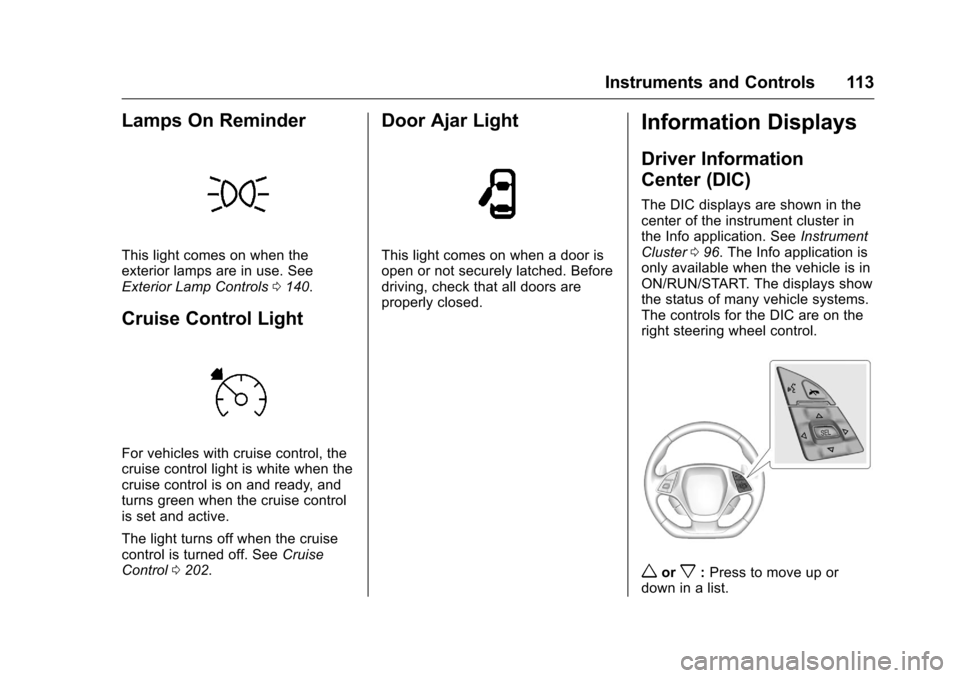
Lamps On Reminder
This light comes on when the
exterior lamps are in use. See
Exterior Lamp Controls0140.
Cruise Control Light
For vehicles with cruise control, the
cruise control light is white when the
cruise control is on and ready, and
turns green when the cruise control
is set and active.
The light turns off when the cruise
control is turned off. See Cruise
Control 0202.
Door Ajar Light
This light comes on when a door is
open or not securely latched. Before
driving, check that all doors are
properly closed.
Information Displays
Driver Information
Center (DIC)
The DIC displays are shown in the
center of the instrument cluster in
the Info application. See Instrument
Cluster 096. The Info application is
only available when the vehicle is in
ON/RUN/START. The displays show
the status of many vehicle systems.
The controls for the DIC are on the
right steering wheel control.
worx: Press to move up or
down in a list.
Page 117 of 351
Chevrolet Corvette Owner Manual (GMNA-Localizing-U.S./Canada/Mexico-
9085364) - 2016 - crc - 9/15/15
116 Instruments and Controls
If equipped with HUD, some
information concerning the
operation of the vehicle is projected
onto the windshield.
The HUD information appears as an
image focused out toward the front
of the vehicle.
Caution
If you try to use the HUD image
as a parking aid, you may
misjudge the distance and
damage your vehicle. Do not use
the HUD image as a parking aid.
The HUD information can be
displayed in various languages. The
speedometer reading and other
numerical values can be displayed
in either English or metric units.
The language selection is changed
through the radio and the units of
measurement is changed through
the instrument cluster. See Vehicle
Personalization 0130 and“Settings”
under Instrument Cluster 096. The HUD may display different
alerts and information for vehicles
equipped with these features:
.
Speedometer
. Tachometer
. Manual Transmission Gear (If
Equipped)
. Manual Paddle Shift Gear
Indicator (If Equipped)
These displays on the HUD are
for use when using the manual
paddle shift controls to shift the
transmission. See “Manual
Paddle Shift” inAutomatic
Transmission 0182.
. Shift Light
This light is used for
performance driving to indicate
that the vehicle's best
performance level has been
reached to shift the transmission
into the next higher gear. An
arrow pointing up will light up on
the display just prior to reaching
the engine fuel cut-off mode.
. G-Force Gauge
. Audio Information .
Upcoming Maneuver from
OnBoard Navigation
. Upcoming Maneuver from
OnStar
. Incoming Call
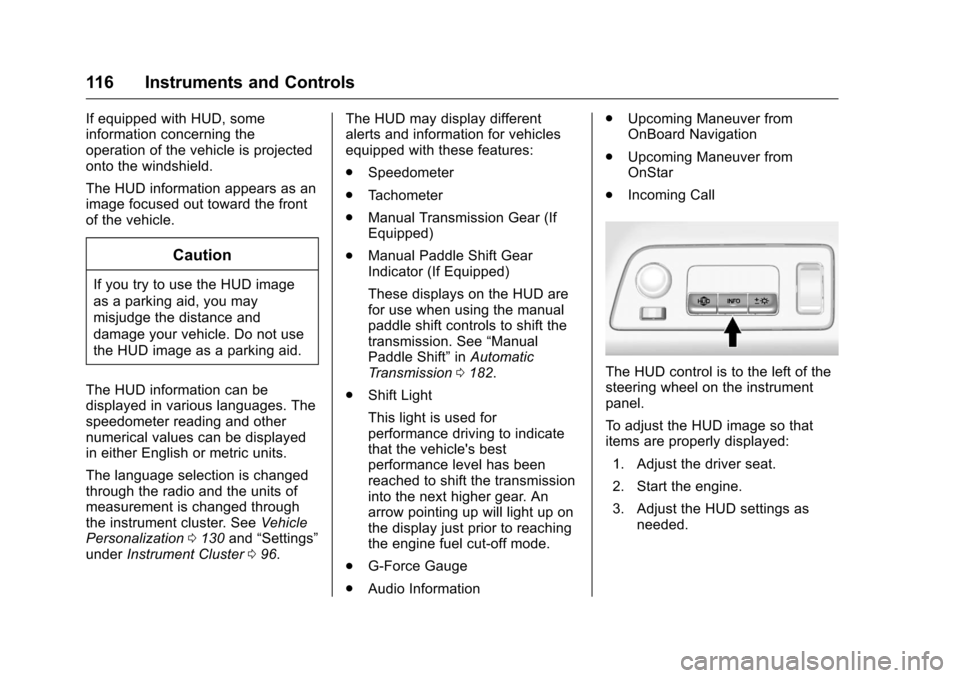
The HUD control is to the left of the
steering wheel on the instrument
panel.
To adjust the HUD image so that
items are properly displayed:
1. Adjust the driver seat.
2. Start the engine.
3. Adjust the HUD settings as needed.
Page 118 of 351
Chevrolet Corvette Owner Manual (GMNA-Localizing-U.S./Canada/Mexico-
9085364) - 2016 - crc - 9/15/15
Instruments and Controls 117
$(Image Adjustment) :Press
down or lift up to adjust the vertical
position of the HUD image in the
windshield.
!(Display View) : Press to
select the display view. Each press
will cause the display view to
change to the next view. If vehicle
messages are displayed, pressing
the DIC select button may clear the
message. See Driver Information
Center (DIC) 0113.
D(Image Brightness) : Lift up
and hold to brighten the display.
Press down and hold to dim the
display. Hold down to turn the
display off.
The HUD image will automatically
dim and brighten to compensate for
outside lighting. The HUD
brightness control can also be
adjusted as needed.
The HUD image can temporarily
light up depending on the angle and
position of the sunlight on the HUD
display. This is normal.
Polarized sunglasses could make
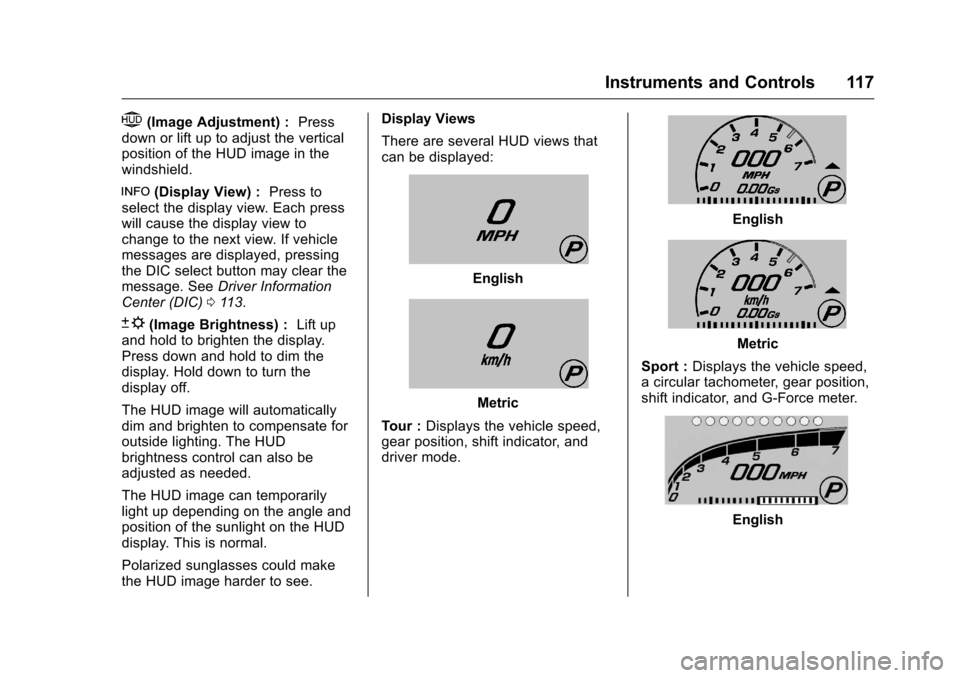
the HUD image harder to see. Display Views
There are several HUD views that
can be displayed:
English
Metric
Tour : Displays the vehicle speed,
gear position, shift indicator, and
driver mode.
English
Metric
Sport : Displays the vehicle speed,
a circular tachometer, gear position,
shift indicator, and G-Force meter.
English
Page 119 of 351
Chevrolet Corvette Owner Manual (GMNA-Localizing-U.S./Canada/Mexico-
9085364) - 2016 - crc - 9/15/15
118 Instruments and Controls
Metric
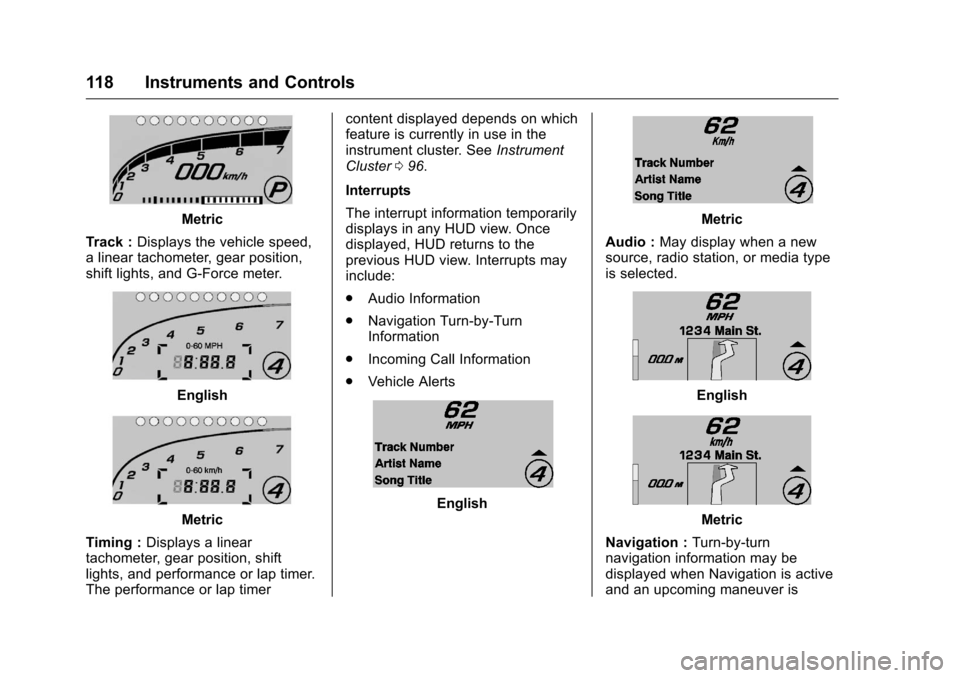
Track : Displays the vehicle speed,
a linear tachometer, gear position,
shift lights, and G-Force meter.
English
Metric
Timing : Displays a linear
tachometer, gear position, shift
lights, and performance or lap timer.
The performance or lap timer content displayed depends on which
feature is currently in use in the
instrument cluster. See
Instrument
Cluster 096.
Interrupts
The interrupt information temporarily
displays in any HUD view. Once
displayed, HUD returns to the
previous HUD view. Interrupts may
include:
. Audio Information
. Navigation Turn-by-Turn
Information
. Incoming Call Information
. Vehicle Alerts
English
Metric
Audio : May display when a new
source, radio station, or media type
is selected.
English
Metric
Navigation : Turn-by-turn
navigation information may be
displayed when Navigation is active
and an upcoming maneuver is
Page 126 of 351
Chevrolet Corvette Owner Manual (GMNA-Localizing-U.S./Canada/Mexico-
9085364) - 2016 - crc - 9/15/15
Instruments and Controls 125
Lamp Messages
AUTOMATIC LIGHT CONTROL
ON/OFF
This message is displayed when the
automatic light control has been
turned on or off. SeeAutomatic
Headlamp System 0142.
TURN SIGNAL ON
This message is displayed if the
turn signal has been left on. Turn off
the turn signal.
Ride Control System
Messages
STABILITRAK
COMPETITIVE MODE
This message displays and a sound
will be heard when the Competitive
Driving mode is selected. The
instrument cluster light will be on
when the Competitive Driving mode
is selected. Launch Control is
available when this mode is
selected. The Traction Control
System (TCS) will not be operating
while in the Competitive Driving mode. Adjust your driving
accordingly. See
Competitive
Driving Mode 0198, including the
“Launch Control” information.
MAXIMUM SPEED 129 km/h
(80 MPH)
This message displays when a
malfunction is present in the
Magnetic Ride Control system. The
vehicle speed will be limited to a
value determined by the vehicle
when the shock absorber system
has failed and the shocks are in
their full soft mode. Have the vehicle
serviced by your dealer as soon as
possible.
To acknowledge the message, press
the SEL button. The message
reappears every 10 minutes until
this condition changes.
PERFORMANCE TRACTION
WET ACTIVE HANDLING ON
This message displays and a sound
will be heard when this Performance
Traction Management mode is
selected. The instrument cluster
light will also be on when this mode
is selected. Launch Control is available when this mode is
selected. In this mode the Traction
Control and Stability Control
systems are available but intended
for use on wet race track conditions.
Adjust your driving accordingly. This
mode is available only on
Z06 models and models with FE4
–
Z51 Performance Package and
Magnetic Ride Control. See
“Performance Traction
Management” and“Launch Control”
under Competitive Driving Mode
0 198 for more information about
the use of this mode.
PERFORMANCE TRACTION
DRY ACTIVE HANDLING ON
This message displays and a sound
will be heard when this Performance
Traction Management mode is
selected. The instrument cluster
light will also be on when this mode
is selected. Launch Control is
available when this mode is
selected. In this mode the Traction
Control and Stability Control
systems are available but intended
for use on dry race track conditions.
Adjust your driving accordingly. This