2016 CHEVROLET CORVETTE engine
[x] Cancel search: enginePage 46 of 351
Chevrolet Corvette Owner Manual (GMNA-Localizing-U.S./Canada/Mexico-
9085364) - 2016 - crc - 9/15/15
Keys, Doors, and Windows 45
.To activate express-down, press
the switch fully to the second
detent and release.
. To activate express-up, pull the
switch fully to the second detent
and release.
. To stop window movement,
press or pull the switch briefly.
Obstacle Detection
This feature is active during
express-up movements in ON/RUN/
START, or when the engine is off
and RAP is active. Obstacle
detection also works with RAP when
the switch is held up.
If the window encounters an object
during closing, it will stop and open
to a predetermined distance.
Conditions such as severe cold or
ice may cause the window to
auto-reverse. The window will return
to normal operation once the
condition or object is removed.
If conditions prevent a window from
closing and the window continues to
auto-reverse, it is possible to close
the window while in ON/RUN/ START by holding the window
switch in the first or second detent
until the window is closed.
Window Operation with
Convertible Top
Windows automatically lower fully
when the convertible top is lowered
or raised. See
Convertible Top 049.
To raise the windows, pull the switch
to the second detent and release.
Window Indexing
Indexing automatically lowers the
window a small amount when the
door is opened. When the door is
closed, the window will raise to its
full up position. If either window
does not index properly, it could be
due to loss of power. Before
returning to the dealer for service,
perform the window indexing reset
procedure.
Window Indexing and
Express-Up Reset
Window indexing may be required if
the vehicle battery has been
recharged or disconnected, or is not
working. Express-up and the convertible top will not function until
the windows are reset. After battery
power is restored, a message
displays in the Driver Information
Center. See
Driver Information
Center (DIC) 0113.
Once power is restored: 1. Close the doors.
2. Start the vehicle.
3. Hold the window switch up to the fully closed position.
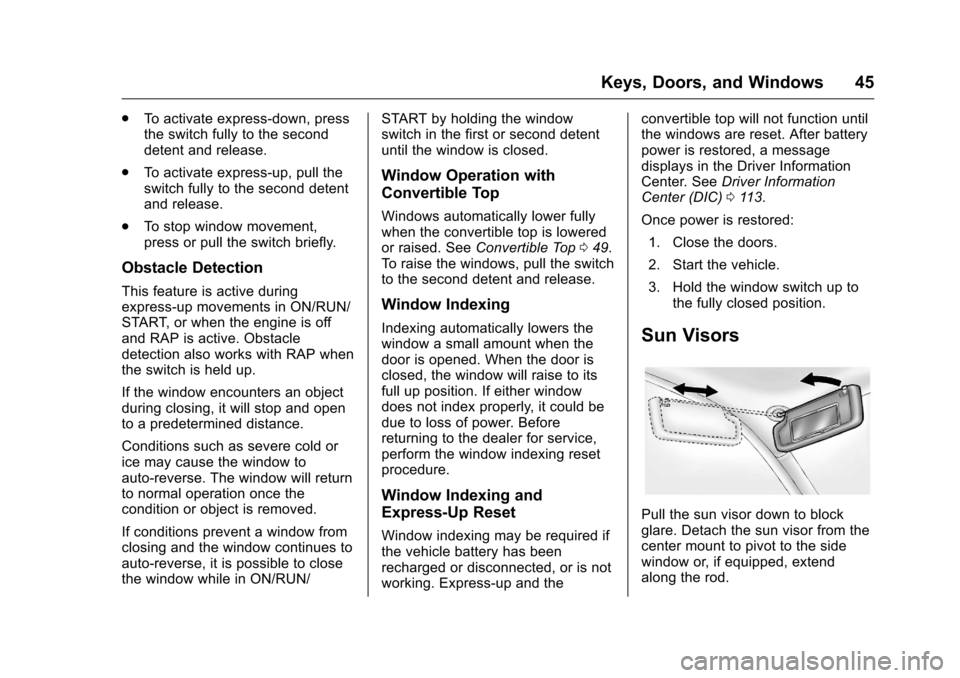
Sun Visors
Pull the sun visor down to block
glare. Detach the sun visor from the
center mount to pivot to the side
window or, if equipped, extend
along the rod.
Page 51 of 351
Chevrolet Corvette Owner Manual (GMNA-Localizing-U.S./Canada/Mexico-
9085364) - 2016 - crc - 9/15/15
50 Keys, Doors, and Windows
Caution (Continued)
time without starting the
engine to avoid draining the
vehicle battery.
. Do not open or store the
convertible top when it is
dirty or wet. This could
result in stains, mildew,
or other damage.
. Only store the vehicle with
the top fully closed.
Opening the Convertible Top —
Instrument Panel Switch
1. Remove all objects from the top of the tonneau cover and
forward of the partition. Place
the partition in the rear storage
area in the upright position.
Fasten both sides of the
partition to the posts just below
the tonneau cover. See Rear
Storage 088.
2. Close the trunk.
3. Start the vehicle or place it in ACC/ACCESSORY. 4. When possible, operate the
convertible top when the
vehicle is stopped. The top can
be operated while driving
below 50 km/h (31 mph) and
will stop if that speed is
exceeded. The top operation
will take approximately
25 seconds. Make sure the top
operation can be completed
before that speed is reached.
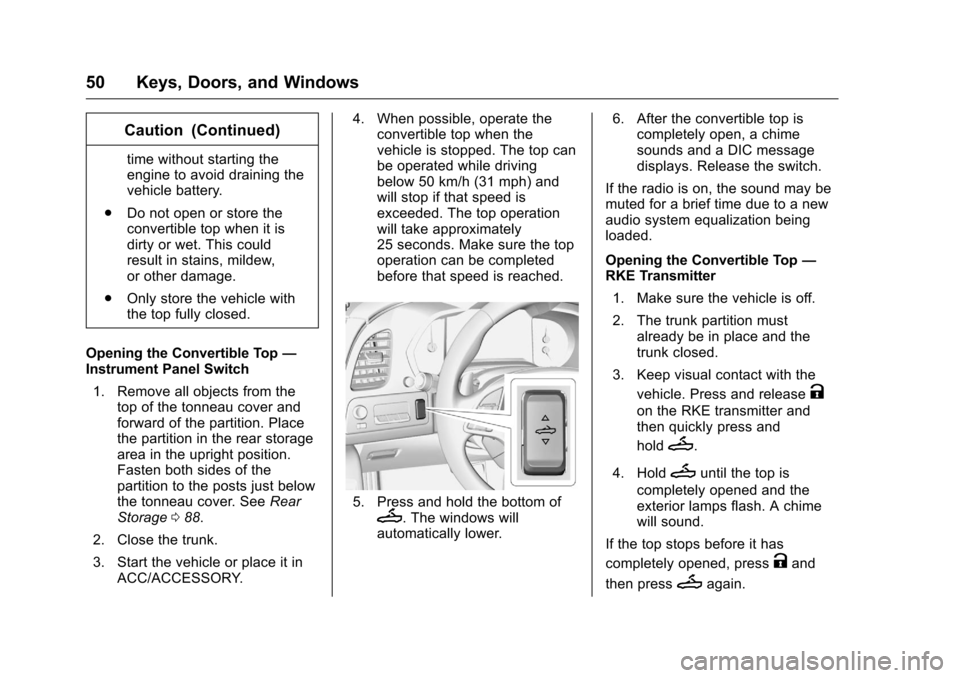
5. Press and hold the bottom ofM. The windows will
automatically lower. 6. After the convertible top is
completely open, a chime
sounds and a DIC message
displays. Release the switch.
If the radio is on, the sound may be
muted for a brief time due to a new
audio system equalization being
loaded.
Opening the Convertible Top —
RKE Transmitter
1. Make sure the vehicle is off.
2. The trunk partition must already be in place and the
trunk closed.
3. Keep visual contact with the vehicle. Press and release
K
on the RKE transmitter and
then quickly press and
hold
M.
4. Hold
Muntil the top is
completely opened and the
exterior lamps flash. A chime
will sound.
If the top stops before it has
completely opened, press
Kand
then press
Magain.
Page 72 of 351
Chevrolet Corvette Owner Manual (GMNA-Localizing-U.S./Canada/Mexico-
9085364) - 2016 - crc - 9/15/15
Seats and Restraints 71
Warning (Continued)
for people with a history of
asthma or other breathing trouble.
To avoid this, everyone in the
vehicle should get out as soon as
it is safe to do so. If you have
breathing problems but cannot
get out of the vehicle after an
airbag inflates, then get fresh air
by opening a window or a door.
If you experience breathing
problems following an airbag
deployment, you should seek
medical attention.
The vehicle has a feature that may
automatically unlock the doors, turn
on the interior lamps and hazard
warning flashers, and shut off the
fuel system after the airbags inflate.
The feature may also activate,
without airbag inflation, after an
event that exceeds a predetermined
threshold. You can lock the doors,
and turn off the interior lamps and
hazard warning flashers by using
the controls for those features.
{Warning
A crash severe enough to inflate
the airbags may have also
damaged important functions in
the vehicle, such as the fuel
system, brake and steering
systems, etc. Even if the vehicle
appears to be drivable after a
moderate crash, there may be
concealed damage that could
make it difficult to safely operate
the vehicle.
Use caution if you should attempt
to restart the engine after a crash
has occurred.
In many crashes severe enough to
inflate the airbag, windshields are
broken by vehicle deformation.
Additional windshield breakage may
also occur from the front outboard
passenger airbag.
. Airbags are designed to inflate
only once. After an airbag
inflates, you will need some new
parts for the airbag system.
If you do not get them, the airbag system will not be there
to help protect you in another
crash. A new system will include
airbag modules and possibly
other parts. The service manual
for the vehicle covers the need
to replace other parts.
. The vehicle has a crash sensing
and diagnostic module which
records information after a
crash. See Vehicle Data
Recording and Privacy 0326
and Event Data
Recorders 0327.
. Let only qualified technicians
work on the airbag system.
Improper service can mean that
the airbag system will not work
properly. See your dealer for
service.
Passenger Sensing
System
The vehicle has a passenger
sensing system for the front
outboard passenger position. The
passenger airbag status indicator
will light on the instrument panel
when the vehicle is started.
Page 92 of 351

Chevrolet Corvette Owner Manual (GMNA-Localizing-U.S./Canada/Mexico-
9085364) - 2016 - crc - 9/15/15
Instruments and Controls 91
Instruments and
Controls
Controls
Steering Wheel Adjustment . . . . 92
Steering Wheel Controls . . . . . . . 92
Horn . . . . . . . . . . . . . . . . . . . . . . . . . . . 92
Windshield Wiper/Washer . . . . . . 92
Compass . . . . . . . . . . . . . . . . . . . . . . 93
Clock . . . . . . . . . . . . . . . . . . . . . . . . . . 94
Power Outlets . . . . . . . . . . . . . . . . . 94
Warning Lights, Gauges, and
Indicators
Warning Lights, Gauges, andIndicators . . . . . . . . . . . . . . . . . . . . 95
Instrument Cluster . . . . . . . . . . . . . 96
Speedometer . . . . . . . . . . . . . . . . . 101
Odometer . . . . . . . . . . . . . . . . . . . . . 101
Trip Odometer . . . . . . . . . . . . . . . . 101
Tachometer . . . . . . . . . . . . . . . . . . . 101
Fuel Gauge . . . . . . . . . . . . . . . . . . . 101
Boost Gauge . . . . . . . . . . . . . . . . . 102
Engine Coolant Temperature Gauge . . . . . . . . . . . . . . . . . . . . . . 103
Safety Belt Reminders . . . . . . . . 104
Airbag Readiness Light . . . . . . . 104
Passenger Airbag Status Indicator . . . . . . . . . . . . . . . . . . . . 105 Charging System Light . . . . . . . 106
Malfunction Indicator Lamp
(Check Engine Light) . . . . . . . . 106
Brake System Warning Light . . . . . . . . . . . . . . . . . . . . . . . . 108
Electric Parking Brake Light . . . . . . . . . . . . . . . . . . . . . . . . 108
Service Electric Parking Brake Light . . . . . . . . . . . . . . . . . . . . . . . . 109
Antilock Brake System (ABS) Warning Light . . . . . . . . . . . . . . . 109
Gear Shifting Light (Canada and Mexico Only) . . . . . . . . . . . 109
Traction Off Light . . . . . . . . . . . . . 110
Traction Control System (TCS)/ Electronic Stability Control
Light . . . . . . . . . . . . . . . . . . . . . . . . 110
Electronic Stability Control (ESC) Off Light . . . . . . . . . . . . . . 110
Engine Coolant Temperature Warning Light . . . . . . . . . . . . . . . 111
Tire Pressure Light . . . . . . . . . . . 111
Engine Oil Pressure Light . . . . . 111
Low Fuel Warning Light . . . . . . . 112
Security Light . . . . . . . . . . . . . . . . . 112
High-Beam On Light . . . . . . . . . . 112
Lamps On Reminder . . . . . . . . . . 113
Cruise Control Light . . . . . . . . . . 113
Door Ajar Light . . . . . . . . . . . . . . . 113
Information Displays
Driver Information Center (DIC) . . . . . . . . . . . . . . . . 113
Head-Up Display (HUD) . . . . . . 115
Vehicle Messages
Vehicle Messages . . . . . . . . . . . . 120
Battery Voltage and Charging Messages . . . . . . . . . . . . . . . . . . . 120
Brake System Messages . . . . . 120
Compass Messages . . . . . . . . . . 121
Convertible Top Messages . . . 121
Cruise Control Messages . . . . . 122
Door Ajar Messages . . . . . . . . . . 122
Engine Cooling System Messages . . . . . . . . . . . . . . . . . . . 123
Engine Oil Messages . . . . . . . . . 123
Engine Power Messages . . . . . 124
Fuel System Messages . . . . . . . 124
Key and Lock Messages . . . . . 124
Lamp Messages . . . . . . . . . . . . . . 125
Ride Control System Messages . . . . . . . . . . . . . . . . . . . 125
Airbag System Messages . . . . 127
Security Messages . . . . . . . . . . . 127
Service Vehicle Messages . . . . 127
Starting the Vehicle Messages . . . . . . . . . . . . . . . . . . . 128
Tire Messages . . . . . . . . . . . . . . . . 128
Transmission Messages . . . . . . 129
Page 95 of 351

Chevrolet Corvette Owner Manual (GMNA-Localizing-U.S./Canada/Mexico-
9085364) - 2016 - crc - 9/15/15
94 Instruments and Controls
GPS signal is restored and provide
a heading again. SeeCompass
Messages 0121 for the messages
that may be displayed for the
compass.
Clock
The infotainment system controls
are used to access the time and
date settings through the menu
system. See “Home Page” in the
infotainment manual for information
about how to use the menu system.
Setting the Time
To set the time:
1. From the Home Page, press the SETTINGS screen button
and press Time and Date.
2. Press Set Time and press + or −to increase or decrease
hours, minutes, and AM or PM.
Press 12Hr or 24Hr for 12 or
24 hour clock.
3. Press
}to go back to the
previous menu. If auto timing is set, the time
displayed on the clock may not
update immediately when driving
into a new time zone.
To set the date:
1. Press the SETTINGS screen button and press Time
and Date.
2. Press Set Date and press + or −to increase or decrease
month, day, or year.
3. Press
}to go back to the
previous menu.
To set the clock display: 1. Press the SETTINGS screen button and press Time
and Date.
2. Press Clock Display and press OFF or ON to turn the clock
display off or on.
3. Press
}to go back to the
previous menu.
Power Outlets
Use the accessory power outlet to
plug in electrical equipment, such as
a cell phone or MP3 player.
There are three accessory power
outlets:
. In front of the cupholder. Open
the door compartment to access.
. Inside the center console
storage compartment.
. In the rear compartment.
Lift the cover to access and replace
when not in use.
The power outlets in front of the
cupholder and inside the center
console storage compartment are
powered when the ignition is in ON/
RUN/START or ACC/ACCESSORY,
or until the driver door is opened
within 10 minutes of turning off the
vehicle. See Retained Accessory
Power (RAP) 0179.
The rear compartment power outlet
is powered at all times. The
vehicle’s battery may run down if
the power outlet is used while the
ignition is in Stopping the Engine/
Page 96 of 351

Chevrolet Corvette Owner Manual (GMNA-Localizing-U.S./Canada/Mexico-
9085364) - 2016 - crc - 9/15/15
Instruments and Controls 95
OFF. Use this power outlet for
plugging in the battery maintainer,
if equipped.
{Warning
Power is always supplied to the
trunk outlet. Do not leave
electrical equipment plugged in
when the vehicle is not in use
because the vehicle could catch
fire and cause injury or death.
Caution
Leaving electrical equipment
plugged in for an extended period
of time while the vehicle is off will
drain the battery. Always unplug
electrical equipment when not in
use and do not plug in equipment
that exceeds the maximum
20 amp rating.Certain electrical accessories may
not be compatible with the
accessory power outlet and could
overload vehicle or adapter fuses.
If a problem is experienced, see
your dealer.
When adding electrical equipment,
be sure to follow the proper
installation instructions included with
the equipment. See
Add-On
Electrical Equipment 0211.
It is recommended that a qualified
technician or dealer be seen for the
proper installation of your
equipment.Caution
Hanging heavy equipment from
the power outlet can cause
damage not covered by the
vehicle warranty. The power
outlets are designed for
accessory power plugs only, such
as cell phone charge cords.
Warning Lights,
Gauges, and
Indicators
Warning lights and gauges can
signal that something is wrong
before it becomes serious enough
to cause an expensive repair or
replacement. Paying attention to the
warning lights and gauges could
prevent injury.
Some warning lights come on briefly
when the engine is started to
indicate they are working. When
one of the warning lights comes on
and stays on while driving, or when
one of the gauges shows there may
be a problem, check the section that
explains what to do. Waiting to do
repairs can be costly and even
dangerous.
Page 102 of 351
Chevrolet Corvette Owner Manual (GMNA-Localizing-U.S./Canada/Mexico-
9085364) - 2016 - crc - 9/15/15
Instruments and Controls 101
this feature can be turned off by
pressing SEL while viewing this
page. If the selected speed limit is
exceeded, a pop-up warning is
displayed with a chime.
Pocket Gauges :Press
pwhile
Pocket Gauges is displayed to enter
the menu and select gauges that
can be displayed for the Sport
theme on the left or right of the
display area. Choose from Oil
Pressure Gauge, Oil Temperature
Gauge, Battery Voltage,
Transmission Fluid Temperature
Gauge, Horsepower, or a blank
gauge.
Software Info : Press
pwhile
Software Info is highlighted to
display open source software
information.
Speedometer
The speedometer shows the
vehicle's speed in either kilometers
per hour (km/h) or miles per
hour (mph).
Odometer
The odometer shows how far the
vehicle has been driven, in either
kilometers or miles.
Trip Odometer
The trip odometer shows how far
the vehicle has been driven since
the trip odometer was last reset.
The trip odometer is accessed and
reset through the Driver Information
Center (DIC). See Driver
Information Center (DIC) 0113.
Tachometer
The tachometer displays the engine
speed in revolutions per
minute (rpm).
Caution
If the engine is operated with the
rpm’s in the warning area at the
high end of the tachometer, the
vehicle could be damaged, and
the damage would not be covered
(Continued)
Caution (Continued)
by the vehicle warranty. Do not
operate the engine with the rpm’s
in the warning area.
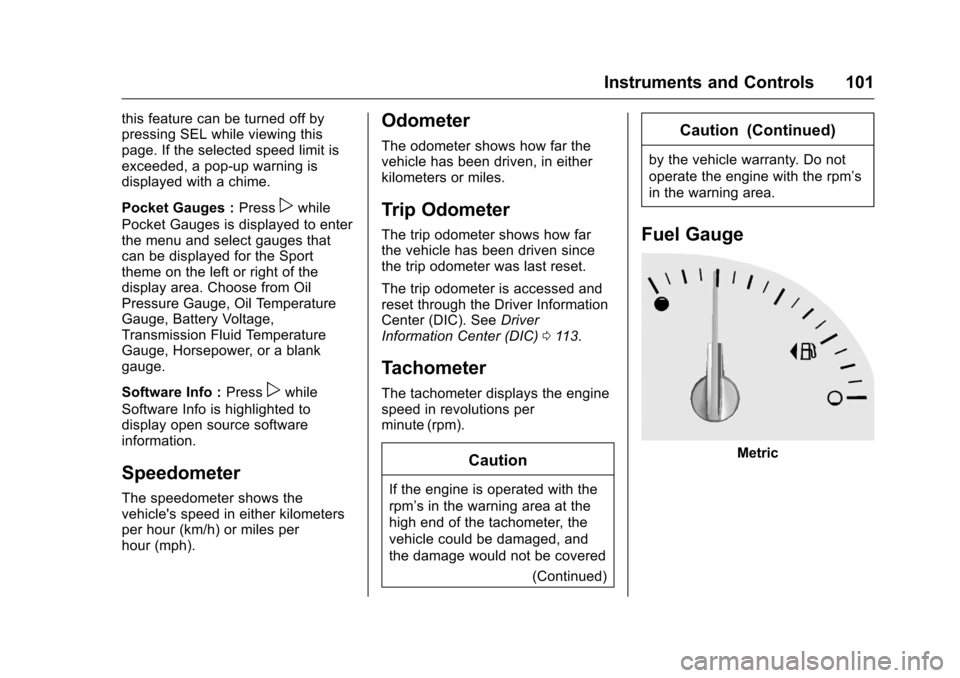
Fuel Gauge
Metric
Page 104 of 351
Chevrolet Corvette Owner Manual (GMNA-Localizing-U.S./Canada/Mexico-
9085364) - 2016 - crc - 9/15/15
Instruments and Controls 103
English
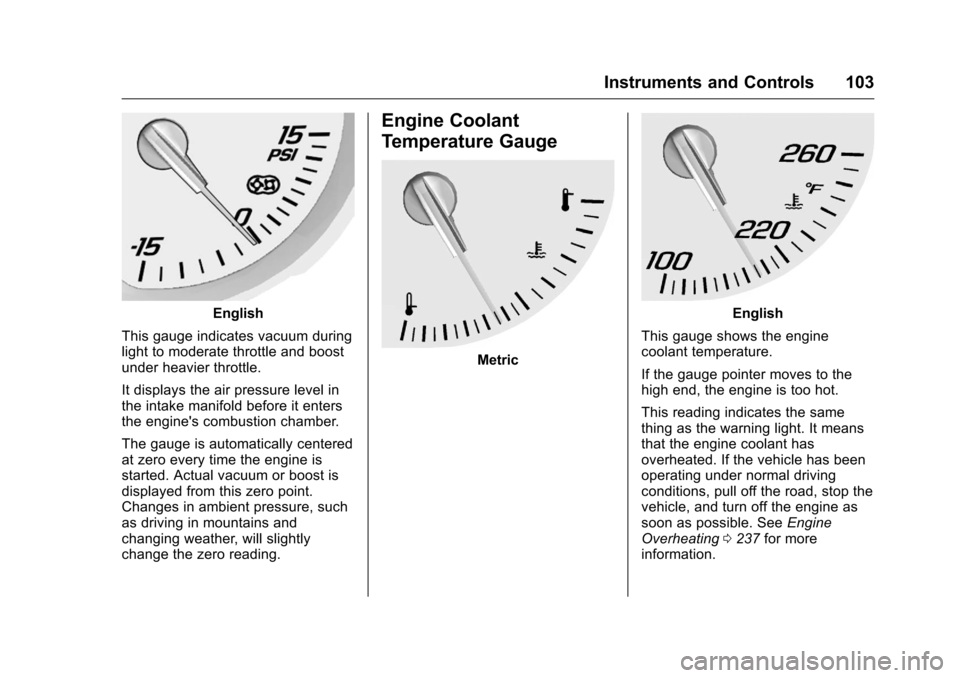
This gauge indicates vacuum during
light to moderate throttle and boost
under heavier throttle.
It displays the air pressure level in
the intake manifold before it enters
the engine's combustion chamber.
The gauge is automatically centered
at zero every time the engine is
started. Actual vacuum or boost is
displayed from this zero point.
Changes in ambient pressure, such
as driving in mountains and
changing weather, will slightly
change the zero reading.
Engine Coolant
Temperature Gauge
Metric
English
This gauge shows the engine
coolant temperature.
If the gauge pointer moves to the
high end, the engine is too hot.
This reading indicates the same
thing as the warning light. It means
that the engine coolant has
overheated. If the vehicle has been
operating under normal driving
conditions, pull off the road, stop the
vehicle, and turn off the engine as
soon as possible. See Engine
Overheating 0237 for more
information.