2016 CHEVROLET CITY EXPRESS instrument cluster
[x] Cancel search: instrument clusterPage 114 of 297

Black plate (3,1)Chevrolet City Express Owner Manual (GMNA-Localizing-U.S./Canada-
7707496) - 2015 - CRC - 11/26/14
Lighting 6-3
Turn and Lane-Change
Signals
Move the lever all the way up or
down to signal a turn.
An arrow on the instrument cluster
flashes in the direction of the turn or
lane change. Raise or lower the lever until the
arrow starts to flash to signal a lane
change. Hold it there until the lane
change is completed. If the lever is
briefly pressed and released, the
turn signal flashes three times.
The lever returns to its starting
position whenever it is released.
If after signaling a turn or lane
change the arrow flashes rapidly or
does not come on, a signal bulb
may be burned out.
Have any burned out bulbs
replaced. If a bulb is not burned out,
check the fuse. See Electrical
System Overload on page 10-24 .Interior Lighting Instrument Panel
Illumination Control
The instrument panel illumination
control only works if the exterior
lamp control is in the
5 or
; position.
The knob for this feature is on the
instrument cluster.
Press the knob to adjust the
brightness of the instrument panel
lights.
Page 118 of 297

Black plate (1,1)Chevrolet City Express Owner Manual (GMNA-Localizing-U.S./Canada-
7707496) - 2015 - CRC - 11/26/14
Infotainment System 7-1
Infotainment
System Introduction Infotainment . . . . . . . . . . . . . . . . . . . 7-1
Theft-Deterrent Feature . . . . . . . 7-2
Overview . . . . . . . . . . . . . . . . . . . . . . 7-2
Operation . . . . . . . . . . . . . . . . . . . . . 7-4
Radio AM-FM Radio . . . . . . . . . . . . . . . . . 7-5
Radio Reception . . . . . . . . . . . . . . 7-6
Fixed Mast Antenna . . . . . . . . . . . 7-6
Audio Players CD Player . . . . . . . . . . . . . . . . . . . . . 7-7
Auxiliary Jack . . . . . . . . . . . . . . . . . 7-9
Phone Bluetooth . . . . . . . . . . . . . . . . . . . . 7-10
Trademarks and License
Agreements
Trademarks and License
Agreements . . . . . . . . . . . . . . . . 7-19 Introduction Infotainment Base radio information is included in
this manual. See the infotainment
manual for information on other
available infotainment systems.
Read the following pages to
become familiar with these features.
{ WarningTaking your eyes off the road for
too long or too often while using
any infotainment feature can
cause a crash. You or others
could be injured or killed. Do not
give extended attention to
infotainment tasks while driving.
Limit your glances at the vehicle
displays and focus your attention
on driving. Use voice commands
whenever possible. The infotainment system has built-in
features intended to help avoid
distraction by disabling some
functions when driving. These
functions may gray out when they
are unavailable. Many infotainment
features are also available through
the instrument cluster and steering
wheel controls.
Before driving: .
Become familiar with the
operation, faceplate buttons, and
screen buttons. .
Set up the audio by presetting
favorite stations, setting the
tone, and adjusting the
speakers. .
Set up phone numbers in
advance so they can be called
easily by pressing a single
button or by using a single voice
command if equipped with
Bluetooth phone capability.
See Defensive Driving on page 9-2 .
Page 166 of 297

Black plate (25,1)Chevrolet City Express Owner Manual (GMNA-Localizing-U.S./Canada-
7707496) - 2015 - CRC - 11/26/14
Driving and Operating 9-252. Pull the parking brake handle up
until you can press the release
button.
3. Hold the release button in as
you move the brake handle all
the way down.
{ CautionDriving with the parking brake on
can overheat the brake system
and cause premature wear or
damage to brake system parts.
Make sure that the parking brake
is fully released and the brake
warning light is off before driving.
Parking Brake Break-in
Break-in the brake shoes whenever
the effect of the parking brake is
weakened or whenever the brake
shoes and/or drums are replaced, in
order to assure the best brake
performance. This procedure can be
performed at the dealer. Ride Control Systems Traction Control/
Electronic Stability
Control System Operation The vehicle has a Traction Control
System (TCS) and Electronic
Stability Control, an electronic
stability control system. These
systems use various sensors to
monitor driver inputs and vehicle
motion. Under certain driving
conditions, the TCS and Electronic
Stability Control systems help to
perform the following functions: .
Control brake pressure to reduce
wheel slip on one slipping drive
wheel so power is transferred to
a non – slipping drive wheel on
the same axle. .
Control brake pressure and
engine output to reduce drive
wheel slip based on vehicle
speed (traction control function). .
Control brake pressure at
individual wheels and engine
output to help the driver maintain
control of the vehicle in the
following conditions:
‐ Understeer (vehicle tends to
not follow the steered path
despite increased steering
input)
‐ Oversteer (vehicle tends to
spin due to certain road or
driving conditions)
TCS and Electronic Stability Control
can help the driver to maintain
control of the vehicle, but cannot
prevent loss of vehicle control in all
driving situations.
When the TCS and Electronic
Stability Control systems operate,
the
d indicator in the instrument
cluster flashes to note the following: .
The road may be slippery or the
system may determine some
action is required to help keep
the vehicle on the steered path.
Page 167 of 297
Black plate (26,1)Chevrolet City Express Owner Manual (GMNA-Localizing-U.S./Canada-
7707496) - 2015 - CRC - 11/26/14
9-26 Driving and Operating .
You may feel a pulsation in the
brake pedal and hear a noise or
vibration from under the hood.
This is normal and indicates that
the traction control system is
working properly. .
Adjust your speed and driving to
the road conditions.
See Traction Control System (TCS)/
Electronic Stability Control Light on
page 5-16 and Electronic Stability
Control (ESC) Off Light on
page 5-16 .
If a malfunction occurs in the
systems, the
d indicator comes on
in the instrument cluster. The TCS
and Electronic Stability Control
systems automatically turn off when
the indicator light is on. Turning the Systems Off
and On
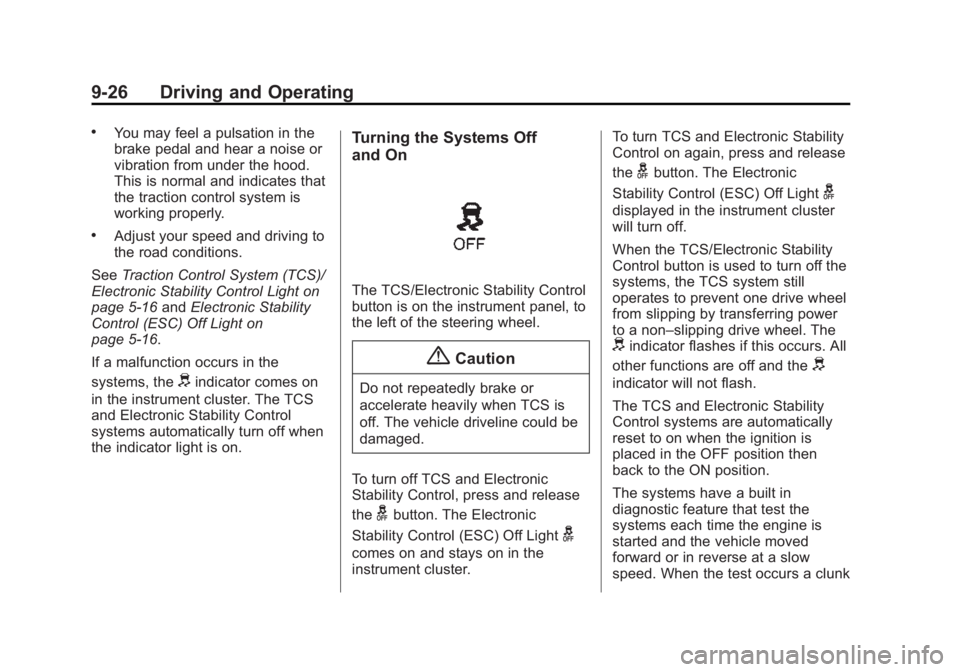
The TCS/Electronic Stability Control
button is on the instrument panel, to
the left of the steering wheel.
{ CautionDo not repeatedly brake or
accelerate heavily when TCS is
off. The vehicle driveline could be
damaged.
To turn off TCS and Electronic
Stability Control, press and release
the
g button. The Electronic
Stability Control (ESC) Off Light
gcomes on and stays on in the
instrument cluster. To turn TCS and Electronic Stability
Control on again, press and release
the
g button. The Electronic
Stability Control (ESC) Off Light
gdisplayed in the instrument cluster
will turn off.
When the TCS/Electronic Stability
Control button is used to turn off the
systems, the TCS system still
operates to prevent one drive wheel
from slipping by transferring power
to a non – slipping drive wheel. The
d indicator flashes if this occurs. All
other functions are off and the
d indicator will not flash.
The TCS and Electronic Stability
Control systems are automatically
reset to on when the ignition is
placed in the OFF position then
back to the ON position.
The systems have a built in
diagnostic feature that test the
systems each time the engine is
started and the vehicle moved
forward or in reverse at a slow
speed. When the test occurs a clunk
Page 169 of 297

Black plate (28,1)Chevrolet City Express Owner Manual (GMNA-Localizing-U.S./Canada-
7707496) - 2015 - CRC - 11/26/14
9-28 Driving and Operating Warning (Continued) This is not a malfunction.
Restart the engine after
driving onto a stable surface. .
If wheels or tires other than
the recommended ones are
used, the TCS and ESC
systems may not operate
properly and the
d indicator
may flash or the
d indicator
light may illuminate. .
The TCS and ESC systems
are not a substitute for winter
tires or tire chains on a snow
covered road. Cruise Control
{ WarningCruise control can be dangerous
where you cannot drive safely at
a steady speed. Do not use
cruise control on winding roads or
in heavy traffic.
Cruise control can be dangerous
on slippery roads. On such roads,
fast changes in tire traction can
cause excessive wheel slip, and
you could lose control. Do not use
cruise control on slippery roads.
If equipped with cruise control, a
speed of about 48 km/h (30 mph) or
more can be maintained without
keeping your foot on the
accelerator. Cruise control does not
work at speeds below about
48 km/h (30 mph).
If the brakes are applied, cruise
control disengages. CRUISE ON/OFF: Press to turn
cruise control on or off. The white
indicator comes on in the instrument
cluster when cruise control is
turned on.
ACCEL/RES (Accelerate/
Resume): If there is a set speed in
memory, press briefly to resume to a
previously set speed, or press and
hold to accelerate. If cruise control
is already active, use to increase
vehicle speed.
Page 170 of 297

Black plate (29,1)Chevrolet City Express Owner Manual (GMNA-Localizing-U.S./Canada-
7707496) - 2015 - CRC - 11/26/14
Driving and Operating 9-29COAST/SET: Press briefly to set
the speed and activate cruise
control, or press and hold to
decelerate. If cruise control is
already active, use to decrease
vehicle speed.
CANCEL: Press to disengage
cruise control without erasing the
set speed from memory.
Setting Cruise Control
If the CRUISE ON/OFF button is on
when not in use, the COAST/SET or
ACCEL/RES button could get
pressed and go into cruise when not
desired. Keep the CRUISE ON/OFF
button off when cruise is not
being used.
1. Press CRUISE ON/OFF to turn
the cruise system on.
2. Get up to the desired speed.
3. Press and release COAST/SET.
The desired set speed briefly
appears in the instrument
cluster. 4. Remove your foot from the
accelerator.
Resuming a Set Speed
If the cruise control is set at a
desired speed and then the brakes
are applied, the cruise control is
disengaged without erasing the set
speed from memory.
Once the vehicle speed reaches
about 48 km/h (30 mph) or more,
briefly press ACCEL/RES. The
vehicle returns to the previous set
speed.
Increasing Speed While Using
Cruise Control
If the cruise control system is
already activated: .
Press and hold ACCEL/RES
until the desired speed is
reached, then release it. .
To increase vehicle speed in
small increments, briefly press
ACCEL/RES. For each press,
the vehicle goes about 1.6 km/h
(1 mph) faster. Reducing Speed While Using
Cruise Control
If the cruise control system is
already activated: .
Press and hold COAST/SET
until the desired lower speed is
reached, then release it. .
To decrease the vehicle speed in
small increments, briefly press
COAST/SET. For each press,
the vehicle goes about 1.6 km/h
(1 mph) slower.
Passing Another Vehicle While
Using Cruise Control
Use the accelerator pedal to
increase the vehicle speed. When
you take your foot off the pedal, the
vehicle will slow down to the
previous set cruise speed. While
pressing the accelerator pedal or
shortly following the release to
override cruise control, briefly
pressing COAST/SET will result in
cruise set to the current vehicle
speed.
Page 199 of 297
Black plate (16,1)Chevrolet City Express Owner Manual (GMNA-Localizing-U.S./Canada-
7707496) - 2015 - CRC - 11/26/14
10-16 Vehicle Care If the cooling system frequently
requires coolant, have it checked by
your dealer.
Changing Engine Coolant A dealer can change the engine
coolant. The service procedure can
be found in the service manual. See
Service Publications Ordering
Information on page 13-11 .
Improper servicing can result in
reduced heater performance and
engine overheating.
{ Warning.
To avoid the danger of being
scalded, never change the
coolant when the engine
is hot. .
Never remove the radiator or
engine coolant reservoir cap
when the engine is hot.
Serious burns could be
caused by high pressure fluid
escaping from the radiator.
(Continued) Warning (Continued) .
Avoid direct skin contact with
used coolant. If skin contact
is made, wash thoroughly
with soap or hand cleaner as
soon as possible. .
Keep coolant out of the reach
of children and pets.
Engine coolant must be disposed of
properly. Check your local
regulations.
Engine Overheating The vehicle has an engine coolant
temperature warning light on the
instrument cluster to warn of engine
overheating. See Engine Coolant
Temperature Warning Light on
page 5-17 .
If the decision is made not to lift the
hood when this warning appears,
but instead get service help right
away, see Roadside Assistance
Program on page 13-5 . If the decision is made to lift the
hood, make sure the vehicle is
parked on a level surface.
Then check to see if the engine
cooling fans are running. If the
engine is overheating, the fans
should be running. If they are not,
do not continue to run the engine
and have the vehicle serviced.
See if the engine cooling fan speed
increases when idle speed is
doubled by pushing the accelerator
pedal down. If it does not, the
vehicle needs service. Turn off the
engine.
{ Caution
Running the engine without
coolant may cause damage or a
fire. Vehicle damage would not be
covered by the vehicle warranty.
Page 220 of 297

Black plate (37,1)Chevrolet City Express Owner Manual (GMNA-Localizing-U.S./Canada-
7707496) - 2015 - CRC - 11/26/14
Vehicle Care 10-37The TPMS malfunction indicator is
combined with the low tire pressure
telltale. When the system detects a
malfunction, the telltale will flash for
approximately one minute and then
remain continuously illuminated.
This sequence will continue upon
subsequent vehicle start-ups as
long as the malfunction exists.
When the malfunction indicator is
illuminated, the system may not be
able to detect or signal low tire
pressure as intended. TPMS
malfunctions may occur for a variety
of reasons, including the installation
of replacement or alternate tires or
wheels on the vehicle that prevent
the TPMS from functioning properly.
Always check the TPMS malfunction
telltale after replacing one or more
tires or wheels on your vehicle to
ensure that the replacement or
alternate tires and wheels allow the
TPMS to continue to function
properly.
See Tire Pressure Monitor
Operation on page 10-37 . See Radio Frequency Statement on
page 13-12 .
Tire Pressure Monitor
Operation This vehicle may have a Tire
Pressure Monitor System (TPMS).
The TPMS is designed to warn the
driver when a low tire pressure
condition exists. TPMS sensors are
mounted onto each tire and wheel
assembly, excluding the spare tire
and wheel assembly. The TPMS
sensors monitor the air pressure in
the tires and transmit the tire
pressure readings to a receiver
located in the vehicle.
When a low tire pressure condition
is detected, the TPMS illuminates
the low tire pressure warning light located on the instrument cluster.
If the warning light comes on, stop
as soon as possible and inflate the
tires to the recommended pressure
shown on the Tire and Loading
Information label. See Vehicle Load
Limits on page 9-9 .
A message displays when the low
tire pressure warning light comes on
and low tire pressure is detected.
See Tire Messages on page 5-20 .
The message and low tire pressure
warning light come on at each
ignition cycle until the tires are
inflated to the correct inflation
pressure. The vehicle must be
driven at speeds above 25 km/h
(16 mph) to activate the TPMS and
turn off the low tire pressure
warning light.
The low tire pressure warning light
may come on in cool weather when
the vehicle is first started, and then
turn off as the vehicle is driven. This
could be an early indicator that the