2016 BUICK ENVISION Tire
[x] Cancel search: TirePage 5 of 432

Buick Envision Owner Manual (GMNA-Localizing-U.S./Canada/Mexico-
8534310) - 2016 - crc - 2/29/16
4 Introduction
*:Malfunction Indicator Lamp
::Oil Pressure
Q:OnStar®
}:Power
/:Remote Vehicle Start
>: Safety Belt Reminders
%:Steering Wheel Controls
7: Tire Pressure Monitor
d:Traction Control/StabiliTrak®
a:Under Pressure
M: Windshield Washer Fluid
Page 6 of 432
Buick Envision Owner Manual (GMNA-Localizing-U.S./Canada/Mexico-
8534310) - 2016 - crc - 2/29/16
In Brief 5
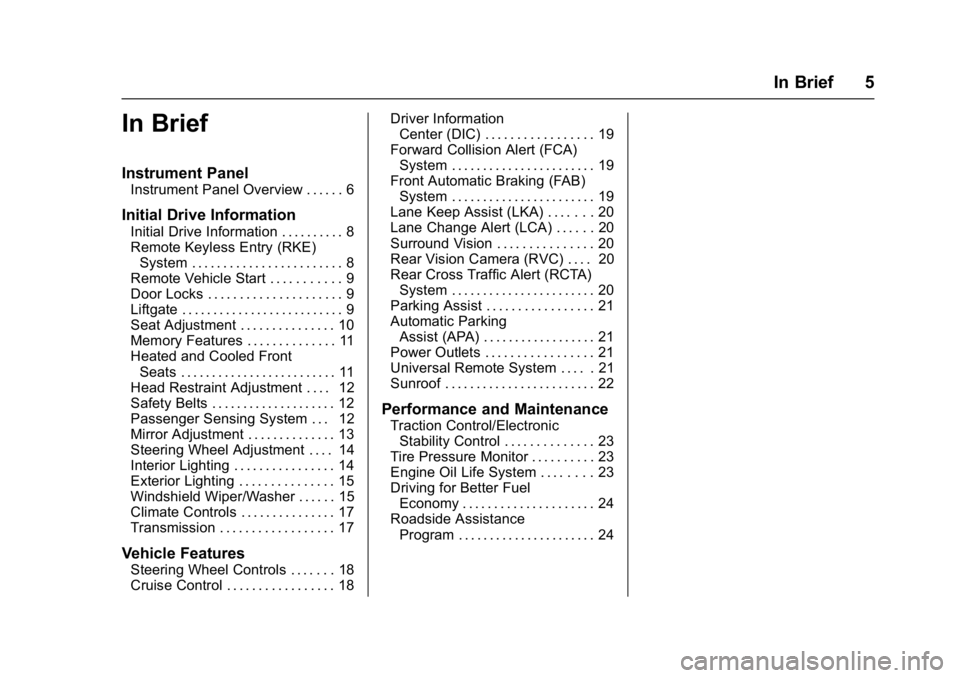
In Brief
Instrument Panel
Instrument Panel Overview . . . . . . 6
Initial Drive Information
Initial Drive Information . . . . . . . . . . 8
Remote Keyless Entry (RKE)System . . . . . . . . . . . . . . . . . . . . . . . . 8
Remote Vehicle Start . . . . . . . . . . . 9
Door Locks . . . . . . . . . . . . . . . . . . . . . 9
Liftgate . . . . . . . . . . . . . . . . . . . . . . . . . . 9
Seat Adjustment . . . . . . . . . . . . . . . 10
Memory Features . . . . . . . . . . . . . . 11
Heated and Cooled Front Seats . . . . . . . . . . . . . . . . . . . . . . . . . 11
Head Restraint Adjustment . . . . 12
Safety Belts . . . . . . . . . . . . . . . . . . . . 12
Passenger Sensing System . . . 12
Mirror Adjustment . . . . . . . . . . . . . . 13
Steering Wheel Adjustment . . . . 14
Interior Lighting . . . . . . . . . . . . . . . . 14
Exterior Lighting . . . . . . . . . . . . . . . 15
Windshield Wiper/Washer . . . . . . 15
Climate Controls . . . . . . . . . . . . . . . 17
Transmission . . . . . . . . . . . . . . . . . . 17
Vehicle Features
Steering Wheel Controls . . . . . . . 18
Cruise Control . . . . . . . . . . . . . . . . . 18 Driver Information
Center (DIC) . . . . . . . . . . . . . . . . . 19
Forward Collision Alert (FCA) System . . . . . . . . . . . . . . . . . . . . . . . 19
Front Automatic Braking (FAB)
System . . . . . . . . . . . . . . . . . . . . . . . 19
Lane Keep Assist (LKA) . . . . . . . 20
Lane Change Alert (LCA) . . . . . . 20
Surround Vision . . . . . . . . . . . . . . . 20
Rear Vision Camera (RVC) . . . . 20
Rear Cross Traffic Alert (RCTA) System . . . . . . . . . . . . . . . . . . . . . . . 20
Parking Assist . . . . . . . . . . . . . . . . . 21
Automatic Parking Assist (APA) . . . . . . . . . . . . . . . . . . 21
Power Outlets . . . . . . . . . . . . . . . . . 21
Universal Remote System . . . . . 21
Sunroof . . . . . . . . . . . . . . . . . . . . . . . . 22
Performance and Maintenance
Traction Control/Electronic Stability Control . . . . . . . . . . . . . . 23
Tire Pressure Monitor . . . . . . . . . . 23
Engine Oil Life System . . . . . . . . 23
Driving for Better Fuel Economy . . . . . . . . . . . . . . . . . . . . . 24
Roadside Assistance Program . . . . . . . . . . . . . . . . . . . . . . 24
Page 11 of 432

Buick Envision Owner Manual (GMNA-Localizing-U.S./Canada/Mexico-
8534310) - 2016 - crc - 2/29/16
10 In Brief
Power Liftgate Operation
If equipped with a power liftgate, the
switch is on the driver door. The
vehicle must be in P (Park).
Choose the power liftgate mode by
selecting MAX or 3/4. Press
8on
the driver door. The driver door
must be unlocked. On the RKE
transmitter press
btwice quickly
until the liftgate starts moving.
Press any liftgate button while the
liftgate is moving to stop it. Pressing
again reverses the direction.
To close, press
lon the bottom
of the liftgate next to the pull cup.
To disable the power liftgate
function, select OFF on the liftgate
switch. See Liftgate036.
Seat Adjustment
Power Seat
To adjust a power seat:
.
Move the seat forward or
rearward by sliding the control
forward or rearward.
. Raise or lower the front part of
the seat cushion by moving the
front of the control up or down.
. Raise or lower the entire seat by
moving the rear of the control up
or down.
See Power Seat Adjustment 052.
Lumbar Support
To adjust the lumbar support,
if equipped:
.
Press the front or rear of the
switch to increase or decrease
lumbar support.
. Press the top or bottom of the
switch to raise or lower the
lumbar support.
. Release the switch when the
level of support is reached.
See Lumbar Adjustment 052.
Page 24 of 432

Buick Envision Owner Manual (GMNA-Localizing-U.S./Canada/Mexico-
8534310) - 2016 - crc - 2/29/16
In Brief 23
Performance and
Maintenance
Traction Control/
Electronic Stability
Control
The Traction Control System (TCS)
limits wheel spin. The system is on
when the vehicle is started.
The StabiliTrak system assists with
directional control of the vehicle in
difficult driving conditions. The
system is on when the vehicle is
started.
.To turn off TCS, press and
release
gon the center console.
The traction off light
i
illuminates in the instrument
cluster.
. Press and release
gagain to
turn TCS back on. The traction
off light
iin the instrument
cluster will turn off. .
To turn off both TCS and
StabiliTrak, press and hold
g
until the traction off lightiand
StabiliTrak OFF light
g
illuminate in the instrument
cluster.
. Press and release
gagain to
turn on both systems. The
traction off light
iand
StabiliTrak OFF light
gin the
instrument cluster will turn off.
See Traction Control/Electronic
Stability Control 0273.
Tire Pressure Monitor
This vehicle may have a Tire
Pressure Monitor System (TPMS).
The low tire pressure warning light
alerts to a significant loss in
pressure of one of the vehicle's tires. If the warning light comes on,
stop as soon as possible and inflate
the tires to the recommended
pressure shown on the Tire and
Loading Information label. See
Vehicle Load Limits
0255. The
warning light will remain on until the
tire pressure is corrected.
The low tire pressure warning light
may come on in cool weather when
the vehicle is first started, and then
turn off as the vehicle is driven. This
may be an early indicator that the
tire pressures are getting low and
the tires need to be inflated to the
proper pressure.
The TPMS does not replace normal
monthly tire maintenance. Maintain
the correct tire pressures.
See Tire Pressure Monitor
System 0347.
Engine Oil Life System
The engine oil life system calculates
engine oil life based on vehicle use
and displays the CHANGE ENGINE
OIL SOON message when it is time
to change the engine oil and filter.
Page 25 of 432

Buick Envision Owner Manual (GMNA-Localizing-U.S./Canada/Mexico-
8534310) - 2016 - crc - 2/29/16
24 In Brief
The oil life system should be reset
to 100% only following an oil
change.
Resetting the Oil Life System1. Using the DIC controls on the right side of the steering wheel,
display REMAINING OIL LIFE
on the DIC. See Driver
Information Center (DIC) (Base
Level) 0128 orDriver
Information Center (DIC)
(Uplevel) 0131. When
remaining oil life is low, the
CHANGE ENGINE OIL SOON
message will appear on the
display. See Engine Oil
Messages 0139.
2. Press
Von the DIC controls
and hold down for a few
seconds to clear the CHANGE
ENGINE OIL SOON message
and reset the oil life at 100%.
Be careful not to reset the oil
life display accidentally at any
time other than after the oil is
changed. It cannot be reset
accurately until the next oil
change. See
Engine Oil Life System 0316.
Driving for Better Fuel
Economy
Driving habits can affect fuel
mileage. Here are some driving tips
to get the best fuel economy
possible.
.
Avoid fast starts and accelerate
smoothly.
. Brake gradually and avoid
abrupt stops.
. Avoid idling the engine for long
periods of time.
. When road and weather
conditions are appropriate, use
cruise control.
. Always follow posted speed
limits or drive more slowly when
conditions require.
. Keep vehicle tires properly
inflated.
. Combine several trips into a
single trip. .
Replace the vehicle's tires with
the same TPC Spec number
molded into the tire's sidewall
near the size.
. Follow recommended scheduled
maintenance.
Roadside Assistance
Program
U.S.: 1-800-252-1112
TTY Users (U.S. Only):
1-888-889-2438
Canada: 1-800-268-6800
New Buick owners are automatically
enrolled in the Roadside Assistance
Program.
See Roadside Assistance
Program 0400.
Page 53 of 432

Buick Envision Owner Manual (GMNA-Localizing-U.S./Canada/Mexico-
8534310) - 2016 - crc - 2/29/16
52 Seats and Restraints
Front Seats
Power Seat Adjustment
To adjust a power seat:
.Move the seat forward or
rearward by sliding the control
forward or rearward.
. Raise or lower the front part of
the seat cushion by moving the
front of the control up or down.
. Raise or lower the entire seat by
moving the rear of the control up
or down. To adjust the seatback, see
Reclining Seatbacks
053.
To adjust the lumbar support, see
Lumbar Adjustment 052.
Lumbar Adjustment
To adjust the lumbar support,
if equipped:
.
Press the front or rear of the
switch to increase or decrease
lumbar support.
. Press the top or bottom of the
switch to raise or lower the
lumbar support. .
Release the switch when the
level of support is reached.
Thigh Support
Adjustment
If equipped, adjust the manual leg
extension by pulling up on the lever,
and then pulling or pushing on the
support to lengthen or shorten it.
Release the lever to lock it in place.
Page 78 of 432

Buick Envision Owner Manual (GMNA-Localizing-U.S./Canada/Mexico-
8534310) - 2016 - crc - 2/29/16
Seats and Restraints 77
Warning (Continued)
are close to an airbag when it
inflates. Avoid yellow connectors.
They are probably part of the
airbag system. Be sure to follow
proper service procedures, and
make sure the person performing
work for you is qualified to do so.
Adding Equipment to the
Airbag-Equipped Vehicle
Adding accessories that change the
vehicle's frame, bumper system,
height, front end, or side sheet
metal, may keep the airbag system
from working properly. The
operation of the airbag system can
also be affected by changing any
parts of the front seats, safety belts,
airbag sensing and diagnostic
module, steering wheel, instrument
panel, any of the airbag modules,
ceiling or pillar garnish trim,
overhead console, front sensors,
side impact sensors, or airbag
wiring.Your dealer and the service manual
have information about the location
of the airbag sensors, sensing and
diagnostic module, and airbag
wiring.
In addition, the vehicle has a
passenger sensing system for the
front outboard passenger position,
which includes sensors that are part
of the passenger seat. The
passenger sensing system may not
operate properly if the original seat
trim is replaced with non-GM
covers, upholstery, or trim; or with
GM covers, upholstery, or trim
designed for a different vehicle. Any
object, such as an aftermarket seat
heater or a comfort-enhancing pad
or device, installed under or on top
of the seat fabric, could also
interfere with the operation of the
passenger sensing system. This
could either prevent proper
deployment of the passenger
airbag(s) or prevent the passenger
sensing system from properly
turning off the passenger airbag(s).
See
Passenger Sensing
System 072. If the vehicle has rollover roof-rail
airbags, see
Different Size Tires
and Wheels 0354 for additional
important information.
If you have to modify your vehicle
because you have a disability and
you have questions about whether
the modifications will affect the
vehicle's airbag system, or if you
have questions about whether the
airbag system will be affected if the
vehicle is modified for any other
reason, call Customer Assistance.
See Customer Assistance
Offices 0398.
Airbag System Check
The airbag system does not need
regularly scheduled maintenance or
replacement. Make sure the airbag
readiness light is working. See
Airbag Readiness Light 0118.
Caution
If an airbag covering is damaged,
opened, or broken, the airbag
may not work properly. Do not
(Continued)
Page 103 of 432

Buick Envision Owner Manual (GMNA-Localizing-U.S./Canada/Mexico-
8534310) - 2016 - crc - 2/29/16
102 Instruments and Controls
Instruments and
Controls
Controls
Steering Wheel Adjustment . . . 103
Steering Wheel Controls . . . . . . 103
Heated Steering Wheel . . . . . . . 104
Horn . . . . . . . . . . . . . . . . . . . . . . . . . . 104
Windshield Wiper/Washer . . . . 104
Rear Window Wiper/Washer . . . . . . . . . . . . . . . . . . . . . 106
Headlamp Washer . . . . . . . . . . . . 107
Clock . . . . . . . . . . . . . . . . . . . . . . . . . 107
Power Outlets . . . . . . . . . . . . . . . . 108
Warning Lights, Gauges, and
Indicators
Warning Lights, Gauges, and Indicators . . . . . . . . . . . . . . . . . . . 110
Instrument Cluster . . . . . . . . . . . . 111
Speedometer . . . . . . . . . . . . . . . . . 114
Odometer . . . . . . . . . . . . . . . . . . . . . 114
Trip Odometer . . . . . . . . . . . . . . . . 114
Tachometer . . . . . . . . . . . . . . . . . . . 114
Fuel Gauge . . . . . . . . . . . . . . . . . . . 115
Engine Coolant Temperature Gauge . . . . . . . . . . . . . . . . . . . . . . 116
Safety Belt Reminders . . . . . . . . 117
Airbag Readiness Light . . . . . . . 118 Passenger Airbag Status
Indicator . . . . . . . . . . . . . . . . . . . . . 118
Charging System Light . . . . . . . 119
Malfunction Indicator Lamp (Check Engine Light) . . . . . . . . 119
Brake System Warning Light . . . . . . . . . . . . . . . . . . . . . . . . 121
Electric Parking Brake Light . . . . . . . . . . . . . . . . . . . . . . . . 122
Service Electric Parking Brake Light . . . . . . . . . . . . . . . . . . . . . . . . 122
Antilock Brake System (ABS) Warning Light . . . . . . . . . . . . . . . 122
Lane Keep Assist (LKA) Light . . . . . . . . . . . . . . . . . . . . . . . . 123
Vehicle Ahead Indicator . . . . . . 123
Traction Off Light . . . . . . . . . . . . . 123
StabiliTrak
®OFF Light . . . . . . . . 124
Traction Control System (TCS)/ StabiliTrak
®Light . . . . . . . . . . . 124
Engine Coolant Temperature Warning Light . . . . . . . . . . . . . . . 124
Tire Pressure Light . . . . . . . . . . . 125
Engine Oil Pressure Light . . . . 125
Low Fuel Warning Light . . . . . . 126
Security Light . . . . . . . . . . . . . . . . . 126
High-Beam On Light . . . . . . . . . . 126
Adaptive Forward Lighting (AFL) Light . . . . . . . . . . . . . . . . . . 126
Front Fog Lamp Light . . . . . . . . . 127
Lamps On Reminder . . . . . . . . . 127 Cruise Control Light . . . . . . . . . . 127
Door Ajar Light . . . . . . . . . . . . . . . 128
Information Displays
Driver Information Center (DIC)
(Base Level) . . . . . . . . . . . . . . . . 128
Driver Information Center (DIC) (Uplevel) . . . . . . . . . . . . . . . . . . . . 131
Head-Up Display (HUD) . . . . . . 133
Vehicle Messages
Vehicle Messages . . . . . . . . . . . . 136
Battery Voltage and Charging Messages . . . . . . . . . . . . . . . . . . . 137
Brake System Messages . . . . . 137
Cruise Control Messages . . . . . 137
Door Ajar Messages . . . . . . . . . . 138
Engine Cooling System Messages . . . . . . . . . . . . . . . . . . . 139
Engine Oil Messages . . . . . . . . . 139
Engine Power Messages . . . . . 140
Fuel System Messages . . . . . . . 140
Key and Lock Messages . . . . . 140
Object Detection System Messages . . . . . . . . . . . . . . . . . . . 141
Ride Control System Messages . . . . . . . . . . . . . . . . . . . 143
Airbag System Messages . . . . 143
Security Messages . . . . . . . . . . . 143
Steering System Messages . . . . . . . . . . . . . . . . . . . 143