2016 BUICK CASCADA door
[x] Cancel search: doorPage 97 of 381

Buick Cascada Owner Manual (GMNA-Localizing-U.S-9186636) - 2016 - crc -
3/9/16
96 Instruments and Controls
The compass system is designed to
operate for a certain number of
miles or degrees of turn before
needing a signal from the GPS
satellites. When the compass
display shows CAL, drive the
vehicle for a short distance in an
open area where it can receive a
GPS signal. The compass system
will automatically determine when a
GPS signal is restored and provide
a heading again.
Clock
The infotainment system controls
are used to access the time and
date settings through the menu
system. The clock menu can only
be used with the radio while in ON/
RUN or ACC/ACCESSORY. See
Using the System0131 for
information about how to use the
menu system.
Setting the Clock
The clock is in the center stack
display.
To set the time: 1. Press CONFIG to enter the
menu options or press
H. Turn
Zand select Time and
Date or touch Time and Date.
Press
Zor touch the Set
Time screen button to display
other options within that
feature.
2. Touch + or −to increase or
decrease the Hours and
Minutes displayed on the clock.
If Automatic Clock Update is set, the
time displayed on the clock may not
update immediately when driving
into a new time zone.
12/24 hr Format : Select the 12
Hour screen button for standard
time; select the 24 Hour screen
button for military time.
Power Outlets
The accessory power outlets can be
used to plug in electrical equipment,
such as a cell phone or MP3 player.
There is one accessory power outlet
on the center stack below the
climate controls and one on the rear
of the center floor console. These outlets are powered when the key is
in ON/RUN or ACC/ACCESSORY,
or until the driver door is opened
within 10 minutes of turning off the
vehicle. See
Retained Accessory
Power (RAP) 0230.
Caution
Leaving electrical equipment
plugged in for an extended period
of time while the vehicle is off will
drain the battery. Always unplug
electrical equipment when not in
use and do not plug in equipment
that exceeds the maximum
20 amp rating.
Certain electrical accessories may
not be compatible with the
accessory power outlet and could
overload vehicle or adapter fuses.
If a problem is experienced, see
your dealer.
When adding electrical equipment,
be sure to follow the installation
instructions included with the
equipment. See Add-On Electrical
Equipment 0252.
Page 100 of 381

Buick Cascada Owner Manual (GMNA-Localizing-U.S-9186636) - 2016 - crc -
3/9/16
Instruments and Controls 99
Speedometer
The speedometer shows the vehicle
speed in kilometers per hour (km/h)
and miles per hour (mph).
Odometer
The odometer shows how far the
vehicle has been driven, in either
kilometers or miles.
Trip Odometer
The trip odometer shows how far
the vehicle has been driven since
the trip odometer was last reset.
The trip odometer is accessed and
reset through the Driver Information
Center (DIC). SeeDriver
Information Center (DIC) 0110.
Tachometer
The tachometer displays the engine
speed in revolutions per
minute (rpm).
Caution
If the engine is operated with the
rpm’s in the warning area at the
high end of the tachometer, the
vehicle could be damaged, and
the damage would not be covered
by the vehicle warranty. Do not
operate the engine with the rpm’s
in the warning area.
Fuel Gauge
When the ignition is on, the fuel
gauge tells you about how much
fuel you have left in your tank. An arrow on the fuel gauge
indicates the side of the vehicle the
fuel door is on.
When the fuel is low, a message
may appear in the Driver
Information Center (DIC), and a
chime will sound.
Here are four things that some
owners ask about. None of these
show a problem with your fuel
gauge:
.
At the service station, the fuel
pump shuts off before the gauge
reads full.
. It takes a little more or less fuel
to fill up than the gauge
indicated. For example, the
gauge may have indicated the
tank was half full, but it actually
took a little more or less than
half the tank's capacity to fill
the tank.
. The gauge moves a little while
turning a corner or speeding up.
Page 110 of 381

Buick Cascada Owner Manual (GMNA-Localizing-U.S-9186636) - 2016 - crc -
3/9/16
Instruments and Controls 109
The high‐beam on light comes on
when the high-beam headlamps are
in use.
SeeHeadlamp High/Low-Beam
Changer 0120 for more information.
Adaptive Forward
Lighting (AFL) Light
This light should come on briefly as
the vehicle is started. If it does not
come on, have the vehicle serviced
by your dealer.
This light comes on solid when
there is a problem with the AFL
system. It flashes when the system
is switching between lighting
modes. See Adaptive Forward
Lighting (AFL) 0121.
Front Fog Lamp Light
If equipped, this light comes on
when the fog lamps are on.
The light goes out when the fog
lamps are turned off. See Fog
Lamps 0122.
Lamps On Reminder
This light comes on when the
exterior lamps are in use. See
Exterior Lamp Controls 0119.
Cruise Control Light
For vehicles with cruise control, the
cruise control light is white when the
cruise control is on and ready, and
turns green when the cruise control
is set and active.
The light turns off when the cruise
control is turned off. See Cruise
Control 0241.
Door Ajar Light
If equipped, this light comes on
when a door is open or not securely
latched. Before driving, check that
all doors are properly closed.
Page 114 of 381

Buick Cascada Owner Manual (GMNA-Localizing-U.S-9186636) - 2016 - crc -
3/9/16
Instruments and Controls 113
Vehicle Messages
Messages displayed on the DIC
indicate the status of the vehicle or
some action that may be needed to
correct a condition. Multiple
messages may display one after the
other.
The messages that do not require
immediate action can be
acknowledged and cleared by
pressing SET/CLR. The messages
that require immediate action cannot
be cleared until that action is
performed. All messages should be
taken seriously and clearing the
messages does not correct the
problem.
Follow the instructions given in the
messages. The system displays
messages regarding the following
topics:
.Service Messages
. Fluid Levels
. Vehicle Security
. Brakes
. Ride Control Systems .
Driver Assistance Systems
. Cruise Control
. Lighting and Bulb Replacement
. Wiper/Washer Systems
. Doors and Windows
. Convertible Top
. Safety Belts
. Airbag Systems
. Engine and Transmission
. Tire Pressure
. Battery
Vehicle
Personalization
Use the audio system controls to
access the personalization menus
for customizing vehicle features.
The following are all possible
personalization features. Depending
on the vehicle, some may not be
available.
Infotainment System Audio
System Controls
Using the Faceplate
ZKnob
. Press the outer diameter
(chrome ring) to enter, select,
or activate a highlighted menu
option.
. Turn to highlight a menu option.
. Press the outer diameter
(chrome ring) to enable or
disable a system setting.
BACK
. Press to exit a menu.
. Press to return to a previous
screen.
Page 117 of 381

Buick Cascada Owner Manual (GMNA-Localizing-U.S-9186636) - 2016 - crc -
3/9/16
116 Instruments and Controls
Select and follow the screen
prompts.
Restore Home Page Defaults
This feature will restore the Home
Page to the factory settings.
Select and follow the screen
prompts.
Rear Camera Options
Select and the following may
display:
.Symbols
. Guide Lines
Symbols
See Assistance Systems for Parking
or Backing 0243.
Select to enable or disable.
Guide Lines
See Assistance Systems for Parking
or Backing 0243.
Select to enable or disable. Display Off
Select to turn the display off. The
display will return when any radio
buttons are pressed or the screen is
touched (if equipped).
Map Settings
See
“Map Settings” inConfigure
Menu 0183.
Vehicle Settings
Select and the following may
display:
.
Climate and Air Quality
. Comfort and Convenience
. Collision Detection Systems
. Lighting
. Power Door Locks
. Remote Lock/Unlock/Start
. Return to Factory Settings?
Climate and Air Quality
Select and the following may
display:
.
Auto Fan Speed
. Remote Start Auto Heat Seat .
Auto Rear Defog
Auto Fan Speed
Choose from the following blower
speed settings:
Select High, Medium, or Low.
Remote Start Auto Heat Seat
When on, this feature will turn the
heated seats on when using remote
start on cold days.
Select to enable or disable.
Auto Rear Defog
When on, this feature turns on the
rear window defogger at vehicle
start when the interior temperature
is cold and fog is likely. The auto
rear defog function can be disabled
by selecting
1. When off, the
feature can be turned on by
selecting
1. See “Rear Window
Defogger” underDual Automatic
Climate Control System 0212.
Select to enable or disable.
Page 118 of 381

Buick Cascada Owner Manual (GMNA-Localizing-U.S-9186636) - 2016 - crc -
3/9/16
Instruments and Controls 117
Comfort and Convenience
Select and the following may
display:
.Chime Volume
. Button Chime
Chime Volume
This allows the selection of the
chime volume level.
Select Low or High.
Button Chime
This allows the Button Chime
feature to be turned on or off.
Select to enable or disable.
Collision Detection Systems
Select and the following may
display:
. Park Assist
Park Assist
This allows the Parking Assist
feature to be turned on or off.
Select Off or On.
Lighting
Select and the following may
display:
. Vehicle Locator Lights
. Exit Lighting
Vehicle Locator Lights
This allows the vehicle locator lights
to be turned on or off.
Select to enable or disable.
Exit Lighting
This allows the selection of how
long the exterior lamps stay on
when leaving the vehicle when it is
dark outside.
Select Off, 30 Seconds, 1 Minute,
or 2 Minutes.
Power Door Locks
Select and the following may
display:
. Open Door Anti Lock Out
. Auto Door Unlock
. Delay Door Lock Open Door Anti Lock Out
When on, this feature will keep the
driver door from locking until the
door is closed. If this feature is
turned on, the Delayed Door Lock
menu will not be available.
Select to enable or disable.
Auto Door Unlock
This allows selection of which doors
will automatically unlock when the
vehicle is shifted into P (Park).
Select All Doors, Driver Door, or Off.
Delay Door Lock
When on, this feature will delay the
locking of the doors. See
Delayed
Locking 028.
Select to enable or disable.Remote Lock/Unlock/Start
Select and the following may
display:
. Remote Unlock Feedback
. Remote Lock Feedback
. Remote Door Unlock
Page 119 of 381
Buick Cascada Owner Manual (GMNA-Localizing-U.S-9186636) - 2016 - crc -
3/9/16
118 Instruments and Controls
Remote Unlock Feedback
When on, the exterior lamps will
flash when unlocking the vehicle
with the RKE transmitter.
Select Flash Lights or Off.
Remote Lock Feedback
This allows selection of what
feedback is provided when
unlocking the vehicle with the RKE
transmitter.
Select Lights and Horn, Lights Only,
Horn Only, or Off.
Remote Door Unlock
This allows selection of which doors
will unlock on the first press of
Kon
the RKE transmitter. If Driver Door
is selected, all doors will unlock on
the second press of
Kwithin
five seconds of the prior press.
Select Driver Door or All Doors.
Return to Factory Settings?
This returns all of the vehicle
personalization settings to the
factory settings.
Select Yes or No.
Page 121 of 381
Buick Cascada Owner Manual (GMNA-Localizing-U.S-9186636) - 2016 - crc -
3/9/16
120 Lighting
;:Turns on the parking lamps
including all lamps, except the
headlamps.
5: Turns on the headlamps
together with the parking lamps and
instrument panel lights. A warning
chime sounds if the driver door is
opened when the ignition switch is
off and the headlamps are on.
#: If equipped, press to turn the
fog lamps on or off.
See Fog Lamps 0122.
When the lights are on,
;will be
lit. See Lamps On Reminder 0109.
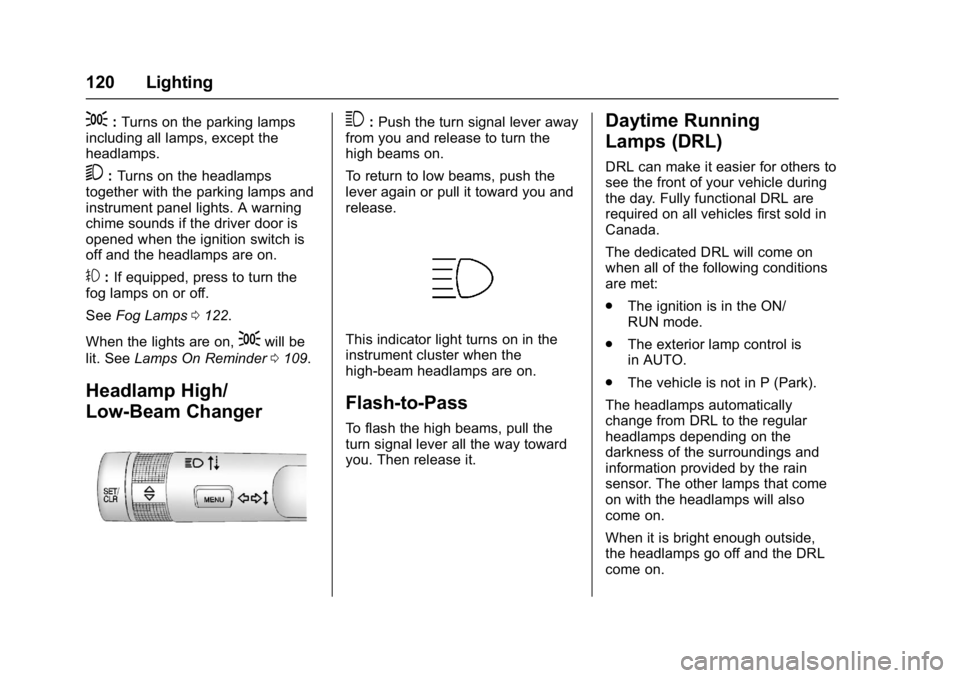
Headlamp High/
Low-Beam Changer
3:Push the turn signal lever away
from you and release to turn the
high beams on.
To return to low beams, push the
lever again or pull it toward you and
release.
This indicator light turns on in the
instrument cluster when the
high-beam headlamps are on.
Flash-to-Pass
To flash the high beams, pull the
turn signal lever all the way toward
you. Then release it.
Daytime Running
Lamps (DRL)
DRL can make it easier for others to
see the front of your vehicle during
the day. Fully functional DRL are
required on all vehicles first sold in
Canada.
The dedicated DRL will come on
when all of the following conditions
are met:
. The ignition is in the ON/
RUN mode.
. The exterior lamp control is
in AUTO.
. The vehicle is not in P (Park).
The headlamps automatically
change from DRL to the regular
headlamps depending on the
darkness of the surroundings and
information provided by the rain
sensor. The other lamps that come
on with the headlamps will also
come on.
When it is bright enough outside,
the headlamps go off and the DRL
come on.