2016 BMW X1 Change
[x] Cancel search: ChangePage 201 of 242

2.Turn the oil filler neck counter-clockwise.3.Add motor oil.
After refilling, perform a detailed measure‐
ment, refer to page 200.
Engine oil types to add Information CAUTION
Oil additives can damage the engine.
There is risk of property damage. Do not use
oil additives.◀
CAUTION
Incorrect engine oil can cause malfunc‐
tions in the engine or damage it. There is risk
of property damage. When selecting an engine
oil, make sure that the engine oil has the cor‐
rect viscosity grade.◀
The engine oil quality is critical for the life of
the engine.
Viscosity grades When selecting an engine oil, ensure that the
engine oil belongs to one of the viscosity
grades SAE 0W-40, SAE 0W-30, SAE 5W-40,
SAE 5W-30, 0W-20 or 5W-20.
The viscosity grades 0W-20 and 5W-20 are
only suitable for particular engines.
Suitable engine oil types
Add engine oils that meet the following oil rat‐
ing standards:
Gasoline engineBMW Longlife-01.BMW Longlife-01 FE.BMW Longlife-14 FE+.
More information about suitable engine oil rat‐
ings and viscosities of engine oils can be re‐
quested from a dealer’s service center or an‐
other qualified service center or repair shop.
Alternative engine oil types If an engine oil suitable for continuous use is
not available, up to 1 US quart/liter of an en‐
gine oil with the following oil rating can be
added:
Gasoline engineAPI SL or superior oil rating.
Engine oil change
CAUTION
Engine oil that is not changed in timely
fashion can cause increased engine wear and
thus engine damage. There is risk of property
damage. Do not exceed the service data indi‐
cated in the vehicle.◀
The vehicle manufacturer recommends that
you let the dealer’s service center or another
qualified service center or repair shop change
the motor oil.
Seite 201Engine oilMobility201
Online Edition for Part no. 01 40 2 964 303 - VI/15
Page 206 of 242
Replacing componentsVehicle features and optionsThis chapter describes all standard, country-
specific and optional features offered with the
series. It also describes features that are not
necessarily available in your car, e. g., due to
the selected options or country versions. This
also applies to safety-related functions and
systems. The respectively applicable country
provisions must be observed when using the
respective features and systems.
Onboard vehicle tool kit
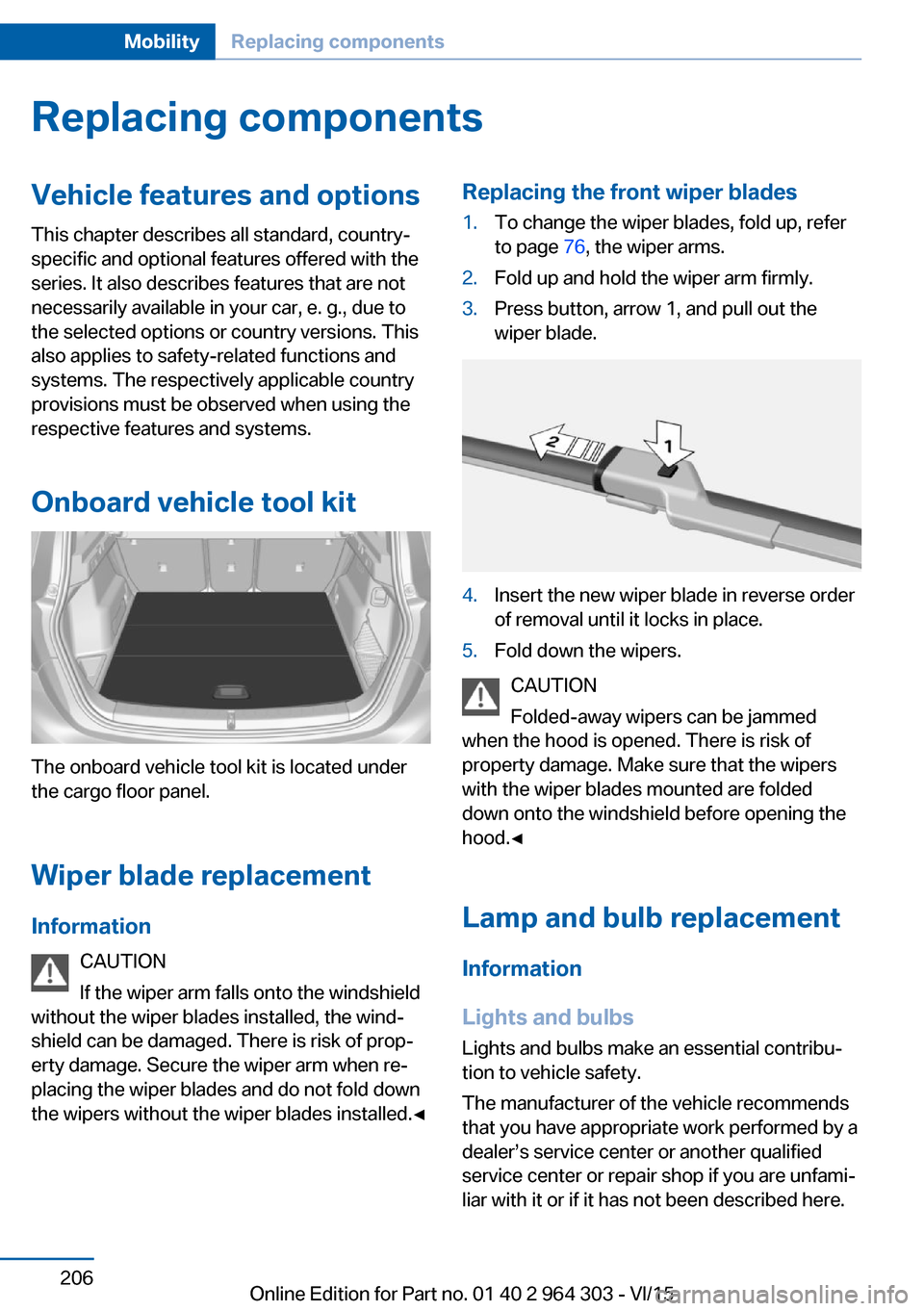
The onboard vehicle tool kit is located under
the cargo floor panel.
Wiper blade replacement Information CAUTION
If the wiper arm falls onto the windshield
without the wiper blades installed, the wind‐
shield can be damaged. There is risk of prop‐
erty damage. Secure the wiper arm when re‐
placing the wiper blades and do not fold down
the wipers without the wiper blades installed.◀
Replacing the front wiper blades1.To change the wiper blades, fold up, refer
to page 76, the wiper arms.2.Fold up and hold the wiper arm firmly.3.Press button, arrow 1, and pull out the
wiper blade.4.Insert the new wiper blade in reverse order
of removal until it locks in place.5.Fold down the wipers.
CAUTION
Folded-away wipers can be jammed
when the hood is opened. There is risk of
property damage. Make sure that the wipers
with the wiper blades mounted are folded
down onto the windshield before opening the
hood.◀
Lamp and bulb replacement Information
Lights and bulbs
Lights and bulbs make an essential contribu‐
tion to vehicle safety.
The manufacturer of the vehicle recommends
that you have appropriate work performed by a
dealer’s service center or another qualified
service center or repair shop if you are unfami‐
liar with it or if it has not been described here.
Seite 206MobilityReplacing components206
Online Edition for Part no. 01 40 2 964 303 - VI/15
Page 207 of 242

A spare lamp box is available from a dealer’s
service center or another qualified service cen‐
ter or repair shop.
WARNING
Bulbs can get hot during operation. Con‐
tact with the bulbs can cause burns. There is
risk of injuries. Only change bulbs after they
have cooled off.◀
WARNING
Work on switched-on lighting systems
can cause short circuits. There is risk of inju‐
ries or risk of property damage. When working
on the lighting system, switch off the lamps in
question. If necessary, heed the bulb manufac‐
turer's instructions.◀
CAUTION
Contaminated bulbs reduce their service
life. There is risk of property damage. Do not
hold new bulbs with your bare hands. Use a
clean cloth or something similar, or hold the
bulb by its base.◀
Light-emitting diodes (LEDs)
Some items of equipment use light-emitting
diodes installed behind a cover as a light
source.
These light-emitting diodes, which are related
to conventional lasers, are officially designated
as Class 1 light-emitting diodes.
WARNING
Too intensive brightness can irritate or
damage the retina of the eye. There is risk of
injuries. Do not look directly into the headlights
or other light sources for an extended period of
time. Do not remove the LED covers.◀
Headlight glass
Condensation can form on the inside of the ex‐
ternal lights in cool or humid weather. When
driving with the lights switched on, the con‐
densation evaporates after a short time. The
headlight glass does not need to be changed.If despite driving with the lights switched on,
increasing humidity forms, e. g. water droplets
in the lamp, the manufacturer of your vehicle
recommends having it checked by a dealer’s
service center or another qualified service cen‐
ter or repair shop.
Headlight setting
The headlight adjustments can be affected by
changing lights and bulbs. After the headlight
adjustment was changed, have it checked and,
if necessary, corrected by a dealer’s service
center or another qualified service center or re‐
pair shop.
Front lights, bulb replacement
Halogen headlights Overview1High beams, headlight flasher2Low beams3Side marker lights4Turn signal5Parking lights / daytime running lights6Parking lights / daytime running lights
Parking lights, daytime running lights
The parking lights and daylight running lights
are made using LED technology.
Contact a dealer’s service center or another
qualified service center or repair shop in the
event of a malfunction.
Seite 207Replacing componentsMobility207
Online Edition for Part no. 01 40 2 964 303 - VI/15
Page 213 of 242

2.Press the nonworking bulb gently into the
socket, turn counterclockwise and remove.▷Upper bulb: reversing lamp▷Lower bulb: inner brake lamp
Only vehicles with halogen headlights:
▷Lower bulb, 5-watt: tail light
Installing the bulb holder
1.Proceed in the reverse order to insert the
new bulb and attach the bulb holder.
Connect the plug to the bulb holder.2.Make sure that the bulb holder is correctly
and firmly seated.
Central brake lamp and license plate
lamp
Follow general instructions, refer to page 206.
These lights are made using LED technology.
Contact a dealer’s service center or another
qualified service center or repair shop in the
event of a malfunction.
Changing wheels
Information When using run-flat tires or sealants, a tire
does not need to be changed immediately in
the event of pressure loss due to a flat tire.
Which is why no spare tire is available.
The tools for changing wheels are available as
accessories from your dealer’s service center
or another qualified service center or repair
shop.
Jacking points for the vehicle jack
The jacking points for the vehicle jack are lo‐
cated at the positions shown.
Emergency wheel
Safety measures
▷Park the vehicle as far away as possible
from passing traffic and on solid ground.
Switch on the hazard warning system.▷Set the parking brake and engage lever in
position P P.▷Have all vehicle occupants get out of the
vehicle and ensure that they remain out‐
side the immediate area in a safe place,
such as behind a guardrail.▷If necessary, set up a warning triangle or
portable hazard warning lamp at an appro‐
priate distance.▷Perform wheel change only on a flat, solid
and slip-resistant surface. On soft or slip‐
pery ground, e.g., snow, ice, tiles, etc., the
vehicle or vehicle jack can slip away to the
side.▷Do not place wood blocks or similar items
under the vehicle jack; otherwise, it cannot
reach its carrying capacity because of the
restricted height.▷If the vehicle is raised, do not lie under the
vehicle and do not start the engine; other‐
wise, a fatal hazard exists.Seite 213Replacing componentsMobility213
Online Edition for Part no. 01 40 2 964 303 - VI/15
Page 214 of 242
InformationWARNING
The vehicle jack is optimized for lifting
the vehicle and for the jacking points on the
vehicle only. There is risk of injuries. Do not lift
any other vehicle or cargo using the vehicle
jack.◀
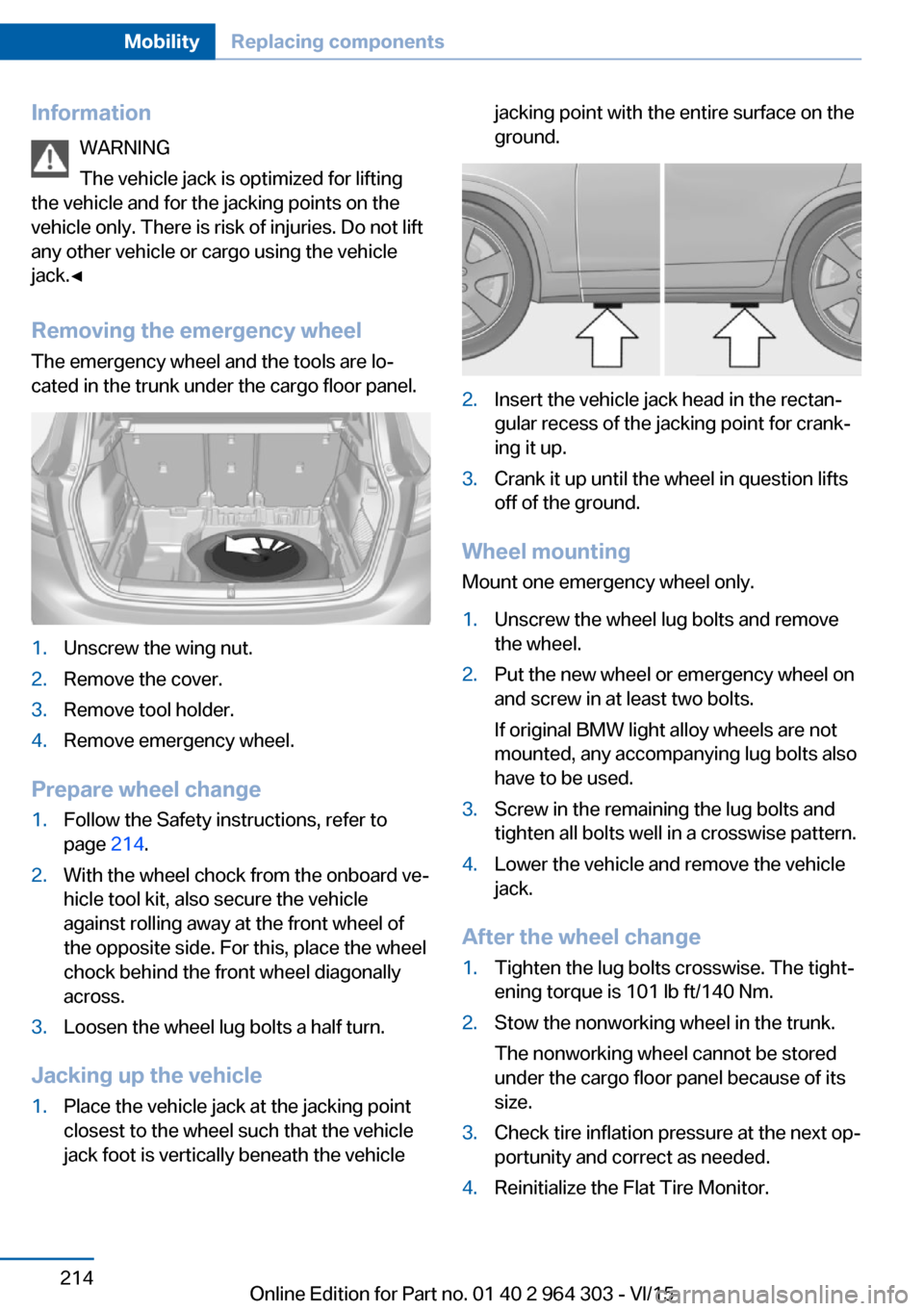
Removing the emergency wheel The emergency wheel and the tools are lo‐
cated in the trunk under the cargo floor panel.1.Unscrew the wing nut.2.Remove the cover.3.Remove tool holder.4.Remove emergency wheel.
Prepare wheel change
1.Follow the Safety instructions, refer to
page 214.2.With the wheel chock from the onboard ve‐
hicle tool kit, also secure the vehicle
against rolling away at the front wheel of
the opposite side. For this, place the wheel
chock behind the front wheel diagonally
across.3.Loosen the wheel lug bolts a half turn.
Jacking up the vehicle
1.Place the vehicle jack at the jacking point
closest to the wheel such that the vehicle
jack foot is vertically beneath the vehiclejacking point with the entire surface on the
ground.2.Insert the vehicle jack head in the rectan‐
gular recess of the jacking point for crank‐
ing it up.3.Crank it up until the wheel in question lifts
off of the ground.
Wheel mounting
Mount one emergency wheel only.
1.Unscrew the wheel lug bolts and remove
the wheel.2.Put the new wheel or emergency wheel on
and screw in at least two bolts.
If original BMW light alloy wheels are not
mounted, any accompanying lug bolts also
have to be used.3.Screw in the remaining the lug bolts and
tighten all bolts well in a crosswise pattern.4.Lower the vehicle and remove the vehicle
jack.
After the wheel change
1.Tighten the lug bolts crosswise. The tight‐
ening torque is 101 lb ft/140 Nm.2.Stow the nonworking wheel in the trunk.
The nonworking wheel cannot be stored
under the cargo floor panel because of its
size.3.Check tire inflation pressure at the next op‐
portunity and correct as needed.4.Reinitialize the Flat Tire Monitor.Seite 214MobilityReplacing components214
Online Edition for Part no. 01 40 2 964 303 - VI/15
Page 215 of 242

Reset the Tire Pressure Monitor.5.Check to make sure the lug bolts are tight
with a calibrated torque wrench.6.Replace the damaged tires as soon as pos‐
sible.
Driving with emergency wheel
WARNING
The emergency wheel has particular di‐
mensions. When driving with an emergency
wheel, changed driving properties may occur
at higher speeds, e.g. reduced lane stability
when braking, longer braking distance and
changed self-steering properties in the limit
area. There is risk of an accident. Drive moder‐
ately and do not exceed a speed of
50 mph/80 km/h.◀
Vehicle battery Maintenance
The battery is maintenance-free.
The added amount of acid is sufficient for the
service life of the battery.
More information about the battery can be re‐
quested from a dealer’s service center or an‐
other qualified service center or repair shop.
Battery replacement CAUTION
Vehicle batteries that are not compatible
can damage vehicle systems and impair vehi‐
cle functions.There is risk of property damage.
Information on the compatible vehicle batteries
is available at your dealer's service center.◀
After a battery replacement, the manufacturer
of your vehicle recommends that the vehicle
battery be registered on the vehicle by a
dealer’s service center or another qualified
service center or repair shop to ensure that all
comfort features are fully available and that any
Check Control messages of these comfort fea‐
tures are no longer displayed.
Charging the battery
General information
Make sure that the battery is always suffi‐
ciently charged to guarantee that the battery
remains usable for its full service life.
The battery may need to be charged in the fol‐
lowing cases:▷When making frequent short-distance
drives.▷If the vehicle is not used for prolonged pe‐
riods, longer than a month.▷Steptronic transmission: when parked for
long periods of time in selector lever posi‐
tion D, R or N.
Information
CAUTION
Battery chargers for the vehicle battery
can work with high voltages and currents,
which means that the 12V on-board network
can be overloaded or damaged. There is risk of
property damage. Only connect battery charg‐
ers for the vehicle battery to the starting aid
terminals in the engine compartment.◀
Starting aid terminals
In the vehicle, only charge the battery via the
starting aid terminals, refer to page 219, in the
engine compartment with the engine off.
Power failure
After a temporary power loss, some equipment
needs to be newly initialized or individual set‐
tings updated, e. g.:
▷Seat and mirror memory: store the posi‐
tions again.▷Time: update.▷Date: update.Seite 215Replacing componentsMobility215
Online Edition for Part no. 01 40 2 964 303 - VI/15
Page 233 of 242

Brake lights, brake force dis‐play 118
Brake pads, break-in 168
Braking, hints 170
Breakdown assistance 217
Break-in 168
Brightness of Control Dis‐ play 94
Bulb replacement 206
Bulb replacement, front 207
Bulb replacement, rear 211
Bulbs and lights 206
Button, Start/Stop 68
Bypassing, see Jump-start‐ ing 218
C
California Proposition 65 Warning 8
Camera-based cruise control, ACC 126
Camera lenses, care 225
Camera, rearview cam‐ era 138
Can holder, see Cu‐ pholder 162
Car battery 215
Car care products 223
Care, displays 225
Care, vehicle 223
Cargo 172
Cargo area 157
Cargo area, enlarging 158
Cargo area, storage compart‐ ments 163
Cargo floor panel 157
Cargo position, rear seat backrest 159
Cargo, securing 173
Cargo straps, securing cargo 173
Car key, see Remote con‐ trol 34
Carpet, care 224
Car wash 222 Catalytic converter, see Hot
exhaust system 169
CBS Condition Based Serv‐ ice 204
Center armrest 161
Center console 16
Central locking system 40
Central screen, see Control Display 18
Changes, technical, see Own Safety 7
Changing parts 206
Changing wheels 213
Changing wheels/tires 190
Chassis number, see vehicle identification number 10
Check Control 82
Checking the oil level elec‐ tronically 199
Children, seating position 64
Children, transporting safely 64
Child restraint fixing sys‐ tem 64
Child restraint fixing system LATCH 66
Child restraint fixing systems, mounting 65
Child safety locks 67
Child seat, mounting 65
Child seats 64
Chrome parts, care 224
Cigarette lighter 155
Cleaning displays 225
Climate control 144, 146
Clock 86
Closing/opening via door lock 39
Closing/opening with remote control 37
Closing the tailgate with no- touch activation 44
Cockpit 14
Combination switch, see Turn signals 73 Combination switch, see
Wiper system 74
Comfort Access 43
COMFORT program, Dy‐ namic Driving Control 124
Compact wheel, see Emer‐ gency wheel 213
Compartments in the doors 161
Compass 153
Compressor 192
Condensation on win‐ dows 148
Condensation under the vehi‐ cle 171
Condition Based Service CBS 204
Confirmation signal 46
ConnectedDrive 6
ConnectedDrive Services 6
Connecting electrical devi‐ ces 155
Continued driving with a flat tire 107 , 110
Control Display 18
Control Display, settings 93
Controller 19
Control systems, driving sta‐ bility 120
Convenient opening with the remote control 38
Coolant 202
Cooling function 145, 147
Cooling, maximum 147
Cooling system 202
Cornering lamp 99
Corrosion on brake discs 170
Cosmetic mirror 155
Courtesy lamps during un‐ locking 37
Courtesy lamps with the vehi‐ cle locked 38
Cruise control 132
Cruise control, active 126 Seite 233Everything from A to ZReference233
Online Edition for Part no. 01 40 2 964 303 - VI/15
Page 234 of 242

Cruise control, refer to cam‐era-based cruise con‐
trol 126
Cruising range 86
Cupholder 162
Current fuel consumption 87
D
Damage, tires 190
Damping control, dy‐ namic 123
Data, technical 228
Date 86
Daytime running lights 99
Defrosting, refer to defrosting the windows 145
Defrosting, see Windows, de‐ frosting 148
Defrosting the windows 145
Dehumidifying, air 145, 147
Deleting personal data 24
Deletion of personal data 24
Destination distance 91
Digital clock 86
Digital compass 153
Dimensions 228
Dimmable exterior mirrors 62
Dimmable interior rearview mirror 62
Direction indicator, see Turn signals 73
Display, electronic, instru‐ ment cluster 81
Display, engine tempera‐ ture 91
Display lighting, see Instru‐ ment lighting 100
Displays, cleaning 225
Disposal, coolant 203
Disposal, vehicle battery 216
Distance control, see PDC 135
Distance to destination 91
Divided screen view, split screen 23 Door lock 39
Door lock, see Remote con‐ trol 34
Downhill control 122
Drive-off assistant 125
Drive-off assistant, see DSC 120
Driving Dynamics Con‐ trol 124
Driving Excitement, SPORT 92
Driving instructions, break- in 168
Driving mode 124
Driving notes, general 169
Driving on bad roads 168
Driving stability control sys‐ tems 120
Driving tips 169
DSC Dynamic Stability Con‐ trol 120
DTC Dynamic Traction Con‐ trol 121
Dynamic Damping Con‐ trol 123
Dynamic Stability Control DSC 120
Dynamic Traction Control DTC 121
E
ECO PRO 176
ECO PRO, bonus range 177
ECO PRO display 176
ECO PRO driving mode 176
ECO PRO mode 176
ECO PRO program, driving dynamics 124
Electronic displays, instru‐ ment cluster 81
Electronic oil measure‐ ment 199
Electronic Stability Program ESP, see DSC 120 Emergency detection, remote
control 35
Emergency release, fuel filler flap 182
Emergency Request 217
Emergency start function, en‐ gine start 35
Emergency wheel 213
Energy Control 87
Energy recovery 87
Engine, automatic Start/Stop function 70
Engine, automatic switch- off 70
Engine compartment 197
Engine compartment, work‐ ing in 197
Engine coolant 202
Engine oil 199
Engine oil, adding 200
Engine oil additives 201
Engine oil change 201
Engine oil filler neck 200
Engine oil types, alterna‐ tive 201
Engine oil types, suitable 201
Engine start during malfunc‐ tion 35
Engine start, jump-start‐ ing 218
Engine start, refer to Starting the engine 69
Engine stop 69
Engine temperature, dis‐ play 91
Entering a car wash 222
Equipment, interior 151
Error displays, see Check Control 82
ESP Electronic Stability Pro‐ gram, see DSC 120
Exchanging wheels/tires 190
Exhaust system 169
Exterior mirror, automatic dimming feature 62
Exterior mirrors 60 Seite 234ReferenceEverything from A to Z234
Online Edition for Part no. 01 40 2 964 303 - VI/15