2016 BMW M4 reset
[x] Cancel search: resetPage 108 of 228
cepted as target values. The reset is run auto‐
matically while the vehicle is in motion.
After a successfully concluded reset, the
wheels are shown in green on the Control Dis‐
play and "Tyre Pressure Monitor (RDC)
active." is shown.
You can interrupt your drive at any time. Reset
resumes automatically when you continue
your journey.
Message if tyre inflation pressure is
low
The yellow warning lamp is illuminated.
A Check Control message is shown.▷There is a flat tyre or substantial
loss of tyre pressure.▷No reset has been done to the system.
Consequently, the system warns of the
tyre pressures of the last reset.1.Reduce your speed and carefully stop the
vehicle. Avoid violent or sudden braking
and steering manoeuvres.2.Determine which wheel is damaged. Do
this by checking the tyre inflation pres‐
sures with the aid of the Mobility System.
Correcting the tyre inflation pressure3.Remedy the flat tyre with the Mobility Sys‐
tem or replace the damaged wheel.
When there is a message that the tyre inflation
pressure is low, the Dynamic Stability Control
DSC may be switched on.
Message with required tyre inflation
pressure test
In such situations, a check control message is
displayed:
▷System has detected a wheel change, but
no reset has been run.▷Filling was not performed according to the
regulations.▷The tyre inflation pressure has dropped
compared to the last confirmation.If that is the case:▷Check the tyre pressure and adjust as nec‐
essary.▷Reset the system after a wheel change.
System limits
The system is not working correctly if no reset
has been run, for example, a flat tyre is repor‐
ted in spite of the correct tyre inflation pres‐
sure.
Tyre inflation pressure depends on the tem‐
perature of the tyre. By increasing tyre temper‐
ature, for example, when driving or with solar
radiation, the tyre inflation pressure increases.
Tyre inflation pressure decreases if the tyre
temperature drops. Through this behaviour, a
warning may be triggered if there are major
temperature drops, due to the given warning
limits.
No warning can be given by the system of ex‐
treme, sudden tyre failure caused by external
factors.
Malfunction The yellow warning lamp flashes and is
then illuminated continuously. A Check
Control message is shown. No flat
tyres or loss of tyre pressure can be detected.
This may indicate one of the following:
▷Wheel without TPM electronics is fitted:
have the vehicle checked by a Service
Partner or a qualified specialist workshop if
necessary.▷Malfunction: have the system checked by a
Service Partner or a qualified specialist
workshop.▷TPM has not completed a reset. Run a re‐
set of the system again.▷Fault due to systems or devices with the
same frequency: the system is automati‐
cally reactivated upon leaving the field of
interference.Seite 108ControlsSecurity108
Online Edition for Part no. 01 40 2 964 013 - VI/15
Page 109 of 228

Runflat indicator RPA
Principle The system identifies a loss of tyre pressure
by comparing the speeds of rotation of the in‐
dividual wheels while the vehicle is in motion.
If a tyre loses pressure, its diameter changes.
This in turn alters the rotational speed of the
corresponding wheel. This is detected and re‐
ported as a flat tyre.
The system does not measure the tyre pres‐
sures as such.
Operating requirements
The system must have been initialised with
correct tyre inflation pressure, otherwise relia‐
ble signalling of a flat tyre cannot be assured.
Each time the tyre pressure is adjusted or a
tyre or wheel is changed, initialise the system
again.
Status display The current status of the runflat indicator can
be shown on the Control Display, for example
whether the runflat indicator is active.
On the Control Display:1."Vehicle information"2."Vehicle status"3. "Flat Tyre Monitor (RPA)"
The status is displayed.
Initialising
On initialisation, the current tyre pressures are
stored as a reference for detection of a flat tyre. The initialisation is started by confirming
the correct tyre inflation pressures.
When driving with snow chains fitted, do not
initialise the system.
On the Control Display:
1."Vehicle information"2."Vehicle status"3. "Perform reset"4.Start the engine – do not drive off.5.Start the initialisation with "Perform reset".6.Drive off.
Initialising is completed while the vehicle is in
motion; this process can be interrupted at any
time.
Initialising resumes automatically when you
continue your journey.
Message of a flat tyre The yellow warning lamp is illuminated.
A Check Control message is shown.
There is a flat tyre or substantial loss of
tyre pressure.
1.Reduce your speed and carefully stop the
vehicle. Avoid violent or sudden braking
and steering manoeuvres.2.Determine which wheel is damaged. Do
this by checking the tyre inflation pres‐
sures with the aid of the Mobility System. If
all tyres are inflated to the correct pres‐
sures, the runflat indicator might not have
been initialised. In this case initialise the
system.3.Remedy the flat tyre with the Mobility Sys‐
tem or replace the damaged wheel.
System limits
A natural, even loss of tyre pressurein all four
tyres that occurs over time is not detected.
Consequently, check the tyre inflation pres‐
sure at regular intervals.
No warning can be given in the event of sud‐
den tyre failure caused by external factors.
In the following situations, the system could be
slow to respond or operate incorrectly:
▷If the system has not been initialised.▷Journey on snow-covered or slippery sur‐
faces.Seite 109SecurityControls109
Online Edition for Part no. 01 40 2 964 013 - VI/15
Page 123 of 228
Driving stability control systemsVehicle equipmentThis chapter describes all standard, national
and special equipment provided in the model
series. Equipment not available in the vehicle is
therefore also described, for example the se‐
lected special equipment or national version.
This also applies to safety-relevant functions
and systems. Comply with the relevant na‐
tional regulations when using the correspond‐
ing functions and systems.
Anti-lock Brake System,
ABS
ABS prevents the wheels from locking when
the brakes are applied.
Steering control is retained even in the event
of full braking, enhancing active road safety.
ABS is ready to operate each time the engine
is started.
Brake assist When brake is pressed quickly, this system au‐
tomatically applies maximum braking power
assistance. With full braking, this keeps the
braking distance as short as possible. It also
makes full use of the advantages offered by
ABS.
Maintain pressure on the brake during the en‐
tire brake application.
M Drive
Principle Individual settings can be made in two preset
configurations for the vehicle.When starting the engine, as standard an effi‐
cient vehicle state is active. M Drive is deacti‐
vated.
Overview
Configurations
The configurations are set as follows:▷"M Drive 1": relaxed, comfortable driving.▷"M Drive 2": sportive, dynamic driving.
Setting options
SymbolMeaning Dynamic Stability Control DSC, see
page 124, and M Dynamic Mode
MDM. Programs of the M Engine Dynam‐
ics Control, see page 78. Program of the Adaptive M chassis,
see page 126. Programs of the Servotronic, see
page 127. Drivelogic, see page 76: switching
modes and Drivelogic drive pro‐
grams. Views of the Head-Up Displays, see
page 94.
Configuring M Drive
The preset configurations can be individually
set.
On the Control Display:
1."Settings"2."M Drive 1" or "M Drive 2"Seite 123Driving stability control systemsControls123
Online Edition for Part no. 01 40 2 964 013 - VI/15
Page 124 of 228
3.Selected desired adjustment option.4.Select the desired channel.
The individual settings are stored for the cur‐
rently used profile.
With M Drive activated a change is made im‐
mediately on the Control Display setting.
Activating/deactivating M Drive
Activating Press the relevant button on the steering
wheel.
▷Activate M Drive 1▷Activate M Drive 2
If in M Drive, DSC OFF or MDM is set, a mes‐
sage appears in the instrument cluster. This
message is operated by pressing the button
again.
Deactivating Press the relevant button on the steering
wheel again.
Indicator Lights
▷Indicator light illuminates: corre‐
sponding M Drive is activated.▷Indicator light flashes: M Drive
could not be activated. Anti-block‐
ing system ABS or Dynamic Stabil‐
ity Control DSC control drive stabil‐
ity directly.
Reactivate M Drive if the indicator
stops flashing.
Information
With activated M Drive individual settings out‐
side of the M Drive can also be changed, for
example, using buttons in the centre console.
That deactivates the M Drive.
To reactivate all the settings made on the Con‐
trol Display for M Drive, briefly press one of the
following buttons:▷▷
To accept the change settings in M Drive,
press the corresponding button for a long time.
Reset M Drive Individual settings can be reset to default val‐
ues.
1."Settings"2."M Drive 1" or "M Drive 2"3."Reset M Drive 1" or "Reset M Drive 2"4."Yes"
To interrupt resetting: "No"
Dynamic Stability Control,
DSC
Principle DSC prevents the driven wheels losing traction
when you pull away from rest or accelerate.
DSC is also able to detect unstable driving
conditions such as loss of traction at the rear
or vehicle slip over the front wheels. DSC re‐
duces engine output and applies the brakes at
individual wheels, helping, within the limits im‐
posed by the laws of physics, to keep the vehi‐
cle safely on course.
Note Adapt the driving style to the situation as it is
always the driver's responsibility to adapt a
suitable driving style.
Not even DSC can overcome the laws of phys‐
ics.
Do not limit the additional safety afforded by
this system by taking driving risks.
Seite 124ControlsDriving stability control systems124
Online Edition for Part no. 01 40 2 964 013 - VI/15
Page 175 of 228
Wheels and tyresVehicle equipment
This chapter describes all standard, national
and special equipment provided in the model
series. Equipment not available in the vehicle is
therefore also described, for example the se‐
lected special equipment or national version.
This also applies to safety-relevant functions
and systems. Comply with the relevant na‐
tional regulations when using the correspond‐
ing functions and systems.
Tyre pressures Information for your safety
A tyre’s condition and pressure influence the
following:▷Operating life of the tyre.▷Driving safety.▷Driving comfort.
Checking tyre pressures
WARNING
A tyre with inadequate or missing tyre in‐
flation pressure impairs driving properties, for example steering and braking. Danger of acci‐
dents. Check tyre inflation pressure regularly
and adjust as necessary, for example twice a
month or before any long journey.◀
Tyres have a natural, uniform tyre pressure
loss.
Tyres heat up when driving and with the tem‐
perature of the tyre, the tyre filling pressure in‐
creases. The tyre filling pressure data relate to
cold tyres or tyres at ambient temperature.
Only check the tyre pressure when the tyres
are cold. In other words, after driving for a max‐
imum of 2 km or if the vehicle has been parked
for at least 2 hours.
Inflating devices can display a pressure as
much as 0.1 bar too low.
With runflat indicator: reinitialise the runflat in‐
dicator after adjusting tyre pressures.
With tyre pressure monitor: reset the tyre pres‐
sure monitor after adjusting the tyre pressure
to a new value.
Tyre inflation pressures
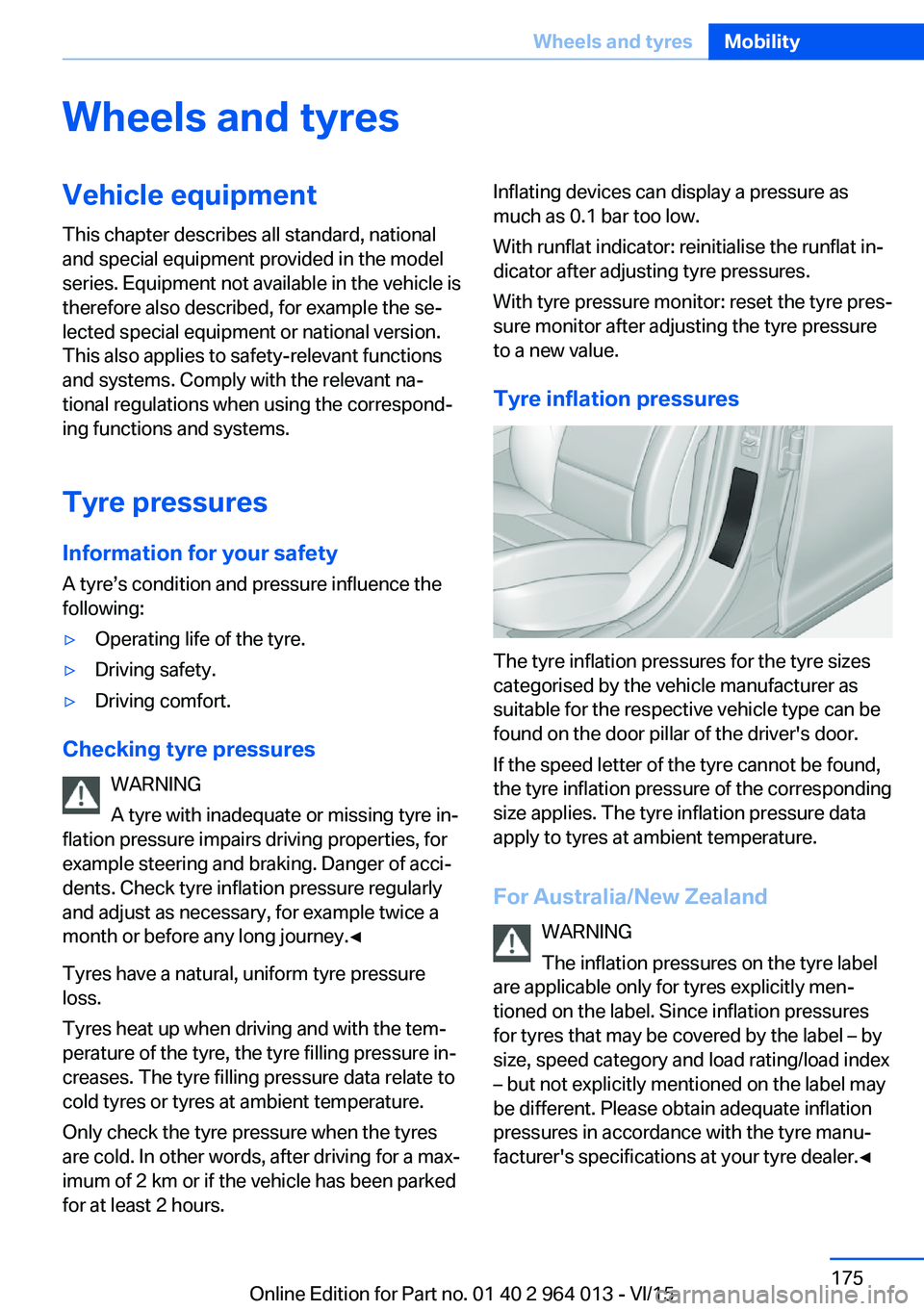
The tyre inflation pressures for the tyre sizes
categorised by the vehicle manufacturer as
suitable for the respective vehicle type can be
found on the door pillar of the driver's door.
If the speed letter of the tyre cannot be found,
the tyre inflation pressure of the corresponding
size applies. The tyre inflation pressure data
apply to tyres at ambient temperature.
For Australia/New Zealand WARNING
The inflation pressures on the tyre label
are applicable only for tyres explicitly men‐
tioned on the label. Since inflation pressures
for tyres that may be covered by the label – by
size, speed category and load rating/load index
– but not explicitly mentioned on the label may
be different. Please obtain adequate inflation
pressures in accordance with the tyre manu‐
facturer's specifications at your tyre dealer.◀
Seite 175Wheels and tyresMobility175
Online Edition for Part no. 01 40 2 964 013 - VI/15
Page 224 of 228

Replacement fuse 200
Replacement of parts 193
Replacement of wheels/ tyres 177
Replacing bulbs 193
Replacing bulbs, front 194
Replacing bulbs, LED head‐ lights 195
Replacing parts 193
Replacing the battery, vehicle battery 199
Replacing the battery, vehicle remote control 33
Replacing wiper blades 193
RES button, see Cruise Con‐ trol 129
Reserve warning, see Range 85
Reset, Tyre Pressure Monitor TPM 107
Restraint systems for chil‐ dren 58
Retreaded tyres 177
Reuse 192
Reversing light 196
Revolution counter 84
Right-hand traffic, light set‐ ting 102
Rim cleaner 210
Roller sunblinds 45
RON petrol grade 174
Roof load 215
Roof rack 167
Rope for tow-starting/ towing 206
RPA runflat indicator 109
Rubber parts, care 210
Runflat indicator RPA 109
Running in 162
Running in brake discs 162
Running in brake pads 162
S
Safe seated position 48 Safety package, see Active
Protection 120
Safety systems, airbags 104
Saving fuel 168
Saving settings for seat, mir‐ ror 54
Screen, see Control Dis‐ play 16
Screwdriver, see On-board toolkit 193
Screw thread, see Thread for towing eye 207
Sealing compound 178
Seat and mirror memory 54
Seat belt reminder for driver's and front passenger's
seat 53
Seat belt reminder for rear seats 53
Seat belts 52
Seat belts, care 211
Seat heating, front 50
Seats 48
Securing load 166
Selection list in the instru‐ ment cluster 90
Selector lever 74
Selector lever position 74
Sensors, care 211
Sequential mode 75
Service history 88
Service requirement, dis‐ play 87
Service requirements, Condi‐ tion Based Service
CBS 191
Services, ConnectedDrive 6
Servotronic 127
Settings, locking/unlock‐ ing 41
Settings, M Drive 123
Settings on the control dis‐ play 93
Settings, seats/head re‐ straints 48
Shift Lights 96 Shift point indicator 88
Side airbags 104
Side lights 98
Side View 136
Signals on unlocking 42
Sliding/tilting roof 45
Smallest turning circle 214
Snow chains 181
Socket 150
Socket in rear passenger compartment 150
Socket, on-board diagnosis, OBD 192
SOS button 202
Sound 6
Spanner, see On-board tool‐ kit 193
Spare fuse 200
Special equipment, standard equipment 7
Special ID, remote control 33
Specified engine oil grades 187
Speed, displaying maxi‐ mum 88
Speed Limit Device, see Man‐ ual Speed Limiter 119
Speed limiter, manual 119
Speed Limit Information 88
Speed Limit Information, on- board computer 92
Speed limit, see Manual Speed Limiter 119
Speed warning 92
Split-screen 22
Split-screen view, split- screen 22
Sport displays, torque dis‐ play, power display 92
Stability control systems 123
Standard view, Head-Up Dis‐ play 95
Start/stop button 65
Start function with malfunc‐ tion 33
Starting assistance 203 Seite 224ReferenceEverything from A to Z224
Online Edition for Part no. 01 40 2 964 013 - VI/15