2016 BMW 4 SERIES GRAN COUPE Pressure
[x] Cancel search: PressurePage 204 of 249
▷225/45 R 18
Follow the snow chain manufacturer's instruc‐
tions.
Make sure that the snow chains are always
sufficiently tight. Retighten as needed accord‐
ing to the chain manufacturer's instructions.
Do not initialize the Flat Tire Monitor after
mounting snow chains, as doing so may result
in incorrect readings.
Do not initialize the Tire Pressure Monitor after
mounting snow chains, as doing so may result
in incorrect readings.
When driving with snow chains, briefly activate
Dynamic Traction Control if needed.
Maximum speed with snow chains Do not exceed a speed of 30 mph/50 km/hwhen using snow chains.
Seite 200MobilityWheels and tires200
Online Edition for Part no. 01 40 2 960 707 - II/15
Page 210 of 249
CoolantVehicle features and optionsThis chapter describes all standard, country-
specific and optional features offered with the
series. It also describes features that are not
necessarily available in your car, e. g., due to
the selected options or country versions. This
also applies to safety-related functions and
systems. The respectively applicable country
provisions must be observed when using the
respective features and systems.
Hints Danger of burns from hot engine
Do not open the cooling system while
the engine is hot; otherwise, esliding coolant
may cause burns.◀
Suitable additives
Only use suitable additives; otherwise,
engine damage may occur. The additives are
harmful to your health.◀
Coolant consists of water and additives.
Not all commercially available additives are
suitable for the vehicle. Information about the
suitable additives are available from the service
center.
Coolant level
General information
Depending on the engine installation, the cool‐
ant reservoir is located on the right side or the
left side of the engine compartment.
Checking1.Let the engine cool.2.The coolant level is correct if it lies be‐
tween the minimum and maximum marks.The marks are on the side of the coolant
reservoir.SymbolMeaningMaximumMinimum
Adding
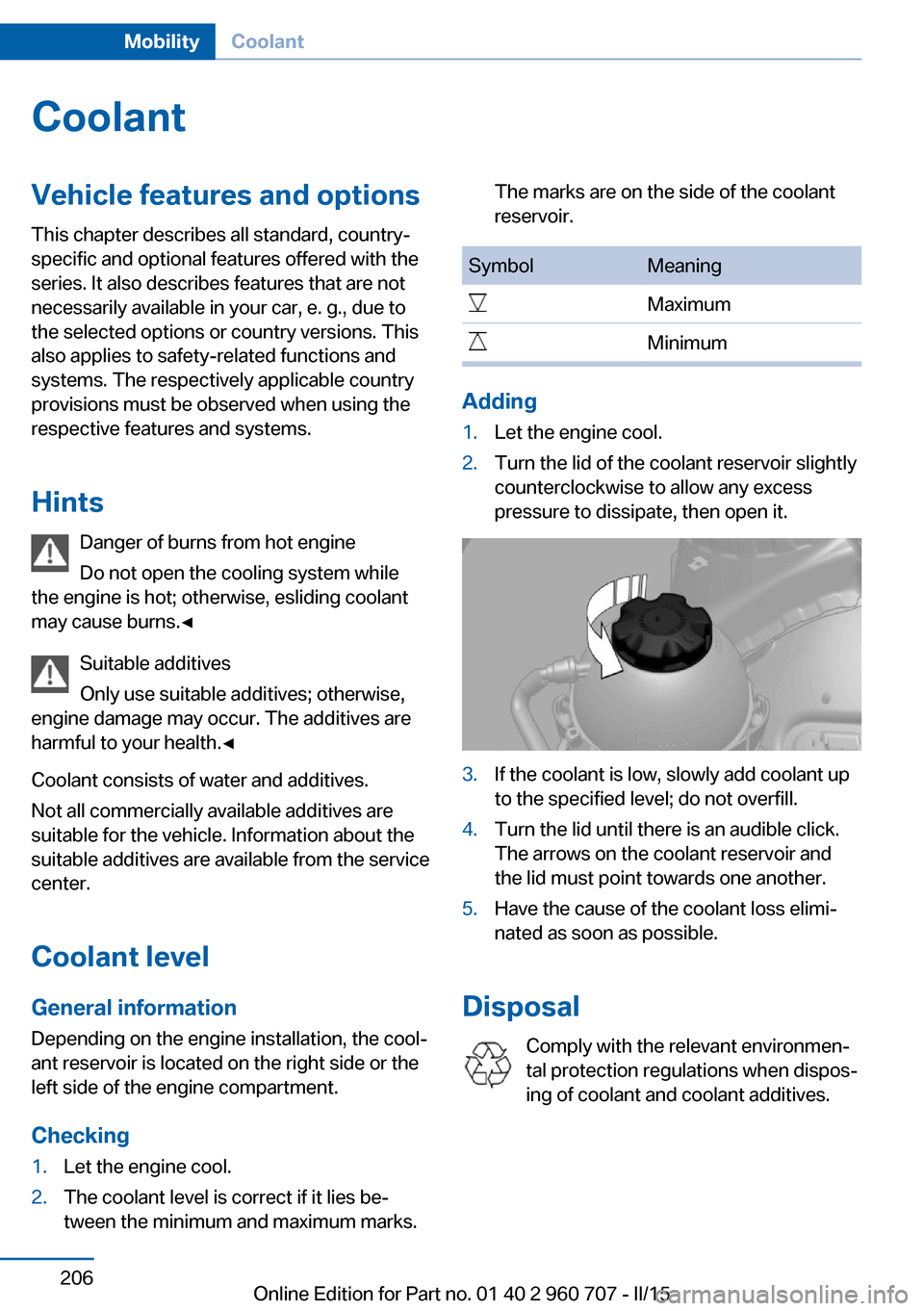
1.Let the engine cool.2.Turn the lid of the coolant reservoir slightly
counterclockwise to allow any excess
pressure to dissipate, then open it.3.If the coolant is low, slowly add coolant up
to the specified level; do not overfill.4.Turn the lid until there is an audible click.
The arrows on the coolant reservoir and
the lid must point towards one another.5.Have the cause of the coolant loss elimi‐
nated as soon as possible.
Disposal
Comply with the relevant environmen‐
tal protection regulations when dispos‐
ing of coolant and coolant additives.
Seite 206MobilityCoolant206
Online Edition for Part no. 01 40 2 960 707 - II/15
Page 219 of 249

These lights are made using LED technology.
Contact your service center in the event of a
malfunction.
Changing wheels
Hints When using run-flat tires or sealants, a tire
does not need to be changed immediately in
the event of pressure loss due to a flat tire.
Which is why no spare tire is available.
The tools for changing wheels are available as
accessories from your service center.
Jacking points for the vehicle jack
The jacking points for the vehicle jack are lo‐
cated at the positions shown.
Vehicle battery Maintenance
The battery is maintenance-free.
The added amount of acid is sufficient for the
service life of the battery.
Further information about the battery can be
obtained from your service center.
Battery replacement
Use approved vehicle batteries only
Only use vehicle batteries that have been
approved for your vehicle by the manufacturer;
otherwise, the vehicle could be damaged and
systems or functions may not be fully availa‐
ble.◀
After a battery replacement, have the battery registered on the vehicle by the service center
to ensure that all comfort features are fully
available and that any Check Control mes‐
sages of these comfort features are no longer
displayed.
Charging the battery
General information Make sure that the battery is always suffi‐
ciently charged to guarantee that the battery
remains usable for its full service life.
The battery may need to be charged in the fol‐
lowing cases:▷When making frequent short-distance
drives.▷If the vehicle is not used for prolonged pe‐
riods, longer than a month.
Hints
Do not connect charging devices to the
12 volt socket in the vehicle
Do not connect battery chargers to the fac‐
tory-installed 12 volt sockets in the vehicle as
this may damage the vehicle battery due to an
increased power consumption.◀
Starting aid terminals
In the vehicle, only charge the battery via the
starting aid terminals, refer to page 220, in the
engine compartment with the engine off.
Seite 215Replacing componentsMobility215
Online Edition for Part no. 01 40 2 960 707 - II/15
Page 228 of 249

CareVehicle features and optionsThis chapter describes all standard, country-
specific and optional features offered with the
series. It also describes features that are not
necessarily available in your car, e. g., due to
the selected options or country versions. This
also applies to safety-related functions and
systems. The respectively applicable country
provisions must be observed when using the
respective features and systems.
Car washes General information
Regularly remove foreign objects such as
leaves in the area below the windshield when
the hood is raised.
Wash your vehicle frequently, particularly in
winter. Intense soiling and road salt can dam‐
age the vehicle.
Hints Steam jets or high-pressure washers
When using steam jets or high-pressure
washers, hold them a sufficient distance away
and use a maximum temperature of
140 ℉/60 ℃.
If the vehicle has a glass sunroof, ensure that a
distance of at least 31.5 inches/80 cm is main‐
tained. Holding them too close or using exces‐
sively high pressures or temperatures can
cause damage or preliminary damage that may
then lead to long-term damage.
Follow the user's manual for the high-pressure
washer.◀Cleaning sensors/camera lenses with
high-pressure washers
When using high-pressure washers, do not
spray the sensors and camera lenses on the
outside of the vehicle for long periods and
maintain a distance of at least 12 in/30 cm.◀
Automatic car washes
Hints Do not use high pressure washing sys‐
tems
With washing systems operating at high pres‐
sures and nozzle positions close to the win‐
dows, drops of water can penetrate.◀▷Give preference to cloth car washes or
those that use soft brushes in order to
avoid paint damage.▷Make sure that the wheels and tires are not
damaged by the transport mechanisms.▷Fold in the exterior mirrors; otherwise, they
may be damaged, depending on the width
of the vehicle.▷Deactivate the rain sensor, refer to
page 71, to avoid unintentional wiper acti‐
vation.▷In some cases, an unintentional alarm can
be triggered by the interior motion sensor
of the alarm system. Follow the instruc‐
tions on avoiding an unintentional alarm,
refer to page 47.
Guide rails in car washes
Avoid car washes with guide rails higher
than 4 in/10 cm; otherwise, the vehicle body
could be damaged.◀
Before driving into a car wash In order to ensure that the vehicle can roll in a
car wash, take the following steps:
Seite 224MobilityCare224
Online Edition for Part no. 01 40 2 960 707 - II/15
Page 231 of 249

No cleansers that contain alcohol or sol‐
vents
Do not use cleansers that contain alcohol or
solvents, such as lacquer thinners, heavy-duty
grease removers, fuel, or such; this could lead
to surface damage.◀
Safety belts
Dirty belt straps impede the reeling action and
thus have a negative impact on safety.
Chemical cleaning
Do not clean chemically; this can destroy
the webbing.◀
Use only a mild soapy solution, with the safety
belts clipped into their buckles.
Do not allow the reels to retract the safety
belts until they are dry.
Carpets and floor mats No objects in the area around the pedals
Keep floor mats, carpets, and any other
objects out of the pedal area; otherwise, the
function of the pedals could be impeded while
driving and create the risk of an accident.
Do not place additional floor mats over existing
mats or other objects.
Only use floor mats that have been approved
for the vehicle and can be properly attached to
floor.
Ensure that the floor mats are securely fas‐
tened again after they were removed for clean‐
ing, e.g.◀
Floor mats can be removed from the car's inte‐
rior for cleaning.
If the floor carpets are very dirty, clean with a
microfiber cloth and water or a textile cleaner.
To prevent matting of the carpet, rub back and
forth in the direction of travel only.Sensor/camera lenses
To clean sensors and camera lenses, use a
cloth moistened with a small amount of glass
detergent.
Displays/monitors Cleaning displays and screens
Do not use any chemical or household
cleaning agents; otherwise, surfaces can be af‐
fected.◀
Keeping out moisture
Keep all fluids and moisture away from
the unit; otherwise, electrical components can
be damaged.◀
Avoid pressure
Avoid pressing too hard when cleaning
and do not use abrasive materials; otherwise,
damage can result.◀
Clean with a clean, antistatic microfiber cloth.
Long-termWhen the vehicle is shut down for longer than
three months, special measures must be
taken. Additional information is available from
the service center.Seite 227CareMobility227
Online Edition for Part no. 01 40 2 960 707 - II/15
Page 238 of 249

Everything from A to Z
IndexA ABS, Antilock Brake Sys‐ tem 120
ACC, Active Cruise Control with Stop & Go 125
Acceleration Assistant, refer to Launch Control 76
Accessories and parts 7
Activated-charcoal filter 151
Active Blind Spot Detec‐ tion 117
Active Cruise Control with Stop & Go, ACC 125
Adaptive brake lights, refer to Brake force display 119
Adaptive Light Control 94
Additives, oil 204
Adjustments, seats/head re‐ straints 51
After washing vehicle 225
Airbags 98
Airbags, indicator/warning light 99
Air circulation, refer to Recir‐ culated-air mode 147, 150
Air, dehumidifying, refer to Cooling function 147, 150
Air distribution, manual 147, 150
Air flow, air conditioner 147
Air flow, automatic climate control 150
Air pressure, tires 188
Air vents, refer to Ventila‐ tion 151
Alarm system 46
Alarm, unintentional 47
All around the center con‐ sole 16
All around the roofliner 17 All around the steering
wheel 14
All-season tires, refer to Win‐ ter tires 195
All-wheel-drive 121
Alternating-code hand-held transmitter 154
Alternative oil types 205
Ambient light 97
Antifreeze, washer fluid 72
Antilock Brake System, ABS 120
Anti-slip control, refer to DSC 120
Approved axle load 230
Approved engine oils, see Suitable engine oil
types 205
Arrival time 89
Ash tray 157
Assistance when driving off 124
Assist system information, on Control Display 91
Attentiveness assistant 119
AUTO intensity 149
Automatic car wash 224
Automatic climate con‐ trol 146
Automatic climate control with enhanced features 148
Automatic Cruise Control with Stop & Go 125
Automatic Curb Monitor 59
Automatic deactivation, front- seat passenger airbags 100
Automatic headlight con‐ trol 94
Automatic locking 45
Automatic recirculated-air control 150 Automatic tailgate 40
Automatic transmission, see Steptronic transmission 73
AUTO program, automatic cli‐ mate control 149
AUTO program, climate con‐ trol 147
AUTO program, intensity 149
Auto Start/Stop function 67
Average fuel consumption 88
Average speed 88
Axle loads, weights 230
B Backrest curvature, refer to Lumbar support 53
Backrest, width 53
Band-aids, refer to First aid kit 219
Bar for tow-starting/ towing 222
Battery replacement, vehicle battery 215
Battery replacement, vehicle remote control 35
Battery, vehicle 215
Belts, safety belts 54
Beverage holder, cu‐ pholder 163
BMW Assist, see user's manual for Navigation, En‐
tertainment and Communi‐
cation
BMW Driver’s Guide App 6
BMW Homepage 6
BMW Internet page 6
BMW maintenance sys‐ tem 207
Bonus range, ECO PRO 176 Seite 234ReferenceEverything from A to Z234
Online Edition for Part no. 01 40 2 960 707 - II/15
Page 241 of 249

Engine compartment, work‐ing in 202
Engine coolant 206
Engine idling when driving, coasting 178
Engine oil 203
Engine oil, adding 204
Engine oil additives 204
Engine oil change 205
Engine oil filler neck 204
Engine oil temperature 82
Engine oil types, alterna‐ tive 205
Engine oil types, ap‐ proved 205
Engine start during malfunc‐ tion 35
Engine start, jump-start‐ ing 219
Engine start, refer to Starting the engine 66
Engine stop 66
Engine temperature 82
Entering a car wash 224
Equipment, interior 153
Error displays, see Check Control 79
ESP Electronic Stability Pro‐ gram, refer to DSC 120
Exchanging wheels/tires 194
Exhaust system 169
Exterior mirror, automatic dimming feature 59
Exterior mirrors 58
External start 219
External temperature dis‐ play 83
External temperature warn‐ ing 83
Eyes for securing cargo 172
F
Failure message, see Check Control 79 False alarm, refer to Uninten‐
tional alarm 47
Fan, refer to Air flow 147, 150
Filler neck for engine oil 204
Fine wood, care 226
First aid kit 219
Fitting for towing, see Tow fit‐ ting 222
Flat tire, changing wheels 215
Flat Tire Monitor FTM 105
Flat tire, Tire Pressure Moni‐ tor TPM 101
Flat tire, warning lamp 102, 105
Flooding 169
Floor carpet, care 227
Floor mats, care 227
Fogged up windows 147
Folding back rear seat back‐ rests 159
Fold-out position, wiper 72
Foot brake 169
Front airbags 98
Front-end collision warning with braking function 110
Front-end collision warning with City Braking func‐
tion 108
Front fog lights 96
Front fog lights, front, bulb re‐ placement 212
Front lights 210
front-seat passenger airbags, automatic deactivation 100
Front-seat passenger airbags, indicator lamp 100
FTM Flat Tire Monitor 105
Fuel 186
Fuel consumption, current 84
Fuel consumption, refer to Average fuel consump‐
tion 88
Fuel filler flap 184
Fuel gauge 82 Fuel lid 184
Fuel quality 186
Fuel recommendation 186
Fuel, tank capacity 233
Fuse 216
G
Garage door opener, refer to Universal Integrated Remote
Control 153
Gasoline 186
Gear change, Steptronic transmission 74
Gear shift indicator 85
General driving notes 168
Glare shield 157
Glass sunroof, powered 49
Glove compartment 161
Gross vehicle weight, ap‐ proved 230
H
Handbrake, refer to parking brake 69
Hand-held transmitter, alter‐ nating code 154
Hazard warning flashers 218
Head airbags 98
Headlight control, auto‐ matic 94
Headlight courtesy delay fea‐ ture 94
Headlight flasher 70
Headlight glass 210
Headlights 210
Headlights, care 225
Headlight washer system 70
Head restraints 51
Head restraints, front 55
Head restraints, rear 56
Head-up Display 91
Head-up Display, care 227
Heavy cargo, stowing 172
Height, vehicle 230 Seite 237Everything from A to ZReference237
Online Edition for Part no. 01 40 2 960 707 - II/15
Page 242 of 249

High-beam Assistant 95
High beams 70
High beams/low beams, refer to High-beam Assistant 95
Hills 170
Hill start assistant, refer to Drive-off assistant 124
Hints 6
Holder for beverages 163
Homepage 6
Hood 202
Horn 14
Hotel function, tailgate 42
Hot exhaust system 169
HUD Head-up Display 91
Hydroplaning 169
I Ice warning, see External temperature warning 83
Icy roads, see External tem‐ perature warning 83
Identification marks, tires 192
Identification number, see ve‐ hicle identification num‐
ber 9
iDrive 18
Ignition key, refer to Remote control 34
Ignition off 65
Ignition on 65
Indication of a flat tire 102 , 105
Indicator and alarm lamps, see Check Control 79
Indicator lamp, see Check Control 79
Individual air distribu‐ tion 147, 150
Individual settings, refer to Personal Profile 35
Inflation pressure, tires 188
Inflation pressure warning FTM, tires 105 Info display, refer to On-
Board computer 87
Initialize, Tire Pressure Moni‐ tor TPM 102
Initializing, Flat Tire Monitor FTM 105
Instrument cluster 78
Instrument cluster, electronic displays 78
Instrument lighting 96
Integrated key 34
Integrated Owner's Manual in the vehicle 30
Intelligent Emergency Re‐ quest 218
Intelligent Safety 107
Intensity, AUTO pro‐ gram 149
Interior equipment 153
Interior lights 96
Interior lights during unlock‐ ing 37
Interior lights with the vehicle locked 38
Interior motion sensor 47
Interior rearview mirror, auto‐ matic dimming feature 59
Interior rearview mirror, com‐ pass 155
Interior rearview mirror, man‐ ually dimmable 59
Internet page 6
Interval display, service re‐ quirements 84
Interval mode 71
J
Jacking points for the vehicle jack 215
Joystick, Steptronic transmis‐ sion 74
Jump-starting 219 K
Key/remote control 34
Keyless Go, refer to Comfort Access 42
Key Memory, refer to Per‐ sonal Profile 35
Kickdown, Steptronic trans‐ mission 73
Knee airbag 99
L
Lamp replacement 209
Lamp replacement, front 210
Lamp replacement, rear 212
Lane departure warning 115
Lane margin, warning 115
Language on Control Dis‐ play 91
Lashing eyes, securing cargo 172
LATCH child restraint sys‐ tem 63
Launch Control 76
Leather, care 226
LED light, bulb replace‐ ment 211
LEDs, light-emitting di‐ odes 210
Length, vehicle 230
Letters and numbers, enter‐ ing 25
Light alloy wheels, care 226
Light control 94
Light-emitting diodes, LEDs 210
Lighter 157
Lighting 93
Lights 93
Lights and bulbs 209
Light switch 93
Load 172
Loading 171
Lock, door 39 Seite 238ReferenceEverything from A to Z238
Online Edition for Part no. 01 40 2 960 707 - II/15