2016 AUDI TT COUPE wheel
[x] Cancel search: wheelPage 46 of 322

Downloaded from www.Manualslib.com manuals search engine Seats and storage
Seats and storage
General information
Why is your seat adjustment so important?
The safety belts and the airbag system can only
provide
maximum protection if the front seats
are correctly adjusted.
There are various ways of adjusting the front
seats to provide safe and comfortable support
for the driver and the front passenger. Adjust
your seat properly so that:
- you can easily and quickly reach all the switches
and controls in the instrument panel
-your body is properly supported thus reducing
physical
stress and fatigue
-the safety belts and a irbag system can offer
maximum protection ¢ page 188.
In the following sections, you will see exactly
how you can
best adjust your seats.
There are special regulations and instructions for
installing a ch ild
seat on the front passenger's
seat. Always follow the information regarding
child
safety provided in ¢ page 212, Child safe
ty .
A WARNING
Incorrect seating position of the driver and all
other passengers can result in serious person
al injury.
- Always keep
your feet on the floor when the
vehicle is in motion - never put your feet on
top of the instrument panel, out of the win
dow or
on top of the seat cushion. This ap
plies especi ally to the passengers. If your
seating pos ition is i nco rrect, you increase
the risk of injury in the case of sudden brak
ing
or an accident. If the airbag inflates and
the seating position is incorr ect, this could
result in personal injury or even death.
-It is important for both the driver and front
passenger to keep a distance of at least
10 in (25 cm) between themselves and the
steering wheel and/or instrument panel. If
yo u'r e sitting any closer than this, the air
bag system cannot protect you properly . In
44
addition, the front seats and head restraints
m ust be adjusted to yo ur body height so
that they can give you maximum protection.
-Always try to keep as much distance as pos
sible
between yourself and the steeri ng
wheel or instrument panel.
-Do not adjust the driver's or front passeng
er's seat while the veh icle is moving. Your
seat may move unexpectedly, causing sud
den loss of vehicle control and personal in
jury. If you adjust yo ur seat while the veh icle
is moving, you are o ut of pos ition.
Driver's seat
The correct seat position is important for safe
and relaxed driving.
We recommend that you adjust the driver's seat
in the following manner:
.... Adjust the seat in fore and aft direction so that
you can easi ly push the pedals to the floor
while keeping your knees slightly
bent¢ f1::::.. in
Why is your seat adjustment so important? on
page
44.
I
.... Adjust the backrest so that when you sit w ith
your back against the backrest, you can still
grasp the top of the steering wheel.
A WARNING
Neve r place any objects in the driver's foot
well. An object could get into the pedal area
and interfere with pedal function . In case of
sudden braking or an accident, you would not
be able to brake or accelerate.
Front passenger's seat
Always move the front passenger seat into the
rearmost position.
-
To avoid con tact wit h the airbag while it is de
ploying ,
do not sit any closer to the instrument
panel than necessary and always wear th e three
po int safety belt provided adjusted correctly . We
r
ecommend that you adjust the passenger's seat
i n the following manner: .,..
Page 47 of 322

Downloaded from www.Manualslib.com manuals search engine ..... N
G: CX)
..... I.Cl U"I
..... I.Cl .....
.. Bring the backrest up to an (almost) upright
position. Do not ride with the seat reclined .
.. Place your feet on the floor in front of the pas
senger's seat.
Front seats
Power seat adjustment
Fig. 42 Front seat: powe r seat adjustment
@-lumbar support or multifunction button*
¢ page 45. To adjust the lumbar support, press
the button in the applicable location.
@
-movi ng the seat up/down: press the button
up/down. To adjust the front seat cushion, press
the front button up/down. To adjust the rear seat
cushion, press
the rear button up/down.
@
-movi ng the seat for wa rd/back: press the
button forward/back.
©
-adjusting the backrest angle: turn the ad
justing wheel.
@
-lengthening/shortening the upper thigh sup
port*: lift the grip handle .
.&.. WARNING
-Only adjust the front seat with when the ve
hicle is stationary . Otherwise, this increases
the risk of an accident
- The power adjustment for the front seats al
so works with the ignition switched off or
with the ignition key removed . For this rea
son, children should never be left unattend
ed in the veh icle - they could be injur ed!
- Exerc i
se caution when adjusting the seat
height. Unsuperv ised
or careless seat ad
justment can pinch fingers or hands causing
injuries .
Seats and storage
-The front seat backrests must not be re
clined
too far back when driving, because
this impairs the effectiveness of the safety
belts and airbag system, which increases
the risk of injury.
-
To reduce the r isk of i njury during sudden
braking or in a
collis ion, the dri ver and front
passenger should not have their backrests in
the recl ined position while driving or rid ing.
T
he safe ty belts and airbag system can pro
vide the greatest protectio n possib le when
the backrests are in th e upright position and
the safety belts are worn correctly. The
more a backrest is reclined, the greate r
the
risk of injury due to an incorrect seating po
sition and safety
belt position.
Multifunction button
Applies to: veh icles with multifunct ion button
You can adjust the side bolsters using the multi
function button.
.. If you turn the multif unc tion button@
¢page 45, fig. 42 to the left or right, the later
al support in the seat will increase/decrease us
ing
the s ide bo lsters on the seat backrests .
@Tips
The air in the side bolsters* is released as
soon as the driver's door opens. This makes is
possib le to enter and exit the vehicle more
comfortably.
As soon as you start dri ving the
vehicle,
the side bolsters fi LL.
45
Page 56 of 322

Downloaded from www.Manualslib.com manuals search engine Warm and cold
-Switching manua l recirculation mode on and
off: press ld<>I
-A utomatic* recircu lation mode: auto rec ircula
tion needs to be activated in the Infotainment
system. Select in the Infotainment system:
IMENUI button> Vehicle > left control button
>Vehicle settings > Air condit ioning > Auto re
circul ation . The air quality sensor that is de
s i
gned for diesel and gasoline exhaust auto
matically switches the recircu lation mode on or
off depending on the level of pollutant s in the
o utside air.
In recirculation mode, the a ir inside the vehicle is
circulated
and filtered. This prevents the u nfil
tered a ir outside the vehicle from entering the
ve hicl e interio r. We recommend switching recir
cula tion mode on when driv ing thr o ugh a tunnel
or when sitting in traffic<::>.&..
Recirc ulation mode is switched off by pressing
the 1- 1 button o r IAUTOI orlw MAXI.
I@ M AX I Switching defrost on and off
The windshield and side windows are defrosted
or cleared of condensation as quickly as possible.
The
optimum amoun t of a ir flows mainly out of
the vents under the windshield . Rec irculatio n
mode switches off. The temperature is contr olled
automatically.
The IAUTOI button switches the defroster off.
IO!il R EARI Switching the rear window defogger
on and
off
If the rear window defogger is activated when
the ign ition is switched on, the battery manage
ment determ ines based on the ba ttery c harge if
it is possible t o t urn on . Othe rwise, the rear win
dow defogger functions with the engine run ning
and switches off automatically after approxi
mately 10 -20 mi nutes, depending on the out
side temperature.
To preven t
the rear window defogger from
switching off automatically, press and hold the
lliill REARI button for more than 2 seconds. This re
mains stored up to approximately lS minutes af
ter turning off the ignition.
54
A WARNING
You should not use the recirc ulation mode for
an extended period since no fresh air i s drawn
in . With the air-conditioning switched off, the
windows can fog up, which inc reases the risk
of an accident.
Adjusting
the air vents
Fig. 57 Cockpit: adj ust ing the air vents
To adjust the direction of air flow , turn the
ridged outer adjustment wheel©<::> fig. 57.
To adjust the amount of air flow, move the lever
@on the air vent. To stop the air flow, move the
lever all the way to the left.
Seat heating
Fig. 58 Air vents: seat heating
The seat heati ng has three levels. The selected
heat level is indicated by the LED.
... To switch the seat heating on, press the~ but
ton once.
... To switch to a lower level, press the~ button
again.
.,. To switch the seat heating off, press the~ but-
ton repeatedly until the LED t u rn s off. .,..
Page 60 of 322

Downloaded from www.Manualslib.com manuals search engine Driving
-Do not alter or remove any component of
the Emission Control System unless ap
proved by the manufacturer.
-Do not alter or remove any device, such as
heat shields, switches, ignition wires,
valves, which
are designed to protect your
vehicle's Emission
Control System and other
important vehicle components.
(D Tips
The consumption estimates as published by
ENVIRONMENTAL PROTECTION AGENCY
(EPA) and Transport Canada may not corre
spond to your actual consumption on the
road, which will vary depending upon vehicle
load
and speed, road and weather conditions,
trip length, etc.
Steering
Adjusting the steering wheel position
The steering wheel position is fully adjustable up
and down and forward and back.
Fig. 59 Lever on the steering column
•Tilt the lever~ fig. 59 downward.~&,
• Bring the steering wheel into the desired posi
tion.
•Push the lever against the steering column un
til
it latches.
A WARNING
Incorrect use of the steering wheel adjust
ment and an incorrect seating position can
cause serious injuries.
-
Only adjust the steering column when the
vehicle is stationary so that you do not lose
control of the vehicle.
58
-1
-Adjust the driver's seat or steering wheel so
that there is at least a 10 in (25 cm) dis
tance between your chest and the steering
wheel. If you do not maintain this distance,
you will not be properly protected by the air
bag system.
-If your physical characteristics prevent you
from
sitting at least 10 in (25 cm) or more
away from the steering wheel, see if your
authorized Audi dealer or authorized Audi
Service Facility
can provide adapters that
will help.
-
If your face is level with the steering wheel,
the airbag does not provide as much protec
tion during a collision. Always make sure
that the steering wheel is level with your
chest.
-Always hold the steering wheel with your
hands in the 9 o'clock and 3 o'clock posi
tions to reduce the risk of injury ifthe airbag
deploys.
- Never hold
the steering wheel in the 12
o'clock position or with both hands on the
rim or the center of the steering wheel.
Holding
the steering wheel incorrectly sig
nificantly
increases the risk of injury to the
hands, arms and head if the airbag deploys.
Starting and stopping
the engine
Starting the engine
The I ST ART ENGINE STOP I button switches the
ignition on and starts the engine.
Fig. 60 Center conso le: START ENGINE STOP button
Page 63 of 322

Downloaded from www.Manualslib.com manuals search engine ..... N
G: CX)
.....
"' U"I
.....
"' .....
.,.. Hold the master key in the location indicated as
shown in the illustration y») ¢fig. 61. The en
gine will
start.
.. If the engine does not automatically start,
press the I START ENGINE STOP! button again.
{!) Tips
You can view the message again by pressing
the I START ENGINE STOPI button.
Electromechanical
parking brake
Operating
The electromechanical parking brake replaces
the hand brake.
Fig. 62 Center console: park ing brake
.,.. Pull the switch ¢ fig. 62 to set the parking
brake. The . (USA models) I. (Canada
model s) indicator lights turn on in the button
and in the Info tainment system display.
.,.. To release the parking brake, press th e b rake or
acce le rator pedal while the ignition is switched
on and p ress the button at the same time. The
• (USA models) I. (Canada models) indi
cator lights turn on in the button and in the dis
play .
Your vehicle is equipped with an electromechani
cal parking brake. T
he parking brake is designed
to prevent the vehicle from rolling unintentional
ly and replaces the hand brake.
In addition to the normal functions of a tradi
tional hand brake, the electromechanical parking
brake provides various convenience
and safety
functions .
Driving
When starting from rest
-The integral hill start assist helps you when
driving by automatically releasing the parking
brake¢ page 62, Starting from a stop.
-When starting on inclines, the hill start assist
prevents the veh icle from un intentionally roll
ing back . The braking force
of the parking brake
is
not re leased unti l sufficient driving force has
been built up at the wheels.
Emergen cy brake function
An emergency braking fu nction ensures that the
vehicle can be slowed down even if the normal
brakes fail¢ page 62, Emergency braking
functi on.
Indicator lights
- If the parking brake is set when th e ignit io n is
switched on , the. indicator lights in the dis
play
and in the button tur n on .
- I f
the parking brak e is set when the ignit io n is
switched off, the. indicator lights in the dis
play
and in the b utton turn on for approximate
ly 20 seconds.
A WARNING
t-==
-Do not press the acce lerator pedal inadver-
tently if the vehicle is stationary but the en
gine is ru nning and a gear is selected. Oth
erwise the vehicle will start to move imme
diately and co uld result in a crash.
-
If the power supply fails, the released park
ing brake
can no longer engage. In this
case, park t he vehicle on level ground and
secure it by plac ing the selector l eve r in the
P position. See an authorized Audi deale r o r
authorized A udi Service Facil ity for assis
tance.
©Tips
-If the park ing brak e is set while the igni tion
is swi tc h
ed off, the((@)) indi cator light in the
button and in the ins trument cluster dis
play .
(USA models) I. (Canada mod
els) will turn off after a certain amount of
time.
61
Page 64 of 322

Downloaded from www.Manualslib.com manuals search engine Driving
-If driver's door is opened while the ignition
is
switched on, the parking brake sets auto
matically. This prevents unintended rolling
of the vehicle.
- Occasional noises
when the parking brake is
applied
and released are normal and are not
a cause for concern.
-
When the vehicle is parked, the parking
brake goes through a self-test cycle at regu
lar intervals. Any noises associated with this
are normal.
-If the. (USA models) I. (Cana-
da models) indicator lights or llJ indicator
lig ht
turn on, there could be a malfunction
in the park ing brake ~page 11.
-If there is a power failure, the parking brake
will not set if it is released, and it will not
release if it is set~.&.. See an authorized
Audi dealer or authorized Audi Service Fa
cility for
assistance.
Parking
.... Press the brake pedal to stop the vehicle.
.... Pull the switch~ to set the parking brake .
.... Place the selector lever in the P position.
.... Turn the engine off~,&.
.... Turn the steering wheel when parking on in
clines
so that the wheels will roll into the curb
if the vehicle starts moving .
A WARNING
-Always take the vehicle key with you when
leaving the vehicle, even for a short period
of time. This applies particularly when chi l
dren remai n in the vehicle. Otherwise the
children could start the engine, release the
parking brake or operate electrical equip
ment (e.g. power windows). There is the risk
of an accident.
-
When the vehicle is locked, no one -particu
larly
not children should remain in the vehi
cle. Locked
doors make it more difficult for
emergency workers to get into the vehicle,
which
puts lives at risk.
62
Starting from a stop
The start assist function ensures that the park
ing brake
is released automatically upon start
mg.
Stopping and applying parking brake
.... Pull the switch~ to set the parking brake.
Starting and automatically releasing the
parking brake
Requirement: the driver's door must be closed
and the driver's safety belt must be fastened.
.... When you press the accelerator pedal, the
parking brake is automatically released and
your vehicle begins to move.
When stopping at a traffic signal or stopping in
city traffic, the park ing brake can be applied. The
vehicle
does not have to be held with the brake
pedal. The parking brake eliminates the tendency
to creep when a selector lever position is engag
ed. As soon as you press the accelerator pedal,
the parking brake releases automatically and the
vehicle starts to move .
Starting on slope s
When starting on inclines, the hill start assist
prevents the vehicle from unintentionally rolling
back. The braking force
of the parking brake is
not released until sufficient driving force has
been built up at the wheels.
(0 Tips
For safety reasons, the parking brake is re
l
eased automatically onl y when the driver's
safety be lt is fastened and the driver's door is
l ocked.
Emergency braking function
In the event that the conventional brake system
fails or locks.
.... To brake your vehicle in an emergency, pull the
~switch and hold it pulled.
.... As soon as you release the button or accelerate,
the braking stops. .,..
Page 65 of 322

Downloaded from www.Manualslib.com manuals search engine Pulling and holding the switch while driving at a
speed
of about 2 mph (3 km/h) or higher ini
tiates
the emergency braking function. The vehi
cle
is braked at all four wheels by activating the
hydraulic brake system . The brake performance is
similar to heavy braking. c> &.
In order not to activate the emergency braking by
mistake,
an audib le warning tone (buzzer)
sounds when
the switch is pulled. As soon as the
switch is released, or the accelerator pedal is de
pressed, emergency braking stops .
A WARNING
Emergency braking should only be used in an
emergency, when the normal brake pedal has
fai led or the brake pedal is obstructed. During
emergency braking, your vehicle
will brake
simi lar
to heavy braking. ESC and the associ
ated components
(ABS, ASR, EDL) cannot
overcome
the laws of physics. In corners and
when road or weather condi
tions are bad, a
full brake application can cause the vehicle to
skid or the rear end to break away, which in
creases the risk of an accident.
Trailer towing
General information
Your Audi TT Coupe is not designed to tow a trail
er.
Towing a trailer with your Aud i T T Coupe is not
r e commended and can cause damage to the car.
D amaged caused by
towing a trailer is not cov
e r
ed by you r A udi Warranty.
Driving
63
Page 66 of 322
Downloaded from www.Manualslib.com manuals search engine Automatic transmission
Automatic transmission
S tronic
Introduction
Your vehicle is equipped with an electronically
controlled DSG transmission called S tronic. Two
independent clutches transfer the power be
tween the engine and transmission. It allows the
vehicle to accelerate without a noticeable inter
ruption in traction.
The transmission upshifts or downshifts auto
matically. The driving style continuously influen
ces the selection of the driving program.
When a moderate driving style is used, the
transmission selects the most economical driving
mode. The transmission upshifts at a lower RPM
and downshifts at a higher RPM to improve fuel
efficiency.
The
transmi ssion switches to a sporty mode after
a kick-down or when the driver uses a sporty
driving style
characterized by quick accelerator
pedal movements, heavy acceleration, frequent
changes in speed and traveling at the maximum
speed.
If desired, the driver can also select the gears
manually (tiptronic mode).
Selector lever positions
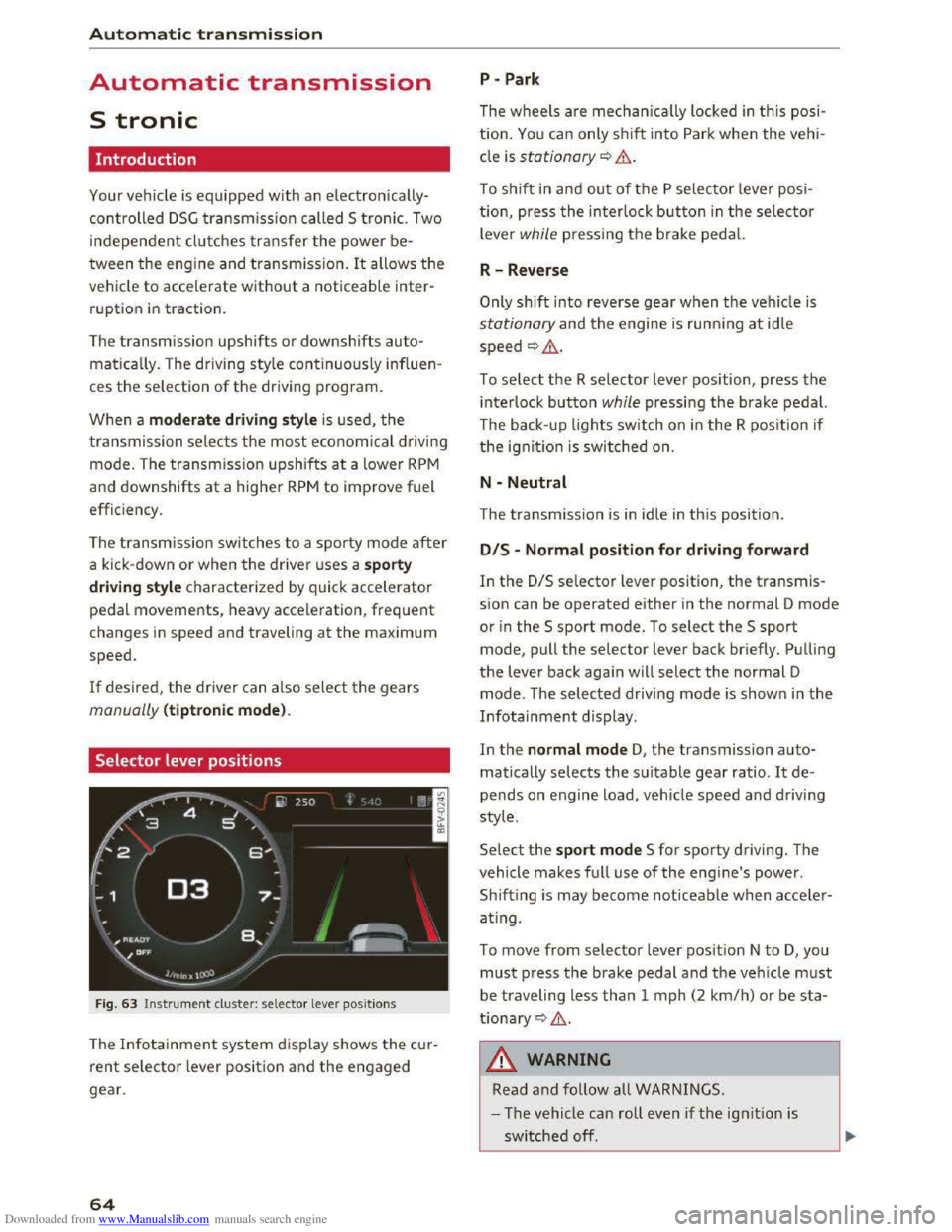
Fig. 63 Instrument cluster: selector lever positions
The Infotainment system d isplay shows the cur
rent selector lever position and the engaged
gear.
64
P -Park
The wheels are mechanica lly locked in this posi
tion. You can only shift into Park when the vehi
cle is stationary¢&.
To shift in and out of the P selector lever posi
tion, press the interlock button in the selector
lever while pressing the brake pedal.
R-Reverse
Only shift into reverse gear when the vehicle is
stationary and the engine is running at idle
speed ¢,6.
To select the R selector lever position, press the
interlock button while pressing the brake pedal.
The back- up
lights switch on in the R position if
the ignition is switched on.
N -Neutral
The transmission is in idle in this position.
DIS -Normal position for driving forward
In the D/S selector lever position, the transmis
sion can be operated either in the normal D mode
or in the S sport mode. To select the S sport
mode, pull the selector lever back briefly. Pulling
the lever back again will select the normal D
mode. The selected driving mode is shown in the
Infotainment display.
In
the normal mode D, the transmission auto
matically selects the suitable gear ratio. It de
pends on engine load, vehicle speed and driving
style.
Select the sport mode S for sporty driving. The
vehicle
makes full use of the engine's power.
Sh i
fting is may become noticeable when acce ler
ating.
To move from selector lever position N to D, you
must press the brake pedal and the vehicle must
be traveling less than 1 mph (2 km/h) or be sta
tionary ¢,6.
A WARNING
Read and follow all WARNINGS.
- The vehicle can roll
even if the ignition is
switched off.