2016 AUDI TT COUPE instrument cluster
[x] Cancel search: instrument clusterPage 66 of 322
Downloaded from www.Manualslib.com manuals search engine Automatic transmission
Automatic transmission
S tronic
Introduction
Your vehicle is equipped with an electronically
controlled DSG transmission called S tronic. Two
independent clutches transfer the power be
tween the engine and transmission. It allows the
vehicle to accelerate without a noticeable inter
ruption in traction.
The transmission upshifts or downshifts auto
matically. The driving style continuously influen
ces the selection of the driving program.
When a moderate driving style is used, the
transmission selects the most economical driving
mode. The transmission upshifts at a lower RPM
and downshifts at a higher RPM to improve fuel
efficiency.
The
transmi ssion switches to a sporty mode after
a kick-down or when the driver uses a sporty
driving style
characterized by quick accelerator
pedal movements, heavy acceleration, frequent
changes in speed and traveling at the maximum
speed.
If desired, the driver can also select the gears
manually (tiptronic mode).
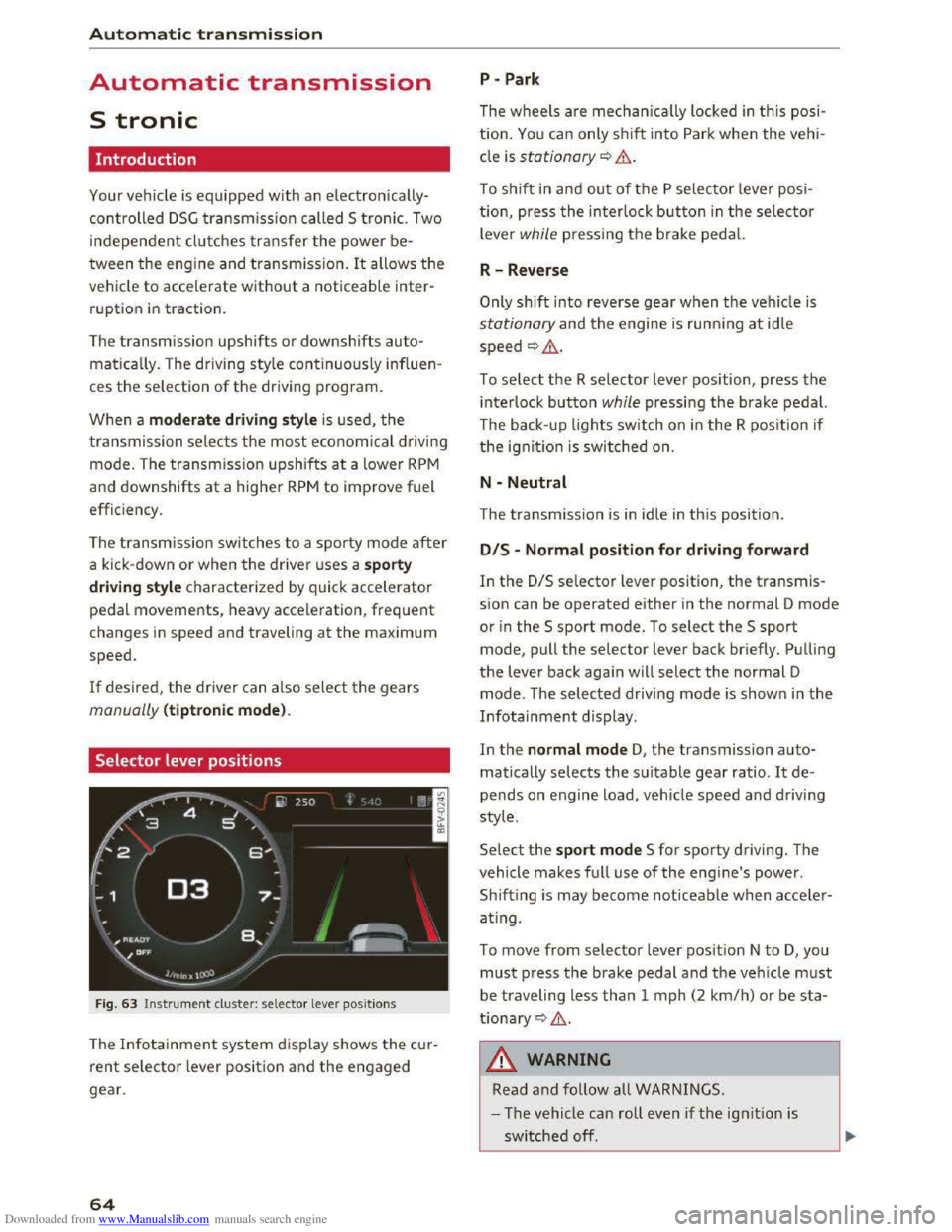
Selector lever positions
Fig. 63 Instrument cluster: selector lever positions
The Infotainment system d isplay shows the cur
rent selector lever position and the engaged
gear.
64
P -Park
The wheels are mechanica lly locked in this posi
tion. You can only shift into Park when the vehi
cle is stationary¢&.
To shift in and out of the P selector lever posi
tion, press the interlock button in the selector
lever while pressing the brake pedal.
R-Reverse
Only shift into reverse gear when the vehicle is
stationary and the engine is running at idle
speed ¢,6.
To select the R selector lever position, press the
interlock button while pressing the brake pedal.
The back- up
lights switch on in the R position if
the ignition is switched on.
N -Neutral
The transmission is in idle in this position.
DIS -Normal position for driving forward
In the D/S selector lever position, the transmis
sion can be operated either in the normal D mode
or in the S sport mode. To select the S sport
mode, pull the selector lever back briefly. Pulling
the lever back again will select the normal D
mode. The selected driving mode is shown in the
Infotainment display.
In
the normal mode D, the transmission auto
matically selects the suitable gear ratio. It de
pends on engine load, vehicle speed and driving
style.
Select the sport mode S for sporty driving. The
vehicle
makes full use of the engine's power.
Sh i
fting is may become noticeable when acce ler
ating.
To move from selector lever position N to D, you
must press the brake pedal and the vehicle must
be traveling less than 1 mph (2 km/h) or be sta
tionary ¢,6.
A WARNING
Read and follow all WARNINGS.
- The vehicle can roll
even if the ignition is
switched off.
Page 74 of 322

Downloaded from www.Manualslib.com manuals search engine Assis t
Assist
Electronic speed limiter
Your vehicle may be factory equipped with tires
that are rated for a maximum speed of 130 mph
(210 km/h). This is less than the maximum speed
of your vehicle. To reduce the risk of sudden tire
failure and loss of control if the vehicle is operat
ed at excessive speeds, your vehicle also has an
electronic speed limiter. The electronic speed
limiter prevents your vehicle from going faster
than the tire speed rating. For more information
9page257.
If the engine control unit receives faulty vehicle
road
speed s ignals, the Malfunction In d icator
Lamp (MIL) m will illuminate. If this occurs,
contact the nearest authorized Audi dealer for
assistance.
. _&WARNING
Always observe the posted speed limits and
adjust your speed to suit prevailing road, traf
fic and weather conditions. Never drive your
vehicle faster than the maximum speed rating
of the tires installed.
Speed warning system
Introduction
Applies to: vehicles with speed warning system
The speed warning system helps you to stay un
der a specified maximum speed.
The speed warning system warns you if yo u are
exceeding
the max imum speed that you have set.
You will hear a warning tone when your speed ex
ceeds the stored value by approximately 3 mph
(3 km/h). The (e] indicator light turns on at the
same time in the Infotainment display. The[•)
indicator light turns off when the speed decreas
es below the stored maximum speed.
Setting a threshold is recommended if you would
like to be reminded when you reach a certain
maximum speed. Situations where you may want
to do so include driving in a country with a gener
al speed limit or if there is a specified maximum
speed for winter tires.
72
('D Tips
Regard less of the speed warning system, you
should always monitor your speed using the
speedometer and make sure you are following
the legal speed limit.
Setting the threshold
Applies to: vehicles with speed warning system
You can set, change and delete the warning
threshold
in the Infotainment system.
... Select in the Infotainment system: I MENU! but
ton> Vehicl e> left control button >Dr ive r as
sistance > Speed warnin g .
You can set any threshold between 20 mph
(30 km/h) and lSO mph (240 km/h). Settings
can each be adjusted in increments of 5 mph
(10 km/h) .
Cruise control system
Switching on
Applies to: vehicles with cruise control system
The cruise control system makes it possible to
drive
at a constant speed starting ot 15 mph
(20 km/h).
Fig . 70 Operating lever: cruise control system
... To switch on the system, pull the lever into po-
sition CD 9 fig. 70.
... Drive at the speed to be controlled.
• To store the speed, press the button@.
The
stored speed and the (lj;llJ~1# (USA models) I
Iii (Canada models) indicator light are displayed
in the instrument cluster. !)I>
Page 75 of 322

Downloaded from www.Manualslib.com manuals search engine The speed is kept constant by modifying engine
power or through an active brake intervention.
A WARNING
-Always pay attention to the traffic around
you when the cruise control is in operation.
You are always responsible for your speed
and the distance between your vehicle and
other vehicles.
- For
reasons of safety, cruise control should
not be used in the city, in stop-and-go traf
fic, on winding roads and when road condi
tions are poor (such as ice, fog, gravel,
heavy rain
and hydroplaning) -you could
have
an accident.
- Switch
the cruise control off temporarily
when driving in turning lanes, highway exits
or in construction zones.
-Please note that unconsciously "resting"
your foot on the accelerator pedal prevents
the cruise control from braking. This is due
to the control system being overridden by
the driver's acceleration.
-If a brake system malfunction such as over
heating occurs when the cruise control sys
tem is switched on, the braking function in
the system may be switched off. The rest of
the cruise control system functions remain
active as long as the (1!;(1)~14 (USA models) I
B (Canada models) indicator light is on.
@ Tips
The brake lights illuminate as soon as the
brakes apply automatically.
Changing speed
Applies to: vehicles with cruise control system
.. To increase/decrease the speed in xx mph (1
km/h) increments, briefly tap the lever up/
down in the 0 10 ¢ page 72, fig. 70 direction
to the first level.
.. To increase/decrease the speed in xx mph (10
km/h) increments, briefly tap the lever up/
down in the 010 ¢page 72, fig. 70 direction
to the second level.
Assist
.. To increase or decrease the speed quickly, hold
the lever in the 0 I 0 direction until the de
sired speed is reached.
Overriding the speed
Applies to: vehicles with cruise control system
You can press the accelerator pedal down to in
crease your speed, for example if you want to
pass someone. The speed you saved earlier will
resume as soon as you let off of the accelerator
pedal.
However, if you are exceeding the stored speed
by a considerable amount for a long time, the
cruise control system will temporarily switch off.
The
lij;lil~14 (USA model s) !Iii (Canada models) in
dicator light in the instrument cluster turns off
and the stored speed is maintained.
Preselecting the speed
Applies to: vehicles with cruise control system
You can pre-select your desired speed while the
vehicle is not moving.
.. Switch on the ignition .
.. Pull the lever into position@¢ page 72,
fig. 70.
.. To increase or decrease the speed, tap the lever
in the 010 direction.
This
function makes i t possible, for example, to
save the speed you want before driving on the
highway. Once on the exp ressway, activate the
cruise control by pulling the lever into position
@.
Switching off
Applies to: vehicles with cruise control system
Temporary deactivation
.. Step on the brake pedal, or
.. Press the lever in direction @ (not locked into
place) 9page 72, fig. 70 .
Switching off completely
.. Press the lever into position @(clicked into
place), or
.. switch the ignition off.
73
Page 77 of 322

Downloaded from www.Manualslib.com manuals search engine Switching on and off
Applies to: vehicles with Audi active lane assist
F ig.
71 Turn signal lever: button for active lane assist
Fig. 72 Windshield : camera window for active lane assist
... Press the¢ fig. 71 button to switch the system
on and off. The . or rl1 indicator light in the
instrument cluster turns on or off.
Indicator lights
• Ready: the indicator light turns on when the
system is ready for use. The system can now be
operated.
rl1 Not ready: the indicator light turns on if the
system is switched on but is inoperable. This may
be
due to the following reasons:
- There
is no lane boundary line.
-
The relevant lane marker lines are not detected
(for example, markings in a construction zone
or because they
are obstructed by snow, dirt,
water or lighting).
- The vehicle
speed is below the activation speed
of approximately 40 mph (65 km/h) (the speed
may vary depending on your country).
- The lane
is narrower than approximately 8 ft
(2.5 m) or wider than approximately 18 ft
(5.5 m).
- The curve
is too narrow.
Assist
-The driver's hands are not on the steering
wheel.
{!) Tips
- Make sure the camera's field of view
¢fig. 72 is not obstructed by stickers or
anything else. For information on cleaning,
refer
to ¢ page 2 70.
- Market-specific: in certain countries: if the
system is switched on, it will remain opera
ble each time the ignition is switched on.
Indicator in Infotainment display
Applies to: vehicles with Audi active lane assist
Fig.
73 Instrument clu ster: active lane assist is switched
on and providing warnings
You can call up the active lane assist display us
ing the buttons in the multifunction steering
wheel ¢page 19 .
Green Li ne(s) Active lane assist is activated
and ready to provide warnings.
Red line(s) Active lane assist warns you
(left or right) before leav ing a lane
¢ fig. 73 .
In addit ion, the steering wheel
vibrates lightly.
Gray line(s)
lane assist is activated, but not
ready to give warning
Messages in Infotainment display
If the active lane assist switches off automatical
ly, the indicator light in the display turns off and
one of the following messages appears:
Audi active lane assist: currently unavailable.
Camera view restricted. See owner's manual
This message appears if the camera is unable to
detect the lines. This could happen if: ..,.
75
Page 94 of 322

Downloaded from www.Manualslib.com manuals search engine Intelligent Technology
Automatic mode (normal operation)
-Automatic extension: the rear spoiler will auto
matically extend when speeds exceed approxi
mately 75 mph (120 km/h)
-Automatic retraction: the rear spoiler will auto
matically retract when speeds decrease to un
der approximately 50 mph (80 km/h).
Manual mode
-Extending manually: briefly tap the~ fig. 89
button to fully extend the rear spoiler.
- Retracting manually:
when driving at speeds
below approximately 10 mph (20 km/h), press
and hold the button to retract the rear spoiler.
When at speeds between 10 mph (20 km/h)
and 75 mph (120 km/h), the rear spoiler will
completely retract when you tap the button.
Indicator lights
Ii) I. Rear spoiler: malfunction!
The
rear spoiler may not have extended due to a
malfunction.
This could change the veh icle's driv
ing characteristics
at high speeds. Do not drive
faster than 85 mph (140 km/h). Drive to an au
thorized Audi dealer or authorized Audi Service
Facility
immediately to have the malfunction cor
rected. The color
of the indicator light depends
on the vehicle speed.
..&. WARNING
-
Driving at higher speeds without the rear
spoiler deployed can impair handling charac
teristics, making
the vehicle harder to con
trol.
- Always
make sure that the spoiler is de
ployed when driving at
speeds ove r 85 mph
(140 km/h). If the rear spoiler warning/indi
cator light in the instrument cluster comes
on, the rear spoiler may not have deployed.
- Never drive
at speeds higher than 85 mph
(140 km/h) ifthe spoiler is not deployed.
Have
the spoiler inspected as soon as possi
ble by an
authorized Audi dealer or qualified
workshop.
- Always obey
speed limits and other traffic
laws.
92
..&. WARNING
Improper operation of the rear spoiler can
cause crushing injuries.
-Always make sure that nobody, especially
children, is
in the way when the rear spoiler
is deployed or retracted.
«J:) Note
-Never push on the vehicle on the rear spoil
er. This could
cause damage.
- To
prevent damage to the rear spoiler do
not lean or place anything on it.
-
-Only operate the rear spoiler manually when
the luggage compartment lid is close and
the rear spoiler moving parts are not
blocked. Otherwise, damage could occur.
(D Tips
Clean the rear spoiler compartment every 2 to
3 months. To function correctly, the rear
spoiler must be free of ice, snow and leaves.
Energy management
The starting ability is optimized
The energy management system manages the
electrical energy distribution
and optimizes the
availability
of electrical energy for starting the
engine.
When a vehicle with a conventiona l energy sys
tem is not driven for a long time, the battery is
drained by equipment (for example the immobil
izer). In
certain circumstances, there could may
not be enough energy to start the engine.
Your vehicle
is equipped with an intelligent ener
gy
management system for distributing electrici
ty. T his sign ificant
ly improves the starting ability
and increases the battery life.
The
energy management system Is made up of
battery diagnosis, Idling current management
and dynamic energy management.
Battery diagnosis
The battery diagnosis determines the battery
charge level. The sensors determine the battery Ill>
Page 183 of 322

Downloaded from www.Manualslib.com manuals search engine .... N
The warning light. in the instrument cluster
lights up when the ignition is switched on as a re
minder to fasten the safety belts. In addition,
you will
hear a warning tone for a certain period
of time.
Fasten you r safet y belt and make su re that you r
pas sengers also prop erly put on
their safety
b elts .
A WARNING
-Safety belts are the single most effective
means available to reduce the risk of serious
injury and death in automobile accidents .
For your
protection and that of your passen
gers, always correct ly wear safety be lts
when the veh icle is moving .
- Failure
to pay attention to th e warning ligh t
t
hat comes on could lead to persona l injury.
Why safety belts?
Frontal collisions and the law of physics
Frontal crashes create very
strong forces for peo
ple riding in vehicles.
Fig. 146 U nbelted occupants in a veh icle headin g for a wall
Ci: Fig. 14 7 The vehicle crashes into the wall CX)
....
"' U"I
....
"' ....
Safety belt s
The physical principles are simple. Both the vehi
cle and
the passengers possess energy which var
ies with vehicle
speed and body weight. Engi
neers call this energy "kinetic energy."
The higher the speed of the vehicle and the
greater the vehicle's weight, the more energy
that has to be "absorbed" in the crash.
Vehicle speed is the most significan t factor. If
the speed doubles from 15 to 30 mph (25 to 50
km/h), the energy increases 4 times!
B ecau
se the passengers of t his vehicle are not us
ing
saf e ty belts~ fig. 146, they will keep moving
at the same speed the vehicle was moving just
before the crash, until something stops them -
here, the wall~ fig. 147.
The same principles apply to people sitting in a
vehicle
that is invo lved in a frontal co llision. Even
at city speeds of 20 to 30 mph (30 to 50 km/h),
the forces acting on the body can reach one ton
(2,000 lbs, or 1,000 kg) or more. At higher
speeds, these forces are even greater.
People who do not use safety belts are also not
attached to thei r vehicle. In a frontal coll is ion
they will also keep moving forward at the speed
their vehicle was travelling just before the crash .
Of course, the laws of physics don't just apply to
frontal collisions , they determine what happens
in all kinds of accide nts and collisions .
181
Page 241 of 322

Downloaded from www.Manualslib.com manuals search engine Engine oil
Engine oil specifications
The engine oil used must conform to exact speci
fications.
The ser vice interva l disp lay in the instrument
cluster of your vehicle will inform you when it is
time for an oil change . We recommend that you
have your
oil changed by an authorized Audi Serv
ice Advisor.
If you have to top off the oil between oil changes,
use the Audi oil quality standard specified in the
table.
Audi oil quality standard
G
asoline VW S02 00 or
engin e vw S0400
Using the proper engine oil is important for the
functionality and service life of the engine. Your
engine was factory-filled
with a high-quality oil
which
can usually be used throughout the entire
year.
CD Note
Your Limited New Vehicle Warranty does not
cover damage or malfunctions due to failure
to follow recommended maintenance and use
requirements as set forth in the Audi Owner's
Manual and Warranty
& Maintenance booklet.
-
Use only a high quality engine oil that ex-
pressly complies
with the Audi oil quality
standard specified for your vehicle's engine.
Using any other oil can cause serious engine
damage.
-
Do not mix any lubricants or other additives
into the engine oil. Doing so can cause en
gine damage.
Tips
If you need to add oil and there is none availa
ble
that meets the Audi oil quality standard
your engi
ne requires, you may add a tota l of
no more than O.S qt/l of a high-quality "syn
thetic" oil that meets the following spec ifica
tions.
Checking and F illing
-ACEA A3 or API SM with a viscosity grade of
SAE OW-30, SAE SW-30 or SAE SW-40.
-For more information about engine oil that
has been approved for your vehicle, please
contact either your
authorized Audi dealer
or Audi Customer
Relations at
1 (800) 822-2834 o r visit our web site at
www .audiusa .com or www.audicanada .ca.
Engine oil consumption
The engine in your vehicle depends on an ade
quate
amount of oil to lubricate and cool all of
its moving parts.
In order to provide effective lubrication and cool
i ng
of internal engine components, all internal
combustion engines consume a certa in amount
of oil. Oil consumption varies from engine to en
gine and may change significantly over
the life of
the engine. Typically, engines with a specified
break-in period
(see~ page 56) consume more
oil during the break-in period than they consume
after oil consumption has stabilized.
Under normal cond it ions, the rate of oil con
s u
mption depends on th e qu ality and viscos ity of
the oil, the RPM (revolutions per minute) at
which the engine is operated, the ambient tem
perature and road conditions. Further factors are
the amount of oil dilution from water condensa
tion or fuel residue and the oxidation level of the
oil. As any engine is subject to wear as mileage
builds
up, the oil consumption may increase over
t ime
until replacement of worn components may
become necessary.
With all these variab les coming into play, no
standard rate
of oil consumption can be estab
lished
or specified. There is no alternative to reg
ular and frequent checking of the oil level, see
Note .
If the yellow engine oil level warning symbol II
in the instrument cluster lights up, you should
check
the oil level as soon as possible
~page 240. Top off the oil at your earliest con-
venience
Q page 240. ..,..
239
Page 270 of 322

Downloaded from www.Manualslib.com manuals search engine Wheels
installation of replacement or alternate tires or
wheels on the vehicle that prevent the TPM S
from functioning properly. Always check the
TPMS malfunction telltale after replacing one or
more ti
res or whee ls on your veh icle to ensure
that the replacement or alternate tires and
wheels
allow the TPMS to conti nue to functi on
p roper ly .
If the Tire Pressure Monitoring System
indicator appears
The tire pressure indicator in the instrument
cluster informs you if the tire pressure is too low
or
if there is a system malfunction.
Using the ABS sensors, th e tire p ressure monitor
i n g
system compares the tire tread circumfer
ence and vibra tion char
acteristi cs of the individ u
al tires.
If the pressure changes in one or more
tires,
this i s indicated in the Infotainment system
d isp lay
with an ind icator light RI and a message .
If only one tire is affected , the location of that
tire will be ind icated.
The tire pressures must be stored in the Infotain
ment system again each time the pressu res
change (switching between partial and full load
pressure) or
after changing or replacing a tire on
your veh icle ¢ page 269. The tire pressure moni
toring system only monitors the tire pressure you
have stored. Refe r
to the tire pressure label for
the recommended tire pressure for your veh icl e
¢page260, fig.195.
Tire tread circumference and vibration character
istics
can change and cause a tire pressure warn
i n g if:
-
the tire p ressure in one or more tires is too low.
-
the tire has structural damage .
-
the tire was replaced or the tire pressure was
changed and
it was not stored¢ page 269.
-the spare tire* is installed .
Indicator lights
RI-Loss of pressure in at l east one tire ¢,&.
Check
t h e tires and rep lace or r epair if necessary.
Check/correct
the p ressures of all four tires and
store
the pressure again in the Infotainment sys
tem ¢ page 269.
268
ffim (T ire Pressure Mon itoring System) Tire
pressure: malfunction!
See owner's manual -if
m appears after switching on the ignition or
while driving and then the RI indicator light in
the instrument cluster also starts to blink for
about one minute and then stays on permanent
ly, there
is a system malfunction . T ry to store the
cor rect tire p ressures ¢ page 269. If the indica
tor light does turn off or turns on again after a
sho
rt per iod of time, d rive to an authori zed Aud i
dealer or
authorized Audi Servi ce Facility immedi
ate ly
to have the ma lfunction corrected .
.&. WARNING
-If the tire pressure indicator appears in the
display, reduce your speed immediately and
avoid any hard steering or brak ing maneu
vers.
Stop as soon as poss ible and check the
tires and
their pressure .
- The driver is responsible
for maintain ing the
correct tire pressures . You must check the
tire pressures regularly .
-
Under certain condit ions (such as a sporty
driving style, wi
nter condit ions or unpaved
roads), the pressure
monitor indica tor may
be delayed.
-
Do not use run-flat tires on your vehicle . Us
ing them when not perm itted can lead to
veh icle damage or accidents.
(D Tips
- The tire pressure monitoring system can al
so stop working when there
is an ESC mal
func tion.
-
Usi ng snow chains may result in a system
ma lfunction .
- The
tires wit h the identification "AO" or
"RO" ¢ page 2 5 7 have been matched with
your Audi tire pressu re monitor ing system .
We rec om mend that you use these tires.