2016 AUDI A3 CABRIOLET sport mode
[x] Cancel search: sport modePage 67 of 272

Driving
If you anticipate what you need to do next and
drive economically, you can easily cut your fuel
consumption by 10-15 percent. This section will
give you some tips on how you can help the envi ronment and your pocketbook.
(D Tips
The consumption estimates as published by ENVIRONMENTAL PROTECTION AGENCY
(EPA) and Transport Canada may not corre
spond to your actual consumption on the
road, which will vary depending upon vehicle
load and speed, road and weather conditions,
trip length, etc.
Drive smoothly and keep a lookout ahead
Vehicles use the most fuel when they are acceler
ating.
.. Avoid unnecessary accelerating and braking .
Vehicles use the most fuel when they are acceler
ating. If you anticipate what is going to happen next, you will need to brake less and, thus, accel
erate less. Let the vehicle coast whenever possi
ble -for example when you see that the next traf
fic light is red.
Avoid full throttle
Driving at moderate speeds saves fuel and im
proves your mileage.
.. Try and keep well below your car's maximum
speed .
Accelerating gently reduces fuel consumption,
engine wear, and does not disturb the environ ment.
Fuel consumption, exhaust emissions and engine
noise increase disproportionately at high speeds.
If you drive at approximately three quarters of
top speed, fuel consumption will be reduced by
one half . Never drive faster than the posted
speed limit and weather conditions permit.
66
· Reducing unnecessary idling
Even when your car is just idling it burns up fuel .
.. Shut the engine off when you are not driving
the vehicle .
.,. Do not warm up the vehicle by letting the en-
gine run at idle .
It is efficient to switch off the engine when stop
ped at railroad crossings and long red lights.
Turning the engine off for just 30 -40 seconds
saves more fuel than is burned by starting the
engine again .
It takes a long time for the engine to warm up
fully when it is running at idle . However, wear
and noxious emissions are especially high when
the engine is warming up . So you should drive
away as soon as you start the engine and avoid running at high rpms while the engine is still
warming up .
@ Note
Do not leave engine idling unattended after
starting. If warning lights should come on to
indicate improper operation, they would go
unheeded. Extended idling also produces
heat, which could result in overheating or
other damage to the vehicle or other proper
ty.
Regular maintenance
A badly tuned engine unnecessarily wastes a lot
of fuel.
.. Have your vehicle serviced at regular intervals.
By having your vehicle regularly serviced by an
Audi dealer helps to ensure that it runs properly
and economically. The condition of your vehicle
not only affects its safety and ability to hold its
value, it also affects
fuel consumption.
Check your oil each time you fill your tank.
The amount of oil used is related to engine load
and speed.
It is normal for the oil consumption of a new en
gine to reach its lowest value after a certain mile -
age has been driven . ..,.
Page 77 of 272
Automatic transmissio n
Automatic transmission
S tronic
Introduction
A pp lies to: ve hicles w ith au tomat ic tra nsmi ssio ns
Your veh icle is equipped with an electronically
controlled DSG t ransm iss ion called S t ronic. Two
independent cl utches transfer the power be
tween the engine and t ransmission . It allows the
vehicle to accelerate without a noticeab le inter
ruption in traction.
The transm ission upshifts o r downshifts auto
mat ica lly. The driving sty le continuously influen
ces the selection of the driving program.
When a
mod erat e dri ving styl e is used, the
transmission se lects the most eco nomical d riving
mode . The t ransmission upshifts at a lower RPM
and downshifts at a higher RPM to improve fuel
efficiency.
The transm ission switches to a spo rty mode afte r
a kick-down or when the driver uses a
s port y
dri ving style
characterized by quick accelerator
pedal movements, heavy acce leration, frequent
changes in speed and traveling at the maximum
speed.
I f desired, the driver can also select the gears
manually (tiptronic mode) ¢ page 81, Shifting
manually (tiptronic mode).
Selector lever positions
A ppl ies to: ve hicles w ith a uto mat ic t ra n smi ssio ns
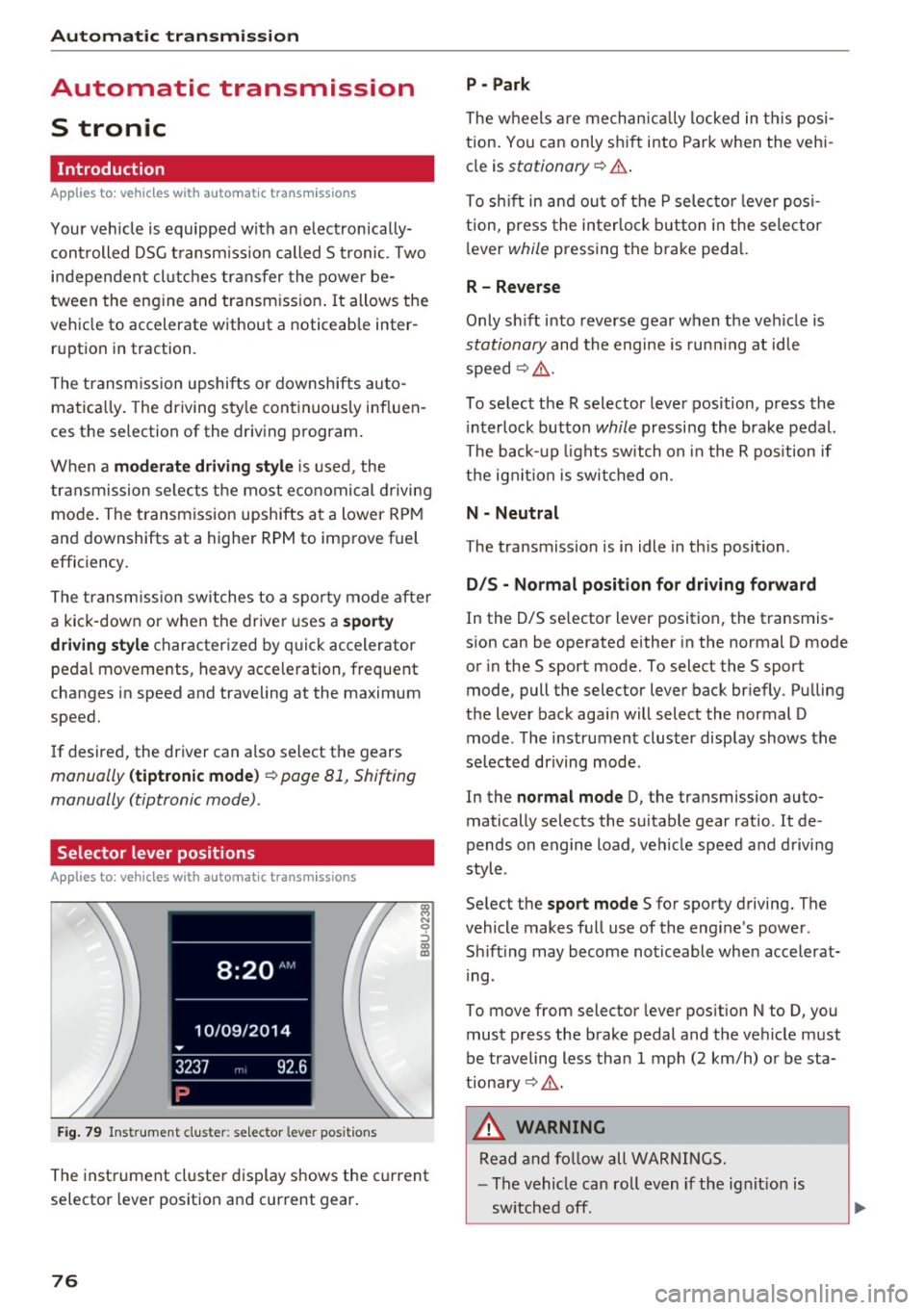
F ig. 79 Instrument cluster: selec tor lever posit ions
The instrument cluste r display shows the current
selector lever position and current gear .
76
P - Park
The w heels a re mechan ically locked in t his posi
tion . Yo u can only sh ift into Park when the vehi
cle is
stationary ¢.&. .
To sh ift in and ou t of the P selecto r leve r posi
tion, press the interlock button in the selector
l ever
while pressing the brake peda l.
R- Reverse
Only shift into reverse gear when the veh icle is
stationary and the engine is run ning at id le
speed¢ ,&..
To select the R selector lever position, press the i nterlock button
while pressing the brake pedal.
The back- up lights switch on i n the R pos ition if
the ign it io n is switched on.
N - Neutral
The transmission is in idle in th is position.
D /S - No rmal po sition fo r dri ving fo rw ard
In the D/S se lector lever position, the transmis
sion can be operated either in the normal D mode
or in the S sport mode. To select the S sport
mode, pull the selector lever back br iefly. Pulling
the lever back aga in will select the normal D
mode . The instrument cluster display shows the
selected driving mode.
In the
normal m ode D, the transmission auto
matically selects the suitable gear ratio . It de
pends on engine load, veh icle speed and driving
style .
Se lect the
sport mo de S for sporty driving. The
vehicle makes full use of the engine's power .
Sh ift ing may become noticeable when accelerat
i ng .
To move from selector lever pos ition N to D, you
must press the brake pedal and the veh icle must
be traveling less than 1 mph (2 km/h) or be sta
tionary ¢,&. .
&, WARNING
Read and fo llow all WARNINGS.
- The vehicle can roll even if the ig nit ion is
sw itched off.
Page 78 of 272

<( co ..... N
" N ..... 0 r--. > 00
-Never select R or P while driving, because
this increases the risk of an accident.
- Power is sti ll transmitted to the wheels
when the engine is running at idle. To pre
vent the vehicle from "creeping" , you must
keep your foot on the brake in all selector
lever positions (except P) when the engine is
runn ing . Otherwise, th is increases the r isk
of an accident.
- Do not inadvertently press the accelerator
peda l when the veh icle is stopped if a gear is
engaged . Otherwise the veh icle w ill start to
move immediately, even if the pa rking brake
is set . Th is cou ld res ult in a crash.
- Do not press the accelerator pedal when
changing the selector lever pos ition while
the vehicle is stationary and the engine is running .
- Never leave yo ur vehicle wi th t he engine
running wh ile in gear. If yo u must leave
your vehicle when the engine is running, set the parking brake and move the selector lev
er to the P position.
- Due to an accident risk, the selector lever
must be in the
P pos ition and the parking
brake must be set before opening the hood
and working on a running engine. Always
read and follow the applicable warnings
¢ page 188, Working in the engine com
partment .
(D Note
Never let the veh icle roll downhill with engi ne
off and the selector lever in the N position,
because this could damage the automatic
tra nsmission and cata lytic converter .
@ Tips
- Audi drive select: Sporty shifting character
i stics can be selected using the
D ynamic
d riving mode. 5 wi ll appea r in the in stru
ment cluster disp lay instead of D .
- If yo u accidentally select N while driv ing ,
take your foot off the accele rato r pedal im
med iate ly and w ait for the engine to slow
down to idle before se lecting Dor 5 .
Automa tic tr ansm iss ion
-If there is a power failure, the se lector lever
wi ll not move out of the P position. The
eme rgency re lease can be used if t his hap
pens
¢ page 83 .
Selector lever lock
Applies to : vehicles with automatic transmissions
The s elector l ever lock prevents you from sel ect
ing a gear occidentally , causing the veh icle to
roll .
Fig . 80 Sele cto r lever lock
To release the se lector lever lock:
.,. Switch on the ign ition .
•
lll 0 0
> a,
lock button .
Automatic shift lock (ASL)
The selector lever is locked in the P a nd N posi
t ions when the ignition is switched on. You must
press the brake pedal to select another position .
You must also press the interlock button if you
are moving from the P position. The following
message appears in the d isplay when the se lector
lever is in the P or N posit io n to rem ind the driv
er:
When station ary apply footbrake while select
ing
gear
T he automatic sh ift lock only funct ions w hen the
vehicle is stat ionary or at speeds below I mph
(2 km/h) . At higher speeds, the lock is au toma ti
ca lly deac tiva ted in the N pos it ion.
T he selector lever is not locked when shifting
quickly through N, for example from R to D . This
makes it possibl e to free the vehicle when it is ..,.
77
Page 83 of 272

Automatic transmissio n
Launch Control-Program
Applies to: vehicles with Launch Control
The Launch Control Program enables maximum
acceleration .
Requirement: the engine must be at operating
temperature and the steer ing wheel must not be
turned .
.,. With the engine runn ing, press the
i ,; OFF ! but
ton br iefly one time
l) .
"' Pull the selector lever back out of the 0/5 posi
tion briefly to select the 5 posit ion, or press it
toward the rig ht into the tiptronic pos ition or
select the
Dynami c driving mode in d rive se
lect*
~ page 106.
"' Press the b rake pedal firmly with your left foot
and hold it all the way down for at least 1 sec
ond.
"' At the same time, press the gas pedal a ll the
way down w ith your right foot unti l the engine
reaches and stays at a high RPM level.
"' Remove your left foot from the brake.
_.&. WARNING
-Always adapt you r driv ing to the traffic flow .
- Only use Launch Control when road and traf-
fic cond itions allow it and other dr ivers will
not be endangered or impacted by your d riv
ing and the vehicle's a cce le ration.
- Please note that the dr ive wheels can sp in
and the vehicle can break away when sport
mode is switched on, especia lly when the
road is s lippery.
- Once the vehi cle has sta rted moving, press
the
l .!'3 OFF ! button briefly to tu rn the sport
mode off.
(D Tips
- The t ransmiss ion temperature may increase
significantly after using t he launch control
program.
If tha t happens, the p rogram may
l ) In vehicles with a driver info rma tion system, an ESC light
i n the in st rument cl uste r stays on cont inuous ly and t he
message Sta bilization co ntrol (ES C): sport . Warning! Re
st ricted stab il ity app ears temp orar ily .
82
not be avai lab le for a few minutes. It will be
available again after a coo l-down period.
- When accelerating using the launch contro l
program, all vehicle parts are s ubject to
heavy loads. This can lead to increased
wear .
Emergency mode
App lies to: vehicles with auto matic transmissions
In the event of a system malfunction, there is an
emergency program.
If all of the selector lever positions are hig hlight
ed with a light background in the instrument
cluster disp lay, there is a system malfunction and
the 5 tronic transmission is running in the emer
gency program. The veh icle can still be driven in
emergency mode, but only with reduced speed
and not in all gears . In some cases, the vehicle
cannot dri ve in rever se .
(D Note
If the transmission runs in emergency mode,
drive to an authorized A udi dealer or author
ized Audi Se rvice Facility immed iate ly to have
the malfunct ion corrected.
Transmission malfunction
• Tran smi ssion malfun ction ! Pl ea se stop the
vehicle and sele ct P
There is a ma lfunction in the transm ission . Park
the ve hicle secure ly and do not cont inue driving.
See an author ized Audi dealer or authorized A udi
Se rvice Facility for assistance.
• Tran smi ssion overheating! Pleas e stop the
v e hicle!
The transmission is too hot and can become dam
aged . Stop and let the transmiss ion cool w ith the
engine r unning (at idle) in the P se lector lever po
s it ion. Then the ind icator light and the message ..,.
Page 86 of 272

<( co .... N ,.__
N .... 0 ,.__
> co
Trailer mode Driving with a trailer
General information
Your Audi was designed primarily for passenger
transportation .
If you plan to tow a trailer, please remember that
the additiona l load will affect durability, econo
my and performance.
T railer tow ing not only p laces more stress on the
vehicle, it a lso calls for more concentration from
the dr iver.
F or this reason, always follow the operating and
driving instructions provided and use common
sense.
Technical requirements
Trailer hitch Use a weight -carrying hitch conforming to the
gross tra iler weig ht. The h itch must be suitab le
for your vehicle and tra iler and must be mo unted
securely on the vehicle's chassis at a technically
sound
location . Use on ly a trailer hitch with a re
movable ba ll mou nt. Always che ck wit h the t rail
e r hitch manufac turer to make s ure that you are
usi ng the correct hitch .
Do not u se a bumper hitch .
The hitc h must be installed in such a way t hat it
does not interfere with the impact -absorbing
bumper system . No modifications should be
made to the vehicle exhaust and brake systems .
Fr om time to time, chec k that a ll hitc h mount ing
bo lts rema in securely faste ned.
When you are not towing a trailer,
remove the
tra iler hitch ba ll mount . This prevents the hitch
from ca using damage s hou ld your veh icle be
s truck from beh ind
~ ,&. .
Trailer brakes
If your trailer is equipped with a braking system,
check to be su re that it conforms to all regula
tions .
Trailer mode
The t rai ler hydra ulic brake sys tem must not be
directly connected to the vehicle's hydra ulic
bra ke system.
Safety chains
Always use safety ch ains be tween your ve hicle
and the trailer.
Trailer lights
T ra ile r ligh ts must meet all regulations . Be sure
to chec k w it h your Aud i dea le r fo r correct wir ing,
swi tches and relays .
Mirrors
If you are unab le to see the traffic behind you us
i ng the regular outside mir rors, then you
must in
sta ll extended mirro rs . It i s important that you
always have clear vision to t he rear.
,8. WARNING
Afte r remov ing the tra ile r hi tch , do no t st o re
i t in yo ur vehicle. In ca se of sudden brak ing,
the hitch could fly fo rward and injure you or
your passengers .
Operating instructions
Maximum trailer we ight
A tra iler for your vehicle is lim ited to a typical
class 1 or class 2 trailer.
Trailer load distribution B e sure the load in the tra ile r i s held se curely in
pla ce to p reve nt i t from shifting forward, bac k
ward or si deways.
Never allow a passenger to ride in a trailer~.&.
in Driving instructions on page 86.
Engine cooling system
Towing a tra iler makes the engine work harder. It
is important that the cooling system's perform
ance is up to the additional load . Make sure that
the coo ling syst em has enoug h flu id.
Tire pressure
When towing a trailer, inflate the tires of your
vehicle to the cold tire pressure listed under
"Full ..,.
85
Page 91 of 272

Assist Switching off completely
.,. Press the leve r into position @(clicked into
place), or
.,. Switch the ignition off.
The speed you sto red w ill be retained if the cruise
control has been switched off tempora rily . To re
sume the stored speed, re lease the brake pedal
and pu ll the lever into position
(D .
The stored speed is erased when the cruise con
trol is sw itched off comp letely or the ignit ion is
switched off .
A WARNING
You should only resume the stored speed if it
is not too high for existing traffic conditions.
Otherwise you risk an accident .
@ Tips
-If the brakes become too heated whi le driv
ing, the cruise control switches off. If this
happens while driving downhill, you can re
lieve the brakes by shifting into a lower
gear.
- When the cruise control is activated, ESC
sport mode cannot be switched on.
Audi adaptive cruise control
Description
A ppl ies to: ve hicles w ith Audi a daptive cruise co ntrol
F ig. 87 Detection range
The adaptive cruise control system is a combina
tion of speed and distance regulation .
It assists
the driver by both regulating the speed and
maintaining a distance to the object ahead, with-
90
in the abilities of the system. If the system de
tects an object, adaptive cruise contro l can brake
and acce lerate your vehicle. This makes driving
more comfortable both on long stretches of
highway and in stop-and-go traffic.
What can adaptive cruise control do?
The adaptive cruise control system uses radar
and a video camera. The radar is subject to desig
nated system limits
c:> page 91.
On open roads with no traffic , it functions like a
cruise contro l system. The stored speed is main
tained. When approaching an object ahead and
the system detects it, the adapt ive cr uise control
system automatically brakes to match that ob
ject's speed and then maintains the stored dis
tance . As soon as the system does not detect an
object ahead, adapt ive cruise control acce lerates
up to the stored speed.
Within the limits of the system, adaptive cruise control can brake in stop -and -go traffic until the
vehicle is stat ionary and then begin driving agai n
under certain conditions
c:>page 94, Driving in
stop-and-go traffic.
Which functions can be controlled?
When you switch adapt ive cru ise control on, you
can set the current speed as the "control speed"
c:> page 92, Switching on/off .
When driving, you can stop cruise control
c:> page 94 or change the speed c:> page 94 at
any time .
You can also adjust the following settings :
- Distance
c:> page 95
-Dr iv in g program c:> page 96
- Dr iving mode c:> page 96
Page 98 of 272

<( co .... N r--N .... 0 r--> co
llJ ACC off: manual control!
This message appears if the vehicle rolls back
when starting on a slight incline, even though
ACC is active. Press the brake pedal to prevent
the vehicle from rolling or starting to move.
Ill ACC: engine speed
This message appears if the driver has not shift
ed up or down in time when the adaptive cruise
control is braking or accelerating, causing the ve
hicle to exceed or to not reach the permitted en
gine speed . The adaptive cruise control turns off.
A chime sounds as a reminder.
•••
Three white dots appear if a setting cannot be se
lected with the operating lever. For example, this
happens if adaptive cruise control cannot be acti
vated when stopped because the driver has not fastened the safety belt.
Door open
Adaptive cruise control cannot be switched on
when the vehicle is stationary and the driver's
door is open.
Audi pre sense
Introduction
Applies to: vehicles with Audi pre sense basic or Audi pre
sense front
Within the limits of the system, pre sense basic
and pre sense front can initiate steps to protect
vehicle occupants in certain dangerous situa
tions.
Critical driving situations can be recognized by
the pre sense front via a network of different ve
hicle systems and can take steps to prepare the
vehicle occupants for a potential collision.
The pre sense front works with a radar sensor
and a video camera*. It also functions within the
limits of the system when adaptive cruise con
trol* is switched off.
Assist
General information
General information
Applies to: vehicles with Audi pre sense front or Audi adaptive
cruise control
A WARNING
Also follow the general information found on
~ page 91, General information.
Audi pre sense basic
Description
Applies to: vehicles with Audi pre sense basic
The function of the pre sense basic is activated at
a speed of 20 mph (30 km/h) or higher.
The following functions can be triggered under
certain conditions within the limits of the sys
tem:
- Tensioning of the safety belts (for examp le,
during heavy braking): the front safety belts have reversible belt tensioners. If a collision
does not occur, the safety belts loosen slightly
and are ready to trigger again.
- Closing the windows (for example when over
or understeering): the windows close until
there is a small gap open.
Audi drive select: the deployment time is adapt ed in dynamic mode.
A WARNING
-The pre sense basic cannot overcome natural
physical laws. It is a system designed to assist
and it cannot prevent a collision. Do not let
the increased safety provided tempt you into
taking risks. This could increase your risk of a
collision.
- The system can dep loy incorrectly due to
system-specific limits.
@ Tips
-Certain pre sense basic functions switch off
when ESC is switched off (sport mode) or
when driving in reverse.
97
Page 99 of 272

<( co .... N r--N .... 0 r--> co
-Please note that the sensor does not always
detect all objects . This increases the risk of
a collision.
- Pre sense front does not react to people or
animals or objects that are crossing the ve
hicle's path or are difficult to detect
¢ page 91 .
-Reflective objects such as guard rails or the
entrance to a tunnel, heavy rain and ice can
affect the function of the radar sensor and
the system's ability to detect a collision risk.
- Lack of attention can lead to collisions, oth
er accidents and serious injuries. pre sense
front is an assistance system and cannot
prevent a collision by itself. The driver must
always intervene . The driver is always re
sponsible for braking at the correct time.
- Always pay attention to traffic , even when
pre sense front is switched on. Always be
ready to intervene and take over complete
control of the vehicle whenever it is neces
sary. Always follow traffic laws regarding
maintaining a safe distance between your
vehicle and vehicles ahead.
- pre sense front works within certain limits
and cannot react to situations that are out
side of the system limits, such as when ap
proaching a stationary vehicle or a station
ary obstacle (the end of a traffic jam or ave
hicle that has broken down).
- Always keep in mind that the radar sensor
for pre sense front only works within de
fined detection zones , which means other
vehicles may not always be detected cor
rectly.
- The function and range of the radar sensor
can be impaired by rain, snow and heavy
mist. Vehicles ahead may not be detected
right away, or not detected at all.
(1) Note
The sensor can be displaced by impacts or
damage to the bumper, wheel housing and
underbody. Pre sense front can be impaired
by this. Have an authorized Audi dea ler or au
thorized Audi Service Facility check their func
tion .
Assist
{!) Tips
-You can cancel the braking with increasing
force that is initiated by the system by brak
ing yourself, by accelerating noticeably or
by swerving.
- For information on driver messages about
pre sense, refer to
¢ page 100.
- Keep in mind that pre sense front can brake
unexpectedly. Always secure any cargo or
objects that you are transporting to reduce
the risk of damage or injury.
- Certain pre sense front functions switch off
when ESC is switched off (sport mode) or
when driving in reverse.
- The pre sense front functions are not availa
ble if there is a malfunction in the adaptive
cruise control* system
Q page 96 or
Q page 100 .
-Keep in mind that pre sense front can brake
abruptly . Always secure cargo or objects
that you transport to reduce the risk of
damage or injury.
Settings in the Infotainment system
Appl ies to: vehicles with Audi pre sense front or Audi adaptive
cruise contro l
.,. In the MMI, select: the I MENU I button >Ca r>
Systems*
control button > Driver assistance >
Audi pre sense.
Switching the system on and off
Audi pre sense (Syste m): if the system is switch
ed off , it automatically switches on once the igni
tion is switched on again .
System -Switch Audi pre sense On-Off. With
th is, you can switch the prewarning and the brak
ing intervention from Audi pre sense on or off .
Early warning -The distance and approach warn
ings can be switched
On/Off .
(D Tips
-If you restrict or switch off the ESC, the pre
sense also switches itse lf off ¢
page 117 .
-Switch the pre sense off when you a re load
ing the vehicle onto a vehicle carrier, train,
ship or other type of transportation. This ..,.
99