2016 Alfa Romeo Giulia ignition
[x] Cancel search: ignitionPage 115 of 204

RECALLING THE SPEED
For versions with automatic transmission
operating in D mode (Drive - automatic),
press and release the RES
fig. 108 button to recall the previously
set speed.
For versions with manual gearbox or
automatic transmission in Autostick
(sequential) mode, before recalling the
previously set speed you should
accelerate until getting close to it, then
press and release the RES button.
DEACTIVATING THE DEVICE
Lightly pressing the brake pedal
deactivates the Cruise Control without
deleting the stored speed.
The Cruise Control may be deactivated
also by applying the electric parking
brake or when the braking system is
operated (e.g. operation of the ESC
system).
The stored speed is deleted in the
following cases:
pressing the on/off button or
switching off the engine;
if there is a malfunction in the Cruise
Control.
DEACTIVATING THE DEVICE
The Cruise Control is deactivated by
pressing the activation/deactivation
button or bringing the ignition device to
the STOP position.
WARNING
111)When travelling with the device active,
never move the gear lever to neutral.
112)In case of a malfunction or failure of
the device, contact an Alfa Romeo
Dealership.
113)The Cruise Control can be dangerous if
the system cannot keep a constant speed. In
specific conditions speed may be excessive,
resulting in the risk of losing control of the
vehicle and causing accidents. Do not use the
device in heavy traffic or on winding, icy,
snowy or slippery roads.
PARK SENSORSSYSTEM
(where provided)
114)
38) 39) 40)
VERSIONS WITH 4 SENSORS
The parking sensors, located in the rear
bumper fig. 109, detect the presence of
any obstacles and warn the driver about
them, through an acoustic signal and,
where provided, visual indications on the
instrument panel display.
Engagement/disengagement
To disengage the system press button
fig. 110.
The LED in the button will light up or not
when the system switches from on to off
(and vice versa).
10907176S0001EM
113
Page 124 of 204

HAZARD WARNING LIGHTS
CONTROL
48)
Press the fig. 118 button to switch the
hazard warning lights on/off.
When the hazard warning lights are on,
the
andwarning lights flash.
When you need to move away from the
vehicle to look for help, the hazard
warning lights will continue flashing even
if the ignition device is in the STOP
position.
IMPORTANT The use of hazard warning
lights is governed by the highway code of
the country you are driving in: comply
with legal requirements.
Emergency braking
The hazard lights are switched on and
warning lights
andappear on the
instrument panel in case of emergency
braking and according to the mode
selected by the “Alfa DNA™” selector.
When the "Alfa DNA™" selector is in
position "n" or "a", the activation
threshold of the hazard warning lights is
higher; on the other hand, in position "d"
the sensitivity of the activation is lower
than that in the "n" and "a" modes.
The lights switch off automatically when
emergency braking ceases.
IMPORTANT
48)A prolonged use of the hazard warning
lights may discharge the battery.
REPLACING A BULB
119) 120) 121)
49)
GENERAL INSTRUCTIONSBefore replacing a bulb check the
contacts for oxidation;
replace blown bulbs with others of the
same type and power;
after replacing a headlight bulb,
always check its alignment;
when a light is not working, check that
the corresponding fuse is intact before
changing the bulb. For the location of
fuses, refer to the paragraph "If a fuse
blows" in this chapter.
IMPORTANT In some particular climate
conditions such as low temperature,
humidity or after washing the car, a thin
condensation layer may form on the
internal surfaces of the front and rear
headlights. This phenomenon will
disappear after switching on the
headlights
11808016S0001EM
122
IN AN EMERGENCY
Page 134 of 204

WARNING
122)Never replace a fuse with another with
a higher amp rating; DANGER OF FIRE.
123)Before replacing a fuse, make sure
that the ignition device is at STOP and that
all devices are switched off and/or
disconnected.
124)Contact an Alfa Romeo Dealership if a
safety system (airbags, brakes),
transmission system (engine, gearbox) or
steering system general protection fuse
blows.
125)If a fuse blows again, contact an Alfa
Romeo Dealership.
126)If a general protective fuse
(MAXI-FUSE, MEGA-FUSE, MIDI-FUSE)
blows, contact an Alfa Romeo Dealership.
IMPORTANT
50)Never replace a fuse with metal wires or
anything else.
51)If it is necessary to wash the engine
compartment, take care not to directly hit
the fuse box and the window wiper motors
with the water jet.
TIRE REPAIR KIT
DESCRIPTION
127) 128) 129) 130) 131) 132) 133) 134) 135)
52)
3)
The Tire Repair Kit is located in the boot,
inside a specific container.
To access the Tire Repair Kit, open the
boot, lift the load platform.
The Tire Repair Kit includes also:
one tank 1 fig. 137 containing the
sealing fluid, provided with: filler tube
2 and adhesive label 3 with the writing
"Max. 50 mph (80 km/h)”, to be attached
in a position easily visible to the driver
(eg. on the dashboard) after repairing the
tyre;
compressor 4 complete with pressure
gauge and connectors;
an instruction leaflet, to refer to for
prompt and correct use of the Tire Repair
Kit and that must be then given to the
personnel dealing with the tyre treated
with sealant;
a pair of protective gloves;
some adaptors, for inflating different
elements.
IMPORTANT The sealing fluid is effective
with external temperatures of between
-40°F (-40°C) and 122°F (+50°C). The
sealing fluid has an expiry date.
INFLATION PROCEDURE
127) 128) 130) 131) 132) 133) 134) 135)
Proceed as follows:
engage the electric parking brake.
Insert the tank 1 fig. 138 containing the
sealing liquid in the proper compressor
holder, pressing down hard. Unscrew the
tyre valve cap, take out the filler hose
2 and tighten the ring nut on the tyre
valve;
13708066S0002EM
132
IN AN EMERGENCY
Page 137 of 204

The positive pole (+) can be accessed by
removing the cover fig. 142
open protective flap fig. 143.The pole is shown in fig. 144.
To carry out the operation, you need to
have the correct cables to connect the
auxiliary battery to the remote poles of
the flat battery. Usually, these cables
have terminals at the ends and are
identified by different sheath colours
(red = positive, black = negative).
JUMP STARTING
136) 137) 138)
Proceed as follows:
switch off all electrical devices in the
vehicle;
engage the parking brake, move the
lever to P (Park), for versions equipped
with automatic transmission, or neutral,
for versions with manual gearbox, then
set the ignition device to STOP;
should you be using the battery of
another vehicle, park the other vehicle
within the range of the cables used for
the connection, operate the parking
brake and ensure that its ignition is off.
IMPORTANT If the auxiliary battery is
installed on another vehicle, check that
there is no accidental contact of metal
parts between the two vehicles, since an
earth connection may result, with the risk
of serious injury to any people who may
be nearby.
IMPORTANT If the procedure below is
carried out incorrectly, it can cause
severe injury to people or damage the
recharging system of one or both
vehicles. Carefully follow the instructions
given below.
14108076S0006EM
14208076S0007EM
14308076S0002EM
14408076S0001EM
135
Page 138 of 204
Cable connection
54)
Proceed as follows to carry out a jump
starting:
connect a terminal on the end of the
positive cable from the remote positive
pole (+) of the car with flat battery;
connect the terminal on the opposite
end of the positive (+) cable to the
positive (+) pole of the auxiliary battery;
connect a negative cable end terminal
to the negative (-) pole of the auxiliary
battery;
connect the terminal on the opposite
end of the negative (-) cable to the earth
point (-) on the vehicle with the battery
flat;
start the engine of the car with an
auxiliary battery, let it run for some
minutes at idle and then start the engine
of the car with flat battery. In case a
portable battery is used, before starting
the vehicle, wait a few seconds after
completing the connection.
Cable disconnection
Once the engine is started, remove the
connection cables in reverse sequence,
as shown below:
disconnect the negative cable end
terminal (-) from the earth point (-) of the
car with flat battery;
disconnect the terminal on the
opposite end of the negative cable fromthe negative (-) pole of the auxiliary
battery;
disconnect the terminal on the
opposite end of the positive (+) cable
from the positive (+) pole of the auxiliary
battery;
disconnect the terminal on the end of
the positive cable from the remote
positive pole (+) of the car with flat
battery.
WARNING
136)Do not get too close to the radiator
cooling fan: the electric fan may start;
danger of injury. Scarves, ties and other
loose clothing might be pulled by moving
parts.
137)Remove any metal objects (e.g. rings,
watches, bracelets), that might cause an
accidental electrical contact and cause
serious injury.
138)The batteries contain acid that can
burn skin or eyes. Batteries produce
hydrogen, which is easily flammable and
explosive. Thus keep away flames or devices
which may cause sparks.
IMPORTANT
53)Never use a fast battery-charger to
start the engine as this could damage the
electronic systems of your vehicle,
particularly the ignition and engine fuel
supply control units.54)Do not connect the cable to the negative
terminal (–) of the flat battery. The following
spark could lead to battery explosion and
cause serious harm. Only use the specific
earth point; do not use any other exposed
metallic part.
136
IN AN EMERGENCY
Page 141 of 204

take the tow hook from its housing in
the boot and carefully clean the threaded
housing on the vehicle before using it;
tighten the vehicle's tow hook in its
place for about 11 turns.
IMPORTANT The largest work angle of
the cable to fix on the tow hook must not
exceed 15°, as shown in fig. 147.
WARNING
140)Move the ignition device to ON and
then to STOP, without opening the door.
141)The brake servo and the
electromechanical power steering will not
work while the vehicle is being towed. You
will therefore need to apply more force on
the brake pedal and steering wheel. Do not
use flexible ropes when towing, and avoid
jerky movements. During towing, make sure
that the trailer hitch does not damage any
components it is touching. When towing the
car, you must comply with all specific traffic
regulations and adopt an appropriate
driving behaviour. Do not start the engine
while towing the car. Before tightening the
ring, clean the threaded housing thoroughly.
Make sure that the ring is fully screwed into
the housing before towing the car.
14608136S0003EM
14708136S0002EM
139
Page 153 of 204

SERVICING PROCEDURES
154) 155) 156)
61) 62) 63) 64) 65) 66) 67)
AIR CONDITIONINGSYSTEM
MAINTENANCE
68) 69)
To ensure the best possible performance,
the air conditioning system must be
checked and undergo maintenance at an
Alfa Romeo Dealership at the beginning
of the summer.
WINDSCREEN WIPER
Raising the windscreen wiper blades
("Service position" function)
The "Service position" function allows the
driver to replace the windscreen wiper
blades more easily. It is also
recommended to activate this function
when it is snowing and to make it easier
to remove any dirt deposits in the area
where the blades are normally
positioned, when washing.
Activation of the function
To activate this function disable the
windscreen wiper (ring nut fig. 151 in
positionO) before setting the ignition
device to STOP.This function can only be activated within
2 minutes of setting the ignition device
to STOP.
To activate this function, move the lever
upwards (unstable position) for at least
three seconds.
If, after using the function, the ignition
device is set back to ON with the blades
in a position other than rest position (at
the base of the windscreen), they will only
return to rest position following a
command given using the stalk (stalk
upwards, into unstable position) or when
a speed of 3 mph (5 km/h) is exceeded.
Replacing the windscreen wiper blades
Proceed as follows:
raise the wiper arm, press tab
fig. 152 of the attachment spring and
remove the blade from the arm;
fit the new blade, inserting the tab in
the dedicated housing in the arm and
checking that it is locked;
lower the wiper arm onto the
windscreen.
IMPORTANT Do not operate the
windscreen wiper with the blades lifted
from the windscreen.
Windscreen washer
The window washer nozzles are fixed. If
there is no jet of fluid, firstly check that
there is fluid in the reservoir (see
paragraph “Engine compartment” in this
chapter).
Then check that the nozzle holes are not
clogged; use a needle to unblock them if
necessary.
15109046S0001EM
15209046S0002EM
151
Page 190 of 204
System
To access the “System” function, select it
by turning the Rotary Pad and press the
Rotary Pad to activate. The following
settings can be modified when this mode
is selected:
Automatic ignition;
Delay shutting off;
Software update;
Map update;
Clear personal data;
Restore settings.
APPLICATIONS
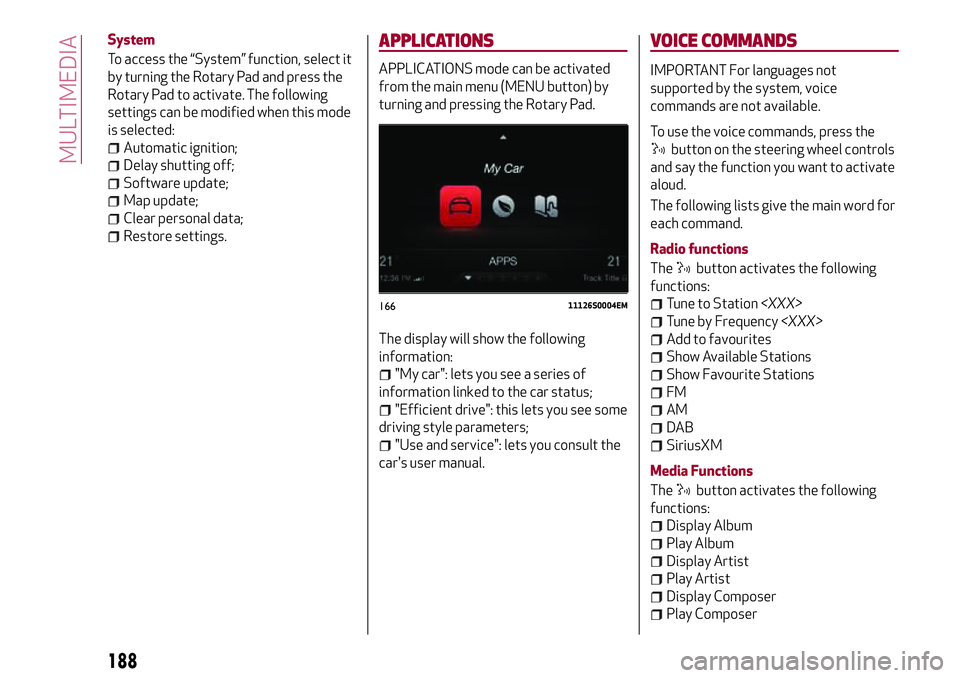
APPLICATIONS mode can be activated
from the main menu (MENU button) by
turning and pressing the Rotary Pad.
The display will show the following
information:
"My car": lets you see a series of
information linked to the car status;
"Efficient drive": this lets you see some
driving style parameters;
"Use and service": lets you consult the
car's user manual.
VOICE COMMANDS
IMPORTANT For languages not
supported by the system, voice
commands are not available.
To use the voice commands, press the
button on the steering wheel controls
and say the function you want to activate
aloud.
The following lists give the main word for
each command.
Radio functions
The
button activates the following
functions:
Tune to Station
Tune by Frequency
Add to favourites
Show Available Stations
Show Favourite Stations
FM
AM
DAB
SiriusXM
Media Functions
The
button activates the following
functions:
Display Album
Play Album
Display Artist
Play Artist
Display Composer
Play Composer
16611126S0004EM
188
MULTIMEDIA