Page 245 of 553

uuAudio System Basic Operation uPlaying Internet Radio
244
Features
You can operate some of the AhaTM menu items from your vehicle’s audio system.
The available items are:
■Operating a menu item The menu items are shown in the lower half of
the audio/information screen.
Rotate to select an item and press .
To select Change Source or Stations , press
the MENU button, then press .
■AhaTM Radio Menu
•Like •Tracks
• Dislike •Reply
• Play/Pause •Change Source
• 15sec rewind •Stations
• 30sec Skip
1AhaTM Radio Menu
Aha
TM by Harman is a clou d-based service that
organizes your favorite we b content into live radio
stations. You can access podcasts, internet radio,
location-based services , and audio updates from
social media sites.
Available operating functi ons vary on software
versions. Some functions ma y not be available on the
vehicle’s audio system.
If there is a problem, you may see an error message
on the audio/information screen. 2 Aha
TM Radio P. 254
The menu items vary depending on the station you
selected.
To use this service in y our vehicle, the AcuraLink
Streams app must be installed on your phone.
For more information visit:
•U.S.: owners.acura.com/apps
•Canada: acura.ca/owners/acuralink/streams
You must have a previously set up Aha account prior
to using the service in your vehicle.
For more information visit:
•U.S.: www.aharadio.com
•Canada: acura.ca/owners/acuralink/streams
16 ACURA TLX-31TZ36100.book 244 ページ 2015年8月26日 水曜日 午後1時54分
Page 246 of 553

245
uuAudio System Basic Operation uPlaying a USB Flash Drive
Continued
Features
Playing a USB Flash Drive
Your audio system reads and plays sound files on a USB flash drive in either MP3,
WMA, or AAC*1 format.
Connect your USB flash drive to the USB port, then select the USB mode.
2 USB Port P. 211
*1:Only AAC format files recorded with iTunes are playable on this unit.
1Playing a USB Flash Drive
See the Navigation System Manual for the operation
of the audio system.
Images shown are for m odels without navigation
system.
Models with navigation system
Audio/Information Screen
BACK Button
Press to go back to the previous display.
More
Select to display the menu items.
Audio Source
Select to change an audio source.
USB Indicator
Appears when a USB flash drive
is connected.
Folder Up/Down Icons
Select to skip to the next folder,
and to skip to the beginning of
the previous folder.
Skip/Seek Icons
Select or to change files.
Select and hold to move rapidly
within a file.
(Power) Button
Press to turn the audio system on
and off.
Interface Dial/ENTER Button
Press and turn to select an item, then press
to set your selection. Move up, down, right
and left to select secondary menu.
MENU Button
Press to display the menu items.
On Demand Multi-Use DisplayTM
VOL (Volume) Knob (Pushed out)
Turn to adjust the volume.
16 ACURA TLX-31TZ36100.book 245 ページ 2015年8月26日 水曜日 午後1時54分
Page 247 of 553
uuAudio System Basic Operation uPlaying a USB Flash Drive
246
Features
1. Press the MENU button.
2. Rotate to select Music Search, then
press .
3. Rotate , move or , then press to
select a file from the Music Search list.
You can also select a file by the following
procedure.
1. Rotate or press to display the song
list.
2. Rotate , move or , then press to
select a file from the list.
■How to Select a File from the Music Search List1Playing a USB Flash Drive
Use the recommended USB flash drives.
2 General Information on the Audio System
P. 255
Files in WMA/AAC format protected by digital rights
management (DRM) are not played.
The audio system displays Unplayable File, and then
skips to the next file.
If there is a problem, you may see an error message
on the audio/information screen.
2 iPod/USB Flash Drive P. 251
Folder Selection
File Selection
16 ACURA TLX-31TZ36100.book 246 ページ 2015年8月26日 水曜日 午後1時54分
Page 248 of 553

247
uuAudio System Basic Operation uPlaying a USB Flash Drive
Features
You can select scan, repeat, and random modes when playing a file.
1.Press the MENU button.
2. Rotate to select Scan or Random/
Repeat , then press .
3. Rotate to select a mode, then press .
1. Select More.
2. Select Scan or Random/Repeat .
3. Select a mode.
■To turn off a play mode
1. Press the MENU button.
2. Rotate to select the mode you want to turn off, then press .
1. Select More.
2. Select the mode you want to turn off.
■How to Select a Play Mode1How to Select a Play Mode
Play Mode Menu Items
Scan
Scan Folders : Provides a 10-second sampling of the
first file in each of the main folders.
Scan Tracks: Provides a 10-second sampling of all
files in the current folder.
Random/Repeat
Repeat Folder : Repeats all files in the current folder.
Repeat Track: Repeats the current file.
Random in Folder : Plays all files in the current folder
in random order.
Random All Tracks : Plays all files in random order.
Random/Repeat is selected.
Interface Dial
Random/Repeat is selected.
On Demand Multi-Use DisplayTM
Interface Dial
On Demand Multi-Use DisplayTM
16 ACURA TLX-31TZ36100.book 247 ページ 2015年8月26日 水曜日 午後1時54分
Page 249 of 553

248
uuAudio System Basic Operation uPlaying Bluetooth ® Audio
Features
Playing Bluetooth® Audio
Your audio system allows you to listen to music from your Bluetooth-compatible
phone.
This function is available when the phone is paired and connected to the vehicle’s
Bluetooth ® HandsFreeLink ® (HFL) system.
2 Phone Setup P. 287
1Playing Bluetooth ® Audio
See the Navigation System Manual for the operation
of the audio system.
Images shown are for m odels without navigation
system.
Not all Bluetooth -enabled phones with streaming
audio capabilities are compatible with the system.
For a list of compatible phones:
•U.S.: Visit www.acura.com/handsfreelink , or call 1-
888-528-7876.
•Canada: Visit www.handsfreelink.ca , or call 1-888-
528-7876.
In some states, it may be il legal to perform some data
device functions while driving.
If more than one phone is paired to the HFL system,
there will be a delay before the system begins to play.
Models with navigation system
Bluetooth® Indicator
Appears when your
phone is connected
to HFL.
Play Icon
Pause Icon
More
Select to display
the menu items.
Audio Source
Select to change
an audio source.
(Power) Button
Press to turn the
audio system on and
off.
Interface Dial/
ENTER Button
Press and turn to
select an item, then
press to set your
selection. Move up,
down, right and left
to select secondary
menu.
Skip/Seek Icons
Select or
to change files.
MENU Button
Press to display
the menu items. Folder Up/Down
Icons
Select or to
change folders.
On Demand Multi-
Use DisplayTM
VOL (Volume) Knob
(Pushed out)
Turn to adjust the
volume. Audio/Information
Screen
16 ACURA TLX-31TZ36100.book 248 ページ 2015年8月26日 水曜日 午後1時54分
Page 250 of 553
249
uuAudio System Basic Operation uPlaying Bluetooth ® Audio
Features
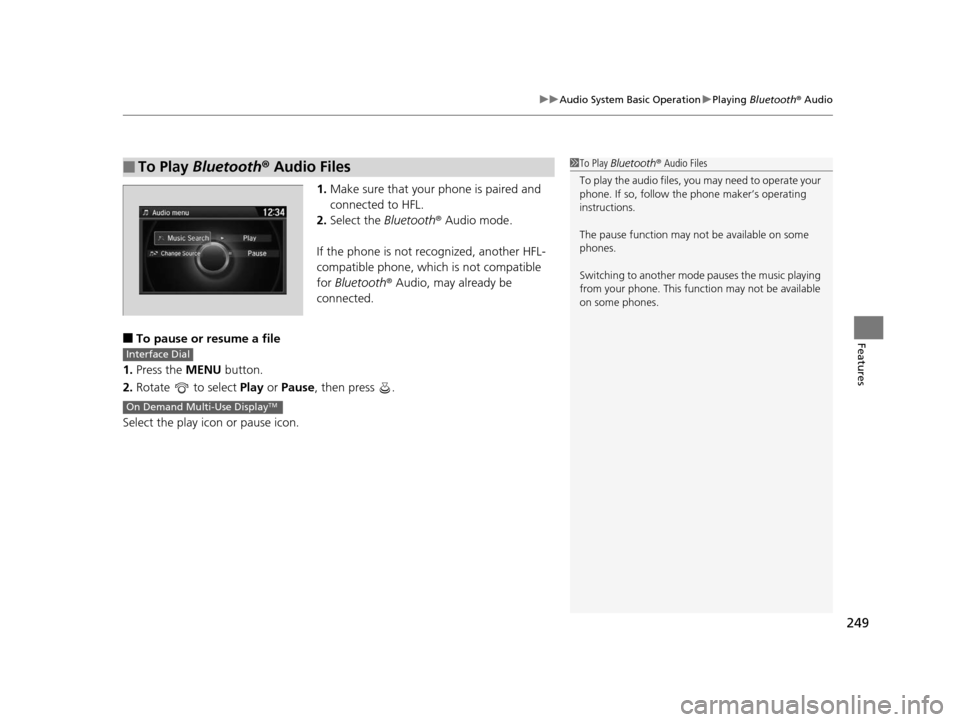
1. Make sure that your phone is paired and
connected to HFL.
2. Select the Bluetooth® Audio mode.
If the phone is not recognized, another HFL-
compatible phone, which is not compatible
for Bluetooth ® Audio, may already be
connected.
■To pause or resume a file
1. Press the MENU button.
2. Rotate to select Play or Pause , then press .
Select the play icon or pause icon.
■To Play Bluetooth ® Audio Files1 To Play Bluetooth ® Audio Files
To play the audio files, y ou may need to operate your
phone. If so, follow the phone maker’s operating
instructions.
The pause function may no t be available on some
phones.
Switching to another mode pauses the music playing
from your phone. This functi on may not be available
on some phones.
Interface Dial
On Demand Multi-Use DisplayTM
16 ACURA TLX-31TZ36100.book 249 ページ 2015年8月26日 水曜日 午後1時54分
Page 251 of 553

250
Features
Audio Error Messages
CD Player
If a disc error occurs, you may see the following error messages.
Error MessageCauseSolution
Unplayable FileTrack/file format not supported●Current track/file will be skippe d. The next supported track/file
plays automatically.
Bad Disc
Please Check Owner’s
Manual
Push Eject
Mechanical error
●Press the (eject) button and remove the disc, and check that the
error message is cleared.
●Check that the disc is not damaged or deformed, and insert the
disc again.
2 Protecting CDs P. 257
●If the error message reappears, press the button, and pull out
the disc.
●Insert a different disc.
If the new disc plays, there is a problem with the first disc.
●If the error message repeats, or the disc cannot be removed,
contact a dealer.
Do not try to force the disc out of the player.
Mecha Error
Bad Disc
Please Check Owner’s
Manual
Servo error
Check DiscDisc error●Check that the disc is not damaged or deformed.
2Protecting CDs P. 257
Heat ErrorHigh temperature●Turn the audio system off and allo w the player to cool down until
the error message is cleared.
16 ACURA TLX-31TZ36100.book 250 ページ 2015年8月26日 水曜日 午後1時54分
Page 252 of 553

251
uuAudio Error Messages uiPod/USB Flash Drive
Features
iPod/USB Flash Drive
If an error occurs while playing an iPod or USB flash drive, you may see the following
error messages. If you cannot clear the error message, contact a dealer.
Error MessageSolution
USB ErrorAppears when there is a problem wi th the audio system. Check if the device is compatible with the
audio system.
Incompatible USB Device
Please Check Owner’s
ManualAppears when an incompatib le device is connected. Disconnect the device. Then turn the audio system
off, and turn it on again. Do not reco nnect the device that caused the error.
Unsupported VersionAppears when an unsupported iPod is connected. If it appears when a supported iPod is connected,
update the iPod software to the newer version.
Connect RetryAppears when the system does not acknowledge the iPod. Reconnect the iPod.
Unplayable FileAppears when the files in the USB flash drive are DRM or an unsupported format. This error message
appears for about 3 seconds, then plays the next song.
No Data
Appears when the iPod is empty.
Appears when the USB flash drive is empty or there are no MP3, WMA, or AAC files in the USB flash
drive.
Check that compatible files are stored on the device.
UnsupportedAppears when an unsupported device is connected . If it appears when a supported device is
connected, reconnect the device.
iPod
USB flash drive
iPod and USB flash drive
16 ACURA TLX-31TZ36100.book 251 ページ 2015年8月26日 水曜日 午後1時54分