2016 Acura ILX fuel
[x] Cancel search: fuelPage 202 of 521

201
uuAudio System Basic Operation uAudio/Information Screen
Continued
Features
■Phone
Shows the HFL information.
2 Bluetooth ® HandsFreeLink® P. 268
■Info
Shows the Trip Computer or Clock/Wallpaper and other information. Rotate
to select an item, then press .
■Trip computer (Current Drive)
Shows the range and instant and average fu el economy of the current trip, as well
as the average fuel economy from your last trip.
■Trip computer (History of Trip A)
Shows the range, average fuel economy and distances traveled for the current trip,
as well as the average fuel economy and distances traveled during the last three
driving cycles.
Each time you reset the trip meter A, th e information on the display updates. The
history of the previous three driving cycles is kept.
■Deleting the history manually
1. Move on the History of Trip A screen to select Delete History , then press .
2. A confirmation message appears on the screen. Rotate to select Yes, then
press .
■Clock/Wallpaper
Shows a clock screen or an image you import.
■App
Connects with your smartphone to start the navigation app.
2 Smartphone Navi Apps P. 233
16 ACURA ILX-31TX66300.book 201 ページ 2014年12月22日 月曜日 午後10時15分
Page 256 of 521

255
uuCustomized Features*u
Continued
Features
*1:Default SettingSetup
Group Customizable Features Description Selectable Settings
Vehicle
Settings Meter
SetupLanguage Selection
Changes the displayed language on the multi-
information display. English
*1/
Français /
Español
Adjust Outside Temp.
Display Adjusts the temperature reading by a few
degrees. -5°F ~ ±0°F
*1
~ +5°F
(U.S.)
-3°C ~ ±0°C
*1 ~ +3°C
(Canada)
“Trip A” Reset Timing Changes the setting of how to reset trip meter A,
average fuel economy A, average speed A, and
elapsed time A. When Refueled
/IGN
Off /Manually
Reset
*1
“Trip B” Reset Timing Changes the setting of how to reset trip meter B,
average fuel economy B, average speed B, and
elapsed time B. When Refueled
/IGN
Off /Manually
Reset*1
Turn by Turn Display*Selects whether the turn-by-turn display comes
on during the route guidance. On*1/
Off
Driving
Position
Setup Memory Position Link
Turns the driving position memory system on and
off. On
*1/
Off
* Not available on all models
16 ACURA ILX-31TX66300.book 255 ページ 2014年12月22日 月曜日 午後10時15分
Page 332 of 521

331
Driving
This chapter discusses driving, refueling, and information on items such as accessories.
Before Driving................................... 332
Maximum Load Limit........................ 335
Towing a Trailer ................................ 337
When Driving Starting the Engine .......................... 338
Dual Clutch Transmission ................. 344
Shifting ............................................ 345
Cruise Control
*................................ 349
Front Sensor Camera*...................... 352
Adaptive Cruise Control (ACC)*....... 354
Road Departure Mi tigation (RDM)
System*...................................... 367
Lane Keeping Assist System (LKAS)*.... 372
Vehicle Stability Assist (VSA®), aka Electronic
Stability Control (ESC), System ...............380
Blind Spot Information (BSI) System*... 382
Tire Pressure Monitoring System (TPMS) ... 384
Tire Pressure Monitoring System (TPMS) - Required Federal Explanation ......... 386
Braking Brake System ................................... 388
Anti-lock Brake System (ABS) ........... 390
Collision Mitigati on Braking System
TM
(CMBSTM)*..................................... 392 Parking Your Vehicle
When Stopped ................................ 401
Cross Traffic Monitor
*..................... 402
Multi-View Rear Camera .................. 405
Refueling Fuel Information .............................. 406
How to Refuel ................................. 407
Fuel Economy .................................... 408
Improving Fuel Economy .................. 408
Accessories and Modifications Accessories ...................................... 409
Modifications................................... 409
* Not available on all models
16 ACURA ILX-31TX66300.book 331 ページ 2014年12月22日 月曜日 午後10時15分
Page 339 of 521

338
Driving
When Driving
Starting the Engine
1.Make sure the parking brake is applied.
2. Check that the shift lever is in
(P, then
depress the brake pedal.
u Although it is possibl e to start the vehicle
in
(N, it is safer to start it in (P.
1 Starting the Engine
Keep your foot firmly on the brake pedal when
starting the engine.
The engine is harder to st art in cold weather and in
thinner air found at altitudes above 8,000 feet (2,400
meters).
When starting the engine in cold weather, turn off all
electrical accessories such as the lights, climate
control system, and rear de fogger in order to reduce
battery drain.
If you live in a region where winter is extremely cold,
an engine block heater will improve starting and
warming of the engine. If temperatures consistently
below -22°F (-30°C) are expected, the coolant
mixture should be changed to a higher concentration
to prevent freezing. Cons ult a dealer for details.
If exhaust system sounds abnormal or you can smell
exhaust gas inside the vehi cle, have your vehicle
checked by a dealer. There may be a problem with
the engine or exhaust system.
The immobilizer system pr otects your vehicle from
theft.
If an improperly c oded device is used, the engine’s
fuel system is disabled.
2 Immobilizer System P. 126
Brake Pedal
16 ACURA ILX-31TX66300.book 338 ページ 2014年12月22日 月曜日 午後10時15分
Page 347 of 521

uuWhen Driving uShifting
346
Driving
■Shift Lever Operation1Shift Lever Operation
NOTICE
When you change the shift lever from (D to (R and
vice versa, come to a complete stop and keep the
brake pedal depressed.
Operating the shift lever be fore the vehicle has come
to a complete standstill can damage the transmission.
Use the shift lever positi on indicator to check the
lever position befo re pulling away.
Whichever position the shift lever is in when driving,
a blinking transmission indicator indicates a
transmission problem.
Avoid sudden acceleration and have the transmission
checked by a dealer as soon as possible.
The fuel supply may be cut of f if you drive at engine
speeds in or over the tac hometer's red zone (engine
speed limit). If this happe ns, you may experience a
slight jolt.
When the engine speed is increased while the shift
lever is in
( N, (P or (R, the fuel supply may be cut
off even without the engine speed entering the
tachometer’s red zone.
It may not be possible to operate the shift lever if the
brake pedal is applied while the shift lever release
button is held down.
Depress the brake pedal first.
Shift Lever Position Indicator
Depress the brake pedal and press the shift lever
release button to shift.
Shift without pressing the shift lever release button.
Press the shift lever re lease button and shift.
Tachometer’s red zone
Gear Position Indicator
M (sequential mode) Indicator
Models without
full color display
16 ACURA ILX-31TX66300.book 346 ページ 2014年12月22日 月曜日 午後10時15分
Page 349 of 521

uuWhen Driving uShifting
348
Driving
■Second gear lock mode
If you pull the
(+ paddle shifter while stopped or dr iving at 6 mph (10 km/h) or less,
the gear position will be locked in 2nd g ear. This makes it easier to pull away on
slippery surfaces such as snow covered roads.
To cancel the 2nd gear lock mode, pull the
(- paddle shifter, or move the shift lever
from
(S to (D.
■Sequential Shift Mode Operation1 Sequential Shift Mode Operation
Each paddle shift operation makes a single gear
change.
To change gears continuously, release the paddle
shifter before pulling it again for the next gear.
Recommended Shift Points
Use this table as a guideline for efficient fuel
economy and effectiv e emission control.
If the gear positio n indicator blinks when you try to
shift up or down, this means your vehicle speed is not
in its allowabl e gear range.
Slightly accelerate to shift up and decelerate to shift
down while the indi cator is blinking.
Shift Up Normal Acceleration
1st to 2nd15 mph (24 km/h)
2nd to 3rd 25 mph (40 km/h)
3rd to 4th40 mph (64 km/h)
4th to 5th 47 mph (76 km/h)
5th to 6th52 mph (84 km/h)
6th to 7th 57 mph (92 km/h)
7th to 8th62 mph (100 km/h)
Downshifting when pulling
the paddle shifter.
(Changes to a lower gear)Upshifting when pulling
the paddle shifter.
(Changes to a higher gear)
Paddle Shifter
(Shift down) Paddle Shifter
(Shift up)
16 ACURA ILX-31TX66300.book 348 ページ 2014年12月22日 月曜日 午後10時15分
Page 387 of 521

386
uuWhen Driving uTire Pressure Monitoring System (TPMS) - Required Federal Explanation
Driving
Tire Pressure Monitoring System (TPMS) - Required
Federal Explanation
Each tire, including the spare (i f provided), should be checked
monthly when cold and inflated to the inflation pressure
recommended by the vehicle manufacturer on the vehicle placard
or tire inflation pressure label.
(If your vehicle has tires of a different size than the size indicated
on the vehicle placard or tire infl ation pressure label, you should
determine the proper tire inflat ion pressure for those tires.)
As an added safety feature, your vehicle has been equipped with
a tire pressure monitoring system (TPMS) that illuminates a low
tire pressure telltale
when one or more of your tire s is significantly under-inflated.
Accordingly, when the low tire pr essure telltale illuminates, you
should stop and check your tires as soon as possible, and inflate
them to the proper pressure.
Driving on a significantly under-in flated tire causes the tire to
overheat and can lead to tire fail ure. Under-inflation also reduces
fuel efficiency and tire tread li fe, and may affect the vehicle's
handling and stopping ability.
16 ACURA ILX-31TX66300.book 386 ページ 2014年12月22日 月曜日 午後10時15分
Page 407 of 521
406
Driving
Refueling
Fuel Information
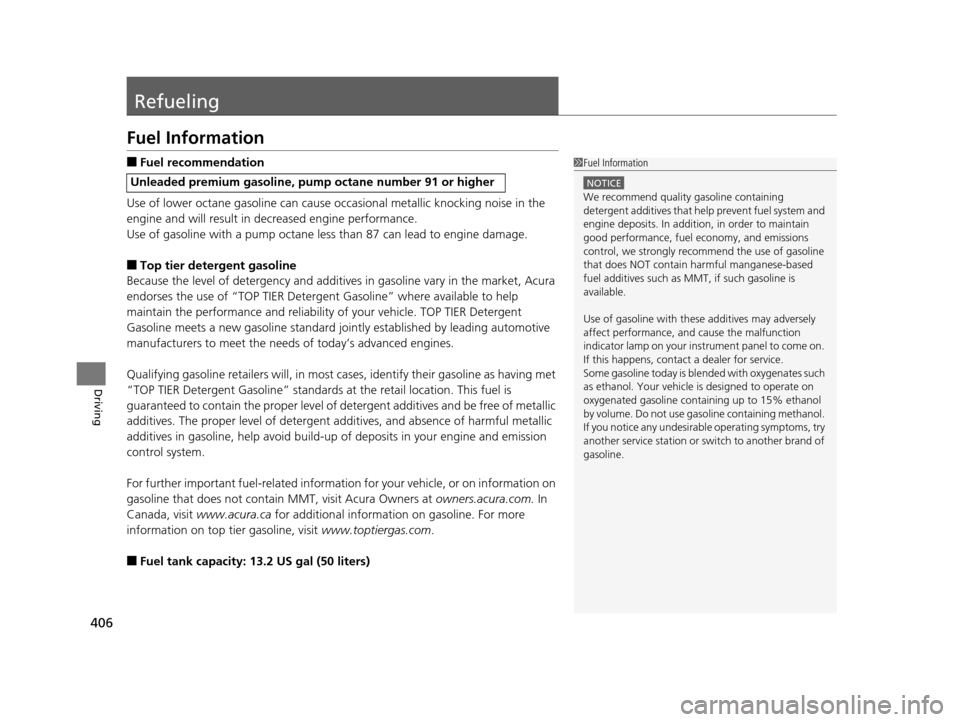
■Fuel recommendation
Use of lower octane gasoline can cause occasional metallic knocking noise in the
engine and will result in decreased engine performance.
Use of gasoline with a pump octane less than 87 can lead to engine damage.
■Top tier detergent gasoline
Because the level of detergency and additives in gasoline vary in the market, Acura
endorses the use of “TOP TIER Deterg ent Gasoline” where available to help
maintain the performance and reliability of your vehicle. TOP TIER Detergent
Gasoline meets a new gasoline standard join tly established by leading automotive
manufacturers to meet the need s of today’s advanced engines.
Qualifying gasoline retailers will, in most ca ses, identify their gasoline as having met
“TOP TIER Detergent Gasoline” standards at the retail location. This fuel is
guaranteed to contain the proper level of detergent additives and be free of metallic
additives. The proper level of detergent additives, and absence of harmful metallic
additives in gasoline, help avoid build-up of deposits in your engine and emission
control system.
For further important fuel-rel ated information for your vehicle, or on information on
gasoline that does not contain MMT, visit Acura Owners at owners.acura.com. In
Canada, visit www.acura.ca for additional informatio n on gasoline. For more
information on top tier gasoline, visit www.toptiergas.com.
■Fuel tank capacity: 13.2 US gal (50 liters)
Unleaded premium gasoline, pump octane number 91 or higher
1Fuel Information
NOTICE
We recommend quality ga soline containing
detergent additives that help prevent fuel system and
engine deposits. In addition, in order to maintain
good performance, fuel economy, and emissions
control, we strongly reco mmend the use of gasoline
that does NOT contain harmful manganese-based
fuel additives such as MMT, if such gasoline is
available.
Use of gasoline with these additives may adversely
affect performance, a nd cause the malfunction
indicator lamp on your inst rument panel to come on.
If this happens, contact a dealer for service.
Some gasoline today is ble nded with oxygenates such
as ethanol. Your vehicle is designed to operate on
oxygenated gasoline containing up to 15% ethanol
by volume. Do not use gaso line containing methanol.
If you notice any undesira ble operating symptoms, try
another service station or sw itch to another brand of
gasoline.
16 ACURA ILX-31TX66300.book 406 ページ 2014年12月22日 月曜日 午後10時15分