Page 307 of 521
uuBluetooth ® HandsFreeLink ®u HFL Menus
306
Features
■To change the pairing code setting
1. Press the SETTINGS button.
2. Rotate to select System Settings, then
press .
u Repeat the procedure to select Edit
pairing code .
3. Rotate to select Fixed or Random ,
then press .1 To change the pairing code setting
The pairing code may be si x or four digits depending
on your phone.
The default pair ing code is 0000 until you change the
setting.
To create your own, select Fixed, and delete the
current code, then enter a new one.
For a randomly generated pa iring code each time you
pair a phone , select Random .
16 ACURA ILX-31TX66300.book 306 ページ 2014年12月22日 月曜日 午後10時15分
Page 308 of 521
Continued307
uuBluetooth ® HandsFreeLink ®u HFL Menus
Features
■To replace an already-paired phone
with a new phone
1. Press the SETTINGS button.
2. Rotate to select Phone Settings, then
press .
u Repeat the procedure to select
Bluetooth Device List .
3. Rotate to select a paired phone you
want to replace, then press .
4. Rotate to select Replace This Device ,
then press .
5. HFL enters the pairing process and searches
a new phone.
u Follow the prompts to pair a new phone.
6. A notification appears on the screen if
pairing is successful.1To replace an already-pair ed phone with a new phone
The replaced phone will keep the same speed dial
entries, and security PIN information from the
previously paired phone.
16 ACURA ILX-31TX66300.book 307 ページ 2014年12月22日 月曜日 午後10時15分
Page 309 of 521
308
uuBluetooth ® HandsFreeLink ®u HFL Menus
Features
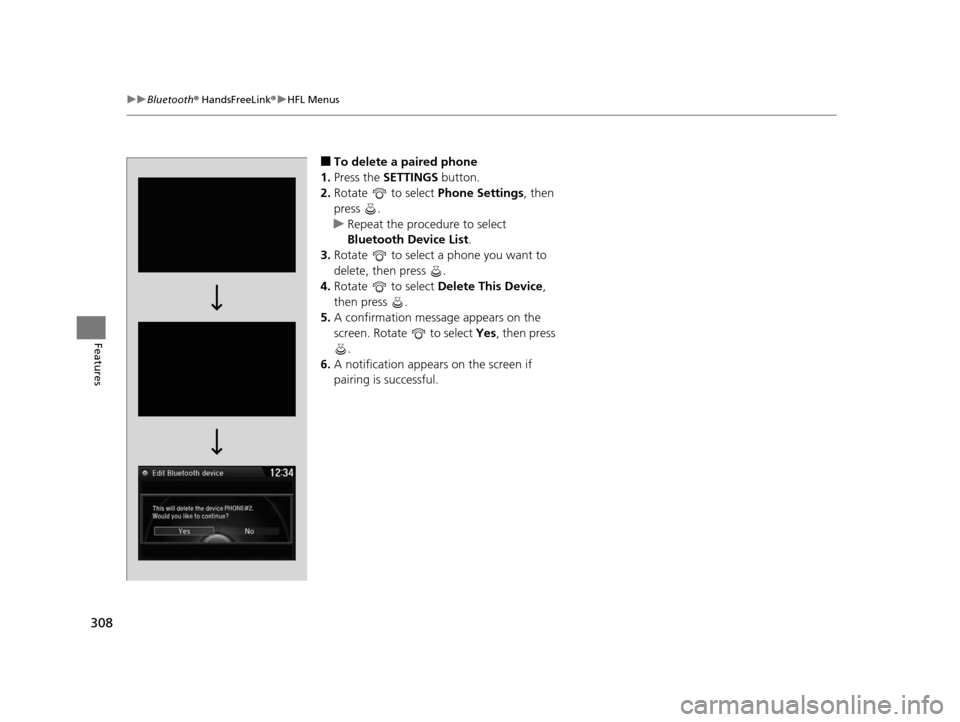
■To delete a paired phone
1. Press the SETTINGS button.
2. Rotate to select Phone Settings, then
press .
u Repeat the procedure to select
Bluetooth Device List.
3. Rotate to select a phone you want to
delete, then press .
4. Rotate to select Delete This Device ,
then press .
5. A confirmation message appears on the
screen. Rotate to select Yes, then press
.
6. A notification appears on the screen if
pairing is successful.
16 ACURA ILX-31TX66300.book 308 ページ 2014年12月22日 月曜日 午後10時15分
Page 310 of 521

Continued309
uuBluetooth ® HandsFreeLink ®u HFL Menus
Features
■To turn on or off the text/e-mail
message function
1. Press the SETTINGS button.
2. Rotate to select Phone Settings, then
press .
u Repeat the procedure to select Enable
Text/Email .
u A pop-up menu appears on the screen.
3. Rotate to select On or Off , then press
.
■To turn on or off the text/e-mail
message notice
1. Press the SETTINGS button.
2. Rotate to select Phone Settings, then
press .
u Repeat the procedure to select New
Text/Email Alert .
u A pop-up menu appears on the screen.
3. Rotate to select On or Off , then press
.
■To Set Up a Text/E-mail Message Option1 To Set Up a Text/E-mail Message Option
To use the text/e-mail message function, you need a
Bluetooth -compatible cell pho ne. For a list of
compatible phones, pairing procedures, and special
feature capabilities:
•U.S.: Visit www.acura.com/handsfreelink , or call 1-
888-528-7876.
•Canada: Visit www.handsfreelink.ca , or call 1-888-
528-7876.
1 To turn on or off the text/e-mail message notice
On : A pop-up notification co mes on every time you
receive a new text message.
Off : The message you receive is stored in the system
without not ification.
16 ACURA ILX-31TX66300.book 309 ページ 2014年12月22日 月曜日 午後10時15分