Page 270 of 402
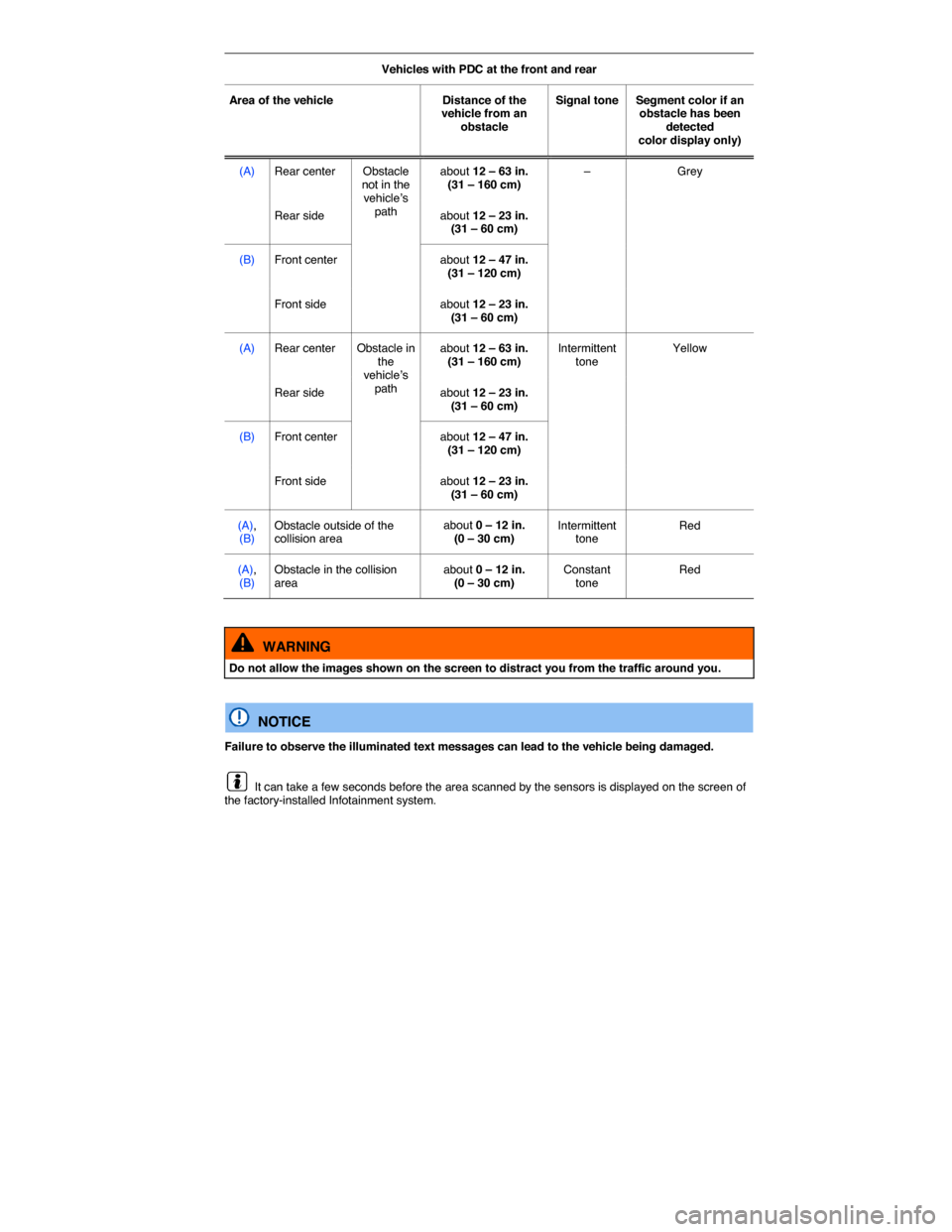
Vehicles with PDC at the front and rear
Area of the vehicle Distance of the vehicle from an obstacle
Signal tone Segment color if an obstacle has been detected color display only)
(A) Rear center Obstacle not in the vehicle’s path
about 12 – 63 in. (31 – 160 cm) – Grey
Rear side about 12 – 23 in. (31 – 60 cm)
(B) Front center about 12 – 47 in. (31 – 120 cm)
Front side about 12 – 23 in. (31 – 60 cm)
(A) Rear center Obstacle in the vehicle’s path
about 12 – 63 in. (31 – 160 cm) Intermittent tone Yellow
Rear side about 12 – 23 in. (31 – 60 cm)
(B) Front center about 12 – 47 in. (31 – 120 cm)
Front side about 12 – 23 in. (31 – 60 cm)
(A), (B) Obstacle outside of the collision area about 0 – 12 in. (0 – 30 cm) Intermittent tone Red
(A), (B) Obstacle in the collision area about 0 – 12 in. (0 – 30 cm) Constant tone Red
WARNING
Do not allow the images shown on the screen to distract you from the traffic around you.
NOTICE
Failure to observe the illuminated text messages can lead to the vehicle being damaged.
It can take a few seconds before the area scanned by the sensors is displayed on the screen of the factory-installed Infotainment system.
Page 272 of 402
Muting the Park Distance Control volume
You can mute the PDC beeping signals by tapping the � function key on Infotainment system screen (if applicable). Tap the function key again to reactivate the acoustic signals.
Switching Park Distance Control back on after it was switched off reactivates the volume. System malfunction warning signals cannot be switched off.
If you manually deactivate the display, PDC remains on and the sound is reactivated.
The mute setting is active if the PDC was switched on using the � button when the selector is in Park (P).
Page 276 of 402
Changes to settings menus are applied immediately, with the exception of engine settings.
WARNING
Driving on today's roads demands the full attention of the driver at all times. Driver distraction causes accidents, collisions and serious personal injury!
x Never let yourself be distracted when setting, adjusting, or using the Infotainment system.
x Always drive attentively and responsibly. Use the Infotainment system only if road, traffic, and weather conditions permit and you will not be distracted from your driving.
Page 282 of 402
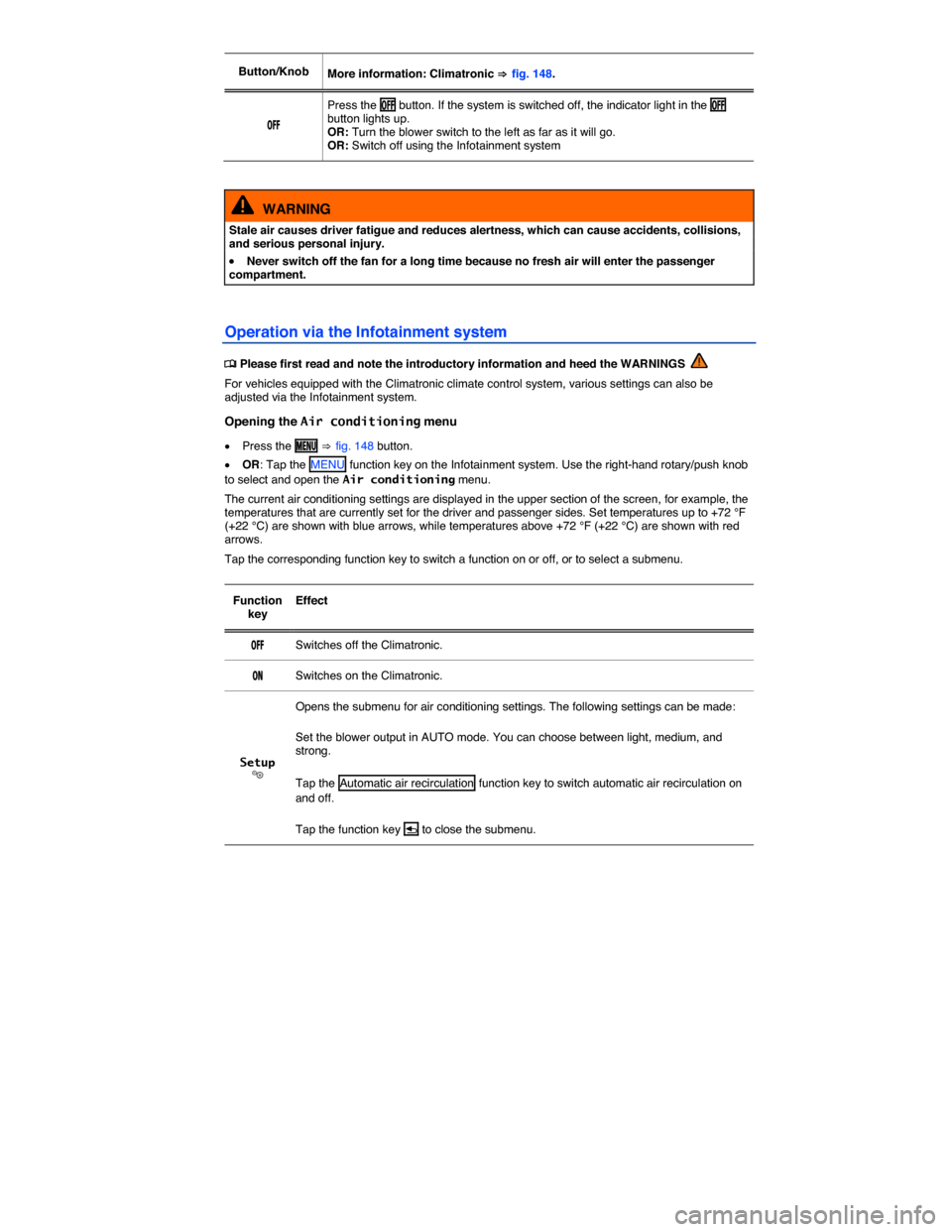
Button/Knob More information: Climatronic ⇒ fig. 148.
/&&
Press the /&& button. If the system is switched off, the indicator light in the /&& button lights up. OR: Turn the blower switch to the left as far as it will go. OR: Switch off using the Infotainment system
WARNING
Stale air causes driver fatigue and reduces alertness, which can cause accidents, collisions, and serious personal injury.
x Never switch off the fan for a long time because no fresh air will enter the passenger compartment.
Operation via the Infotainment system
Page 351 of 402
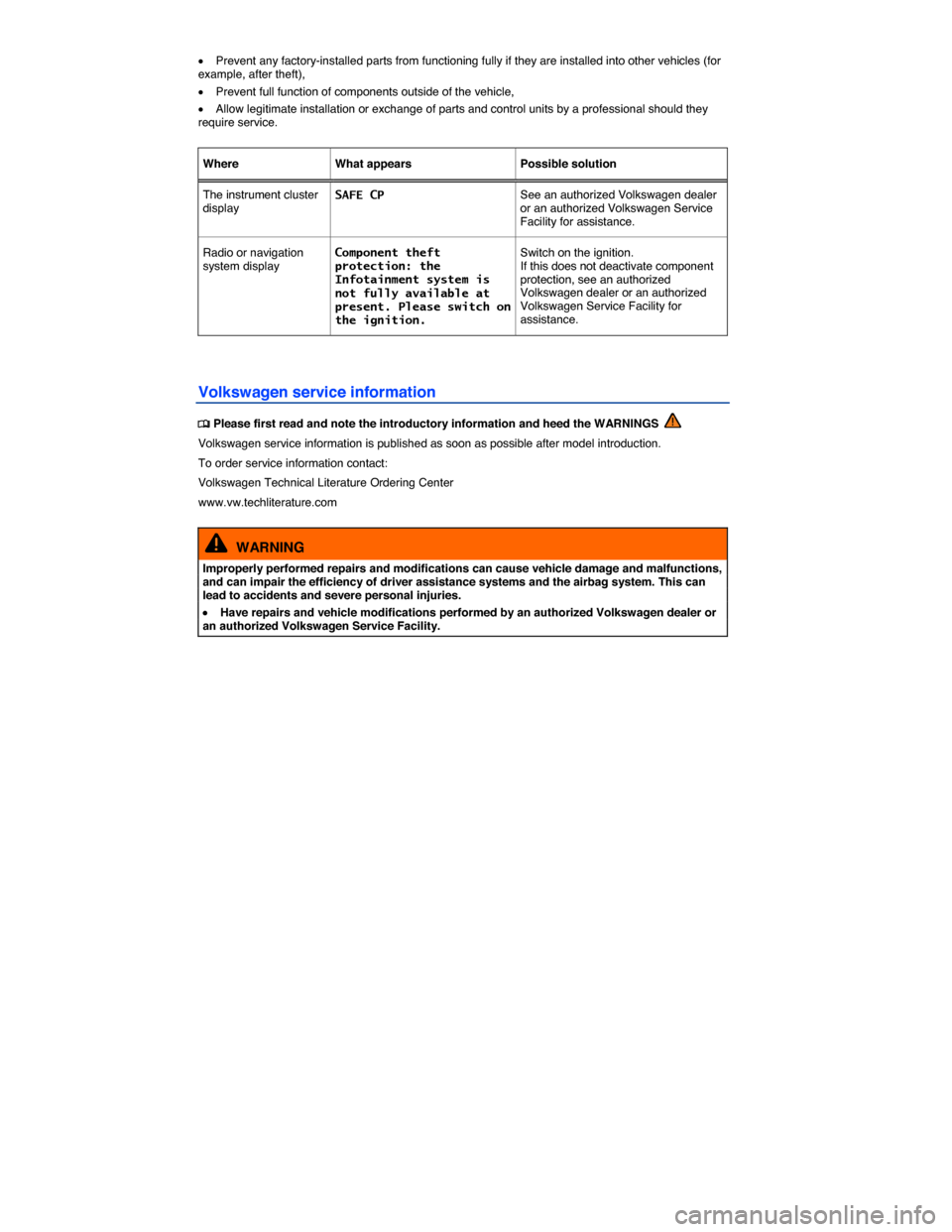
x Prevent any factory-installed parts from functioning fully if they are installed into other vehicles (for example, after theft),
x Prevent full function of components outside of the vehicle,
x Allow legitimate installation or exchange of parts and control units by a professional should they require service.
Where What appears Possible solution
The instrument cluster display SAFE CP See an authorized Volkswagen dealer or an authorized Volkswagen Service Facility for assistance.
Radio or navigation system display Component theft protection: the Infotainment system is not fully available at present. Please switch on the ignition.
Switch on the ignition. If this does not deactivate component protection, see an authorized Volkswagen dealer or an authorized Volkswagen Service Facility for assistance.
Volkswagen service information