Page 262 of 394
Control module display ⇒ fig. 136:
No. Display Meaning Proper re-
sponse
(4) Flashes
of the charging
cable was de-
tected. The high-
voltage battery is
not being
charged. An
overheating can
be caused by:
- A damaged 110
Volt outlet
- Ambient tem-
perature above
113 °F (45 °C)
- A damaged
charging cable
ing cable cool
down.
- Should the
error occur
again, have
charging cable
checked by a
qualified electri-
cal specialist. Go
to an authorized
Volkswagen
dealer or
Volkswagen
service facility for
assistance.
(1) Lights up
The system de-
tected fluctua-
tions in the volt-
age. The high-
voltage battery is
not being
charged
- The charging
process will con-
tinue automati-
cally once the
voltage is stable
again.
- If necessary try
connecting the
cable to another
110 Volt outlet.
- Should the
error occur
again, get expert
assistance from
a qualified elec-
trical installation
specialist.
(4) Flashes
(2) Flashes Excess voltage - Disconnect the
Page 263 of 394
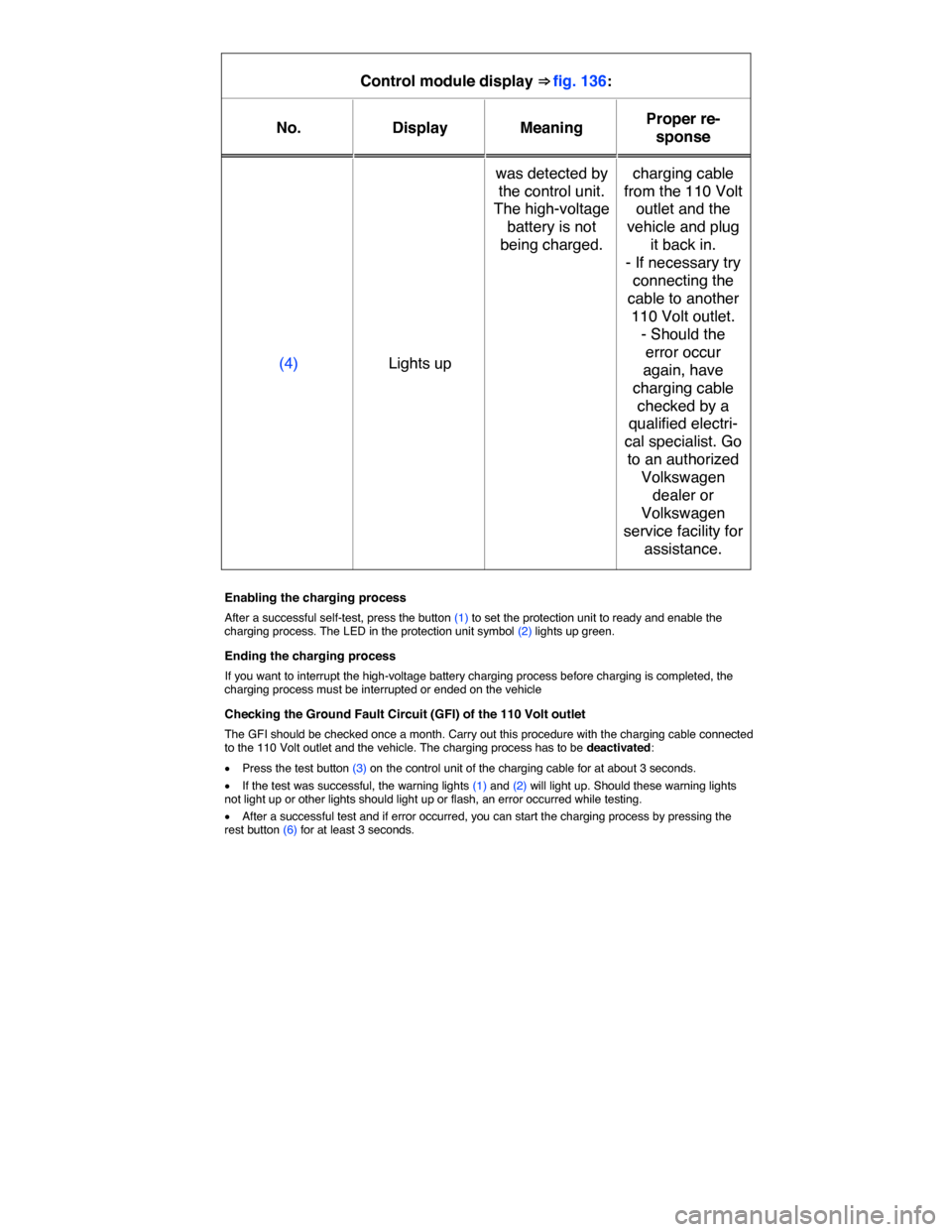
Control module display ⇒ fig. 136:
No. Display Meaning Proper re-
sponse
(4) Lights up
was detected by
the control unit.
The high-voltage
battery is not
being charged.
charging cable
from the 110 Volt
outlet and the
vehicle and plug
it back in.
- If necessary try
connecting the
cable to another
110 Volt outlet.
- Should the
error occur
again, have
charging cable
checked by a
qualified electri-
cal specialist. Go
to an authorized
Volkswagen
dealer or
Volkswagen
service facility for
assistance.
Enabling the charging process
After a successful self-test, press the button (1) to set the protection unit to ready and enable the charging process. The LED in the protection unit symbol (2) lights up green.
Ending the charging process
If you want to interrupt the high-voltage battery charging process before charging is completed, the charging process must be interrupted or ended on the vehicle
Checking the Ground Fault Circuit (GFI) of the 110 Volt outlet
The GFI should be checked once a month. Carry out this procedure with the charging cable connected to the 110 Volt outlet and the vehicle. The charging process has to be deactivated:
x Press the test button (3) on the control unit of the charging cable for at about 3 seconds.
x If the test was successful, the warning lights (1) and (2) will light up. Should these warning lights not light up or other lights should light up or flash, an error occurred while testing.
x After a successful test and if error occurred, you can start the charging process by pressing the rest button (6) for at least 3 seconds.
Page 269 of 394
Charging pro-
cess indicator
light ⇒ fig. 137
(1)
Meaning Proper re-
sponse
(1) Lights up green
permanently.
High-voltage
battery charging
process has
been completed.
Disconnect the
charging con-
nector and close
the charging
socket flap.
(2) Flashes green
permanently.
High-voltage
battery is being
charged.
-
(3) Lights up yellow
briefly.
Charging cable
is connected and
has been detect-
ed by the vehi-
cle.
-
Lights up yellow
permanently.
The charging
cable is con-
nected but there
is no current.
Have the power
supply or the
outlet checked. If
necessary, seek
expert help.
OR: The vehicle
has automatical-
ly unlocked the
charging cable
connector.
Remove the
charging cable
connector.
(4) Flashes yellow. The selector
lever is not in
position P (Park).
Place the selec-
tor lever in posi-
tion P (Park)
Page 270 of 394
Key to ⇒ fig. 138:
Charging pro-
cess indicator
light ⇒ fig. 137
(1)
Meaning Proper re-
sponse
(5) Lights up red. Charging cable
connector could
not be locked
properly in the
charging socket
of the vehicle.
Check whether
the charging
connector is
plugged in cor-
rectly. Pull out
the charging
cable connector
and insert it into
the charging
socket again.
Get expert assis-
tance if neces-
sary.
Flashes red. Error in charging
system. The
high-voltage
battery cannot
be charged.
Get expert assis-
tance.
Page 273 of 394
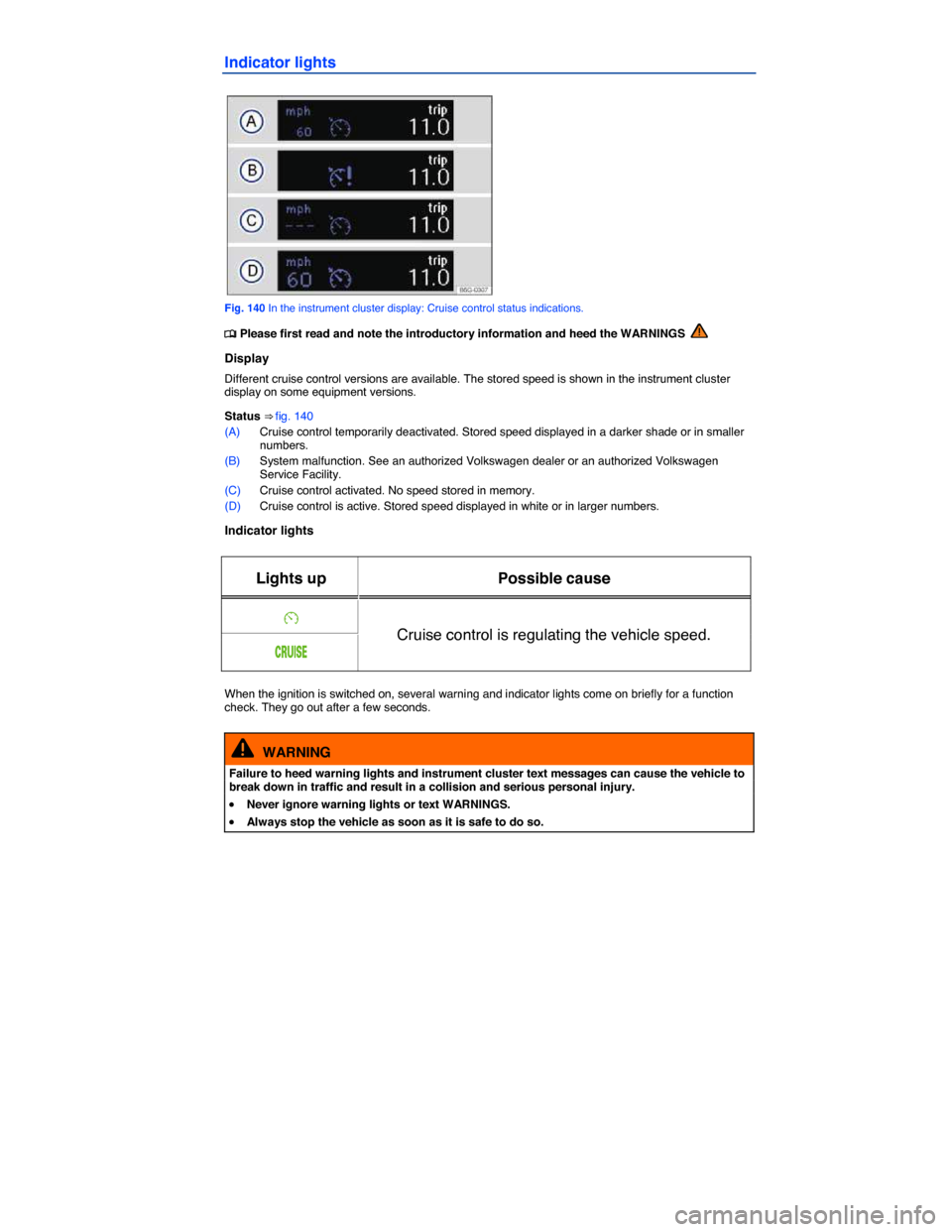
Indicator lights
Fig. 140 In the instrument cluster display: Cruise control status indications.
Page 274 of 394
NOTICE
Failure to heed warning lights or text WARNINGS can result in vehicle damage.
If the cruise control is switched on when the ignition is switched off, it may be switched on auto-matically the next time the ignition is switched on, depending on vehicle equipment. No speed is stored for the cruise control.
The displays may vary depending on vehicle equipment.
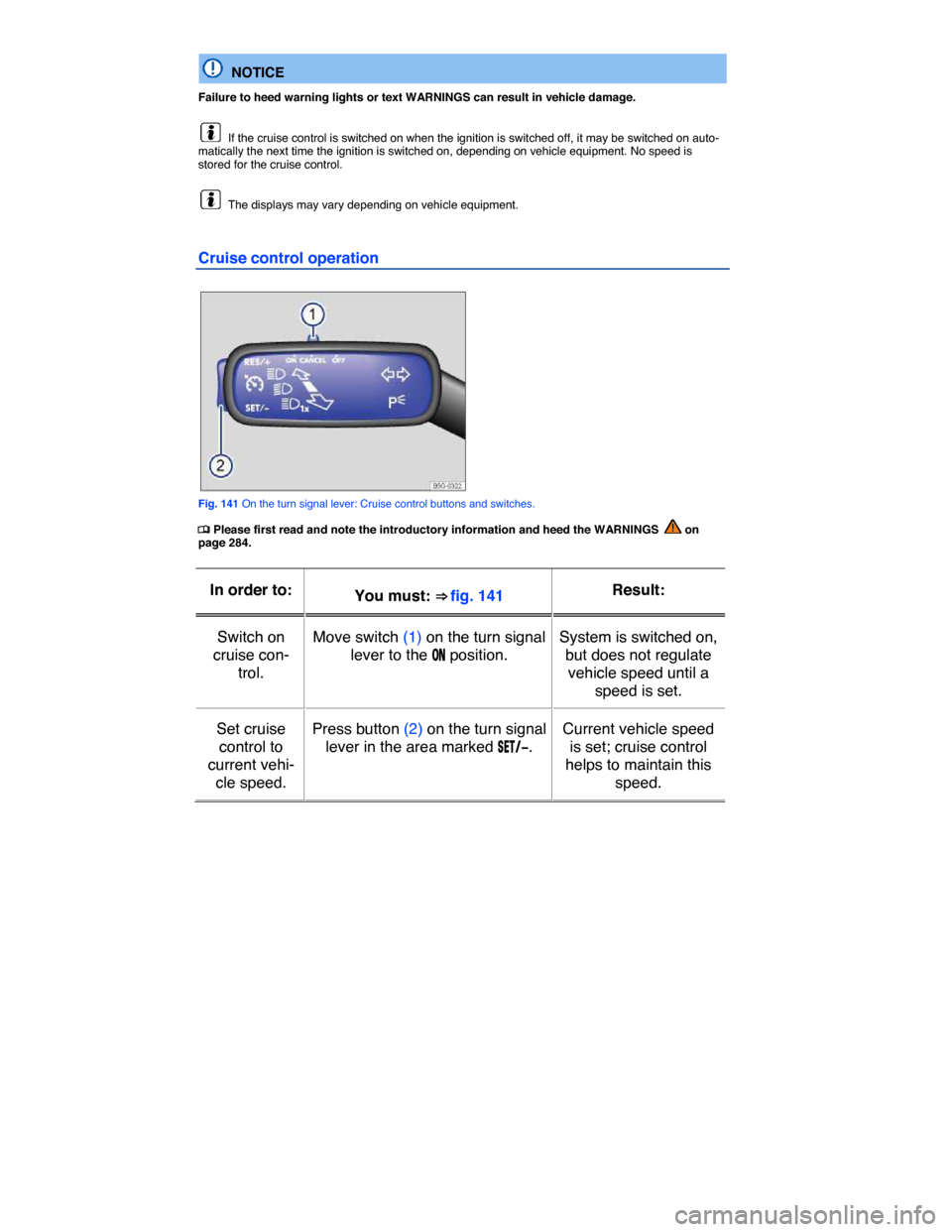
Cruise control operation
Fig. 141 On the turn signal lever: Cruise control buttons and switches.
Page 287 of 394

The indicator light in the � button ⇒ fig. 146 lights up and stays on as long as the feature is active.
Automatic activation
When the PDC is activated automatically, a mini PDC display appears on the left-hand side of the
screen ⇒ fig. 148.
Automatic activation of the PDC when driving slowly towards an obstacle located in front of the vehicle only works when the speed falls below about 6–9 mph (10–15 km/h) for the first time. If the PDC was switched off using the � button, performing one of the following actions with the ignition switched on can automatically reactivate the PDC:
x If the vehicle accelerates to a speed greater than 6–9 mph (10–15 km/h) and then drops below that speed again.
x OR: If the selector lever is moved to Park (P) and then out of that position again.
x OR: If automatic activation is turned off and on again in the Infotainment system.
Automatic activation of the mini PDC display can be turned on or off in the Infotainment system ⇒ Infotainment system.
When the box in the automatic activation function key is checked =, signal chimes sound from a distance of about 20 inches (50 cm) from the obstacle.
WARNING
Never rely completely on the PDC for information about people and objects that might be in the way of the vehicle and could be struck by the vehicle causing serious personal injury.
x The PDC sensors have blind spots where they cannot detect people or objects.
x Always watch for people, especially small children and animals, because the sensors may not always be able to detect them.
If you hear a long beep of about 3 seconds when you first turn PDC on or the indicator light in the button starts blinking, this means there is a malfunction in the Park Distance Control system. Switch off the Park Distance Control system with the button and have it immediately checked by an authorized Volkswagen dealer or an authorized Volkswagen Service Facility.
PDC signal chimes and displays
Fig. 147 PDC display of the area surrounding the vehicle.
Page 302 of 394
The air recirculation mode helps prevent outside air from entering the vehicle interior.
In very hot outside temperatures, temporarily switch to manual air recirculation in order to cool the vehicle interior faster.
For safety reasons, air recirculation is switched off in the following situations ⇒ .
x Manually: The � button is pushed (Climatronic) or the air distribution knob is turned to < (manual air conditioning).
x Automatically: A sensor detects conditions that could cause the windows to fog up.
Switching manual air recirculation on and off
Switching on: Press the 3 button. The indicator light under the button lights up.
Switching off: Press the 3 button. The indicator light under the button goes out.
Switching the automatic air recirculation mode on and off: Climatronic
x Press the -%.5 button.
x Touch the