Page 4 of 728

TABLE OF CONTENTSIndex
4
LC200_OM_OM60L83U_(U)
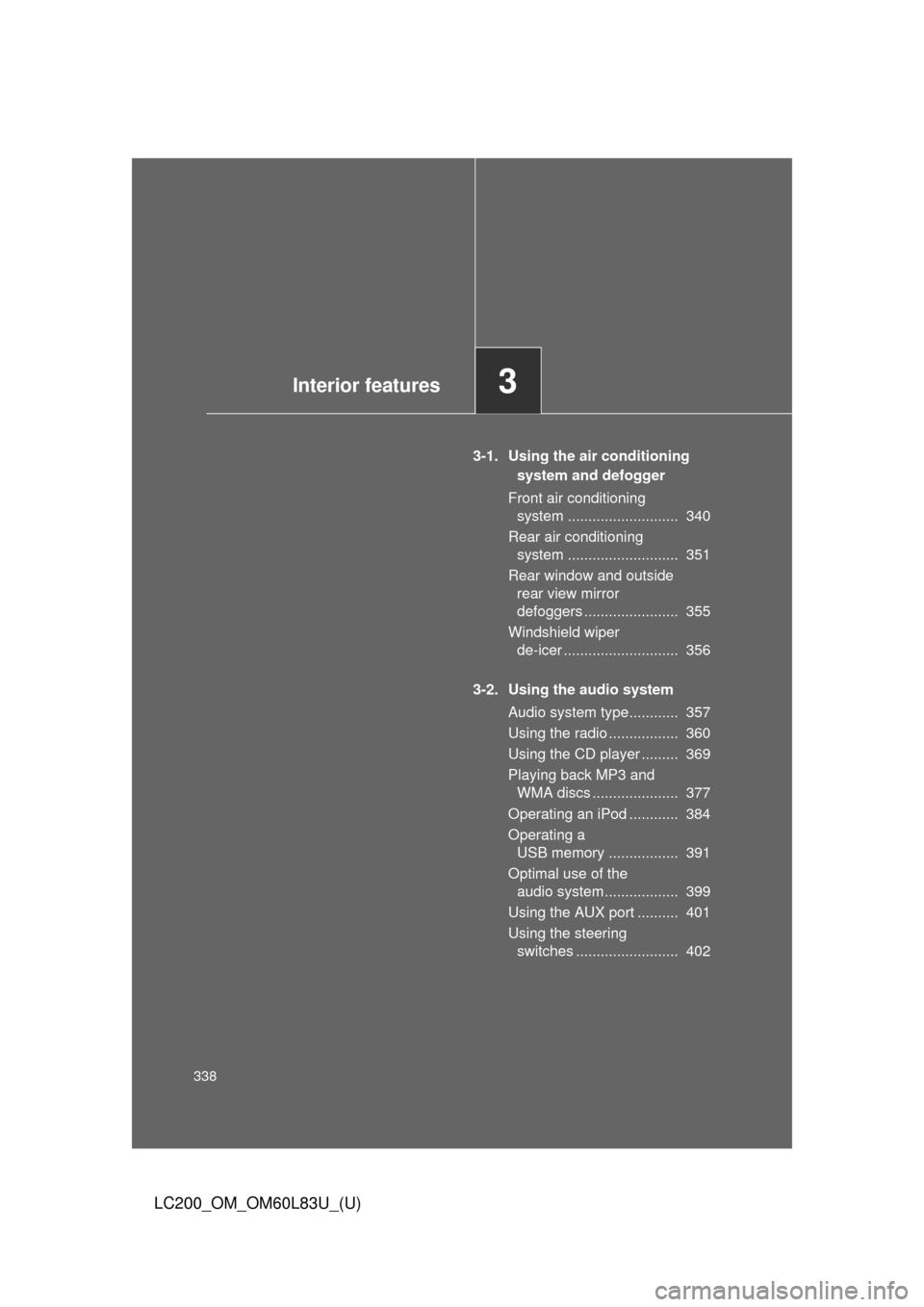
3-1. Using the air conditioning system and defogger
Front air conditioning system .............................. 340
Rear air conditioning system .............................. 351
Rear window and outside rear view mirror
defoggers ......................... 355
Windshield wiper de-icer .............................. 356
3-2. Using the audio system Audio system type .............. 357
Using the radio ................... 360
Using the CD player ........... 369
Playing back MP3 and WMA discs ....................... 377
Operating an iPod .............. 384
Operating a USB memory .................... 391
Optimal use of the audio system .............................. 399
Using the AUX port ............ 401
Using the steering switches ........................... 402 3-3. Using the Bluetooth
®
audio system
Bluetooth
® audio system .... 406
Using the Bluetooth®
audio system .................... 410
Operating a Bluetooth
®
enabled portable player .... 416
Setting up a Bluetooth
®
enabled portable player .... 419
Bluetooth
® audio system
setup ................................. 426
3-4. Using the hands-free system (for cellular phone)
Hands-free system (for cellular phone) ........... 427
Using the hands-free system .............................. 432
Making a phone call............ 440
Setting a cellular phone ...... 445
Security and system setup ................................. 451
Using the phone book......... 457
3-5. Using the interior lights Interior lights list.................. 466
• Interior lights ..................... 467
• Personal lights .................. 468
3Interior features
Page 5 of 728

1
2
3
4
5
6
7
5
LC200_OM_OM60L83U_(U)
3-6. Using the storage featuresList of storage features ....... 470
• Glove box.......................... 471
• Console box ...................... 472
• Overhead console............. 473
• Cup holders ...................... 474
• Bottle holders .................... 476
• Card holders ..................... 478
• Auxiliary boxes.................. 478
3-7. Other interior features Cool box .............................. 479
Sun visors ........................... 481
Vanity mirror........................ 482
Clock ................................... 483
Outside temperature display............................... 484
Ashtrays .............................. 486
Cigarette lighter................... 488
Power outlets ...................... 489
Heated steering wheel ........ 491
Seat heaters and ventilators ......................... 493
Armrest ............................... 495
Assist grips.......................... 496
Floor mats ........................... 497
Luggage compartment features ............................. 499
Garage door opener............ 501
Safety Connect ................... 508 4-1. Maintenance and care
Cleaning and protecting the vehicle exterior ........... 516
Cleaning and protecting the vehicle interior ............ 519
4-2. Maintenance Maintenance requirements .................... 522
General maintenance ......... 525
Emission inspection and maintenance (I/M)
programs .......................... 528
4-3. Do-it-yourself maintenance Do-it-yourself service precautions....................... 529
Hood ................................... 532
Engine compartment .......... 533
Tires ................................... 548
Tire inflation pressure ......... 557
Wheels ............................... 561
Air conditioning filter ........... 564
Electronic key battery ......... 567
Checking and replacing fuses ................. 570
Headlight aim ..................... 584
Light bulbs .......................... 586
4Maintenance and care
Page 13 of 728
13
LC200_OM_OM60L83U_(U)
ççççç
ECT switch P. 176
Shift lock override button P. 657
Front seat heater/ventilator switch
P. 493
C
Shift lever P. 175
Crawl Control switch
Multi-terrain Select mode select
switch P. 249
P. 255
Cigarette lighter P. 488
Power outlet P. 489
Ashtray P. 486
AUX port/USB port P. 384, 391, 401
Parking brake lever P. 181
Page 309 of 728
309
2-5. Driving information
2
When driving
LC200_OM_OM60L83U_(U)
CAUTION
■Things that must not be carried in the luggage compartment
The following things may cause a fire if loaded in the luggage compart-
ment.
●Receptacles containing gasoline
●Aerosol cans
■Storage precautions
Observe the following precautions.
Failing to do so may result in death or serious injury.
●Stow cargo and luggage in the luggage compartment whenever possi-
ble.
●Do not stack anything in the luggage compartment higher than the
seatbacks.
Such items may be thrown about and possibly injure people in the
vehicle during sudden braking, sudden swerving or in an accident.
●Do not place cargo or luggage in or on the following locations as the
item may get under the brake or accelerator pedal and prevent the
pedals from being depressed properly,
block the driver’s vision, or hit
the driver or passengers, causing an accident.
• Feet of the driver
• Front passenger or rear seats (when stacking items)
• Instrument panel
• Dashboard
• Auxiliary box or tray that has no lid
●Secure all items in the occupant compartment, as they may shift and
injure someone during sudden braking, sudden swerving or an acci-
dent.
●When you fold down the rear seats, long items should not be placed
directly behind the front seats.
●Never allow anyone to ride in the luggage compartment. It is not
designed for passengers. They should ride in their seats with their seat
belts properly fastened. Otherwise, they are much more likely to suffer
death or serious injury, in the event of sudden braking, sudden swerv-
ing or an accident.
Page 338 of 728
338
LC200_OM_OM60L83U_(U)
3-1. Using the air conditioning system and defogger
Front air conditioning system ........................... 340
Rear air conditioning system ........................... 351
Rear window and outside rear view mirror
defoggers ....................... 355
Windshield wiper de-icer ............................ 356
3-2. Using the audio system Audio system type............ 357
Using the radio ................. 360
Using the CD player ......... 369
Playing back MP3 and WMA discs ..................... 377
Operating an iPod ............ 384
Operating a USB memory ................. 391
Optimal use of the audio system.................. 399
Using the AUX port .......... 401
Using the steering switches ......................... 402
Interior features3
Page 339 of 728
339
LC200_OM_OM60L83U_(U)
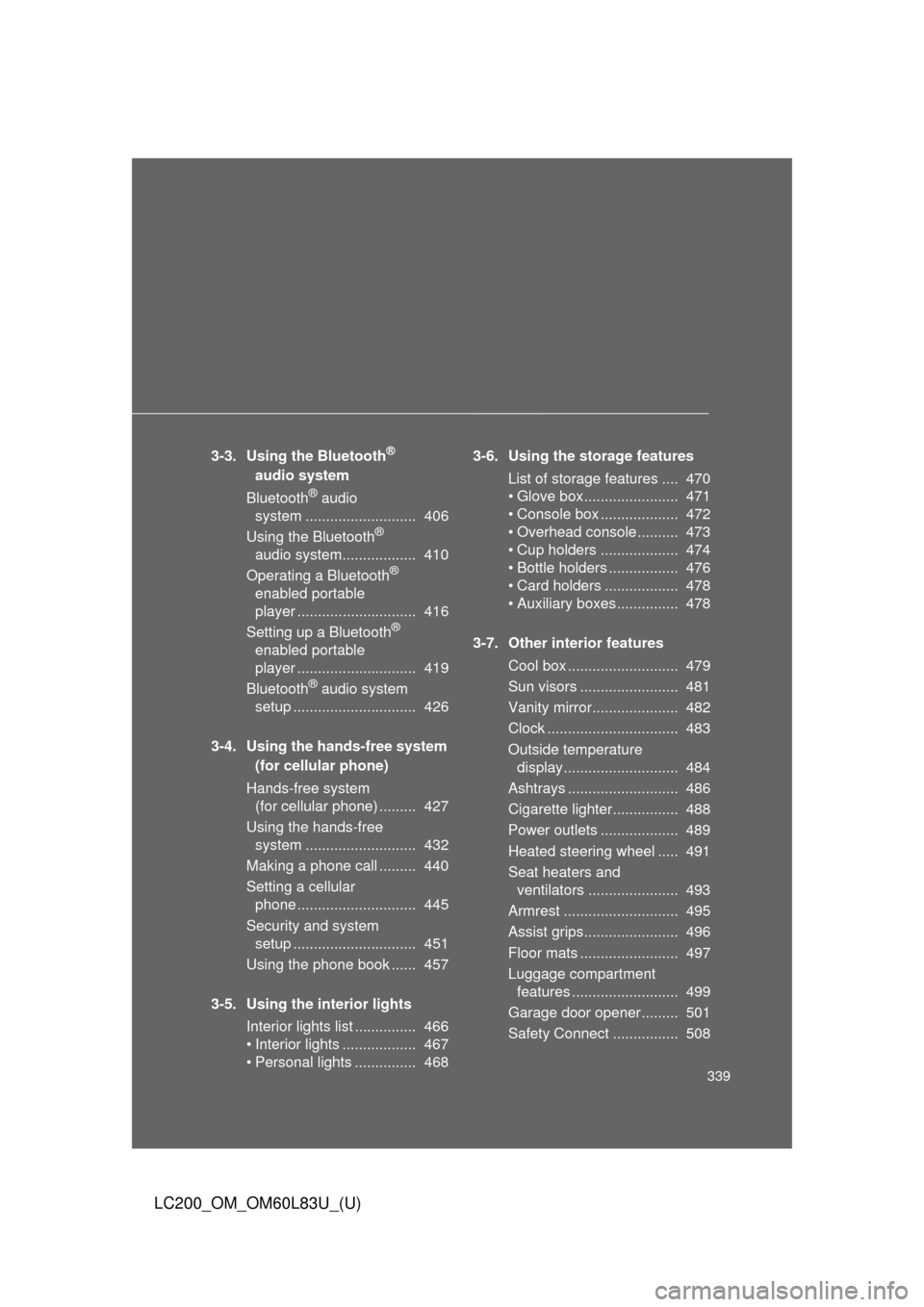
3-3. Using the Bluetooth®
audio system
Bluetooth
® audio
system ........................... 406
Using the Bluetooth
®
audio system.................. 410
Operating a Bluetooth
®
enabled portable
player ............................. 416
Setting up a Bluetooth
®
enabled portable
player ............................. 419
Bluetooth
® audio system
setup .............................. 426
3-4. Using the hands-free system (for cellular phone)
Hands-free system (for cellular phone) ......... 427
Using the hands-free system ........................... 432
Making a phone call ......... 440
Setting a cellular phone ............................. 445
Security and system setup .............................. 451
Using the phone book ...... 457
3-5. Using the interior lights Interior lights list ............... 466
• Interior lights .................. 467
• Personal lights ............... 468 3-6. Using the storage features
List of storage features .... 470
• Glove box....................... 471
• Console box ................... 472
• Overhead console .......... 473
• Cup holders ................... 474
• Bottle holders ................. 476
• Card holders .................. 478
• Auxiliary boxes............... 478
3-7. Other interior features Cool box ........................... 479
Sun visors ........................ 481
Vanity mirror..................... 482
Clock ................................ 483
Outside temperature display............................ 484
Ashtrays ........................... 486
Cigarette lighter................ 488
Power outlets ................... 489
Heated steering wheel ..... 491
Seat heaters and ventilators ...................... 493
Armrest ............................ 495
Assist grips....................... 496
Floor mats ........................ 497
Luggage compartment features .......................... 499
Garage door opener......... 501
Safety Connect ................ 508
Page 358 of 728
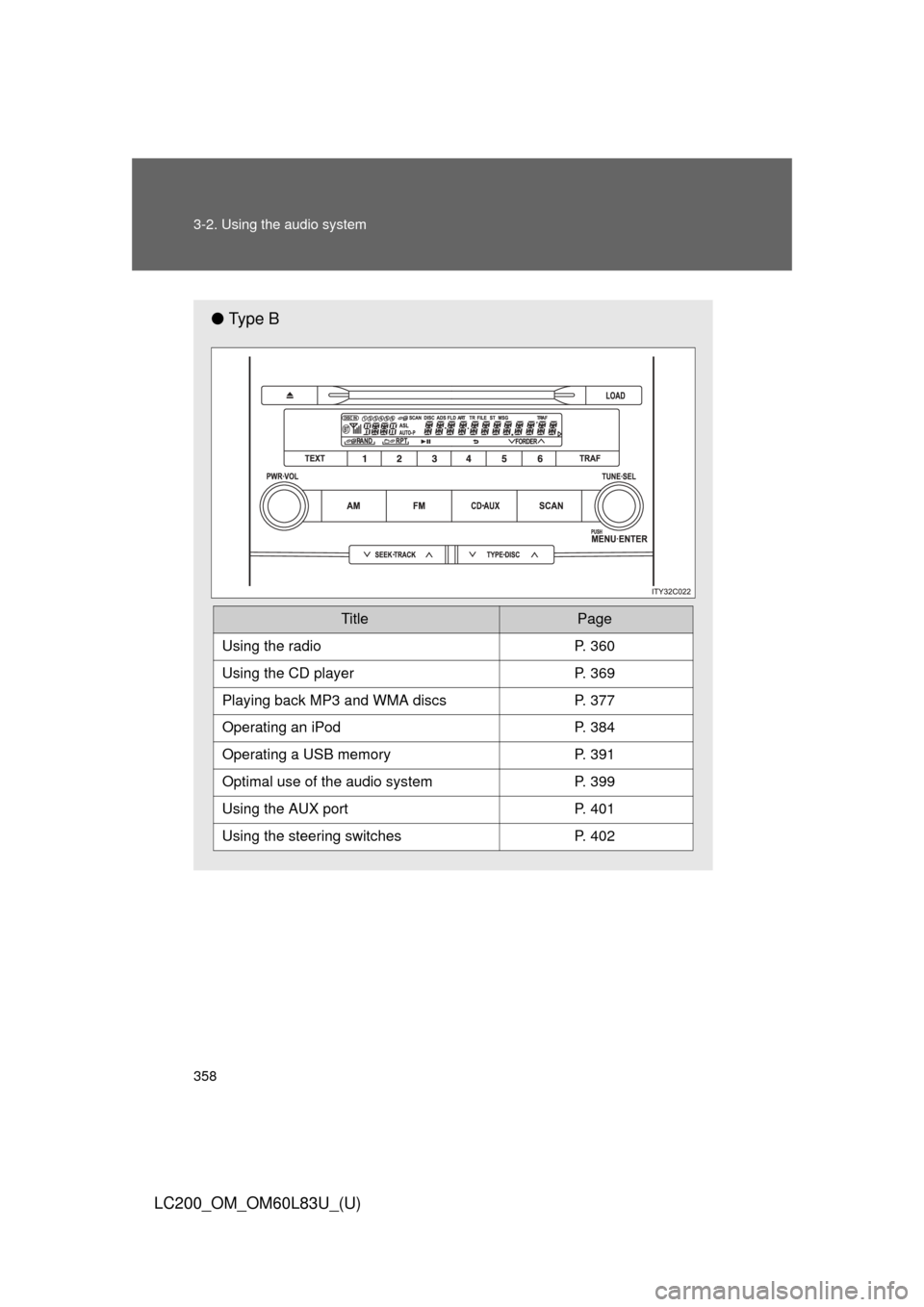
358 3-2. Using the audio system
LC200_OM_OM60L83U_(U)
●Ty p e B
TitlePage
Using the radioP. 360
Using the CD playerP. 369
Playing back MP3 and WMA discs P. 377
Operating an iPodP. 384
Operating a USB memoryP. 391
Optimal use of the audio systemP. 399
Using the AUX portP. 401
Using the steering switchesP. 402
Page 401 of 728
401
3-2. Using the audio system
3
Interior features
LC200_OM_OM60L83U_(U)
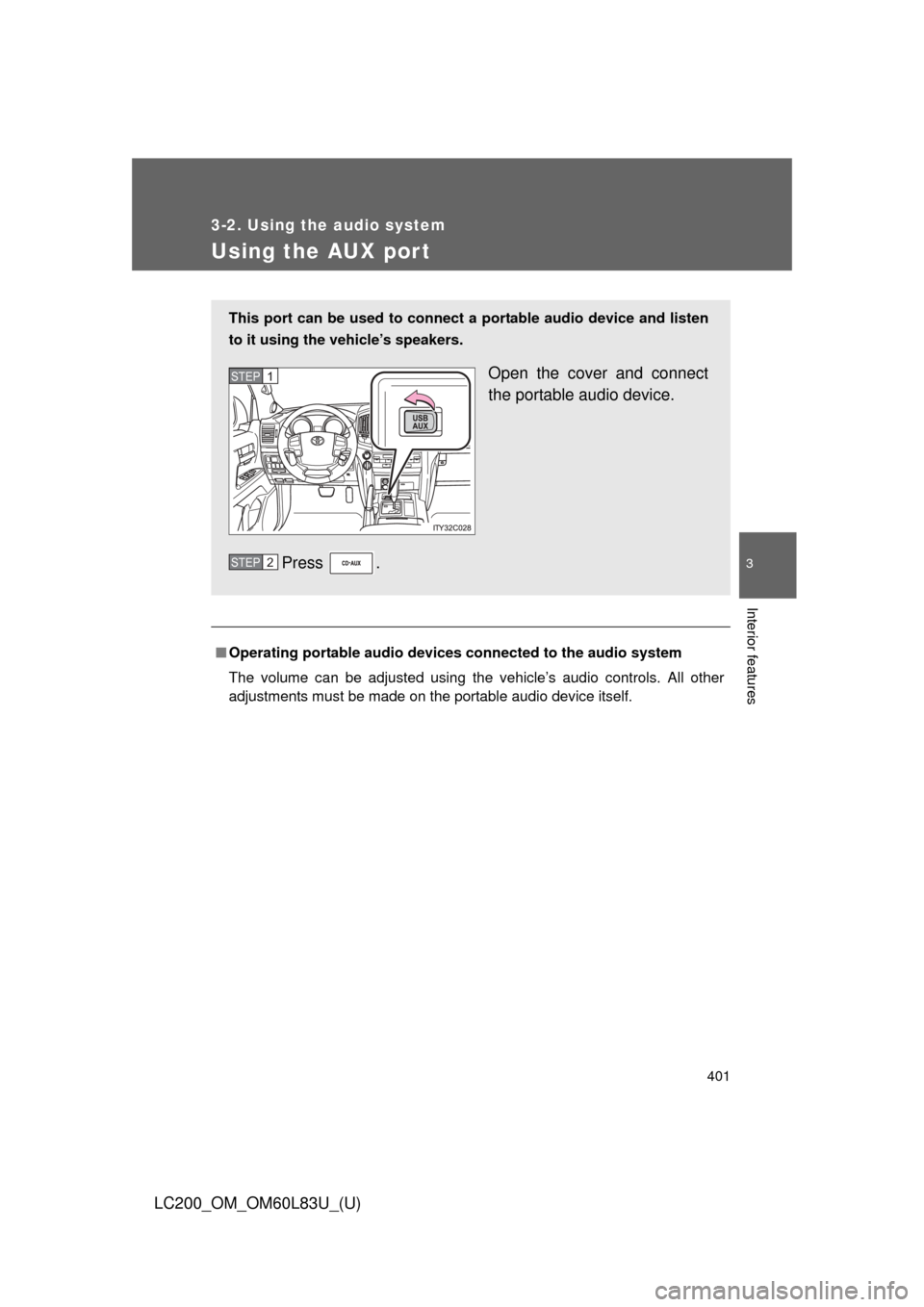
Using the AUX port
■Operating portable audio devices connected to the audio system
The volume can be adjusted using the vehicle’s audio controls. All other
adjustments must be made on the portable audio device itself.
This port can be used to connect a portable audio device and listen
to it using the vehicle’s speakers.
Open the cover and connect
the portable audio device.
Press .STEP1
STEP2