Page 135 of 427
135
1. PHONE OPERATION
4
PHONE
L/C200_Navi_OM60M04U_(U)
14.05.28 15:38
Bluetooth is a registered trademark of
Bluetooth SIG, Inc.The microphone can be used when talking
on the phone.
INFORMATION
● If your cellular phone does not support
HFP, registering the Bluetooth® phone
or using OPP, PBAP , MAP or SPP pro-
files individually will not be possible.
● If the connected Bluetooth
® phone ver-
sion is older than recommended or
incompatible, this function may not be
used.
● Refer to http://www.toyota.
com/Bluetooth/
to find approved Bluetooth® phones for
this system.
USING THE PHONE SWITCH
By pressing the phone switch, a call
can be received or ended without tak-
ing your hands off the steering wheel.
Page 136 of 427

136
1. PHONE OPERATION
L/C200_Navi_OM60M04U_(U)
14.05.28 15:38
Volume control switch
Press the “+” side to increase the volume.
Press the “-” side to decrease the vol-
ume.
The following data is stored for every reg-
istered phone. When another phone is
connected, the following registered data
cannot be read:
• Phonebook data
• Call history data
• Speed dial data
• Image data
• Messages
• Quick reply messages
• All phone settings
INFORMATION
●The other party’s voice will be heard
from the front speakers. The audio/video
system will be muted during phone calls
or when hands-free voice commands
are used.
● Talk alternately with the other party on
the phone. If both parties speak at the
same time, the other party may not hear
what has been said. (This is not a mal-
function.)
● Keep call volume down. Otherwise, the
other party’s voice may be audible out-
side the vehicle and voice echo may
increase. When talking on the phone,
speak clearly towards the microphone.
● The other party may not hear you clearly
when:
• Driving on an unpaved road. (Making
excessive traffic noise.)
• Driving at high speeds.
• The roof or windows are open.
• The air conditioning vents are pointed towards the microphone.
• The sound of the air-conditioning fan is loud.
• There is a negative effect on sound quality due to the phone and/or net-
work being used.
USING THE STEERING
SWITCHES
ABOUT THE PHONEBOOK IN
THIS SYSTEM
INFORMATION
● When a phone’s registration is deleted,
the above-mentioned data is also
deleted.
Page 137 of 427

137
1. PHONE OPERATION
4
PHONE
L/C200_Navi_OM60M04U_(U)
14.05.28 15:38
The following data in the system can be
initialized:
• Phonebook data
• Call history data
• Speed dial data
• Image data
• All phone settings
• Message settings
WHEN SELLING OR
DISPOSING OF THE VEHICLE
A lot of personal data is registered
when the hands-free system is used.
When selling or disposing of the vehi-
cle, initialize the data. (See “DELET-
ING PERSONAL DATA” on page 53.)
INFORMATION
●Once initialized, the data and settings
will be erased. Pay much attention when
initializing the data.
FCC ID : AJDK041
This device complies with part 15 of the
FCC Rules. Operation is subject to the
following two conditions: (1) This device
may not cause harmful interference,
and (2) this device must accept any
interference received, including
interference that may cause undesired
operation.
CAUTION
●FCC WARNING: Changes or
modifications not expressly approved by
the party responsible for compliance
could void the user’s authority to operate
the equipment.
● CAUTION: This equipment complies
with FCC radiation exposure limits set
forth for an uncontrolled environment
and meets the FCC radio frequency
(RF) Exposure Guidelines in
Supplement C to OET65. This
equipment has very low levels of RF
energy that it deemed to comply without
maximum permissive exposure
evaluation (MPE). But it is desirable that
it should be installed and operated
keeping the radiator at least 20 cm or
more away from person’s body
(excluding extremities: hands, wrists,
feet and ankles).
● Co-location: This transmitter must not be
co-located or operated in conjunction
with any other antenna or transmitter.
Page 138 of 427

138
1. PHONE OPERATION
L/C200_Navi_OM60M04U_(U)
14.05.28 15:38
3. REGISTER A Bluetooth® PHONE
1Press the button or the switch
on the steering wheel.
2Touch “Yes” to register a phone.
If 5 Bluetooth® devices have already been
registered, a registered device needs to
be deleted. See “When 5 Bluetooth
®
devices have already been registered” on
page 139.
3When this screen is displayed, operate
the Bluetooth
® device.
Search for the navigation system dis-
played on the system’s screen using your
Bluetooth
® device, and register the
Bluetooth® device.
For details about operating the Bluetooth®
device, see the manual that comes with it.
A passcode is not required for SSP
(Secure Simple Pairing) compatible
Bluetooth
® phones. Depending on the
type of Bluetooth® phone being
connected, a message confirming
registration may be displayed on the
Bluetooth
® phone’s screen. Respond and
operate the Bluetooth® phone according
to the confirmation message.
To cancel the registration, touch
“Cancel” .
If the Bluetooth
® phone to be registered
has a Bluetooth® audio function, this can
be registered at the same time.
4This screen will be displayed when
registration is complete.
When using the same phone, it is not nec-
essary to register it again.
To use the hands-free system, it is
necessary to register a phone with the
system. Once the phone has been reg-
istered, it is possible to make a hands-
free call.
If a Bluetooth
® phone has not been
registered yet, it is necessary to regis-
ter it first according to the following pro-
cedure. A Bluetooth
® phone cannot be
registered while driving.
See “REGISTERING A Bluetooth®
DEVICE” on page 179 of additional reg-
istration when registering.
Page 139 of 427

139
1. PHONE OPERATION
4
PHONE
L/C200_Navi_OM60M04U_(U)
14.05.28 15:38
When this screen is di splayed, follow the
guidance on the screen to try again.
When another Bluetooth® device is con-
nected
When another Bluetooth
® device is cur-
rently connected, this screen is displayed.
To disconnect the Bluetooth
® device,
touch “Yes”.
When 5 Bluetooth® devices have al-
ready been registered
1When 5 Bluetooth® devices have al-
ready been registered, a registered
de-
vice
needs to be deleted. Touch “Yes”
to delete 1 or more.
2Touch the device to be deleted, then
touch “Remove” .
3Touch “Yes”.
If the Bluetooth
® phone has a
Bluetooth® audio function
When the Bluetooth® phone to be regis-
tered has a Bluetooth® audio function, this
audio function will be registered automati-
cally at the same time and this screen may
be displayed. If this screen is displayed,
touch “Yes” to connect the audio function
or touch “No” to cancel the connection.
For automatic connection, see “CHANG-
ING “Bluetooth* Power”” on page 186.
*: Bluetooth is a regi stered trademark of
Bluetooth SIG, Inc.
CONNECTING A Bluetooth®
PHONE
AUTOMATICALLY
When a phone is registered, auto con-
nection is turned on. Always set it to
this mode and leave the Bluetooth
®
phone in a location where connection
can be established.
Page 140 of 427
140
1. PHONE OPERATION
L/C200_Navi_OM60M04U_(U)
14.05.28 15:38
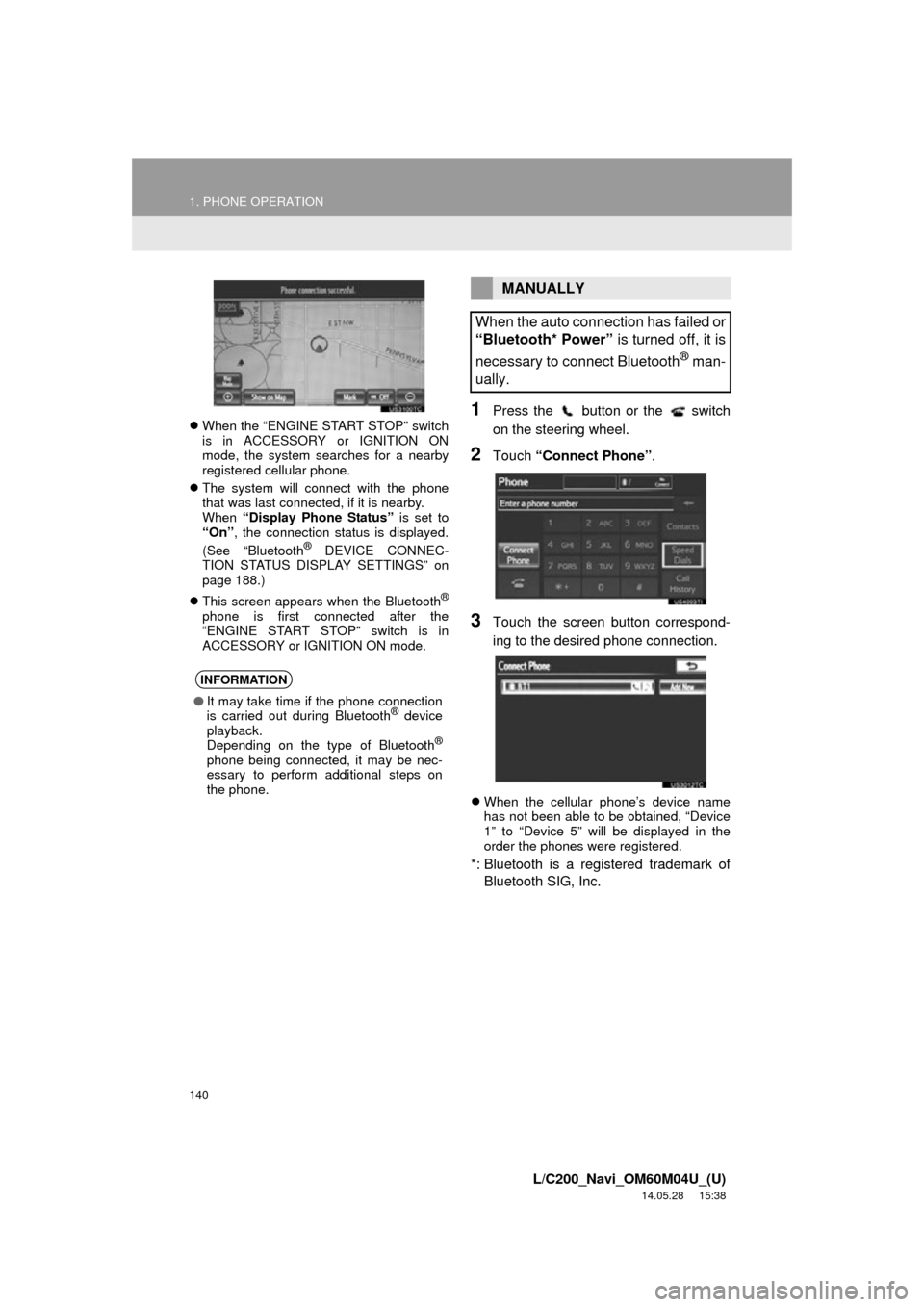
When the “ENGINE START STOP” switch
is in ACCESSORY or IGNITION ON
mode, the system searches for a nearby
registered cellular phone.
The system will connect with the phone
that was last connected, if it is nearby.
When “Display Phone Status” is set to
“On” , the connection status is displayed.
(See “Bluetooth
® DEVICE CONNEC-
TION STATUS DISPLAY SETTINGS” on
page 188.)
This screen appears when the Bluetooth
®
phone is first connected after the
“ENGINE START STOP” switch is in
ACCESSORY or IGNITION ON mode.
1Press the button or the switch
on the steering wheel.
2Touch “Connect Phone” .
3Touch the screen button correspond-
ing to the desired phone connection.
When the cellular phone’s device name
has not been able to be obtained, “Device
1” to “Device 5” will be displayed in the
order the phones were registered.
*: Bluetooth is a registered trademark of
Bluetooth SIG, Inc.
INFORMATION
● It may take time if the phone connection
is carried out during Bluetooth® device
playback.
Depending on the type of Bluetooth
®
phone being connected, it may be nec-
essary to perform additional steps on
the phone.
MANUALLY
When the auto connection has failed or
“Bluetooth* Power” is turned off, it is
necessary to connect Bluetooth
® man-
ually.
Page 141 of 427
141
1. PHONE OPERATION
4
PHONE
L/C200_Navi_OM60M04U_(U)
14.05.28 15:38
4This screen is displayed.
5When the connection is completed,
this screen is displayed.
Now you can use the Bluetooth® phone.
When a phone is connected while
Bluetooth® audio is playing
This screen is displayed, and the
Bluetooth® audio will stop temporarily.
If a Bluetooth
® phone is disconnected on
purpose, such as turning it off, this does
not happen. Reconnect the Bluetooth
®
phone manually.
RECONNECTING THE
Bluetooth® PHONE
If a Bluetooth® phone is disconnected
due to poor reception from the
Bluetooth
® network when the
“ENGINE START STOP” switch is in
ACCESSORY or IG NITION ON mode,
the system automatically reconnects
the Bluetooth
® phone. When “Display
Phone Status” is set to “On”, the
connection status is displayed.
Page 142 of 427

142
1. PHONE OPERATION
L/C200_Navi_OM60M04U_(U)
14.05.28 15:38
4. CALL ON THE Bluetooth® PHONE
1Press the button or the switch
on the steering wheel.
2Touch the desired key to input the
phone number.
Each time is touched, an input digit
is deleted.
3Touch or press the switch
on the steering wheel.
Depending on the type of Bluetooth®
phone being connected, it may be neces-
sary to perform additional steps on the
phone.
1Touch “Contacts” .
2Touch the desired data from the list.
After a Bluetooth® phone has been
registered, a call can be made using
the hands-free system. There are 7
methods by which a call can be made.
These are described below.
BY DIAL
A call can be made by inputting the
phone number.
This cannot be operated while driving.
BY PHONEBOOK
Calls can be made by using the phone-
book data which is transferred from the
registered cellular phone.
The phonebook changes depending
on the phone connected. Up to 1000
contacts (maximum of 3 numbers per
contact) can be registered in each
phonebook.
This cannot be operated while driving.

