Page 152 of 464
152 1-7. Safety information
Deactivating the front passenger airbag
Vehicles without a smart entry
& start system
Insert the key into the cylinder
and turn to the “OFF” position.
The “OFF” indicator light turns on
(only when the engine switch is in
the “ON” position).
Vehicles with a smart entry &
start system
Insert the mechanical key into
the cylinder and rotate to the
“OFF” position.
The “OFF” indicator light turns on
(only when the “ENGINE START
STOP” switch is in IGNITION ON
mode).
Page 153 of 464

153 1-7. Safety information
1
Before driving
Airbag manual on-off indicator information
The front passenger’s front airbag ON and OFF indicators shows you the
status of the front passenger’s SRS front airbag. When the engine switch
is turned to the “ON” position (vehicles without a smart entry & start sys-
tem) or the “ENGINE START STOP” switch is turned to IGNITION ON
mode (vehicles with a smart entry & start system), both the ON and OFF
indicators illuminate while the system is checked, after which both indica-
tors turn off. After that, “ON” or “OFF” on the ON-OFF indicator will be
illuminated according to the position of the airbag manual on-off switch.
If any of the following problems occur, it is possible that there is a mal-
function in the system. Have the vehicle inspected by any authorized
Toyota dealer or repairer, or another duly qualified and equipped profes-
sional.
• Neither “ON” nor “OFF” comes on.
• The indicator light does not change when the airbag manual on-off
switch is switched to “ON” or “OFF”.
CAUTION
When installing a child restraint system
For safety reasons, always install a child restraint system in a rear seat. In
the event that the rear seat cannot be used, the front seat can be used as
long as the airbag manual on-off system is set to “OFF”.
If the airbag manual on-off system is left on, the strong impact of the airbag
deployment (inflation) may cause serious injury or even death.
When a child restraint system is not installed on the front passenger
seat
Ensure that the airbag manual on-off system is set to “ON”.
If it is left off, the airbag may not deploy in the event of an accident, which
may result in serious injury or even death.
Page 155 of 464
2When driving
155
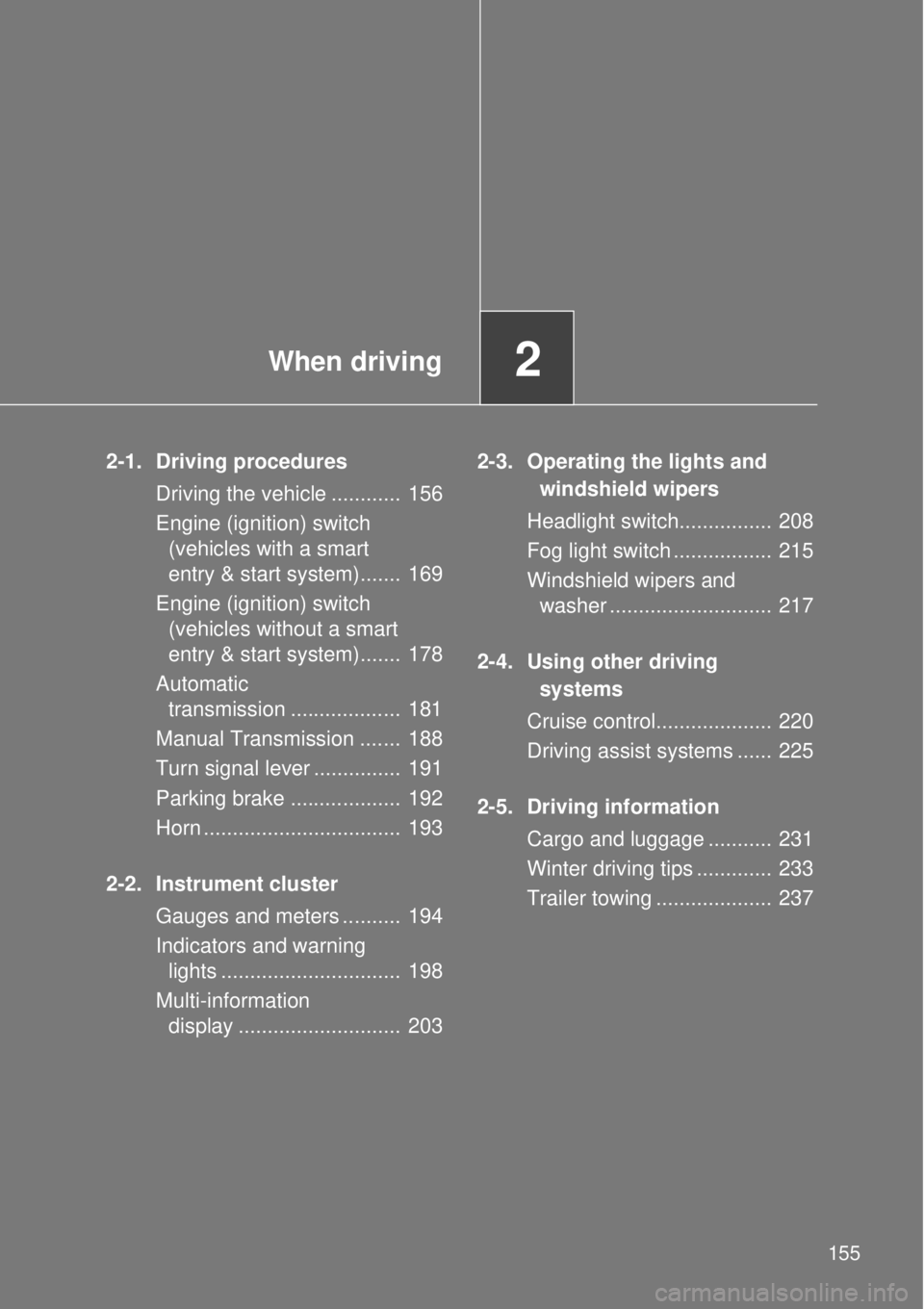
2-1. Driving procedures
Driving the vehicle ............ 156
Engine (ignition) switch
(vehicles with a smart
entry & start system)....... 169
Engine (ignition) switch
(vehicles without a smart
entry & start system)....... 178
Automatic
transmission ................... 181
Manual Transmission ....... 188
Turn signal lever ............... 191
Parking brake ................... 192
Horn .................................. 193
2-2. Instrument cluster
Gauges and meters .......... 194
Indicators and warning
lights ............................... 198
Multi-information
display ............................ 2032-3. Operating the lights and
windshield wipers
Headlight switch................ 208
Fog light switch ................. 215
Windshield wipers and
washer ............................ 217
2-4. Using other driving
systems
Cruise control.................... 220
Driving assist systems ...... 225
2-5. Driving information
Cargo and luggage ........... 231
Winter driving tips ............. 233
Trailer towing .................... 237
Page 169 of 464
169
2-1. Driving procedures
2
When driving
Engine (ignition) switch (vehicles with a smar t entr y & star t system)
Performing the following operations when carrying the electronic
key on your person starts the engine or changes “ENGINE START
STOP” switch modes.
Starting the engine
Vehicles with an automatic transmission
Check that the parking brake is set.
Check that the shift lever is set in P.
If the shift lever is not set in P, the engine may not be started.
(P. 181)
Firmly depress the brake pedal.
The smart entry & start system indicator light (green) will turn on.
If the indicator light does not turn on, the engine cannot be
started.
Press the “ENGINE START
STOP” switch.
The engine will crank until it
starts or for up to 10 seconds,
whichever is less.
Continue depressing the brake
pedal until the engine is com-
pletely started.
The engine can be started
from any “ENGINE START
STOP” switch mode.
STEP 1
STEP 2
STEP 3
STEP 4
Page 172 of 464
172 2-1. Driving procedures
Changing “ENGINE START STOP” switch mode
Modes can be changed by pressing the “ENGINE START STOP”
switch with the brake pedal (vehicles with an automatic transmis-
sion) or clutch pedal (vehicles with a manual transmission)
released. (The mode changes each time the switch is pressed.)
Off*
The emergency flashers can
be used.
The smart entry & start system
indicator light (green) is off.
ACCESSORY mode
Some electrical components
such as the power outlet can
be used.
The smart entry & start system
indicator light (green) flashes
slowly.
IGNITION ON mode
All electrical components can
be used.
The smart entry & start system
indicator light (green) flashes
slowly.
*: Vehicles with an automatic
transmission: If the shift lever is
in a position other than P when
turning off the engine, the
“ENGINE START STOP” switch
will be turned to ACCESSORY
mode, not to off.
Page 173 of 464

173 2-1. Driving procedures
2
When driving
When stopping the engine with the shift lever in a position other
than P (vehicles with an automatic transmission)
If the engine is stopped with the shift lever in a position other than P,
the “ENGINE START STOP” switch will not be turned off but instead
be turned to ACCESSORY mode. Perform the following procedure to
turn the switch off:
Check that the parking brake is set.
Shift the shift lever to P.
Check that the smart entry & start system indicator light
(green) flashes slowly and then press the “ENGINE START
STOP” switch once.
Check that the smart entry & start system indicator light
(green) is off.
Auto power off function
Vehicles with an automatic transmission
If the vehicle is left in ACCESSORY mode for more than 20 minutes or IGNI-
TION ON mode (the engine is not running) for more than an hour with the
shift lever in P, the “ENGINE START STOP” switch will automatically turn off.
However, this function cannot entirely prevent battery discharge. Do not
leave the vehicle with the “ENGINE START STOP” switch in ACCESSORY
or IGNITION ON mode for long periods of time when the engine is not run-
ning.
Vehicles with a manual transmission
If the vehicle is left in ACCESSORY mode for more than 20 minutes or IGNI-
TION ON mode (the engine is not running) for more than an hour, the
“ENGINE START STOP” switch will automatically turn off. However, this
function cannot entirely prevent battery discharge. Do not leave the vehicle
with the “ENGINE START STOP” switch in ACCESSORY or IGNITION ON
mode for long periods of time when the engine is not running.
STEP 1
STEP 2
STEP 3
STEP 4
Page 175 of 464

175 2-1. Driving procedures
2
When driving
When the steering lock cannot be released
Steering lock motor overheating prevention
To prevent the steering lock motor from overheating, the motor may be sus-
pended if the engine is turned on and off repeatedly in a short period of time.
In this case, refrain from operating the engine. After about 10 seconds, the
steering lock motor will resume functioning.
When the smart entry & start system indicator light flashes in yellow
The system may be malfunctioning. Have the vehicle inspected by any
authorized Toyota dealer or repairer, or another duly qualified and equipped
professional immediately.
If the electronic key battery is depleted
P. 331
If the smart entry & start system has been deactivated in a customized
setting
P. 415
Immediately after reconnecting the battery terminals due to replacing
the battery and so forth
The engine may not start. If this occurs, turn the “ENGINE START STOP”
switch to IGNITION ON mode, and start the engine after waiting at least 10
seconds. Idling may be unstable immediately after the engine starts, how-
ever, this is not a malfunction.
The smart entry & start system indicator
light (green) will flash quickly.
Vehicles with an automatic transmis-
sion
Check that the shift lever is set in P. Press
the “ENGINE START STOP” switch while
turning the steering wheel left and right.
Vehicles with a manual transmission
Press the “ENGINE START STOP” switch
while turning the steering wheel left and
right.
Page 178 of 464
178
2-1. Driving procedures
Engine (ignition) switch (vehicles without a smar t entr y & star t system)
Starting the engine
Vehicles with an automatic transmission
Check that the parking brake is set.
Check that the shift lever is set in P.
Firmly depress the brake pedal.
Turn the engine switch to the “START” position to start the
engine.
Vehicles with a manual transmission
Check that the parking brake is set.
Check that the shift lever is set in N.
Firmly depress the clutch pedal.
Turn the engine switch to the “START” position to start the
engine.
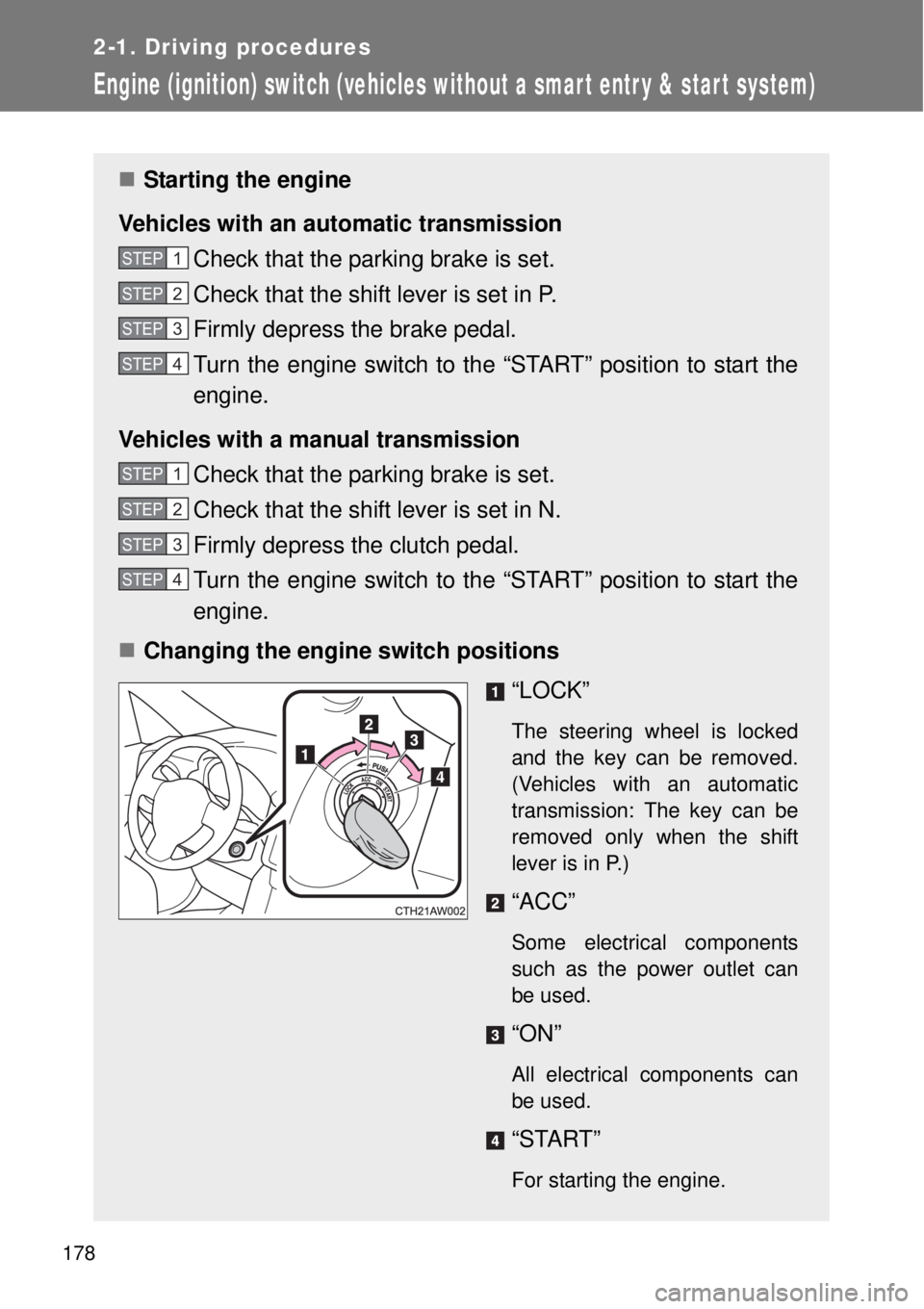
Changing the engine switch positions
“LOCK”
The steering wheel is locked
and the key can be removed.
(Vehicles with an automatic
transmission: The key can be
removed only when the shift
lever is in P.)
“ACC”
Some electrical components
such as the power outlet can
be used.
“ON”
All electrical components can
be used.
“START”
For starting the engine.
STEP 1
STEP 2
STEP 3
STEP 4
STEP 1
STEP 2
STEP 3
STEP 4