Page 258 of 612
2585-6. Using Bluetooth® devices
COROLLA_TMMMS_TMMC_U (OM12F00U)
To enter a menu, press and navigate menus by using :
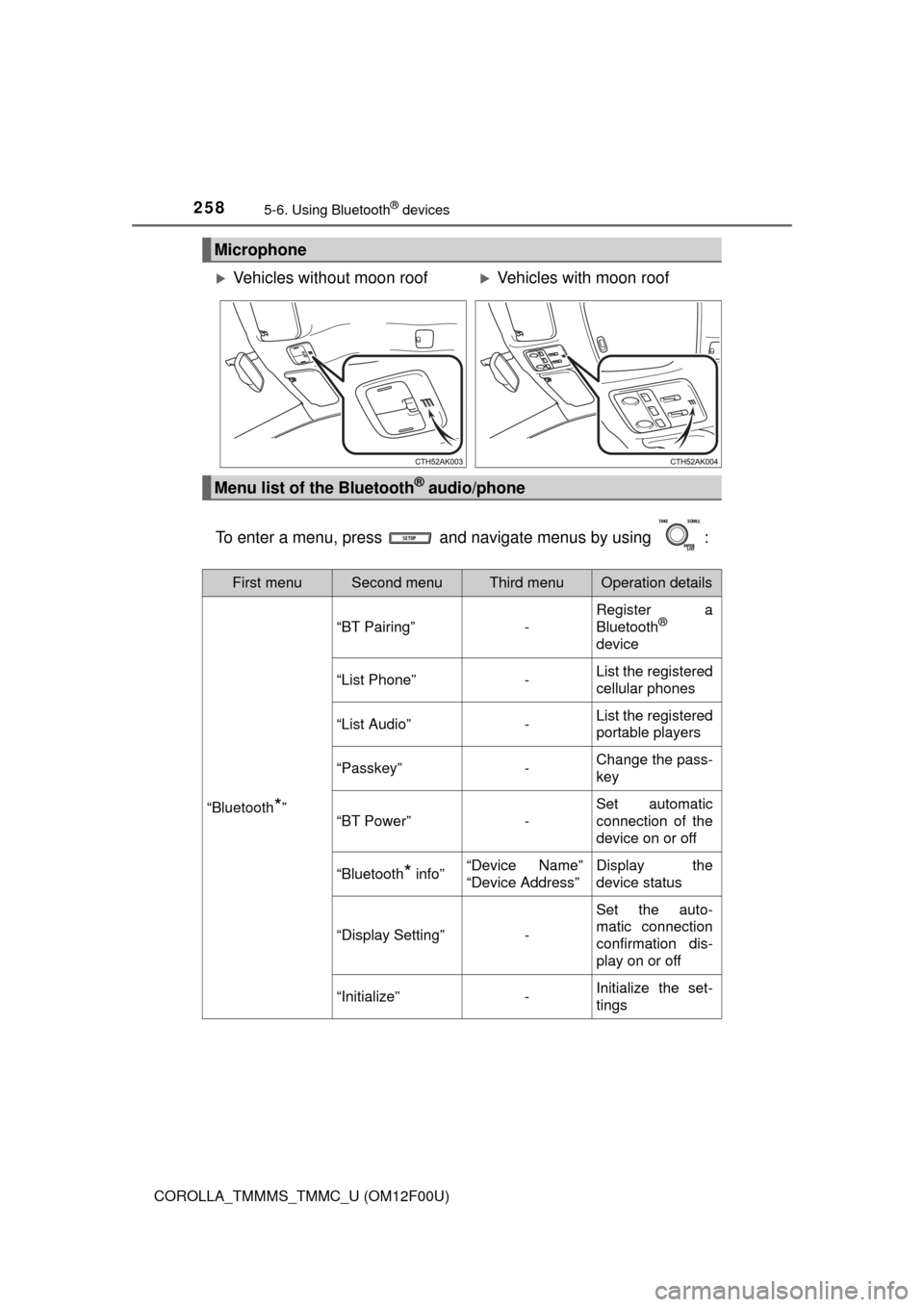
Microphone
Vehicles without moon roofVehicles with moon roof
Menu list of the Bluetooth® audio/phone
First menuSecond menuThird menuOperation details
“Bluetooth*”
“BT Pairing”-
Register a
Bluetooth®
device
“List Phone”-List the registered
cellular phones
“List Audio”-List the registered
portable players
“Passkey”-Change the pass-
key
“BT Power”-
Set automatic
connection of the
device on or off
“Bluetooth* info”“Device Name”
“Device Address”Display the
device status
“Display Setting”-
Set the auto-
matic connection
confirmation dis-
play on or off
“Initialize”-Initialize the set-
tings
Page 261 of 612
2615-6. Using Bluetooth® devices
5
Audio system
COROLLA_TMMMS_TMMC_U (OM12F00U)
Press and select “Bluetooth*” using .
Press and select “BT Pairing” using .
A passkey will be displayed.
SSP (Secure Simple Pairing) incompatible Bluetooth® devices:
Input the passkey into the device.
SSP (Secure Simple Pairin g) compatible Bluetooth
® devices:
Select “Yes” to register the device. Depending on the type of
device, it may register automatically.
If a Bluetooth
® device has both music player and cellular phone func-
tions, both functions will be register ed at the same time. When delet-
ing the device, both functions will be deleted at the same time.
If the off-hook switch is pressed and the “Phone” mode is entered
when no phones have been registered, the registration screen will be
automatically displayed.
*: Bluetooth is a registered trademark of Bluetooth SIG, Inc.
Registering a Bluetooth® device
Before using the Bluetooth® audio/phone, it is necessary to reg-
ister a Bluetooth® device in the system. You can register up to 5
Bluetooth® devices.
How to register a Bluetooth® device
1
2
3
Page 264 of 612
2645-7. “SET UP” menu
COROLLA_TMMMS_TMMC_U (OM12F00U)
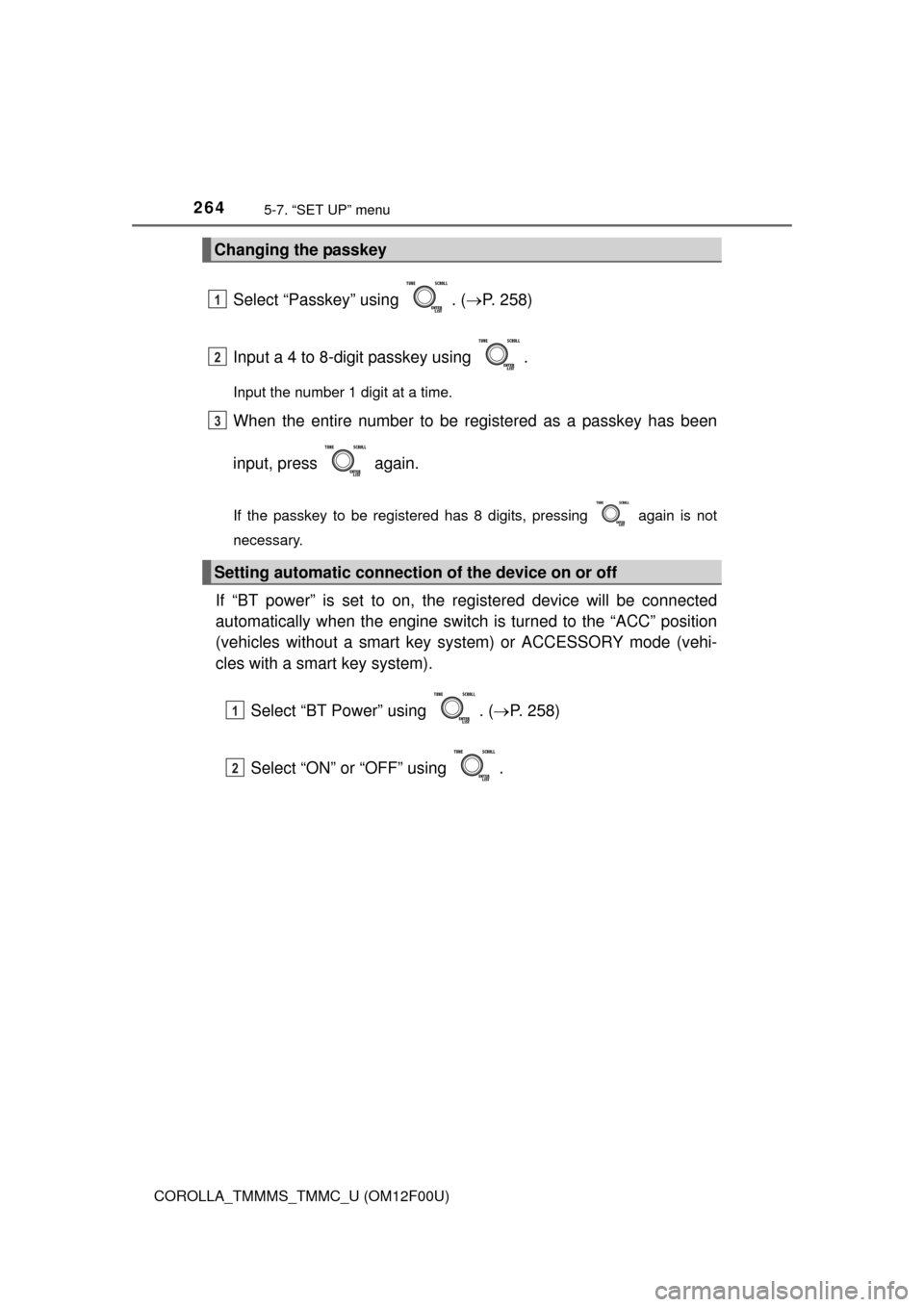
Select “Passkey” using . (P. 258)
Input a 4 to 8-digit passkey using .
Input the number 1 digit at a time.
When the entire number to be registered as a passkey has been
input, press again.
If the passkey to be registered has 8 digits, pressing again is not
necessary.
If “BT power” is set to on, the registered device will be connected
automatically when the engine switch is turned to the “ACC” position
(vehicles without a smart key sy stem) or ACCESSORY mode (vehi-
cles with a smart key system).
Select “BT Power” using . ( P. 258)
Select “ON” or “OFF” using .
Changing the passkey
Setting automatic connection of the device on or off
1
2
3
1
2
Page 265 of 612
2655-7. “SET UP” menu
5
Audio system
COROLLA_TMMMS_TMMC_U (OM12F00U)
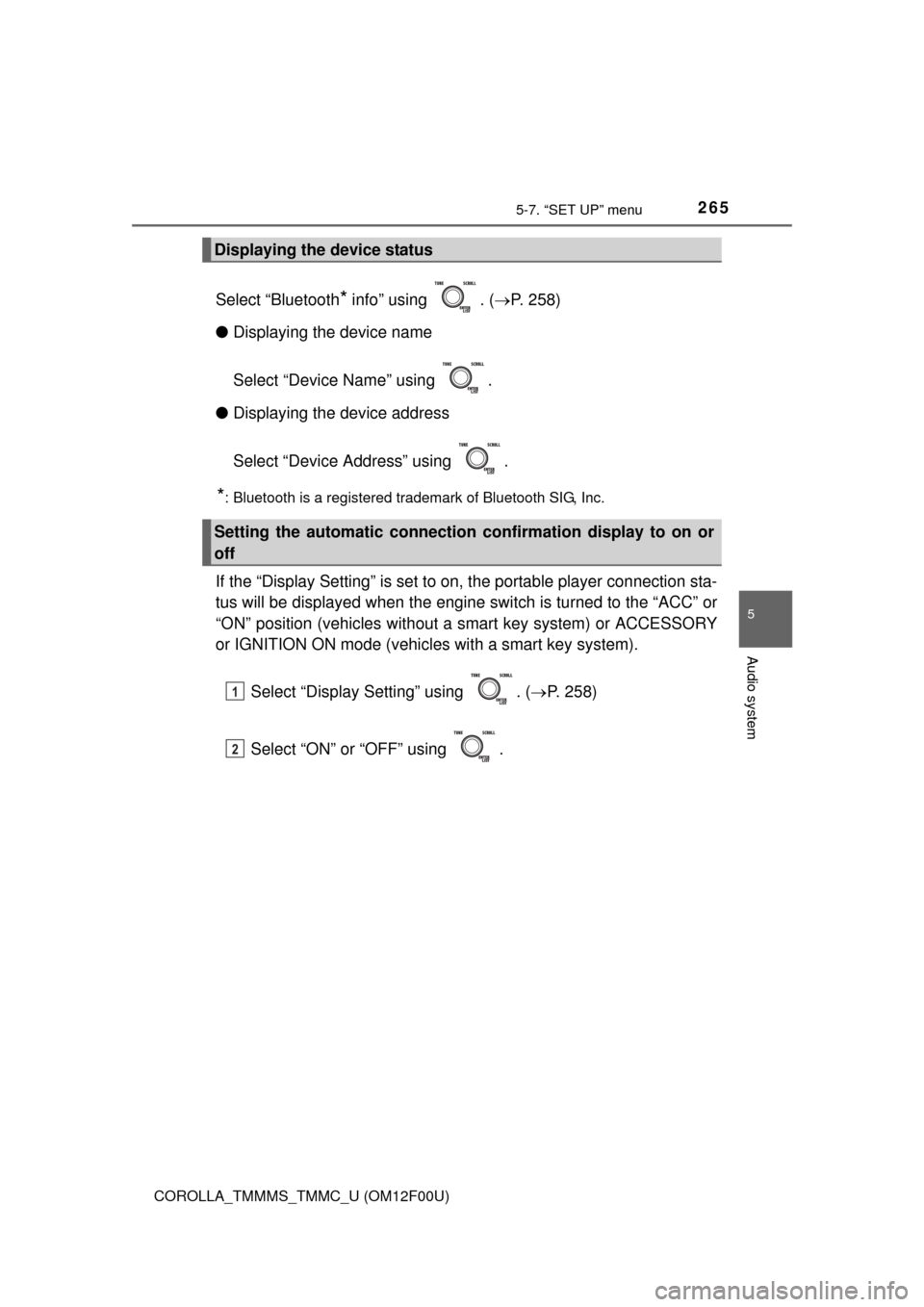
Select “Bluetooth* info” using . (P. 258)
● Displaying the device name
Select “Device Name” using .
● Displaying the device address
Select “Device Address” using .
*: Bluetooth is a registered trademark of Bluetooth SIG, Inc.
If the “Display Setting” is set to on, the portable player connection sta-
tus will be displayed when the engine sw itch is turned to the “ACC” or
“ON” position (vehicles without a smart key system) or ACCESSORY
or IGNITION ON mode (vehicl es with a smart key system).
Select “Display Setting” using . ( P. 258)
Select “ON” or “OFF” using .
Displaying the device status
Setting the automatic connection confirmation display to on or
off
1
2
Page 266 of 612
2665-7. “SET UP” menu
COROLLA_TMMMS_TMMC_U (OM12F00U)
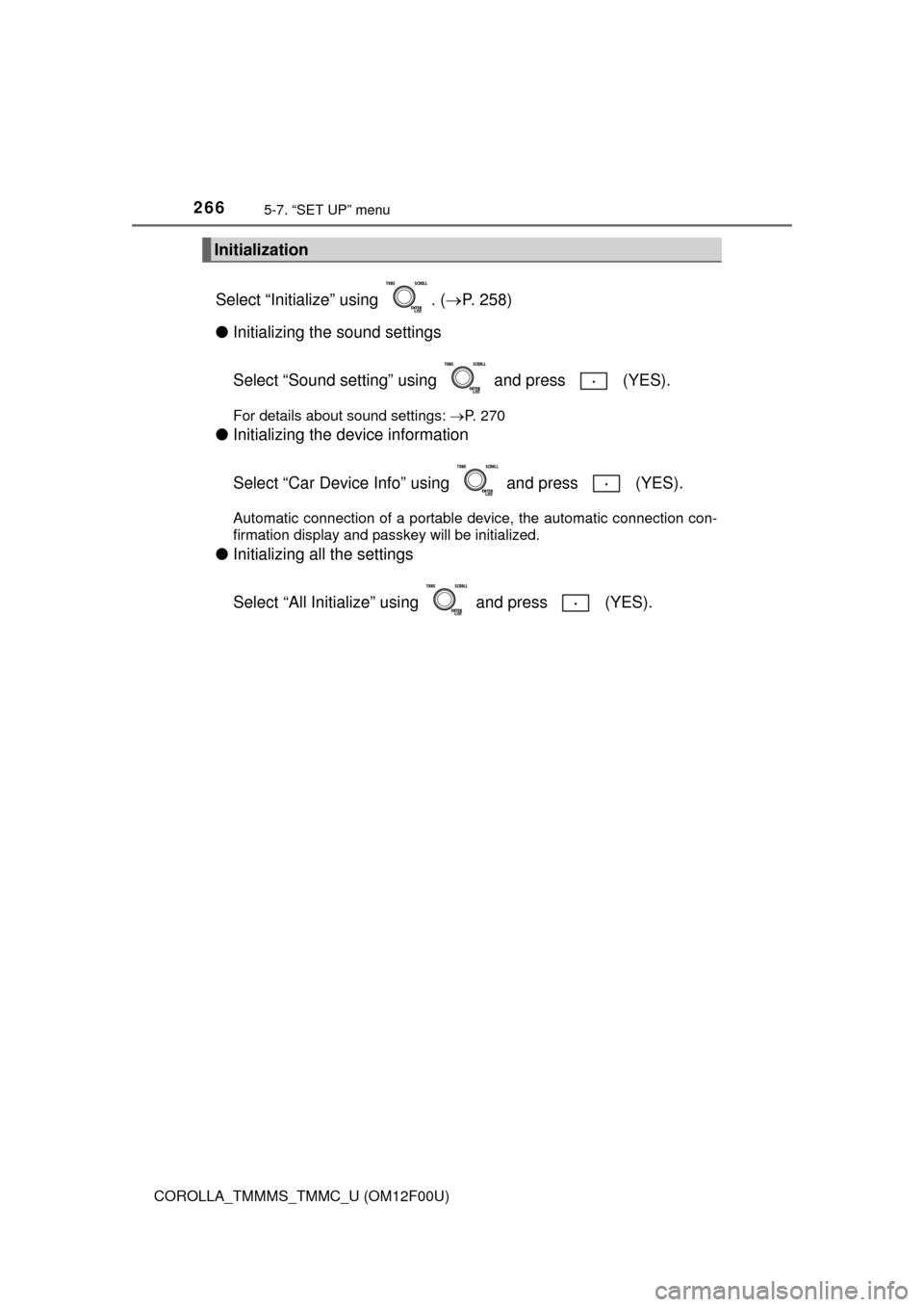
Select “Initialize” using . (P. 258)
● Initializing the sound settings
Select “Sound setting” using and press (YES).
For details about sound settings: P. 270
●Initializing the device information
Select “Car Device Info” using and press (YES).
Automatic connection of a portable device, the automatic connection con-
firmation display and passkey will be initialized.
●Initializing all the settings
Select “All Initialize” us ing and press (YES).
Initialization
Page 290 of 612
2905-12. Setup (Multimedia system)
COROLLA_TMMMS_TMMC_U (OM12F00U)
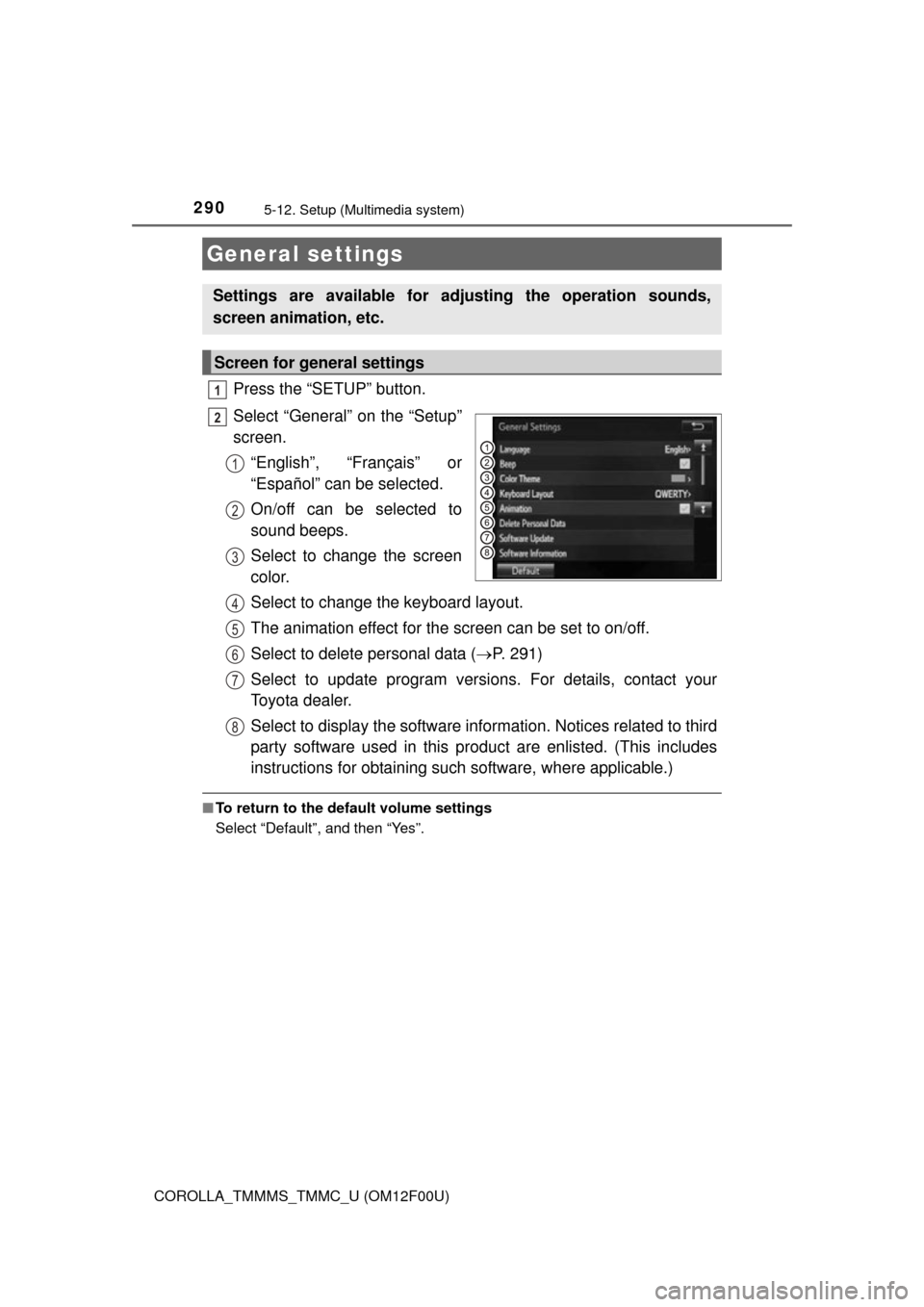
Press the “SETUP” button.
Select “General” on the “Setup”
screen.“English”, “Français” or
“Español” can be selected.
On/off can be selected to
sound beeps.
Select to change the screen
color.
Select to change the keyboard layout.
The animation effect for the screen can be set to on/off.
Select to delete personal data ( P. 291)
Select to update program versions. For details, contact your
Toyota dealer.
Select to display the software info rmation. Notices related to third
party software used in this pr oduct are enlisted. (This includes
instructions for obtaining such software, where applicable.)
■ To return to the default volume settings
Select “Default”, and then “Yes”.
General settings
Settings are available for adjusting the operation sounds,
screen animation, etc.
Screen for general settings
1
2
1
2
3
4
5
6
7
8
Page 393 of 612
3936-1. Using the air conditioning system and defogger
6
Interior features
COROLLA_TMMMS_TMMC_U (OM12F00U)■
When the outside temperature exceeds 75°F (24°C) and the air condition-
ing system is on
●In order to reduce the air conditioning power consumption, the air condition-
ing system may switch to recirculated air mode automatically. This may also
reduce fuel consumption.
Vehicles without a smart key system
● Recirculated air mode is selected as a default mode when the engine switch
is turned to the “ON” position.
Vehicles with a smart key system
● Recirculated air mode is selected as a default mode when the engine switch
is turned to IGNITION ON mode.
● It is possible to switch to outside air mode at any time by pressing .
■ When the outside temperature is low
The dehumidification function may not operate even when is pressed.
■ Ventilation and air conditioning odors
●To let fresh air in, set the air conditioning system to the outside air mode.
● During use, various odors from inside and outside the vehicle may enter into
and accumulate in the air conditioning system. This may then cause odor to
be emitted from the vents.
● To reduce potential odors from occurring:
• It is recommended that the air conditioning system be set to outside air
mode prior to turning the vehicle off.
• The start timing of the blower may be delayed for a short period of time immediately after the air conditioning system is started in automatic
mode.
■ Air conditioning filter
P. 461
■ Customization that can be co nfigured at Toyota dealer
Settings (e.g. air conditioning setting) can be changed.
(Customizable features P. 570)
Page 395 of 612
395
6
Interior features
COROLLA_TMMMS_TMMC_U (OM12F00U)
6-2. Using the interior lights
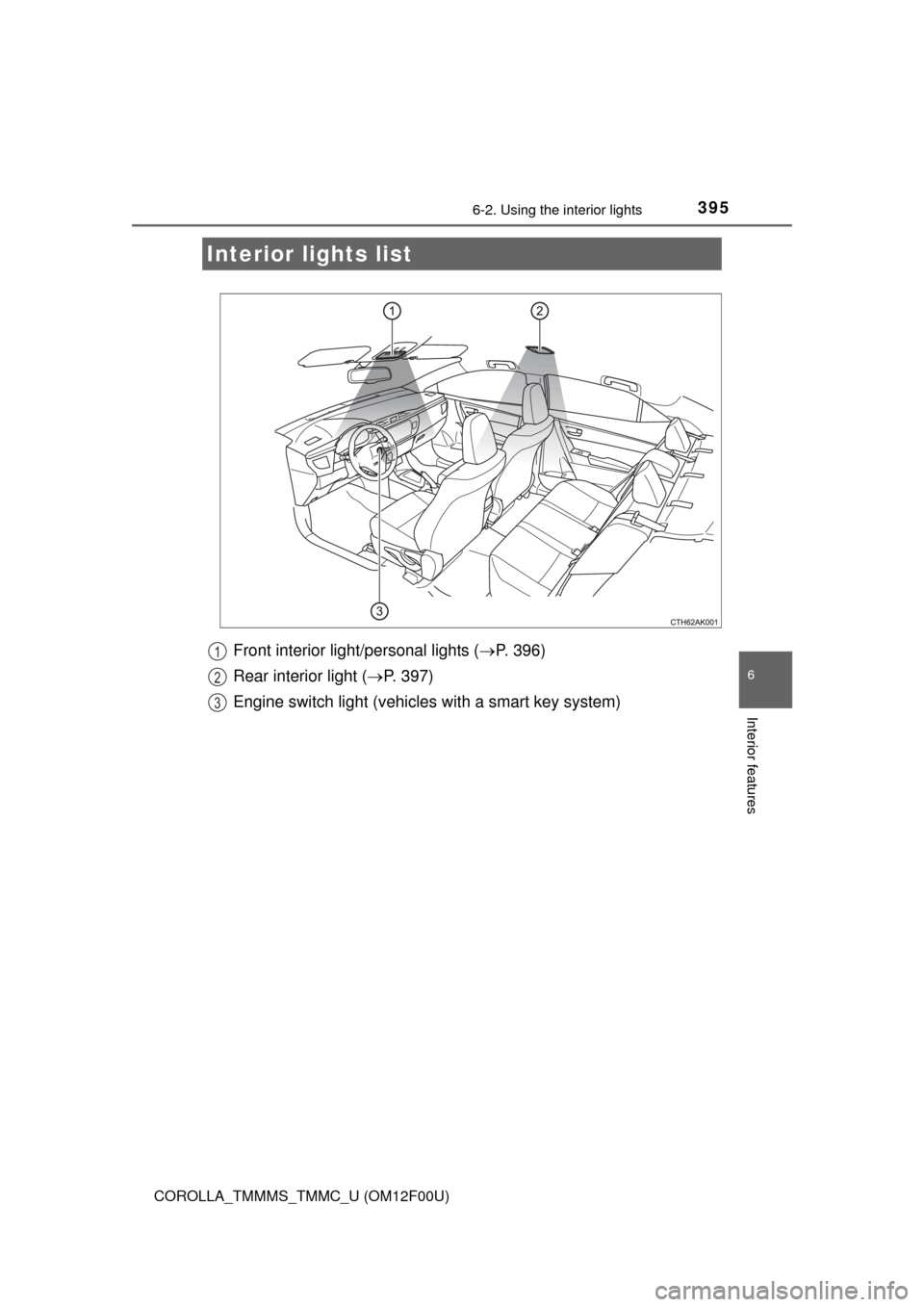
Front interior light/personal lights (P. 396)
Rear interior light ( P. 397)
Engine switch light (vehicles with a smart key system)
Interior li ghts list
1
2
3