2015 TOYOTA AVENSIS wheel
[x] Cancel search: wheelPage 267 of 648
2674-5. Toyota Safety Sense
4
Driving
AVENSIS_OM_OM20C20E_(EE)■
When changing the tires
Depending on the tires used, sufficient performance may not be maintainable.
■ Warning messages for the LDA system
Warning messages are used to indicate a system malfunction or to inform the
driver of the need for caution while driving.
■ Customization
The LDA system sensor sensitivity can be changed.
(Customizable features: →P. 619)
WARNING
■ Before using the LDA
Do not rely solely on the LDA system. The LDA system does not drive the
vehicle automatically, nor does it reduce the amount of care you need to
take. As such, the driver must always assume full responsibility for under-
standing his/her surroundings, for operat ing the steering wheel to correct
the driving line, and for driving safely.
Inappropriate or negligent driving could lead to an accident.
■ To avoid operating the LDA by mistake
Switch the LDA system off using the LDA switch when not in use.
AVENSIS_OM_OM20C20E_(EE).book Page 267 Thursday, January 29, 2015 1:47 PM
Page 272 of 648
2724-5. Toyota Safety Sense
AVENSIS_OM_OM20C20E_(EE)
■The Automatic High Beam can be operated when
The engine switch is in the “ON” position (vehicles without a smart entry &
start system) or IGNITION ON mode (vehicles with a smart entry & start sys-
tem).
■ Camera sensor detection information
●High beam may not be automatically turned off in the following situations:
• When oncoming vehicles suddenly appear from a curve
• When the vehicle is cut in front of by another
• When oncoming or preceding vehicles are hidden from sight due to
repeated curves, road divi ders or roadside trees
● High beam may be turned off if an oncoming vehicle that is using fog lights
without using the headlights is detected.
● House lights, street lights, red traffic signals, and illuminated billboards or
signs may cause the high beam to turn off.
● The following factors may affect the amount of time taken to turn high beam
on or off:
• The brightness of headlights, fog lights, and tail lights of oncoming and
preceding vehicles
• The movement and direction of oncoming and preceding vehicles
• When a oncoming or preceding vehicle only has operational lights on one side
• When a oncoming or preceding vehi cle is a two-wheeled vehicle
• The condition of the road (gradient, curve, condition of the road surface etc.)
• The number of passengers and amount of luggage
● High beam may be turned on or off when unexpectedly by the driver.
AVENSIS_OM_OM20C20E_(EE).book Page 272 Thursday, January 29, 2015 1:47 PM
Page 279 of 648
2794-5. Toyota Safety Sense
4
Driving
AVENSIS_OM_OM20C20E_(EE)■
When driving vehicle in country with different speed unit
Since RSA recognizes signs based on the set unit of the meter, it is neces-
sary to change the set unit of the meter. Adjust the set unit of the meter to the
speed unit of signs in the current location. ( →P. 619)
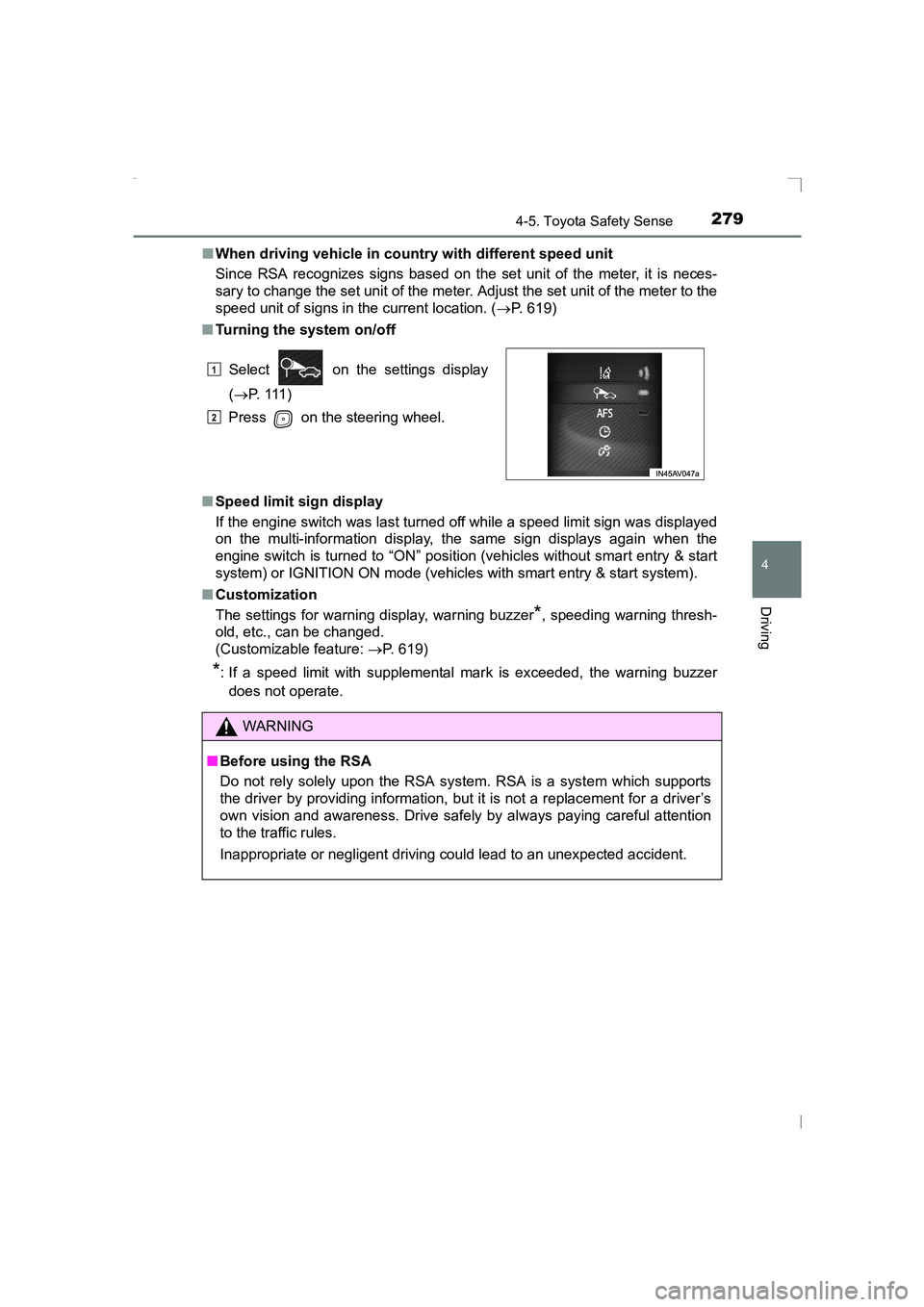
■ Turning the system on/off
■ Speed limit sign display
If the engine switch was last turned off while a speed limit sign was displayed
on the multi-information display, the same sign displays again when the
engine switch is turned to “ON” position (vehicles without smart entry & start
system) or IGNITION ON mode (vehicles with smart entry & start system).
■ Customization
The settings for warning display, warning buzzer
*, speeding warning thresh-
old, etc., can be changed.
(Customizable feature: →P. 619)
*: If a speed limit with supplemental mark is exceeded, the warning buzzer
does not operate. Select on the settings display
(→ P. 111 )
Press on the steering wheel.
WARNING
■ Before using the RSA
Do not rely solely upon the RSA system. RSA is a system which supports
the driver by providing information, but it is not a replacement for a driver’s
own vision and awareness. Drive safely by always paying careful attention
to the traffic rules.
Inappropriate or negligent driving could lead to an unexpected accident.
1
2
AVENSIS_OM_OM20C20E_(EE).book Page 279 Thursday, January 29, 2015 1:47 PM
Page 288 of 648
2884-6. Using the driving support systems
AVENSIS_OM_OM20C20E_(EE)
■Operating conditions
●The Stop & Start system is operational when all of the following conditions
are met:
• The clutch pedal is not being depressed.
• The shift lever is in N.
• The engine is adequately warmed up.
• The outside temperature is -5 °C (23 °F) or higher.
• The windshield defogger is off.
• The power heater is turned off.
• The parking brake is not in operation. ( →P. 229)
• The hood is closed. ( →P. 289)
• The driver’s seat belt is fastened.
• The driver’s door is closed.
● In the following circumstances the engine may not be stopped by the Stop &
Start system. This is not a malfunction of the Stop & Start system.
• The air conditioning system is being used when the ambient temperature
is high or low.
• The battery is not sufficiently charged, or is undergoing a periodic recharge.
• The brake booster vacuum is low.
• The vehicle is stopped on an incline.
• The steering wheel is being operated
• Due to traffic or other circumstances the vehicle is stopped repeatedly, resulting in the amount of time the engine is stopped by the Stop & Start
system to become excessively high.
• At high altitude.
• The engine coolant temperature is extremely high or low.
• The battery fluid temperature is excessively high or low.
• The battery was recently replaced or the battery terminals were recently
disconnected.
When the above conditions improve, the Stop & Start system will stop and
restart the engine from the next time the vehicle is stopped.
AVENSIS_OM_OM20C20E_(EE).book Page 288 Thursday, January 29, 2015 1:47 PM
Page 289 of 648
2894-6. Using the driving support systems
4
Driving
AVENSIS_OM_OM20C20E_(EE)■
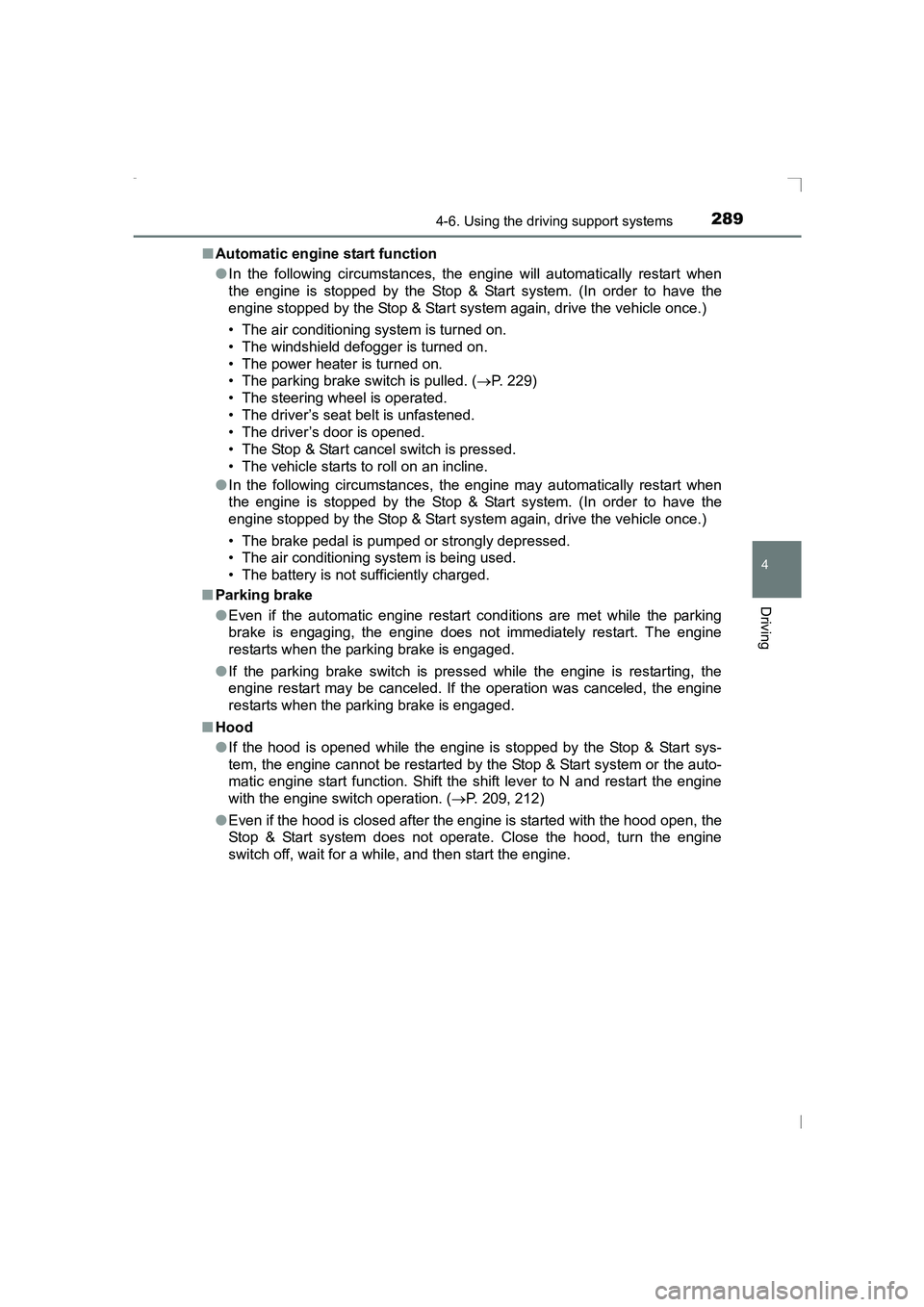
Automatic engine start function
●In the following circumstances, the engine will automatically restart when
the engine is stopped by the Stop & Start system. (In order to have the
engine stopped by the Stop & Start system again, drive the vehicle once.)
• The air conditioning system is turned on.
• The windshield defogger is turned on.
• The power heater is turned on.
• The parking brake switch is pulled. ( →P. 229)
• The steering wheel is operated.
• The driver’s seat belt is unfastened.
• The driver’s door is opened.
• The Stop & Start cancel switch is pressed.
• The vehicle starts to roll on an incline.
● In the following circumstances, the engine may automatically restart when
the engine is stopped by the Stop & Start system. (In order to have the
engine stopped by the Stop & Start system again, drive the vehicle once.)
• The brake pedal is pumped or strongly depressed.
• The air conditioning system is being used.
• The battery is not sufficiently charged.
■ Parking brake
●Even if the automatic engine restart conditions are met while the parking
brake is engaging, the engine does not immediately restart. The engine
restarts when the parking brake is engaged.
● If the parking brake switch is pressed while the engine is restarting, the
engine restart may be canceled. If the operation was canceled, the engine
restarts when the parking brake is engaged.
■ Hood
●If the hood is opened while the engine is stopped by the Stop & Start sys-
tem, the engine cannot be restarted by the Stop & Start system or the auto-
matic engine start function. Shift the shift lever to N and restart the engine
with the engine switch operation. ( →P. 209, 212)
● Even if the hood is closed after the engine is started with the hood open, the
Stop & Start system does not operate. Close the hood, turn the engine
switch off, wait for a while, and then start the engine.
AVENSIS_OM_OM20C20E_(EE).book Page 289 Thursday, January 29, 2015 1:47 PM
Page 292 of 648
2924-6. Using the driving support systems
AVENSIS_OM_OM20C20E_(EE)
■The Stop & Start system protection feature
Vehicles without a smart entry & st art system: When an excessively loud
sound is being projected by the audio system, the audio system may be auto-
matically cut off in order to reduce battery consumption.
If this occurs, turning the engine switch to the “LOCK” position then to the
“ACC” or “ON” position re -enables the audio system.
Vehicles with a smart entry & start system: When an excessively loud sound
is being projected by the audio system, the audio system may be automati-
cally cut off in order to reduce battery consumption.
If this occurs, turning the engine switch off then to ACCESSORY mode or
IGNITION ON mode re-enables the audio system.
■ Replacing battery
→ P. 587
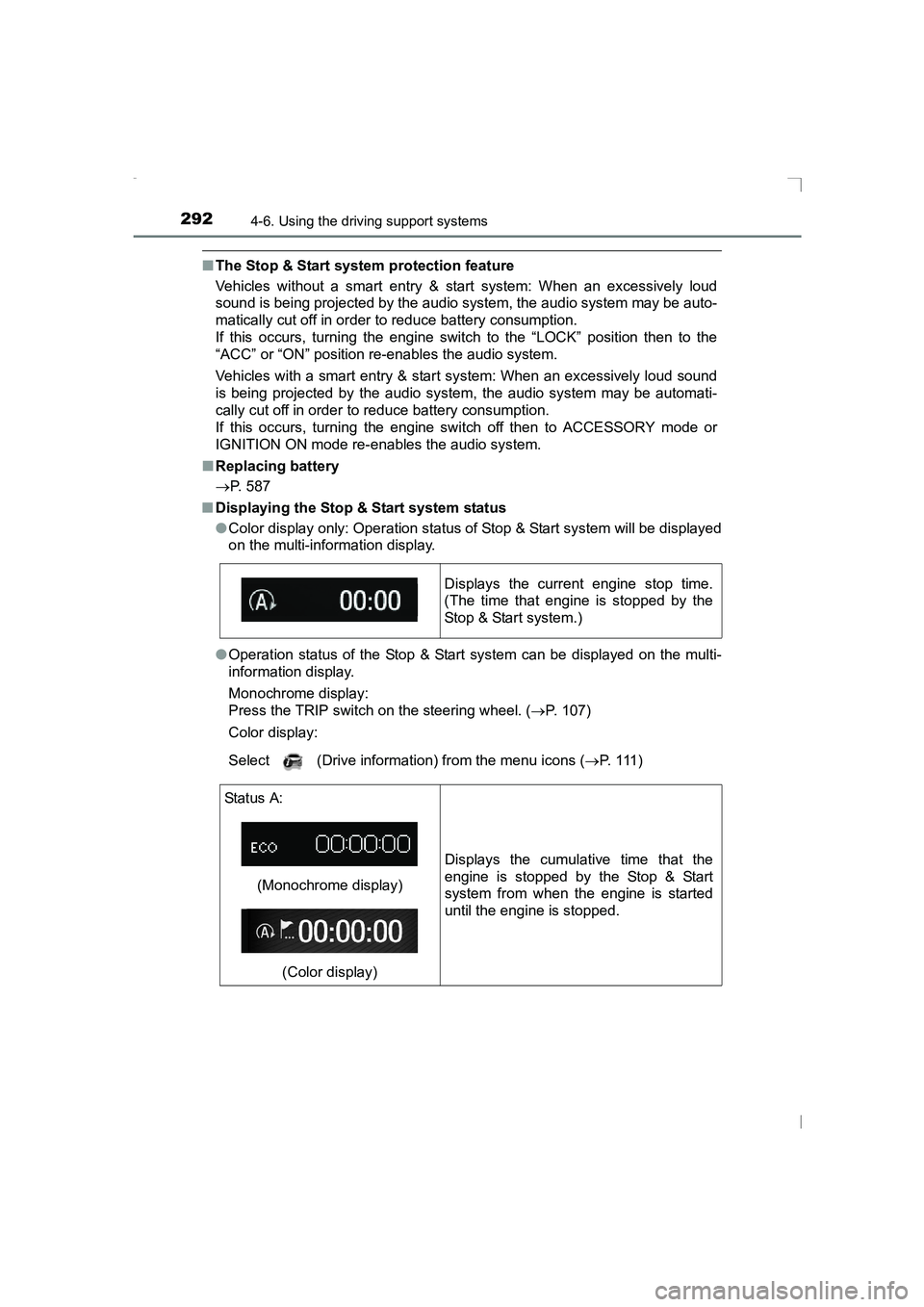
■ Displaying the Stop & Start system status
●Color display only: Operation status of Stop & Start system will be displayed
on the multi-information display.
● Operation status of the Stop & Start system can be displayed on the multi-
information display.
Monochrome display:
Press the TRIP switch on the steering wheel. ( →P. 107)
Color display:
Select (Drive information) from the menu icons ( →P. 1 1 1 )
Displays the current engine stop time.
(The time that engine is stopped by the
Stop & Start system.)
Status A:
(Monochrome display)(Color display) Displays the cumulative time that the
engine is stopped by the Stop & Start
system from when the engine is started
until the engine is stopped.
AVENSIS_OM_OM20C20E_(EE).book Page 292 Thursday, January 29,
2015 1:47 PM
Page 293 of 648
2934-6. Using the driving support systems
4
Driving
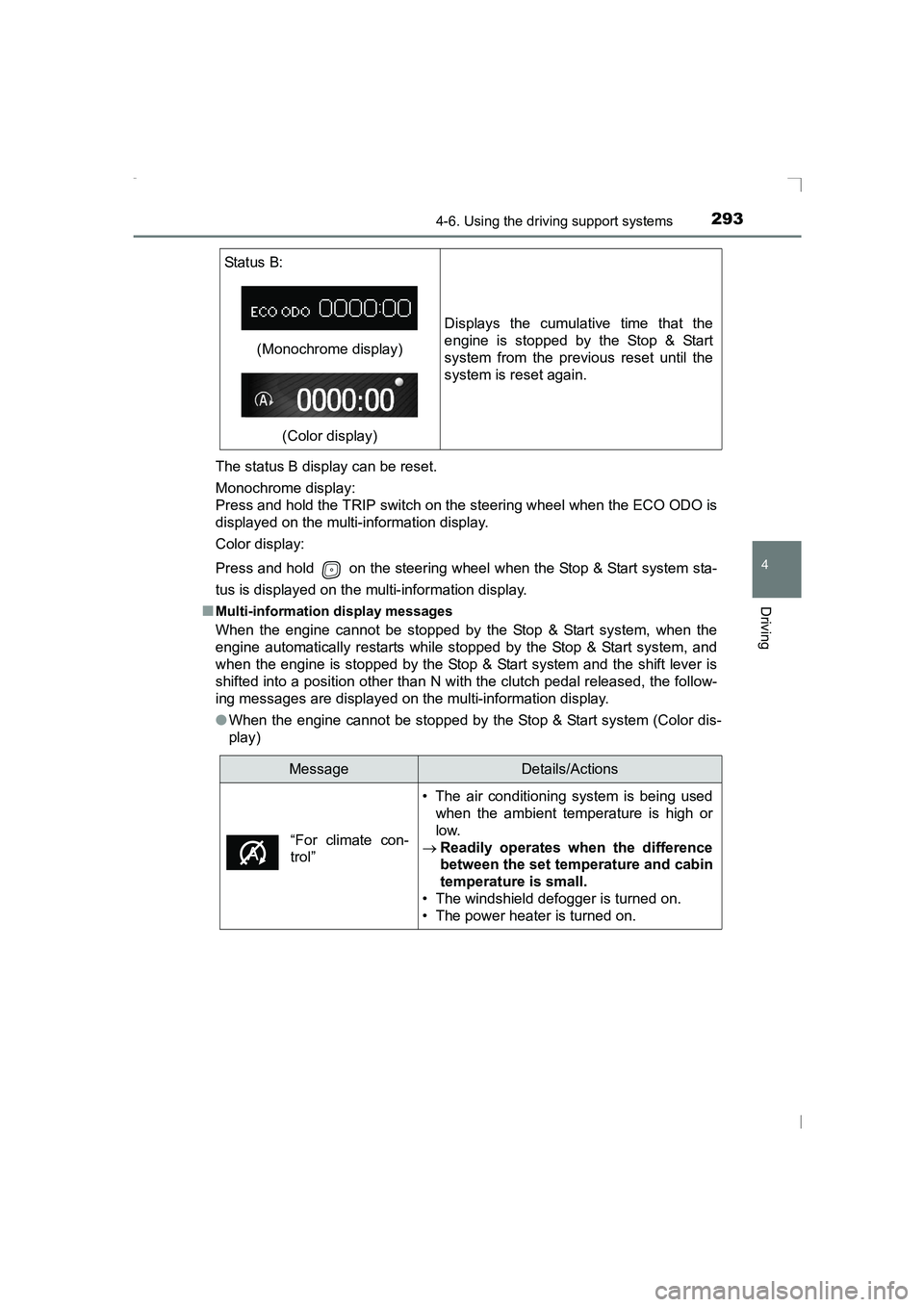
AVENSIS_OM_OM20C20E_(EE)The status B display can be reset.
Monochrome display:
Press and hold the TRIP switch on the steering wheel when the ECO ODO is
displayed on the multi-information display.
Color display:
Press and hold on the steering wheel when the Stop & Start system sta-
tus is displayed on the multi-information display.
■
Multi-information display messages
When the engine cannot be stopped by the Stop & Start system, when the
engine automatically restarts while stopped by the Stop & Start system, and
when the engine is stopped by the Stop & Start system and the shift lever is
shifted into a position other than N with the clutch pedal released, the follow-
ing messages are displayed on the multi-information display.
● When the engine cannot be stopped by the Stop & Start system (Color dis-
play)
Status B:
(Monochrome display)
(Color display) Displays the cumulative time that the
engine is stopped by the Stop & Start
system from the previous reset until the
system is reset again.
MessageDetails/Actions
• The air conditioning system is being used when the ambient temperature is high or
low.
→ Readily operates when the difference
between the set temperature and cabin
temperature is small.
• The windshield defogger is turned on.
• The power heater is turned on.
“For climate con-
trol”
AVENSIS_OM_OM20C20E_(EE).book Page 293 Thursday, January 29, 2015 1:47 PM
Page 295 of 648
2954-6. Using the driving support systems
4
Driving
AVENSIS_OM_OM20C20E_(EE)●
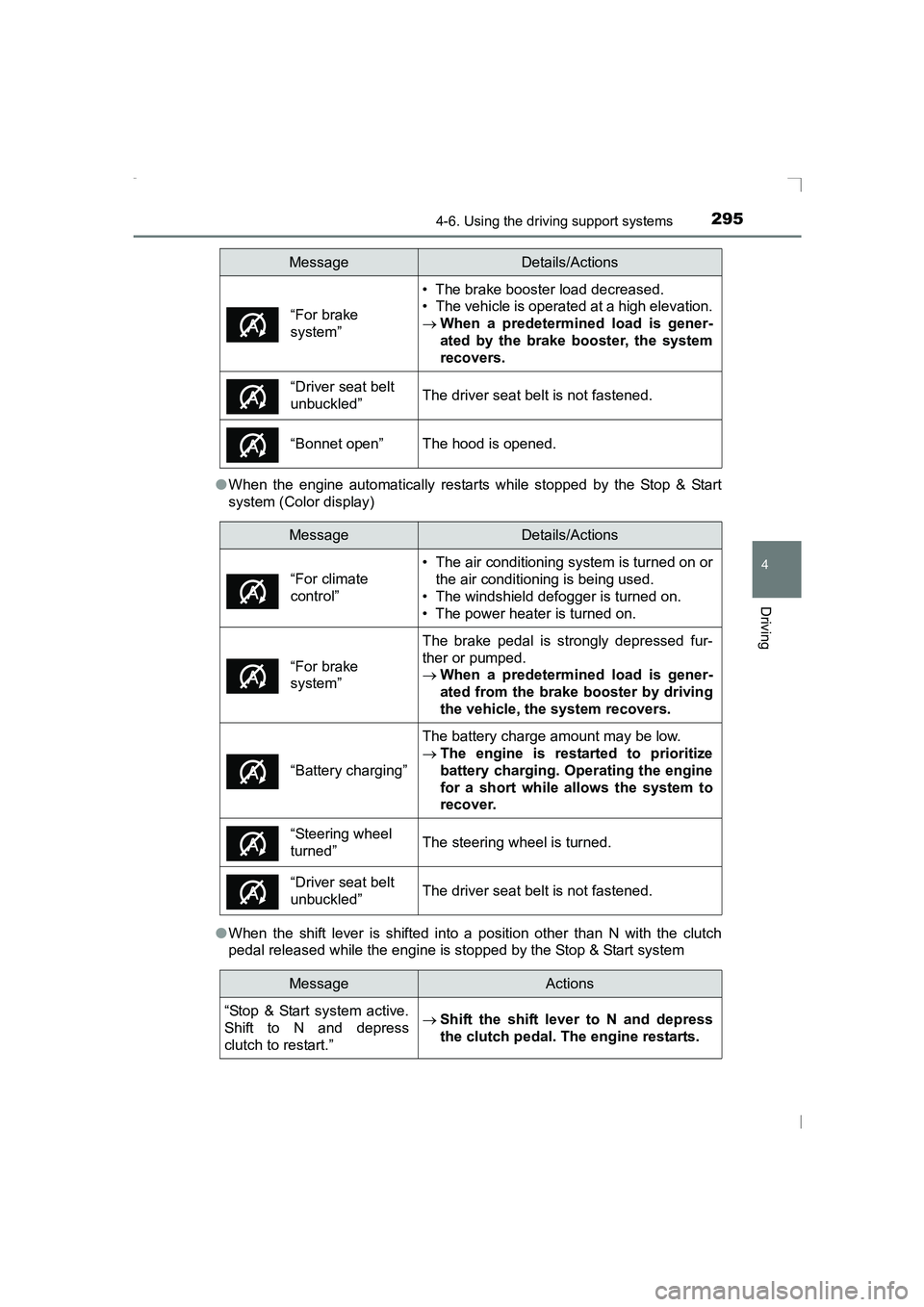
When the engine automatically restarts while stopped by the Stop & Start
system (Color display)
● When the shift lever is shifted into a position other than N with the clutch
pedal released while the engine is stopped by the Stop & Start system
“For brake
system”
• The brake booster load decreased.
• The vehicle is operated at a high elevation.
→ When a predetermined load is gener-
ated by the brake booster, the system
recovers.
“Driver seat belt
unbuckled”The driver seat belt is not fastened.
“Bonnet open”The hood is opened.
MessageDetails/Actions
• The air conditioning system is turned on or
the air conditioning is being used.
• The windshield defogger is turned on.
• The power heater is turned on.
“For brake
system”
The brake pedal is strongly depressed fur-
ther or pumped.
→ When a predetermined load is gener-
ated from the brake booster by driving
the vehicle, the system recovers.
“Battery charging”
The battery charge amount may be low.
→The engine is restarted to prioritize
battery charging. Operating the engine
for a short while allows the system to
recover.
“Steering wheel
turned”The steering wheel is turned.
“Driver seat belt
unbuckled”The driver seat belt is not fastened.
MessageActions
“Stop & Start system active.
Shift to N and depress
clutch to restart.”
→ Shift the shift lever to N and depress
the clutch pedal. The engine restarts.
MessageDetails/Actions
“For climate
control”
AVENSIS_OM_OM20C20E_(EE).book Page 295 Thursday, January 29, 2015 1:47 PM