Page 74 of 500
742. Instrument cluster
AVALON (U)_(OM41456U)
*1: These lights turn on when the engine switch is turned to IGNITION ONmode to indicate that a system check is being performed. They will turn off
after the engine is started, or after a few seconds. There may be a mal-
function in a system if the lights do not come on, or do not turn off. Have
the vehicle inspected by your Toyota dealer.
*2: The light flashes to indicate a malfunction.
*1
Tire pressure warning
light ( P. 392)*2
(if equipped)
Automatic high beam
indicator ( P. 176)
Page 76 of 500
762. Instrument cluster
AVALON (U)_(OM41456U)
*1: These lights turn on when the engine switch is turned to IGNITION ONmode to indicate that a system check is being performed. They will turn off
after the engine is started, or after a few seconds. There may be a mal-
function in a system if the lights do not come on, or do not turn off. Have
the vehicle inspected by your Toyota dealer.
*2: The light flashes to indicate that the system is operating.
*3: The light comes on when the system is turned off. The light flashes fasterthan usual to indicate that the system is operating.
CAUTION
■ If a safety system warning light does not come on
Should a safety system light such as the ABS and SRS warning light not
come on when you start the engine, this could mean that these systems are
not available to help protect you in an accident, which could result in death
or serious injury. Have the vehicle inspected by your Toyota dealer immedi-
ately if this occurs.
Page 79 of 500

792. Instrument cluster
2
Instrument cluster
AVALON (U)_(OM41456U)
The brightness of the instrument panel lights can be adjusted.
Darker
Brighter
■ The meters and display illuminate when
The engine switch is in IGNITION ON mode.
■ The brightness of the in strument panel lights
● When the headlight switch is turned to on, the brightness will be reduced
slightly unless the control knob is turned fully clockwise.
● When the knob is turned fully clockwise, the display audio/navigation sys-
tem screen will always be in day mode regardless of the headlight switch
position.
■ Customization
The instrument panel light auto dimmer control can be changed.
(Customizable feature: P. 455)
Instrument panel light control
1
2
NOTICE
■To prevent damage to the engine and its components
● Do not let the indicator needle of the tachometer enter the red zone, which
indicates the maximum engine speed.
● The engine may be overheating if the engine coolant temperature gauge is
in the red zone (H). In this case, immediately stop the vehicle in a safe
place, and check the engine after it has cooled completely. (P. 423)
Page 109 of 500
1093-2. Opening, closing and locking the doors
3
Operation of each component
AVALON (U)_(OM41456U)
■Operation signals
Doors:
A buzzer sounds and the emergency flashers flash to indicate that the doors
have been locked/unlocked. (Locked: once; Unlocked: twice)
Trunk:
A buzzer sounds to indicate that the trunk has been opened.
■ Door lock buzzer
If an attempt to lock the doors is made when a door is not fully closed, a
buzzer sounds continuously for 5 seconds. Fully close the door to stop the
buzzer, and lock the vehicle once more.
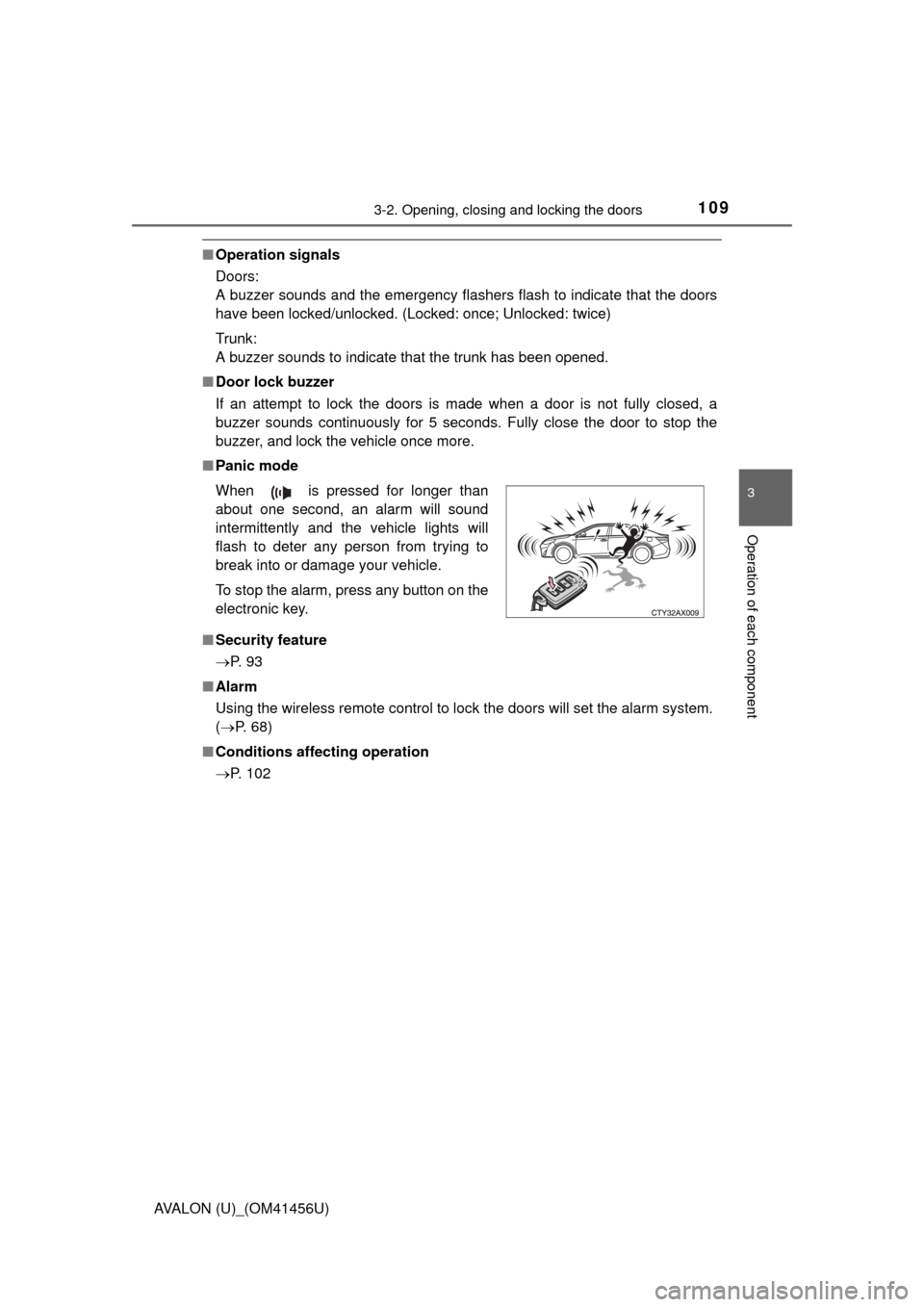
■ Panic mode
■ Security feature
P. 9 3
■ Alarm
Using the wireless remote control to lock the doors will set the alarm system.
(P. 68)
■ Conditions affecting operation
P. 102 When is pressed for longer than
about one second, an alarm will sound
intermittently and the vehicle lights will
flash to deter any person from trying to
break into or damage your vehicle.
To stop the alarm, press any button on the
electronic key.
Page 130 of 500
1303-4. Adjusting the steering wheel and mirrors
AVALON (U)_(OM41456U)
Auto anti-glare inside rear view mirror
Responding to the level of brightness of the headlights of vehicles
behind, the reflected light is automatically reduced.
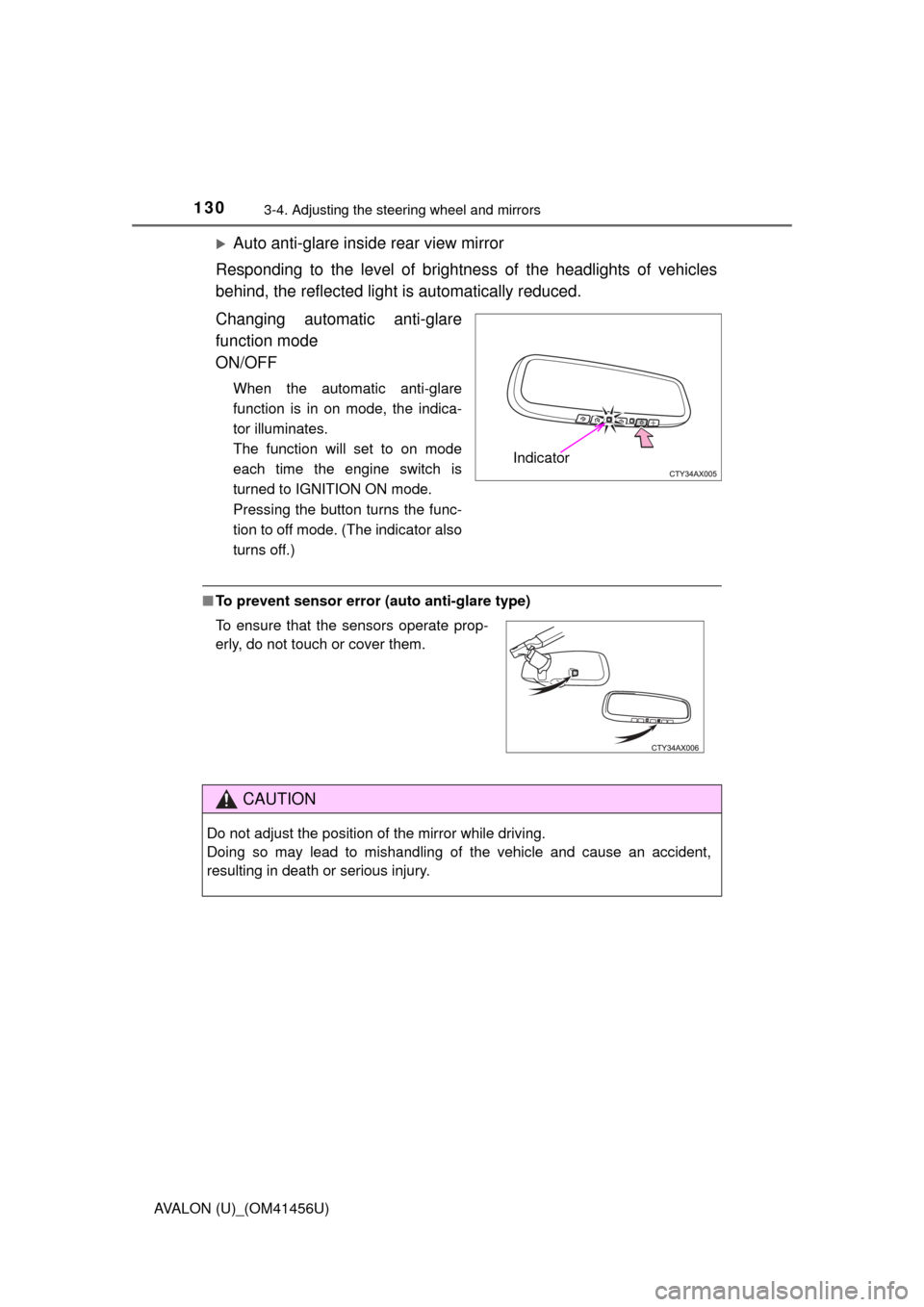
Changing automatic anti-glare
function mode
ON/OFF
When the automatic anti-glare
function is in on mode, the indica-
tor illuminates.
The function will set to on mode
each time the engine switch is
turned to IGNITION ON mode.
Pressing the button turns the func-
tion to off mode. (The indicator also
turns off.)
■ To prevent sensor error (a uto anti-glare type)
Indicator
To ensure that the sensors operate prop-
erly, do not touch or cover them.
CAUTION
Do not adjust the position of the mirror while driving.
Doing so may lead to mishandling of the vehicle and cause an accident,
resulting in death or serious injury.
Page 132 of 500
1323-4. Adjusting the steering wheel and mirrors
AVALON (U)_(OM41456U)
When the mirror select switch is in the L or R position, the outside rear
view mirrors will automatically angle downwards when the vehicle is
reversing in order to give a better view of the ground.
To disable this function, move the mirror select switch to the neutral
position (between L and R).
■Adjusting the mirror angle when the vehicle is reversing
With the shift lever in R, adjust the mirror angle at a desired posi-
tion. The adjusted angle will be memorized and the mirror will auto-
matically tilt to the memorized angle whenever the shift lever is
shifted to R from next time.
The memorized downward tilt position of the mirror is linked to the nor-
mal position (angle adjusted with the shift lever in other than R). There-
fore, if the normal position is changed after adjustment, the tilt position
will also change.
When the normal position is changed, readjust the angle in reversing.
■ Mirror angle can be adjusted when
The engine switch is in ACCESSORY or IGNITION ON mode.
■ When the mirrors are fogged up
The outside rear view mirrors can be cleared using the mirror defoggers. Turn
on the rear window defogger to turn on the outside rear view mirror defog-
gers. ( P. 252)
■ Automatic adjustment of the mirror angle (vehicles with driving position
memory)
A desired mirror face angle can be entered to memory and recalled automa\
ti-
cally by the driving position memory. ( P. 120)
■ Auto anti-glare function (vehicles with outer foot lights)
When the anti-glare inside rear view mirr or is set to automatic mode, the out-
side rear view mirrors will activate in conjunction with the anti-glare inside
rear view mirror to reduce reflected light. ( P. 129)
Linked mirror function when reversing (vehicles with driving
position memory)
Page 141 of 500
141
Driving4
AVALON (U)_(OM41456U)4-1. Before driving
Driving the vehicle ............. 142
Cargo and luggage ........... 153
Vehicle load limits ............. 156
Trailer towing..................... 157
Dinghy towing ................... 158
4-2. Driving procedures Engine (ignition) switch .............................. 159
Automatic transmission .................... 165
Turn signal lever................ 169
Parking brake .................... 170
Horn .................................. 171 4-3. Operating the lights and
wipers
Headlight switch ................ 172
Automatic High Beam ....... 176
Fog light switch ................. 181
Windshield wipers and washer ............................ 183
4-4. Refueling Opening the fuel tank cap .................................. 189
4-5. Using the driving support systems
Cruise control .................... 194
Dynamic radar cruise control ............................. 198
Driving mode select switches .......................... 213
Driving assist systems ...... 215
PCS (Pre-Collision System)........................... 220
BSM (Blind Spot Monitor) ........ 227
4-6. Driving tips Winter driving tips ............. 236
Page 169 of 500
1694-2. Driving procedures
4
Driving
AVALON (U)_(OM41456U)
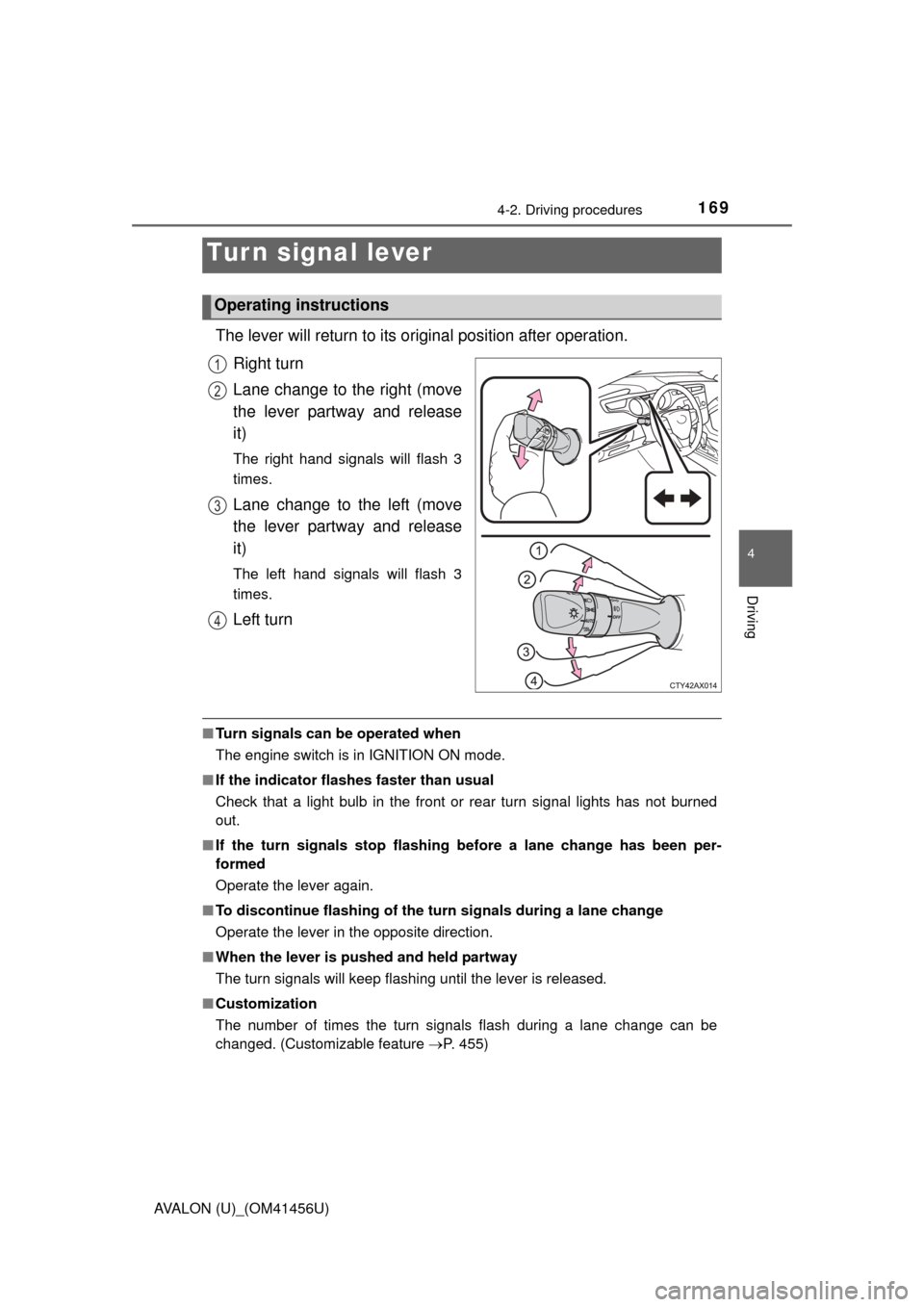
The lever will return to its original position after operation.
Right turn
Lane change to the right (move
the lever partway and release
it)
The right hand signals will flash 3
times.
Lane change to the left (move
the lever partway and release
it)
The left hand signals will flash 3
times.
Left turn
■ Turn signals can be operated when
The engine switch is in IGNITION ON mode.
■ If the indicator flashes faster than usual
Check that a light bulb in the front or rear turn signal lights has not burned
out.
■ If the turn signals stop flashing before a lane change has been per-
formed
Operate the lever again.
■ To discontinue flashing of the turn signals during a lane change
Operate the lever in the opposite direction.
■ When the lever is pushed and held partway
The turn signals will keep flashing until the lever is released.
■ Customization
The number of times the turn signals flash during a lane change can be
changed. (Customizable feature P. 455)
Tur n signal lever
Operating instructions
1
2
3
4