Page 267 of 500
267
5
Interior features
AVALON (U)_(OM41456U)
5-4. Other interior features
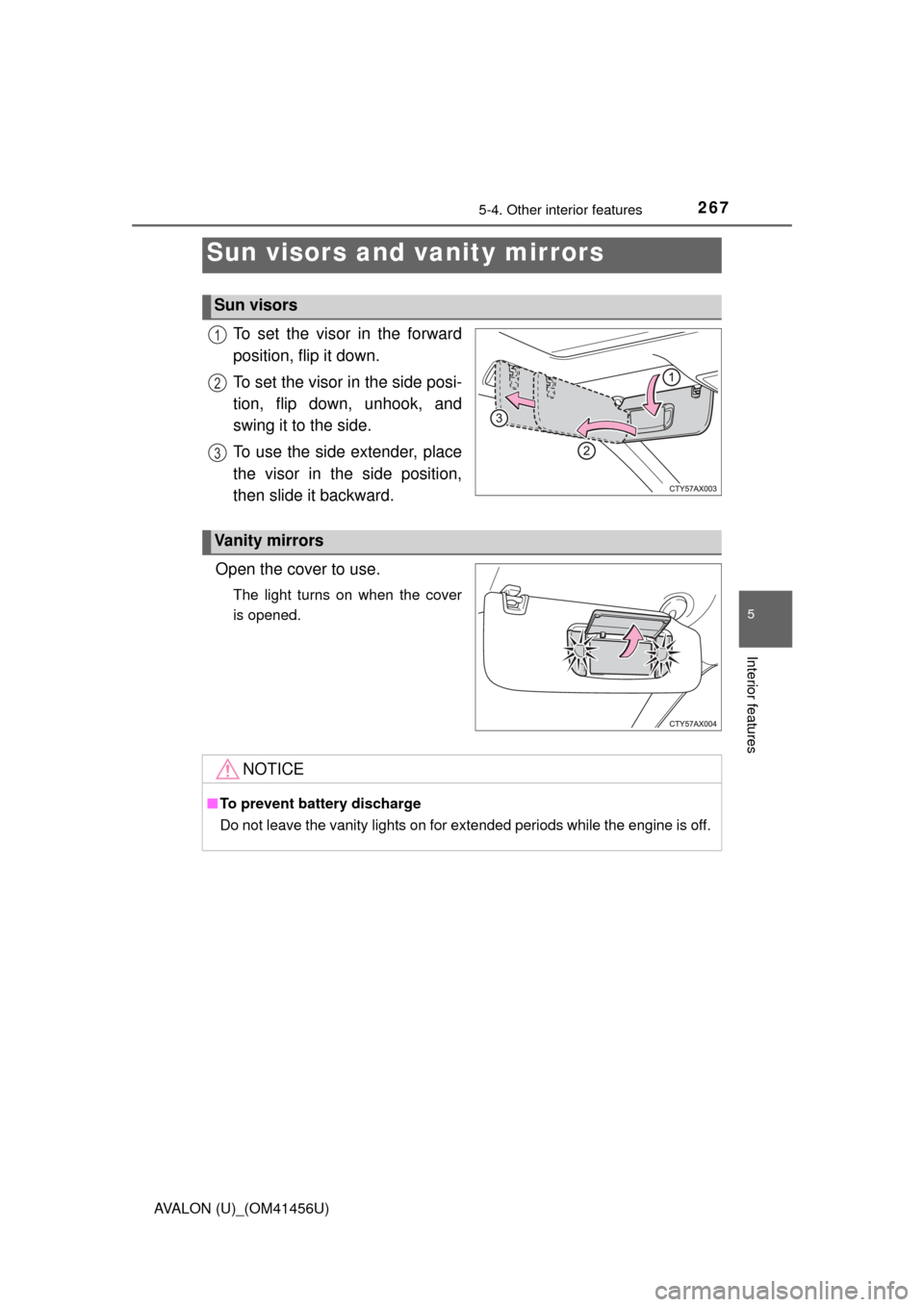
To set the visor in the forward
position, flip it down.
To set the visor in the side posi-
tion, flip down, unhook, and
swing it to the side.
To use the side extender, place
the visor in the side position,
then slide it backward.
Open the cover to use.
The light turns on when the cover
is opened.
Sun visors and vanity mirrors
Sun visors
1
2
3
Vanity mirrors
NOTICE
■ To prevent battery discharge
Do not leave the vanity lights on for extended periods while the engine is off.
Page 283 of 500
2835-4. Other interior features
5
Interior features
AVALON (U)_(OM41456U)
The garage door opener (HomeLink Universal Transceiver) is manu-
factured under license from HomeLink.
The HomeLink
compatible transceiver in your vehicle has 3 buttons
which can be programmed to operate 3 different devices. Refer to the
programming method below appropriate for the device.
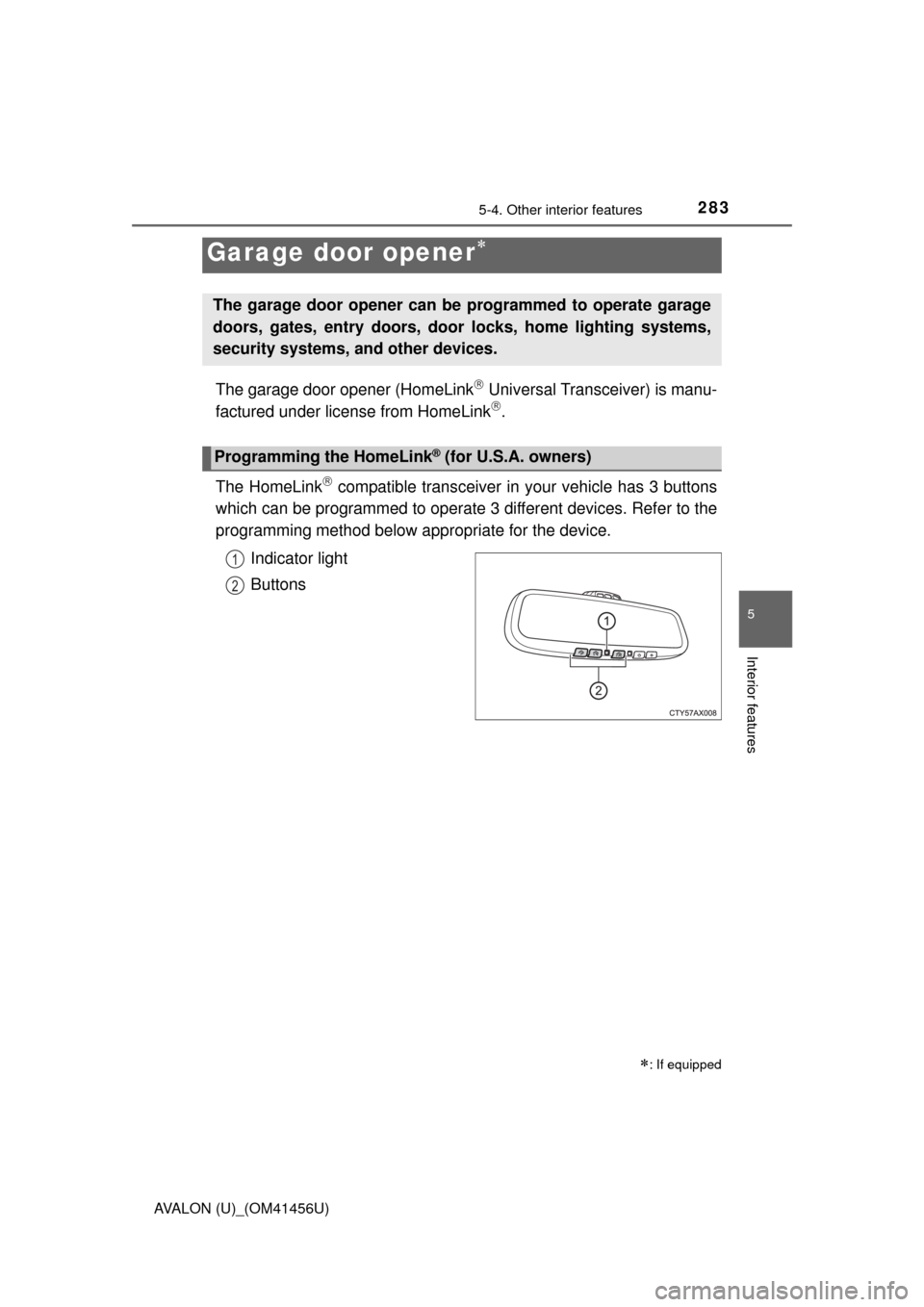
Indicator light
Buttons
Garage door opener
: If equipped
The garage door opener can be programmed to operate garage
doors, gates, entry doors, door locks, home lighting systems,
security systems, and other devices.
Programming the HomeLink® (for U.S.A. owners)
1
2
Page 284 of 500
2845-4. Other interior features
AVALON (U)_(OM41456U)■
Programming the HomeLink
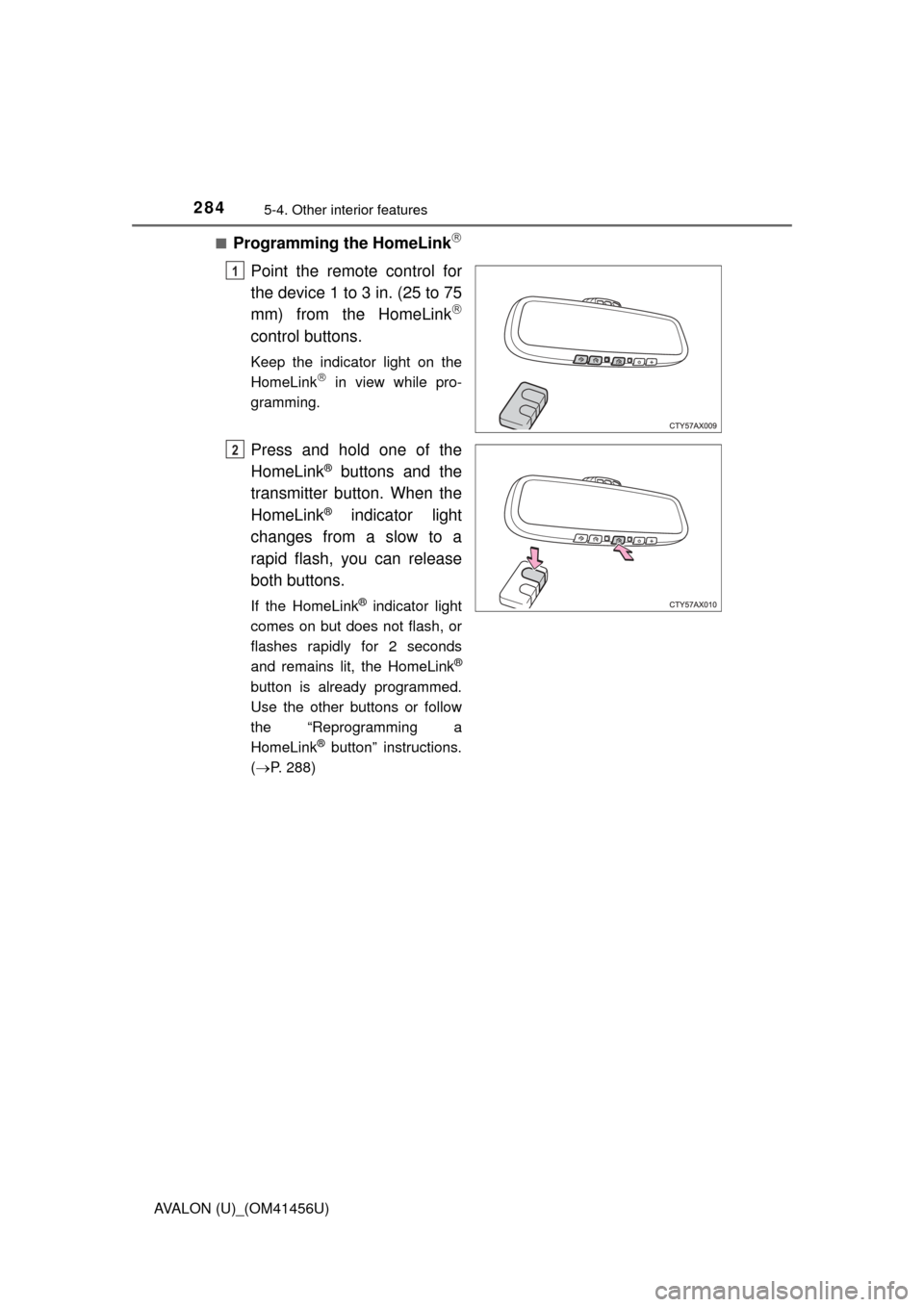
Point the remote control for
the device 1 to 3 in. (25 to 75
mm) from the HomeLink
control buttons.
Keep the indicator light on the
HomeLink in view while pro-
gramming.
Press and hold one of the
HomeLink
® buttons and the
transmitter button. When the
HomeLink
® indicator light
changes from a slow to a
rapid flash, you can release
both buttons.
If the HomeLink® indicator light
comes on but does not flash, or
flashes rapidly for 2 seconds
and remains lit, the HomeLink
®
button is already programmed.
Use the other buttons or follow
the “Reprogramming a
HomeLink
® button” instructions.
( P. 288)
1
2
Page 285 of 500
2855-4. Other interior features
5
Interior features
AVALON (U)_(OM41456U)
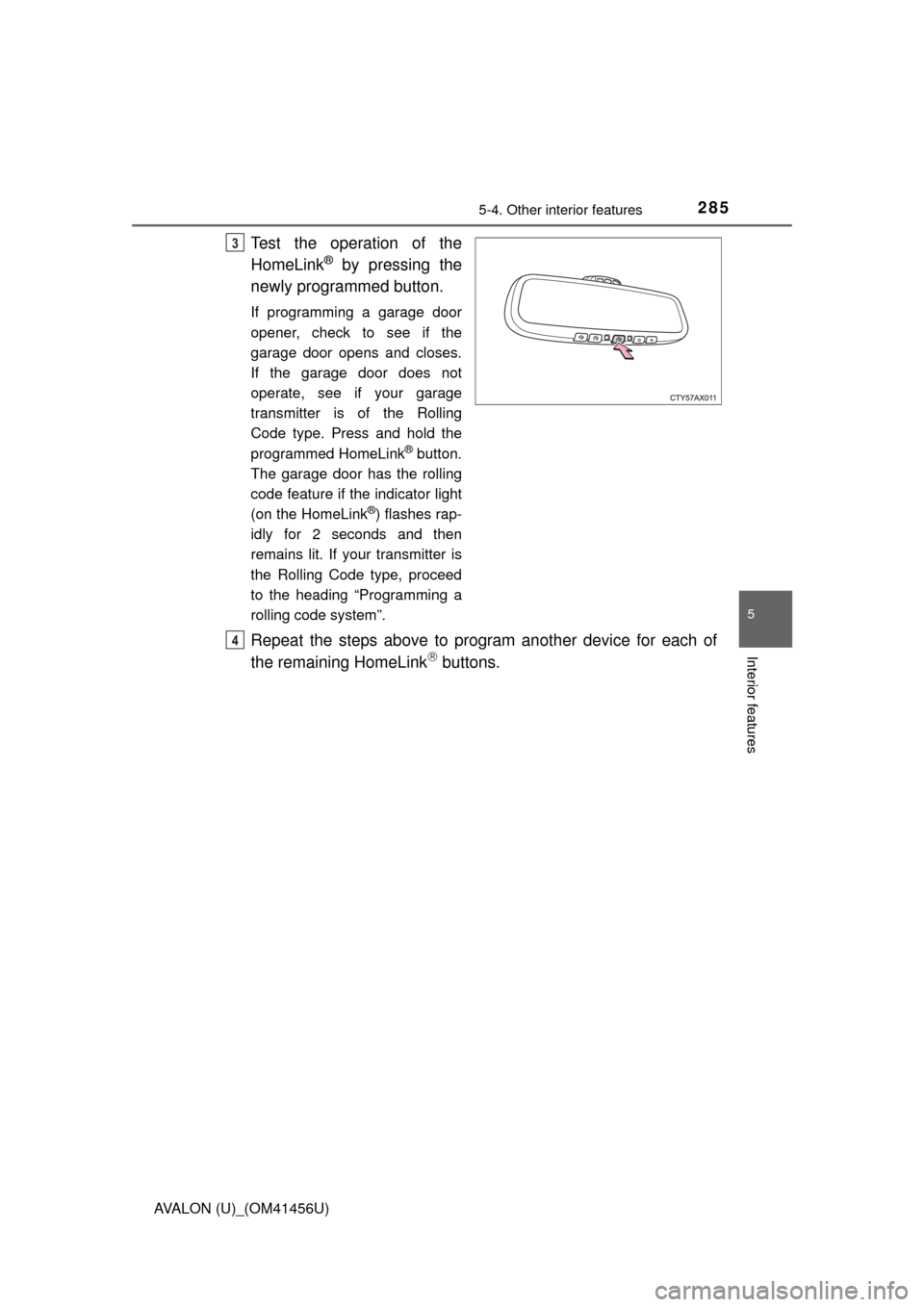
Test the operation of the
HomeLink
® by pressing the
newly programmed button.
If programming a garage door
opener, check to see if the
garage door opens and closes.
If the garage door does not
operate, see if your garage
transmitter is of the Rolling
Code type. Press and hold the
programmed HomeLink
® button.
The garage door has the rolling
code feature if the indicator light
(on the HomeLink
®) flashes rap-
idly for 2 seconds and then
remains lit. If your transmitter is
the Rolling Code type, proceed
to the heading “Programming a
rolling code system”.
Repeat the steps above to program another device for each of
the remaining HomeLink buttons.
3
4
Page 287 of 500
2875-4. Other interior features
5
Interior features
AVALON (U)_(OM41456U)■
Programming an entry gate (for U.S.A. owners)/Programming
all devices in the Canadian market
Place your transmitter 1 to 3 in. (25 to 75 mm) away from the sur-
face of the HomeLink
.
Keep the indicator light on the HomeLink in view while programming.
Press and hold the selected HomeLink button.
Repeatedly press and release (cyc le) the device’s remote control
button for two seconds each until step 4 is completed.
When the indicator light on the HomeLink
compatible trans-
ceiver starts to flash rapidly, release the buttons.
Test the operation of the HomeLink
by pressing the newly pro-
grammed button. Check to see if the gate/device operates cor-
rectly.
Repeat the steps above to program another device for each of
the remaining HomeLink
buttons.
■Programming other devices
To program other devices such as home security systems, home
door locks or lighting, contact your authorized Toyota dealer for
assistance.
■Reprogramming a button
The individual HomeLink
buttons cannot be erased but can be
reprogrammed. To reprogram a but ton, follow the “Basic program-
ming” instructions.
1
2
3
4
5
6
Page 288 of 500
2885-4. Other interior features
AVALON (U)_(OM41456U)
Press the appropriate HomeLink button. The HomeLink indicator
light on the HomeLink transceiver should turn on.
The HomeLink continues to send a signal for up to 20 seconds as long as
the button is pressed.
Press and hold the desired HomeLink® button. After 20 seconds, the
HomeLink
® indicator light will start flashing slowly. Keep pressing the
HomeLink
® button and press and hold the transmitter button until the
HomeLink
® indicator light changes from a slow to a rapid flash.
Release the buttons.
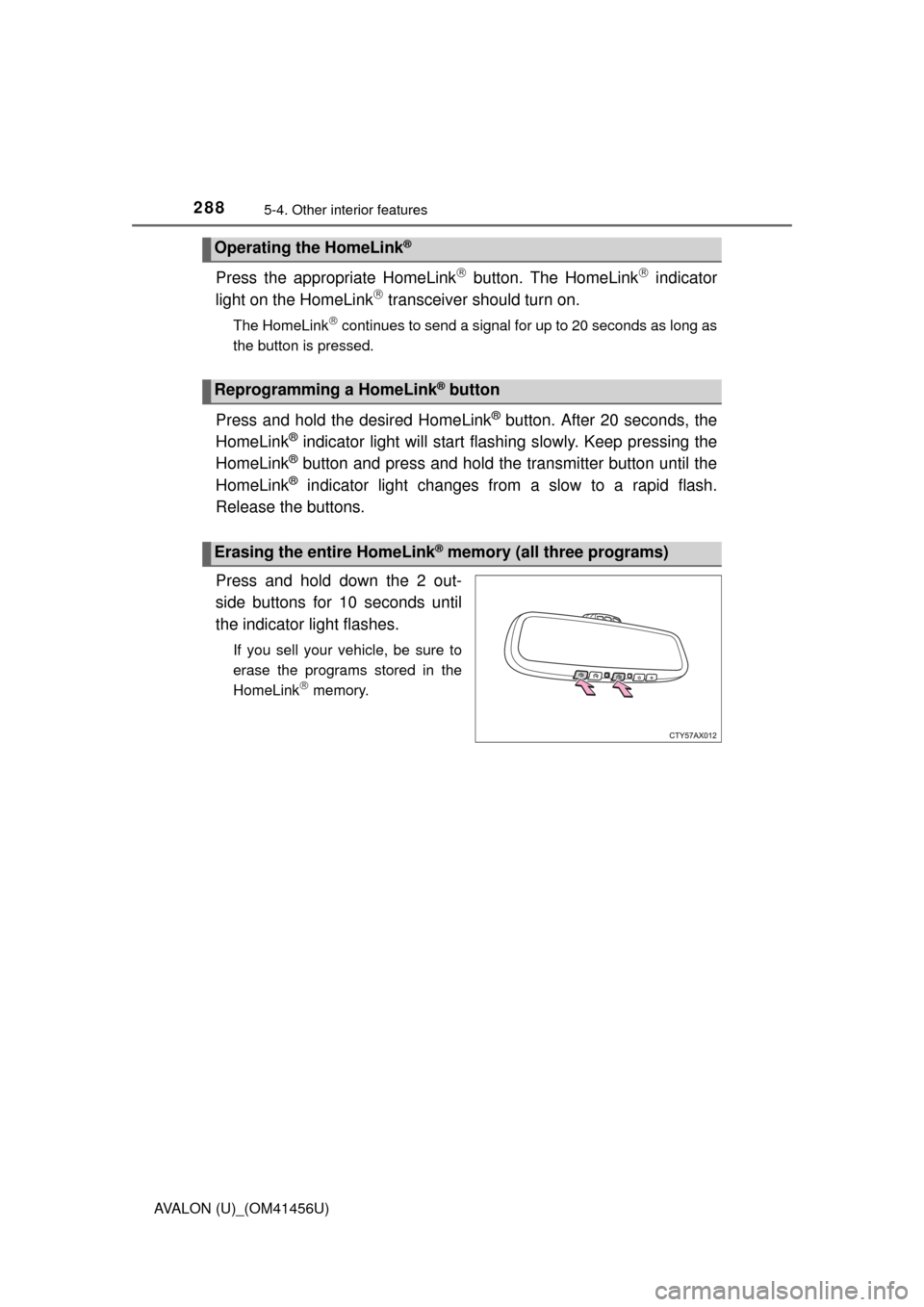
Press and hold down the 2 out-
side buttons for 10 seconds until
the indicator light flashes.
If you sell your vehicle, be sure to
erase the programs stored in the
HomeLink
memory.
Operating the HomeLink®
Reprogramming a HomeLink® button
Erasing the entire HomeLink® memory (all three programs)
Page 290 of 500
2905-4. Other interior features
AVALON (U)_(OM41456U)■
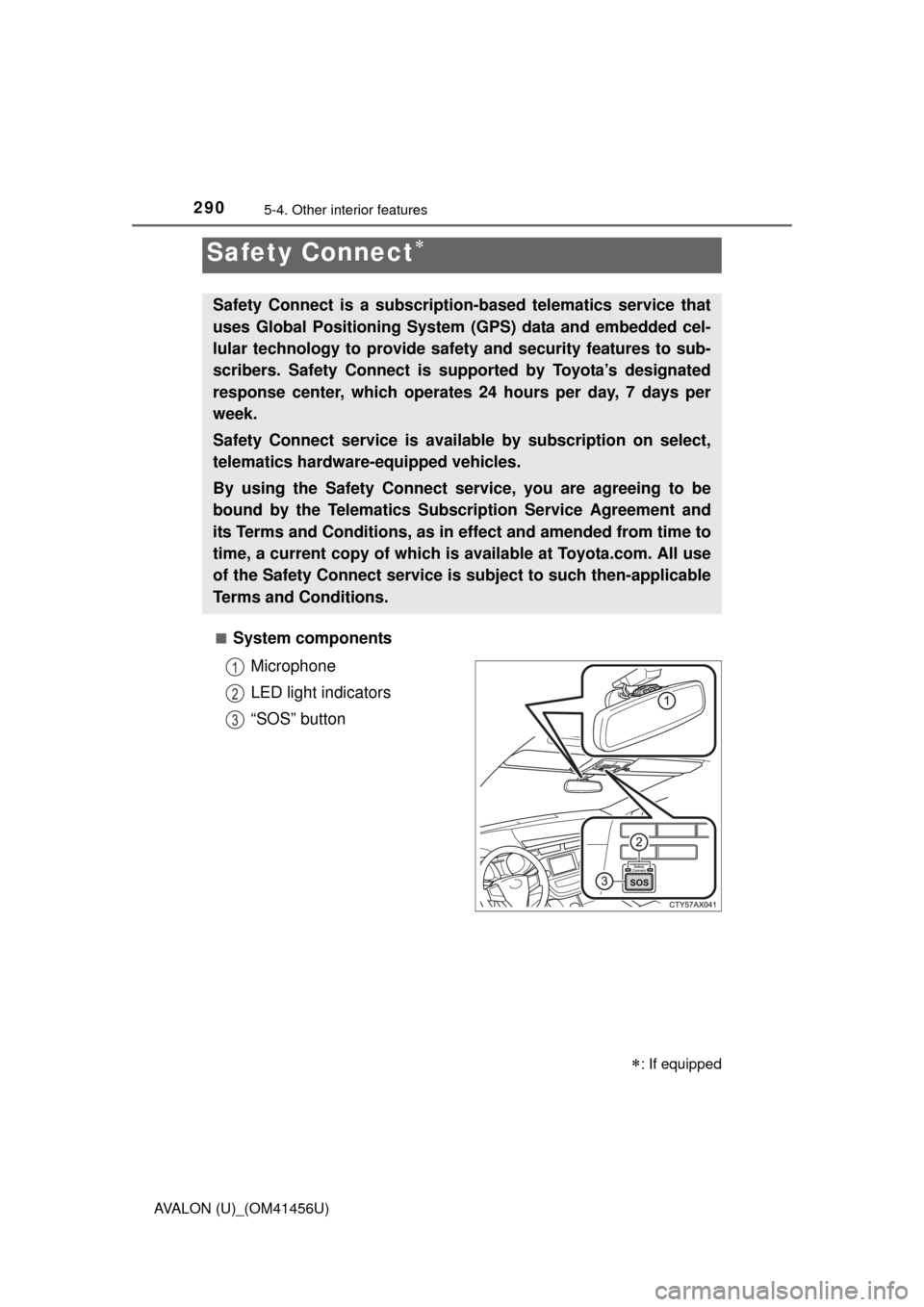
System components
Microphone
LED light indicators
“SOS” button
Safety Connect
: If equipped
Safety Connect is a subscripti on-based telematics service that
uses Global Positioning System (GPS) data and embedded cel-
lular technology to provide safety and security features to sub-
scribers. Safety Connect is supported by Toyota’s designated
response center, which operates 24 hours per day, 7 days per
week.
Safety Connect service is avai lable by subscription on select,
telematics hardware-equipped vehicles.
By using the Safety Connect service, you are agreeing to be
bound by the Telematics Subscription Service Agreement and
its Terms and Conditions, as in ef fect and amended from time to
time, a current copy of which is available at Toyota.com. All use
of the Safety Connect service is subject to such then-applicable
Terms and Conditions.
1
2
3
Page 293 of 500
2935-4. Other interior features
5
Interior features
AVALON (U)_(OM41456U)
When the engine switch is turned to IGNITION ON mode, the red indi-
cator light comes on for 2 seconds then turns off. Afterward, the green
indicator light comes on, indicating that the service is active.
The following indicator light patterns indicate specific system usage
conditions:
● Green indicator light on = Active service
● Green indicator light flashing = Sa fety Connect call in process
● Red indicator light (except at vehi cle start-up) = System malfunction
(contact your Toyota dealer)
● No indicator light (off) = Safety Connect service not active
■Automatic Collision Notification
In case of either airbag deployment or severe rear-end collision, the
system is designed to automatical ly call the response center. The
responding agent receives the vehicle’s location and attempts to
speak with the vehicle occupants to assess the level of emergency.
If the occupants are unable to communicate, the agent automati-
cally treats the call as an emergency, contacts the nearest emer-
gency services provider to descri be the situation, and requests that
assistance be sent to the location.
Safety Connect LE D light Indicators
Safety Connect services