2015 Seat Alhambra ECO mode
[x] Cancel search: ECO modePage 53 of 305

CockpitMenuFunction
Speed warn-
ing at --- km/hIf the stored speed is exceeded (be-
tween 30 - 250 km/h, or 18 -
155 mph), an audible warning is given
together with a visual warning. Changing between display modes
● In vehicles without multifunction steering
wheel: press the lever.
● Vehicle
s with a multifunction steering
wheel:
press or
.
Storing a speed for the speed warning
● Select the display Speed warning at --- km/h
.
● Press OK to store the current speed and
switch off the warning.
● In addition, set the required speed by
pressing the rocker switch on the windscreen
wiper lever or buttons or
on the multi-
function steering wheel for 5 seconds. Next,
press OK again or wait a few seconds. The
speed is stored and the warning activated.
● To switch off , press OK . The stored speed is
deleted.
Manually erasing memory 1 or 2
● Select the memory to be erased.
● Press and hold OK for approximately 2 sec-
onds. Personalising the displays
It is possible to select which of the displays
in the multifunction display you wish to see
on the instrument panel in the
settings
menu. The units of measurement can also be
modified ››› page 51 .
C onfigur
ation Menu
Configu-
ration
MenuFunction
Multi-
function
display
dataConfiguration of the multifunction display
data that you wish to see on the instrument
panel display ››› page 50.
Compass
Changing the magnetic region and calibra-
tion of the compass. To calibrate the com-
pass, please follow the instructions given
on the instrument panel display.
Conven-
ienceChanging vehicle convenience functions
››› page 52.
Lights &
visibilityConfiguration of vehicle lighting
››› page 52.
Time
Changing the hours and minutes of the in-
strument panel clock and the navigation
system. The time can be set here and the
choice can be made between the 24-hour
and 12-hour display. The S in the upper
part of the display indicates that the clock
is set to summer time.
Configu-
ration
MenuFunction
Winter
tyres
Changing the visual and audible speed
warnings. This function should only be
used when the vehicle is fitted with winter
tyres, which are not designed for travel at
high speeds.
LanguageChanging the language of the display texts
and the navigation system.
UnitsChanging the units of measurement for the
temperature, consumption and distance.
Second
speedSwitching second speed display on and off.
Auto-HoldSelect if the Auto-Hold function should be
on permanently.
ServiceCheck the service notifications or reset the
service intervals to zero.
Factory
settingsSome functions of the Configuration menu
will be reset to the factory value.
BackThe main menu is displayed again. 51
Technical specifications
Advice
Operation
Safety
Page 58 of 305

Operation
Control lamp on the vehicle key Fig. 41
Control lamp on the vehicle key When a button on the vehicle key is pressed,
the control lamp flashes
››› Fig. 41 (arrow)
onc e briefly
. If the button is pressed and
held, the indicator blinks several times (e.g.
for the convenience opening function).
When the control lamp does not light upon
pushing a button, the batteries of the key
must be changed ››› page 56. Changing the battery Fig. 42
Vehicle key: battery compartment cov-
er Fig. 43
Vehicle key: removing the battery SEAT recommend having the batteries
changed in a specialised workshop.
The battery is located to the rear of the vehi-
cle key, under a cover
››› Fig. 42 .
When c h
anging the battery, use another bat-
tery of the same model and observe the po-
larity when fitting it ››› .To change the battery
●
Unfold the vehicle key shaft ››› page 54.
● Remove the cover from the back of the ve-
hicle key ››› Fig. 42 in the direction of the ar-
r o
w ››› .
● Extract the battery from the compartment
using a suitable thin object ››› Fig. 43 .
● Plac
e the new battery in the compartment,
pressing in the direction of the arrow as
shown ››› Fig. 43 ››› .
● Fit the battery compartment cover, pressing
in the direction of the arrow as shown
››› Fig. 42 until it clicks into place. CAUTION
● If the battery is not changed correctly, the
vehicle key may be damaged.
● Use of unsuitable batteries may damage
the vehicle key. For this reason, always re-
place the dead battery with another of the
same voltage, size and specifications. For the sake of the environment
● Please dispose of your used batteries cor-
rectly and with respect for the environment.
● The vehicle key battery may contain per-
chlorate. Observe the legal requirements for
their disposal. 56
Page 85 of 305

Lights and visibility
Windscreen wiper functionsWindscreen wiper performance in different sit-
uations
If the vehicle
is at a stand-
stillThe activated position provisionally
changes to the previous position.
During auto-
matic wipe
The air conditioner comes on for ap-
proximately 30 seconds in air recircula-
tion mode to prevent the smell of the
windscreen washer fluid entering the
inside the vehicle.
For the inter-
val wipeIntervals between wipes depend on the
vehicle's speed. The higher the vehicle
speed the shorter the intervals. Heated windscreen washer jets
The heating only thaws the frozen jets, it
does not thaw the water in the washer hoses.
The heated windscreen washer jets automati-
cally adjust the heat depending on the ambi-
ent temperature, when the ignition is switch-
ed on.
Headlight wash/wipe system
The headlight washers/wipers clean the
headlight lenses.
After the ignition is switched on, the first and
every fifth time the windscreen washer is
switched on, the headlights are also washed.
Therefore, the windscreen wiper lever should
be pulled towards the steering wheel when the dipped beam or main beam are on. Any
incrusted dirt (such as insects) should be
cleaned regularly (e.g. when refuelling).
To ensure the headlight washers work cor-
rectly in winter, any snow which has got into
the bumper jet supports should be cleaned
away. If necessary, remove snow with an anti-
icing spray.
Note
The wiper will try to wipe away any obstacles
that are on the windscreen. The wiper will
stop moving if the obstacle blocks its path.
Remove the obstacle and switch the wiper
back on again. Windscreen wipers service position
Fig. 66
Wipers in service position The wiper arms can be raised when the wip-
ers are in service position
››› Fig. 66 . To place the w
ind
screen wipers in the service posi-
tion, proceed as follows:
● The bonnet must be closed ››› page 214.
● Switch the ignition on and off.
● Press the windscreen wiper lever down-
wards briefly ››› Fig. 65 4 .
Before driving, always lower the wiper arms.
Using the windscreen wiper lever, the wind-
screen wiper arms return to their initial posi-
tion.
Lifting and returning windscreen wiper arms
● Place the wiper arms in the service position
››› .
● Only hold the wiper arms at the point
where the blade is fixed. CAUTION
● To prevent damage to the bonnet and the
wiper arms, only leave them in the service
position.
● Before driving, always lower the wiper
arms. 83
Technical specifications
Advice
Operation
Safety
Page 107 of 305

Transport and practical equipment
● Hook in the net partition on the rear right-
hand side roof support by pressing on the
rod.
● Secure the net partition hooks into the
straps in the front of the boot ››› Fig. 92 then
tight en the belts.
In
stalling the net partition behind the front
seats
● Hook in the net partition on the front left-
hand side roof support ››› Fig. 92. To do this,
guide the rod fr
om up to down.
● Hook in the net partition on the rear right-
hand side roof support by pressing on the
rod.
● Secure the hooks of the net partition to the
attachment rings in the left and right hand
side footwells on the second row of seats
then tighten the straps.
Removing the net partition
● Loosen the net partition straps.
● Release the net partition hooks from the
rings ››› Fig. 92.
● Unhook the net
partition on the right-hand
side roof support ››› Fig. 92 by pressing on
the rod.
● Unhook
the net partition from the left-hand
side roof support. Folding in the net partition
●
Press on the release button ››› Fig. 91 2 and bend the rod
A in the direction of the
arrow with the release button pressed.
● Press on the release button ››› Fig. 91 3 and bend the rod
B in the direction of the
arrow with the release button pressed.
● Store the net partition securely in the vehi-
cle. WARNING
Loose objects in the vehicle interior can be vi-
olently thrown in case of a sudden manoeu-
vre or braking and especially in accidents
causing serious injury.
● Ensure that the rods are correctly locked in
place.
● Even when the net partition is correctly fit-
ted, objects must be secured.
● When driving with the net partition, no pas-
sengers should be behind it. Fastening rings*
Fig. 93
In the luggage compartment: fasten-
ing rings To the front and rear of the luggage compart-
ment, there are fastening rings for securing
objects
››› Fig. 93 (arrows). On some models,
the f a
stening rings are located right at the
the back, in the area of the lock carrier plate.
There are other fastening rings located to the
left and right hand side of the second row
footrests.
Some models of fastening rings must be lif-
ted to use them. WARNING
Unsuitable or damaged ropes or straps may
be released in case of sudden braking or an
accident. As a result, objects may be fired
through the vehicle interior causing serious
injury or death. » 105
Technical specifications
Advice
Operation
Safety
Page 117 of 305
Transport and practical equipment
Vehicle wallet compartment
The glove compartment is designed to store
the vehicle documentation.
The vehicle on-board documentation wallet
should always be kept in the glove compart-
ment. Insert it crosswise in the glove com-
partment.
Glove compartment cooling
There is an air vent ››› Fig. 107 A on the rear
panel so that cooled air from the air condi-
tioner (this must be connected) is fed into
the glove compartment. Turn the air vent to
open and close it. WARNING
The risk of serious injuries in the event of an
accident during a sudden braking manoeuvre
or turn is increased if the glove compartment
is left open.
● Keep the glove compartment closed while
the vehicle is in motion. CAUTION
For structural reasons, some model versions
will have gaps behind the glove compartment
into which small objects may fall. This could
lead to strange noises and damage to the ve-
hicle. You should therefore not keep very
small objects in the glove compartment. Storage compartments in the rear
footwell*
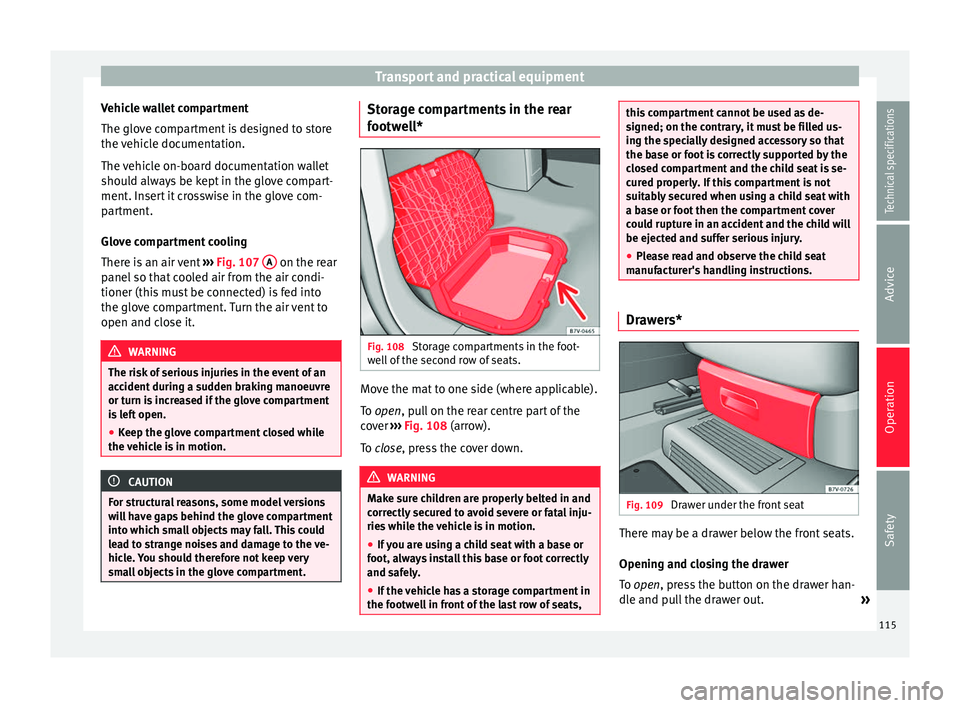
Fig. 108
Storage compartments in the foot-
well of the second row of seats. Move the mat to one side (where applicable).
To
open
, pull on the rear centre part of the
c
over ›››
Fig. 108 (arrow).
To
close, press the cover down. WARNING
Make sure children are properly belted in and
correctly secured to avoid severe or fatal inju-
ries while the vehicle is in motion.
● If you are using a child seat with a base or
foot, always install this base or foot correctly
and safely.
● If the vehicle has a storage compartment in
the footwell in front of the last row of seats, this compartment cannot be used as de-
signed; on the contrary, it must be filled us-
ing the specially designed accessory so that
the base or foot is correctly supported by the
closed compartment and the child seat is se-
cured properly. If this compartment is not
suitably secured when using a child seat with
a base or foot then the compartment cover
could rupture in an accident and the child will
be ejected and suffer serious injury.
●
Please read and observe the child seat
manufacturer's handling instructions. Drawers*
Fig. 109
Drawer under the front seat There may be a drawer below the front seats.
Opening and closing the drawer
To
open
, press the button on the drawer han-
dl
e and pull the drawer out. »
115
Technical specifications
Advice
Operation
Safety
Page 124 of 305

Operation
Air conditioning
Air conditioner Introduction Viewing Climatronic information
The factory-fitted radio or navigation system
screen briefly displays information relating to
Climatronic.
The units of temperature measurement is dis-
played on the factory-installed radio or navi-
gation system and, depending on the vehicle
equipment, can be set using the
Configura-
tion menu on the instrument panel. WARNING
Reduced visibility through the windows in-
creases the risk of serious accidents.
● Ensure that all windows are free of ice and
snow and that they are not fogged up pre-
venting a clear view of everything outside.
● The maximum heat output required to de-
frost windows quickly is only available when
the engine has reached its normal running
temperature. Only drive when you have good
visibility. ●
Always ensure that you use the air condi-
tioner and heated rear window to maintain
good visibility.
● Never leave the air recirculation on for a
long period of time. If the cooling system is
switched off and air recirculation mode
switched on, the windows can mist over very
quickly, considerably limiting visibility.
● Switch air recirculation mode off when it is
not required. WARNING
Stuffy or used air will increase fatigue and re-
duce driver concentration possibly resulting
in a serious accident.
● Never leave the fresh air fan turned off or
use the air recirculation for long periods of
time; the air in the vehicle interior will not be
refreshed. CAUTION
● Switch the air conditioner off if you think it
may be broken. This will avoid additional
damage. Have the air conditioner checked by
a specialised workshop.
● Repairs to the air conditioner require spe-
cialist knowledge and special tools. SEAT rec-
ommends taking your car in for technical
service. ●
Do not smoke when air recirculation is
switched on in vehicles with an air condition-
er. The smoke taken in could lie on the cool-
ing system vaporiser and on the activated
charcoal cartridge of the dust and pollen fil-
ter, leading to a permanently unpleasant
smell. Note
● When the cooling system is turned off, air
coming from the outside will not be dried. To
avoid fogging up the windows, SEAT recom-
mends leaving the cooler (compressor) on. To
do this, press the A/C button. The button
lamp should light up.
● If the humidity and temperature outside the
vehicle are high, condensation can drip off
the evaporator in the cooling system and
form a pool underneath the vehicle, this is
completely normal and there is no need to
suspect a leak.
● Keep the air intake slots in front of the
windscreen free of snow, ice and leaves to en-
sure heating and cooling are not impaired,
and to prevent the windows from misting
over. 122
Page 129 of 305

Air conditioning
CAUTION
Never place food, medicines or other heat-
sensitive objects close to the air vents. Being
heat-sensitive, they may be damaged or
made unsuitable for use by the air coming
from the air vents. Note
The air from the vents flows through the vehi-
cle interior and out through the outlets below
the rear window. The slots must not be cov-
ered with items of clothing or other objects. Air recirculation mode
Air recirculation mode prevents the ambient
air from entering the interior.
When the outside temperature is very high,
selecting manual air recirculation mode for a
short period refreshes the vehicle interior
more quickly.
For safety reasons, air recirculation mode is
switched off when the
button is press-
ed or the air distributor turned to ››› .
Switching the recirculation mode on and off
manually on the air conditioning (Electronic
manual air conditioning)
Switching on : press the button
u
nti l the
lamp on the button lights up. Switching off: press the button
until the
lamp on the button switches off.
Switching the recirculation mode on and off
manually on the Climatronic
Switching on: press the button until the
l
amp on the button lights up.
Switching off
: press the button until the
lamp on the button switches off.
Automatic air recirculation mode
Fresh air enters the vehicle interior in posi-
tion . If the system detects a high con-
centration of hazardous substances in the
ambient air, air recirculation mode is switch-
ed on automatically. When the level of impur-
ities drops to within a normal range, recircu-
lation mode is switched off.
The system is unable to detect unpleasant
smells.
With the following outside temperatures and
conditions the air recirculation does not
switch on automatically:
● The cooling system is switched on (the A/C button is lit up) and the outside temperature
is below +3 °C (+38 °F).
● The cooling system and the windscreen
wipers are switched off and the outside tem-
perature is below +10 °C (+50 °F).
● The cooling system is switched off and the
outside temperature is below +15 °C (+59 °F). The windscreen wiper is switched
on.
Switching the automatic air recirculation
mode on and off
Switching on
: press the button
until the
right
lamp on the button lights up.
Switching off
: press the button until all
the lamps on the button are switched off.
Switching the automatic air recirculation
mode off temporarily
● Press the button once to temporarily
switch to manual air recirculation mode in
the event of unpleasant smells from outside.
The left indicator lamp turns on.
● After more than two seconds, press the
button again to restart automatic air recircu-
lation. The right indicator lamp turns on. WARNING
Observe the safety warnings ››› in Intro-
duction on page 122.
● If the c
ooling system is switched off and air
recirculation mode switched on, the windows
can mist over very quickly, considerably limit-
ing visibility.
● Switch air recirculation mode off when it is
not required. » 127
Technical specifications
Advice
Operation
Safety
Page 131 of 305
Air conditioning
burn any fuel remaining in the auxiliary heat-
er. The exhaust gases are also extracted from
the system.
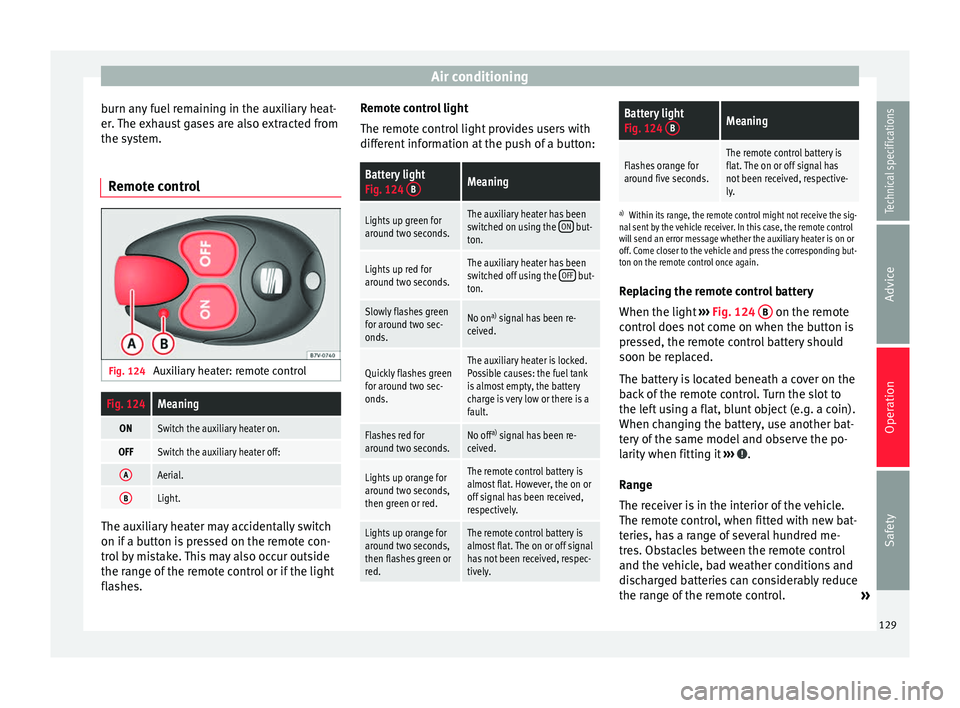
Remote control Fig. 124
Auxiliary heater: remote controlFig. 124Meaning
ONSwitch the auxiliary heater on.
OFFSwitch the auxiliary heater off:
AAerial.
BLight. The auxiliary heater may accidentally switch
on if a button is pressed on the remote con-
trol by mistake. This may also occur outside
the range of the remote control or if the light
flashes. Remote control light
The remote control light provides users with
different information at the push of a button:
Battery light
Fig. 124
BMeaning
Lights up green for
around two seconds.The auxiliary heater has been
switched on using the ON but-
ton.
Lights up red for
around two seconds.The auxiliary heater has been
switched off using the OFF but-
ton.
Slowly flashes green
for around two sec-
onds.No on a)
signal has been re-
ceived.
Quickly flashes green
for around two sec-
onds.The auxiliary heater is locked.
Possible causes: the fuel tank
is almost empty, the battery
charge is very low or there is a
fault.
Flashes red for
around two seconds.No off a)
signal has been re-
ceived.
Lights up orange for
around two seconds,
then green or red.The remote control battery is
almost flat. However, the on or
off signal has been received,
respectively.
Lights up orange for
around two seconds,
then flashes green or
red.The remote control battery is
almost flat. The on or off signal
has not been received, respec-
tively.
Battery light
Fig. 124 BMeaning
Flashes orange for
around five seconds.The remote control battery is
flat. The on or off signal has
not been received, respective-
ly.
a)
Within its range, the remote control might not receive the sig-
nal sent by the vehicle receiver. In this case, the remote control
will send an error message whether the auxiliary heater is on or
off. Come closer to the vehicle and press the corresponding but-
ton on the remote control once again.
Replacing the remote control battery
When the light ›››
Fig. 124 B on the remote
control does not come on when the button is
pressed, the remote control battery should
soon be replaced.
The battery is located beneath a cover on the
back of the remote control. Turn the slot to
the left using a flat, blunt object (e.g. a coin).
When changing the battery, use another bat-
tery of the same model and observe the po-
larity when fitting it ››› .
Range
The receiver is in the interior of the vehicle.
The remote control, when fitted with new bat-
teries, has a range of several hundred me-
tres. Obstacles between the remote control
and the vehicle, bad weather conditions and
discharged batteries can considerably reduce
the range of the remote control. »
129
Technical specifications
Advice
Operation
Safety