Page 269 of 316

5.15
Main beam headlights 2
Please consult an authorised dealer.
Dipped beam headlights 3
Please consult an authorised dealer.
Direction indicators
You can replace this bulb. However, we
would advise you to have it replaced by
an authorised dealer if it proves difficult.
Access bulb holder 4 via the under-
neath of the vehicle, then unscrew it to
unclip. Replace the bulb.
Bulb type: PY21W.
Cleaning the headlights
Use a soft cloth. If this does not clean
it properly, moisten the cloth with soapy
water then rinse off.
Finally, carefully dry off with a soft dry
cloth.
Cleaning products containing alco-
hol must not be used.
FRONT HEADLIGHTS: changing bulbs
The bulbs are under pres-
sure and can break when
replaced.
Risk of injury.
The engine may be hot
when carrying out opera-
tions in close proximity. In
addition, the engine cooling
fan can come on at any moment.
Risk of injury.
Daytime running lights and
side lights 1
Please consult an authorised dealer.
To comply with current legislation,
or as a precaution, you can obtain
an emergency kit from an approved
dealer containing a set of spare
bulbs and fuses.
1
23
4
Page 270 of 316
5.16
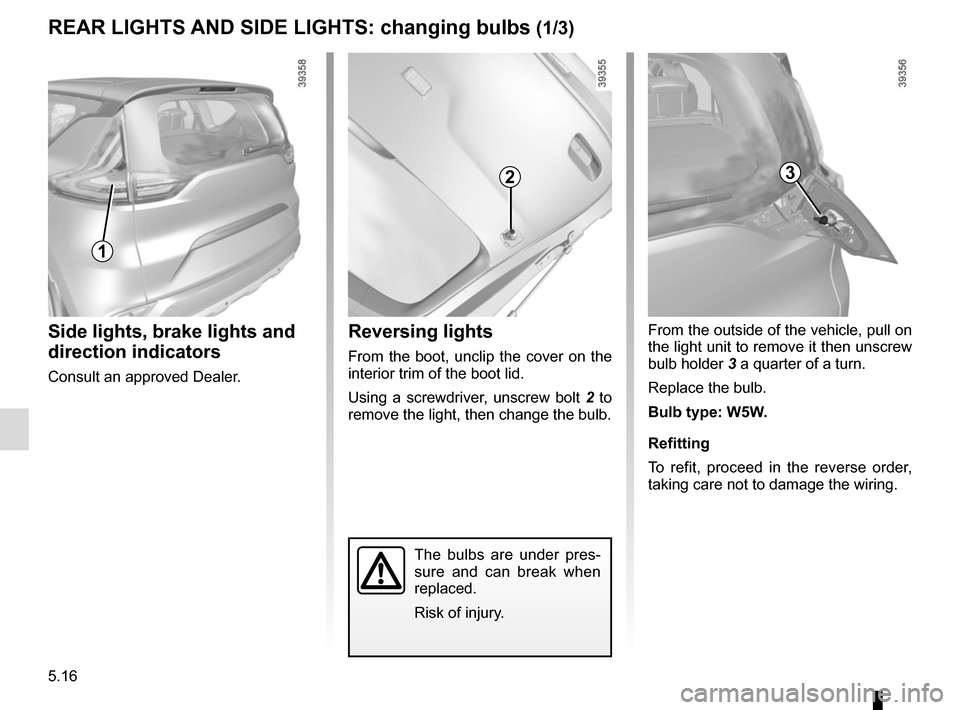
From the outside of the vehicle, pull on
the light unit to remove it then unscrew
bulb holder 3 a quarter of a turn.
Replace the bulb.
Bulb type: W5W.
Refitting
To refit, proceed in the reverse order,
taking care not to damage the wiring.
REAR LIGHTS AND SIDE LIGHTS: changing bulbs (1/3)
The bulbs are under pres-
sure and can break when
replaced.
Risk of injury.
Side lights, brake lights and
direction indicators
Consult an approved Dealer.
Reversing lights
From the boot, unclip the cover on the
interior trim of the boot lid.
Using a screwdriver, unscrew bolt 2 to
remove the light, then change the bulb.
23
1
Page 271 of 316
5.17
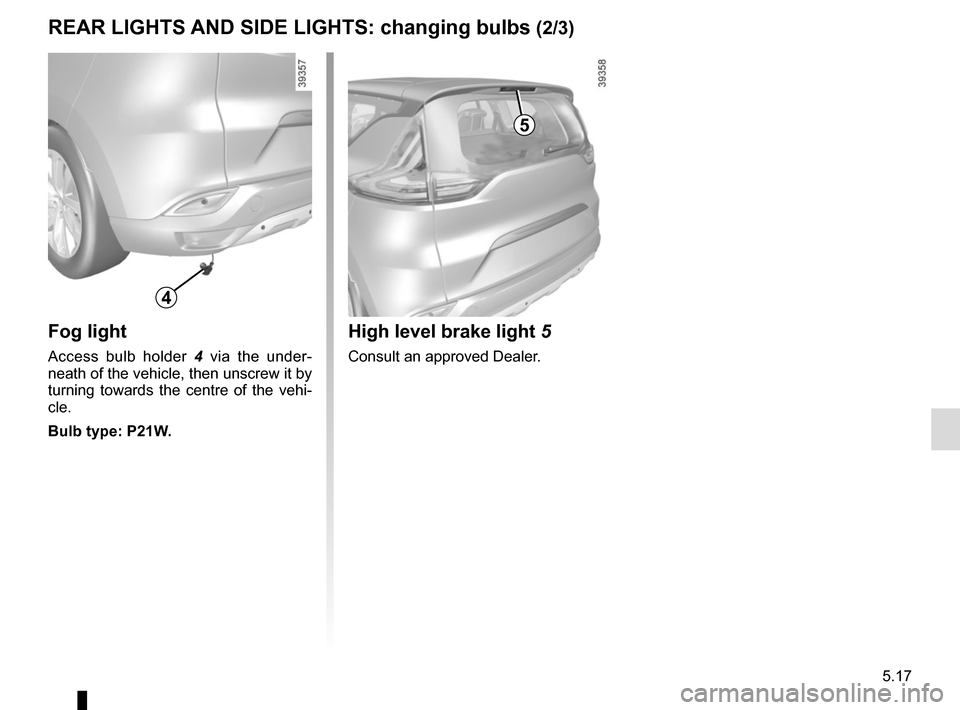
Fog light
Access bulb holder 4 via the under-
neath of the vehicle, then unscrew it by
turning towards the centre of the vehi-
cle.
Bulb type: P21W.
REAR LIGHTS AND SIDE LIGHTS: changing bulbs (2/3)
4
5
High level brake light 5
Consult an approved Dealer.
Page 272 of 316
5.18
REAR LIGHTS AND SIDE LIGHTS: changing bulbs (3/3)
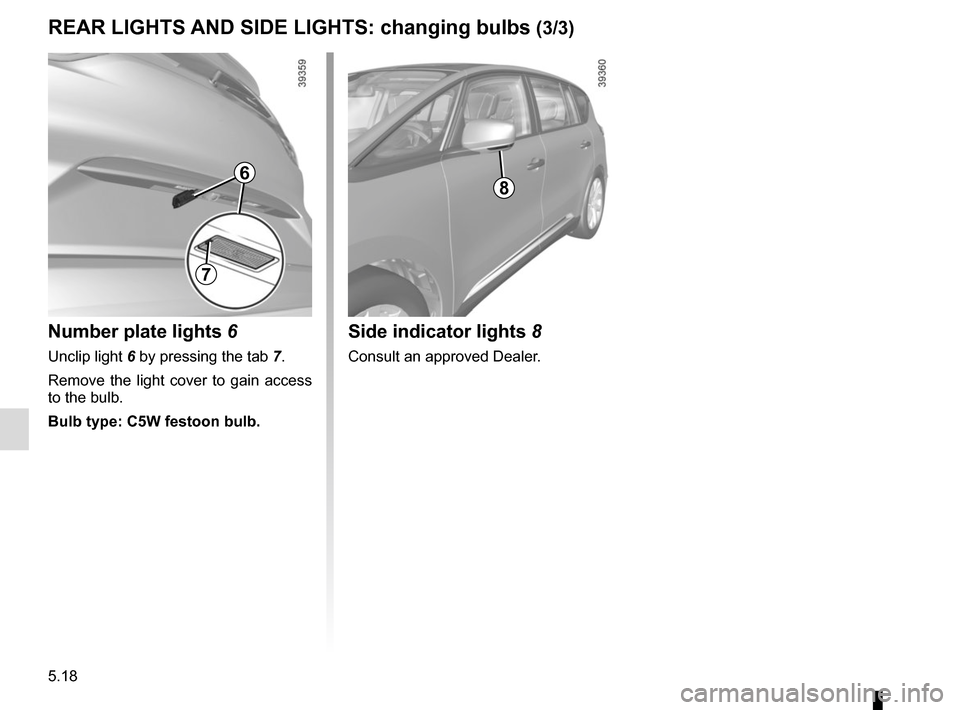
Side indicator lights 8
Consult an approved Dealer.
8
Number plate lights 6
Unclip light 6 by pressing the tab 7.
Remove the light cover to gain access
to the bulb.
Bulb type: C5W festoon bulb.
6
7
Page 273 of 316
5.19
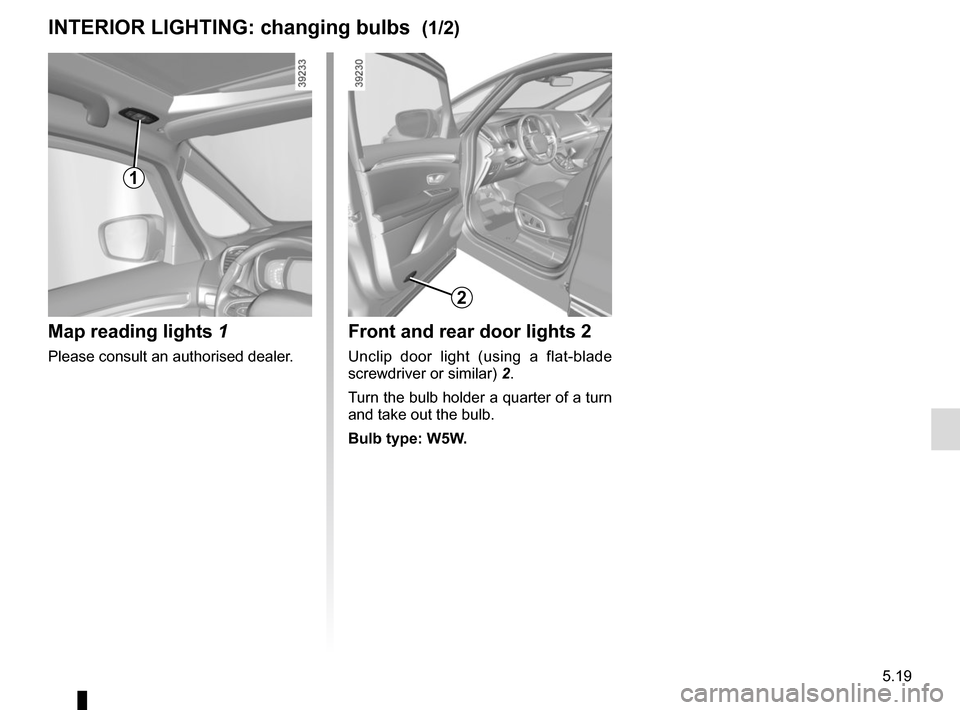
Front and rear door lights 2
Unclip door light (using a flat-blade
screwdriver or similar) 2.
Turn the bulb holder a quarter of a turn
and take out the bulb.
Bulb type: W5W.
INTERIOR LIGHTING: changing bulbs (1/2)
Map reading lights 1
Please consult an authorised dealer.
1
2
Page 274 of 316
5.20
The bulbs are under pres-
sure and can break when
replaced.
Risk of injury.
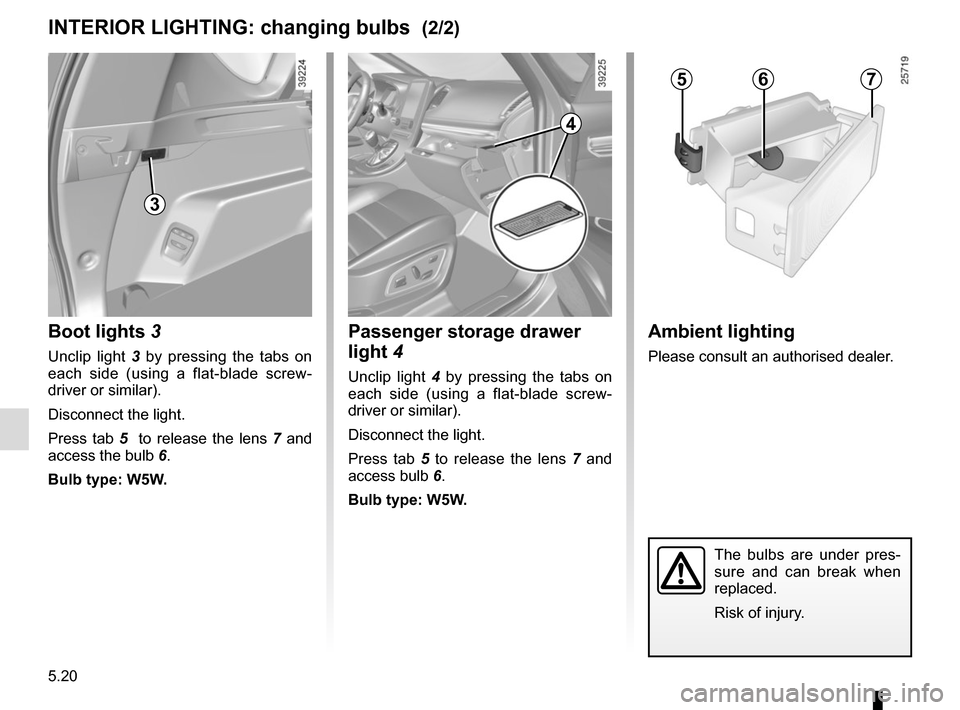
INTERIOR LIGHTING: changing bulbs (2/2)Ambient lighting
Please consult an authorised dealer.
567
Passenger storage drawer
light 4
Unclip light 4 by pressing the tabs on
each side (using a flat-blade screw-
driver or similar).
Disconnect the light.
Press tab 5 to release the lens 7 and
access bulb 6.
Bulb type: W5W.
4
3
Boot lights 3
Unclip light 3 by pressing the tabs on
each side (using a flat-blade screw-
driver or similar).
Disconnect the light.
Press tab 5 to release the lens 7 and
access the bulb 6.
Bulb type: W5W.
Page 276 of 316
5.22
FUSES (2/2)
Allocation of fuses
(the presence of certain fuses depends on the vehicle equipment level)\
Symbol Allocation SymbolAllocation
HWindscreen washer�Not used
ëThird row accessories socket, boot accessories
socketÝTowbar socket
ÆFront cigarette lighter, front and rear second row
accessories socket�Diagnostic socket, audio alarm
�Not usedÌHorn
�Heated door mirrors�Instrument panel, dashboard control lighting
×Brake lights, passenger compartment central unit�Piloted dampened suspension
\bParking brakefFront windscreen wiper
Additional servoDDirection indicator lights, hazard warning lights
îRadio, multifunction screen, multimedia acces-
sories sockets, parking brake control
Rear USB sockets on console
�Passenger compartment centre unit, rear wiper,
rear fog light\fNot used
OLocking opening elements, tailgate opening and
closing control
Page 277 of 316
5.23
BATTERY: troubleshooting (1/2)
To avoid all risk of sparks:
– Ensure that any consumers (cour-tesy lights, etc.) are switched off
before disconnecting or reconnect-
ing the battery;
– when charging, stop the charger before connecting or disconnecting
the battery;
– to avoid creating a short circuit be- tween the terminals, do not place
metal objects on the battery;
– always wait at least one minute after the engine has been switched off
before disconnecting a battery;
– make sure that you reconnect the battery terminals after refitting.
Connecting a battery charger
The battery charger must be com-
patible with a battery with nominal
voltage of 12 volts.
Do not disconnect the battery when the
engine is running. Follow the instruc-
tions given by the manufacturer of
the battery charger you are using.
Special procedures may be
required to charge some
batteries. Contact your au-
thorised dealer.
Avoid all risk of sparks which may
cause an immediate explosion, and
charge the battery in a well-venti-
lated area. Risk of serious injury.
Handle the battery with care
as it contains sulphuric acid,
which must not come into
contact with eyes or skin. If
it does, wash the affected area with
plenty of cold water. If necessary,
consult a doctor.
Ensure that naked flames, red hot
objects and sparks do not come into
contact with the battery as there is a
risk of explosion. There is a risk of
explosion.
The engine may be hot when car-
rying out operations in close prox-
imity. In addition, the engine cooling
fan can come on at any moment.
Risk of injury.
Before performing any
action in the engine com-
partment, the ignition must
be switched off by pressing
the engine stop button (please see
the information on “Starting, stop-
ping the engine” in Section 2).