Page 244 of 340
242
2008_en_Chap12b_SMEGplus_ed01-2015
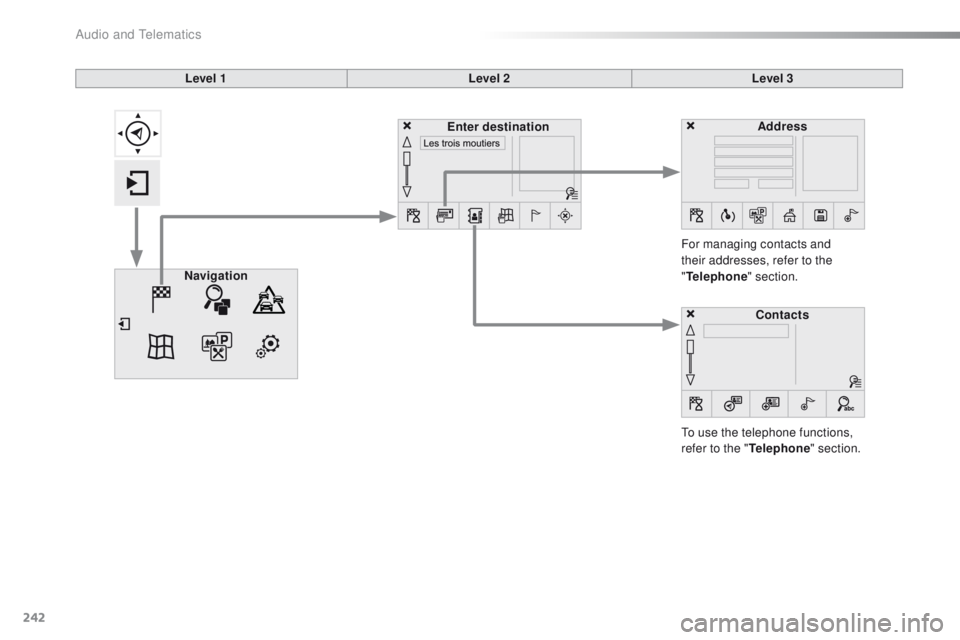
Level 1Level 2Level 3
To use the telephone functions,
refer to the " Telephone" section.
For managing contacts and
their addresses, refer to the
"
Telephone " section.
Navigation Address
Enter destination
Contacts
Audio and Telematics
Page 268 of 340
266
2008_en_Chap12b_SMEGplus_ed01-2015
Bluetooth® audio streaming
Streaming allows audio files on your telephone
to be played through the vehicle's speakers.
Connect the telephone: see the "Telephone"
section, then " Bluetooth".
Choose the " Audio" or "All" profile.
If play does not start automatically, it may be
necessary to start the audio playback from
the
telephone.
Control is from the peripheral device or by
using the audio system buttons.
Once connected in streaming mode,
the telephone is considered to be a
media source.
It is recommended that you activate
"Repeat " on the Bluetooth peripheral.
Connecting Apple® players
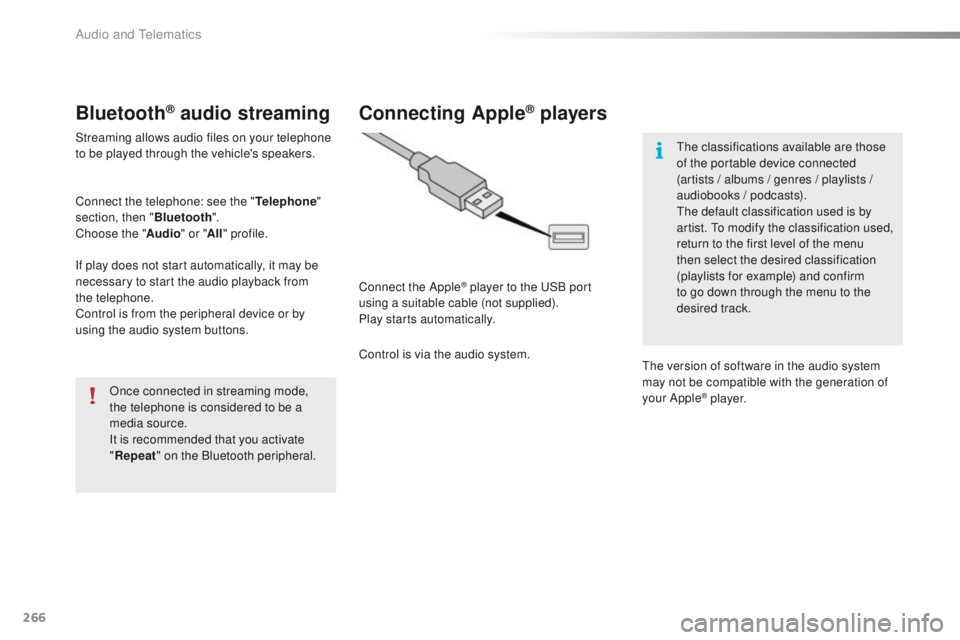
Connect the Apple® player to the USB port
using a suitable cable (not supplied).
Play starts automatically.
Control is via the audio system. The classifications available are those
of the portable device connected
(artists / albums / genres / playlists /
audiobooks / podcasts).
The default classification used is by
artist. To modify the classification used,
return to the first level of the menu
then select the desired classification
(playlists for example) and confirm
to go down through the menu to the
desired track.
The version of software in the audio system
may not be compatible with the generation of
your Apple
® p l aye r.
Audio and Telematics
Page 271 of 340
269
2008_en_Chap12b_SMEGplus_ed01-2015
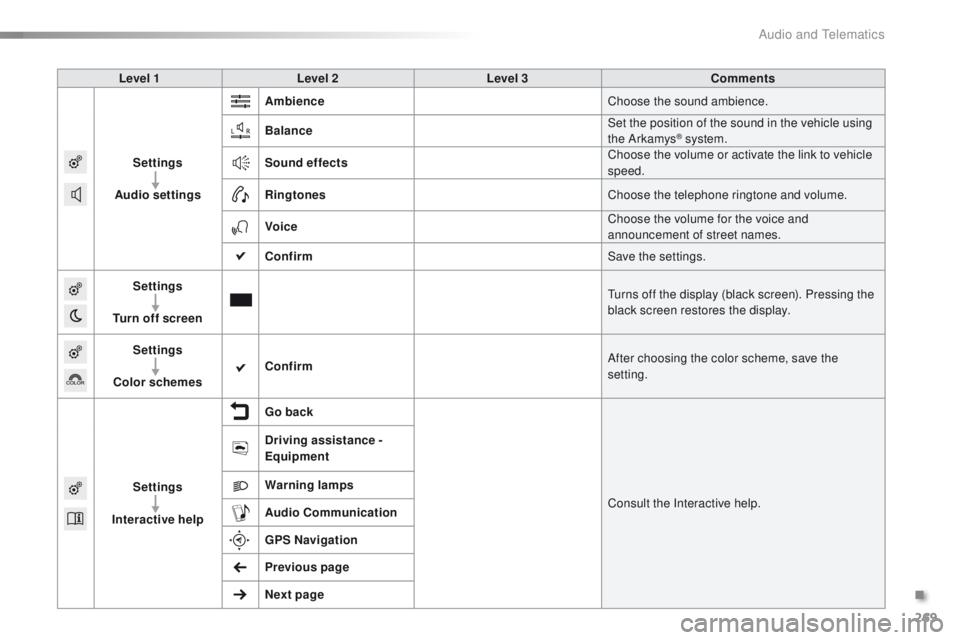
Level 1Level 2 Level 3 Comments
Settings
Audio settings Ambience
Choose the sound ambience.
Balance Set the position of the sound in the vehicle using
the Arkamys
® system.
Sound effects Choose the volume or activate the link to vehicle
speed.
Ringtones Choose the telephone ringtone and volume.
Voice Choose the volume for the voice and
announcement of street names.
Confirm Save the settings.
Settings
Turn off screen Turns off the display (black screen). Pressing the
black screen restores the display.
Settings
Color schemes Confirm
After choosing the color scheme, save the
setting.
Settings
Interactive help Go back
Consult the Interactive help.
Driving assistance -
Equipment
Warning lamps
Audio
Communication
GPS Navigation
Previous page
Next page
.
Audio and Telematics
Page 280 of 340
278
2008_en_Chap12b_SMEGplus_ed01-2015
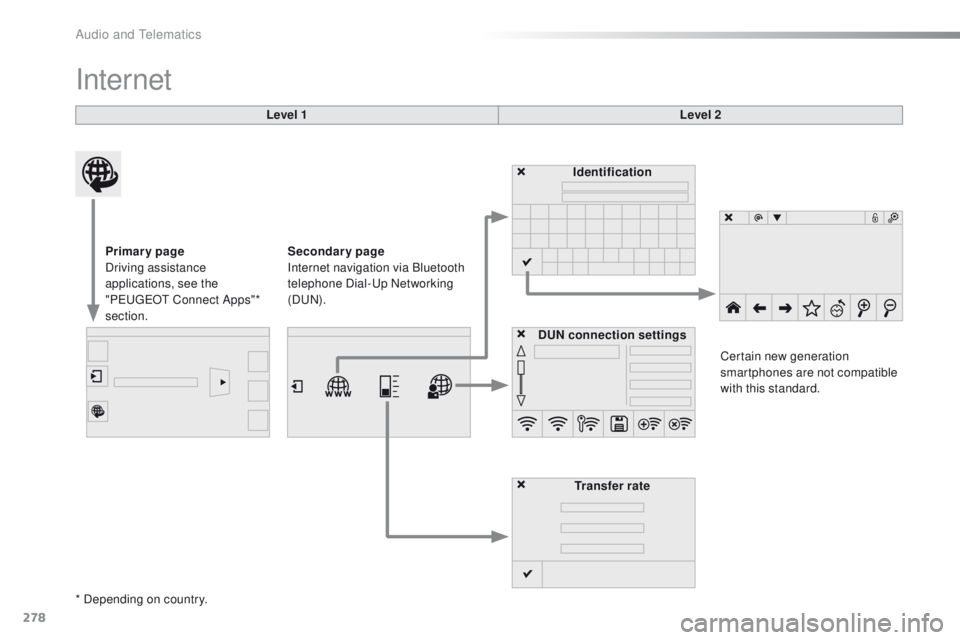
Internet
Level 1Level 2
Primary page
Driving assistance
applications, see the
"PEUGEOT Connect Apps"*
section. Identification
DUN connection settings Transfer rate Certain new generation
smartphones are not compatible
with this standard.
Secondary page
Internet navigation via Bluetooth
telephone Dial-Up Networking
(DUN).
* Depending on country.
Audio and Telematics
Page 282 of 340
280
2008_en_Chap12b_SMEGplus_ed01-2015
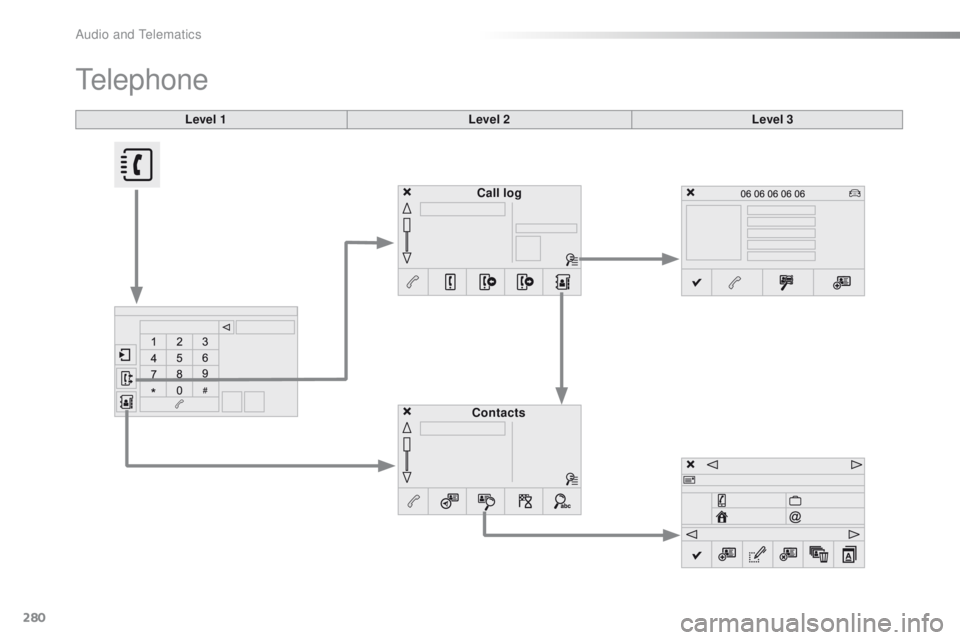
Level 1
Telephone
Level 2Level 3
Contacts Call log
Audio and Telematics
Page 283 of 340
281
2008_en_Chap12b_SMEGplus_ed01-2015
Level 1Level 2 Level 3 Comments
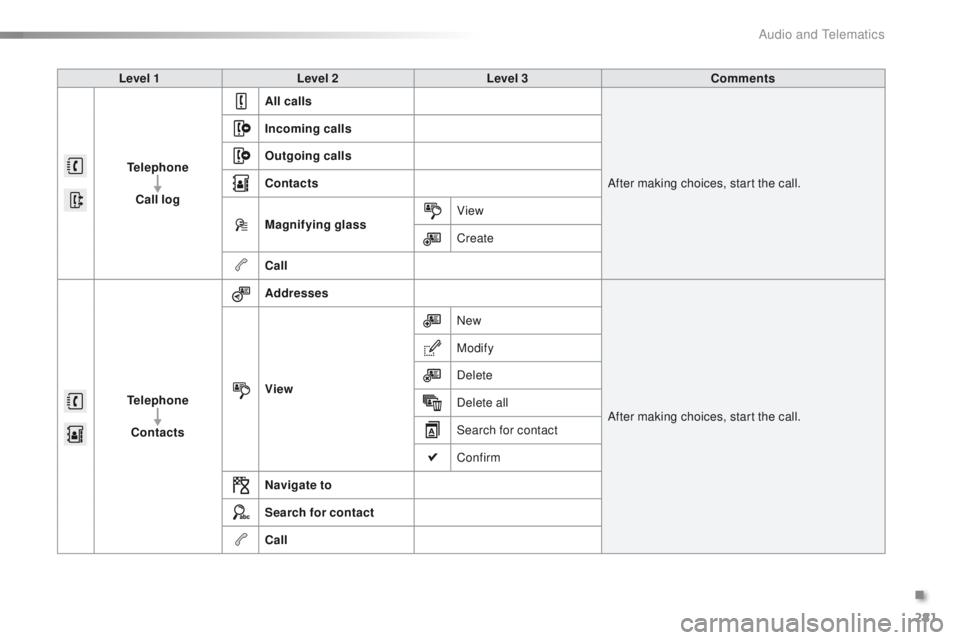
Telephone Call log All calls
After making choices, start the call.
Incoming calls
Outgoing calls
Contacts
Magnifying glass
View
Create
Call
Telephone Contacts Addresses
After making choices, start the call.
View New
Modify
Delete
Delete all
Search for contact
Confirm
Navigate to
Search for contact
Call
.
Audio and Telematics
Page 284 of 340
282
2008_en_Chap12b_SMEGplus_ed01-2015
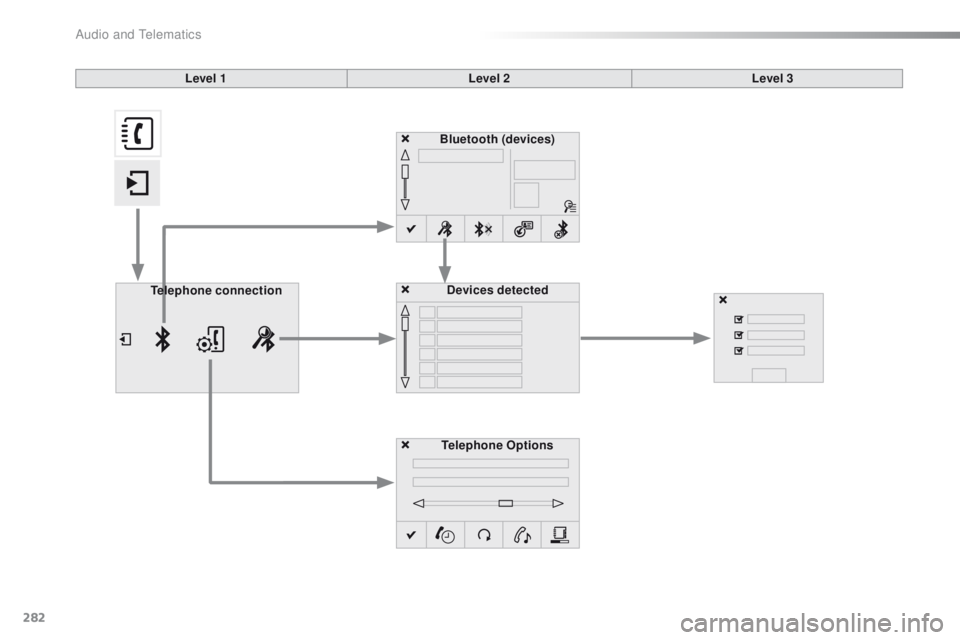
Bluetooth (devices)Telephone Options Devices detected
Telephone connection
Level 1
Level 2Level 3
Audio and Telematics
Page 285 of 340
283
2008_en_Chap12b_SMEGplus_ed01-2015
Level 1Level 2 Level 3 Comments
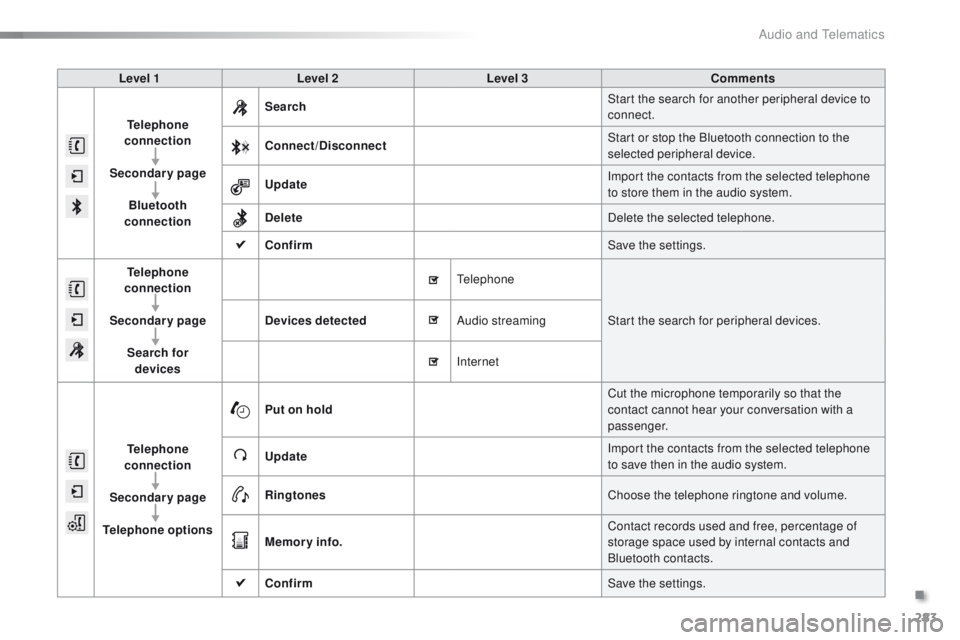
Telephone
connection
Secondary page Bluetooth
connection Search
Start the search for another peripheral device to
connect.
Connect /Disconnect Start or stop the Bluetooth connection to the
selected peripheral device.
Update Import the contacts from the selected telephone
to store them in the audio system.
Delete Delete the selected telephone.
Confirm Save the settings.
Telephone
conn ection
Secondary page Search for devices Devices detected
Telephone
Start the search for peripheral devices.
Audio streaming
Internet
Telephone
connection
Secondary page
Telephone options Put on hold
Cut the microphone temporarily so that the
contact cannot hear your conversation with a
passenger.
Update Import the contacts from the selected telephone
to save then in the audio system.
Ringtones Choose the telephone ringtone and volume.
Memory info. Contact records used and free, percentage of
storage space used by internal contacts and
Bluetooth contacts.
Confirm Save the settings.
.
Audio and Telematics