Page 162 of 271
160
108_en_Chap09_info-pratiques_ed01-2015
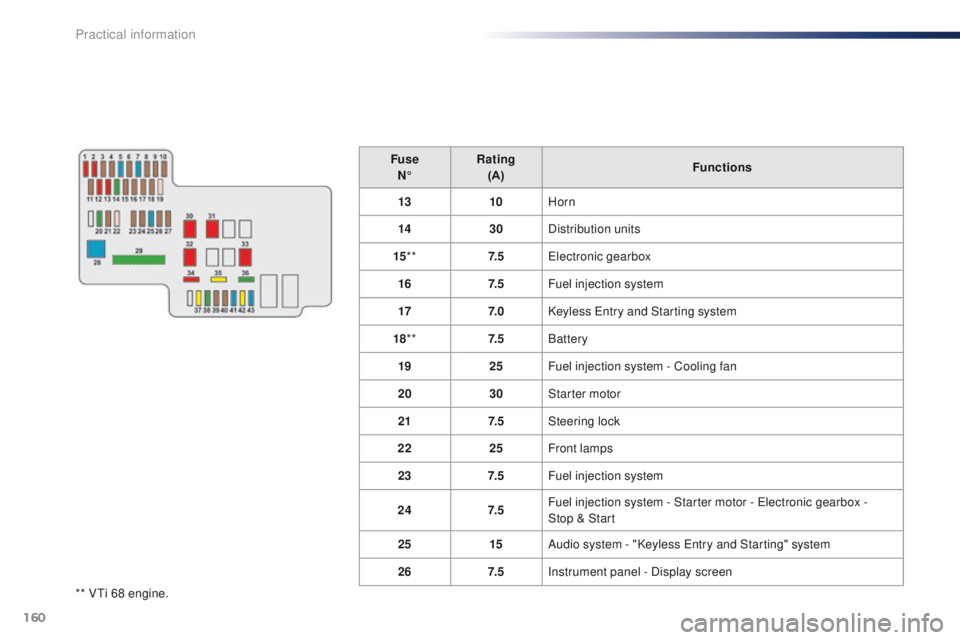
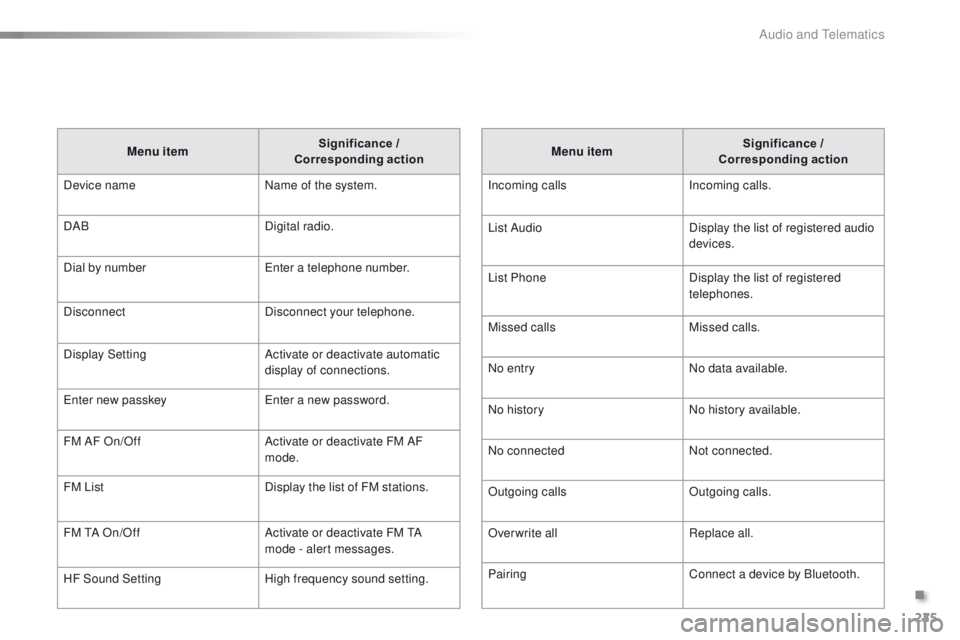
** Vti 68 engine.Fuse
N° Rating
(A) Functions
13 10Horn
14 30Distribution units
15 ** 7. 5
ele
ctronic gearbox
16 7. 5Fuel injection system
17 7. 0Keyless e
n
try and Starting system
18 ** 7. 5Battery
19 25Fuel injection system - Cooling fan
20 30Starter motor
21 7. 5Steering lock
22 25Front lamps
23 7. 5Fuel injection system
24 7. 5Fuel injection system - Starter motor - e
l
ectronic gearbox -
Stop & Start
25 15Audio system - "Keyless e
n
try and Starting" system
26 7. 5Instrument panel - Display screen
Practical information
Page 168 of 271
166
108_en_Chap09_info-pratiques_ed01-2015
electrical energy economy mode*
System which manages the duration of use of certain functions to conserve a sufficient level of
charge in the battery.
After the engine has stopped, you can still use functions such as the audio system, windscreen
wipers, dipped beam headlamps,
courtesy lamps, etc. for a maximum combined duration of
twenty
minutes.
th
is period may be greatly reduced if the battery is not fully charged. Let the engine run for the duration
specified to ensure that the battery
charge is sufficient.
Do not repeatedly and continuously
restart the engine in order to charge the
battery.
A flat battery prevents the engine from
starting.
Refer to the "Battery" section.
Switching to economy mode
Once this time has elapsed the active functions
are put on standby.
Exiting economy mode
these functions are reactivated automatically
next time the vehicle is driven.
to r
estore the use of these functions
immediately, start the engine and let it run for at
least 5 minutes.
Changing a wiper
blade
Removing the front wiper blade
F Raise the wiper arm.
F R emove the wiper blade, sliding it towards
the outside.
Fitting the front wiper blade
F Put the corresponding new wiper blade in place and fix it.
F
F
old down the wiper arm carefully.
to c
onserve the effectiveness of
the flat-blade type wiper blades, we
recommend that they are:
-
han
dled with care,
-
c
leaned regularly with soapy water,
-
n
ot used to hold a cardboard sheet
against the windscreen,
-
r
eplaced at the first signs of wear.
*
O
nly on vehicles with the "Keyless
e
n
try and
Starting" system.
Practical information
Page 173 of 271
171
108_en_Chap10_verifications_ed01-2015
PeugeOt & t O tA L,
A PARtNeRSHIP tO DeL IVe R
Be
tte R
P
e
RFORMANC
e
!
Innovation, the key to success
the tOtAL Research and Development and
Pe
ugeOt teams work together to develop high
quality lubricants that meet the requirements
of P
e
uge
Ot
vehicles. For you, this is the
assurance that the performance of your engine
is optimised while also ensuring its durability.
th
e 208 HYbrid F
e
demonstrates the ability of
P
e
uge
Ot
and
tOtA
L to develop innovative
technologies and provide other ways of moving
towards the future.
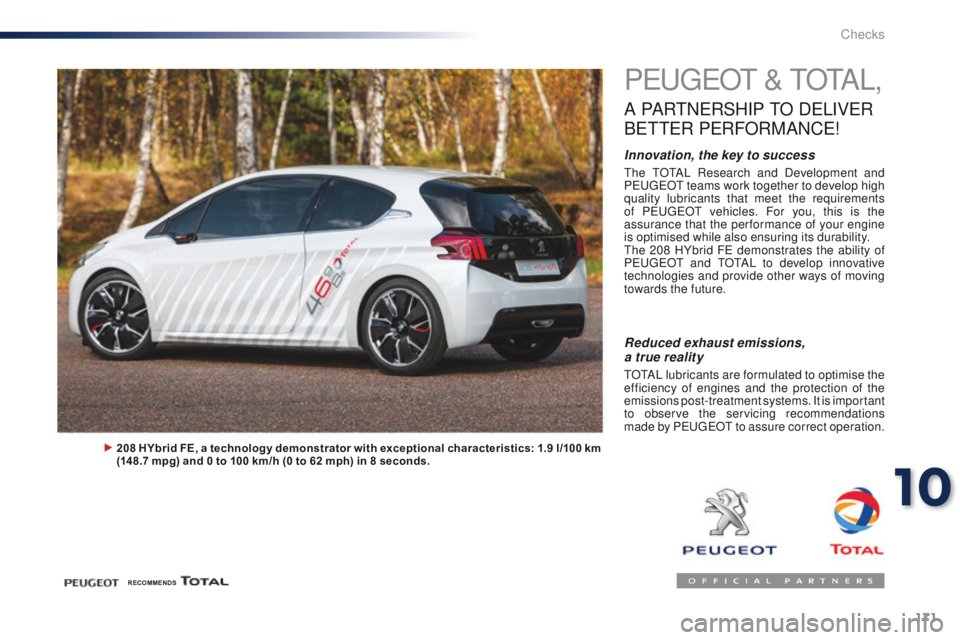
208 HYbrid FE, a technology demonstrator with exceptional characteristics: 1.9 l /100 km
(148.7 mpg) and 0 to 100 km/h (0 to 62 mph) in 8 seconds.
Reduced exhaust emissions,
a true reality
tOtAL lubricants are formulated to optimise the
efficiency of engines and the protection of the
emissions post-treatment systems. It is important
to observe the servicing recommendations
made by P
e
uge
Ot
to assure correct operation.
RECOMMENDS
10
Checks
Page 185 of 271
183
108_en_Chap12a_Autoradio-Toyota-tactile-1_ed01-2015
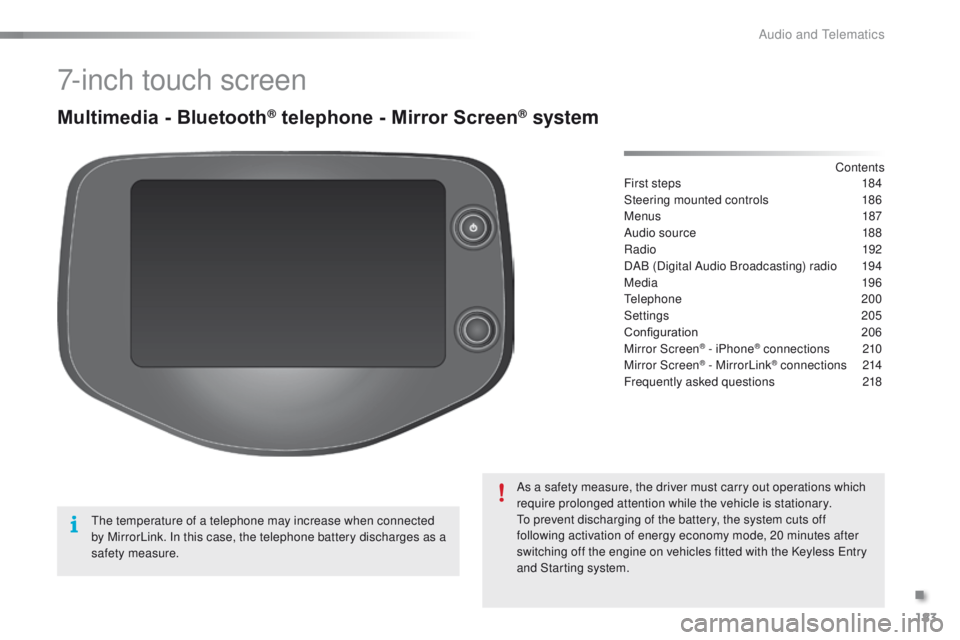
7-inch touch screen
Multimedia - Bluetooth® telephone - Mirror Screen® system
First steps 184
Steering mounted controls
1
86
Menus
187
Audio source
1
88
Radio
192
DAB (Digital Audio Broadcasting) radio
1
94
Media
19 6
te
lephone
200
Settings
205
Configuration
20
6
Mirror Screen
® - iPhone® connections 210
Mirror Screen® - MirrorLink® connections 2 14
Frequently asked questions
2
18
As a safety measure, the driver must carry out operations which
require prolonged attention while the vehicle is stationary.
to p
revent discharging of the battery, the system cuts off
following activation of energy economy mode, 20 minutes after
switching off the engine on vehicles fitted with the Keyless
e
n
try
and Starting system. Contents
th
e temperature of a telephone may increase when connected
by MirrorLink. In this case, the telephone battery discharges as a
safety measure.
.
Audio and telematics
Page 206 of 271
204
108_en_Chap12a_Autoradio-Toyota-tactile-1_ed01-2015
Make a short press on this steering
mounted button to accept an
incoming call.
Press on this steering mounted
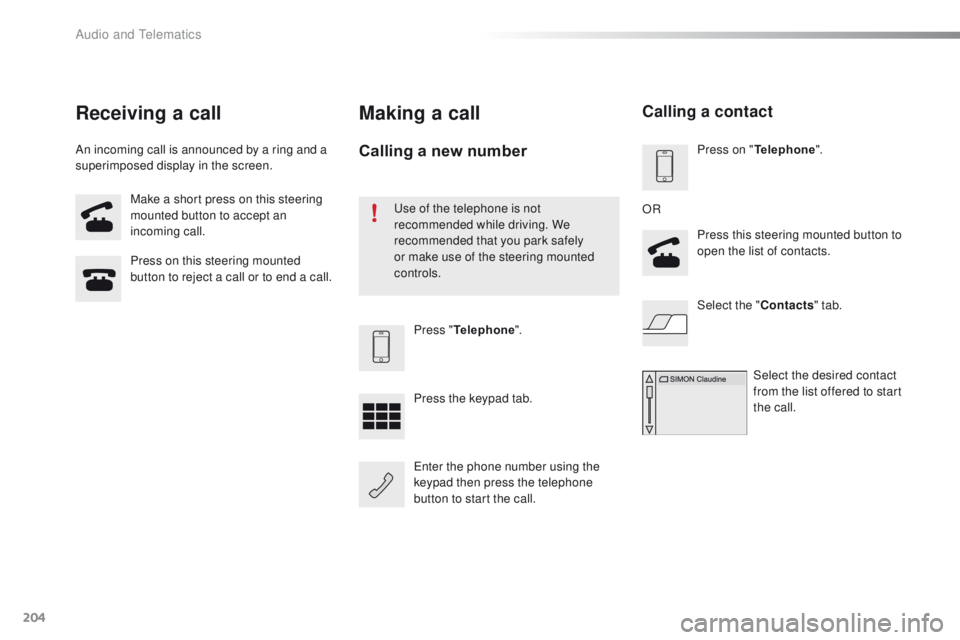
button to reject a call or to end a call.Press "Telephone ".
Press the keypad tab.
en
ter the phone number using the
keypad then press the telephone
button to start the call.
Receiving a call
An incoming call is announced by a ring and a
superimposed display in the screen.
Making a call
use of the telephone is not
recommended while driving. We
recommended that you park safely
or make use of the steering mounted
controls.
Calling a new numberPress on " Telephone ".
Press this steering mounted button to
open the list of contacts.
OR
Select the " Contacts" tab.
Select the desired contact
from the list offered to start
the call.
Calling a contact
Audio and telematics
Page 225 of 271
223
108_en_Chap12b_Autoradio-toyota-2_ed01-2015
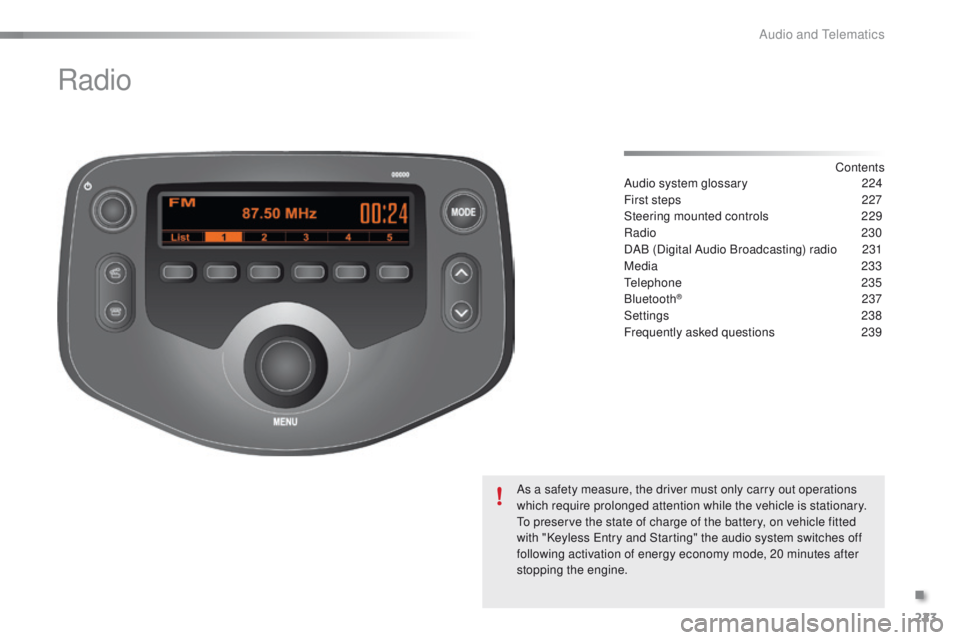
Radio
Contents
Audio system glossary
2 24
First steps
2
27
Steering mounted controls
2
29
Radio
230
DAB (Digital Audio Broadcasting) radio
2
31
Media
233
te
lephone
2
35
Bluetooth
® 237
Settings
2
38
Frequently asked questions
23
9
As a safety measure, the driver must only carry out operations
which require prolonged attention while the vehicle is stationary.
to p
reserve the state of charge of the battery, on vehicle fitted
with "Keyless
e
n
try and Starting" the audio system switches off
following activation of energy economy mode, 20 minutes after
stopping the engine.
.
Audio and telematics
Page 227 of 271
225
108_en_Chap12b_Autoradio-toyota-2_ed01-2015
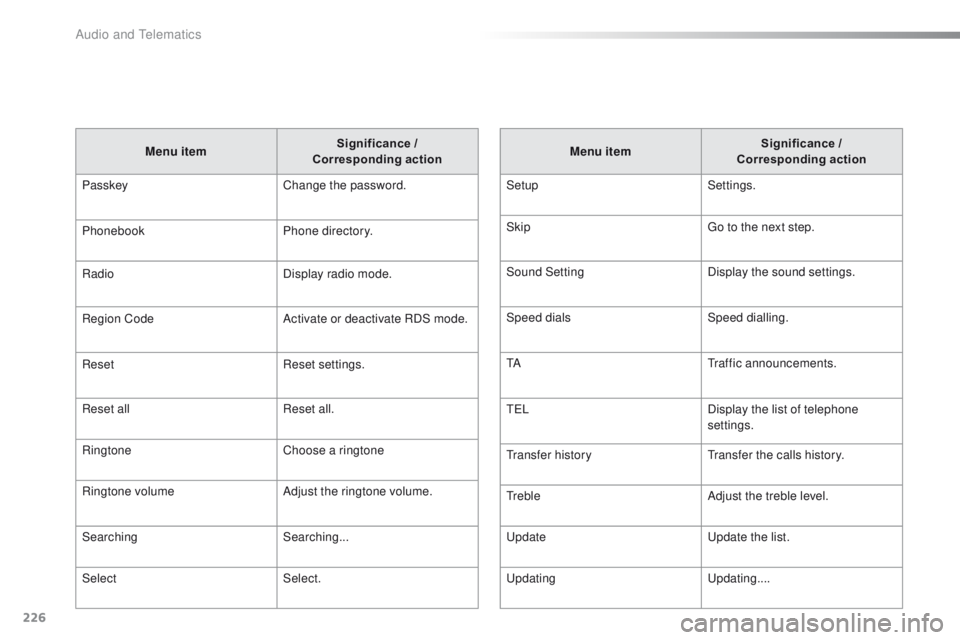
Menu item Significance /
Corresponding action
Incoming calls Incoming calls.
List Audio Display the list of registered audio
devices.
List Phone Display the list of registered
telephones.
Missed calls Missed calls.
No entry No data available.
No history No history available.
No connected Not connected.
Outgoing calls Outgoing calls.
Overwrite all Replace all.
Pairing Connect a device by Bluetooth.
Menu item
Significance /
Corresponding action
Device name Name of the system.
DAB Digital radio.
Dial by number
en
ter a telephone number.
Disconnect Disconnect your telephone.
Display Setting Activate or deactivate automatic
display of connections.
en
ter new passkey
en
ter a new password.
FM AF On/Off Activate or deactivate FM AF
mode.
FM List Display the list of FM stations.
FM
t
A O
n/Off Activate or deactivate FM
t
A
m
ode - alert messages.
HF Sound Setting High frequency sound setting.
.
Audio and telematics
Page 228 of 271
226
108_en_Chap12b_Autoradio-toyota-2_ed01-2015
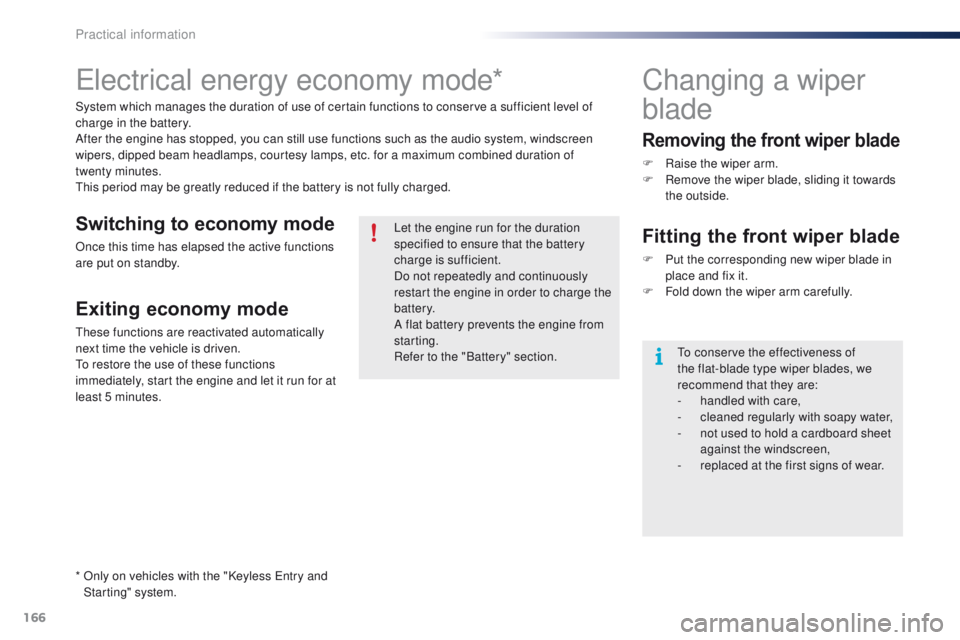
Menu item Significance /
Corresponding action
Passkey Change the password.
Phonebook Phone directory.
Radio Display radio mode.
Region Code Activate or deactivate RDS mode.
Reset Reset settings.
Reset all Reset all.
Ringtone Choose a ringtone
Ringtone volume Adjust the ringtone volume.
Searching Searching...
Select Select. Menu item
Significance /
Corresponding action
Setup Settings.
Skip
go t
o the next step.
Sound Setting Display the sound settings.
Speed dials Speed dialling.
t
A
tr
affic announcements.
t
e LDisplay the list of telephone
settings.
tr
ansfer history
tr
ansfer the calls history.
tr
ebleAdjust the treble level.
up
date
up
date the list.
upd
ating
up
dating....
Audio and telematics