2015 NISSAN SENTRA lights
[x] Cancel search: lightsPage 279 of 402
●Make sure the area around the vehicle is
clear.
● Check fluid levels such as engine oil, cool-
ant, brake and clutch fluid (if so equipped) ,
and windshield-washer fluid as frequently as
possible, or at least whenever you refuel.
● Check that all windows and lights are clean.
● Visually inspect tires for their appearance
and condition. Also check tires for proper
inflation.
● Lock all doors.
● Position seat and adjust head
restraints/headrests.
● Adjust inside and outside mirrors.
● Fasten seat belts and ask all passengers to
do likewise.
● Check the operation of warning lights when
the ignition switch is placed in the ON posi-
tion. For additional information, refer to
“Warning/indicator lights and audible re-
minders” in the “Instruments and controls”
section of this manual. 1. Apply the parking brake.
2.
CVT model:
Move the shift lever to P (Park) or N (Neu-
tral) . P (Park) is recommended.
The shift lever cannot be moved out of
P (Park) and into any of the other gear
positions if the ignition switch is
turned to the OFF position or if the key
is removed from the ignition switch.
The starter is designed not to operate if
the shift lever is in any of the driving
positions.
Manual transmission model:
Move the shift lever to N (Neutral) . Depress
the clutch pedal to the floor while cranking
the engine.
The starter is designed not to operate
unless the clutch pedal is fully de-
pressed.
The Intelligent Key must be carried
when operating the ignition switch. 3. Crank the engine
with your foot off the
accelerator pedal by turning the ignition
switch to START. Release the switch when
the engine starts. If the engine starts, but
fails to run, repeat the above procedure.
● If the engine is very hard to start in ex-
tremely cold weather or when restarting,
depress the accelerator pedal a little (ap-
proximately 1/3 to the floor) and hold it
and then crank the engine. Release the
switch and the accelerator pedal when
the engine starts.
● If the engine is very hard to start because
it is flooded, depress the accelerator
pedal all the way to the floor and hold it.
Crank the engine for 5-6 seconds. After
cranking the engine, release the accel-
erator pedal. Crank the engine with your
foot off the accelerator pedal by turn-
ing the ignition switch to START. Release
the key when the engine starts. If the
engine starts, but fails to run, repeat the
above procedure.
BEFORE STARTING THE ENGINE STARTING THE ENGINE (models without NISSAN Intelligent Key®
system)
5-14Starting and driving
Page 284 of 402
To move the shift lever, complete the following
procedure:1. Press the ignition switch to the LOCK posi- tion.
2. Apply the parking brake.
3. Using a protective cloth on the tip ofa3mm screwdriver, remove the shift lock release
cover.
● If available, a plastic trim tool can also be
used.
4. Insert the small screwdriver in the shift lock release slot and push down.
5. Move the shift lever to the N (Neutral) posi- tion while holding down the shift lock re-
lease.
6. Push the ignition switch to the ON position to unlock the steering wheel. Now the ve-
hicle may be moved to the desired location.
If the shift lever cannot be moved out of P (Park) ,
have a NISSAN dealer check the transmission as
soon as possible.WARNING
If the shift lever cannot be moved from the
P (Park) position while the engine is run-
ning and the brake pedal is depressed, the
stop lights may not work. Malfunctioning
stop lights could cause an accident injur-
ing yourself and others.
Overdrive (O/D) OFF switch
When the O/D OFF switch is pushed with the
shift lever in the D (Drive) position, the
light in the instrument panel illuminates. For addi-
tional information, refer to “Overdrive OFF indica-
tor light (CVT models)” in the “Instruments and
controls” section of this manual.
Use the Overdrive off mode when you need im-
proved engine braking.
To turn off the Overdrive OFF mode, push the
O/D OFF switch again. The
indicator light
will turn off.
LSD2130
Starting and driving5-19
Page 290 of 402
●If the cruise control system malfunctions, it
cancels automatically. The CRUISE indica-
tor light in the instrument panel then blinks to
warn the driver. For additional information,
refer to “Warnings/Indicator Lights and Au-
dible Reminders” in the “Instruments and
controls” section of this manual.
● If the CRUISE indicator light blinks, push the
cruise control ON/OFF switch off and have
the system checked by a NISSAN dealer.
● The CRUISE indicator light may blink when
the cruise control ON/OFF switch is pushed
ON while pushing the ACCEL/RES,
COAST/SET, or CANCEL switch. To prop-
erly set the cruise control system, use the
following procedures.WARNING
Do not use the cruise control when driving
under the following conditions:
● When it is not possible to keep the
vehicle at a set speed.
● In heavy traffic or in traffic that varies in
speed.
● On winding or hilly roads.
● On slippery roads (rain, snow, ice, etc.) .
● In very windy areas.
Doing so could cause a loss of vehicle
control and result in an accident.
CRUISE CONTROL OPERATIONS
The cruise control allows driving at a speed be-
tween 25 - 89 mph (40 - 144 km/h) without
keeping your foot on the accelerator pedal.
To turn on the cruise control, push the
ON/OFF switch. The CRUISE indicator light in
the instrument panel comes on.
To set cruising speed, accelerate the vehicle to
the desired speed, push the COAST/SET switch
and release it. Take your foot off the accelerator
pedal. Your vehicle maintains the set speed. ●
To pass another vehicle, depress the ac-
celerator pedal. When you release the
pedal, the vehicle returns to the previously
set speed.
● The vehicle may not maintain the set speed
when going up or down steep hills. If this
happens, drive without the cruise control.
To cancel the preset speed, use one of the
following three methods.
● Push the CANCEL button, or
● Tap the brake pedal, or
● Push the ON/OFF switch off. The CRUISE
indicator light in the instrument panel go out.
The cruise control is automatically canceled if: ● you depress the brake or clutch pedal while
pushing the ACCEL/RES or SET/COAST
switch. The preset speed is deleted from
memory.
● the vehicle slows down more than 8 mph
(13 km/h) below the set speed.
● you depress the clutch pedal (manual trans-
mission) , or move the shift lever to N (Neu-
tral) (CVT) .
Starting and driving5-25
Page 291 of 402
To reset at a faster cruising speed,use one of
the following three methods.
● Depress the accelerator pedal. When the
vehicle attains the desired speed, push and
release the COAST/SET switch.
● Push and hold the ACCEL/RES switch.
When the vehicle attains the speed you de-
sire, release the switch.
● Push and release the ACCEL/RES switch.
Each time you do this, the set speed in-
creases by about 1 mph (1.6 km/h).
To reset at a slower cruising speed, use one
of the following three methods.
● Lightly tap the brake pedal. When the ve-
hicle attains the desired speed, push the
COAST/SET switch and release it.
● Push and hold the COAST/SET switch. Re-
lease the switch when the vehicle slows to
the desired speed.
● Push and release the COAST/SET switch.
Each time you do this, the set speed de-
creases by about 1 mph (1.6 km/h).
To resume the preset speed, push and re-
lease the ACCEL/RES switch. The vehicle re-
turns to the last set cruising speed when the
vehicle speed is over 25 mph (40 km/h).CAUTION
During the first 1,200 miles (2,000 km),
follow these recommendations to obtain
maximum engine performance and ensure
the future reliability and economy of your
new vehicle. Failure to follow these rec-
ommendations may result in shortened
engine life and reduced engine
performance.
● Avoid driving for long periods at constant
speed, either fast or slow, and do not run the
engine over 4,000 RPM.
● Do not accelerate at full throttle in any gear.
● Avoid quick starts.
● Avoid hard braking as much as possible.
● Do not tow a trailer for the first 500 mi
(805 km) . Your engine, axle or other parts
could be damaged. Follow these easy-to-use Fuel Efficient Driving
Tips to help you achieve the most fuel economy
from your vehicle.
1. Use Smooth Accelerator and Brake
Pedal Application
● Avoid rapid starts and stops
● Use smooth, gentle accelerator and
brake application whenever possible
● Maintain constant speed while commut-
ing and coast whenever possible
2. Maintain Constant Speed
● Look ahead to try and anticipate and mini-
mize stops
● Synchronizing your speed with traffic
lights allows you to reduce your number
of stops
● Maintaining a steady speed can minimize
red light stops and improve fuel efficiency
3. Use Air Conditioning (A/C) at Higher
Vehicle Speeds
● Below 40 mph (64 km/h), it is more effi-
cient to open windows to cool the vehicle
due to reduced engine load
BREAK-IN SCHEDULE FUEL EFFICIENT DRIVING TIPS
5-26Starting and driving
Page 298 of 402
●Do not modify the vehicle’s suspension.
If suspension parts such as shock ab-
sorbers, struts, springs, stabilizer bars,
bushings and wheels are not NISSAN
recommended for your vehicle or are
extremely deteriorated, the VDC system
may not operate properly. This could
adversely affect vehicle handling per-
formance, and the
indicator may
flash or the
indicator light may
illuminate.
● If brake related parts such as brake
pads, rotors and calipers are not
NISSAN recommended or are extremely
deteriorated, the VDC system may not
operate properly and both the
andindicator light may
illuminate.
● If engine control related parts are not
NISSAN recommended or are extremely
deteriorated, both the
and
the
indicator light may illuminate. ●
When driving on extremely inclined sur-
faces such as higher banked corners,
the VDC system may not operate prop-
erly and the
indicator may flash or
the
indicator light may illuminate.
Do not drive on these types of roads.
● When driving on an unstable surface
such as a turntable, ferry, elevator or
ramp, the
indicator may flash or
the
indicator light may illuminate.
This is not a malfunction. Restart the
engine after driving onto a stable
surface.
● If wheels or tires other than the NISSAN
recommended ones are used, the VDC
system may not operate properly and
the
indicator may flash or
the
indicator light may illuminate.
● The VDC system is not a substitute for
winter tires or tire chains on a snow
covered road.
BRAKE FORCE DISTRIBUTION
During braking while driving through turns, the
system optimizes the distribution of force to each
of the four wheels depending on the radius of the
turn.
WARNING
● The VDC system is designed to help the
driver maintain stability but does not
prevent accidents due to abrupt steer-
ing operation at high speeds or by care-
less or dangerous driving techniques.
Reduce vehicle speed and be especially
careful when driving and cornering on
slippery surfaces and always drive
carefully.
● Do not modify the vehicle’s suspension.
If suspension parts such as shock ab-
sorbers, struts, springs, stabilizer bars,
bushings and wheels are not NISSAN
recommended for your vehicle or are
extremely deteriorated, the VDC system
may not operate properly. This could
adversely affect vehicle handling per-
formance, and the
indicator may
flash or both the
andindica-
tor lights may illuminate.
● If brake related parts such as brake
pads, rotors and calipers are not
NISSAN recommended or are extremely
deteriorated, the VDC system may not
operate properly and both the
and theindicator lights may
illuminate.
Starting and driving5-33
Page 299 of 402
●If engine control related parts are not
NISSAN recommended or are extremely
deteriorated, both the
andindicator lights may illuminate.
● When driving on extremely inclined sur-
faces such as higher banked corners,
the VDC system may not operate prop-
erly and the
indicator may flash or
both the
andindicator
lights may illuminate. Do not drive on
these types of roads.
● When driving on an unstable surface
such as a turntable, ferry, elevator or
ramp, the
indicator may flash or
both the
andindicator
lights may illuminate. This is not a mal-
function. Restart the engine after driv-
ing onto a stable surface.
● If wheels or tires other than the NISSAN
recommended ones are used, the VDC
system may not operate properly and
the
indicator may flash or both
the
andindicator lights may
illuminate.
● The VDC system is not a substitute for
winter tires or tire chains on a snow
covered road.
FREEING A FROZEN DOOR LOCK
To prevent a door lock from freezing, apply de-
icer through the key hole. If the lock becomes
frozen, heat the key before inserting it into the key
hole, or use the remote keyless entry key fob or
the NISSAN Intelligent Key®.
ANTIFREEZE
In the winter when it is anticipated that the tem-
perature will drop below 32°F (0°C) , check the
antifreeze to assure proper winter protection. For
additional information, refer to “Engine cooling
system” in the “Maintenance and do-it-yourself”
section of this manual.
BATTERY
If the battery is not fully charged during extremely
cold weather conditions, the battery fluid may
freeze and damage the battery. To maintain maxi-
mum efficiency, the battery should be checked
regularly. For additional information, refer to “Bat-
tery” in the “Maintenance and do-it-yourself” sec-
tion of this manual.
DRAINING OF COOLANT WATER
If the vehicle is to be left outside without anti-
freeze, drain the cooling system, including the
engine block. Refill before operating the vehicle.
For additional information, refer to “Changing engine coolant” in the “Maintenance and do-it-
yourself” section of this manual.
TIRE EQUIPMENT
1. SUMMER tires have a tread designed to
provide superior performance on dry pave-
ment. However, the performance of these
tires will be substantially reduced in snowy
and icy conditions. If you operate your ve-
hicle on snowy or icy roads, NISSAN recom-
mends the use of MUD & SNOW or ALL
SEASON TIRES on all four wheels. Please
consult a NISSAN dealer for the tire type,
size, speed rating and availability informa-
tion.
2. For additional traction on icy roads, studded tires may be used. However, some U.S.
states and Canadian provinces prohibit their
use. Check local, state and provincial laws
before installing studded tires.
Skid and traction capabilities of studded
snow tires on wet or dry surfaces may be
poorer than that of non-studded snow tires. 3. Tire chains may be used. For additional in- formation, refer to “Tire chains” in the “Main-
tenance and do-it-yourself” section of this
manual.
COLD WEATHER DRIVING
5-34Starting and driving
Page 303 of 402
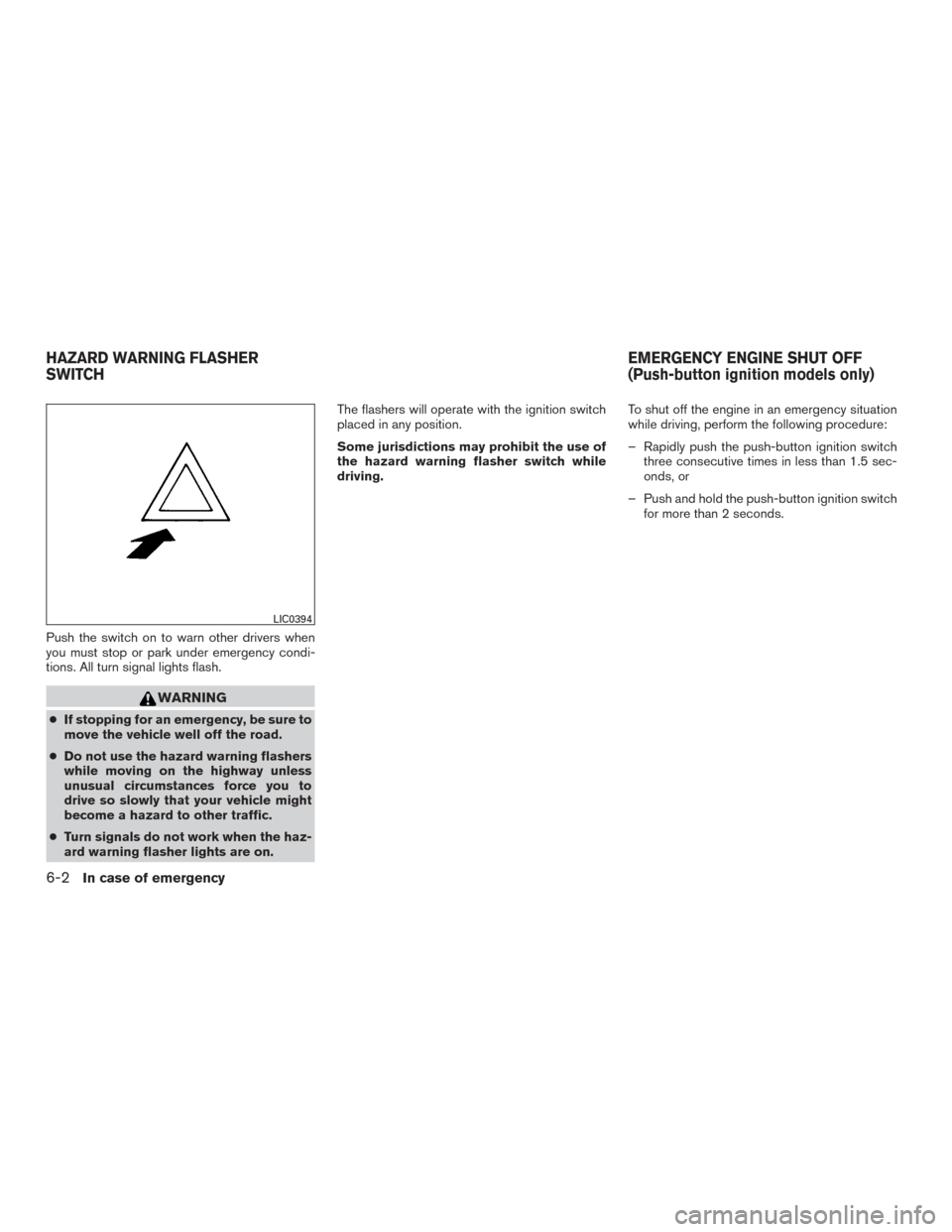
Push the switch on to warn other drivers when
you must stop or park under emergency condi-
tions. All turn signal lights flash.
WARNING
●If stopping for an emergency, be sure to
move the vehicle well off the road.
● Do not use the hazard warning flashers
while moving on the highway unless
unusual circumstances force you to
drive so slowly that your vehicle might
become a hazard to other traffic.
● Turn signals do not work when the haz-
ard warning flasher lights are on. The flashers will operate with the ignition switch
placed in any position.
Some jurisdictions may prohibit the use of
the hazard warning flasher switch while
driving.
To shut off the engine in an emergency situation
while driving, perform the following procedure:
– Rapidly push the push-button ignition switch
three consecutive times in less than 1.5 sec-
onds, or
– Push and hold the push-button ignition switch for more than 2 seconds.
LIC0394
HAZARD WARNING FLASHER
SWITCH EMERGENCY ENGINE SHUT OFF
(Push-button ignition models only)
6-2In case of emergency
Page 304 of 402
TIRE PRESSURE MONITORING
SYSTEM (TPMS)
This vehicle is equipped with the Tire Pressure
Monitoring System (TPMS) . It monitors tire pres-
sure of all tires except the spare. When the low
tire pressure warning light is lit, and the CHECK
TIRE PRES warning message is displayed in the
odometer, one or more of your tires is significantly
under-inflated. If the vehicle is being driven with
low tire pressure, the TPMS will activate and
warn you of it by the low tire pressure warning
light. This system will activate only when the
vehicle is driven at speeds above 16 mph
(25 km/h). For additional information, refer to
“Warning/indicator lights and audible reminders”
in the “Instruments and controls” section, and
“Tire Pressure Monitoring System (TPMS)” in the
“Starting and driving” section of this manual.
WARNING
●Radio waves could adversely affect
electric medical equipment. Those who
use a pacemaker should contact the
electric medical equipment manufac-
turer for the possible influences before
use. ●
If the low tire pressure warning light
illuminates while driving, avoid sudden
steering maneuvers or abrupt braking,
reduce vehicle speed, pull off the road
to a safe location and stop the vehicle
as soon as possible. Driving with under-
inflated tires may permanently damage
the tires and increase the likelihood of
tire failure. Serious vehicle damage
could occur and may lead to an accident
and could result in serious personal in-
jury. Check the tire pressure for all four
tires. Adjust the tire pressure to the
recommended COLD tire pressure
shown on the Tire and Loading Informa-
tion label to turn the low tire pressure
warning light OFF. If you have a flat tire,
replace it with a spare tire as soon as
possible.
● When a spare tire is mounted or a wheel
is replaced, the TPMS will not function
and the low tire pressure warning light
will flash for approximately 1 minute.
The light will remain on after 1 minute.
Contact your NISSAN dealer as soon as
possible for tire replacement and/or
system resetting. ●
Replacing tires with those not originally
specified by NISSAN could affect the
proper operation of the TPMS.
● Do not inject any tire liquid or aerosol
tire sealant into the tires, as this may
cause a malfunction of the tire pressure
sensors.
CHANGING A FLAT TIRE
If you have a flat tire, follow the instructions be-
low:
Stopping the vehicle
1. Safely move the vehicle off the road and
away from traffic.
2. Turn on the hazard warning flashers.
3. Park on a level surface and apply the parking brake. Shift the manual transmission into R
(Reverse) , or the CVT into P (Park) .
4. Turn off the engine.
5. Raise the hood to warn other traffic and to signal professional road assistance person-
nel that you need assistance.
6. Have all passengers get out of the vehicle and stand in a safe place, away from traffic
and clear of the vehicle.
FLAT TIRE
In case of emergency6-3