2015 NISSAN ROGUE lock
[x] Cancel search: lockPage 83 of 440
If any of the following conditions occur, the front
air bag, side air bag, curtain air bag and preten-
sioner systems need servicing:● The supplemental air bag warning light re-
mains on after approximately 7 seconds.
● The supplemental air bag warning light
flashes intermittently.
● The supplemental air bag warning light does
not come on at all.
Under these conditions, the front air bag, side air
bag, curtain air bag or pretensioner systems may
not operate properly. They must be checked and
repaired. Take your vehicle to the nearest
NISSAN dealer.
WARNING
If the supplemental air bag warning light
is on, it could mean that the front air bag,
side air bag, curtain air bag and/or preten-
sioner systems will not operate in an acci-
dent. To help avoid injury to yourself or
others, have your vehicle checked by a
NISSAN dealer as soon as possible.
Repair and replacement procedure
The front air bags, side air bags, curtain air bags
and pretensioners are designed to inflate on a
one-time-only basis. As a reminder, unless it is
damaged, the supplemental air bag warning light
remains illuminated after inflation has occurred.
Repair and replacement of these supplemental
air bag systems should be done only by a
NISSAN dealer.
When maintenance work is required on the ve-
hicle, the front air bags, side air bags, curtain air
bags, pretensioners and related parts should be
pointed out to the person performing the mainte-
nance. The ignition switch should always be
placed in the LOCK position when working under
the hood or inside the vehicle.
WARNING
● Once a front air bag, side air bag, or
curtain air bag has inflated, the air bag
module will not function again and
must be replaced. Additionally, the acti-
vated pretensioners must also be re-
placed. The air bag module and preten-
sioners should be replaced by a
NISSAN dealer. The air bag module and
pretensioners cannot be repaired. ●
The front air bag, side air bag, curtain
air bag systems and the pretensioner
system should be inspected by a
NISSAN dealer if there is any damage to
the front end or side portion of the
vehicle.
● If you need to dispose of the supple-
mental air bag or pretensioner systems
or scrap the vehicle, contact a NISSAN
dealer. Incorrect disposal procedures
could cause personal injury.
● If there is an impact to your vehicle from
any direction, your Occupant Classifica-
tion Sensor (OCS) should be checked
by a NISSAN dealer to verify it is still
functioning correctly. The OCS should
be checked even if no air bags deploy as
a result of the impact. Failure to verify
proper OCS function may result in an
improper air bag deployment resulting
in injury or death.
1-64Safety—Seats, seat belts and supplemental restraint system
Page 85 of 440
2 Instruments and controls
Instrument panel...................................2-2
Meters and gauges ................................2-3
Speedometer and odometer .....................2-4
Tachometer ....................................2-5
Engine coolant temperature gauge ...............2-5
Fuel gauge ....................................2-6
Warning/indicator lights and audible reminders .......2-7
Checking bulbs ................................2-8
Warning lights .................................2-8
Indicator lights ................................ 2-12
Audible reminders ............................. 2-15
Vehicle Information Display ........................2-15
How to use the vehicle information display .......2-16
Startup display ................................ 2-16
Settings ...................................... 2-16
Vehicle information display warnings and
indicators ..................................... 2-26
Security systems ................................. 2-29
Vehicle security system ......................... 2-29
NISSAN vehicle immobilizer system .............2-30
Windshield wiper and washer switch ...............2-31
Switch operation .............................. 2-32
Rear window wiper and washer switch ..............2-33Rear window and outside mirror (if so equipped)
defroster switch
.................................. 2-34
Headlight and turn signal switch ....................2-34
Headlight control switch ........................ 2-34
Daytime running light system ....................2-36
Instrument brightness control ...................2-37
Turn signal switch ............................. 2-37
Fog light switch (if so equipped) ................2-38
Horn ............................................ 2-38
Heated seats (if so equipped) ......................2-39
Vehicle Dynamic Control (VDC) off switch ...........2-40
All-wheel drive (AWD) lock switch (if so equipped) . . . 2-40
SPORT mode switch ............................. 2-40
Hill descent control switch (if so equipped) ..........2-41
Warning systems switch (if so equipped) ............2-42
Power outlets .................................... 2-42
12v outlets ................................... 2-42
Storage ......................................... 2-44
Seatback
pockets............................. 2-44
Sunglasses holder ............................. 2-44
Cup holders .................................. 2-45
Glove box .................................... 2-47
Console box .................................. 2-47
Page 88 of 440
20. Vehicle Dynamic Control (VDC) OFFswitch (P. 2-40)
Sport mode switch (P. 2-40)
ECO mode switch (if so equipped)
(P. 5-22)
Power liftgate switch (if so equipped)
(P.3-28)
Power liftgate main switch
(if so equipped) (P. 3-28)
Warning systems switch (if so
equipped) (P. 2-42)
All-Wheel Drive (AWD) lock switch
(if so equipped) (P. 2-40)
Hill descent control switch
(if so equipped) (P. 2-41)
21. Instrument brightness control (P. 2-34) Twin trip odometer reset switch (P. 2-3)
*: Refer to the separate Navigation System Own-
er’s Manual (if so equipped) .
Refer to the page number indicated in pa-
rentheses for operating details.
1. Tachometer
2. Warning/indicator lights
3. Vehicle Information Display/Odometer/
Twin trip odometer
4. Speedometer
5. Fuel gauge 6. Engine coolant temperature gauge
LIC2627
METERS AND GAUGES
Instruments and controls2-3
Page 92 of 440
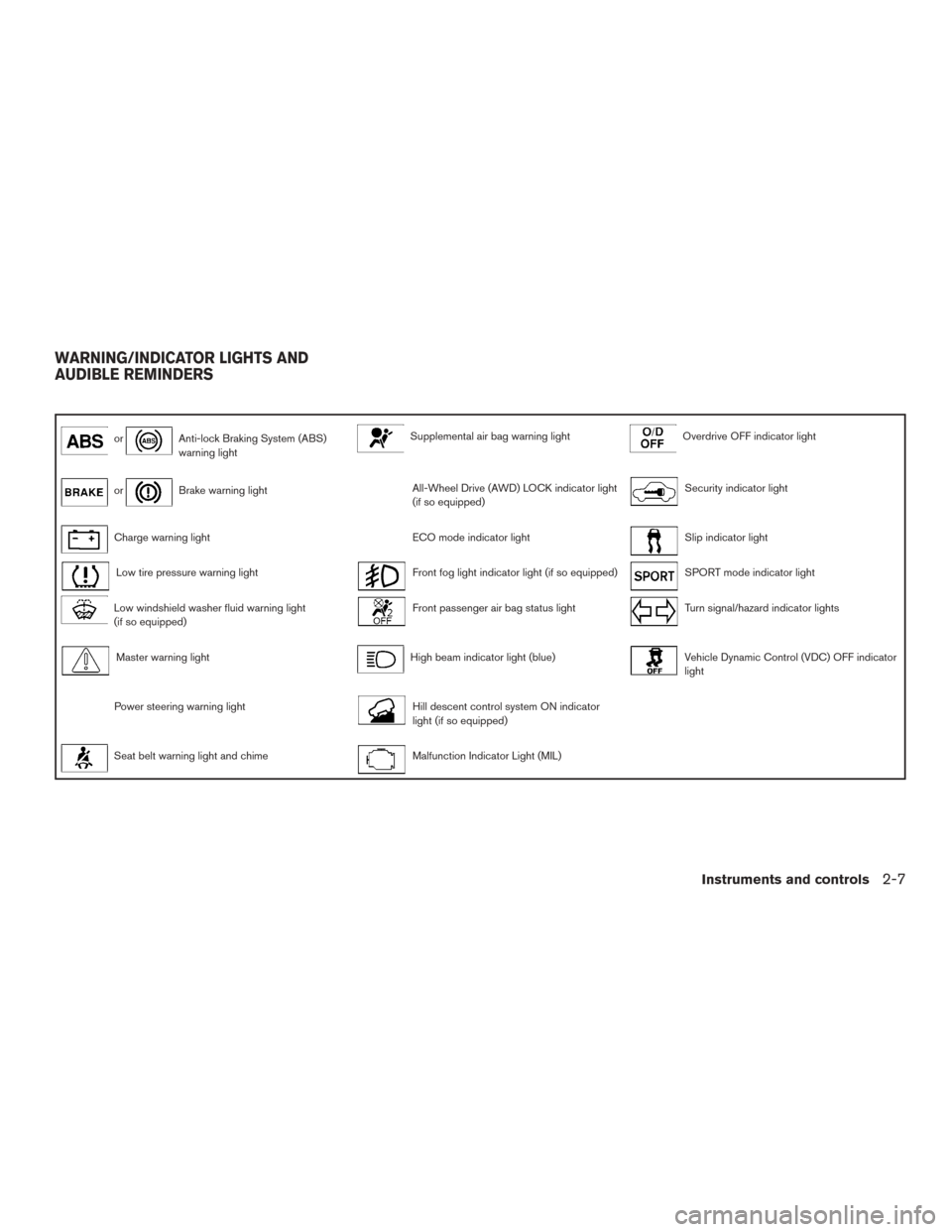
orAnti-lock Braking System (ABS)
warning lightSupplemental air bag warning lightOverdrive OFF indicator light
orBrake warning lightAll-Wheel Drive (AWD) LOCK indicator light
(if so equipped)Security indicator light
Charge warning lightECO mode indicator lightSlip indicator light
Low tire pressure warning lightFront fog light indicator light (if so equipped)SPORT mode indicator light
Low windshield washer fluid warning light
(if so equipped)Front passenger air bag status lightTurn signal/hazard indicator lights
Master warning lightHigh beam indicator light (blue)Vehicle Dynamic Control (VDC) OFF indicator
light
Power steering warning lightHill descent control system ON indicator
light (if so equipped)
Seat belt warning light and chimeMalfunction Indicator Light (MIL)
WARNING/INDICATOR LIGHTS AND
AUDIBLE REMINDERS
Instruments and controls2-7
Page 93 of 440
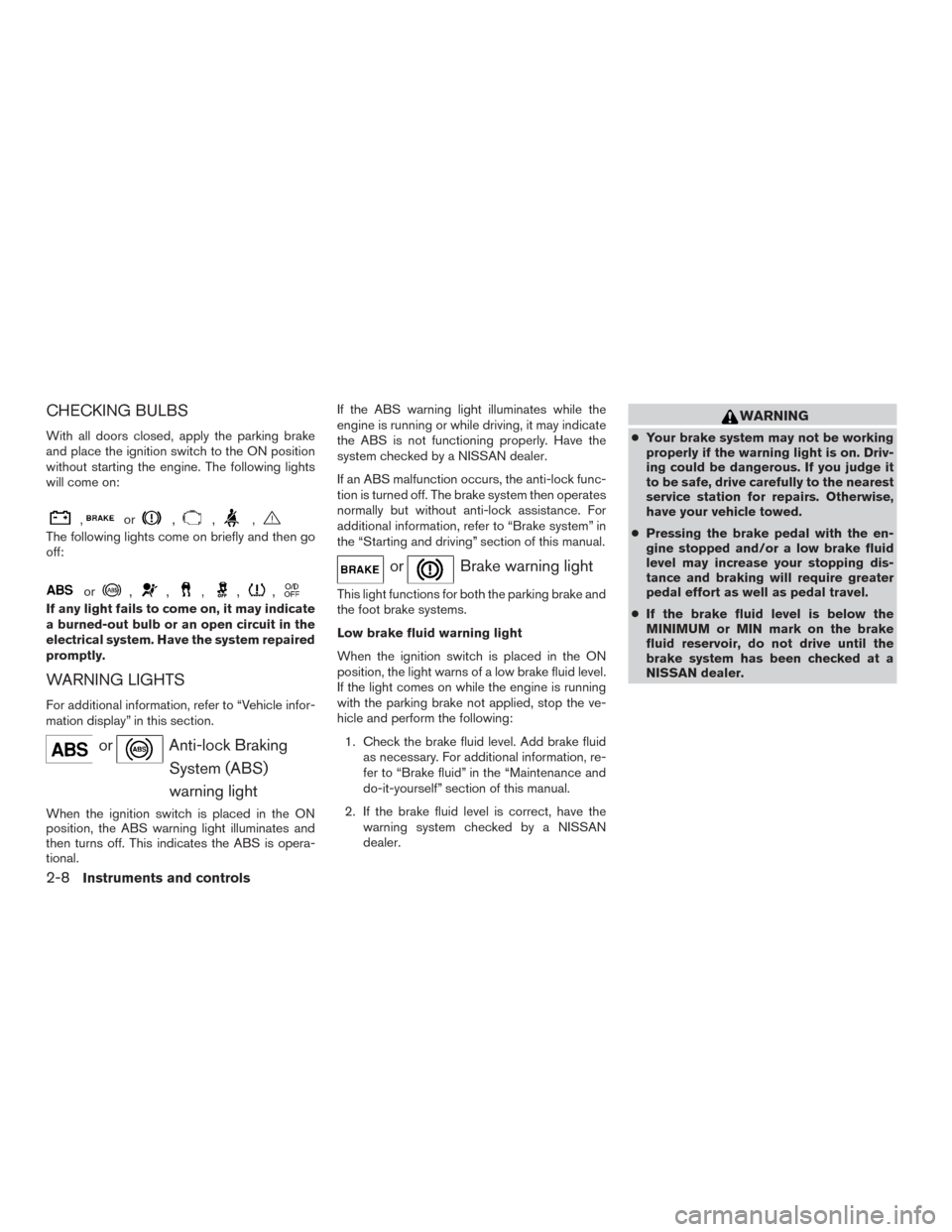
CHECKING BULBS
With all doors closed, apply the parking brake
and place the ignition switch to the ON position
without starting the engine. The following lights
will come on:
,or,,,
The following lights come on briefly and then go
off:
or,,,,,
If any light fails to come on, it may indicate
a burned-out bulb or an open circuit in the
electrical system. Have the system repaired
promptly.
WARNING LIGHTS
For additional information, refer to “Vehicle infor-
mation display” in this section.
orAnti-lock BrakingSystem (ABS)
warning light
When the ignition switch is placed in the ON
position, the ABS warning light illuminates and
then turns off. This indicates the ABS is opera-
tional. If the ABS warning light illuminates while the
engine is running or while driving, it may indicate
the ABS is not functioning properly. Have the
system checked by a NISSAN dealer.
If an ABS malfunction occurs, the anti-lock func-
tion is turned off. The brake system then operates
normally but without anti-lock assistance. For
additional information, refer to “Brake system” in
the “Starting and driving” section of this manual.
orBrake warning light
This light functions for both the parking brake and
the foot brake systems.
Low brake fluid warning light
When the ignition switch is placed in the ON
position, the light warns of a low brake fluid level.
If the light comes on while the engine is running
with the parking brake not applied, stop the ve-
hicle and perform the following:
1. Check the brake fluid level. Add brake fluid as necessary. For additional information, re-
fer to “Brake fluid” in the “Maintenance and
do-it-yourself” section of this manual.
2. If the brake fluid level is correct, have the warning system checked by a NISSAN
dealer.
WARNING
●Your brake system may not be working
properly if the warning light is on. Driv-
ing could be dangerous. If you judge it
to be safe, drive carefully to the nearest
service station for repairs. Otherwise,
have your vehicle towed.
● Pressing the brake pedal with the en-
gine stopped and/or a low brake fluid
level may increase your stopping dis-
tance and braking will require greater
pedal effort as well as pedal travel.
● If the brake fluid level is below the
MINIMUM or MIN mark on the brake
fluid reservoir, do not drive until the
brake system has been checked at a
NISSAN dealer.
2-8Instruments and controls
Page 94 of 440
Anti-lock Braking System (ABS) warning
indicator
When the parking brake is released and the
brake fluid level is sufficient, if both the brake
warning light and the ABS warning light illumi-
nates, it may indicate the ABS is not functioning
properly. Have the brake system checked and, if
necessary, repaired by a NISSAN dealer
promptly. Avoid high-speed driving and abrupt
braking. For additional information, refer to “Anti-
lock Braking System (ABS) warning light” in this
section.
Charge warning light
If this light comes on while the engine is running,
it may indicate the charging system is not func-
tioning properly. Turn the engine off and check
the generator belt. If the belt is loose, broken,
missing, or if the light remains on, see a NISSAN
dealer immediately.
CAUTION
●Do not ground electrical accessories di-
rectly to the battery terminal. Doing so
will bypass the variable control system
and the vehicle battery may not charge
completely. Refer to “Variable voltage
control system” in the “Maintenance
and do-it-yourself” section in this
manual.
● Do not continue driving if the generator
belt is loose, broken or missing.
Low tire pressure warning light
Your vehicle is equipped with a Tire Pressure
Monitoring System (TPMS) that monitors the tire
pressure of all tires except the spare.
The low tire pressure warning light warns of low
tire pressure or indicates that the TPMS is not
functioning properly.
After the ignition switch is placed in the ON
position, this light illuminates for about 1 second
and turns off. Low tire pressure warning
If the vehicle is being driven with low tire
pressure, the warning light will illuminate.
A “Tire Pressure Low Add Air” warning also
appears in the vehicle information display.
When the low tire pressure warning light
illuminates, you should stop and adjust the
tire pressure of all four tires to the recom-
mended COLD tire pressure shown on the
Tire and Loading Information label located
in the driver’s door opening. The low tire
pressure warning light does not automati-
cally turn off when the tire pressure is ad-
justed. After the tire is inflated to the rec-
ommended pressure, the vehicle must be
driven at speeds above 16 MPH (25 km/h)
to activate the TPMS and turn off the low
tire pressure warning light. Use a tire pres-
sure gauge to check the tire pressure.
The “Tire Pressure Low Add Air” warning ap-
pears each time the ignition switch is placed in
the ON position as long as the low tire pressure
warning light remains illuminated.
For additional information, refer to “Vehicle infor-
mation display” in the “Instruments and controls”
section and “Tire Pressure Monitoring System
(TPMS)” in the “Starting and driving” section and
in the “In case of emergency” section of this
manual.
Instruments and controls2-9
Page 97 of 440
NISSAN dealer. For additional information, refer
to “Power steering” in the “Starting and driving”
section of this manual.
Seat belt warning light andchime
The light and chime remind you to fasten your
seat belts. The light illuminates whenever the
ignition switch is placed in the ON or START
position and remains illuminated until the driver’s
seat belt is fastened. At the same time, the chime
sounds for about 6 seconds unless the driver’s
seat belt is securely fastened.
The seat belt warning light may also illuminate if
the front passenger’s seat belt is not fastened
when the front passenger’s seat is occupied . For
7 seconds after the ignition switch is placed in
the ON position, the system does not activate the
warning light for the front passenger.
For additional information, refer to “Seat belts” in
the “Safety—Seats, seat belts and supplemental
restraint system” section of this manual.
Supplemental air bag warninglight
When the ignition switch is placed in the ON or
START position, the supplemental air bag warn-
ing light illuminates for about 7 seconds and then
turns off. This means the system is operational. If any of the following conditions occur, the front
air bag, side air bag, curtain air bag, and preten-
sioner systems need servicing and your vehicle
must be taken to a NISSAN dealer:
● The supplemental air bag warning light re-
mains on after approximately 7 seconds.
● The supplemental air bag warning light
flashes intermittently.
● The supplemental air bag warning light does
not come on at all.
Unless checked and repaired, the supplemental
restraint system (air bag system) and/or the seat
belts with pretensioner system may not function
properly. For additional information, refer to
“Supplemental restraint system (SRS)” in the
“Safety—Seats, seat belts and supplemental re-
straint system” section of this manual.
WARNING
If the supplemental air bag warning light
is on, it could mean that the front air bag,
side air bag, curtain air bag and/or preten-
sioner systems will not operate in an acci-
dent. To help avoid injury to yourself or
others, have your vehicle checked by a
NISSAN dealer as soon as possible.
INDICATOR LIGHTS
For additional information, refer to “Vehicle infor-
mation display” in this section.
All-Wheel Drive (AWD) LOCK indicator light (if so equipped)
When the ignition switch is in the ON position,
the All-Wheel Drive (AWD) LOCK indicator light
illuminates and then turns off.
When selecting AWD LOCK mode while the
engine is running, the AWD LOCK indicator light
illuminates.
CAUTION
Do not drive on dry hard surface roads in
the LOCK mode.
ECO mode indicator light
This light comes on when the ECO mode has
been selected. For additional information, refer to
“ECO mode switch” in the “Starting and driving”
section of this manual for the use of the ECO
mode switch.
2-12Instruments and controls
Page 99 of 440
●MIL blinking — An engine misfire has been
detected which may damage the emission
control system. To reduce or avoid emission
control system damage:
– do not drive at speeds above 45 MPH (72 km/h).
– avoid hard acceleration or deceleration.
– avoid steep uphill grades.
– if possible, reduce the amount of cargo being hauled or towed.
The MIL may stop blinking and come on steady.
Have the vehicle inspected by a NISSAN dealer.
You do not need to have your vehicle towed to the
dealer.
CAUTION
Continued vehicle operation without hav-
ing the emission control system checked
and repaired as necessary could lead to
poor driveability, reduced fuel economy,
and possible damage to the emission con-
trol system.
Overdrive OFF indicator light
The overdrive off indicator light illuminates when
the overdrive off mode is selected. For additional information, refer to “Continuously
Variable Transmission (CVT)” in the “Starting and
driving” section of this manual.
Security indicator light
This light blinks when the ignition switch is
placed in the OFF, LOCK or ACC (if so
equipped) position.
The blinking security indicator light indicates that
the security systems equipped on the vehicle are
operational.
For additional information, refer to “Security sys-
tems” in this section.
Slip indicator light
This indicator will blink when the VDC system is
operating, thus alerting the driver to the fact that
the road surface is slippery and the vehicle is
nearing its traction limits.
You may feel or hear the system working; this is
normal.
The light will blink for a few seconds after the
VDC system stops limiting wheel spin.
The
indicator light also comes on when
you place the ignition switch in the ON position.
The light will turn off after approximately 2 sec-
onds if the system is operational. If the light does
not come on have the system checked by a
NISSAN dealer.
SPORT mode indicator light
This light illuminates and then turns off when the
ignition switch is placed into the ON position, and
when the overdrive off mode off is selected.
For additional information, refer to “Continuously
Variable Transmission (CVT)” in the “Starting and
driving” section of this manual.
Turn signal/hazard indicator
lights
The appropriate light flashes when the turn signal
switch is activated.
Both lights flash when the hazard switch is turned
on.
Vehicle Dynamic Control(VDC) OFF indicator light
This indicator light comes on when the VDC off
switch is pushed to OFF. This indicates the VDC
system is not operating.
2-14Instruments and controls