2015 NISSAN PATHFINDER maintenance
[x] Cancel search: maintenancePage 106 of 506
3.— go back to the previous menu
The ENTER and
buttons also control audio
and control panel functions. For additional infor-
mation, refer to “Steering wheel switch for audio
control” in the “Monitor, climate, audio, phone
and voice recognition systems” section of this
manual.
STARTUP DISPLAY
When the vehicle in placed in the ON or ACC
position the screens that display in the vehicle
information include:
● Active system status (if so equipped)
● Trip computer
● Tire pressure information
● 4 x 4 (if so equipped)
● Fuel economy
● Warnings
Warnings will only display if there are any pres-
ent. For additional information on warnings and
indicators refer to “Vehicle information display
warnings and indicators” in this section.
To control what items display in the vehicle infor-
mation display, refer to “Main menu selection” in
this section.
SETTINGS
The setting mode allows you to change the infor-
mation displayed in the vehicle information dis-
play:
● Driver Assistance (if so equipped)
● Vehicle Settings
● Main Menu Selection
● Body Color
● Maintenance
● Alarms
● Language
● Unit
● Welcome Effects
● Factory Reset
Driver Assistance (if so equipped)
Select ”Driver Assistance” to access “Parking
Aids” menu options. Use the
button to
select and the ENTER button.
For additional information, refer to “RearView
Monitor” in the “Monitor, climate, audio, phone
and voice recognition systems” section.
Vehicle Settings
The vehicle settings allows the customer to change
settings for interior lights, Intelligent Key settings,
unlock settings and other vehicle settings.
The vehicle settings can be changed using
the
,, and the ENTER buttons.
Welcome light (if so equipped)
The welcome light can be set to be ON or OFF.
From the Vehicle Settings menu, select “Wel-
come Light”. Use the ENTER button to turn this
feature ON or OFF.
Auto Room Lamp
The interior lights can be set to be ON or OFF if
any door is unlocked. From the Vehicle Settings
menu, select “Auto Room Light”. Use the ENTER
button to turn this feature ON or OFF.
Light Sensitivity (if so equipped)
The light sensitivity can be set to illuminate earlier
based on the brightness outside the vehicle. From
the Vehicle Settings menu, select “Light Sensitiv-
ity”. Use the ENTER button to change the sensitivity.
Light Off Delay (if so equipped)
The duration of the automatic headlights can be
changed from 0 to 180 seconds. From the Ve-
hicle Settings menu, select “Light Off Delay”. Use
the ENTER button to change the duration.
Instruments and controls2-19
Page 108 of 506
Main Menu Selection
The items that display can be enabled/disabled
when the ignition switch is placed in the ON
position. To change the items that display.
Use the
button to select and the ENTER
button to change a menu item:
● Trip Computer
● Tire Pressures
● 4WD (if so equipped)
● Fuel Economy
Trip Computer
The trip computer can be enabled/disabled to
display in the vehicle information display when
the ignition switch is placed in the ON position.
From the “Main Menu Selection” select “Trip
Computer” to display in the vehicle information
display when the ignition is placed in the ON
position.
Tire Pressures
The tire pressures can be enabled/disabled to
display in the vehicle information display when
the ignition switch is placed in the ON position. From the “Main Menu Selection” select “Tire
Pressures” to display in the vehicle information
display when the ignition is placed in the ON
position.
4WD (if so equipped)
The 4WD can be enabled/disabled to display in
the vehicle information display when the ignition
switch is placed in the ON position.
From the “Main Menu Selection” select “4WD” to
display the 4WD information when the ignition
switch is placed in the ON position.
Fuel Economy
The fuel economy can be enabled/disabled to
display in the vehicle information display when
the ignition switch is placed in the ON position.
From the “Main Menu Selection” select “Fuel
Economy” to display in the vehicle information
display when the ignition is placed in the ON
position.
Body Color
The color of the vehicle that displays in the ve-
hicle information display when the ignition switch
is placed in the ON position can be changed.
1. scheduled service: oil and oil filter
2. tires
3. other
Maintenance
The maintenance mode allows you to set alerts
for the reminding of maintenance intervals. To
change an item:
1. Press the
button.
2. Use the
button until “Settings” is se-
lected, and press ENTER.
LIC2773
Instruments and controls2-21
Page 109 of 506
3. Select “Maintenance” using thebut-
ton and press ENTER.
Service
This indicator appears when the customer set
distance comes for changing the engine oil and
filter. You can set or reset the distance for check-
ing or replacing these items. For scheduled main-
tenance items and intervals, refer to your
“NISSAN Service and Maintenance Guide.”
Tire
This indicator appears when the customer set
distance is reached for replacing tires. You can
set or reset the distance for replacing tires.WARNING
The tire replacement indicator is not a
substitute for regular tire checks, includ-
ing tire pressure checks. For additional
information, refer to “Changing wheels
and tires” in the “Maintenance and do-it-
yourself” section of this manual. Many fac-
tors including tire inflation, alignment,
driving habits and road conditions affect
tire wear and when tires should be re-
placed. Setting the tire replacement indi-
cator for a certain driving distance does
not mean your tires will last that long. Use
the tire replacement indicator as a guide
only and always perform regular tire
checks. Failure to perform regular tire
checks, including tire pressure checks
could result in tire failure. Serious vehicle
damage could occur and may lead to a
collision, which could result in serious
personal injury or death.
Other
This indicator appears when the customer set
distance is reached for checking or replacing
maintenance items other than the engine oil, oil
filter and tires. Other maintenance items can in-
clude such things as air filter or tire rotation. The
distance for checking or replacing the items can
be set or reset.
Alarms
This setting allows the customer to set alarms for
outside temperature and a timer alert.
1. Press the
button.
2. Use the
button until “Settings” is se-
lected, and press ENTER.
3. Select “Alarms” using the
button and
press ENTER.
Outside Temperature
This setting allows the customer to
enable/disable the alert for low outside tempera-
ture in the vehicle information display.
1. Use the
button to select “Outside
Temperature”.
2. Press the ENTER button to turn on/off the outside temperature in the vehicle informa-
tion display.
Timer Alert
This setting allows the driver to set an alert to
notify a set time has been reached.
1. Use the
button to select “Timer Alert”.
2. Press the ENTER button.
2-22Instruments and controls
Page 113 of 506
12. Timer Alert – Time for a driver break?
13. Low Outside Temperature
14. Power will turn off to save the battery
15. CVT Error: See Owner’s Manual
16. Reminder: Turn OFF headlights
17. Low Oil Pressure
18. Key Registration Complete
19. Tire Pressure Low - Add Air
20. TPMS Error: See Owner’s Manual
21. Remote Start (if so equipped)
22. Loose Fuel Cap
23. I-Key System Error: See Owner’s Manual
No Key Detected
This warning appears when the Intelligent Key is
left outside the vehicle with the ignition switch in
the ON or ACC position. Make sure the Intelli-
gent Key is inside the vehicle.
Key ID Incorrect
This warning appears when the ignition switch is
placed from the OFF position and the Intelligent
Key is not recognized by the system. You cannot
start the engine with an unregistered key.For additional information, refer to “NISSAN In-
telligent Key®” in the “Pre-driving checks and
adjustments” section of this manual.
Shift to Park
This warning illuminates when the ignition switch
is in the ACC or OFF position and the shift lever
is in any position other than P (Park) position.
Also, a chime sounds when the ignition switch is
in the OFF position.
If this warning illuminates, move the shift lever to
the P (Park) position or start the engine.
For additional information about Intelligent Key,
refer to “NISSAN Intelligent Key®” in the “Pre-
driving checks and adjustments” section.
Push ignition to OFF
After the Push ignition to OFF warning illumi-
nates, the warning will illuminate if the ignition
switch is placed in the ACC position when the
shift lever is moved to the P (Park) position.
To turn off the Push warning, place the ignition
switch in the ON position and then in the LOCK
position.
Key low battery
This indicator illuminates when the Intelligent Key
battery is running out of power.
If this indicator illuminates, replace the battery
with a new one. For additional information, refer
to “Battery replacement” in the “Maintenance and
do-it-yourself” section of this manual.
Engine start operation for Intelligent Key
system
This indicator appears when the battery of the
Intelligent Key is low and when the Intelligent Key
system and the vehicle are not communicating
normally.
If this appears, touch the ignition switch with the
Intelligent Key while depressing the brake pedal.
For additional information, refer to “NISSAN In-
telligent Key® battery discharge” in the “Starting
and driving” section of this manual.
Release Parking Brake
This warning illuminates in the message area of
the vehicle information display when the parking
brake is set and the vehicle is driven.
Low Fuel
This warning illuminates when the fuel level in the
fuel tank is getting low. Refuel as soon as it is
convenient, preferably before the fuel gauge
reaches 0 (Empty) .
There will be a small re-
serve of fuel in the tank when the fuel
gauge needle reaches 0 (Empty) .
2-26Instruments and controls
Page 114 of 506
Low Washer Fluid
This warning illuminates when the windshield-
washer fluid is at a low level. Add windshield-
washer fluid as necessary. For additional informa-
tion, refer to “Windshield-washer fluid” in the
“Maintenance and do-it-yourself” section of this
manual.
Door Open
This warning illuminates when a door has been
opened when the engine is running.
Liftgate Open
This warning illuminates when the liftgate has
been opened when the engine is running.
Timer Alert – Time for a driver break?
This indicator appears when the set time is
reached. The time can be set up to six hours. For
setting the timer, refer to “Timer alert” in this
section.
Low Outside Temperature
This warning appears if the outside temperature
is below 37°F (3°C) . The temperature can be
changed to display in Celsius or Fahrenheit. For
additional information, refer to “Temperature” in
this section.Power will turn off to save the battery
This warning appears in message area of the
vehicle information display after a period of time if
the shift lever has not moved from the P (Park)
position.
CVT Error: See Owner’s Manual
This warning illuminates when the there is a prob-
lem with the CVT system. If this warning comes
on, have the system checked by a NISSAN
dealer.
Reminder: Turn OFF headlights
This warning appears when the headlights are
left in the ON position when exiting the vehicle.
Place the headlight switch in the OFF or AUTO
position. For additional information, refer to
“Headlight and turn signal switch” in this section.
Low Oil Pressure
This warning appears in message area of the
vehicle information display if low oil pressure is
detected. This gauge is not designed to indicate
low oil level.
The low oil pressure warning is
not designed to indicate a low oil level. Use
the dipstick to check the oil level. For additional
information, refer to “Engine oil” in the “Mainte-
nance and do-it-yourself” section of this manual. Key Registration Complete
This appears when a new Intelligent Key is regis-
tered to the vehicle.
Tire Pressure Low - Add Air warning
This warning appears when the low tire pressure
warning light in the meter illuminates and low tire
pressure is detected. The warning appears each
time the ignition switch is placed in the ON
position as long as the low tire pressure warning
light remains illuminated. If this warning appears,
stop the vehicle and adjust the tire pressures of
all four tires to the recommended COLD tire
pressure shown on the Tire and Loading Informa-
tion label. For additional information, refer to
“Low tire pressure warning light” in this section
and “Tire Pressure Monitoring System (TPMS)”
in the “Starting and driving” section of this
manual.
TPMS Error: See Owner’s Manual
This warning appears when there is an error with
your TPMS. If this warning comes on, have the
system checked by a NISSAN dealer.
Instruments and controls2-27
Page 161 of 506
CAUTION
●Be sure to carry the Intelligent Key with
you when operating the vehicle.
● Never leave the Intelligent Key in the
vehicle when you leave the vehicle.
The Intelligent Key is always communicating with
the vehicle as it receives radio waves. The Intel-
ligent Key system transmits weak radio waves.
Environmental conditions may interfere with the
operation of the Intelligent Key system under the
following operating conditions: ● When operating near a location where
strong radio waves are transmitted, such as
a TV tower, power station and broadcasting
station.
● When in possession of wireless equipment,
such as a cellular telephone, transceiver,
and CB radio.
● When the Intelligent Key is in contact with or
covered by metallic materials.
● When any type of radio wave remote control
is used nearby.
● When the Intelligent Key is placed near an
electric appliance such as a personal com-
puter. ●
When the vehicle is parked near a parking
meter.
In such cases, correct the operating conditions
before using the Intelligent Key function or use
the mechanical key.
Although the life of the battery varies depending
on the operating conditions, the battery’s life is
approximately 2 years. If the battery is dis-
charged, replace it with a new one.
When the Intelligent Key battery is low, an indi-
cator illuminates in the Vehicle Information Dis-
play. For additional information, refer to “Vehicle
Information Display” in the “Instruments and con-
trols” section of this manual.
Since the Intelligent Key is continuously receiving
radio waves, if the key is left near equipment
which transmits strong radio waves, such as sig-
nals from a TV and personal computer, the bat-
tery life may become shorter.
For additional information regarding replacement
of a battery, refer to “Battery replacement” in the
“Maintenance and do-it-yourself” section of this
manual.
As many as 4 Intelligent Keys can be registered
and used with one vehicle. For information about
the purchase and use of additional Intelligent
Keys, contact a NISSAN dealer.
CAUTION
Listed below are conditions or occur-
rences which will damage the Intelligent
Key:
● Do not allow the Intelligent Key, which
contains electrical components, to
come into contact with water or salt
water. This could affect the system
function.
● Do not drop the Intelligent Key.
● Do not strike the Intelligent Key sharply
against another object.
● Do not change or modify the Intelligent
Key.
● Wetting may damage the Intelligent
Key. If the Intelligent Key gets wet, im-
mediately wipe until it is completely dry.
● Do not place the Intelligent Key for an
extended period in an area where tem-
peratures exceed 140°F (60°C) .
● Do not attach the Intelligent Key with a
key holder that contains a magnet.
● Do not place the Intelligent Key near
equipment that produces a magnetic
field, such as a TV, audio equipment and
personal computers.
3-8Pre-driving checks and adjustments
Page 172 of 506
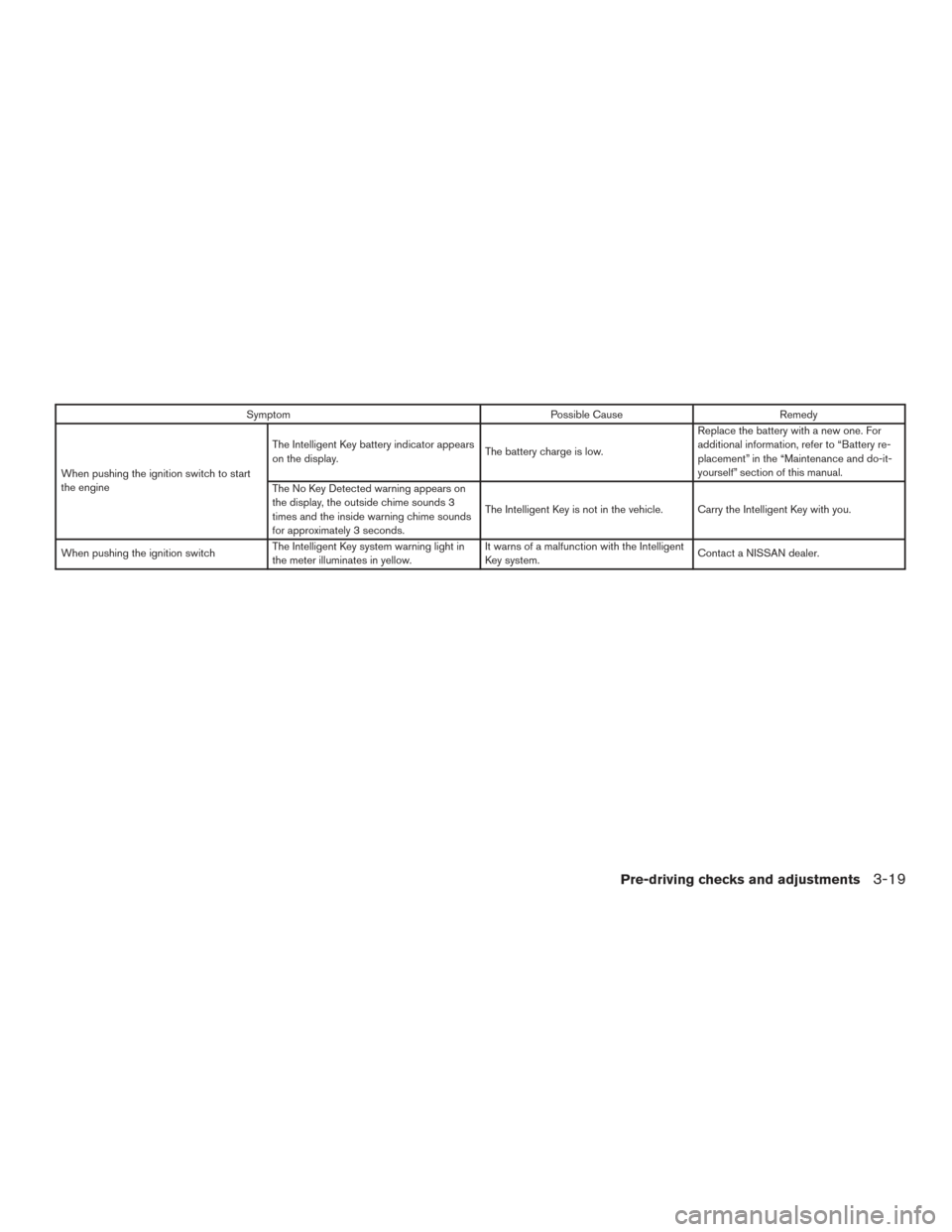
SymptomPossible CauseRemedy
When pushing the ignition switch to start
the engine The Intelligent Key battery indicator appears
on the display.
The battery charge is low.Replace the battery with a new one. For
additional information, refer to “Battery re-
placement” in the “Maintenance and do-it-
yourself” section of this manual.
The No Key Detected warning appears on
the display, the outside chime sounds 3
times and the inside warning chime sounds
for approximately 3 seconds. The Intelligent Key is not in the vehicle. Carry the Intelligent Key with you.
When pushing the ignition switch The Intelligent Key system warning light in
the meter illuminates in yellow. It warns of a malfunction with the Intelligent
Key system.
Contact a NISSAN dealer.
Pre-driving checks and adjustments3-19
Page 193 of 506
Operating tips................................. 4-43
Heater and air conditioner (automatic) (Type B)
(if so equipped) .................................. 4-44
Automatic operation ........................... 4-45
Manual operation .............................. 4-46
Operating tips ................................. 4-49
Servicing air conditioner ........................... 4-50
Audio system .................................... 4-50
Radio ........................................ 4-50
FM radio reception ............................ 4-51
AM radio reception ............................ 4-51
Satellite radio reception (if so equipped) .........4-51
Audio operation precautions ....................4-52
FM/AM radio with compact disc (CD)
changer (if so equipped) .......................4-66
FM/AM/SAT radio with compact disc (CD)
player (if so equipped) ......................... 4-71
FM/AM/SAT radio with CD/DVD player
(if so equipped) ............................... 4-78
Digital Versatile Disc (DVD) Player
Operation (models with Navigation System) ......4-84
USB (Universal Serial Bus) Connection Port
(models without Navigation System)
(if so equipped) ............................... 4-87USB (Universal Serial Bus) Connection Port
(models with Navigation System)
................4-88
iPod®* player operation without Navigation
System (if so equipped) ........................ 4-92
iPod®* player operation with Navigation
System (if so equipped) ........................ 4-94
Bluetooth® streaming audio (if so equipped) .....4-98
CD care and cleaning ......................... 4-101
Steering wheel switch for audio control .........4-102
Antenna ..................................... 4-103
Dual head restraint/headrest DVD system
(if so equipped) ................................. 4-104
System components .......................... 4-104
Before operating dual head restraint/
headrest DVD system ......................... 4-109
Playing a DVD (Digital Versatile Disc) ...........4-110
Operating tips ................................ 4-114
Care and maintenance ........................ 4-115
Car phone or CB radio ........................... 4-116
Bluetooth®
Hands-Free Phone System without
Navigation System (if so equipped) ................4-116
Regulatory Information ........................ 4-118
Using the system ............................. 4-118
Control buttons .............................. 4-120