2015 NISSAN LEAF traction control
[x] Cancel search: traction controlPage 164 of 412
(See “Window washer fluid” in the “Maintenance
and do-it-yourself” section.)
10. Light reminder warning
This warning appears when the power switch is
turned to the OFF position but the headlight
switch is still ON. Turn off the headlight switch.
11. Plug in indicator
This indicator appears when the charge connec-
tor is connected.
If the charge connector is connected to the ve-
hicle, the power switch can not be placed in the
READY to drive position.
12. Remove charge connector
warning
This warning appears when the power switch is
in the ACC or ON position and if the power
switch is pushed to the READY to drive position
with the brake pedal depressed, while the charge
connector is inserted to the vehicle. Remove the
charge connector.
13. Electric shift control system
warning
This message appears if there is malfunction in
the electric shift control system.This message appears when the parking brake is
not applied, even after the vehicle has been
parked. The master warning light (red) also illu-
minates and the chime sounds.
Apply parking brake. The message in the vehicle
information display turns off and the chime stops.
Have the system checked by a NISSAN certified
LEAF dealer.
14. Shift control system (T/M) warning
This warning appears if there is a malfunction in
the electric shift control system but operation of
the electric shift control is still possible. The mas-
ter warning (yellow) light also illuminates and the
chime sounds. When this occurs, check the shift
position indicator by the shift lever or vehicle
information display in the meter to make sure that
shifting has been performed properly. Contact a
NISSAN certified LEAF dealer as soon as pos-
sible.
15. Shift position warning
This warning appears if the system cannot detect
the shift position. Make sure the vehicle is placed
in a position properly.
The master warning light (red) also illuminates
and the chime sounds. Check the shift position of
the vehicle.
16. Li-ion battery low charge warning
This indicator appears when the Li-ion battery is
getting low. The low battery charge warning light
and the master warning light (yellow) also illumi-
nate. Charge the Li-ion battery as soon as pos-
sible. The [i] symbol is shown on the vehicle
information display, this indicates that further in-
formation is available on the navigation display.
Check the navigation display for further informa-
tion and instructions.
17. Power limitation warning
This display appears when the Li-ion battery ca-
pacity is getting too low to move the vehicle or if
there is any reason to limit traction power (Li-ion
battery low or high temperature etc.) . The power
limitation indicator light and the master warning
light (yellow) also illuminate. The [i] symbol is
shown on the vehicle information display. This
indicates that further information is available on
the navigation display. Check the navigation dis-
play for further information and instructions.
18. DC/DC converter warning
This warning appears if the DC/DC converter
system is not functioning properly. The 12-volt
battery charge warning (red) light also and the
master warning light illuminate. Stop the vehicle
Instruments and controls2-25
Page 187 of 412
The vehicle should be driven with the Vehicle
Dynamic Control (VDC) system on for most driv-
ing conditions.
If the vehicle is stuck in mud or snow, the VDC
system reduces the traction motor output to re-
duce wheel spin. The traction motor speed will be
reduced even if the accelerator is depressed to
the floor. If maximum traction motor power is
needed to free a stuck vehicle, turn the VDC
system off.
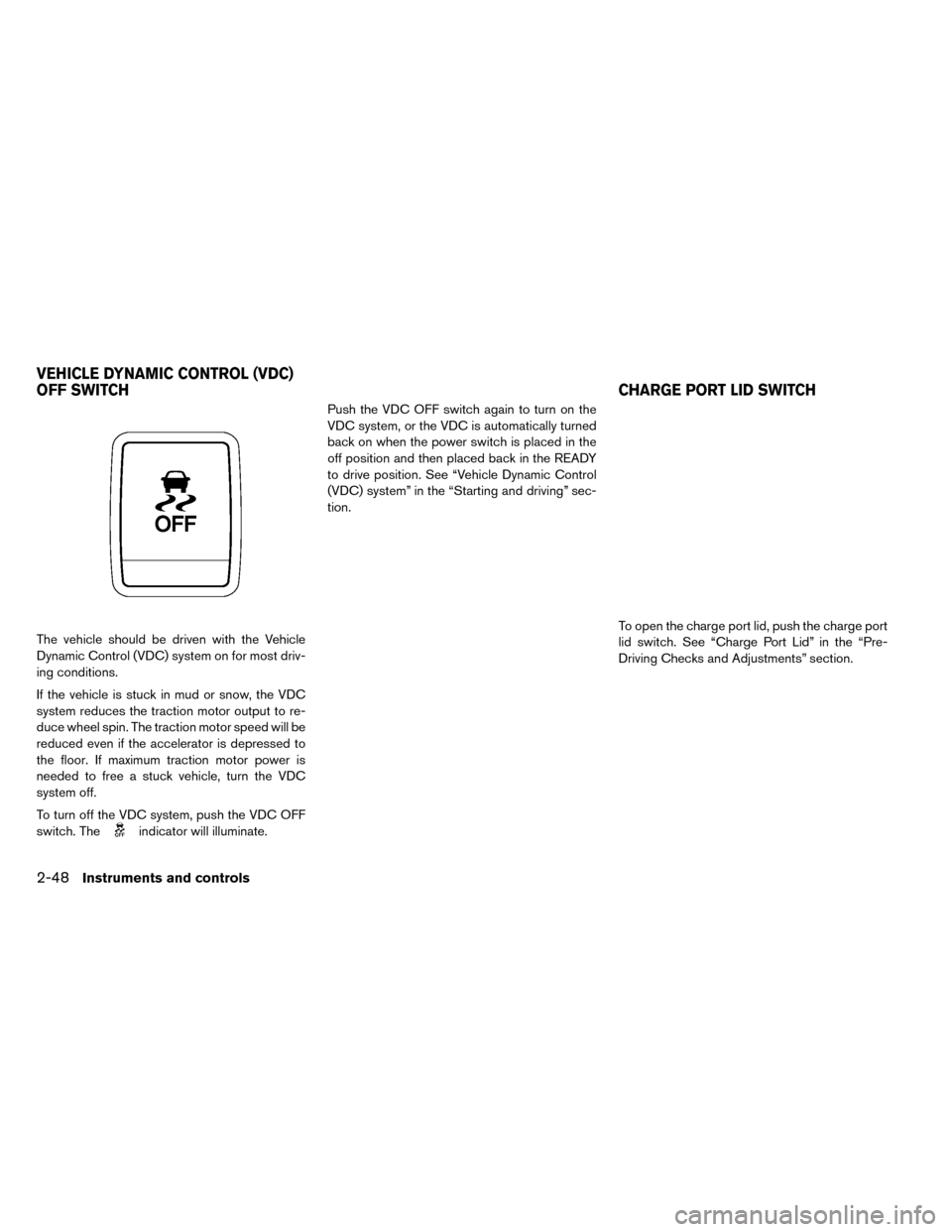
To turn off the VDC system, push the VDC OFF
switch. The
indicator will illuminate.Push the VDC OFF switch again to turn on the
VDC system, or the VDC is automatically turned
back on when the power switch is placed in the
off position and then placed back in the READY
to drive position. See “Vehicle Dynamic Control
(VDC) system” in the “Starting and driving” sec-
tion.
To open the charge port lid, push the charge port
lid switch. See “Charge Port Lid” in the “Pre-
Driving Checks and Adjustments” section.
VEHICLE DYNAMIC CONTROL (VDC)
OFF SWITCH CHARGE PORT LID SWITCH
2-48Instruments and controls
Page 262 of 412
USB (Universal Serial Bus) connection
port
WARNING
Do not connect, disconnect or operate
the USB device while driving. Doing so
can be a distraction. If distracted you
could lose control of your vehicle and
cause an accident or serious injury.
CAUTION
• Do not force the USB device into the USB port. Inserting the USB device
tilted or up-side-down into the port
may damage the port. Make sure that
the USB device is connected correctly
into the USB port.
• Do not grab the USB port cover (if so equipped) when pulling the USB de-
vice out of the port. This could damage
the port and the cover.
• Do not leave the USB cable in a place where it can be pulled unintentionally.
Pulling the cable may damage the port.
The vehicle is not equipped with a USB device.
USB devices should be purchased separately as
necessary. This system cannot be used to format USB devices. To format a USB device, use a
personal computer. In some states/area, the USB
device for the front seats plays only sound with-
out images for regulatory reasons, even when the
vehicle is parked.
This system supports various USB memory de-
vices, USB hard drives and iPod® players. Some
USB devices may not be supported by this sys-
tem.
Partitioned USB devices may not play correctly.
Some characters used in other languages (Chi-
nese, Japanese, etc.) may not appear properly in
the display. Using English language characters
with a USB device is recommended.
General notes for USB use:
Refer to your device manufacturer’s owner infor-
mation regarding the proper use and care of the
device.
Notes for iPod® use:
iPod® is a trademark of Apple Inc., registered in
the U.S. and other countries.
• Improperly plugging in the iPod may cause a
checkmark to be displayed on and off (flicker-
ing) . Always make sure that the iPod is con-
nected properly. • An iPod® nano (1st Generation) may remain in
fast forward or rewind mode if it is connected
during a seek operation. In this case, please
manually reset the iPod.
• An iPod® nano (2nd Generation) will continue to fast-forward or rewind if it is disconnected
during a seek operation.
• An incorrect song title may appear when the Play Mode is changed while using an iPod®
nano (2nd Generation) .
• Audiobooks may not play in the same order as they appear on an iPod®.
• Large video files cause slow responses in an iPod®. The vehicle center display may momen-
tarily black out, but will soon recover.
• If an iPod® automatically selects large video files while in the shuffle mode, the vehicle center
display may momentarily black out, but will soon
recover.
Bluetooth® streaming audio
• Some Bluetooth® audio devices may not berecognized by the in-vehicle audio system.
• It is necessary to set up the wireless connection between a compatible Bluetooth® audio device
and the in-vehicle Bluetooth® module before
using the Bluetooth® audio.
Display screen, heater, air conditioner, audio and phone systems4-35
Page 268 of 412
USB CONNECTION PORT
OPERATION
Audio main operation:
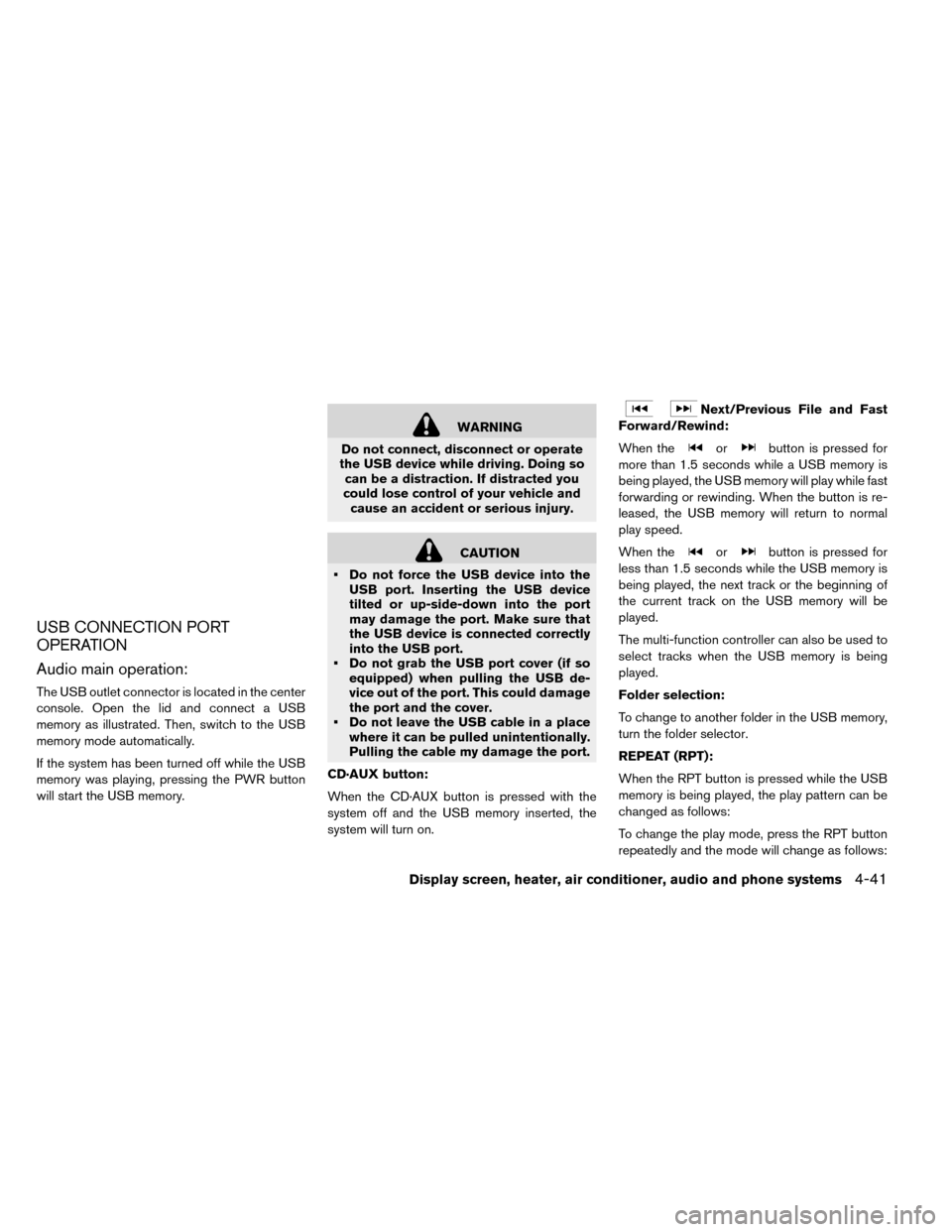
The USB outlet connector is located in the center
console. Open the lid and connect a USB
memory as illustrated. Then, switch to the USB
memory mode automatically.
If the system has been turned off while the USB
memory was playing, pressing the PWR button
will start the USB memory.
WARNING
Do not connect, disconnect or operate
the USB device while driving. Doing so can be a distraction. If distracted you
could lose control of your vehicle and cause an accident or serious injury.
CAUTION
• Do not force the USB device into the USB port. Inserting the USB device
tilted or up-side-down into the port
may damage the port. Make sure that
the USB device is connected correctly
into the USB port.
• Do not grab the USB port cover (if so equipped) when pulling the USB de-
vice out of the port. This could damage
the port and the cover.
• Do not leave the USB cable in a place where it can be pulled unintentionally.
Pulling the cable my damage the port.
CD·AUX button:
When the CD·AUX button is pressed with the
system off and the USB memory inserted, the
system will turn on.
Next/Previous File and Fast
Forward/Rewind:
When the
orbutton is pressed for
more than 1.5 seconds while a USB memory is
being played, the USB memory will play while fast
forwarding or rewinding. When the button is re-
leased, the USB memory will return to normal
play speed.
When the
orbutton is pressed for
less than 1.5 seconds while the USB memory is
being played, the next track or the beginning of
the current track on the USB memory will be
played.
The multi-function controller can also be used to
select tracks when the USB memory is being
played.
Folder selection:
To change to another folder in the USB memory,
turn the folder selector.
REPEAT (RPT):
When the RPT button is pressed while the USB
memory is being played, the play pattern can be
changed as follows:
To change the play mode, press the RPT button
repeatedly and the mode will change as follows:
Display screen, heater, air conditioner, audio and phone systems4-41
Page 269 of 412
Normal→1 Folder Repeat→1 Track Repeat-
→Normal
RANDOM (RDM):
When the RDM button is pressed while a USB
memory device is being playing, the play pattern
can be changed as follows:
To change the play mode, press the RDM button
repeatedly and the mode will change as follows:
Normal→All Random→1 Folder Random→Nor-
mal
BACK button:
When the BACK button is pressed, it returns to
the previous display.
IPOD® PLAYER OPERATION
Connecting iPod®:
The USB outlet connector is located in the center
console. Open the lid and connect the iPod®
cable to the USB connector. The battery of the
iPod® is charged while the connection to the
vehicle.
Depending on the version of the iPod®, the dis-
play on the iPod® shows a NISSAN or Acces-
sory Attached screen when the connection is
completed. When the iPod® is connected to the
vehicle, the iPod® music library can only be
operated by the vehicle audio controls.* iPod® and the iPhone® are a trademark of
Apple Inc., registered in the U.S. and other coun-
tries.
WARNING
Do not connect, disconnect or operate
the USB device while driving. Doing so can be a distraction. If distracted you
could lose control of your vehicle and cause an accident or serious injury.
CAUTION
• Do not force the USB device into the USB port. Inserting the USB device
tilted or up-side-down into the port
may damage the port. Make sure that
the USB device is connected correctly
into the USB port.
• Do not grab the USB port cover (if so equipped) when pulling the USB de-
vice out of the port. This could damage
the port and the cover.
• Do not leave the USB cable in a place where it can be pulled unintentionally.
Pulling the cable my damage the port.
4-42Display screen, heater, air conditioner, audio and phone systems
Page 300 of 412
CAUTION
• Do not slide the shift lever while push- ing the P position switch. This may
also damage the electric motor.
• When switching to the preferred posi- tion by operating the shift lever, check
that the shift lever returns to the cen-
tral position by releasing your hand
from the lever. Holding the shift lever
in a mid-way position may also dam-
age the shift control system.
• Do not operate the shift lever while the accelerator pedal is depressed, except
when switching to the ECO position.
This may cause a sudden start which
could result in an accident.
• The following operations are not al- lowed because excessive force would
be applied to the traction motor and
this may result in damage to the ve-
hicle:
– Moving the shift lever to the R (Re-verse) position when driving for-
ward
–
Moving the shift lever to the D (Drive)
or ECO position when reversing
If these operations are attempted, a
chime sounds and the vehicle shifts to
the N (Neutral) position. P (Park):
Use this shift position when the vehicle is parked
or when placing the vehicle in the READY to drive
position. Make sure that the vehicle is completely
stopped.
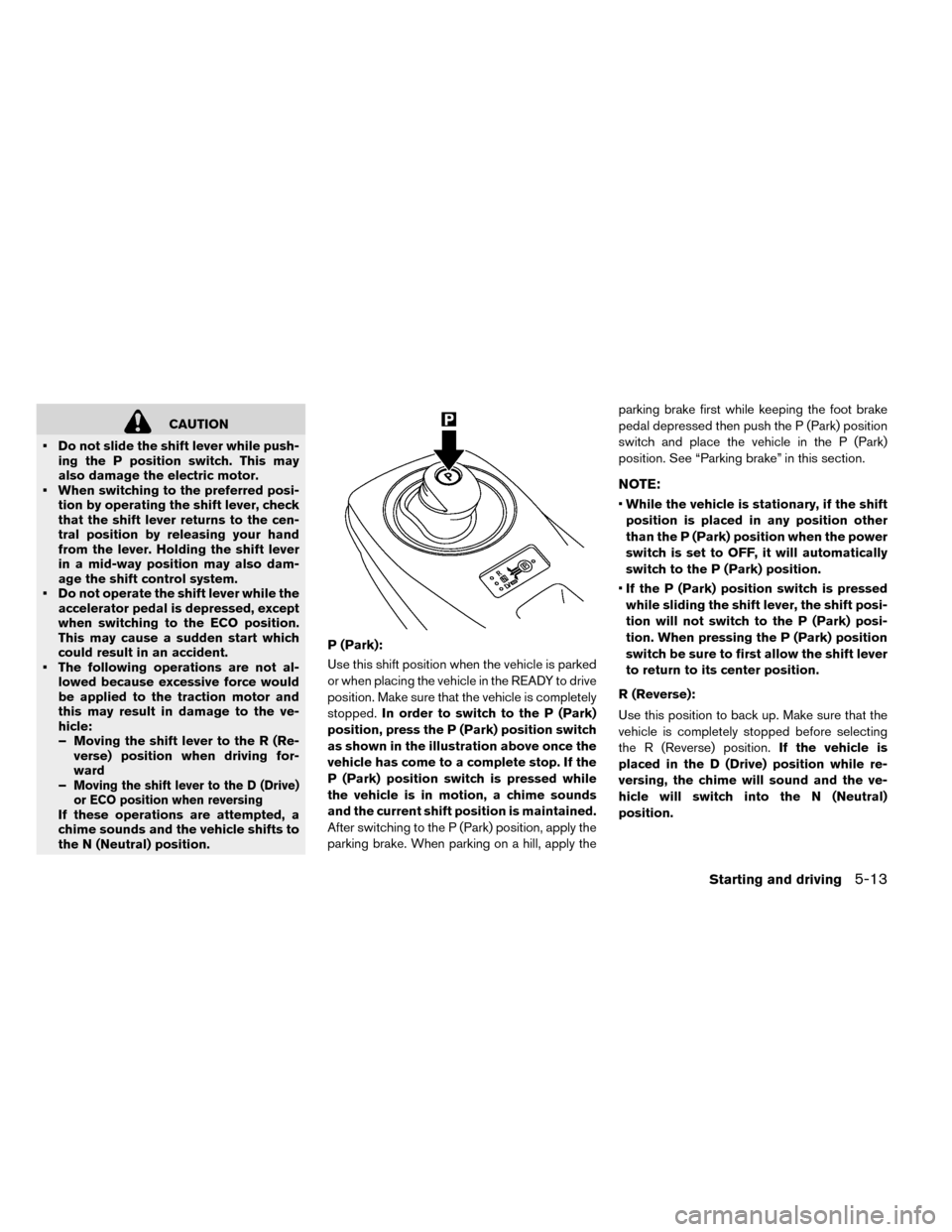
In order to switch to the P (Park)
position, press the P (Park) position switch
as shown in the illustration above once the
vehicle has come to a complete stop. If the
P (Park) position switch is pressed while
the vehicle is in motion, a chime sounds
and the current shift position is maintained.
After switching to the P (Park) position, apply the
parking brake. When parking on a hill, apply the parking brake first while keeping the foot brake
pedal depressed then push the P (Park) position
switch and place the vehicle in the P (Park)
position. See “Parking brake” in this section.
NOTE:
•
While the vehicle is stationary, if the shift
position is placed in any position other
than the P (Park) position when the power
switch is set to OFF, it will automatically
switch to the P (Park) position.
• If the P (Park) position switch is pressed
while sliding the shift lever, the shift posi-
tion will not switch to the P (Park) posi-
tion. When pressing the P (Park) position
switch be sure to first allow the shift lever
to return to its center position.
R (Reverse):
Use this position to back up. Make sure that the
vehicle is completely stopped before selecting
the R (Reverse) position. If the vehicle is
placed in the D (Drive) position while re-
versing, the chime will sound and the ve-
hicle will switch into the N (Neutral)
position.
Starting and driving5-13
Page 310 of 412
The Vehicle Dynamic Control (VDC) system uses
various sensors to monitor driver inputs and ve-
hicle motion. Under certain driving conditions,
the VDC system helps to perform the following
functions.
• Controls brake pressure to reduce wheel slip onone slipping drive wheel so power is transferred
to a drive wheel on the same axle that is not
slipping.
• Controls brake pressure and traction motor out- put to reduce drive wheel slip based on vehicle
speed (traction control function) .
• Controls brake pressure at individual wheels and traction motor output to help the driver
maintain control of the vehicle in the following
conditions. – understeer (vehicle tends to not follow the steered path despite increased steering in-
put)
– oversteer (vehicle tends to spin due to cer- tain road or driving conditions) .
The VDC system can help the driver to maintain
control of the vehicle, but it cannot prevent loss of
vehicle control in all driving situations.
When the VDC system operates, the
warning in the instrument panel flashes. When
the warning flashes, note the following items. • The road may be slippery or the system may
determine some action is required to help keep
the vehicle on the steered path.
• You may feel a pulsation in the brake pedal and hear a noise or vibration from under the hood.
This is normal and indicates that the VDC sys-
tem is working properly.
• Adjust your speed and driving according to the road conditions.
See “Vehicle Dynamic Control (VDC) warning
light” and “Vehicle Dynamic Control (VDC) off
indicator light” in the “Instruments and controls”
section.
If a malfunction occurs in the system, the
warning illuminates in the lower display. The VDC
system automatically turns off when this warning
light is lit.
The VDC OFF switch is used to turn off the VDC
system. The VDC off indicator
illuminates
to indicate that the VDC system is off. When the
VDC switch is used to turn off the system, the
VDC system still operates to prevent one drive
wheel from slipping by transferring power to a
drive wheel that is not slipping. The
warn-
ing flashes if this occurs. All other VDC functions
are off and the
warning will not flash. The
VDC System is automatically reset to ON when the power switch is placed in the OFF position
then back to the ON position.
The computer has a built-in diagnostic feature
that tests the system each time you start the EV
(Electric Vehicle) and move the vehicle forward or
in reverse at a slow speed. When the self-test
occurs, you may hear a “clunk” noise and/or feel a
pulsation in the brake pedal. This is normal and is
not an indication of a malfunction.
WARNING
• The VDC system is designed to help the driver maintain stability but does
not prevent accidents due to abrupt
steering operation at high speeds or
by careless or dangerous driving tech-
niques. Reduce vehicle speed and be
especially careful when driving and
cornering on slippery surfaces and al-
ways drive carefully.
• Do not modify the vehicle’s suspen- sion. If suspension parts such as shock
absorbers, struts, springs, stabilizer
bars, bushings and wheels are not
NISSAN recommended for your ve-
hicle or are extremely deteriorated the
VDC system may not operate properly.
This could adversely affect vehicle
VEHICLE DYNAMIC CONTROL (VDC)
SYSTEM
Starting and driving5-23
Page 311 of 412
handling performance, and thewarning may flash ormay il-
luminate.
• If brake related parts such as brake
pads, rotors and calipers are not
NISSAN recommended or are ex-
tremely deteriorated, the VDC system
may not operate properly and
may
illuminate.
• If traction motor control related parts
are not NISSAN recommended or are
extremely deteriorated, the
may
illuminate.
• When driving on extremely inclined
surfaces such as higher banked cor-
ners, the VDC system may not operate
properly and the
warning may illu-
minate. Do not drive on these types of
roads.
• When driving on an unstable surface
such as a turntable, ferry, elevator or
ramp, the
warning may illuminate.
This is not a malfunction. Restart the
EV (Electric Vehicle) system after driv-
ing onto a stable surface. • If wheels or tires other than the
NISSAN recommended ones are used,
the VDC system may not operate prop-
erly and the
warning may illumi-
nate.
• The VDC system is not a substitute for
winter tires or tire chains on a snow
covered road.
WARNING
• Never rely solely on the hill start assist system to prevent the vehicle from
moving backward on a hill. Always
drive carefully and attentively. Depress
the brake pedal when the vehicle is
stopped on a steep hill. Be especially
careful when stopped on a hill on fro-
zen or muddy roads. Failure to prevent
the vehicle from rolling backwards
may result in a loss of control of the
vehicle and possible serious injury or
death.
• The hill start assist system is not de- signed to hold the vehicle at a stand-
still on a hill. Depress the brake pedal
when the vehicle is stopped on a steep
hill. Failure to do so may cause the
vehicle to roll backwards and may re-
sult in a collision or serious personal
injury.
• The hill start assist may not prevent the vehicle from rolling backwards on a
hill under all load or road conditions.
Always be prepared to depress the
brake pedal to prevent the vehicle
from rolling backwards. Failure to do
so may result in a collision or serious
personal injury.
HILL START ASSIST SYSTEM
5-24Starting and driving