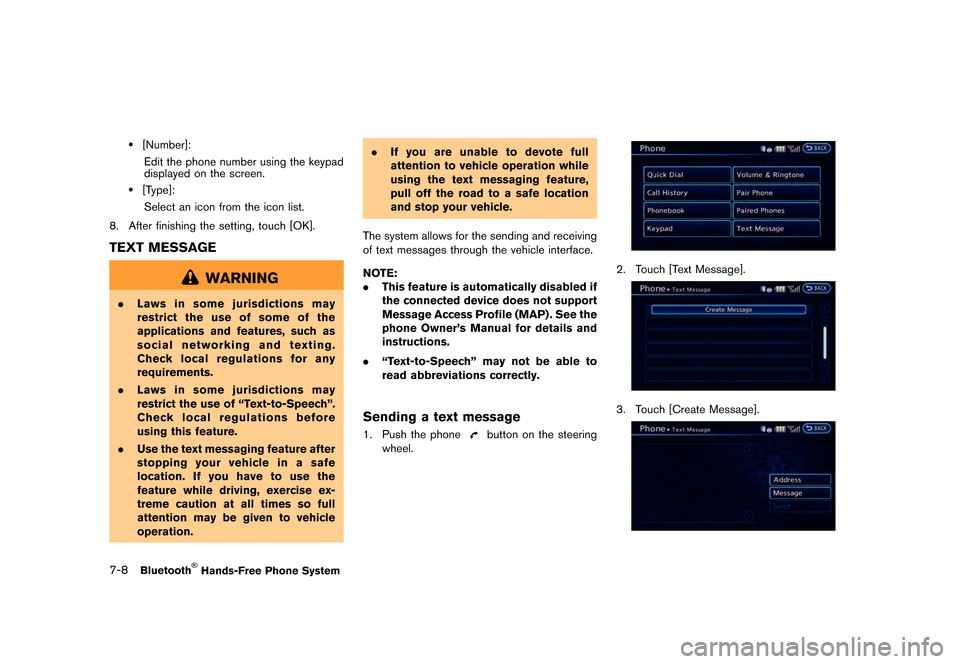
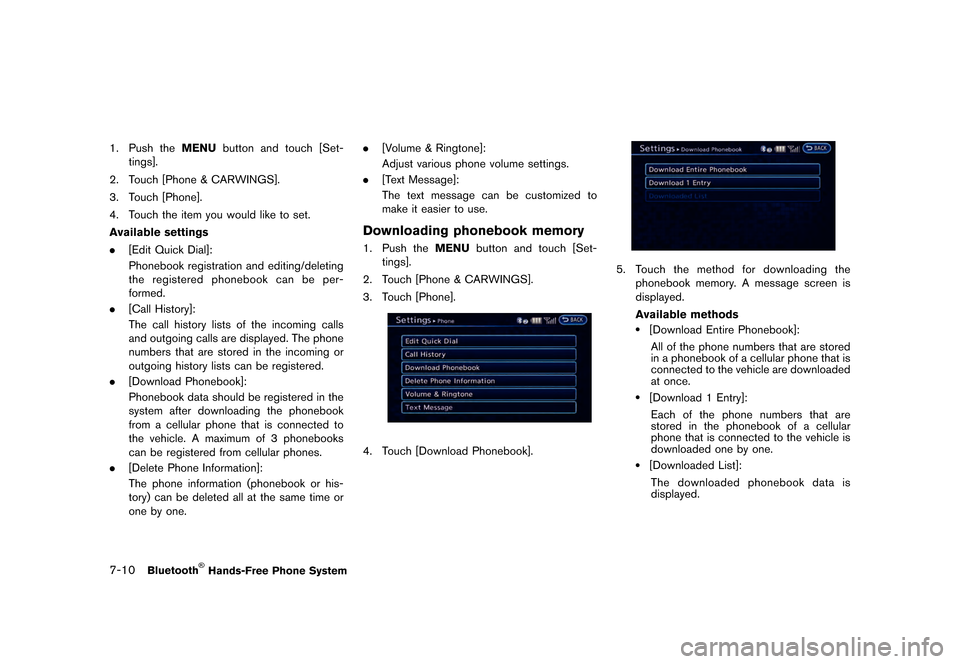
Page 195 of 279
�������
> (GLW� ����� �� �� 0RGHO� 1DYL�(9 @
.Do not place the cellular phone in an area
surrounded by metal or far away from the in-
vehicle phone module to prevent tone quality
degradation and wireless connection dis-
ruption.
. While a cellular phone is connected through
the Bluetooth
Page 196 of 279
�������
> (GLW� ����� �� �� 0RGHO� 1DYL�(9 @
7-4Bluetooth
Page 197 of 279
�������
> (GLW� ����� �� �� 0RGHO� 1DYL�(9 @
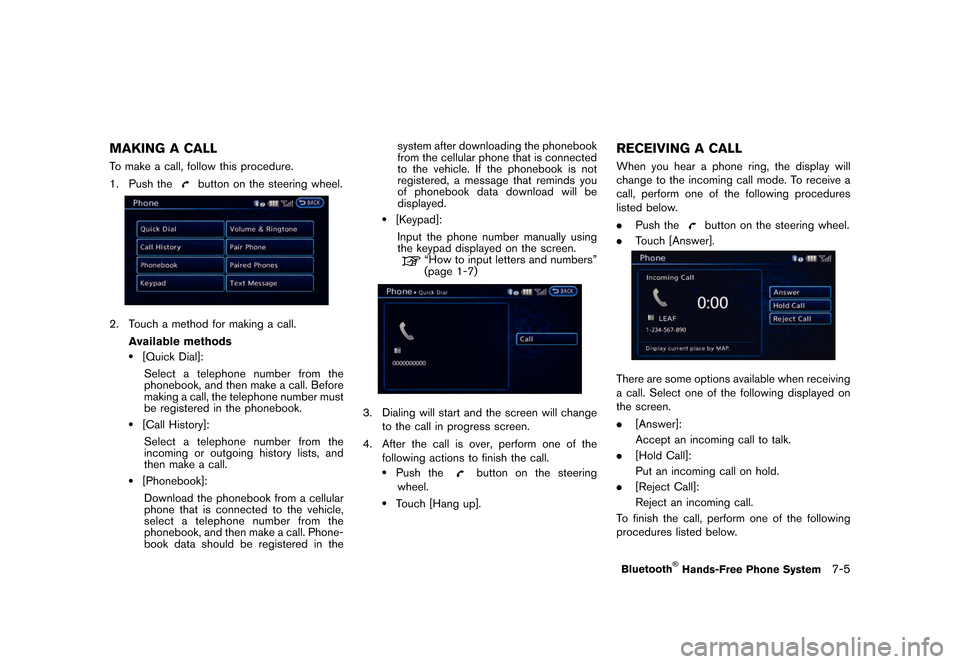
MAKING A CALLGUID-A10664E4-4636-4046-949D-803558D90AF1To make a call, follow this procedure.
1. Push the
button on the steering wheel.
LNI0135X
2. Touch a method for making a call.Available methods
.[Quick Dial]:Select a telephone number from the
phonebook, and then make a call. Before
making a call, the telephone number must
be registered in the phonebook.
.[Call History]:
Select a telephone number from the
incoming or outgoing history lists, and
then make a call.
.[Phonebook]:Download the phonebook from a cellular
phone that is connected to the vehicle,
select a telephone number from the
phonebook, and then make a call. Phone-
book data should be registered in the system after downloading the phonebook
from the cellular phone that is connected
to the vehicle. If the phonebook is not
registered, a message that reminds you
of phonebook data download will be
displayed.
.[Keypad]:
Input the phone number manually using
the keypad displayed on the screen.
ªHow to input letters and numbersº
(page 1-7)
LNI0144X
3. Dialing will start and the screen will change to the call in progress screen.
4. After the call is over, perform one of the following actions to finish the call.
.Push thebutton on the steering
wheel.
.Touch [Hang up].
RECEIVING A CALLGUID-309AF505-32BC-4C5C-80D1-0E512251C11BWhen you hear a phone ring, the display will
change to the incoming call mode. To receive a
call, perform one of the following procedures
listed below.
. Push the
button on the steering wheel.
. Touch [Answer].
LNI0011X
There are some options available when receiving
a call. Select one of the following displayed on
the screen.
.[Answer]:
Accept an incoming call to talk.
. [Hold Call]:
Put an incoming call on hold.
. [Reject Call]:
Reject an incoming call.
To finish the call, perform one of the following
procedures listed below.
Bluetooth
Page 198 of 279
�������
> (GLW� ����� �� �� 0RGHO� 1DYL�(9 @
7-6Bluetooth
Page 199 of 279
�������
> (GLW� ����� �� �� 0RGHO� 1DYL�(9 @
compatibility) . Select one of these entries
to save in the Quick Dial.
.[Enter Number by Keypad]:Input the phone number to save in the
Quick Dial.
LNI0147X
5. Touch [OK] at the top of the screen.
LNI0148X
6. After the phonebook entry is saved, it will show a screen to indicate that is ready to
call the number. Touch [BACK] to return to
the Quick Dial.
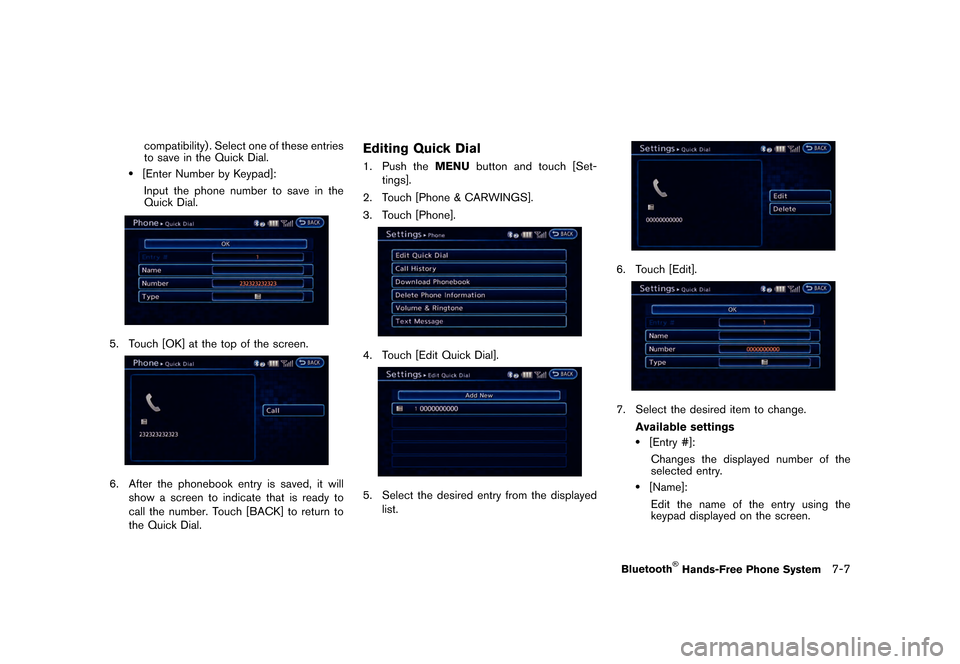
Editing Quick DialGUID-50D9B6E9-FE77-4AAA-8905-FB0A241C7DCE1. Push the MENUbutton and touch [Set-
tings].
2. Touch [Phone & CARWINGS].
3. Touch [Phone].
LNI0136X
4. Touch [Edit Quick Dial].
LNI0149X
5. Select the desired entry from the displayed list.
LNI0150X
6. Touch [Edit].
LNI0151X
7. Select the desired item to change.
Available settings
.[Entry #]:Changes the displayed number of the
selected entry.
.[Name]:Edit the name of the entry using the
keypad displayed on the screen.
Bluetooth
Page 200 of 279
�������
> (GLW� ����� �� �� 0RGHO� 1DYL�(9 @
7-8Bluetooth
Page 201 of 279
![NISSAN LEAF 2015 1.G Navigation Manual �������
> (GLW� ����� �� �� 0RGHO� 1DYL�(9 @
4. Enter the address and message..[Address]:Enter the address where you would like
to send a message.
Choose an input m](/manual-img/5/430/w960_430-200.png "NISSAN LEAF 2015 1.G Navigation Manual �������
> (GLW� ����� �� �� 0RGHO� 1DYL�(9 @
4. Enter the address and message..[Address]:Enter the address where you would like
to send a message.
Choose an input m")
�������
> (GLW� ����� �� �� 0RGHO� 1DYL�(9 @
4. Enter the address and message..[Address]:Enter the address where you would like
to send a message.
Choose an input method from [Quick
Dial]/[Phonebook]/[Call History]/[Enter
Number by keypad].
.[Message]:Enter the message.
Select [Fixed Text] or [Custom Text] and
choose a message from the displayed
list.
LNI0137X
5. Confirm the contents of the message then touch [Send].
Reading a received text messageGUID-6E8733FE-E012-43E9-9801-EF19066E89CC
When a new text message is received:
1.When a text message is received, the
screen will switch to the incoming message
screen. 2. To have a received message read aloud,
touch [Read], or push the
button on
the steering wheel.
After checking a received message, touch
[Ignore], or push the
button on the
steering wheel.
3. To end operation, touch [Exit] or push the
button on the steering wheel.
To reply to a received message, touch
[Reply] or push the
on the steering
wheel.
From the history list:
1. Press the phone
button on the steering
wheel.
2. Touch [Text Message] and then select a text message from the list.
LNI0140X
3. The text message is displayed. Followingitems are available from the text message
screen:
.[Prev.]:
Returns to the previous message.
.[Next]:Displays to the next message.
.[Play]:Reads a text message.
.[Call]:
Makes a call.
.[Reply]:Creates a reply message.
.[Exit]:
Exits the text message.
PHONE SETTINGSGUID-113ACEB2-74B1-46EA-92C5-7C0462E956E7The Bluetooth
Page 202 of 279
�������
> (GLW� ����� �� �� 0RGHO� 1DYL�(9 @
7-10Bluetooth