Page 175 of 510
WARNING
●Radio waves could adversely affect
electric medical equipment. Those who
use a pacemaker should contact the
electric medical equipment manufac-
turer for the possible influences before
use.
● The Intelligent Key transmits radio
waves when the buttons are pressed.
The FAA advises the radio waves may
affect aircraft navigation and communi-
cation systems. Do not operate the In-
telligent Key while on an airplane. Make
sure the buttons are not operated unin-
tentionally when the unit is stored for a
flight.
The Intelligent Key can operate all the door locks
using the remote control function or pushing the
request switch on the vehicle without taking the
key out from a pocket or purse. The operating
environment and/or conditions may affect the
Intelligent Key operation.
Be sure to read the following before using the
Intelligent Key.
Page 179 of 510
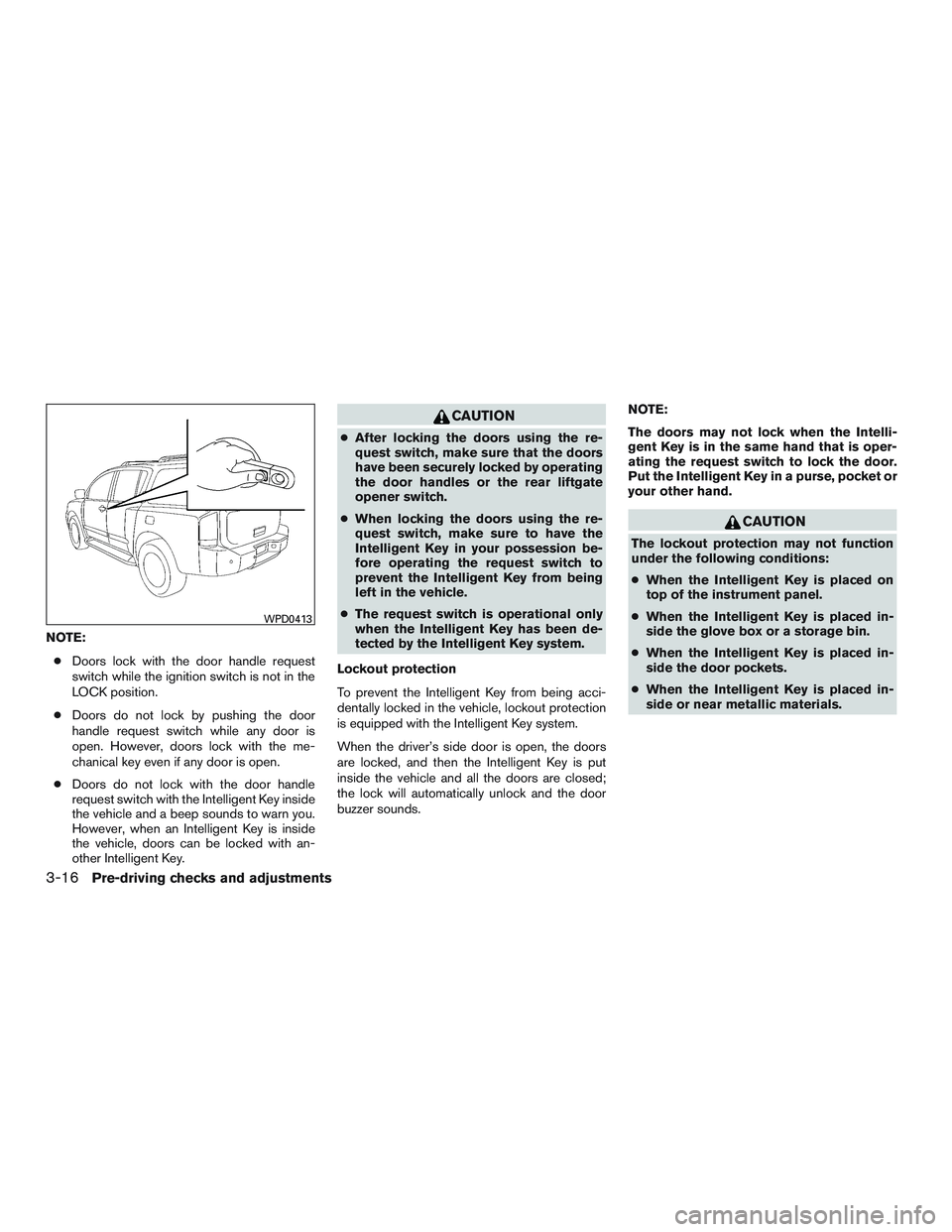
NOTE:● Doors lock with the door handle request
switch while the ignition switch is not in the
LOCK position.
● Doors do not lock by pushing the door
handle request switch while any door is
open. However, doors lock with the me-
chanical key even if any door is open.
● Doors do not lock with the door handle
request switch with the Intelligent Key inside
the vehicle and a beep sounds to warn you.
However, when an Intelligent Key is inside
the vehicle, doors can be locked with an-
other Intelligent Key.
Page 186 of 510
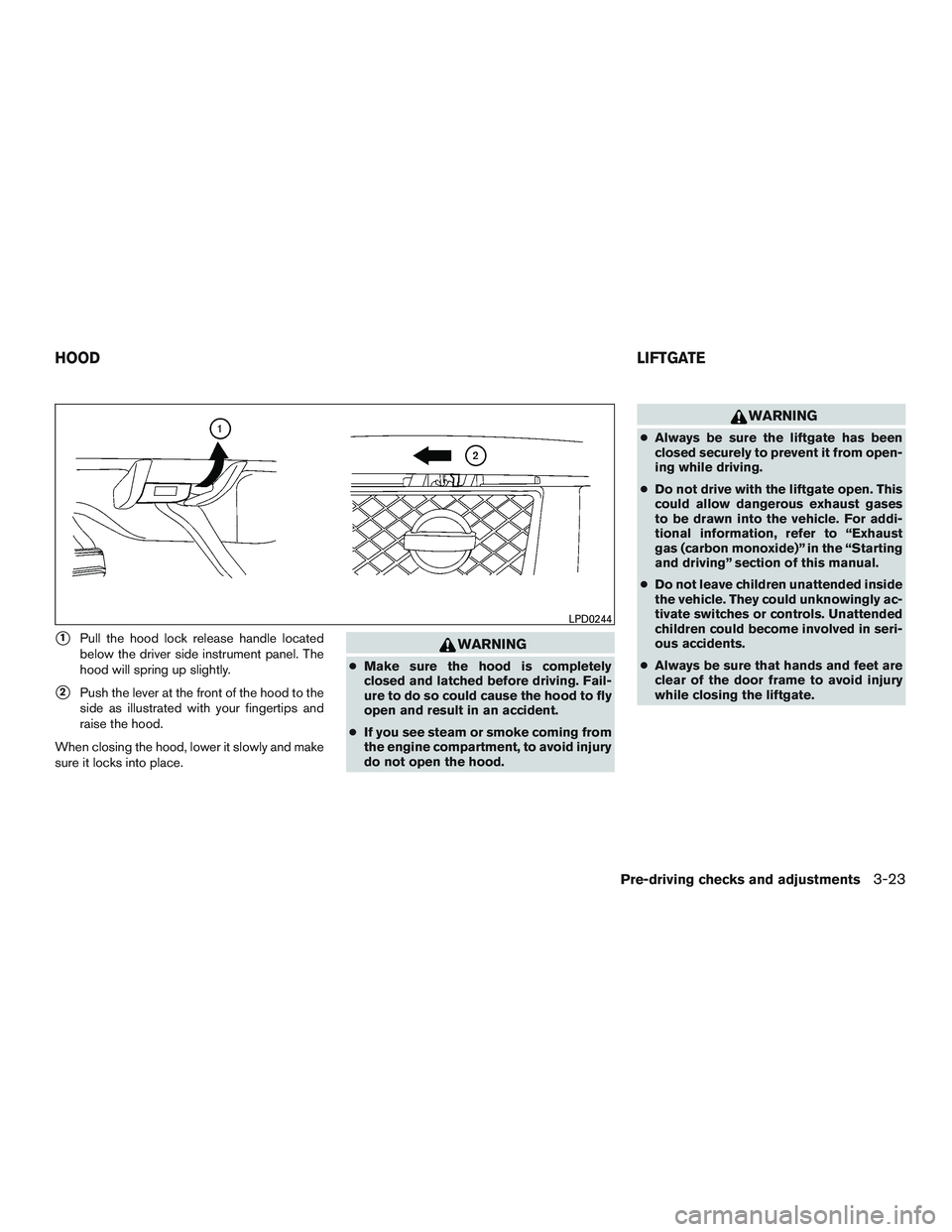
�1Pull the hood lock release handle located
below the driver side instrument panel. The
hood will spring up slightly.
�2Push the lever at the front of the hood to the
side as illustrated with your fingertips and
raise the hood.
When closing the hood, lower it slowly and make
sure it locks into place.
Page 188 of 510
●The keyfob button must be held for 0.5 sec-
onds before the liftgate opens.
● The liftgate must be unlocked to open it with
the outside opener handle.
● The switch on the rear pillar cannot be used
to open the liftgate.
A warning chime will sound if the shift lever is
moved out of P (Park) during a power open
operation.
Power Close:
The power liftgate automatically moves from the
fully open position to the secondary position.
When the liftgate reaches the secondary posi-
tion, the cinching motor engages and pulls the
liftgate to its primary latch position. Power close
takes approximately seven to ten seconds. The
power close feature can be activated by the
switch on the keyfob, the instrument panel and
the rear pillar. The hazard lights flash and a chime
sounds to indicate the power close sequence
has been started. ● If the outside opener handle is activated
while the cinching motor is engaged, the
cinching motor will disengage and release
the latch. ●
The keyfob button must be held for 0.5 sec-
onds before the liftgate closes.
● The switch on the rear pillar can only be used
to close the liftgate if the cancel switch is not
in the on position.
Reverse:
The power liftgate will reverse direction immedi-
ately during power open or power close if the
keyfob, instrument panel or rear pillar switch is
pushed or if the outside handle is lifted. A chime
will sound to announce the reversal.
Auto Reverse:
If an obstacle is detected during power open or
power close, a warning chime will sound and the
liftgate will reverse direction and return to the full
open or full close position. If a second obstacle is
detected, the liftgate motion will stop and the
drive motor will disengage. The liftgate will enter
manual mode.
A pinch strip is mounted on each side of the
liftgate. If an obstacle is detected by a pinch strip
during power close, the liftgate will reverse direc-
tion and return to the full open position. NOTE:
If the pinch strip is damaged or removed,
the power close function will not operate.
Page 191 of 510
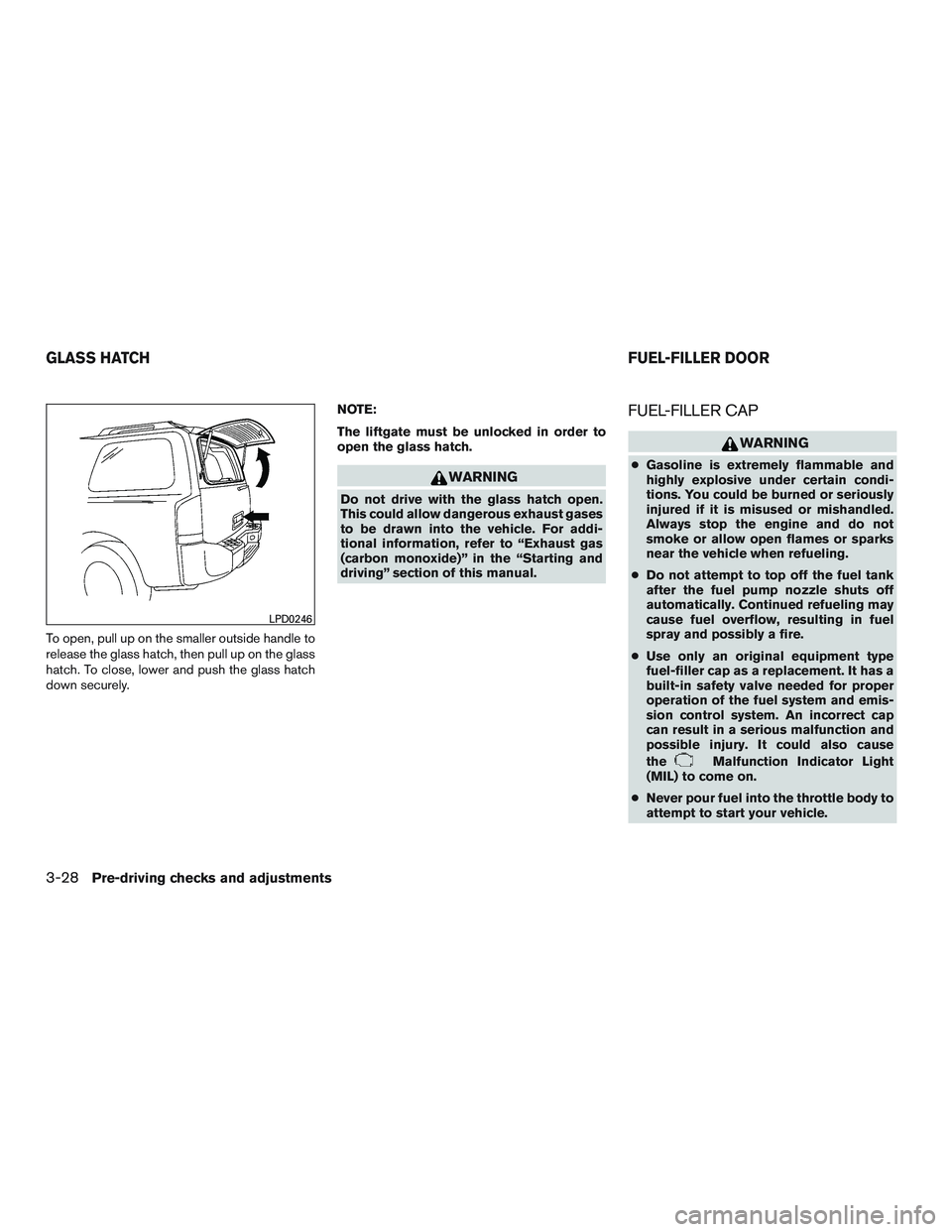
To open, pull up on the smaller outside handle to
release the glass hatch, then pull up on the glass
hatch. To close, lower and push the glass hatch
down securely.NOTE:
The liftgate must be unlocked in order to
open the glass hatch.
Page 194 of 510
●Do not adjust the steering wheel any
closer to you than is necessary for
proper steering operation and comfort.
The driver’s air bag inflates with great
force. If you are unrestrained, leaning
forward, sitting sideways or out of posi-
tion in any way, you are at greater risk of
injury or death in a crash. You may also
receive serious or fatal injuries from the
air bag if you are up against it when it
inflates. Always sit back against the
seatback and as far away as practical
from the steering wheel. Always use the
seat belts.
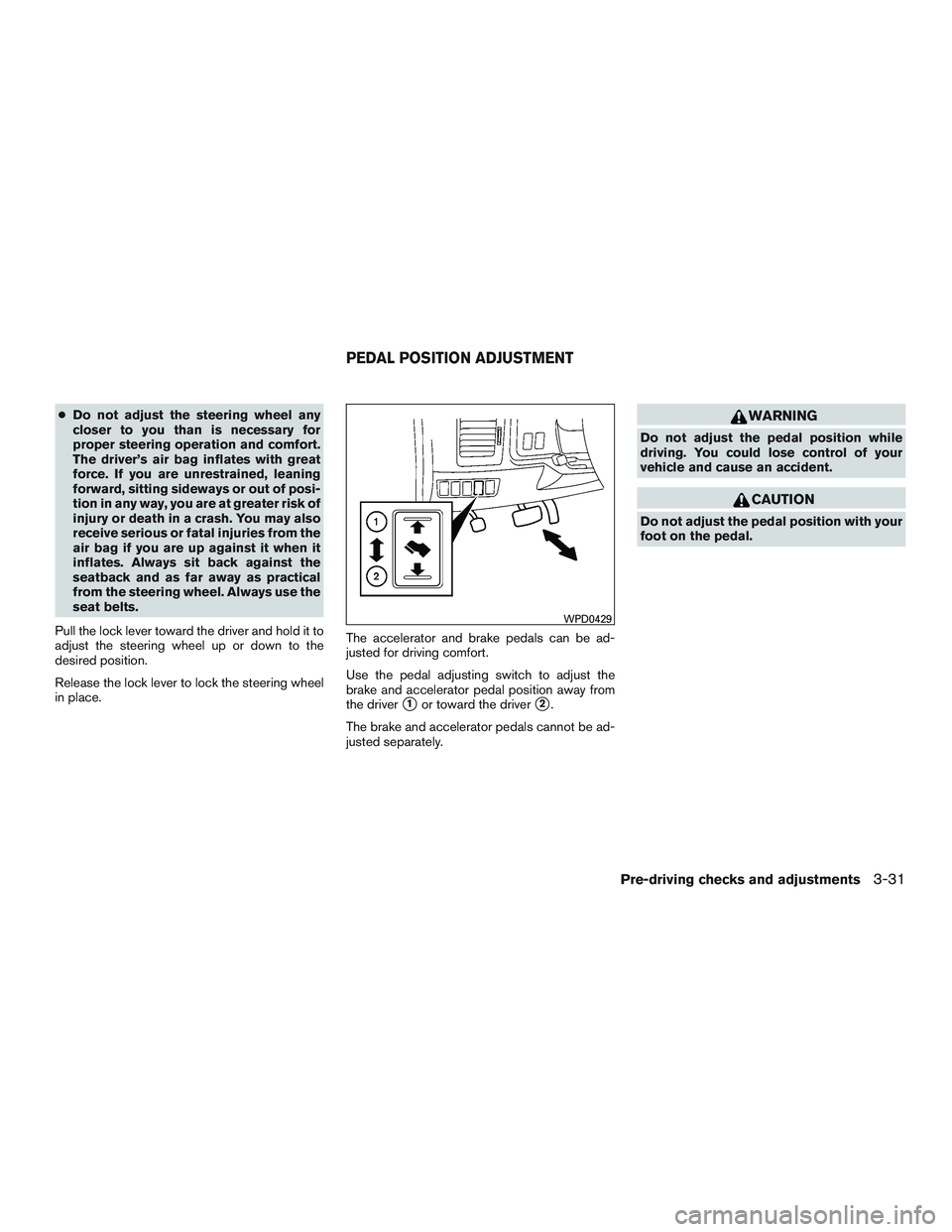
Pull the lock lever toward the driver and hold it to
adjust the steering wheel up or down to the
desired position.
Release the lock lever to lock the steering wheel
in place. The accelerator and brake pedals can be ad-
justed for driving comfort.
Use the pedal adjusting switch to adjust the
brake and accelerator pedal position away from
the driver
�1or toward the driver�2.
The brake and accelerator pedals cannot be ad-
justed separately.
Page 195 of 510
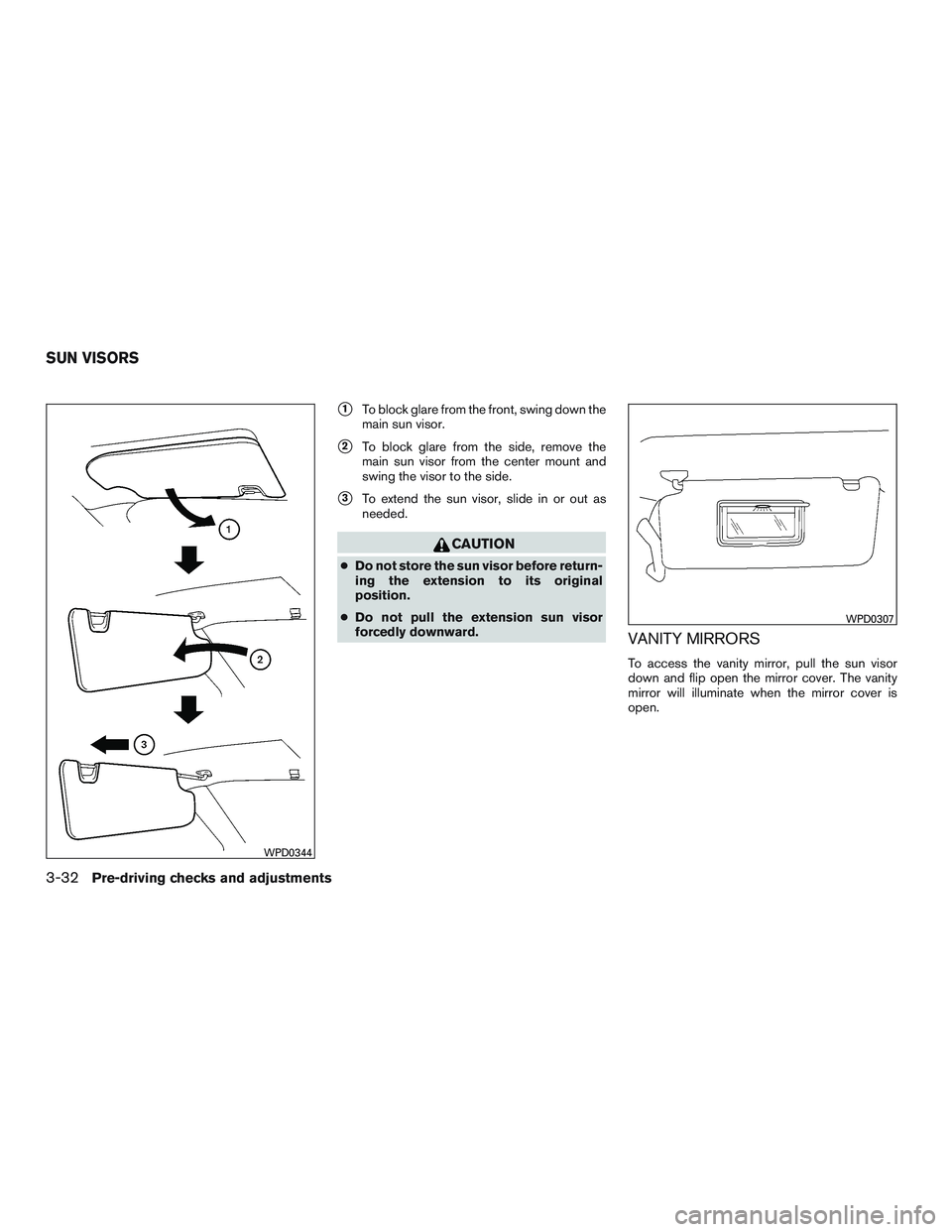
�1To block glare from the front, swing down the
main sun visor.
�2To block glare from the side, remove the
main sun visor from the center mount and
swing the visor to the side.
�3To extend the sun visor, slide in or out as
needed.
Page 362 of 510
WARNING
●Never remove or turn the key to the
LOCK position while driving. The steer-
ing wheel will lock (for models with a
steering lock mechanism) . This may
cause the driver to lose control of the
vehicle and could result in serious ve-
hicle damage or personal injury.
● Never place the ignition switch in the
LOCK position while driving. The steer-
ing wheel will lock (for models with a
steering lock mechanism) . This may
cause the driver to lose control of the
vehicle and could result in serious ve-
hicle damage or personal injury.
NISSAN INTELLIGENT KEY® (if so
equipped)
The ignition lock is designed so that the ignition
switch cannot be turned to LOCK until the shift
lever is moved to the P (Park) position.
When turning the ignition switch, make sure the
shift lever is in the P (Park) position.
If the shift lever is not returned to the P (Park)
position, the ignition switch cannot be moved
toward LOCK. When the ignition switch cannot be turned to-
ward the LOCK position when the Intelligent Key
is in range, proceed as follows:
1. Move the shift lever into the P (Park) posi- tion.
2. Turn the ignition switch slightly in the ON direction.
3. Turn the switch toward the LOCK position.
The shift lever can be moved from the P
(Park) position if the ignition switch is in
the ON position and the foot brake pedal is
depressed.
There is an OFF position in between LOCK and
ACC, although it does not show on the ignition
switch. When the ignition switch is OFF, the
steering wheel is not locked (for models with a
steering wheel lock mechanism) .
In order for the steering wheel to be locked, it
must be turned about 1/6 of a turn counterclock-
wise from the straight up position.
To lock the steering wheel, turn the ignition
switch to the LOCK position. To unlock the
steering wheel, push the ignition switch in
and turn it gently while rotating the steer-
ing wheel slightly right and left. If the battery of the vehicle equipped with
the Intelligent Key system is discharged,
the ignition switch cannot be turned from
the LOCK position, even using the me-
chanical key.
IGNITION SWITCH
Starting and driving5-9