2015 NISSAN ARMADA ABS
[x] Cancel search: ABSPage 18 of 510
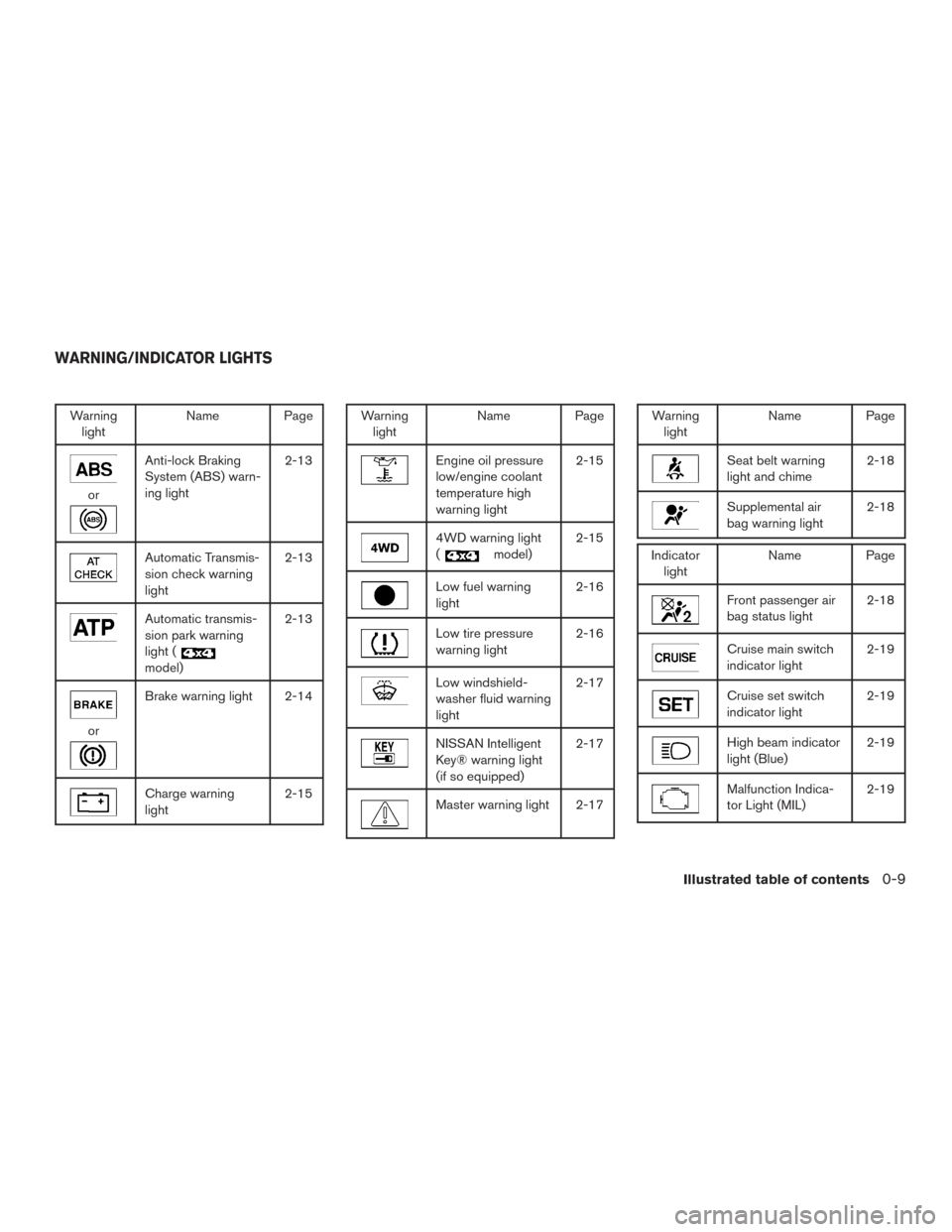
Warninglight Name Page
or
Anti-lock Braking
System (ABS) warn-
ing light 2-13
Automatic Transmis-
sion check warning
light2-13
Automatic transmis-
sion park warning
light (
model)2-13
or
Brake warning light 2-14
Charge warning
light
2-15
Warning
light Name Page
Engine oil pressure
low/engine coolant
temperature high
warning light 2-15
4WD warning light
(
model)
2-15
Low fuel warning
light 2-16
Low tire pressure
warning light2-16
Low windshield-
washer fluid warning
light2-17
NISSAN Intelligent
Key® warning light
(if so equipped)2-17
Master warning light 2-17
Warning
light Name Page
Seat belt warning
light and chime 2-18
Supplemental air
bag warning light2-18
Indicator
light Name Page
Front passenger air
bag status light 2-18
Cruise main switch
indicator light2-19
Cruise set switch
indicator light2-19
High beam indicator
light (Blue)2-19
Malfunction Indica-
tor Light (MIL)2-19
WARNING/INDICATOR LIGHTS
Illustrated table of contents0-9
Page 40 of 510
WARNING
When the seat is returned to the normal
seating position, the head
restraint/headrest must be returned to the
upright position to properly protect ve-
hicle occupants.
FRONT-SEAT ACTIVE HEAD
RESTRAINTS
WARNING
●Always adjust the head restraints prop-
erly as specified in this section. Failure
to do so can reduce the effectiveness of
the active head restraint.
● Active head restraints are designed to
supplement other safety systems. Al-
ways wear seat belts. No system can
prevent all injuries in any accident. ●
Do not attach anything to the head re-
straint stalks. Doing so could impair
active head restraint function.
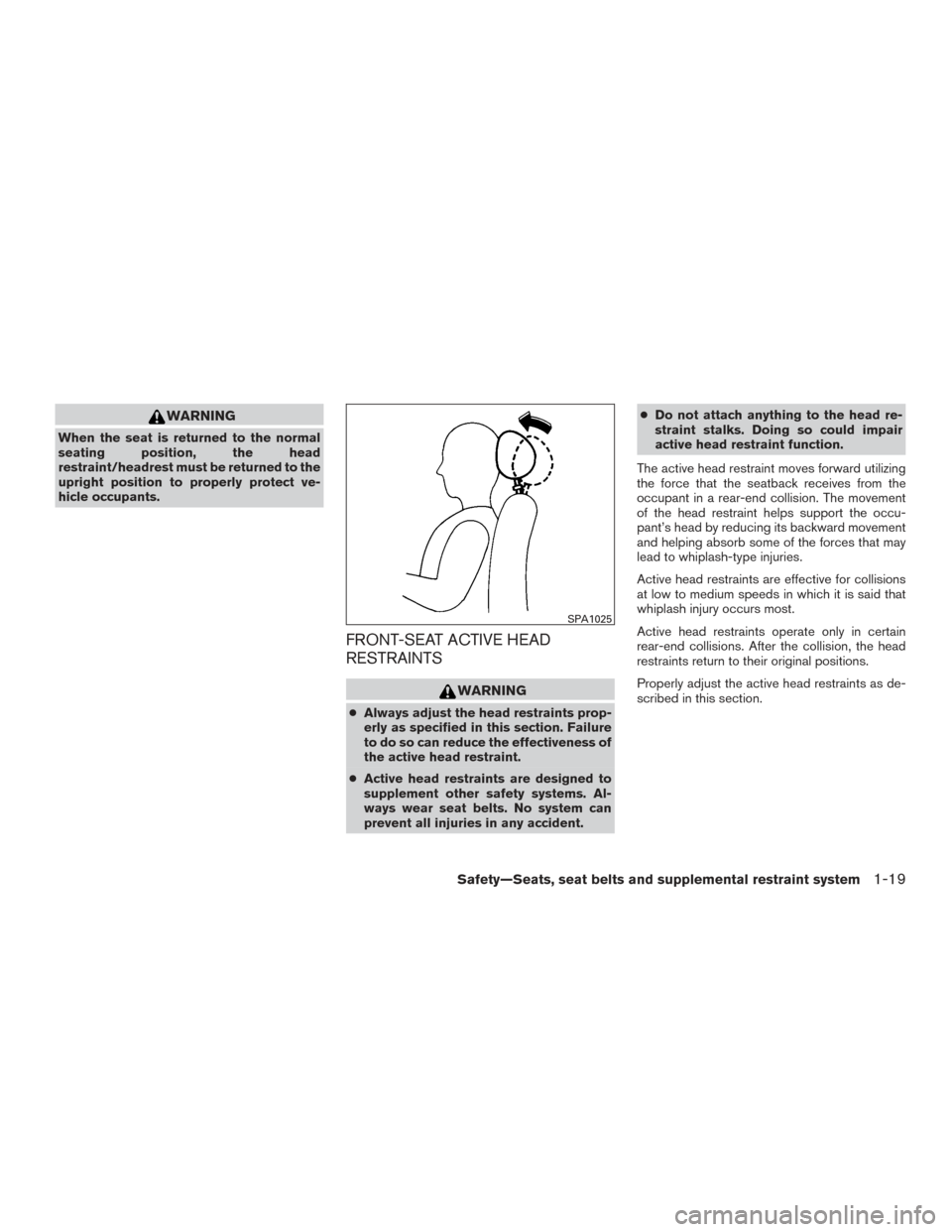
The active head restraint moves forward utilizing
the force that the seatback receives from the
occupant in a rear-end collision. The movement
of the head restraint helps support the occu-
pant’s head by reducing its backward movement
and helping absorb some of the forces that may
lead to whiplash-type injuries.
Active head restraints are effective for collisions
at low to medium speeds in which it is said that
whiplash injury occurs most.
Active head restraints operate only in certain
rear-end collisions. After the collision, the head
restraints return to their original positions.
Properly adjust the active head restraints as de-
scribed in this section.
SPA1025
Safety—Seats, seat belts and supplemental restraint system1-19
Page 107 of 510
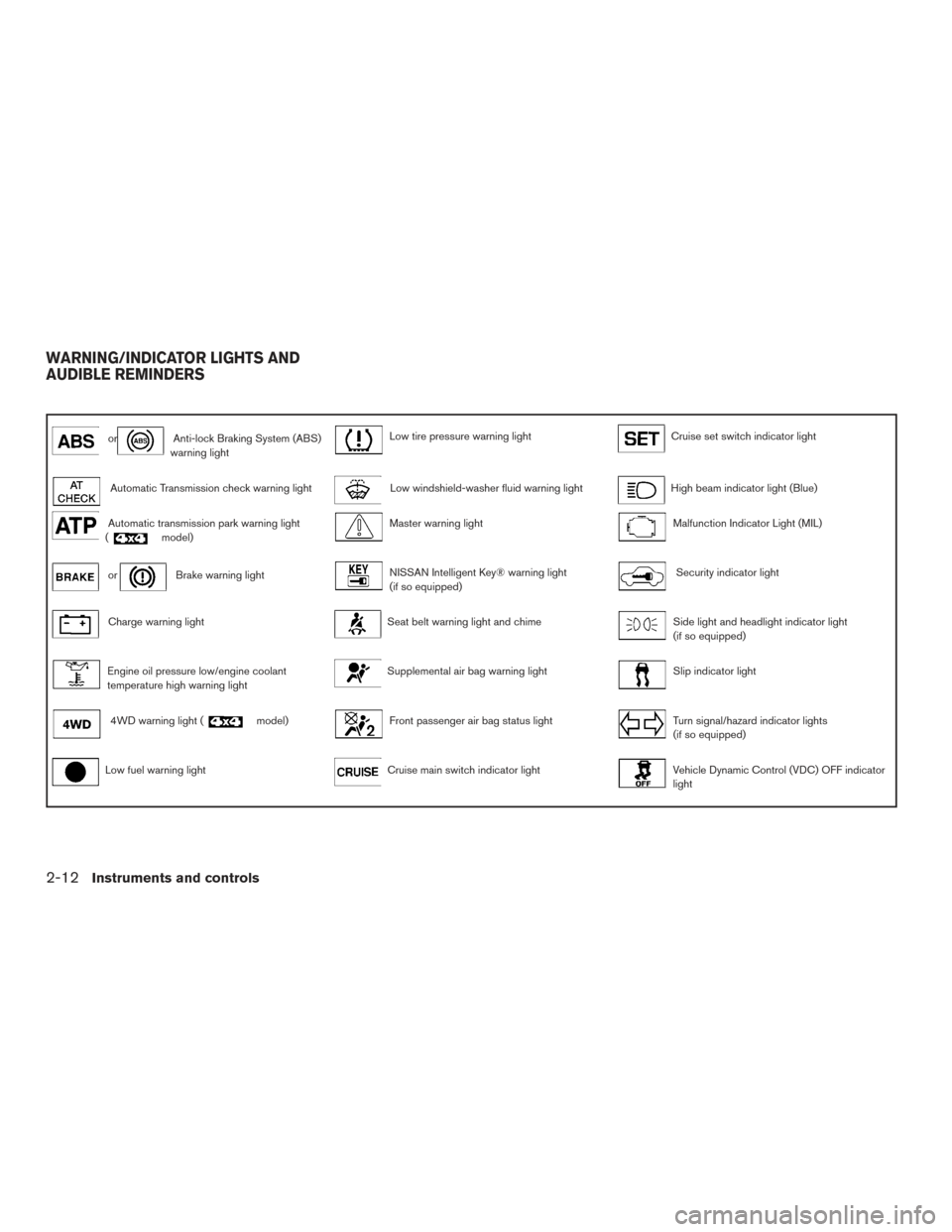
orAnti-lock Braking System (ABS)
warning lightLow tire pressure warning lightCruise set switch indicator light
Automatic Transmission check warning lightLow windshield-washer fluid warning lightHigh beam indicator light (Blue)
Automatic transmission park warning light
(model)Master warning lightMalfunction Indicator Light (MIL)
orBrake warning lightNISSAN Intelligent Key® warning light
(if so equipped)Security indicator light
Charge warning lightSeat belt warning light and chimeSide light and headlight indicator light
(if so equipped)
Engine oil pressure low/engine coolant
temperature high warning lightSupplemental air bag warning lightSlip indicator light
4WD warning light (model)Front passenger air bag status lightTurn signal/hazard indicator lights
(if so equipped)
Low fuel warning lightCruise main switch indicator lightVehicle Dynamic Control (VDC) OFF indicator
light
WARNING/INDICATOR LIGHTS AND
AUDIBLE REMINDERS
2-12Instruments and controls
Page 108 of 510
CHECKING BULBS
With all doors closed, apply the parking brake
and place the ignition switch in the ON position
without starting the engine. The following lights
will come on (if so equipped):
,or,,,,
The following lights come on briefly and then go
off (if so equipped):
or,,,,,
If any light fails to come on, it may indicate
a burned-out bulb or an open circuit in the
electrical system. Have the system repaired
promptly.
WARNING LIGHTS
For additional information, refer to “Vehicle infor-
mation display” in this section.
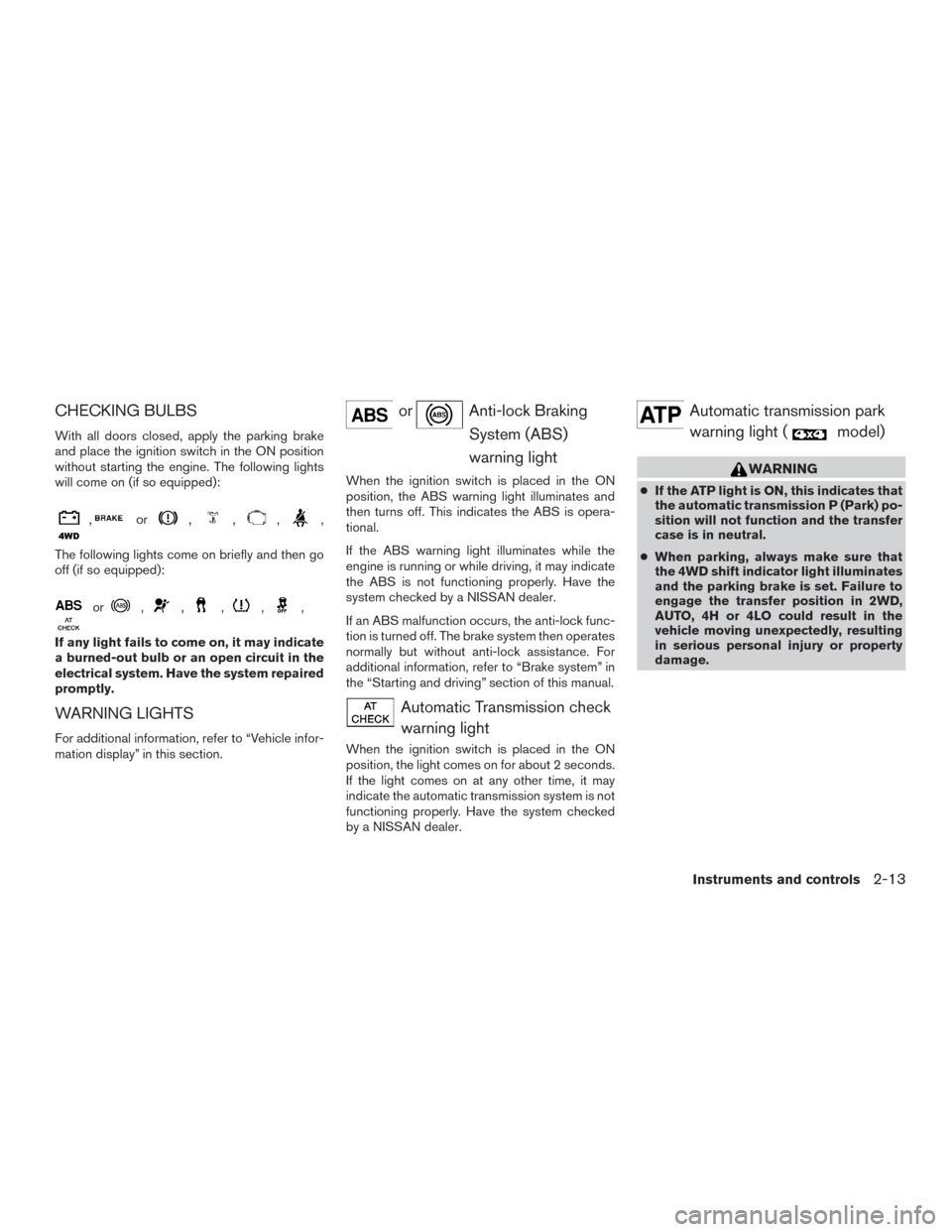
orAnti-lock BrakingSystem (ABS)
warning light
When the ignition switch is placed in the ON
position, the ABS warning light illuminates and
then turns off. This indicates the ABS is opera-
tional.
If the ABS warning light illuminates while the
engine is running or while driving, it may indicate
the ABS is not functioning properly. Have the
system checked by a NISSAN dealer.
If an ABS malfunction occurs, the anti-lock func-
tion is turned off. The brake system then operates
normally but without anti-lock assistance. For
additional information, refer to “Brake system” in
the “Starting and driving” section of this manual.
Automatic Transmission checkwarning light
When the ignition switch is placed in the ON
position, the light comes on for about 2 seconds.
If the light comes on at any other time, it may
indicate the automatic transmission system is not
functioning properly. Have the system checked
by a NISSAN dealer.
Automatic transmission parkwarning light (
model)
WARNING
● If the ATP light is ON, this indicates that
the automatic transmission P (Park) po-
sition will not function and the transfer
case is in neutral.
● When parking, always make sure that
the 4WD shift indicator light illuminates
and the parking brake is set. Failure to
engage the transfer position in 2WD,
AUTO, 4H or 4LO could result in the
vehicle moving unexpectedly, resulting
in serious personal injury or property
damage.
Instruments and controls2-13
Page 109 of 510
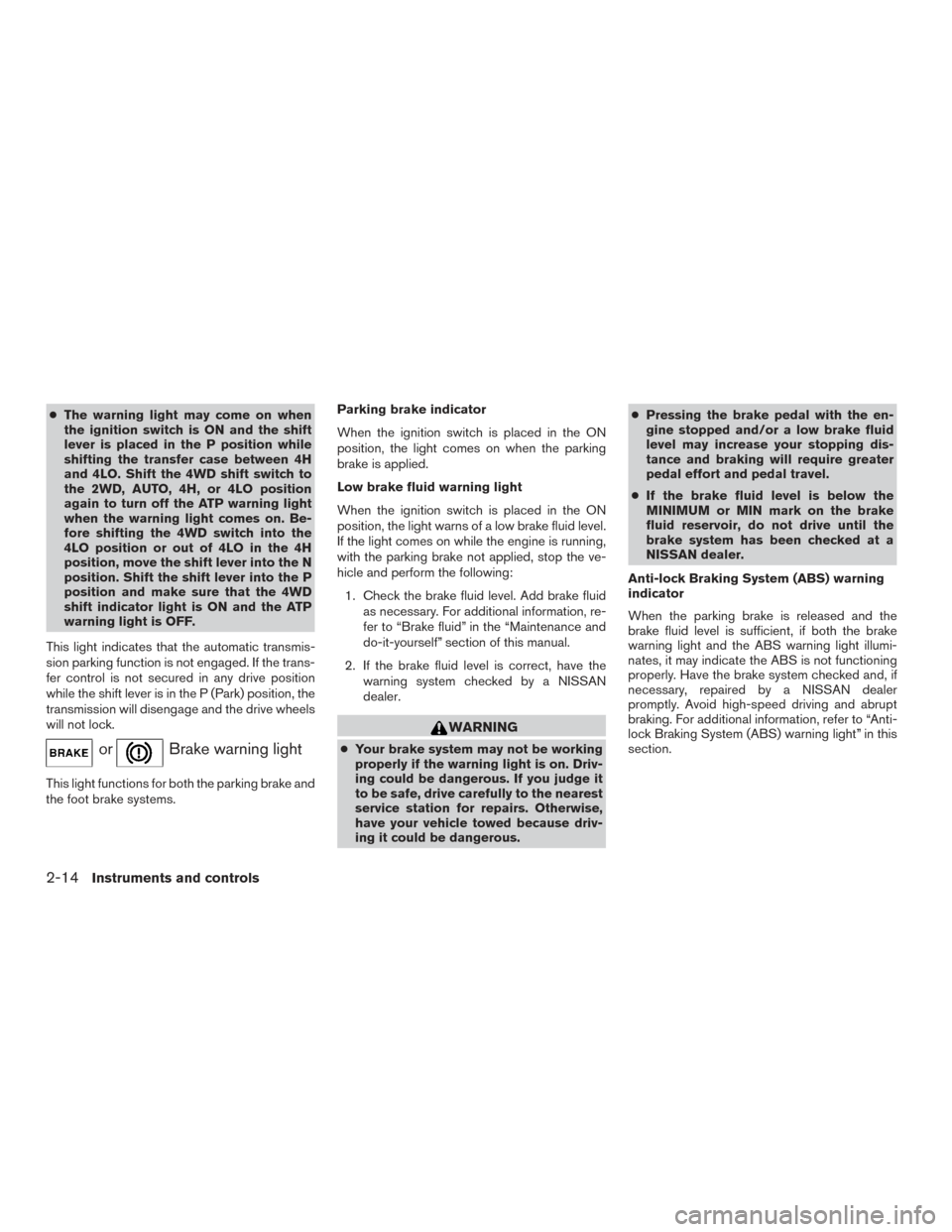
●The warning light may come on when
the ignition switch is ON and the shift
lever is placed in the P position while
shifting the transfer case between 4H
and 4LO. Shift the 4WD shift switch to
the 2WD, AUTO, 4H, or 4LO position
again to turn off the ATP warning light
when the warning light comes on. Be-
fore shifting the 4WD switch into the
4LO position or out of 4LO in the 4H
position, move the shift lever into the N
position. Shift the shift lever into the P
position and make sure that the 4WD
shift indicator light is ON and the ATP
warning light is OFF.
This light indicates that the automatic transmis-
sion parking function is not engaged. If the trans-
fer control is not secured in any drive position
while the shift lever is in the P (Park) position, the
transmission will disengage and the drive wheels
will not lock.
orBrake warning light
This light functions for both the parking brake and
the foot brake systems. Parking brake indicator
When the ignition switch is placed in the ON
position, the light comes on when the parking
brake is applied.
Low brake fluid warning light
When the ignition switch is placed in the ON
position, the light warns of a low brake fluid level.
If the light comes on while the engine is running,
with the parking brake not applied, stop the ve-
hicle and perform the following:
1. Check the brake fluid level. Add brake fluid as necessary. For additional information, re-
fer to “Brake fluid” in the “Maintenance and
do-it-yourself” section of this manual.
2. If the brake fluid level is correct, have the warning system checked by a NISSAN
dealer.
WARNING
●Your brake system may not be working
properly if the warning light is on. Driv-
ing could be dangerous. If you judge it
to be safe, drive carefully to the nearest
service station for repairs. Otherwise,
have your vehicle towed because driv-
ing it could be dangerous. ●
Pressing the brake pedal with the en-
gine stopped and/or a low brake fluid
level may increase your stopping dis-
tance and braking will require greater
pedal effort and pedal travel.
● If the brake fluid level is below the
MINIMUM or MIN mark on the brake
fluid reservoir, do not drive until the
brake system has been checked at a
NISSAN dealer.
Anti-lock Braking System (ABS) warning
indicator
When the parking brake is released and the
brake fluid level is sufficient, if both the brake
warning light and the ABS warning light illumi-
nates, it may indicate the ABS is not functioning
properly. Have the brake system checked and, if
necessary, repaired by a NISSAN dealer
promptly. Avoid high-speed driving and abrupt
braking. For additional information, refer to “Anti-
lock Braking System (ABS) warning light” in this
section.
2-14Instruments and controls
Page 353 of 510
5 Starting and driving
Precautions when starting and driving................5-2
Exhaust gas (carbon monoxide) ..................5-2
Three-way catalyst ..............................5-2
Tire Pressure Monitoring System (TPMS) ..........5-3
On-pavement and off-road driving
precautions ....................................5-5
Avoiding collision and rollover . . ..................5-5
Off-road recovery ...............................5-6
Rapid air pressure loss ..........................5-6
Drinking alcohol/drugs and driving ................5-7
Driving safety precautions .......................5-7
Ignition switch .....................................5-9
NISSAN Intelligent Key® (if so equipped) .........5-9
Ignition switch positions ........................ 5-10
Automatic transmission ......................... 5-11
Key positions ................................. 5-12
NISSAN Vehicle Immobilizer System .............5-12
Before starting the engine ......................... 5-13
Starting the engine ............................... 5-13
Driving the vehicle ................................ 5-14
Engine protection mode ........................ 5-14
Automatic transmission ......................... 5-15
Parking brake .................................... 5-19Cruise control
.................................... 5-20
Precautions on cruise control ...................5-20
Cruise control operations .......................5-20
Break-in schedule ................................ 5-21
Fuel efficient driving tips ........................... 5-22
Increasing fuel economy ........................... 5-23
Using 4-wheel drive (4WD)
(if so equipped) .................................. 5-23
Transfer case shifting procedures . . .............5-24
Parking/parking on hills ............................ 5-30
Power steering ................................... 5-31
Brake system .................................... 5-31
Brake precautions ............................. 5-31
Anti-lock Braking System (ABS) .................5-32
Vehicle Dynamic Control (VDC) system .............5-33
Rear sonar system (if so equipped) .................5-35
Front and Rear Sonar System (if so equipped) .......5-36
Cold weather driving .............................. 5-37
Freeing a frozen door lock ......................5-37
Antifreeze ..................................... 5-37
Battery ....................................... 5-37
Draining of coolant water .......................5-38
Tire equipment ................................ 5-38
Page 385 of 510
ANTI-LOCK BRAKING SYSTEM
(ABS)
WARNING
●The ABS is a sophisticated device, but it
cannot prevent accidents resulting from
careless or dangerous driving tech-
niques. It can help maintain vehicle con-
trol during braking on slippery surfaces.
Remember that stopping distances on
slippery surfaces will be longer than on
normal surfaces even with ABS. Stop-
ping distances may also be longer on
rough, gravel or snow covered roads, or
if you are using tire chains. Always
maintain a safe distance from the ve-
hicle in front of you. Ultimately, the
driver is responsible for safety.
● Tire type and condition may also affect
braking effectiveness.
– When replacing tires, install the specified size of tires on all four
wheels. – When installing a spare tire, make
sure that it is the proper size and type
as specified on the Tire and Loading
Information label. For additional in-
formation, refer to “Tire and loading
information label” in the “Technical
and consumer information” section
of this manual.
– For additional information, refer to “Wheels and tires” in the “Mainte-
nance and do-it-yourself” section of
this manual.
The ABS controls the brakes so the wheels do
not lock during hard braking or when braking on
slippery surfaces. The system detects the rota-
tion speed at each wheel and varies the brake
fluid pressure to prevent each wheel from locking
and sliding. By preventing each wheel from lock-
ing, the system helps the driver maintain steering
control and helps to minimize swerving and spin-
ning on slippery surfaces.
Using the system
Depress the brake pedal and hold it down. De-
press the brake pedal with firm steady pressure,
but do not pump the brakes. The ABS will oper-
ate to prevent the wheels from locking up. Steer
the vehicle to avoid obstacles.
WARNING
Do not pump the brake pedal. Doing so
may result in increased stopping
distances.
Self-test feature
The ABS includes electronic sensors, electric
pumps, hydraulic solenoids and a computer. The
computer has a built-in diagnostic feature that
tests the system each time you start the engine
and move the vehicle at a low speed in forward or
reverse. When the self-test occurs, you may hear
a “clunk” noise and/or feel a pulsation in the brake
pedal. This is normal and does not indicate a
malfunction. If the computer senses a malfunc-
tion, it switches the ABS off and illuminates the
ABS warning light on the instrument panel. The
brake system then operates normally, but without
anti-lock assistance.
If the ABS warning light illuminates during the
self-test or while driving, have the vehicle
checked. It is recommended you visit a NISSAN
dealer for this service.
5-32Starting and driving
Page 386 of 510
Normal operation
The ABS operates at speeds above3-6mph(5
- 10 km/h). The speed varies according to road
conditions.
When the ABS senses that one or more wheels
are close to locking up, the actuator rapidly ap-
plies and releases hydraulic pressure. This action
is similar to pumping the brakes very quickly. You
may feel a pulsation in the brake pedal and hear a
noise from under the hood or feel a vibration from
the actuator when it is operating. This is normal
and indicates that the ABS is operating properly.
However, the pulsation may indicate that road
conditions are hazardous and extra care is re-
quired while driving.The Vehicle Dynamic Control (VDC) system uses
various sensors to monitor driver inputs and ve-
hicle motion. Under certain driving conditions,
the VDC System helps to perform the following
functions:
● Controls brake pressure to reduce wheel
slip on one slipping drive wheel so power is
transferred to a non slipping drive wheel on
the same axle.
● Controls brake pressure and engine output
to reduce drive wheel slip based on vehicle
speed (traction control function) .
● If the 4WD transfer case is shifted into 4LO
the
indicator light will come on and
the VDC system will be turned off. For addi-
tional information, refer to “Using 4-wheel
drive (4WD)” in this section.
● Controls brake pressure at individual wheels
and engine output to help the driver maintain
control of the vehicle in the following condi-
tions:
– understeer (vehicle tends to not follow the steered path despite increased steer-
ing input)
– oversteer (vehicle tends to spin due to certain road or driving conditions) The VDC system can help the driver to maintain
control of the vehicle, but it cannot prevent loss of
vehicle control in all driving situations.
When the VDC system operates, the
indi-
cator in the instrument panel flashes so note the
following:
● The road may be slippery or the system may
determine some action is required to help
keep the vehicle on the steered path.
● You may feel a pulsation in the brake pedal
and hear a noise or vibration from under the
hood. This is normal and indicates that the
VDC system is working properly.
● Adjust your speed and driving to the road
conditions.
For additional information, refer to “Slip indicator
light” and ”Vehicle Dynamic Control (VDC) OFF
indicator light” in the ”Instruments and controls”
section of this manual.
If a malfunction occurs in the system, the
indicator light will come on in the instrument
panel. The VDC system automatically turns off
when these indicator lights are off.
The VDC OFF switch is used to turn off the VDC
system. The
indicator illuminates to indi-
cate the VDC system is off.
VEHICLE DYNAMIC CONTROL (VDC)
SYSTEM
Starting and driving5-33