2015 NISSAN ALTIMA SEDAN window
[x] Cancel search: windowPage 13 of 441
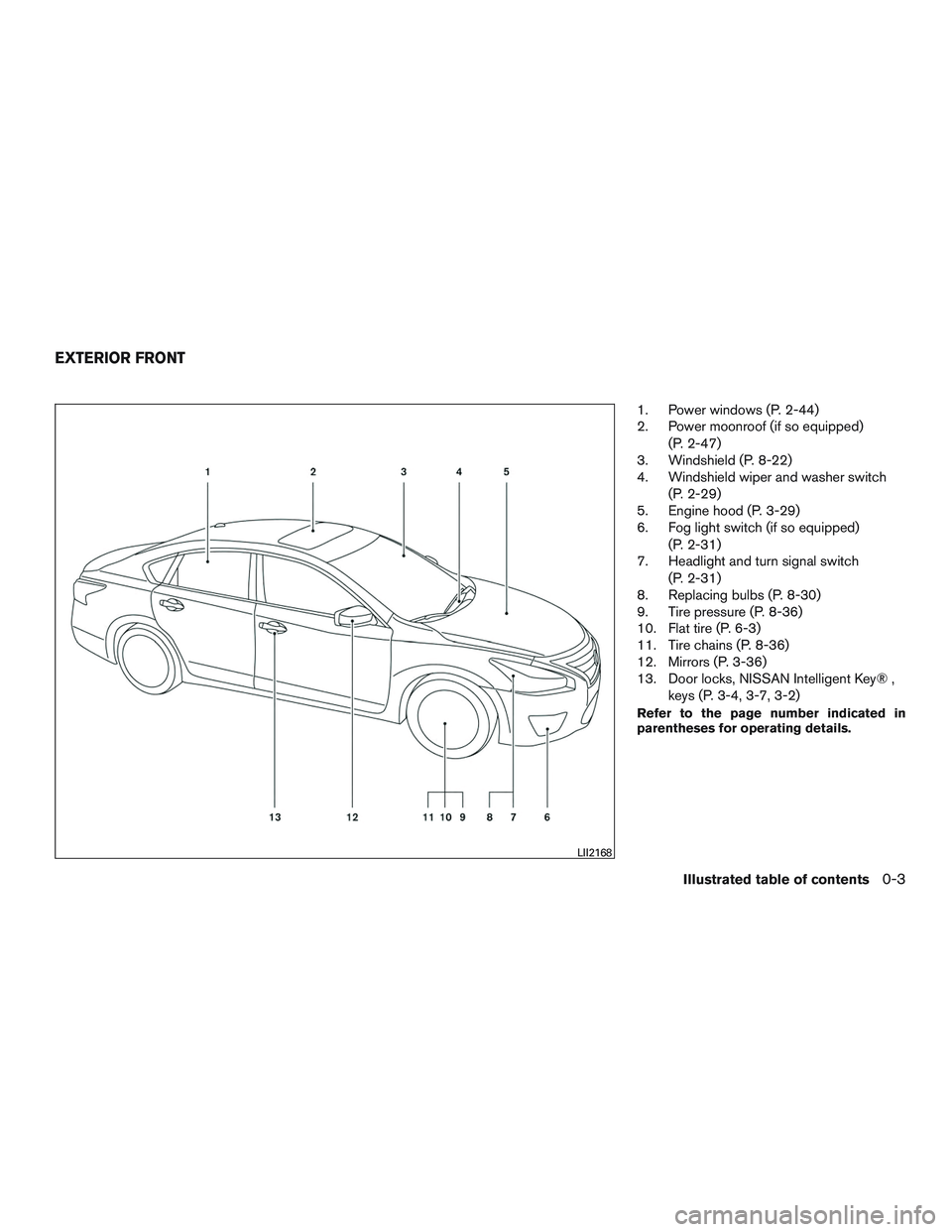
1. Power windows (P. 2-44)
2. Power moonroof (if so equipped)(P. 2-47)
3. Windshield (P. 8-22)
4. Windshield wiper and washer switch
(P. 2-29)
5. Engine hood (P. 3-29)
6. Fog light switch (if so equipped)
(P. 2-31)
7. Headlight and turn signal switch
(P. 2-31)
8. Replacing bulbs (P. 8-30)
9. Tire pressure (P. 8-36)
10. Flat tire (P. 6-3)
11. Tire chains (P. 8-36)
12. Mirrors (P. 3-36)
13. Door locks, NISSAN Intelligent Key® ,
keys (P. 3-4, 3-7, 3-2)
Refer to the page number indicated in
parentheses for operating details.
LII2168
EXTERIOR FRONT
Illustrated table of contents0-3
Page 14 of 441
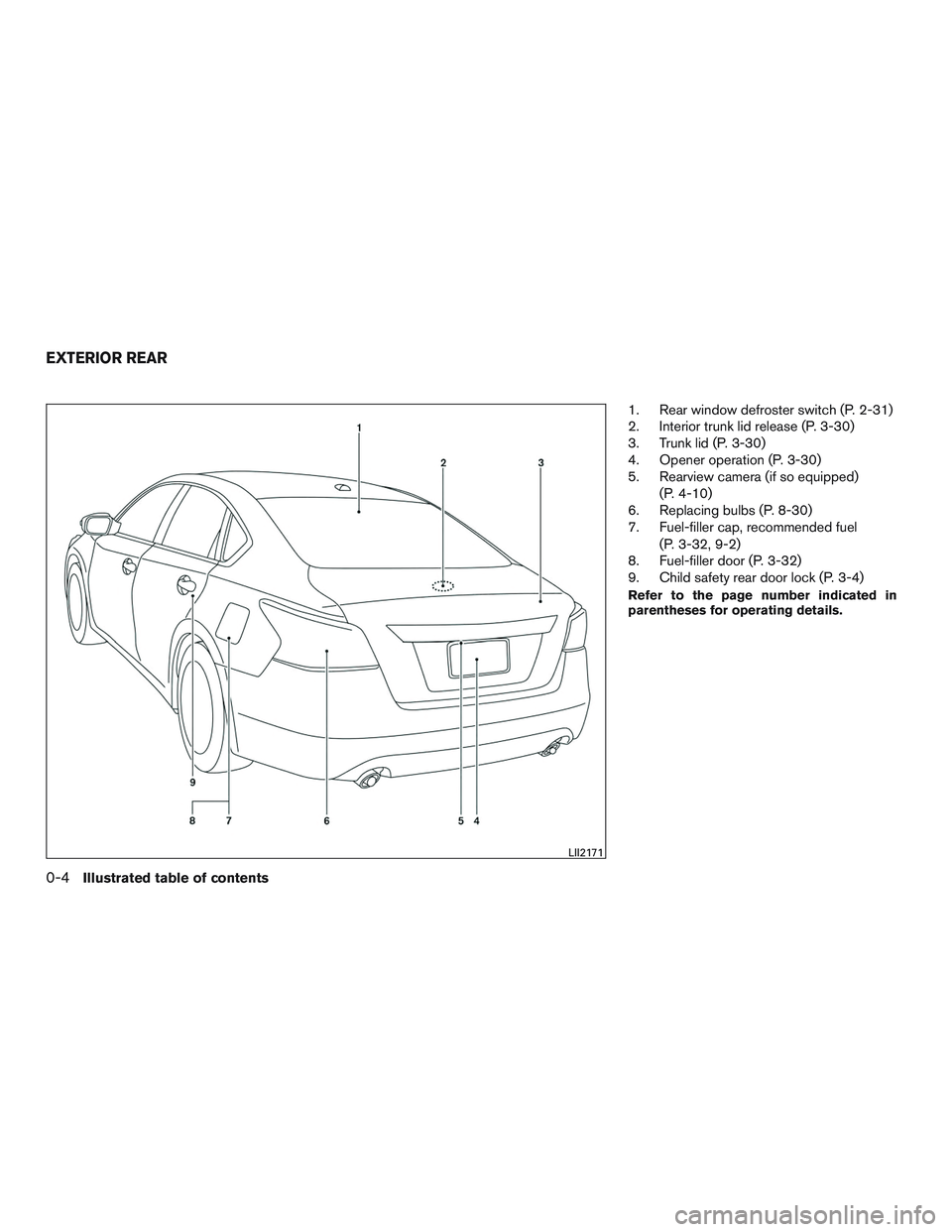
1. Rear window defroster switch (P. 2-31)
2. Interior trunk lid release (P. 3-30)
3. Trunk lid (P. 3-30)
4. Opener operation (P. 3-30)
5. Rearview camera (if so equipped)(P. 4-10)
6. Replacing bulbs (P. 8-30)
7. Fuel-filler cap, recommended fuel
(P. 3-32, 9-2)
8. Fuel-filler door (P. 3-32)
9. Child safety rear door lock (P. 3-4)
Refer to the page number indicated in
parentheses for operating details.
LII2171
EXTERIOR REAR
0-4Illustrated table of contents
Page 63 of 441
WARNING
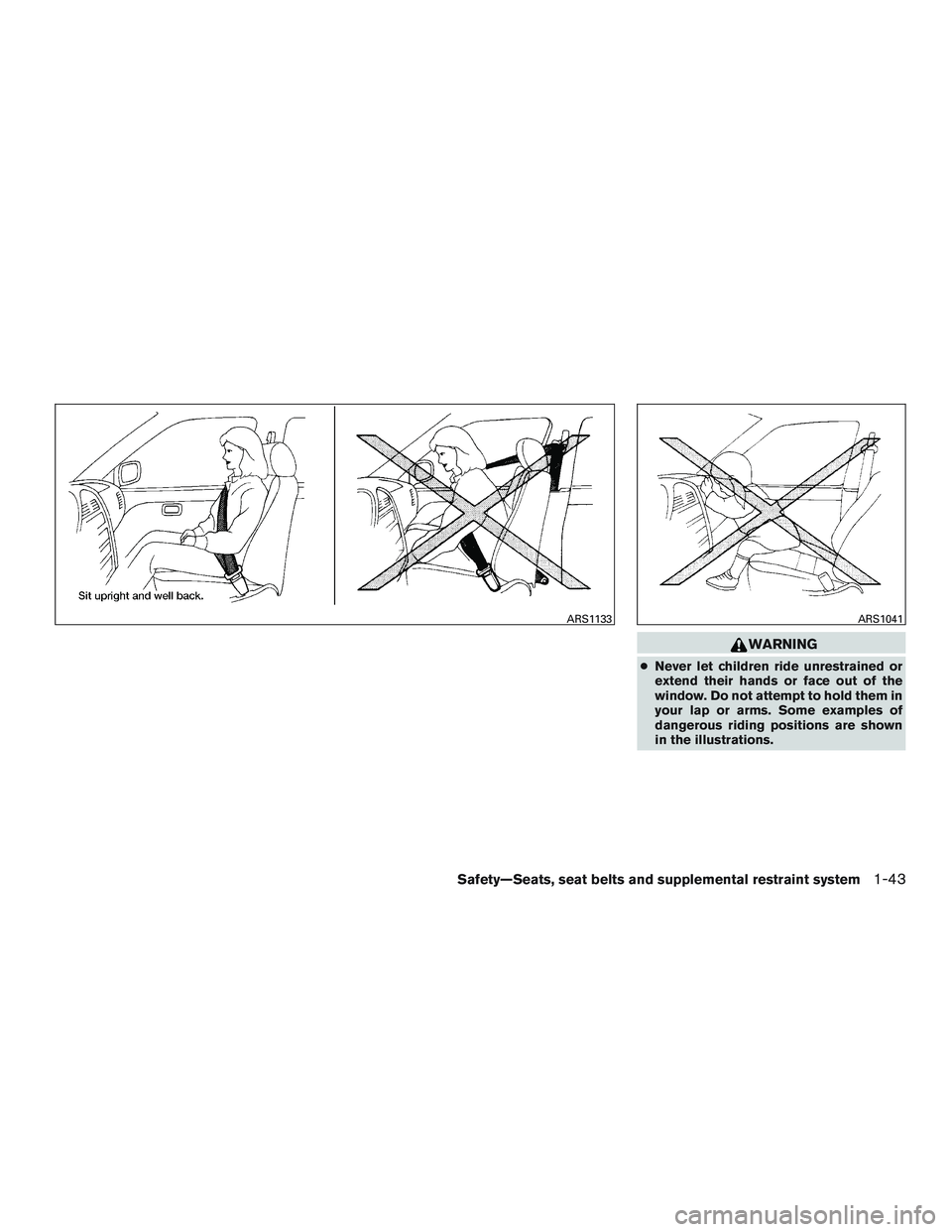
●Never let children ride unrestrained or
extend their hands or face out of the
window. Do not attempt to hold them in
your lap or arms. Some examples of
dangerous riding positions are shown
in the illustrations.
ARS1133ARS1041
Safety—Seats, seat belts and supplemental restraint system1-43
Page 66 of 441
WARNING
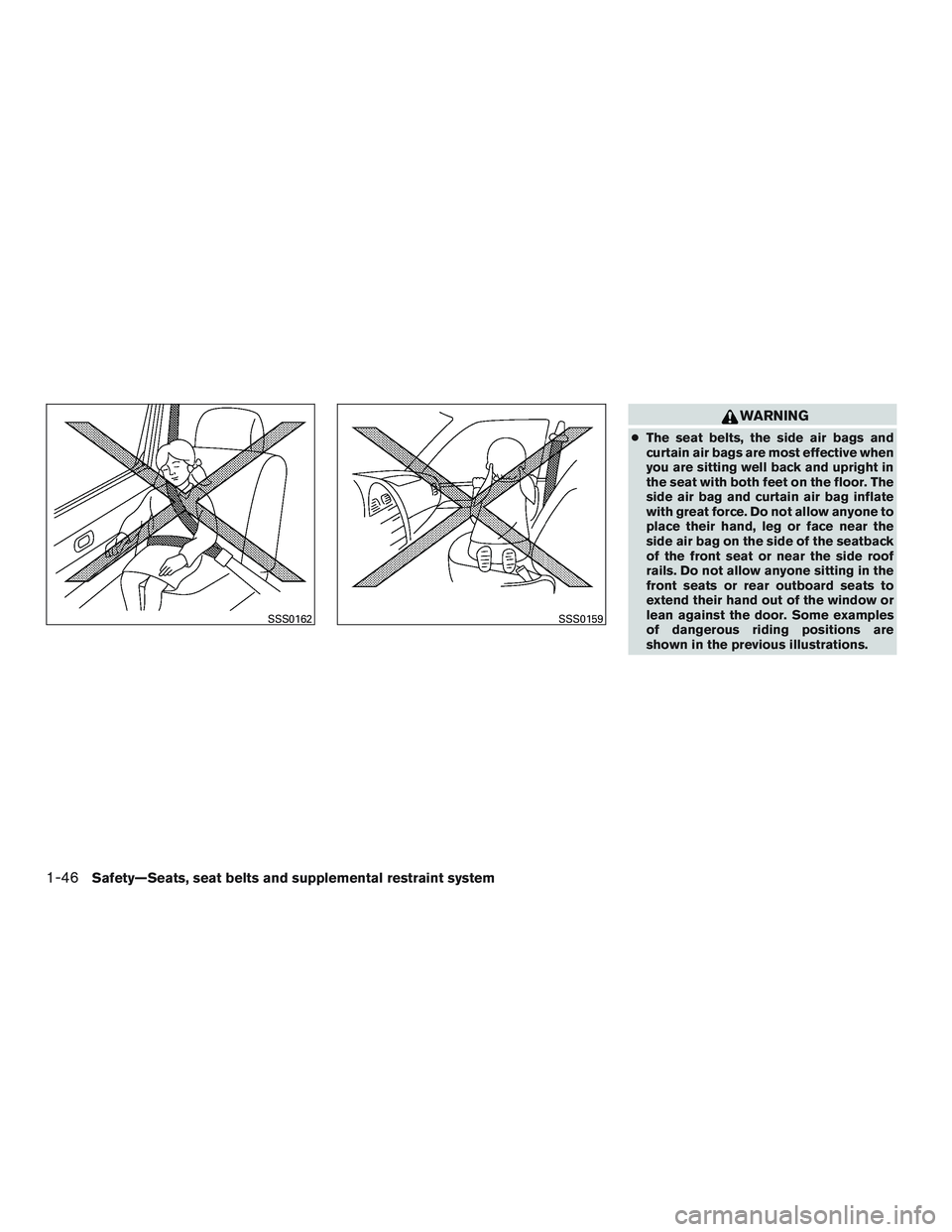
●The seat belts, the side air bags and
curtain air bags are most effective when
you are sitting well back and upright in
the seat with both feet on the floor. The
side air bag and curtain air bag inflate
with great force. Do not allow anyone to
place their hand, leg or face near the
side air bag on the side of the seatback
of the front seat or near the side roof
rails. Do not allow anyone sitting in the
front seats or rear outboard seats to
extend their hand out of the window or
lean against the door. Some examples
of dangerous riding positions are
shown in the previous illustrations.
SSS0162SSS0159
1-46Safety—Seats, seat belts and supplemental restraint system
Page 82 of 441
2 Instruments and controls
Instrument panel...................................2-2
Meter and gauges .................................2-3
Speedometer and odometer .....................2-4
Tachometer ....................................2-5
Engine coolant temperature gauge ...............2-5
Fuel gauge ....................................2-6
Compass display (if so equipped) ...................2-6
Compass display ...............................2-7
Warning/indicator lights and audible reminders ......2-10
Checking bulbs ............................... 2-10
Warning lights ................................ 2-10
Indicator lights ................................ 2-14
Audible reminders ............................. 2-17
Vehicle Information Display ........................2-17
How to use the vehicle information display .......2-18
Startup display ................................ 2-18
Resetting the trip computer .....................2-18
Settings ...................................... 2-18
Vehicle information display warnings and
indicators ..................................... 2-24
Security systems ................................. 2-27
Vehicle security system ......................... 2-27
NISSAN vehicle immobilizer system .............2-28Windshield wiper and washer switch
...............2-29
Switch operation .............................. 2-30
Rear window and outside mirror (if so equipped)
defroster switch .................................. 2-31
Headlight and turn signal switch ....................2-31
Xenon headlights (if so equipped) . . .............2-31
Headlight control switch ........................ 2-33
Daytime running light system (Canada only) ......2-35
Instrument brightness control ...................2-35
Turn signal switch ............................. 2-35
Fog light switch (if so equipped) ................2-36
Horn ............................................ 2-36
Heated seats (if so equipped) ......................2-37
Heated steering wheel (if so equipped) .............2-38
Warning systems switch (if so equipped) ............2-38
V ehicle Dynamic
Control (VDC) off switch ...........2-39
Power Outlet ..................................... 2-40
Storage ......................................... 2-41
Map pockets .................................. 2-41
Seatback pockets (if so equipped) ..............2-41
Sunglasses holder ............................. 2-41
Cup holders .................................. 2-42
Glove box .................................... 2-43
Page 83 of 441
Console box.................................. 2-43
Grocery hooks ................................ 2-44
Windows ........................................ 2-44
Power windows ............................... 2-44
Moonroof (if so equipped) ......................... 2-47
Power moonroof ............................... 2-47
Interior light ...................................... 2-49
Console light .................................. 2-49
Personal Lights ................................... 2-50
Map lights ....................................... 2-50
Trunk light ....................................... 2-50HomeLink® universal transceiver (if so equipped)
....2-51
Programming HomeLink® ......................2-51
Programming HomeLink® for Canadian
customers and gate openers ....................2-53
Operating the HomeLink® universal
transceiver .................................... 2-53
Programming trouble-diagnosis .................2-53
Clearing the programmed information ............2-54
Reprogramming a single HomeLink® button ......2-54
If your vehicle is stolen ......................... 2-54
Page 109 of 441
Push to start
This warning appears in the vehicle information
display when the vehicle has been started using
the remote start function. To start the vehicle,
apply the brake and place the ignition switch in
the ON position.
Loose Fuel Cap
This warning appears when the fuel-filler cap is
not tightened correctly after the vehicle has been
refueled. For additional information, refer to
“Fuel-filler cap” in the “Pre-driving checks and
adjustments” section of this manual.
I-Key System Error: See Owner’s Manual
(if so equipped)
After the ignition switch is pushed to the ON
position, this light comes on for about 2 seconds
and then turns off.
The I-Key System Error message warns of a
malfunction with the Intelligent Key system. If the
light comes on while the engine is stopped, it may
be impossible to start the engine.
If the light comes on while the engine is running,
you can drive the vehicle. However in these
cases, contact a NISSAN dealer for repair as
soon as possible.Your vehicle may have two types of security sys-
tems:
● Vehicle security system
● NISSAN Vehicle Immobilizer System
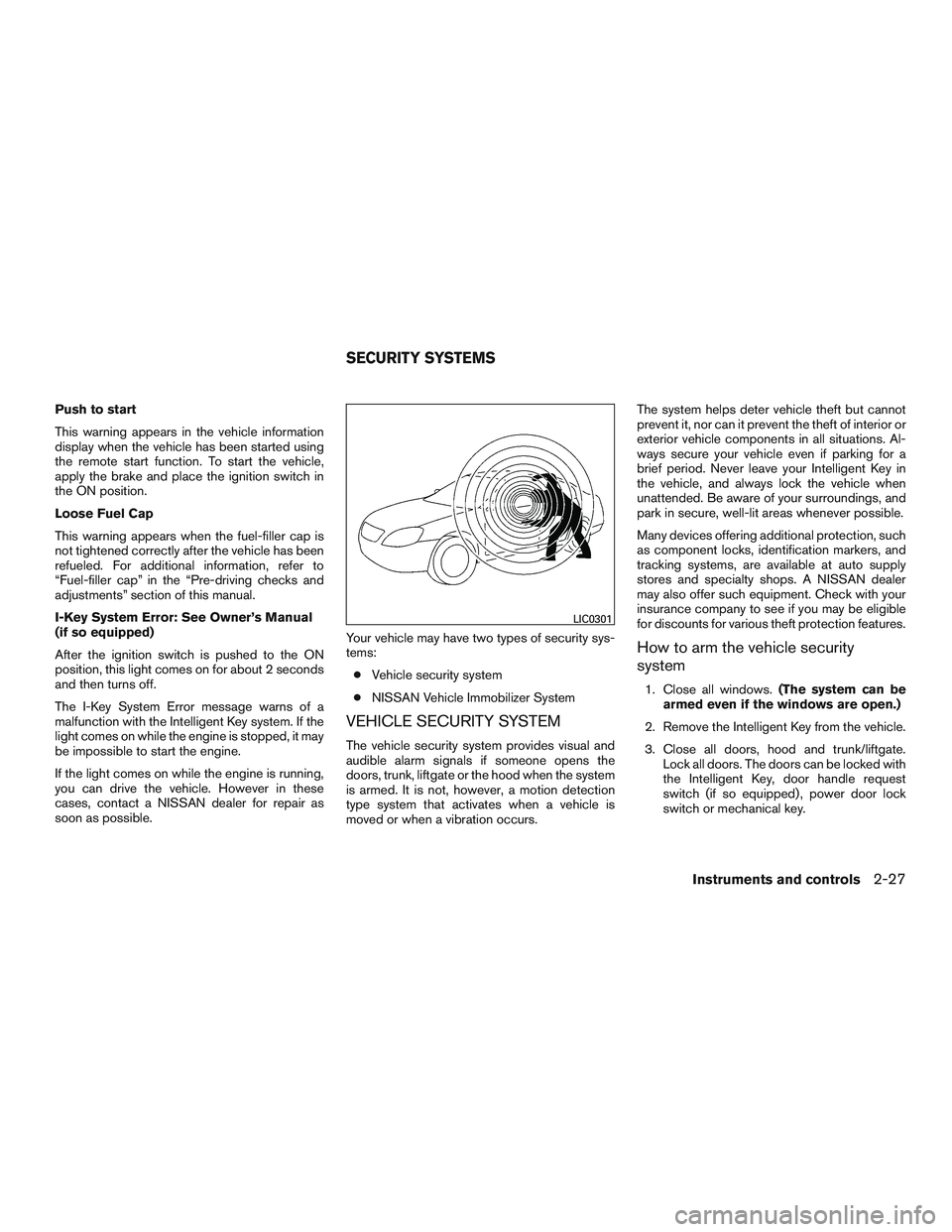
VEHICLE SECURITY SYSTEM
The vehicle security system provides visual and
audible alarm signals if someone opens the
doors, trunk, liftgate or the hood when the system
is armed. It is not, however, a motion detection
type system that activates when a vehicle is
moved or when a vibration occurs. The system helps deter vehicle theft but cannot
prevent it, nor can it prevent the theft of interior or
exterior vehicle components in all situations. Al-
ways secure your vehicle even if parking for a
brief period. Never leave your Intelligent Key in
the vehicle, and always lock the vehicle when
unattended. Be aware of your surroundings, and
park in secure, well-lit areas whenever possible.
Many devices offering additional protection, such
as component locks, identification markers, and
tracking systems, are available at auto supply
stores and specialty shops. A NISSAN dealer
may also offer such equipment. Check with your
insurance company to see if you may be eligible
for discounts for various theft protection features.
How to arm the vehicle security
system
1. Close all windows.
(The system can be
armed even if the windows are open.)
2. Remove the Intelligent Key from the vehicle.
3. Close all doors, hood and trunk/liftgate. Lock all doors. The doors can be locked with
the Intelligent Key, door handle request
switch (if so equipped) , power door lock
switch or mechanical key.
LIC0301
SECURITY SYSTEMS
Instruments and controls2-27
Page 111 of 441
NOTE:
Changes or modifications not expressly ap-
proved by the party responsible for compli-
ance could void the user’s authority to op-
erate the equipment.
For Canada:
This device complies with Industry Canada
licence-exempt RSS standard(s) . Opera-
tion is subject to the following two condi-
tions: (1) this device may not cause inter-
ference, and (2) this device must accept any
interference, including interference that
may cause undesired operation of the de-
vice.
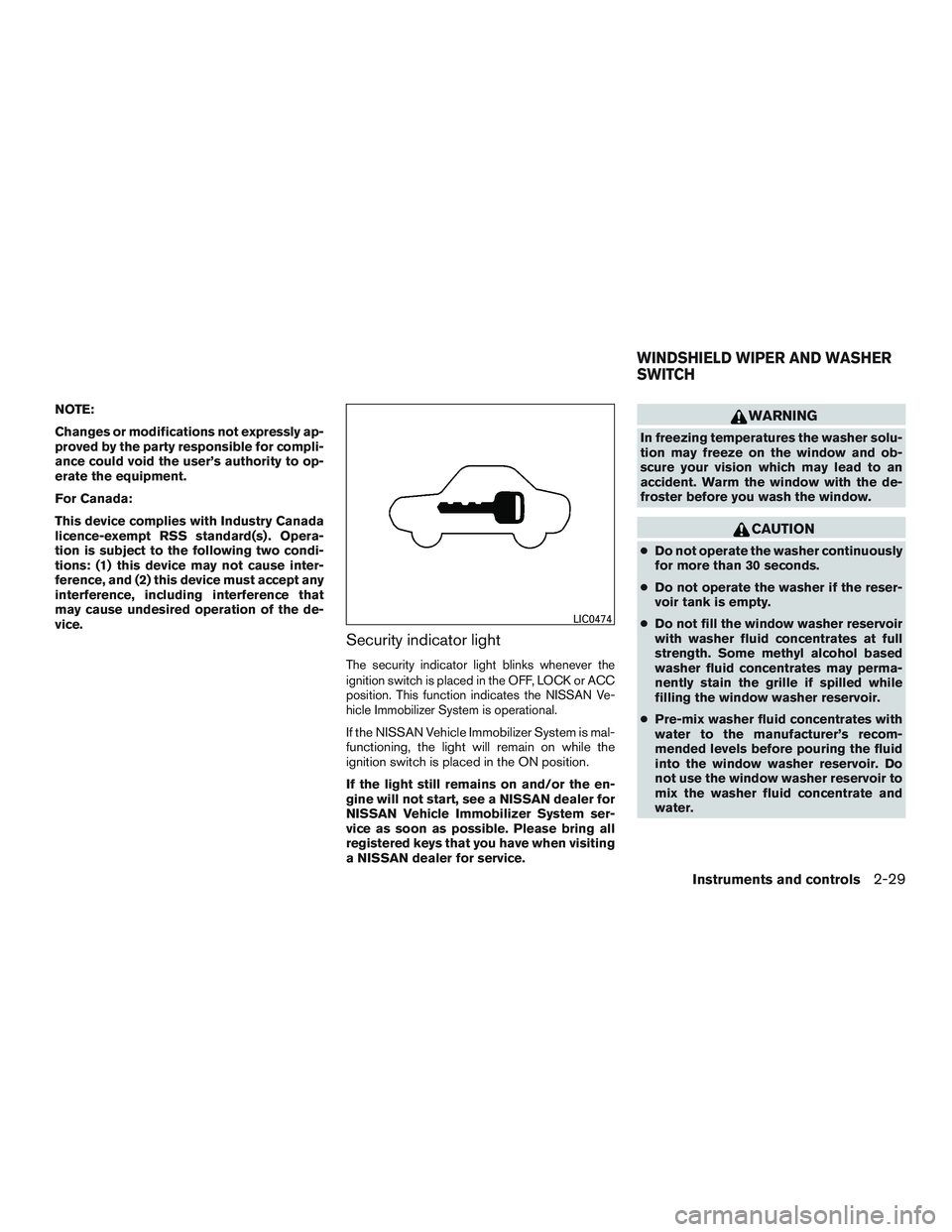
Security indicator light
The security indicator light blinks whenever the
ignition switch is placed in the OFF, LOCK or ACC
position. This function indicates the NISSAN Ve-
hicle Immobilizer System is operational.
If the NISSAN Vehicle Immobilizer System is mal-
functioning, the light will remain on while the
ignition switch is placed in the ON position.
If the light still remains on and/or the en-
gine will not start, see a NISSAN dealer for
NISSAN Vehicle Immobilizer System ser-
vice as soon as possible. Please bring all
registered keys that you have when visiting
a NISSAN dealer for service.
WARNING
In freezing temperatures the washer solu-
tion may freeze on the window and ob-
scure your vision which may lead to an
accident. Warm the window with the de-
froster before you wash the window.
CAUTION
●Do not operate the washer continuously
for more than 30 seconds.
● Do not operate the washer if the reser-
voir tank is empty.
● Do not fill the window washer reservoir
with washer fluid concentrates at full
strength. Some methyl alcohol based
washer fluid concentrates may perma-
nently stain the grille if spilled while
filling the window washer reservoir.
● Pre-mix washer fluid concentrates with
water to the manufacturer’s recom-
mended levels before pouring the fluid
into the window washer reservoir. Do
not use the window washer reservoir to
mix the washer fluid concentrate and
water.
LIC0474
WINDSHIELD WIPER AND WASHER
SWITCH
Instruments and controls2-29