2015 MERCEDES-BENZ SLS AMG GT ROADSTER lights
[x] Cancel search: lightsPage 2 of 202

Publicationdetails
Internet
FurtherinformationaboutMercedes-Benz
vehiclesandaboutDaimlerAGcanbefound
onthefollowingwebsites:
http://www.mbusa.com(USAonly)
http://www.mercedes-benz.ca(Canada
only)
Editorialoffice
Nottobereprinted,translatedorotherwise
reproduced,inwholeorinpart,withoutthe
writtenpermissionofDaimlerAG.
Symbols
Trademarks:
RBluetooth®isaregisteredtrademarkof
BluetoothSIGInc.
RDTSisaregisteredtrademarkofDTS,Inc.
RDolbyandMLPareregisteredtrademarks
ofDolbyLaboratories.
RHomeLink®isaregisteredtrademarkof
Prince,aJohnsonControlsCompany.
RiPod®andiTunes®areregistered
trademarksofAppleInc.,registeredinthe
U.S.A.andothercountries.
RMicrosoft®isaregisteredtrademarkof
MicrosoftCorporationintheU.S.A.and
othercountries.
RSIRIUSandrelatedmarksaretrademarks
ofSIRIUSXMRadioInc.
RWindowsmedia®isaregisteredtrademark
ofMicrosoftCorporationintheU.S.A.and
othercountries.
RGracenote®isaregisteredtrademarkof
Gracenote,Inc.
RZAGAT®RatingServiceandrelatedmarks
aretrademarksofZAGAT.
Thefollowingsymbolsarefoundinthis
Operator’sManual:
GWARNING
Warningnoticesdrawyourattentionto
hazardsthatmayendangeryourhealthorlife,
orthehealthorlifeofothers.
!Highlightshazardsthatmayresultin
damagetoyourvehicle.
iHelpfulhintsorfurtherinformationyou
mayfinduseful.
XThissymbolpointstoinstructions
foryoutofollow.
XAnumberofthesesymbols
appearinginsuccessionindicates
amultiple-stepprocedure.
YpageThissymboltellsyouwheretolook
forfurtherinformationonatopic.
YYThiscontinuationsymbolmarksa
warningorprocedurewhichis
continuedonthenextpage.
Display
Display
Textindisplays,suchasthecontrol
system,areprintedinthetype
shownhere.
Asat21.03.2011
Page 45 of 202
X
To setthe brightne ss:Rota teymzor
slide qmr .
The brightn essbarmoves upordown.
X To confirm selection: Pressnorslide o
m.
or
X Press thek button . Setting
theDisplay Design
X Select System £
Settings £
Display .
X Select Daymode ,
Night mode or
Automatic .
The Rdot indicates thecurren tsett ing.
i Inthe Automatic sett
ing, COMAND
evaluates thereadings fromtheautomatic
vehicle lightsensor andswitches between
the display designs automatically. Time
Setting
theTime
i The correc ttime must beset forthe
following navigation systemfunctionsto
operate correctly:
R Calcula tionofexpect edtime ofarrival
R Time stamps forcalls received andcalls
dialed
X Select System £
System Settings £
Time £
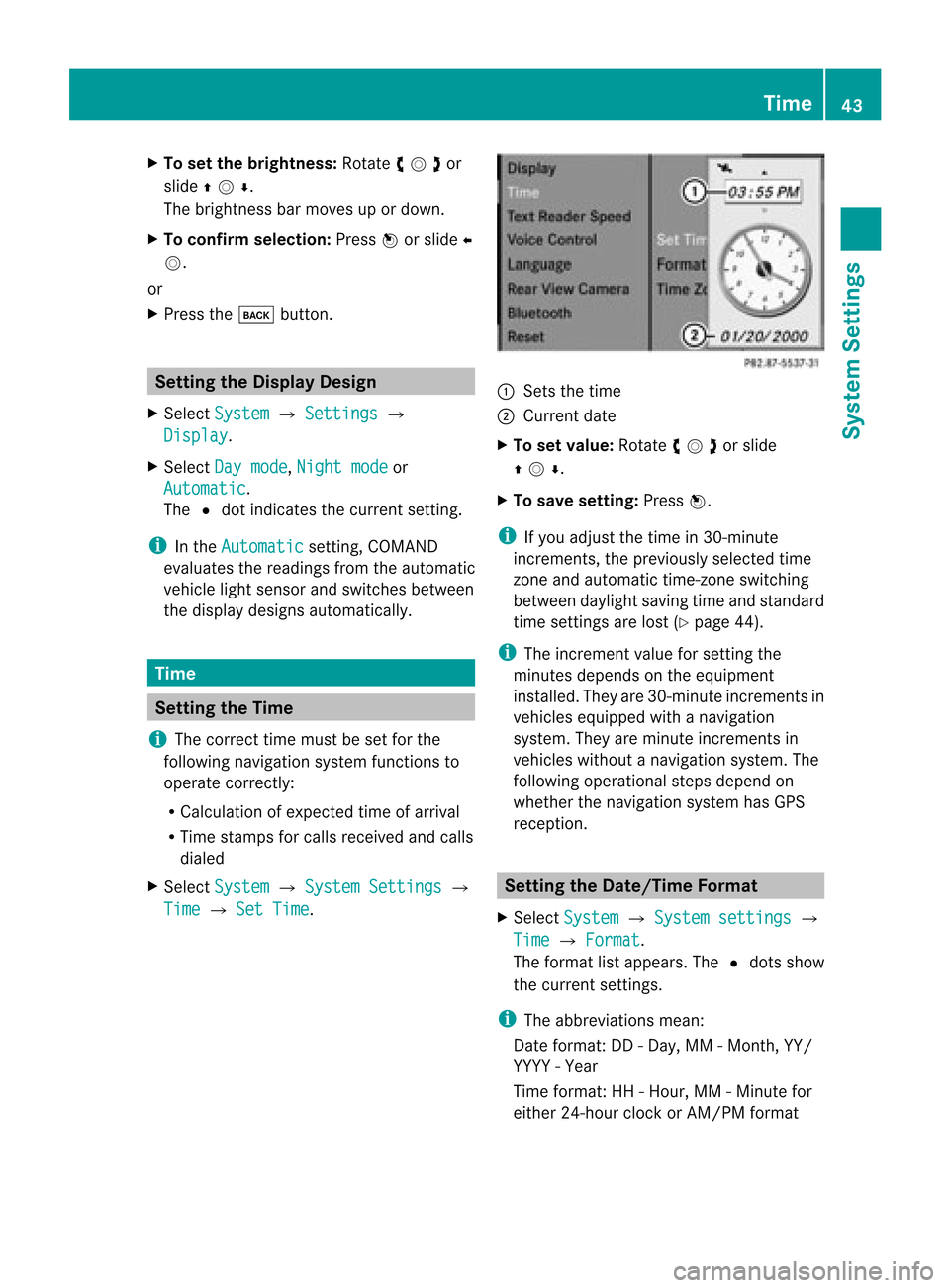
Set Time . 1
Sets thetime
2 Current date
X To set value: Rotate ymzor slide
qmr .
X To sav ese ttin g:Pre ssn.
i Ifyo uad jus tthe time in30-mi nute
incr eme nts, thepreviouslysel ecte dtime
zone andautoma tictime -zone switch ing
be twe endaylig ht saving time andstanda rd
time settingsarelost (Y page 44) .
i The increme ntvalue for setti ngthe
minu tesdepends onthe equipme nt
ins talled. The yar e30-mi nuteincreme ntsin
veh icles equipp ed with anav igati on
sy stem .They areminute incremen tsin
vehicles withoutanavigation system.The
following operational stepsdepend on
whether thenavigation systemhasGPS
reception. Setting
theDate/Time Format
X Select System £
System settings £
Time £
Format .
The format listappea rs.The Rdots show
the current settings.
i The abbreviations mean:
Date format: DD-Day, MM-Month, YY/
YYYY -Year
Time format :HH -Hour, MM-Minute for
either 24-hour clock orAM/ PMformat Tim
e
43System Settings
Page 46 of 202
X
To chang ethe format: Rotate ymzor
slide qmr .
X To confi rm the chang e:Pre ssn.
X To sto rethe settin gand exitthe men u:
Sli de omp . Setting
theTime ZoneandSwitching
Between DaylightSavingTimeand
Stand ardTime
i The correc ttime zoneand daylight
savin g/standard timemust beset forthe
followin gnavig ation systemfunc tionsto
operat ecor rectly:
R Calculatio nofexpe cted time ofarriv al
R Time stamps forcallsrece ivedand calls
di aled
X To setthe time zone:Sel ect System £
Set tings £
Time £
TimeZon e .
At ime zonelist appears. TheRdot
indic ates thecurr entsetting.
X Selec tthe appropria tetime zone.
X To switch between DaylightSavingand
standa rdtime: Select Daylight Saving
Time (Summer)
orStandard Time (Winter).
The Rdot indicates thecurrent setting.
X To store setting andexit menu:
Slide omp . Read-O
ut Se
tting Readi ngSpe ed
X Sel ect Syst em £
Sett ings £
Text Read
erSpee d .
The list of pos siblesetti ngsappea rs.The
R dot indicates the curr entsetti ng.
X To select the setting :Ro tate ymzor
slide qmr .
X To confi rm your selecti on:Pre ssn. Voi
ceContro l Sw
itchin gthe HelpScree nOn orOff
X Se lec tSys tem £
Settings £
Voice Con
trol .
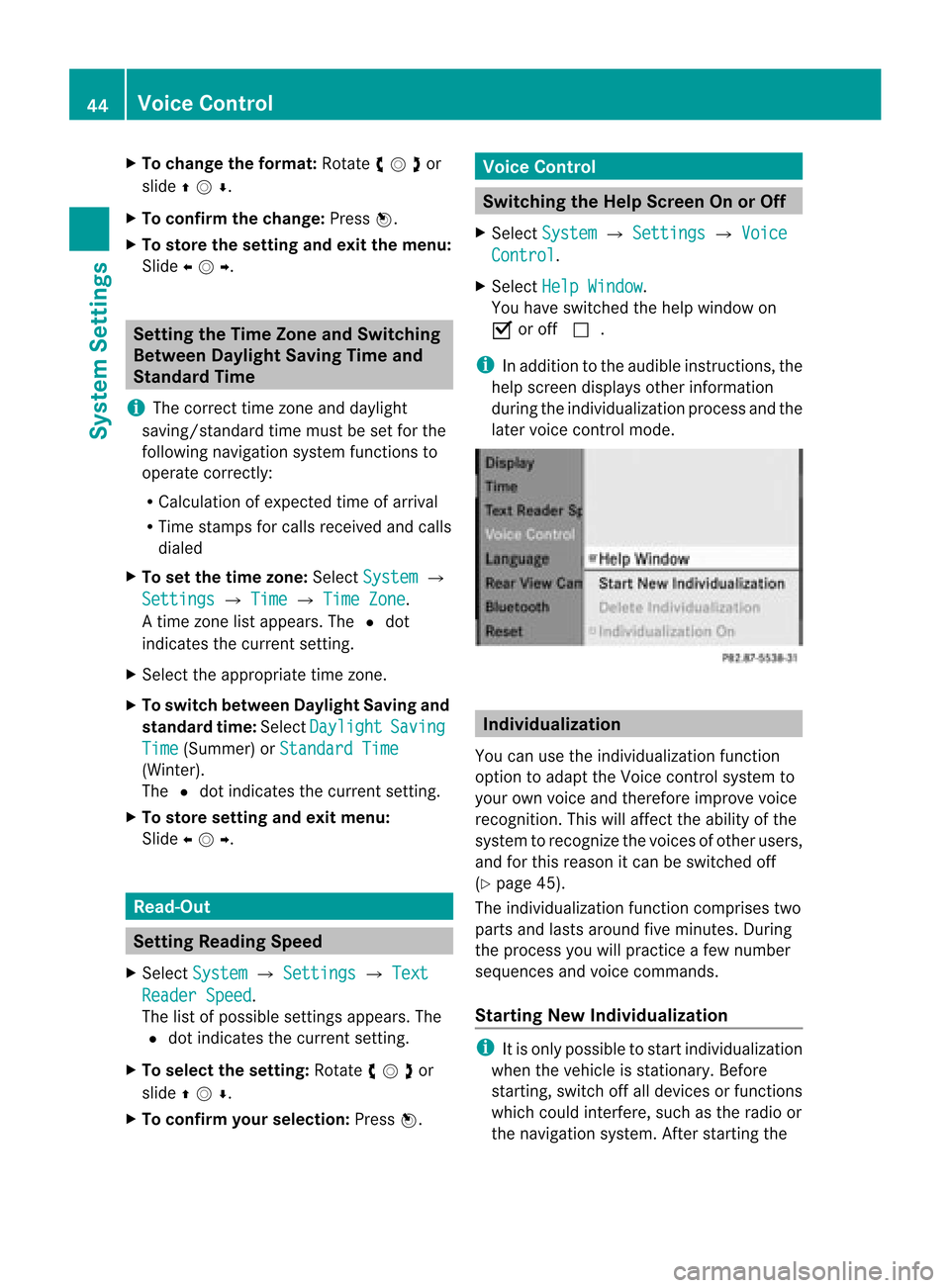
X Se lec tHel pWin dow .
You have switched thehelp window on
Ç oroff c.
i Inaddit iontotheaudible instruct ions,the
help scree ndisplays otherinform ation
durin gthe indiv idualizat ionproc essand the
later voicecon trol mode. Individ
ualization
You canusetheindiv idualizat ionfunc tion
opt ion toadapt theVoic econ trol syst emto
your ownvoiceand therefore impro vevoic e
rec ogn ition .This will affect theabili tyof the
system torecogniz ethe voices ofother users,
and forthis reason itcan beswitched off
(Y page 45).
The individua lizationfunctioncomprises two
parts andlasts around fiveminutes. During
the process youwillpractice afew number
sequences andvoice commands.
Star ting New Individualizat ion i
Itis only possible tostart individua lization
when thevehicle isstationary. Before
startin g,switch offalldevices orfunct ions
which couldinterfere,such asthe radio or
the navigation system.Afterstartin gthe 44
Voice
ControlSystem Settings
Page 54 of 202

COMAN
Dfea tures
Thes eOper atingIn st ruc tions desc ribeall
st andar dand optionalequipm enta vail able
for you rCOMAND systematthe time of
purcha se.Cou ntry-specifi cdeviation sare
possible. Pleasenotethat your COMAND
system maynotbeequipped withallthe
features described. Introd
uction Safet
yInstr uctions G
WARN
ING
For safety reasons, onlyenteradestin ation
when thevehicle isstat ionary. Whenthe
vehicle isin motion ,ap assen gershoul dent er
th edest ination.Stud yma nua land select
rou tebefor edri vin g.
Bea rin mi nd tha tat asp ee dof jus t30 mph
(a pp roxi mately50 km/h) ,yo ur veh icleis
cove ringadi sta nce of44 feet(appro ximately
14 m)ever ysec ond.
COMA NDcalc ulate sth erout etothe
destination withouttakingaccount ofthe
following:
R Traffic lights
R Stop andright- of-way-signs
R Lane merging
R Parking orstopping prohibited areas
R Other roadandtraffic rulesandregulations
R Narrow bridges G
WARNING
COMAND maygiveincorr ectnavigation
commands ifthe data inthe digital mapdoes
not correspon dwith theactual road/traff ic
situation. Digitalmapsdonot cover allareas
nor allroutes withinanarea. Forexample, if
the traffic routing hasbeen changed orthe
direction ofaone-way roadhasbeen
reversed.
For this reason, youmust alway sobserve
applicable roadandtraffic rulesand regulations
duringyourjourney. Roadand
traffic rulesandregulations alwayshave
priority overthenavigation commands
generated bythe system. G
WARNING
Navigation announcementsare inten dedto
direct youwhile driving without diverting your
atten tionfrom theroad anddriving.
Please alwaysuse this feature instead of
consultin gthe map display fordirection s.
Consulting thesymbols ormap display for
direction smay cause youtodivert your
atten tionfrom driving andincrease yourrisk
of an accident . Upda
tingtheMap Software
The digital dataforthe map software will
become obsolete, justlikeconv ention alroad
maps. Optimum routeguidance bythe
navigation systemisonly achieved withup-
to- date mapsoftware. Information onnew
map software versionsisavaila blefrom an
authorized Mercedes-B enzCenter.
You canhave themap software updatedthere
by means ofaDVD orperform theupdate
process yourself.
Notes onDVD Discs R
Only touch thediscs atthe edges.
R Handle thediscs withcare inorder to
prevent readingerrors.
R Avoid scratc hing,leaving fingerprin tsand
dust onthe discs.
R Use acommerc iallyavaila blecleaning cloth
to clean discs. Always wipeinastraight line
from theinside outwards, neverinacircular
motion .
R Aft eruse, putthediscs backintothebox.
R Protec tthe discs fromheatanddirect
sunlight. 52
Introdu
ctionNavigation
Page 86 of 202
ZAGA
Texam pledesc ription Enter
ingaPOI viatheMap
i Ifthe crosshair sare visible onthe map,
you can enterPOIs inthe vicinit yof the
cr osshair s.Ifthe crosshair sare not visible,
you can enterPOIs inthe vicinit yof the
curr entvehic lelocat ion.
X In the map display withthemen usyst em
displayed (Ypage 57)selec tGuid e .
POIs areavailable:
Depe ndingon the map scale selected,POI
symbols aredisplayed onthe map. The
scale startingat which symbols are
displayed onthe map varies froms ymbo l
to sym bol.
You canselectwhic hsym bols COMA ND
sho ulddisp lay(Ypage 60).The POIneare st
to thece nter ofthesc ree nis sele cted
aut oma tical ly.
No POI savail able:
Ac orrespondin gmessage isdisplay ed.
i This message isalso display edifthe menu
item NoSymbols under
MapDisplay has
been selected (Ypage 60).
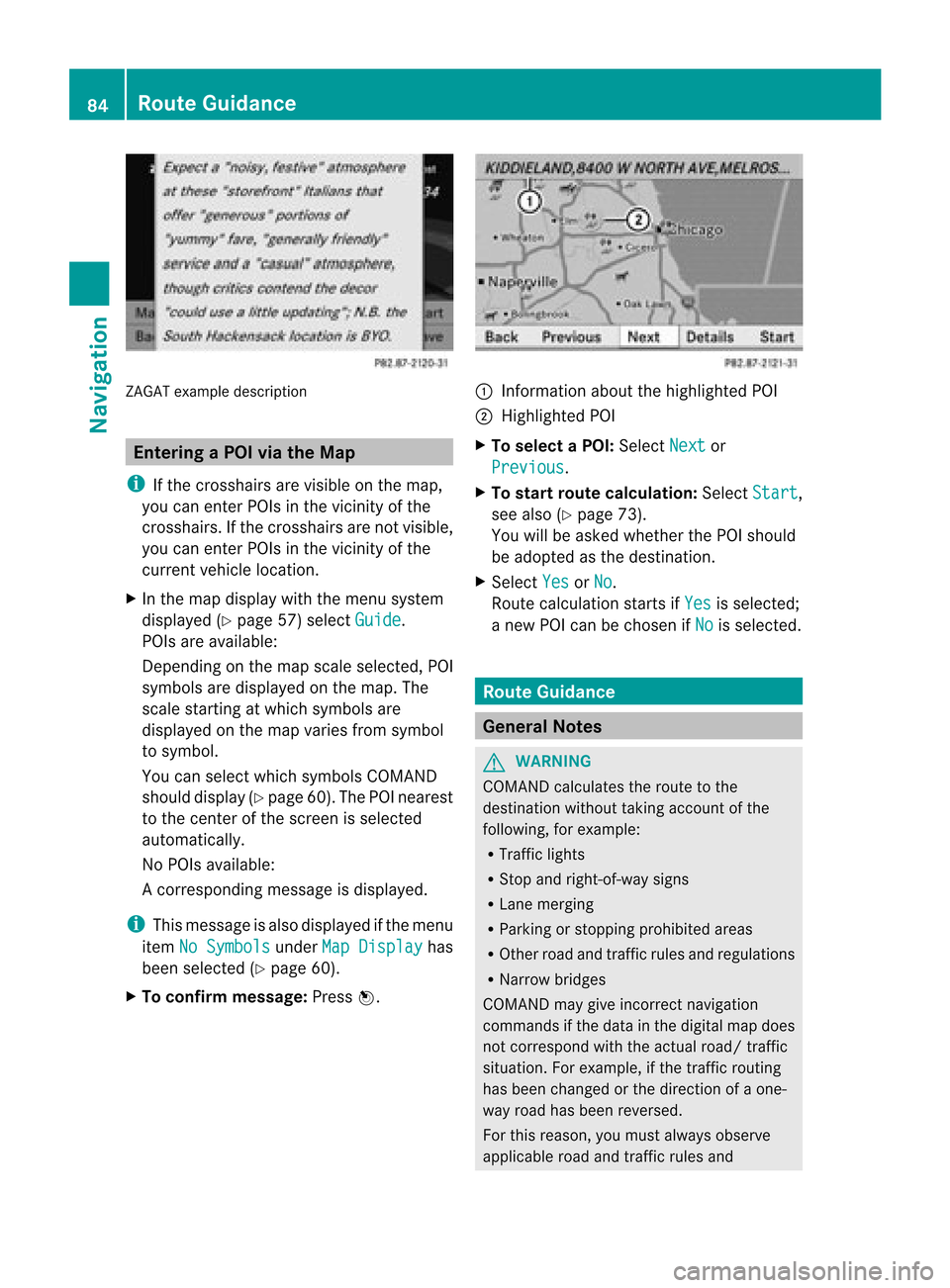
X To confirm message: Pressn. 1
Infor mation aboutthehighlighted POI
2 Highlighted POI
X To select aPOI: Select Next or
Previous .
X To star trout ecalculation: SelectStart ,
see also (Ypage 73).
You willbeasked whether thePOI should
be adopted asthe destin ation.
X Select Yes or
No .
Route calculation startsif Yes is
select ed;
a new POIcan bechosen ifNo is
select ed. Rout
eGuida nce General
Notes G
WARN
ING
COMAND calculates theroute tothe
destin ationwithout takingaccount ofthe
following, forexample:
R Traffic lights
R Stop and right- of-way signs
R Lane merging
R Parkin gor stoppin gprohibited areas
R Other roadandtrafficrules andregulations
R Narrow bridges
COMAND maygiveincor rectnavigation
comm andsifthe data inthe digital mapdoes
not corr espond withtheactual road/traffic
situation .For example, ifthe traff icroutin g
has been changed orthe direct ionofaone-
way road hasbeen reversed.
For this reason, youmust alway sobserve
applicable roadandtrafficrules and 84
Rout
eGuid anceNavigation
Page 178 of 202

X
Press the? button whileaphone callis
in progress.
An acoustic signalconfirms thatthesystem
is activat ed.
X Say therequired digits(“zero” to“nine”).
or
X Say therequired words“Star” or“Hash”.
X Say theconc luding comman d“Okay”.
The system dialsthenumber entered. Naviga
tion G
WARNIN
G
For safety reasons, youshould onlyselect a
destinat ionwhen thevehicle isstation ary.
While thenavigation systemprovides
direction alassistanc e,the driver mustremain
focused onsafe driving behavior, especially
pay atten tiontotraff icand street signs,and
should utilizethesystem's audiocueswhile
driving.
The navigation systemdoesnotsupply any
inform ationonstop signs, yieldsigns, traffic
regulations ortraff icsafety rules.Their
observanc ealway sremains inthe driver's
personal responsibility. DVDmaps donot
cover allareas norallroutes withinanarea.
Traffic regulations alwayshave priority over
any route recomm endation sgiven. Bearin
mind thatataspeed ofjust 30mph
(approximately 50km/ h),your vehicle is
coverin gadistanc eof 44 feet (approximately
14 m)every second.
During routeguidance, youwillnotreceive
inform ationon:
R traff iclights
R stop andyield signs
R parking orstopping zones
R one-way streets
R narrow bridges
R other trafficregulation data
You should thereforealway sstric tlyobserve
traff icregulations whiledriving. Drive carefully
andalway sobey trafficlaws and
road signs, evenifthey contradict navigation
system instruction s. G
WARNIN
G
Please donot use theVoice ControlSystem
in an emergenc y,as the toneof your voice
may change inastress fulsituation. Thiscould
cause adelay incomplet ingyour phone call
in atimely manner .This could distract youin
an emergency situationandcause youtobe
involved inan accident. Operat
ion
You canusevoice controlto:
R enter astate
R enter aprovince
R enter acity
R enter adistrict (center)
R enter astreet
R enter anintersec tion
R enter ahouse number
R enter anentire address
R enter azip code
R find address
R enter apoint ofinterest
R select oneofyour previous destinations
R call uproute information
R store adestination
R displa ythe map
R enlarge/reduce thesize ofthe map
R listen tothe destination memory
R start andstop route guidance
R switch theguida nceinstruct ionsonand off
X To select thenavigation application press
the ? button onthe multifunction
steering wheel.
X Give the“Navigation” command.
X Press the? button.
X Give oneofthe navigation commands
explained below. 176
Navigat
ionVoiceControl