Page 292 of 298

A dotted line shows the previous path and the forecast path of a tropical low-pressure area
(cyclone). You can find out more information about cyclones in the Storm Guide (Y
page 292).
Showing information (if available):
R name of the tropical storm and category
R time stamp
R directional movement speed and path
R maximum wind speed
Propagation speed: the speed at which the storm cell of a tropical cyclone is advancing.
A tropical storm is separated into different categories according to the location at which it
develops. Region of origin Category
Atlantic, North and South Pacific
Oceans Menu item
Tropical Low Press. Sys.
Tropical Low Press. Sys. Atlantic, North and South Pacific
Oceans Menu item
Tropical Depression
Tropical Depression Atlantic, North and South Pacific
Oceans Menu item
Name_1 (Tropical Storm)
Name_1 (Tropical Storm) Atlantic, North and South Pacific
Oceans Menu item
Name_1 (Hurricane Category
Name_1 (Hurricane Category
Number_one_digit)
Number_one_digit)
Displays hurricane categories 1 through 5 Northwestern Pacific Ocean
Menu item
Tropical Low Press. Sys. Tropical Low Press. Sys. Northwestern Pacific Ocean
Menu item
Name_LP10 (Tropical Cyclone)
Name_LP10 (Tropical Cyclone) Northwestern Pacific Ocean
Menu item
Name_1 (Typhoon)
Name_1 (Typhoon) Northwestern Pacific Ocean
Menu item
Name_1 (Super-Typhoon)
Name_1 (Super-Typhoon)290
SIRIUS WeatherSIRIUS Weather
Page 293 of 298
You can also see the time stamp for the weather data on map scales of 50 miles and smaller.
The weather map shows wind directions and wind speeds.
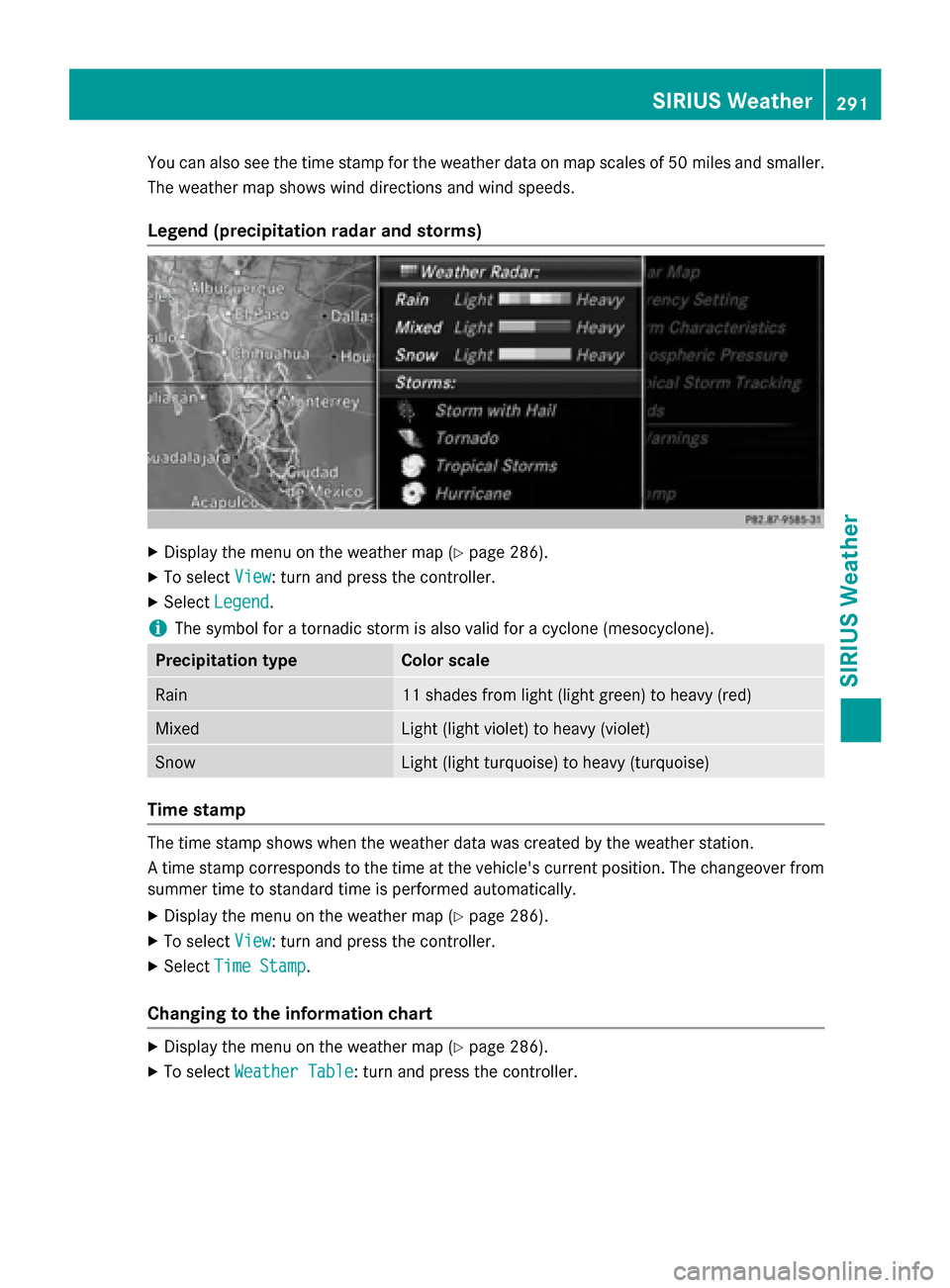
Legend (precipitation radar and storms) X
Display the menu on the weather map (Y page 286).
X To select View
View : turn and press the controller.
X Select Legend
Legend.
i The symbol for a tornadic storm is also valid for a cyclone (mesocyclone). Precipitation type Color scale
Rain 11 shades from light (light green) to heavy (red)
Mixed Light (light violet) to heavy (violet)
Snow Light (light turquoise) to heavy (turquoise)
Time stamp
The time stamp shows when the weather data was created by the weather station.
A time stamp corresponds to the time at the vehicle's current position. The changeover from
summer time to standard time is performed automatically.
X Display the menu on the weather map (Y page 286).
X To select View
View : turn and press the controller.
X Select Time Stamp Time Stamp.
Changing to the information chart X
Display the menu on the weather map (Y page 286).
X To select Weather Table
Weather Table: turn and press the controller. SIRIUS Weather
291SIRIUS Weather
Page 294 of 298

Storm Watch Box
Storm watch areas for which there are storm advisories are displayed as red areas on the
weather map.
To activate/deactivate the display of areas in red:
X To call up the menu from the weather map display: press the controller.
X To select View
View: turn and press the controller.
The list of display levels appears.
X Select Severe Weather Warnings
Severe Weather Warnings.
X Select Show Symbols for Storm Areas On Map Show Symbols for Storm Areas On Map.
Depending on the previous setting, activate 0073or deactivate 0053the display of areas in red.
Activating/deactivating the automatic display of warning popups:
X Select Show Automatic Storm Watch Popups
Show Automatic Storm Watch Popups.
Depending on the previous setting, activate 0073or deactivate 0053the automatic display of
warning popups.
Setting the radius for the popups:
X Select 5 miles
5 miles (5 km5 km), 50 miles
50 miles (50 km50 km) or 200 miles
200 miles (200 km200 km).
Storm Guide Displaying the Storm Guide:
X Display the menu on the weather map
(Y page 286).
X To select Guide
Guide: turn and press the con-
troller.
A menu appears. The current storm is high- lighted. There is information about the
storm in the status bar. 292
SIRIUS WeatherSIRIUS Weather