2015 MERCEDES-BENZ M-Class Distronic
[x] Cancel search: DistronicPage 207 of 466
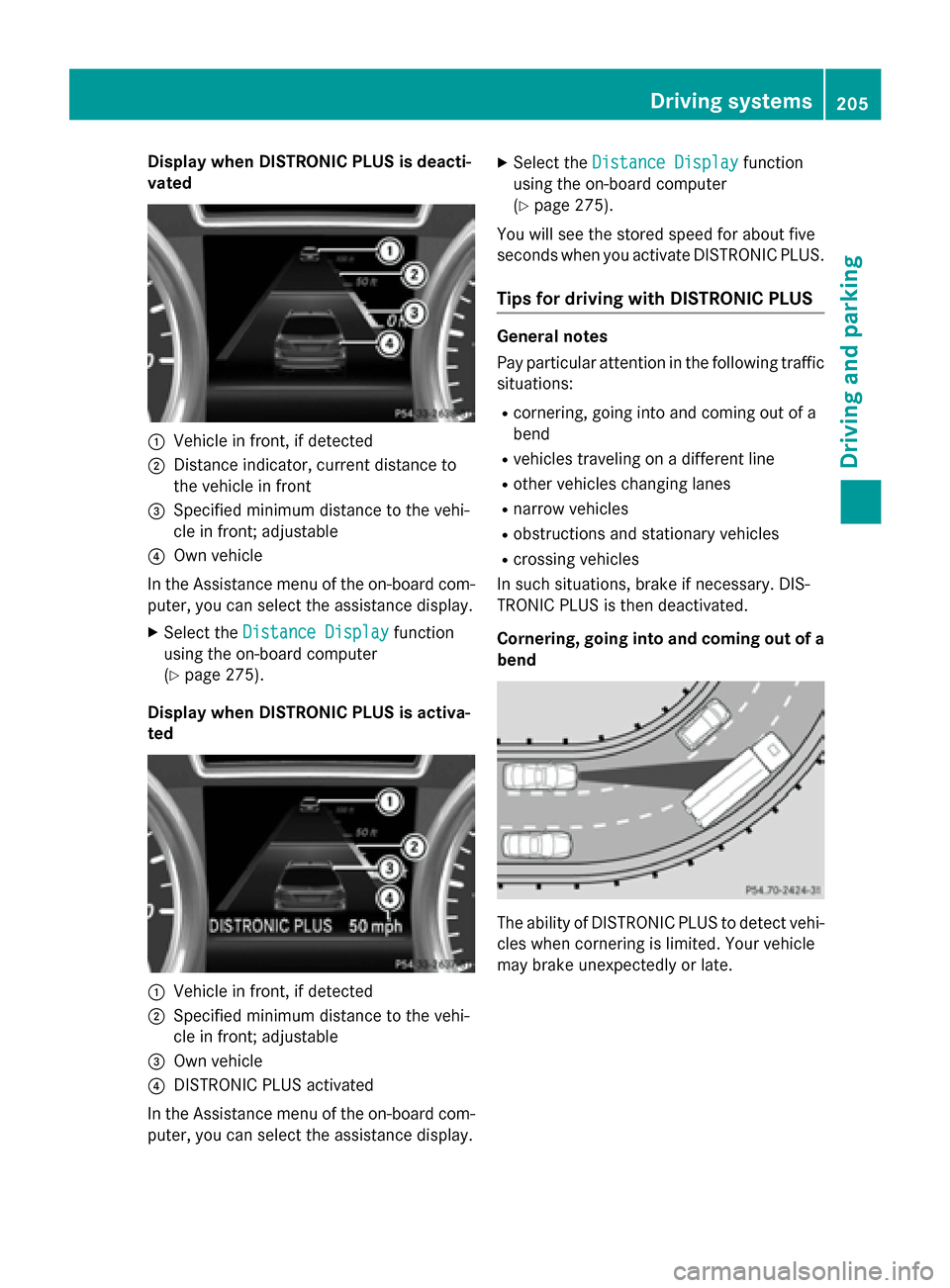
Display when DISTRONIC PLUS is deacti-
vated 0043
Vehicle in front, if detected
0044 Distance indicator, current distance to
the vehicle in front
0087 Specified minimum distance to the vehi-
cle in front; adjustable
0085 Own vehicle
In the Assistance menu of the on-board com-
puter, you can select the assistance display.
X Select the Distance Display
Distance Display function
using the on-board computer
(Y page 275).
Display when DISTRONIC PLUS is activa-
ted 0043
Vehicle in front, if detected
0044 Specified minimum distance to the vehi-
cle in front; adjustable
0087 Own vehicle
0085 DISTRONIC PLUS activated
In the Assistance menu of the on-board com- puter, you can select the assistance display. X
Select the Distance Display Distance Display function
using the on-board computer
(Y page 275).
You will see the stored speed for about five
seconds when you activate DISTRONIC PLUS.
Tips for driving with DISTRONIC PLUS General notes
Pay particular attention in the following traffic
situations:
R cornering, going into and coming out of a
bend
R vehicles traveling on a different line
R other vehicles changing lanes
R narrow vehicles
R obstructions and stationary vehicles
R crossing vehicles
In such situations, brake if necessary. DIS-
TRONIC PLUS is then deactivated.
Cornering, going into and coming out of a bend The ability of DISTRONIC PLUS to detect vehi-
cles when cornering is limited. Your vehicle
may brake unexpectedly or late. Driving syste
ms
205Driving an d parking Z
Page 208 of 466

Vehicles traveling on a different line
DISTRONIC PLUS may not detect vehicles
traveling on a different line. The distance to
the vehicle in front will be too short.
Other vehicles changing lanes DISTRONIC PLUS has not detected the vehi-
cle cutting in yet. The distance to this vehicle will be too short.
Narrow vehicles DISTRONIC PLUS has not yet detected the
vehicle in front on the edge of the road, because of its narrow width. The distance to
the vehicle in front will be too short.
Obstructions and stationary vehicles
DISTRONIC PLUS does not brake for obsta-
cles or stationary vehicles. If, for example, the
detected vehicle turns a corner and reveals
an obstacle or stationary vehicle, DISTRONIC PLUS will not brake for these.
Crossing vehicles DISTRONIC PLUS may mistakenly detect
vehicles that are crossing your lane. Activat-
ing DISTRONIC PLUS at traffic lights with
crossing traffic, for example, could cause
your vehicle to pull away unintentionally. Level control (vehicles with the
ON&OFFROAD package)
Important safety notes Level control adapts the vehicle level auto-
matically to the current operating and driving
situation. This results in reduced fuel con-
sumption and improved handling. 206
Driving systemsDriving and parking
Page 213 of 466

!
If DISTRONIC PLUS or the HOLD function
is activated, the vehicle brakes automati-
cally in certain situations. To prevent dam-
age to the vehicle, deactivate DISTRONIC
PLUS and the HOLD function in the follow-
ing or other similar situations:
R when towing the vehicle
R in the car wash
Deactivating the HOLD function
(Y page 211).
Activation conditions You can activate the HOLD function if:
R
the vehicle is stationary
R the engine is running or if it has been auto-
matically switched off by the ECO start/
stop function
R the driver's door is closed or your seat belt
is fastened
R the electric parking brake is released
R the transmission is in position D,Ror N
R DISTRONIC PLUS is deactivated
Activating the HOLD function X
Make sure that the activation conditions
are met.
X Depress the brake pedal.
X Quickly depress the brake pedal further
until 0043appears in the multifunction dis-
play.
The HOLD function is activated. You can
release the brake pedal.
i If depressing the brake pedal the first
time does not activate the HOLD function,
wait briefly and then try again. Deactivating the HOLD function The HOLD function is deactivated automati-
cally if:
R you accelerate and the transmission is in
position Dor R.
R you shift the transmission to position P.
R you depress the brake pedal again with a
certain amount of pressure until 0043disap-
pears from the multifunction display.
R you secure the vehicle using the electric
parking brake.
R you activate DISTRONIC PLUS.
i After a time, the electric parking brake
secures the vehicle and relieves the service brake.
The electric parking brake automatically
secures the vehicle if the HOLD function is
activated and:
R the driver's door is open and the driver's
seat belt is unfastened.
R the engine is switched off, unless it is auto-
matically switched off by the ECO start/
stop function.
R a system malfunction occurs.
R the power supply is not sufficient.
On steep uphill or downhill inclines or if there
is a malfunction, the transmission may also
be automatically shifted into position P. AIRMATIC package
General notes AIRMATIC regulates the level of your vehicle.
As well as level control (Y page 213), your
vehicle can be equipped with ADS (Adaptive
Damping System) (Y page 212) and ACTIVE
CURVE SYSTEM (Y page 212).
Observe the notes on driving with a trailer
(Y page 257). Driving systems
211Driving and parking Z
Page 243 of 466

The warning vibration occurs earlier if:
R you approach the outer lane marking on a
bend.
R the road has very wide lanes, e.g. a high-
way.
R the system recognizes solid lane markings.
The warning vibration occurs later if:
R the road has narrow lanes.
R you cut the corner on a bend. Active Driving Assistance package
General notes The Active Driving Assistance package con-
sists of DISTRONIC PLUS (Y
page 198), Active
Blind Spot Assist (Y page 241) and Active
Lane Keeping Assist (Y page 244).
Active Blind Spot Assist General notes
Active Blind Spot Assist uses a radar sensor
system to monitor the side areas of your vehi-
cle which are behind the driver. A warning
display in the exterior mirrors draws your
attention to vehicles detected in the moni-
tored area. If you then switch on the corre-
sponding turn signal to change lanes, you will also receive a visual and audible collision
warning. If a risk of lateral collision is detec-
ted, corrective braking may help you avoid a
collision. Before a course-correcting brake
application, Active Blind Spot Assist evalu-
ates the space in the direction of travel and at
the sides of the vehicle. For this, Active Blind
Spot Assist uses radar sensors which are
pointed in the direction of travel.
Active Blind Spot Assist supports you from a
speed of approximately 20 mph (30 km/h).
Important safety notes
Active Blind Spot Assist is only an aid. It may
fail to detect some vehicles and is no substi-
tute for attentive driving. G
WARNING
Active Blind Spot Assist does not react to:
R vehicles overtaken too closely on the side,
placing them in the blind spot area
R vehicles which approach with a large speed
differential and overtake your vehicle
As a result, Active Blind Spot Assist may nei-
ther give warnings nor intervene in such sit-
uations. There is a risk of an accident.
Always observe the traffic conditions care-
fully, and maintain a safe lateral distance.
i USA only: This device has been approved
by the FCC as a "Vehicular Radar System". The radar sensor is intended for use in an
automotive radar system only. Removal,
tampering, or altering of the device will void
any warranties, and is not permitted by the
FCC. Do not tamper with, alter, or use in
any non-approved way.
Any unauthorized modification to this
device could void the user's authority to
operate the equipment.
i Canada only: This device complies with
RSS-210 of Industry Canada. Operation is
subject to the following two conditions:
1. This device may not cause harmful inter- ference, and
2. This device must accept any interference
received, including interference that may
cause undesired operation of the device.
Removal, tampering, or altering of the
device will void any warranties, and is not
permitted. Do not tamper with, alter, or use
in any non-approved way.
Any unauthorized modification to this
device could void the user's authority to
operate the equipment.
Radar sensors
The Active Blind Spot Assist radar sensors are integrated into the front and rear bumpers
and behind a cover in the radiator trim. Make sure that the bumpers and the cover in the
radiator grill are free of dirt, ice or slush. The Driving systems
241Driving and parking Z
Page 260 of 466
i
This also applies if you have activated
cruise control or DISTRONIC PLUS.
This will use the braking effect of the engine,
so that less braking will be required to main-
tain the speed. This relieves the load on the
brake system and prevents the brakes from
overheating and wearing too quickly. If you
need additional braking, depress the brake
pedal repeatedly rather than continuously.
Driving tips If the trailer swings from side to side:
X Do not accelerate.
X Do not counter-steer.
X Brake if necessary.
R Maintain a greater distance from the vehi-
cle in front than when driving without a
trailer.
R Avoid braking abruptly. If possible, brake
gently at first to allow the trailer to run on.
Then, increase the braking force rapidly.
R The values given for gradient-climbing
capabilities from a standstill refer to sea
level. When driving in mountainous areas,
note that the power output of the engine
and, consequently, the vehicle's gradient-
climbing capability, decreases with
increasing altitude. Installing the ball coupling
G
WARNING
If the ball coupling is not correctly installed
and secured, it can come loose during the
journey and endanger other road users. There is a risk of an accident and injury.
Always install and secure the ball coupling as
described. Before every journey, ensure that
the ball coupling is secured with the bolt and
the corresponding spring cotter. G
WARNING
If the ball coupling is not installed correctly or not secured with the bolt provided and the corresponding spring cotter, the trailer may
come loose. There is a risk of an accident.
Always install and secure the ball coupling as described. Before every journey, ensure that
the ball coupling is secured with the bolt and
the corresponding spring cotter. G
WARNING
If the ball coupling is not installed and secured
correctly the trailer may come loose. There is
a risk of an accident.
Install and secure the ball coupling as descri-
bed in the ball coupling installation instruc-
tions. Make sure that the ball coupling is
installed and secured correctly before every
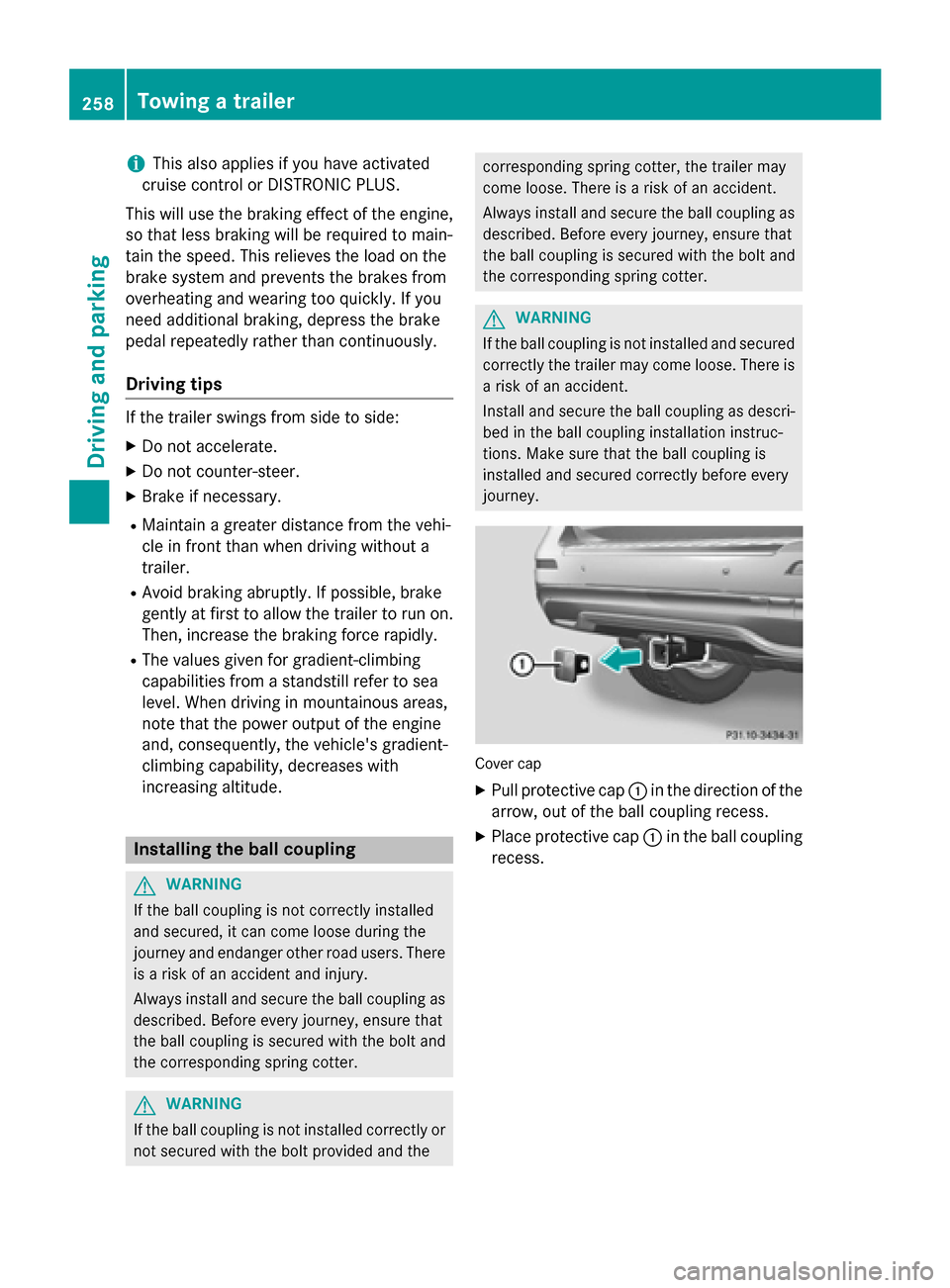
journey. Cover cap
X Pull protective cap 0043in the direction of the
arrow, out of the ball coupling recess.
X Place protective cap 0043in the ball coupling
recess. 258
Towing a trailerDriving and parking
Page 269 of 466
The coolant temperature gauge is in the
instrument cluster on the right-hand side
(Y page 35).
Under normal operating conditions and with
the specified coolant level, the coolant tem-
perature may rise to 248 ‡ (120 †). Tachometer
! Do not drive in the overrevving range, as
this could damage the engine.
The red band in the tachometer indicates the
engine's overrevving range.
The fuel supply is interrupted to protect the
engine when the red band is reached. Outside temperature display
You should pay special attention to road con-
ditions when temperatures are around freez-
ing point.
Bear in mind that the outside temperature
display indicates the temperature measured
and does not record the road temperature.
The outside temperature display is in the mul- tifunction display (Y page 268).
Changes in the outside temperature are dis-
played after a short delay. Speedometer with segments
The segments in the speedometer indicate
which speed range is available.
R Cruise control activated (Y page 195):
The segments light up from the stored
speed to the maximum speed.
R DISTRONIC PLUS activated (Y page 198):
One or two segments in the set speed
range light up.
R DISTRONIC PLUS detects a vehicle in front:
The segments between the speed of the
vehicle in front and the stored speed light
up. Operating the on-board computer
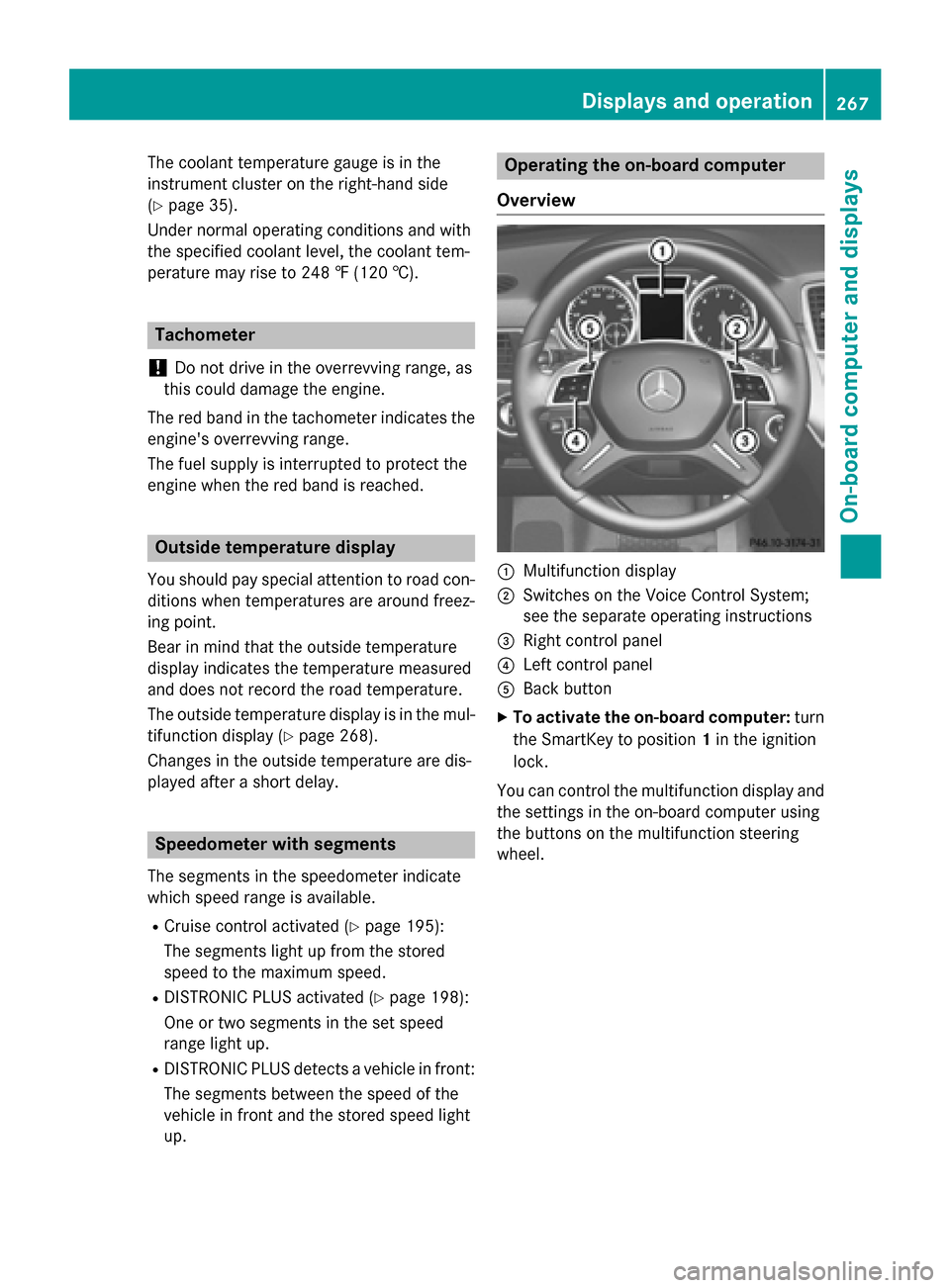
Overview 0043
Multifunction display
0044 Switches on the Voice Control System;
see the separate operating instructions
0087 Right control panel
0085 Left control panel
0083 Back button
X To activate the on-board computer: turn
the SmartKey to position 1in the ignition
lock.
You can control the multifunction display and
the settings in the on-board computer using
the buttons on the multifunction steering
wheel. Displays and operation
267On-board computer and displays Z
Page 277 of 466
Assistance menu
Introduction In the
DriveAssist
DriveAssist menu, you have the fol-
lowing options:
R Displaying the assistance graphic
(Y page 275)
R Activating/deactivating the distance warn-
ing function (Y page 275)
R Activating/deactivating PRE-SAFE ®
Brake
(Y page 276)
R Activating/deactivating ATTENTION
ASSIST (Y page 276)
R Activating/deactivating Blind Spot Assist
or Active Blind Spot Assist (Y page 276)
R Activating/deactivating Lane Keeping
Assist or Active Lane Keeping Assist
(Y page 276)
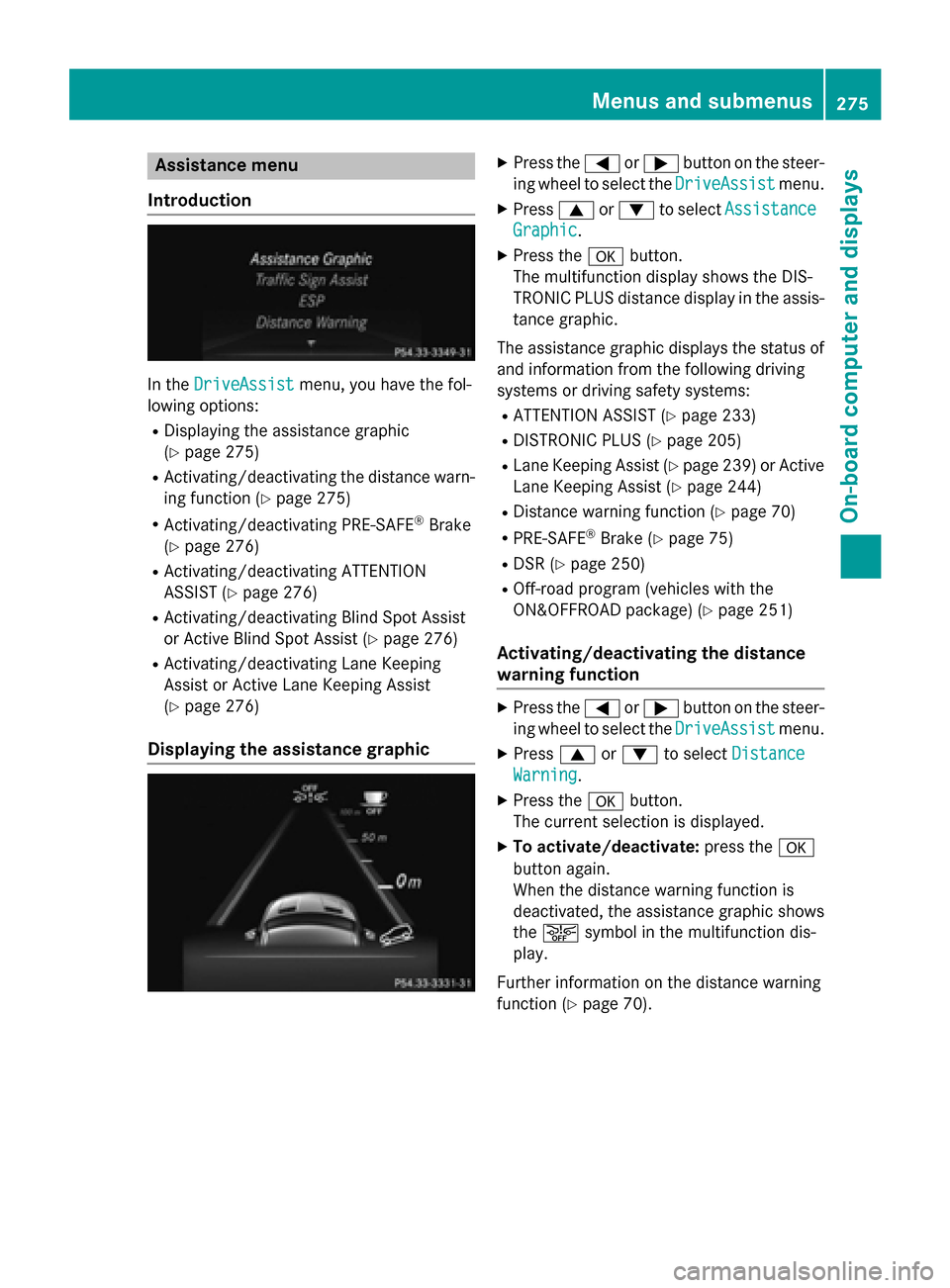
Displaying the assistance graphic X
Press the 0059or0065 button on the steer-
ing wheel to select the DriveAssist DriveAssistmenu.
X Press 0063or0064 to select Assistance Assistance
Graphic
Graphic.
X Press the 0076button.
The multifunction display shows the DIS-
TRONIC PLUS distance display in the assis- tance graphic.
The assistance graphic displays the status of and information from the following driving
systems or driving safety systems:
R ATTENTION ASSIST (Y page 233)
R DISTRONIC PLUS (Y page 205)
R Lane Keeping Assist (Y page 239) or Active
Lane Keeping Assist (Y page 244)
R Distance warning function (Y page 70)
R PRE-SAFE ®
Brake (Y page 75)
R DSR (Y page 250)
R Off-road program (vehicles with the
ON&OFFROAD package) (Y page 251)
Activating/deactivating the distance
warning function X
Press the 0059or0065 button on the steer-
ing wheel to select the DriveAssist DriveAssistmenu.
X Press 0063or0064 to select Distance
Distance
Warning
Warning.
X Press the 0076button.
The current selection is displayed.
X To activate/deactivate: press the0076
button again.
When the distance warning function is
deactivated, the assistance graphic shows
the 00D4 symbol in the multifunction dis-
play.
Further information on the distance warning
function (Y page 70). Menus and sub
menus
275On-board computer and displays Z
Page 278 of 466
Activating/deactivating PRE-SAFE
®
Brake PRE
‑SAFE ®
Brake is only available in vehicles
with DISTRONIC PLUS.
X Press 0059or0065 on the steering wheel
to select the DriveAssist
DriveAssist menu.
X Press the 0063or0064 button to select
PRE-SAFE Brake
PRE-SAFE Brake.
X Press the 0076button.
The current selection is displayed.
X To activate/deactivate: press the0076
button again.
When PRE-SAFE ®
Brake is deactivated, the
assistance graphic shows the 00D4symbol
in the multifunction display.
For more information on PRE‑SAFE ®
Brake,
see (Y page 75).
Activating/deactivating ATTENTION
ASSIST X
Press the 0059or0065 button on the steer-
ing wheel to select the DriveAssist DriveAssistmenu.
X Press the 0063or0064 button to select
ATTENTION ASSIST
ATTENTION ASSIST .
X Press the 0076button.
The current selection is displayed.
X To activate/deactivate: press the0076
button again.
When ATTENTION ASSIST is deactivated,
the 00D7 symbol appears in the multifunc-
tion display in the assistance graphics dis-
play.
For further information about ATTENTION
ASSIST, see (Y page 233).
Activating/deactivating Blind Spot
Assist X
Press 0059or0065 on the steering wheel
to select the DriveAssist
DriveAssist menu.
X Press the 0063or0064 button to select
Blind Spot Assist
Blind Spot Assist . X
Press the 0076button.
The current selection is displayed.
X To activate/deactivate: press the0076
button again.
For further information about Active Blind
Spot Assist, see (Y page 241).
Activating/deactivating Lane Keeping
Assist X
Press 0059or0065 on the steering wheel
to select the DriveAssist DriveAssist menu.
X Press 0063or0064 to select Lane Keep‐
Lane Keep‐
ing Assist
ing Assist .
X Press the 0076button.
The current selection is displayed.
X Press 0076to confirm.
X Press the 0064or0063 button to set Off
Off,
Standard
Standard orAdaptive
Adaptive.
When Lane Keeping Assist or Active Lane
Keeping Assist is activated, the multifunc-
tion display shows the lane markings as
bright lines in the assistance graphic.
X Press the 0076button to save the setting.
For further information about Lane Keeping
Assist, see (Y page 239).
For further information about Active Lane
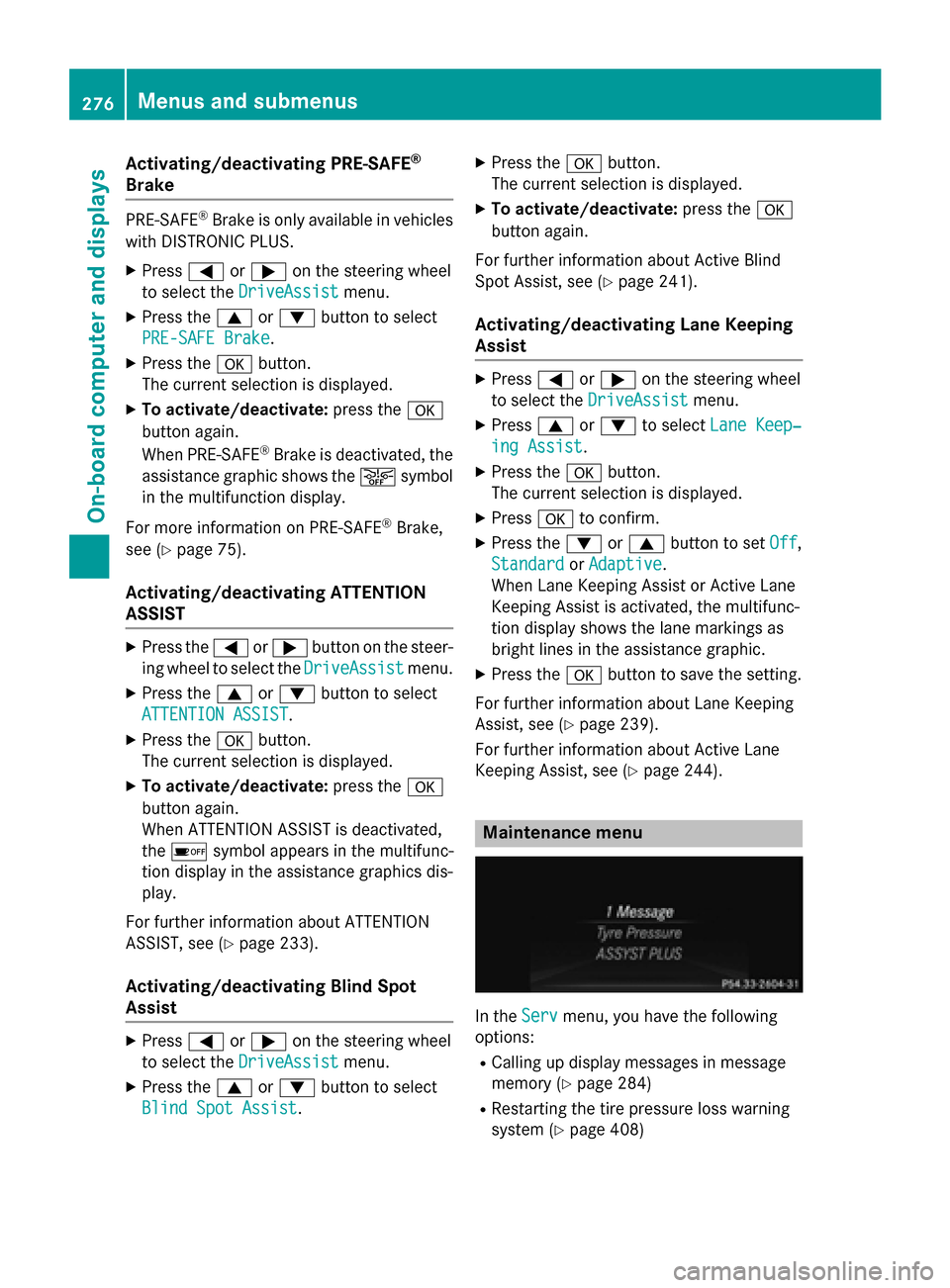
Keeping Assist, see (Y page 244). Maintenance menu
In the
Serv Servmenu, you have the following
options:
R Calling up display messages in message
memory (Y page 284)
R Restarting the tire pressure loss warning
system (Y page 408) 276
Menus and sub
menusOn-board computer and displays