2015 MERCEDES-BENZ E-CLASS SALOON change time
[x] Cancel search: change timePage 238 of 497

25 mm
.The leve lchange also occurs when
stationary.
If you drive faster than 170 km/h, the rear
axle leve lisset to amiddle level. Thi sincrea-
ses road safety and reduces airr esistance. If
you then drive slower than 150 km/h, the
leve loft he rear axle is again adjusted to cor-
respond to the selected suspension mode.
Load compensation
The vehicle can compensate differences in
the vehicle leve lbyraising or lowering the
rear axle .Thisist he case ,for example, when
people get out of the vehicle or whe nlug gage
is removed.
Al oadc ompensation occurs if:
R ad oor, the boot lid or the tailgate is opened
R the parked vehicle is unlocked
The engine needs to be running for larger level
changes. 4MATIC (permanent all-whee
ldrive)
If you fai ltoadapt you rdriving style, 4MATIC
can neither reduce the risk of an accident nor override the laws of physics. 4MATIC cannot
take account of road ,weather and traffic con-
ditions. 4MATIC is only an aid. You are
responsibl efor the distance to the vehicle in
front, for vehicle speed, for braking in good
time, and for staying in lane.
If ad rive wheel spins due to insufficient grip:
R whe npulling away,o nly depress the accel-
erato rpedal as far as is necessary.
R accelerate les swhend riving.
! Never tow the vehicle with one axle
raised. Thi smay damage the transfer case.
Damag eofthis sort is not covered by the
Mercedes-Benz implied warranty. All
wheels must remain eithe ronthe ground or
be fully raised. Observe the instructions for towing the vehicle with allw heels in full
contact with the ground.
i In wintry driving conditions, the maximum
effect of 4MATIC can only be achieved if you use winter tyres
(M+S tyres), with snow
chains if necessary.
4MATIC ensures that allf our wheels are per-
manently driven. Together with ESP ®
,it
improves the traction of you rvehicle when-
ever adrive wheel spins due to insufficient
grip. PARKTRONIC
Important safety notes PARKTRONI
Cisanelectronic parking aidw ith
ultrasoni csensors .Itmonitors the area
around you rvehicle using six sensors in the
front bumper and six sensors in the rear
bumper. PARKTRONI Cindicates visually and
audibly the distance between you rvehicle
and an object.
PARKTRONI Cisonly an aid. It is not asubsti-
tute for you rattention to the immediate sur-
roundings. The responsibility for safe
manoeuvring and parking remains with you.
Make sure that there are no persons, animals
or objects in range while manoeuvring and
parking.
! When parking, pay particular attention to
objects above or below the sensors ,such
as flower pots or trailer drawbars.
PARKTRONI Cdoes not detect such objects
whe nthey are in the immediate vicinity of
the vehicle. You coul ddamage the vehicle
or the objects.
The sensors may not detect snow and
objects which absorb ultrasoni csources.
Ultrasonic sources, such as an automatic
car wash, alorry's compressed-air brakes
or ap neumatic drill, coul dcause
PARKTRONI Ctomalfunction.
PARKTRONI Cmay not function correctly on
uneve nterrain. Driving systems
235Driving and parking Z
Page 258 of 497
Warning in the multifunction display
If fatigu
eorincreasing lapses in concentra-
tion are detected, awarning appears in the
multifunction display: Attention Assist:
Attention Assist:
Take abreak!
Take abreak!
In addition to the message show ninthe mul-
tifunction display, you wil lthen hea rawarn-
ing tone.
X If necessary, take abreak.
X Confirm the message by pressing the a
button on the steering wheel.
On long journeys, take regularb reaks in good
time that allow for adequate recuperation. If
you do not take abreak, you wil lbewarned
again after 15 minutes at the earliest. This will only happen if ATTENTION ASSIST still
detects typical indicators of fatigu eor
increasing lapses in concentration. Traffic SignA
ssist
General notes Traffi
cSign Assist displays the maximum
spee dpermitted and overtaking restrictions
to the drive rinthe instrument cluster. Driving
onto asection of road in the wrong direction
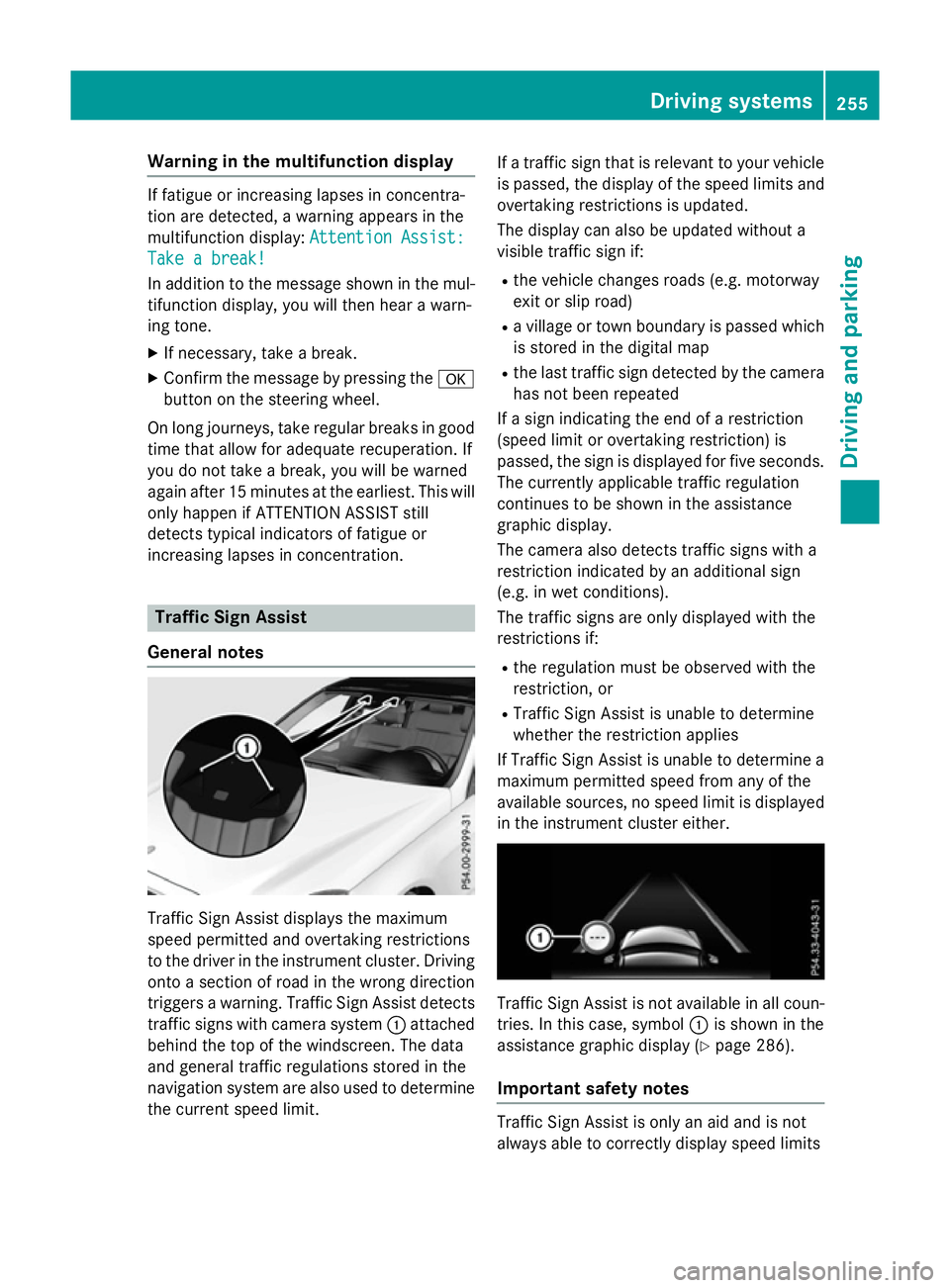
trigger sawarning. Traffi cSign Assist detects
traffic signs with camera system :attached
behind the top of the windscreen. The data
and genera ltraffic regulations stored in the
navigation syste mare also use dtodetermine
the current spee dlimit. If
at raffic sign that is relevant to you rvehicle
is passed, the displayoft he speedlimits and
overtaking restrictions is updated.
The displayc an also be updated without a
visible traffic sign if:
R the vehicl echanges road s(e.g. motorway
exit or sli proad)
R av illage or town boundary is passed which
is stored in the digital map
R the last traffic sign detected by the camera
has not been repeated
If as ign indicating the end of arestriction
(speed limi torovertaking restriction) is
passed, the sign is displayed for five seconds.
The currently applicable traffic regulation
continues to be show ninthe assistance
graphic display.
The camera also detects traffic signs with a
restriction indicated by an additiona lsign
(e.g. in wet conditions).
The traffic signs are only displayed with the
restrictions if:
R the regulation must be observed with the
restriction, or
R Traffi cSign Assist is unable to determine
whether the restriction applies
If Traffi cSign Assist is unable to determine a
maximu mpermitted spee dfrom any of the
available sources, no spee dlimi tisd isplayed
in the instrument cluster either. Traffi
cSign Assist is not available in allc oun-
tries. In this case, symbol :is show ninthe
assistance graphic display( Ypag e286).
Important safety notes Traffi
cSign Assist is only an aida nd is not
always abl etocorrectly displays peedlimits Driving systems
255Driving and parking Z
Page 263 of 497
G
WARNING
The Lane Keeping Assist warning does not
return the vehicl etothe original lane. There is
ar isk of an accident.
Always steer, apply the brakes or accelerate
the vehicl eyourself, especially if Lane Keep-
ing Assist alerts you.
If you fail to adapt yourd riving style,Lane
Keeping Assist can neither reduce the risk of
an accident nor overrid ethe lawsofp hysics.
Lane Keeping Assist cannot take into account
road ,weather or traffic conditions. Lane
Keeping Assist is only an aid.Y ou are respon-
sibl efor the distance to the vehicl einfront,
for vehicl espeed, for braking in good time,
and for staying in lane.
Lane Keeping Assist does not keep yourv ehi-
cle in its lane.
The system may be impaired or may not func-
tion if:
R there is poor visibility, e.g. due to insuffi-
cient illumination of the road ,ordue to
snow, rain, fog or spray
R there is glare, e.g. from oncoming traffic,
the sun or reflection from other vehicles
(e.g. if the road surface is wet)
R the windscreen is dirty ,misted up, dam-
agedorc overed,for instance by asticker,
in the vicinity of the camera
R no or several, unclea rlane markings are
present for one lane ,e.g. in aconstruction
area
R the lane markings are worn away,d ark or
covered up, e.g. by dirt or snow
R the distance to the vehicl einfront is too
smal land the lane markings thus cannot be
detected
R the lane markings change quickly, e.g.
lane sbranch off, cross one another or
merge
R the road is narrow and winding
R there are highly variable shad econditions
on the road Activating Lane Keeping Assist
X Activate Lane Keeping Assist using the on-
board computer; to do so, select Standard
Standard
or Adaptive Adaptive (Ypage2 88).
If you drive at speeds above 60 km/h and
lane markings are detected, the lines in the
assistance graphic display (Y page286)
are show ningreen. Lane Keeping Assist is
read yfor use.
Standard
If Standard Standard is selected, no warning vibration
occurs if:
R you have switched on the turn signals. In
this case, the warnings are suppresse dfor
ac ertain period of time.
R ad riving safety system intervenes, such as
ABS, BAS or ESP ®
.
Adaptive
When Adaptive Adaptive is selected, no warning vibra-
tion occurs if:
R you have switched on the turn signals. In
this case, the warnings are suppresse dfor
ac ertain period of time.
R ad riving safety system intervenes, such as
ABS, BAS or ESP ®
.
R you accelerate hard ,e.g. kickdown.
R you brake hard.
R you steer actively, e.g. swerve to avoi dan
obstacl eorchange lane quickly.
R you cut the corner on asharp bend.
In order that you are warned only when nec-
essary and in good time if you cross the lane marking, the system detects certain condi-
tions and warns you accordingly.
The warning vibration occurs earlier if:
R you approach the outer lane marking on a
bend
R the road has very widel anes, e.g.amotor-
way
R the system detects soli dlane markings 260
Driving systemsDriving and parking
Page 265 of 497

Activ
eBlind Spo tAssist monitors the area up
to 3.0 mbehind your vehicle and directly next
to your vehicle, as shown in the diagram.
The detection of vehicles may be impaired in the case of:
R dirt on the sensor sorobscured sensors
R poor visibility, e.g. due to rain, snow or
spray
Vehicles in the monitoring range will then be
indicated late or not at all.
Active Blind Spot Assist may not detec tnar-
row vehicles, such as motorcycles or bicy-
cles, or may only detec tthem too late.
If the lanes are narrow, vehicles driving in the
lane beyond the lane nexttoy our vehicle may
be indicated, especially if the vehicles are not
driving in the middle of their lane. This may be the case if ther eare vehicles at the edge of
their lane.
Due to the nature of the system:
R warnings may be issued in error when driv-
ing close to crash barriers or similar solid
lane borders
R warnings may be interrupted when driving
alongside long vehicles, for example lor-
ries, for aprolonged time
Warning display :
Warnin gdisplay
Active Blind Spot Assist is not active at
speeds below approximately 30 km/h. Vehi-
cles in the monitoring range are then not indi-
cated. If Active Blind Spot Assist is activated, indi-
cator lamp
:in the exterior mirror slights up
yellow up to aspeed of 30 km/h. At speeds
above 30 km/h, the indicator lamp goes out
and Active Blind Spot Assist is operational.
If av ehicle is detected within the monitoring
range of Blind Spot Assist at speeds above
30 km/h, warning lamp :on the corre-
spondin gside lights up red. Awarning is
alway sissued when avehicle enters the mon-
itorin grange of Blind Spot Assist from behind
or from the side. When you overtake avehicle,
the warning only occur sifthe difference in
speed is less than 12 km/h.
The yellow indicator lamp goes out if reverse gear is engaged. Active Blind Spot Assist is
not operational.
The brightness of the warning lamps is auto-
matically adapted to the brightness of the
surroundings.
Visua land acoustic collision warning
If you switch on the turn signals to change
lanes and avehicle is detected in the side
monitoring range, you receive avisual and
acoustic collision warning. You then hear a
double warning tonea nd red warning lamp:
flashes. If the turn signal remains on, detec-
ted vehicles are indicated by the flashing of
red warning lamp :.There are no further
warning tones.
Course-correcting brak eapplication
If Active Blind Spot Assist detects arisk of a
side impact in the monitoring range, acourse-
correcting brake application is carried out.
This is designed to help you avoid acollision. G
WARNING
Ac ourse-correcting brake application cannot
alway spreven tacollision. There is arisk of an
accident.
Always steer ,brake or accelerat eyourself,
especially if Active Blind Spot Assist warns
you or makes acourse-correcting brake appli-
cation .Always maintain asafe distanc eatthe
sides. 262
Driving systemsDriving and parking
Page 267 of 497

rear and side of yourv
ehicleare alsom oni-
tored with the aid of the rada rsensor system.
Active Lane Keeping Assist detects lane
markings on the road and can warn you
before you leave yourl ane unintentionally.If
you do not react to the warning, alane-cor-
recting application of the brakes can bring the
vehicl eback into the original lane.
This function is available withi naspeedrange
between 60 km/h and 200 km/h.
For Active Lane Keeping Assist to assist you
when driving, the rada rsensor system must
be operational.
Important safety notes
If you fail to adapt yourd riving style,Active
Lane Keeping Assist can neither reduce the
risk of an accident nor overrid ethe lawsof
physics. Active Lane Keeping Assist cannot
take account of road and weather conditions.
It may not detect traffic situations. Active
Lane Keeping Assist is only an aid.Y ou are
responsible for the distance to the vehicl ein
front, for vehicl espeed, for braking in good
time, and for staying in lane.
Active Lane Keeping Assist cannot continu-
ousl ykeep yourv ehicleini ts lane. G
WARNING
Active Lane Keeping Assist cannot always
clearly detect lane markings.
In such cases, Active Lane Keeping Assist
can:
R give an unnecessary warning and then
make acourse-correcting brake application
to the vehicle
R neither give awarning nor intervene
There is arisk of an accident.
Always pay particular attention to the traffic
situation and keep withi nthe lane, especially
if Active Lane Keeping Assist alerts you.T er-
minate the intervention in anon-critical driv-
ing situation. The system may be impaired or may not func-
tion if:
R there is poor visibility, e.g. due to insuffi-
cient illumination of the road ,ordue to
snow, rain, fog or spray
R there is glare, e.g. from oncoming traffic,
the sun or reflectio nfrom other vehicles
(e.g. if the road surface is wet)
R the windscreen is dirty ,misted up, dam-
agedorc overed, for instance by asticker,
in the vicinity of the camera
R the rada rsensors in the front or rear bump-
ers or the radiator trim are dirty ,e.g.
obscured by snow
R no or several, unclea rlane markings are
present for one lane, e.g. in aconstruction
area
R the lane markings are worn away,d ark or
covered up, e.g. by dirt or snow
R the distance to the vehicl einfront is too
smal land the lane markings thus cannot be
detected
R the lane markings change quickly, e.g.
lanes branch off, cross one another or
merge
R the road is narrow and winding
R there are highly variable shad econditions
on the road
If no vehicl eisdetected in the adjacent lane
and broken lane markings are detected, no
lane-correcting brake application is made.
Warning vibratio nthrough the steering
wheel
Aw arning may be given if afront wheel
passes over alane marking. It willw arny ou by
means of intermittent vibration in the steer-
ing whee lfor up to 1.5 seconds.
Lane-correcting brake application G
WARNING
Al ane-correcting brake application cannot
alwaysb ring the vehicl eback into the original
lane. There is arisk of an accident. 264
Driving systemsDriving and parking
Page 271 of 497

The maximum permissible speed for vehicle/
trailer combinations depends on the type of
trailer. Before beginnin gthe journey, check
the trailer's document stosee what the max-
imum permitted speed is. Observe the legally
prescribed maximum speed in the relevant
country.
For certain Mercedes-Benz vehicles, the max-
imum permissible rear axle load is increased
when towing atrailer. See the "Technical
data" section to find out whether this applies to your vehicle (Y page 484). If you utilise any
of the added maximum rear axle load when
towing atrailer, the vehicle/trailer combina-
tion may not exceed amaximum speed of
100 km/hf or reasons concerning the oper-
ating permit. This also applie sincountrie sin
which the permissible maximu mspee dfor
vehicle/trailer combinations is above
100 km/h.
When towing atrailer, you rvehicle's handling
characteristics wil lbedifferent in comparison
to whe ndriving without atrailer and it will
consume more fuel.
Change into alower gea ringood time on long
and steep downhill gradients.
i This also applie
sifyou have activated
cruis econtrol, SPEEDTRONIC or
DISTRONIC PLUS.
This wil luse the braking effect of the engine,
so less braking wil lberequired to maintain
vehicle speed. This relieves the loa donthe
brake system and prevents the brake sfrom
overheating and wearing too quickly. If you
need additiona lbraking, depress the brake
pedal repeatedl yrather than continuously.
Driving tips If the trailer swings from side to side:
X Do not accelerate.
X Do not countersteer.
X Brake if necessary. R
Maintain agreater distance to the vehicle in
front than whe ndriving without atrailer.
R Avoid braking abruptly .Ifpossible ,brake
gently at first to allow the trailer to run on.
Then, increase the braking force rapidly.
R The values give nfor gradient-climbing
capabilities from astandstil lrefer to sea
level. When driving in mountainous areas,
note that the power outpu tofthe engine,
and consequently the vehicle's gradient-
climbing capability, decrease with increas-
ing altitude. Foldin
gout the ball coupling G
WARNING
If the bal lcoupling is not correctly engaged,
the trailer can detach .There is arisk of an
accident.
Always engag ethe bal lcoupling as described. G
WARNING
If you release the bal lcoupling or it does not
engag ecorrectly whe nfolding in, it wil lswing
out. Withi npivoting range of the bal lcoupling,
there is an increased risk of an accident and
injury.
Only release the bal lcoupling if the pivoting
range is unobstructed. Always make sure that the bal lcoupling engages whe nfolding in. Saloon
Before you can tow
atrailer with you rvehicle,
you must fold out the bal lcoupling. 268
Towing
atrailerDriving and parking
Page 294 of 497
X
Press the :or9 button to select the
Intell. Light Sys.
Intell. Light Sys. function.
If the Intell. Light Sys.
Intell. Light Sys. function has
been switched on, the cone of light and the L symbol in the multifunction display
are shown in orange.
X Press the abutton to save the setting.
When you switch the Intell. Light Sys.
Intell. Light Sys.
function on, you activat ethe following func-
tions:
R Motorway mode
R Active light function
R Cornerin glight function
R Extended range foglamps
If you set the dipped-beam headlamps for
driving on the right/left, the multifunction
display shows the Intell.
Intell. Light LightSystem:
System:
System inoperative Inactive for
System inoperative Inactive for
left-side traffic left-side traffic orIntell. Light
Intell. Light
System:
System: System
Systeminoperative
inoperative Inactive
Inactive
for right-sid etraffic
for right-sid etraffic display message
instead of the Intell.
Intell. Light
LightSys.
Sys.function
in the Light
Light submenu (Y page 291). This
display message will only appear if the setting for driving on the left/right is set opposite to
your vehicle's country version.
Observe the additional information on the
Intelligent Light System (Y page 145).
Setting the dipped-beam headlamps for
driving on the left/right
This function is only availabl eonvehicles with
the Intelligent Light System.
You can use this function to switch between
symmetrical and asymmetrical dipped beam
(Y page 142).
X Press the =or; button on the steer-
ing wheel to select the Settings
Settings menu.
X Press the :or9 button to select the
Light
Light submenu.
X Press ato confirm. X
Press the :or9 button to select the
Dipped beams Setting for: Dipped beams Setting for: function.
You will see the selected setting: Right-
Right-
side traffic
side traffic orLeft-side traffic
Left-side traffic.
X Press the abutton to save the setting.
If you change the setting, conversion does
not take place until the next time the vehi-
cle is stationary.
If you set the dipped-beam headlamps for
driving on the right/left, then motorway
mode and the extended range foglamps are
unavailable. These are only deactivated if the
setting for driving on the left/right is set
opposite to your vehicle's country version.
Aq ualified specialist workshop can set the
dipped-beam headlamps for driving on the
left/right.
Setting the brightness of the ambient
lighting
X Press the =or; button on the steer-
ing wheel to select the Settings
Settings menu.
X Press the :or9 button to select the
Lights Lights submenu.
X Press ato confirm.
X Press the :or9 button to select the
Amb. light +/-
Amb. light +/- function.
You will see the selected setting.
X Press ato confirm.
X Press the :or9 button to adjust the
brightness to any level from Off
OfftoLevel 5
Level 5
(bright).
X Press the aor% button to save the
setting.
Setting the ambient lighting colour X Press the =or; button on the steer-
ing wheel to select the Settings
Settingsmenu.
X Press the :or9 button to select the
Lights
Lights submenu.
X Press ato confirm.
X Press the :or9 button to select the
Amb. light col.
Amb. light col. function.
X Press ato confirm. Menus and submenus
291On-board computer and displays Z
Page 297 of 497
In the
Heating
Heating submenu, you can select a
stored departure time or change adeparture
time.
The auxiliary heating timer function calcu-
lates the switch-on time according to the out-
side temperature so that the vehicle is pre-
heated by the departure time. When the
departure time is reached ,the auxiliary heat-
ing continues to heat for afurther five
minutes and then switches off. The auxiliary
heating adopts the THERMATIC or
THERMOTRONIC temperature setting.
You can switch off the auxiliary heating by
using the remote control or the auxiliary heat- ing button on the centre console.
i Switch the auxiliary heating on regularly
once amonth for aboutt en minutes.
Further information on auxiliary heating
(Y page 168).
Selecting the departur etime or deactivat-
ing aselected departur etime
X Press the =or; button on the steer-
ing wheeltos elect theSettings
Settings menu.
X Press the :or9 button to select the
Heating
Heating submenu.
X Press ato confirm.
You wills ee the selected setting.
X Press ato confirm.
X Press the :or9 button to select
one of the three departure times or Timer Timer
off
off (no timer active).
X Press ato confirm.
If ad eparture time is selected, the yellow
indicator lamp lights up on the auxiliary
heating button.
Changing the departur etime
X Press the =or; button on the steer-
ing wheeltos elect theSettings Settings menu.
X Press the :or9 button to select the
Heating
Heating submenu.
X Press ato confirm.
You wills ee the selected setting. X
Press the :or9 button to select A A,B B
or Change C
Change C.
X Press ato confirm.
You can now change the departure time.
X Press the =or; button to select the
display to be changed: hours, minutes.
X Press the :or9 button to set the
selected display.
X Press the abutton to store the entry.
The yellow indicator lamp on the auxiliary
heating button lights up.
Comfort Activating/deactivating the EASY-
ENTRY/EXIT feature
G
WARNING
When the EASY-ENTRY/EXIT feature adjusts
the steering wheel, you and other vehicle
occupants –particularly childre n–could
become trapped .There is arisk of injury.
Whilet he EASY-ENTRY/EXIT feature is mak-
ing adjustments, make sure that no one has
any body parts in the sweep of the steering
wheel.
If someone is trapped:
R press one of the memory function position
buttons, or
R move the switch for steering wheela djust-
ment in the opposite direction to that in
which the steering wheelism oving.
The adjustment process is stopped.
X Press the =or; button on the steer-
ing wheeltos elect theSettings Settings menu.
X Press the :or9 button to select the
Convenience
Convenience submenu.
X Press ato confirm.
X Press the :or9 button to select the
Easy Entry/Exit:
Easy Entry/Exit: function.
If the Easy Entry/Exit
Easy Entry/Exit function is activa-
ted, the vehicle steering wheelisd isplayed
in orange in the multifunction display.
X Press the abutton to save the setting. 294
Menus and submenusOn-board computer and displays