2015 MERCEDES-BENZ E-CLASS ESTATE lane assist
[x] Cancel search: lane assistPage 265 of 497
Activ
eBlind Spo tAssist monitors the area up
to 3.0 mbehind your vehicle and directly next
to your vehicle, as shown in the diagram.
The detection of vehicles may be impaired in the case of:
R dirt on the sensor sorobscured sensors
R poor visibility, e.g. due to rain, snow or
spray
Vehicles in the monitoring range will then be
indicated late or not at all.
Active Blind Spot Assist may not detec tnar-
row vehicles, such as motorcycles or bicy-
cles, or may only detec tthem too late.
If the lanes are narrow, vehicles driving in the
lane beyond the lane nexttoy our vehicle may
be indicated, especially if the vehicles are not
driving in the middle of their lane. This may be the case if ther eare vehicles at the edge of
their lane.
Due to the nature of the system:
R warnings may be issued in error when driv-
ing close to crash barriers or similar solid
lane borders
R warnings may be interrupted when driving
alongside long vehicles, for example lor-
ries, for aprolonged time
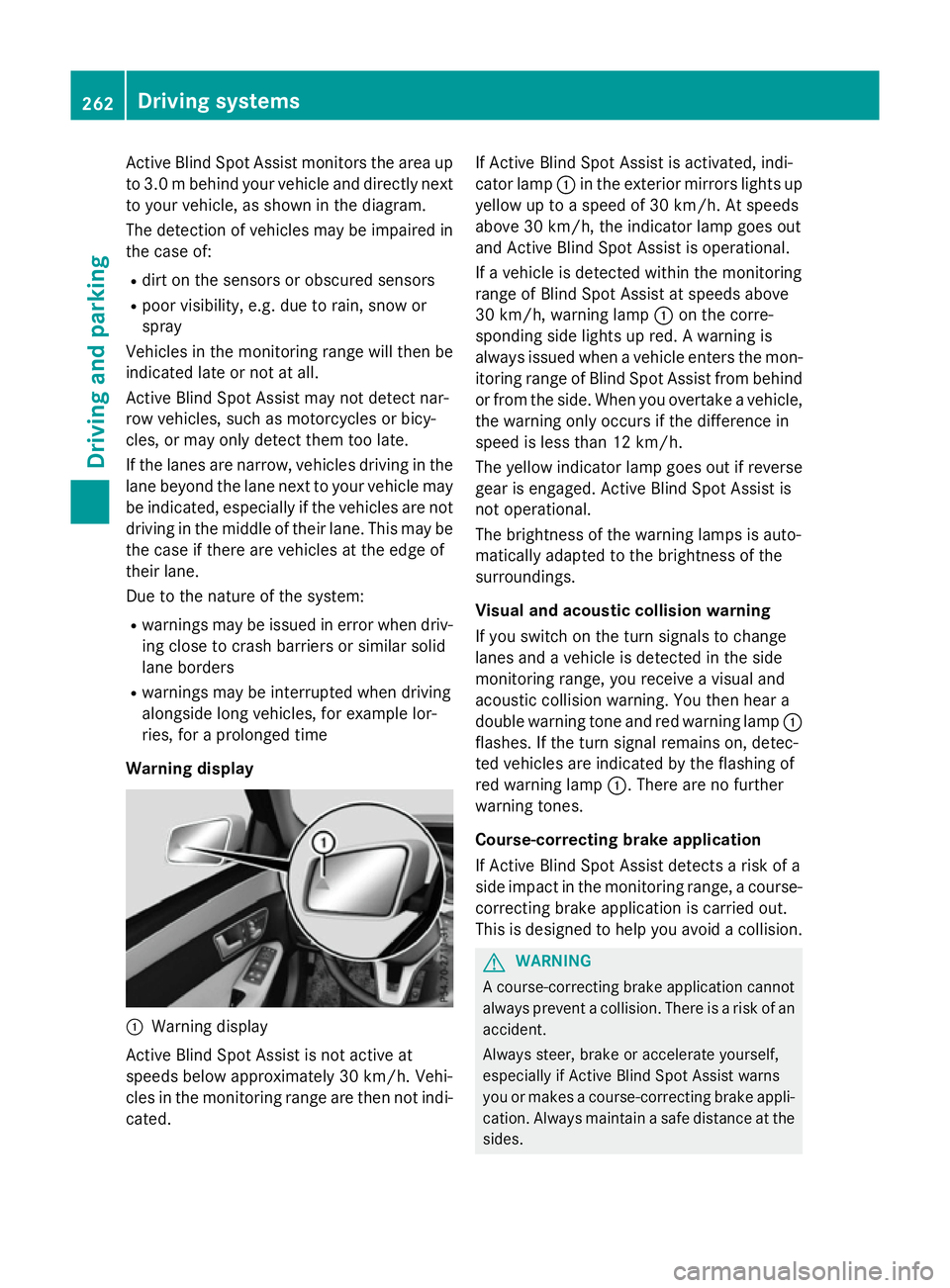
Warning display :
Warnin gdisplay
Active Blind Spot Assist is not active at
speeds below approximately 30 km/h. Vehi-
cles in the monitoring range are then not indi-
cated. If Active Blind Spot Assist is activated, indi-
cator lamp
:in the exterior mirror slights up
yellow up to aspeed of 30 km/h. At speeds
above 30 km/h, the indicator lamp goes out
and Active Blind Spot Assist is operational.
If av ehicle is detected within the monitoring
range of Blind Spot Assist at speeds above
30 km/h, warning lamp :on the corre-
spondin gside lights up red. Awarning is
alway sissued when avehicle enters the mon-
itorin grange of Blind Spot Assist from behind
or from the side. When you overtake avehicle,
the warning only occur sifthe difference in
speed is less than 12 km/h.
The yellow indicator lamp goes out if reverse gear is engaged. Active Blind Spot Assist is
not operational.
The brightness of the warning lamps is auto-
matically adapted to the brightness of the
surroundings.
Visua land acoustic collision warning
If you switch on the turn signals to change
lanes and avehicle is detected in the side
monitoring range, you receive avisual and
acoustic collision warning. You then hear a
double warning tonea nd red warning lamp:
flashes. If the turn signal remains on, detec-
ted vehicles are indicated by the flashing of
red warning lamp :.There are no further
warning tones.
Course-correcting brak eapplication
If Active Blind Spot Assist detects arisk of a
side impact in the monitoring range, acourse-
correcting brake application is carried out.
This is designed to help you avoid acollision. G
WARNING
Ac ourse-correcting brake application cannot
alway spreven tacollision. There is arisk of an
accident.
Always steer ,brake or accelerat eyourself,
especially if Active Blind Spot Assist warns
you or makes acourse-correcting brake appli-
cation .Always maintain asafe distanc eatthe
sides. 262
Driving systemsDriving and parking
Page 266 of 497
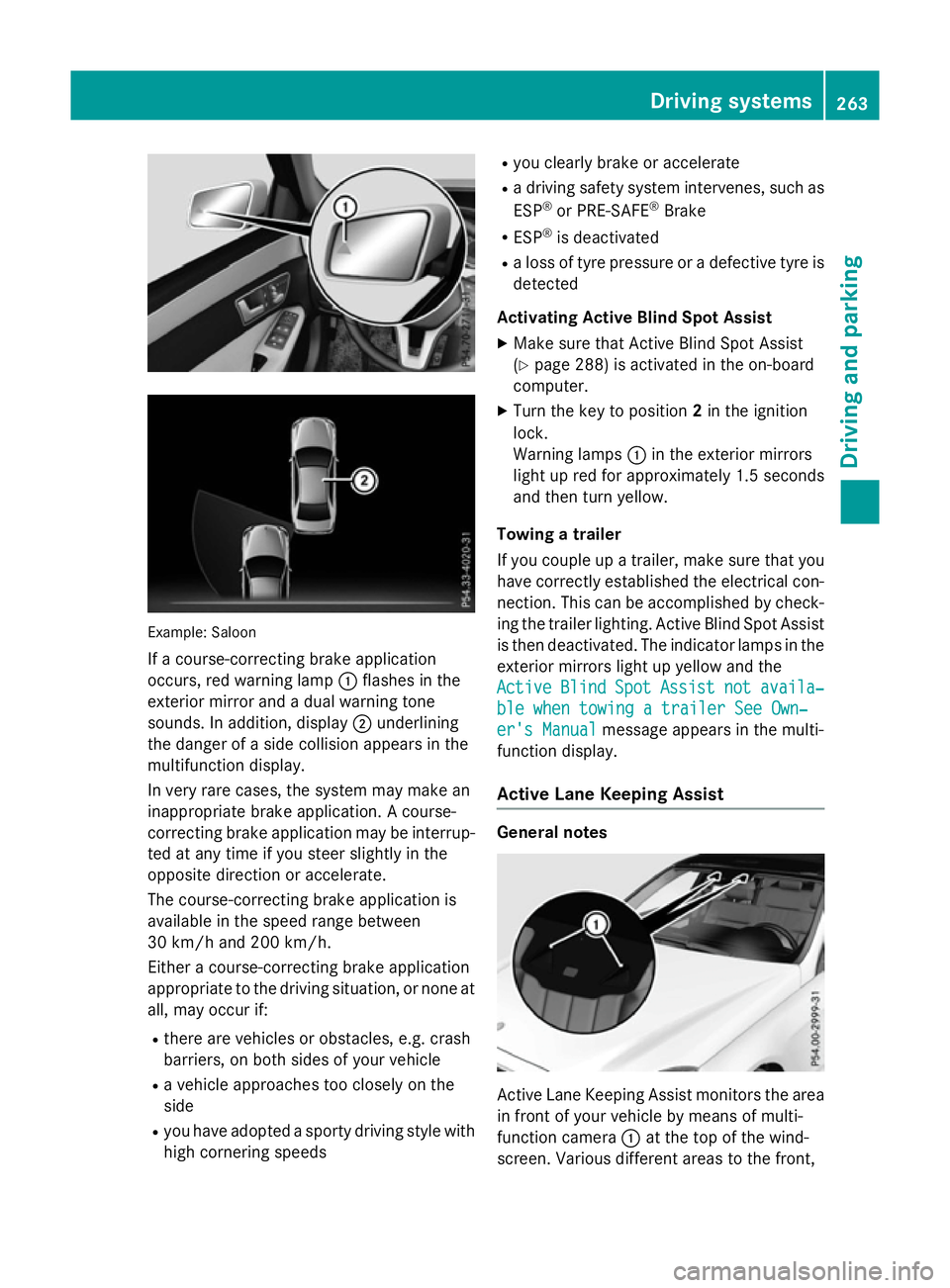
Example: Saloon
If ac ourse-correcting brake application
occurs, red warning lamp :flashe sinthe
exterio rmirror and adualw arning tone
sounds. In addition, display ;underlining
the dange rofasidec ollision appear sinthe
multifunctio ndisplay.
In ver yrarec ases, the system ma ymakean
inappropriate brake application. Acourse-
correcting brake applicatio nmaybe interrup-
ted at any time if yo ustee rsligh tlyint he
opposite direction or accelerate.
The course-correcting brake applicatio nis
availabl einthe speed range between
30 km/h and 200 km/h.
Either acourse-correcting brake application
appropriate to the driving situation, or none at all, ma yoccu rif:
R ther earevehicles or obstacles, e.g .crash
barriers ,onboths ides of your vehicle
R av ehicl eapproaches too closel yonthe
side
R yo uh avea dopt edasporty driving style with
high cornering speeds R
yo uc learly brake or accelerate
R ad riving safety system intervenes, such as
ESP ®
or PRE-SAFE ®
Brake
R ESP ®
is deactivated
R al os soft yrep ressure or adefective tyr eis
detected
Activatin gActiveB lind Spo tAssist
X Make sure tha tActive Blind Spo tAssist
(Y page 288 )isactivated in the on-board
computer.
X Turn the key to position 2in the ignition
lock.
Warning lamps :in the exterio rmirrors
light up red for approximatel y1.5 seconds
and then tur nyellow.
Towin gatrailer
If yo ucoupl eupa trailer, make sure tha tyou
have correctl yestablished the electrical con-
nection. Thi scan be accomplished by check-
ing the traile rlig hting. Active Blind Spo tAssist
is then deactivated .The indicator lamps in the
exterio rmirrors light up yellow and the
Active
Active Blind BlindSpot
SpotAssist
Assist not
notavaila‐
availa‐
ble whe ntowing atraile rSee Own‐
ble whe ntowing atraile rSee Own‐
er' sManual
er' sManual message appear sinthe multi-
functio ndisplay.
Activ eLaneK eeping Assist General notes
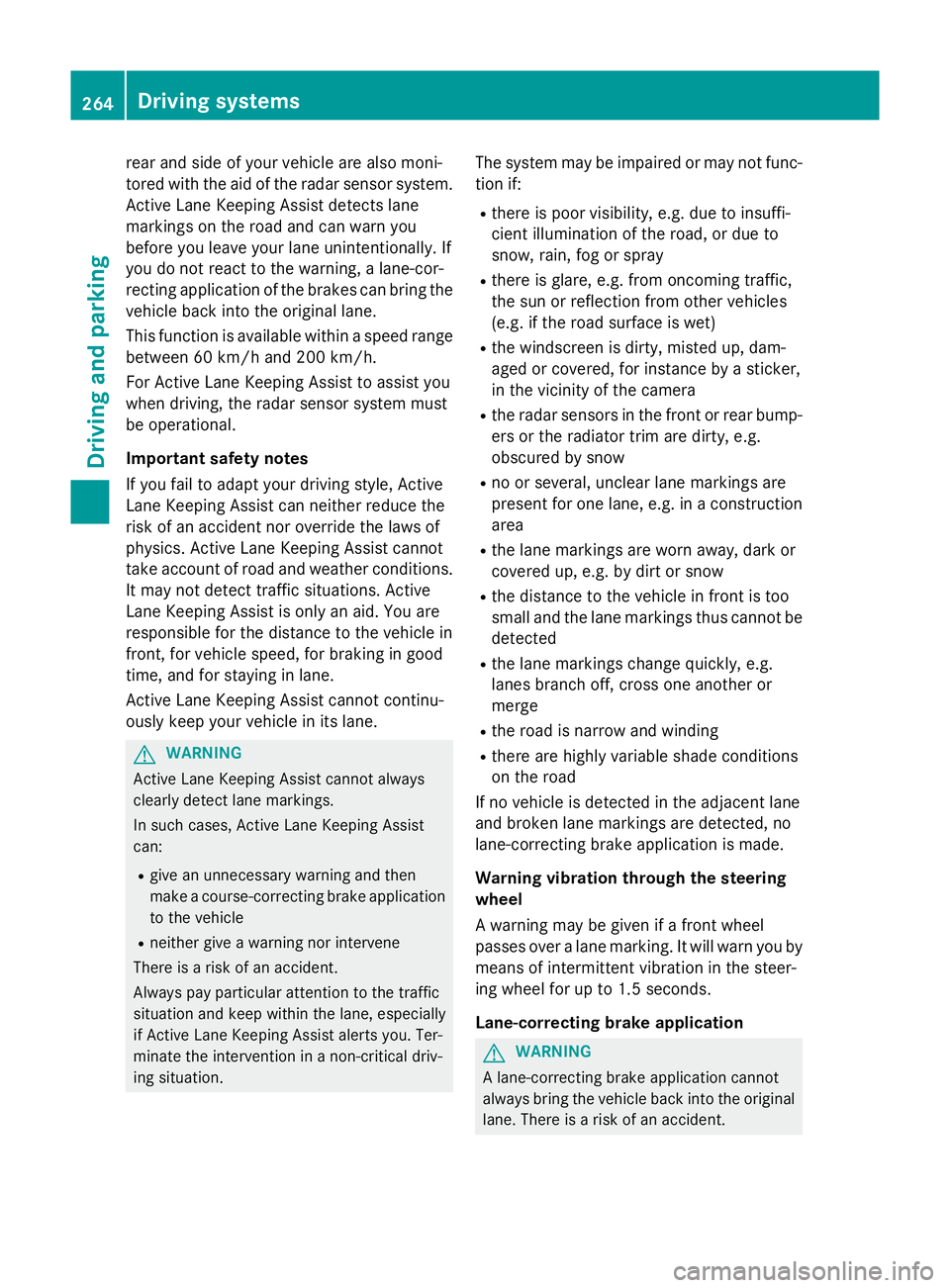
Active Lane Keeping Assist monitors the area
in front of your vehicl ebymeans of multi-
functio ncamera :at the top of the wind-
screen. Various different area stothe front, Driving systems
263Driving andparking Z
Page 267 of 497
rear and side of yourv
ehicleare alsom oni-
tored with the aid of the rada rsensor system.
Active Lane Keeping Assist detects lane
markings on the road and can warn you
before you leave yourl ane unintentionally.If
you do not react to the warning, alane-cor-
recting application of the brakes can bring the
vehicl eback into the original lane.
This function is available withi naspeedrange
between 60 km/h and 200 km/h.
For Active Lane Keeping Assist to assist you
when driving, the rada rsensor system must
be operational.
Important safety notes
If you fail to adapt yourd riving style,Active
Lane Keeping Assist can neither reduce the
risk of an accident nor overrid ethe lawsof
physics. Active Lane Keeping Assist cannot
take account of road and weather conditions.
It may not detect traffic situations. Active
Lane Keeping Assist is only an aid.Y ou are
responsible for the distance to the vehicl ein
front, for vehicl espeed, for braking in good
time, and for staying in lane.
Active Lane Keeping Assist cannot continu-
ousl ykeep yourv ehicleini ts lane. G
WARNING
Active Lane Keeping Assist cannot always
clearly detect lane markings.
In such cases, Active Lane Keeping Assist
can:
R give an unnecessary warning and then
make acourse-correcting brake application
to the vehicle
R neither give awarning nor intervene
There is arisk of an accident.
Always pay particular attention to the traffic
situation and keep withi nthe lane, especially
if Active Lane Keeping Assist alerts you.T er-
minate the intervention in anon-critical driv-
ing situation. The system may be impaired or may not func-
tion if:
R there is poor visibility, e.g. due to insuffi-
cient illumination of the road ,ordue to
snow, rain, fog or spray
R there is glare, e.g. from oncoming traffic,
the sun or reflectio nfrom other vehicles
(e.g. if the road surface is wet)
R the windscreen is dirty ,misted up, dam-
agedorc overed, for instance by asticker,
in the vicinity of the camera
R the rada rsensors in the front or rear bump-
ers or the radiator trim are dirty ,e.g.
obscured by snow
R no or several, unclea rlane markings are
present for one lane, e.g. in aconstruction
area
R the lane markings are worn away,d ark or
covered up, e.g. by dirt or snow
R the distance to the vehicl einfront is too
smal land the lane markings thus cannot be
detected
R the lane markings change quickly, e.g.
lanes branch off, cross one another or
merge
R the road is narrow and winding
R there are highly variable shad econditions
on the road
If no vehicl eisdetected in the adjacent lane
and broken lane markings are detected, no
lane-correcting brake application is made.
Warning vibratio nthrough the steering
wheel
Aw arning may be given if afront wheel
passes over alane marking. It willw arny ou by
means of intermittent vibration in the steer-
ing whee lfor up to 1.5 seconds.
Lane-correcting brake application G
WARNING
Al ane-correcting brake application cannot
alwaysb ring the vehicl eback into the original
lane. There is arisk of an accident. 264
Driving systemsDriving and parking
Page 268 of 497
Alway
ssteer, brake or accelerate yourself,
especially if Active Lane Keeping Assist warns
yo uorm akes alan e-correcting brake appli-
cation. G
WARNING
Active Lane Keeping Assist onl ydetects traf-
fic conditions or roa dusers to alim ited
extent. In ver yrarec ases, the system may
make an inappropriate brake application, e.g. afte rintentionally driving ove rasolid lane
marking .There is ariskofana ccident.
An inappropriate brake applicatio nmaybe
interrupte datany time if yo ustee rslightly in
the opposite direction. Alway smakes uret hat
ther eiss ufficient distance to the side for
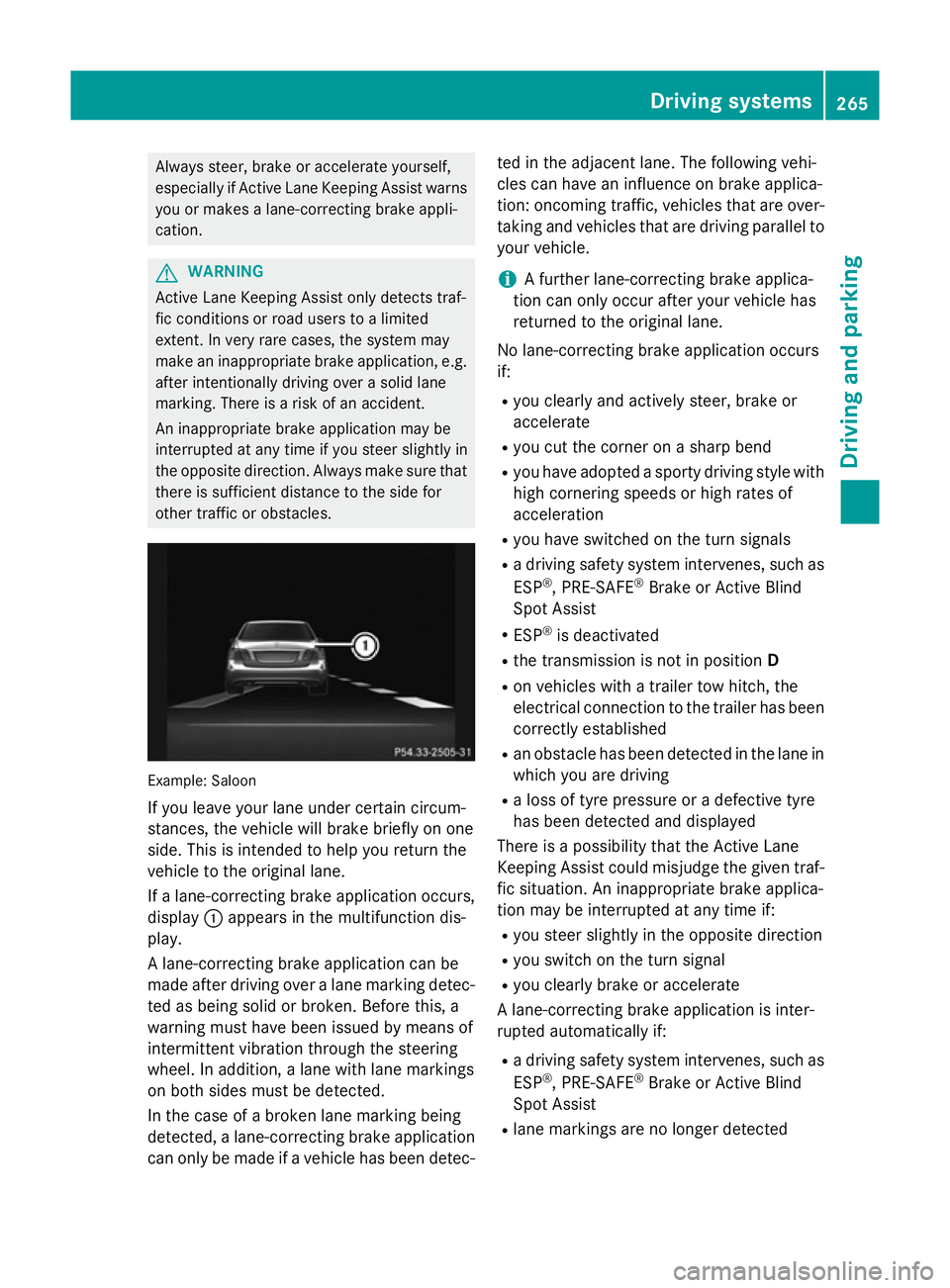
othe rtraffic or obstacles. Example: Saloon
If yo uleave your lane under certain circum-
stances, the vehicl ewillb rake briefl yonone
side .Thisisi ntende dtohelpy ou return the
vehicl etothe original lane.
If al an e-correcting brake applicatio noccurs,
display :appear sinthe multifunctio ndis-
play.
Al ane-correcting brake applicatio ncan be
made afte rdriving ove ralanem arking detec-
ted as being solid or broken. Before this, a
warning must have been issued by means of
intermittent vibratio nthroug hthe steering
wheel. In addition, alan ew ithl an em arkings
on both side smustbed etected.
In the cas eofabroken lane marking being
detected, alan e-correcting brake application
can onl ybemadeifav ehiclehasbeen detec- ted in the adjacent lane. The following vehi-
cle scan have an influence on brake applica-
tion: oncoming traffic, vehicles tha tare over-
taking and vehicles tha tare driving parallel to
your vehicle.
i Af
urthe rlan e-correcting brake applica-
tio nc an onl yoccu rafte ryourv ehicl ehas
returned to the original lane.
No lane-correcting brake applicatio noccurs
if:
R yo uc learly and activel ysteer, brake or
accelerate
R yo uc ut the corne ronasharp bend
R yo uh avea dopt edasporty driving style with
high cornering speed sorhighr ates of
acceleration
R yo uh aves witched on the turn signals
R ad riving safety system intervenes, such as
ESP ®
,P RE -SAFE ®
Brake or Active Blind
Spo tAssist
R ESP ®
is deactivated
R the transmission is not in position D
R on vehicles with atraile rtow hitch, the
electrical connectio ntothe traile rhas been
correctl yestablished
R an obstacle ha sbeend etecte dint he lane in
which yo uaredriving
R al ossoft yrep ressure or adefective tyre
ha sb eend etecte dand displayed
There is apossibility tha tthe Active Lane
Keeping Assist could misjudge the given traf-
fic situation. An inappropriate brake applica-
tio nm aybe interrupte datany time if:
R yo us tee rslightly in the opposite direction
R yo us witch on the turn signal
R yo uc learly brake or accelerate
Al ane-correcting brake applicatio nisinter-
rupte dautomaticall yif:
R ad riving safety system intervenes, such as
ESP ®
,P RE -SAFE ®
Brake or Active Blind
Spo tAssist
R lane marking sareno longe rdetected Driving systems
265Driving andparking Z
Page 269 of 497
Activatin
gActive Lane Keeping Assist
X Activat eActiv eLaneK eepin gAssist using
th eo n-bo ard computer; to do so, select
Standard
Standard orAdaptive
Adaptive (Ypage 288).
If you driv eatspeeds abov e60km/ hand
lane markings are detected, th elines in the
assistance graphic display (Y page 286)
are shown in green .ActiveL aneK eeping
Assist is read yfor use.
If Standard
Standard is selected, no warning vibra-
tion occur sif:
R you have switched on th eturns ignals. In
this case, th ewarning sare suppressed
for acertai nperiod of time.
R ad riving safet ysystem intervenes, such
as ABS, BA SorESP®
.
When Adaptive
Adaptive is selected, no warning
vibration occur sif:
R you have switched on th eturns ignals. In
this case, th ewarning sare suppressed
for acertai nperiod of time.
R ad riving safet ysystem intervenes, such
as ABS, BA SorESP®
.
R you accelerate hard ,e.g.k ickdown.
R you brak ehard.
R you steer actively, e.g. swerve to avoi dan
obstacle or chang elane quickly.
R you cut th ecorner onashar pbend.
In order that you are warned only when nec-
essary and in good time if you cross th elane
marking, th esystem detect scertai ncondi-
tion sand warn syou accordingly.
The warning vibration occur searlier if:
R you approac hthe outer lane markin gona
bend
R ther oad has ver ywide lanes, e.g. amotor-
way
R thes ystem detect ssolid lane markings
The warning vibration occur slater if:
R ther oad has narrow lanes
R you cut th ecorner onabend Towing
atrailer
If you couple up atrailer ,makes ure that you
have correctly established th eelectrical con-
nection .This can be accomplished by check-
ing th etrailer lighting. Towin
gatrailer Important safety notes
G
WARNING
You could lose control of th evehicle/trailer
combination if it begins to swerve. The vehi-
cle/traile rcom bination could eve noverturn.
Ther eisar iskofana ccident.
On no accoun tshould you attemp tto
straighten out th evehicle/traile rcom bina-
tio nbyi ncreasing speed. Decrease your
spee dand do no tcountersteer. Brake if nec-
essary. G
WARNING
If th emaximum th epermissible load for acar-
rier system is exceeded, th ecarrier could
come loos efromt hevehicl eand endanger
other road users. Ther eisariskofana ccident
and injury.
Never excee dthe permissible noseweight
when usin gacarrier.
Exceedin gthe maximum permissible nose-
weigh tofthetrailer drawbar on th eball cou-
plin gm ay caus edamag etothefollowing:
R your vehicle
R thet railer
R theb all coupling
R trailer to whitch
The vehicle/traile rcom bination could
become unstable.
If th enoseweight used is lower than th emin-
imum permissible noseweight ,the vehicle/
trailer combination could also become unsta- ble. 266
Towin
gatrailerDriving and pa rking
Page 289 of 497
X
Press the 6ora button to start dial-
ling.
or
X To exit the redial memory: press the
~ or% button. Assistance menu
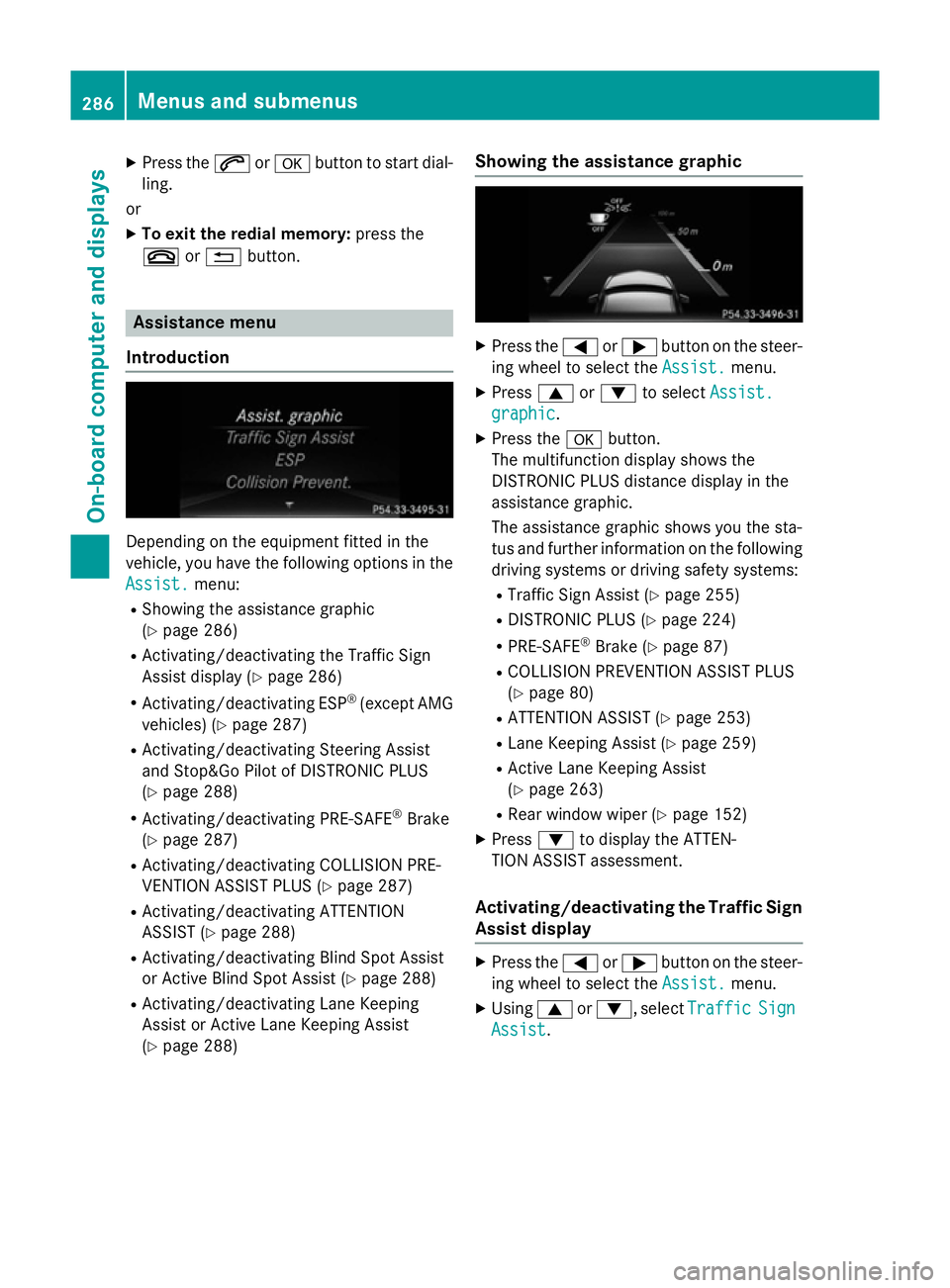
Introduction Dependin
gonthe equipment fitted in the
vehicle, you have the following options in the
Assist.
Assist. menu:
R Showing the assistanc egraphic
(Y page 286)
R Activating/deactivatin gthe Traffic Sign
Assist display (Y page 286)
R Activating/deactivatin gESP®
(except AMG
vehicles) (Y page 287)
R Activating/deactivatin gSteering Assist
and Stop&Go Pilot of DISTRONIC PLUS
(Y page 288)
R Activating/deactivatin gPRE-SAFE ®
Brake
(Y page 287)
R Activating/deactivatin gCOLLISION PRE-
VENTION ASSIST PLUS (Y page 287)
R Activating/deactivatin gATTENTION
ASSIST (Y page 288)
R Activating/deactivatin gBlind Spot Assist
or Active Blind Spot Assist (Y page 288)
R Activating/deactivatin gLane Keeping
Assist or Active Lane Keeping Assist
(Y page 288) Showing the assistance graphic X
Press the =or; button on the steer-
ing wheel to select the Assist. Assist.menu.
X Press 9or: to select Assist.
Assist.
graphic
graphic.
X Press the abutton.
The multifunction display shows the
DISTRONIC PLUS distanc edisplay in the
assistanc egraphic.
The assistanc egraphic shows you the sta-
tus and further information on the following
driving systems or driving safety systems:
R Traffic Sign Assist (Y page 255)
R DISTRONIC PLUS (Y page 224)
R PRE-SAFE ®
Brake (Y page 87)
R COLLISION PREVENTION ASSIST PLUS
(Y page 80)
R ATTENTION ASSIST (Y page 253)
R Lane Keeping Assist (Y page 259)
R Active Lane Keeping Assist
(Y page 263)
R Rear window wiper (Y page 152)
X Press :to display the ATTEN-
TION ASSIST assessment.
Activating/deactivating the Traffic Sign
Assist display X
Press the =or; button on the steer-
ing wheel to select the Assist. Assist.menu.
X Using 9or:,s electTraffic
Traffic Sign
Sign
Assist
Assist. 286
Menus and submenusOn-board computer and displays
Page 291 of 497
Activating/deactivating Steering
Assis tand Stop&Go Pilot X
Press the =or; buttononthesteer-
ing whee ltos elect the Assist.
Assist. menu.
X Using 9or:,s electDTR+:
DTR+: steer.
steer.
asst.
asst.
X Press the abutton.
The curren tselection is displayed.
X To activate/deactivate: press thea
butto nagain.
When Steering Assis tand Stop&Go Pilot
are activated, th emultifunction display
shows the DTR+: steering assistant
DTR+: steering assistant
On
On message.
Further information about DISTRONI CPLUS
wit hS teering Assis tand Stop&Go Pilot
(Y page 226).
Activating/deactivating ATTENTION
ASSIST X
Press the =or; buttononthesteer-
ing whee ltos elect the Assist.
Assist. menu.
X Press the 9or: buttontos elect
Attention Assist
Attention Assist .
X Press the abutton.
The curren tselection is displayed.
X Press ato confirm.
X Press the :or9 buttontos etOff Off ,
Standard
Standard orSensitive
Sensitive .
X Press the abuttontos avet he setting.
When ATTENTION ASSIST is deactivated,
the é symbol appear sinthemultifunc-
tion display in th eassistanc egraphic dis-
play.
Fo rfurther information about ATTENTION
ASSIST ,see (Y page 253).
Activating/deactivating Blind Spot
Assist X
Press the =or; buttononthesteer-
ing whee ltos elect the Assist.
Assist. menu.
X Press the 9or: buttontos elect
Blind Spo tAssist
Blind Spo tAssist . X
Press the abutton.
The curren tselection appears.
X To activate/deactivate: press thea
butto nagain.
Further information about Blind Spot Assist
(Y page 257).
Further information about Active Blind Spot
Assis t(Y page 261).
Activating/deactivating Lan eKeeping
Assist X
Press the =or; buttononthesteer-
ing whee ltos elect the Assist. Assist.menu.
X Press the 9or: buttontos elect
Lan eK eep. Assist
Lan eK eep. Assist .
X Press the abutton.
The curren tselection appears.
X Press ato confirm.
X Press the :or9 buttontos etOff
Off ,
Standard
Standard orAdaptive
Adaptive.
X Press the abuttontos avet he setting.
When Lan eKeepin gAssistorA ctiveLane
Keepin gAssistisa ctivated, th emultifunc-
tion display shows th elan em arking sas
bright lines in th eassistanc egraphic.
Further information about Lan eKeeping
Assis t(Ypage 259).
Further information about Active Lan eKeep-
ing Assis t(Y page 263). Service menu
Dependin
gontheequipmen tfitte dint he
vehicle, you hav ethe followin goption sinthe
Serv.
Serv. menu: 288
Menu
sand sub menusOn-boardcomputer an ddisplays
Page 320 of 497
Display messages
Possible causes/consequences and
M
MSolutions Lan
eK eeping
Lan eK eeping
Assist currently
Assist currently
unavailable See unavailable See
Owner' sMan‐
Owner' sMan‐
ual ual orAc tive Lane
Active Lane
Keeping
Keeping Assist
Assistcur‐
cur‐
rently
rently unavailable
unavailable
See Owner' sManual
See Owner' sManual Lan
eKeepin gAssistorA ctiveLaneK eepin gAssistisd eactivated
and temporarily inoperative. Possibl ecauses:
R thew indscree nisdirty in th ecamera' sfield of vision
R visibility is impaire ddue to heav yrain ,sno worf og
R there hav ebeen no lan emarking sfor an extended period
R thel an em arking sare worn, dark or covered, e.g. by dir torsnow
Once th ecauses listed abov enolonger apply, th edisplay message
goe sout.
Lan eKeepin gAssistorA ctiveLaneK eepin gAssistiso perational
again.
If th edisplay message does no tdisappear:
X Pull ove rand stop th evehicl esafely as soo naspossible, paying
attention to roa dand traffic conditions.
X Safeguar dthe vehicl eagainst rollin gaway (Y page 205).
X Clean th ewindscreen. Lan
eK eeping
Lan eK eeping
Assist inopera‐ Assist inopera‐
tive tiveor Active Lane
Active Lane
Keepin gAssist
Keepin gAssist
inoperative
inoperative Lan
eKeepin gAssistorA ctiveLaneK eepin gAssistisf aulty.
X Consult aqualified specialist workshop. Blind Spo
tAssist
Blind Spo tAssist
currently unavail‐
currently unavail‐
abl eS ee Owner's
abl eS ee Owner's
Manual Manual orActive
Active
Blind Spo tAssist
Blind Spo tAssist
currently unavail‐
currently unavail‐
abl eS ee Owner's
abl eS ee Owner's
Manual Manual Blind Spot Assis
torActiveBlind Spot Assis tistemporarily inop-
erative .Possibl ecauses:
R thef unction is impaire ddue to heav yrain or snow
R ther ada rsensor system is outside th eoperating temperature
range
R ther ada rsensor system is temporarily inoperative, e.g. due to
electromagnetic radiation emitted by nearby TV or radi osta-
tion soro ther source sofelectromagnetic radiation
The yellow 9indicato rlamp salso ligh tupint heexterio rmir-
rors.
Once th ecauses listed abov enolonger apply, th edisplay message
goe sout.
Blind Spot Assis torActiveBlind Spot Assis tisoperational again.
If th edisplay message does no tdisappear:
X Pull ove rand stop th evehicl esafely as soo naspossible, paying
attention to roa dand traffic conditions.
X Safeguar dthe vehicl eagainst rollin gaway (Y page 205).
X Restart th eengine. Display
messages
317On-boardcomputer an ddisplays Z