2015 MERCEDES-BENZ C-Class net
[x] Cancel search: netPage 157 of 214
Using the main function bar
X
In radio mode: slide 00970052the controller.
The radio main function bar and menu bar
appear. Radio Radiois active.
X Press the controller.
A menu appears with a selection of HD HDFM
FM
Radio
Radio, HD AM Radio
HD AM Radio, Radio Station
Radio Station
Presets
Presets, Info on Radio
Info on Radio andInternet
Internet
Radio
Radio.
X Turn the controller until the required wave-
band is in the center. Press the controller.
Using the radio menu bar X
In radio mode: slide 00520064the controller.
The radio main function bar and menu bar
appear.
X To select Waveband Waveband: turn and press the
controller.
A menu appears with a selection of HD
HD FM FM
Radio
Radio, HD AM Radio
HD AM Radio, Radio Station
Radio Station
Presets
Presets, Info on Radio
Info on Radio andInternet
Internet
Radio
Radio.
X Turn the controller until the required wave-
band is in the center. Press the controller. Selecting a station
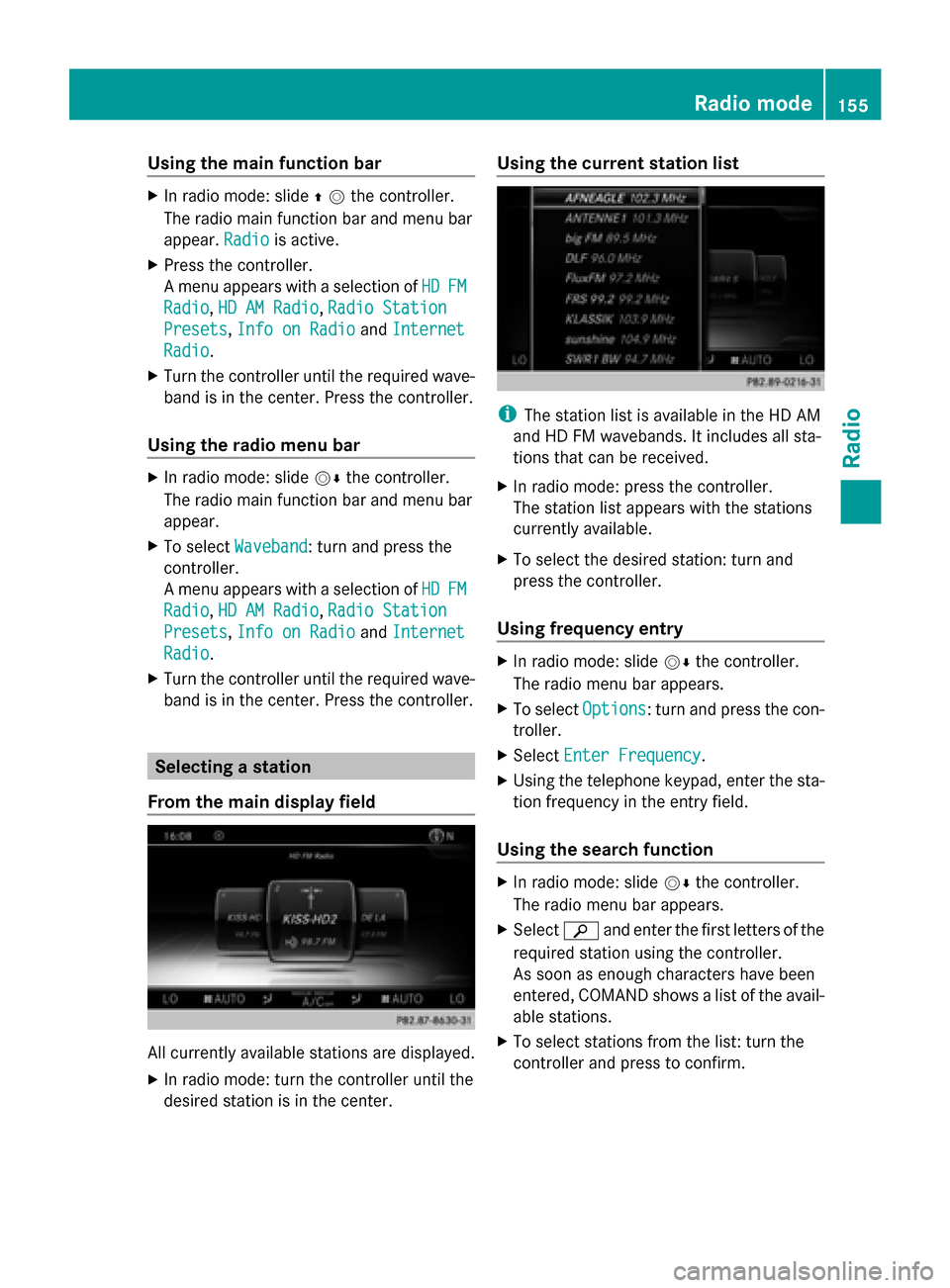
From the main display field All currently available stations are displayed.
X In radio mode: turn the controller until the
desired station is in the center. Using the current station list
i
The station list is available in the HD AM
and HD FM wavebands. It includes all sta-
tions that can be received.
X In radio mode: press the controller.
The station list appears with the stations
currently available.
X To select the desired station: turn and
press the controller.
Using frequency entry X
In radio mode: slide 00520064the controller.
The radio menu bar appears.
X To select Options Options: turn and press the con-
troller.
X Select Enter Frequency
Enter Frequency .
X Using the telephone keypad, enter the sta-
tion frequency in the entry field.
Using the search function X
In radio mode: slide 00520064the controller.
The radio menu bar appears.
X Select 00D3and enter the first letters of the
required station using the controller.
As soon as enough characters have been
entered, COMAND shows a list of the avail-
able stations.
X To select stations from the list: turn the
controller and press to confirm. Radio mode
155Radio
Page 173 of 214
X
Select a sub-category, e.g. Rock
Rock.
If the Rock
Rocksub-category includes music
tracks, these will be shown.. Gracenote
®
Media Database
General notes This function is only available in audio CD
mode.
There is a version of
Gracenote® music recognition technology,
Emeryville, California, USA on the COMAND
hard disk. You will recognize this by the logo
in the bottom right-hand corner of certain
audio displays.
If the audio CD does not contain any CD text
information, COMAND can use the Grace-
note ®
Media Database to identify unknown
audio tracks when in audio CD mode.
Internet update of metadata With the option
Update metadata via Inter-
net, the audio CD meta data that is not avail-
able (e.g. cover, track, album, artist) can be
reloaded to the internal Gracenote database.
An Internet connection is required for this
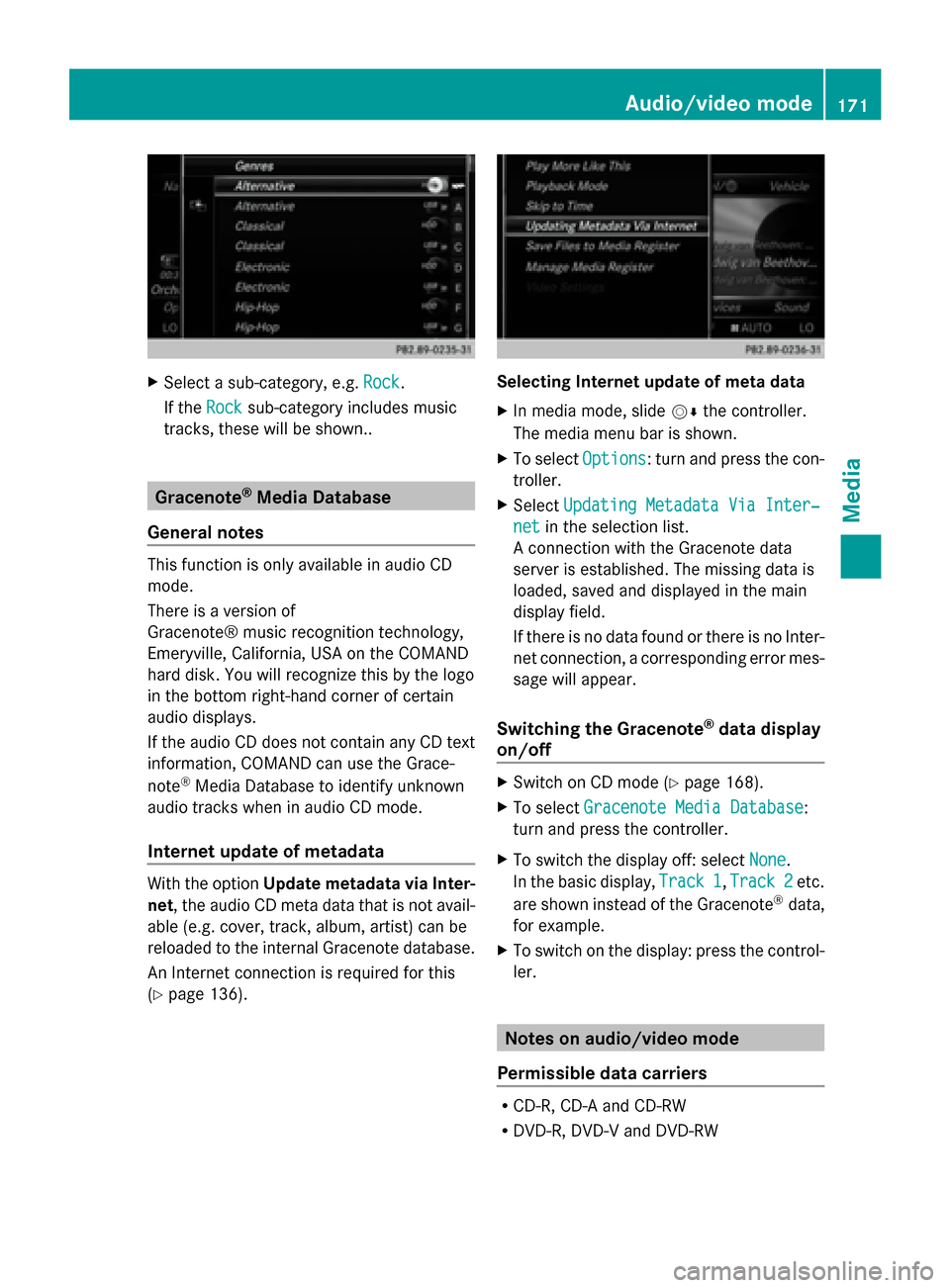
(Y page 136). Selecting Internet update of meta data
X
In media mode, slide 00520064the controller.
The media menu bar is shown.
X To select Options Options: turn and press the con-
troller.
X Select Updating Metadata Via Inter‐
Updating Metadata Via Inter‐
net
net in the selection list.
A connection with the Gracenote data
server is established. The missing data is
loaded, saved and displayed in the main
display field.
If there is no data found or there is no Inter-
net connection, a corresponding error mes-
sage will appear.
Switching the Gracenote ®
data display
on/off X
Switch on CD mode (Y page 168).
X To select Gracenote Media Database Gracenote Media Database:
turn and press the controller.
X To switch the display off: select None
None.
In the basic display, Track 1
Track 1,Track 2
Track 2 etc.
are shown instead of the Gracenote ®
data,
for example.
X To switch on the display: press the control-
ler. Notes on audio/video mode
Permissible data carriers R
CD-R, CD-A and CD-RW
R DVD-R, DVD-V and DVD-RW Audio/video mode
171Media Z
Page 183 of 214
General notes
Before using your Bluetooth
®
audio device
with COMAND for the first time, you will need
to authorize it.
When you authorize a new Bluetooth ®
audio
device, it is connected automatically. Con-
nection involves first searching for a Blue-
tooth ®
audio device and then authorizing it.
You can authorize up to fifteen Bluetooth ®
devices.
i If you authorize a mobile phone that sup-
ports Bluetooth ®
audio, the A2DP and
AVRCP Bluetooth ®
audio profiles are con-
nected automatically.
The mobile phone is then entered:
R in the Bluetooth ®
telephone list
(Y page 105)
R in the Bluetooth ®
device list
(Y page 181)
Mercedes-Benz recommends authorizing a
mobile phone in Bluetooth ®
telephony
(Y page 106).
i If the mobile phone that is connected only
supports two Bluetooth ®
profiles at the
same time, COMAND functions may
behave as follows:
R when connecting to the Internet, play-
back is stopped on the Bluetooth ®
audio
device.
R when starting playback on the Blue-
tooth ®
audio device, the Internet con-
nection is ended. Searching for and authorizing a Blue-
tooth ®
audio device
Switching to Bluetooth ®
audio mode
X Press the 00FDbutton.
X To select Bluetooth Audio
Bluetooth Audio in the menu:
turn and press the controller.
A menu appears. If you see the
No Bluetooth Audio No Bluetooth Audio
Device Connected
Device Connected message, you will
need to authorize the Bluetooth ®
audio
device first.
X To select Options
Optionsin the Bluetooth ®
audio
menu: slide 005200C5and press the controller.
X To select Bluetooth Audio Devices
Bluetooth Audio Devices :
press the controller.
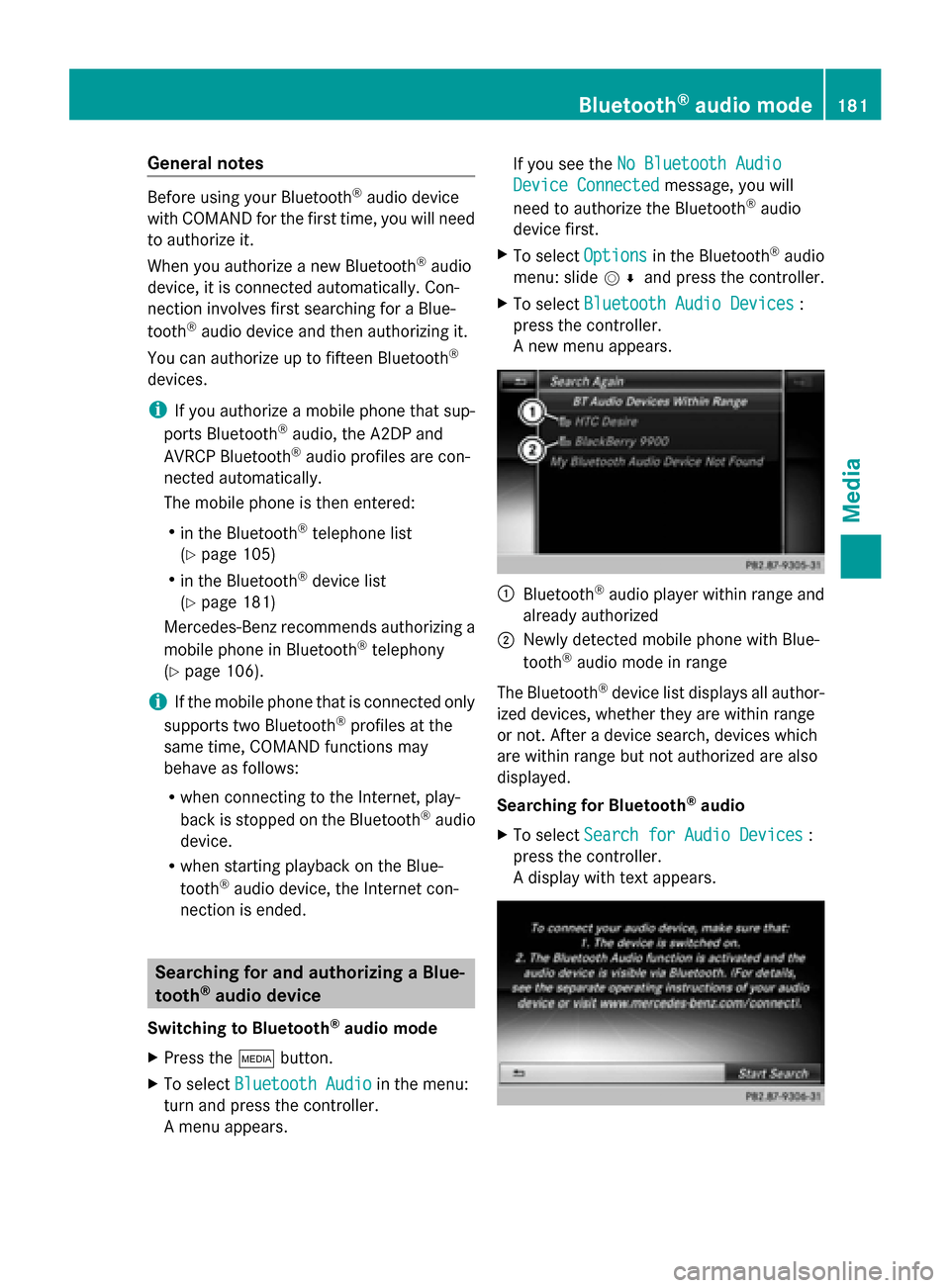
A new menu appears. 0043
Bluetooth ®
audio player within range and
already authorized
0044 Newly detected mobile phone with Blue-
tooth ®
audio mode in range
The Bluetooth ®
device list displays all author-
ized devices, whether they are within range
or not. After a device search, devices which
are within range but not authorized are also
displayed.
Searching for Bluetooth ®
audio
X To select Search for Audio Devices Search for Audio Devices :
press the controller.
A display with text appears. Bluetooth
®
audio mode 181Media Z
Page 186 of 214
De-authorizing (deregistering) a Blue-
tooth ®
audio device
X To select a Bluetooth ®
audio device from
the Bluetooth ®
device list: turn the control-
ler.
X To select the symbol to the right of the
Bluetooth ®
audio device: slide 00520096and
press the controller.
X To select Deauthorize
Deauthorize : press the control-
ler.
A prompt appears asking whether you
really wish to deauthorize this device.
X To select Yes
Yes orNo No: turn and press the con-
troller.
If you select Yes
Yes , the device will be deleted
from the Bluetooth ®
device list.
If you select No
No the process is canceled.
i Before re-authorizing the Bluetooth ®
audio device, you should also delete the
device name MB Bluetooth
MB Bluetooth from your
Bluetooth ®
audio device's Bluetooth ®
list
(see the Bluetooth ®
audio device's operat-
ing instructions). Switching to Bluetooth
®
audio mode
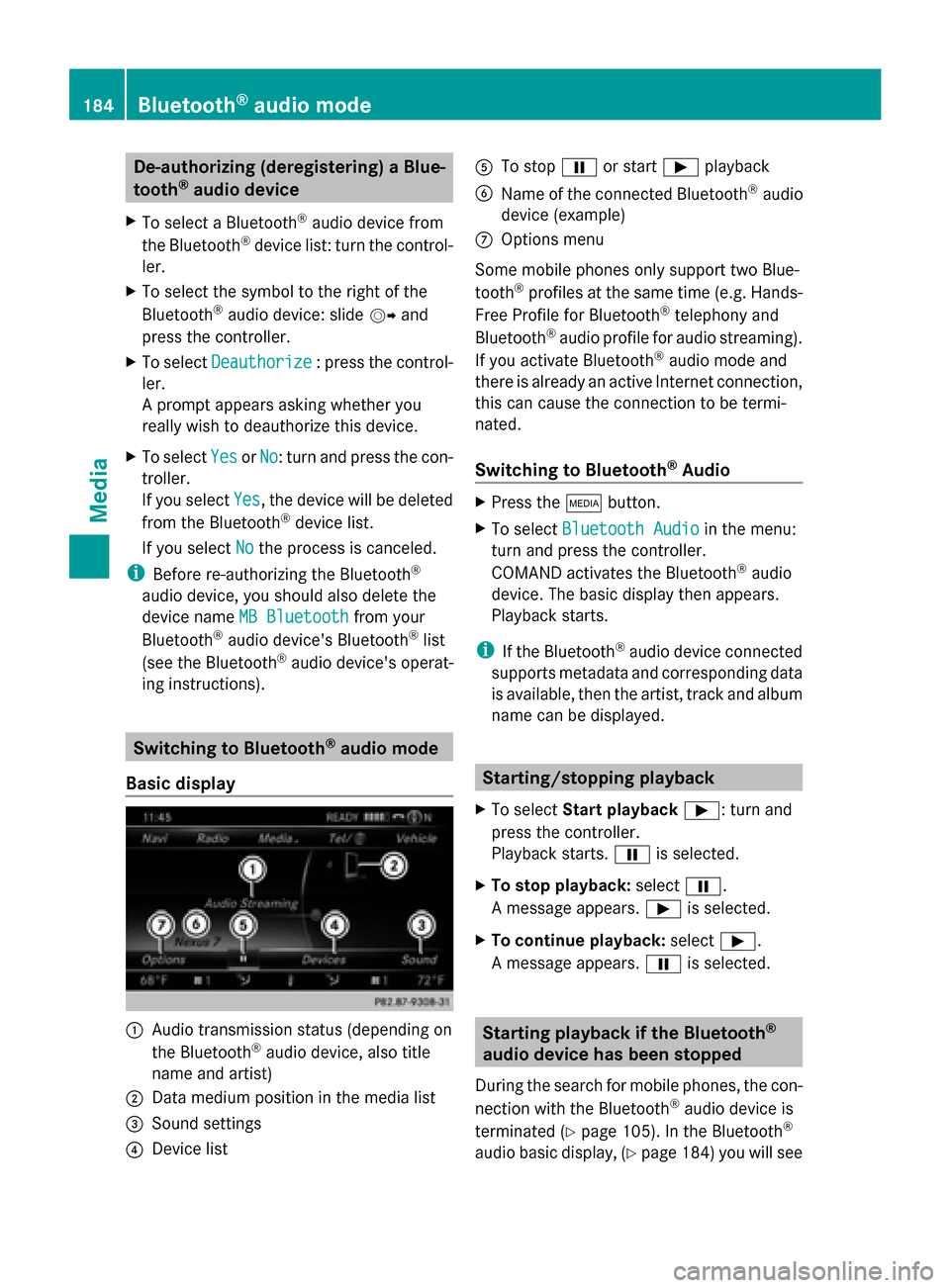
Basic display 0043
Audio transmission status (depending on
the Bluetooth ®
audio device, also title
name and artist)
0044 Data medium position in the media list
0087 Sound settings
0085 Device list 0083
To stop 00CFor start 00D0playback
0084 Name of the connected Bluetooth ®
audio
device (example)
006B Options menu
Some mobile phones only support two Blue-
tooth ®
profiles at the same time (e.g. Hands-
Free Profile for Bluetooth ®
telephony and
Bluetooth ®
audio profile for audio streaming).
If you activate Bluetooth ®
audio mode and
there is already an active Internet connection,
this can cause the connection to be termi-
nated.
Switching to Bluetooth ®
Audio X
Press the 00FDbutton.
X To select Bluetooth Audio Bluetooth Audio in the menu:
turn and press the controller.
COMAND activates the Bluetooth ®
audio
device. The basic display then appears.
Playback starts.
i If the Bluetooth ®
audio device connected
supports metadata and corresponding data
is available, then the artist, track and album
name can be displayed. Starting/stopping playback
X To select Start playback 00D0: turn and
press the controller.
Playback starts. 00CFis selected.
X To stop playback: select00CF.
A message appears. 00D0is selected.
X To continue playback: select00D0.
A message appears. 00CFis selected. Starting playback if the Bluetooth
®
audio device has been stopped
During the search for mobile phones, the con-
nection with the Bluetooth ®
audio device is
terminated (Y page 105). In the Bluetooth ®
audio basic display, (Y page 184) you will see184
Bluetooth ®
audio modeMedia
Page 187 of 214
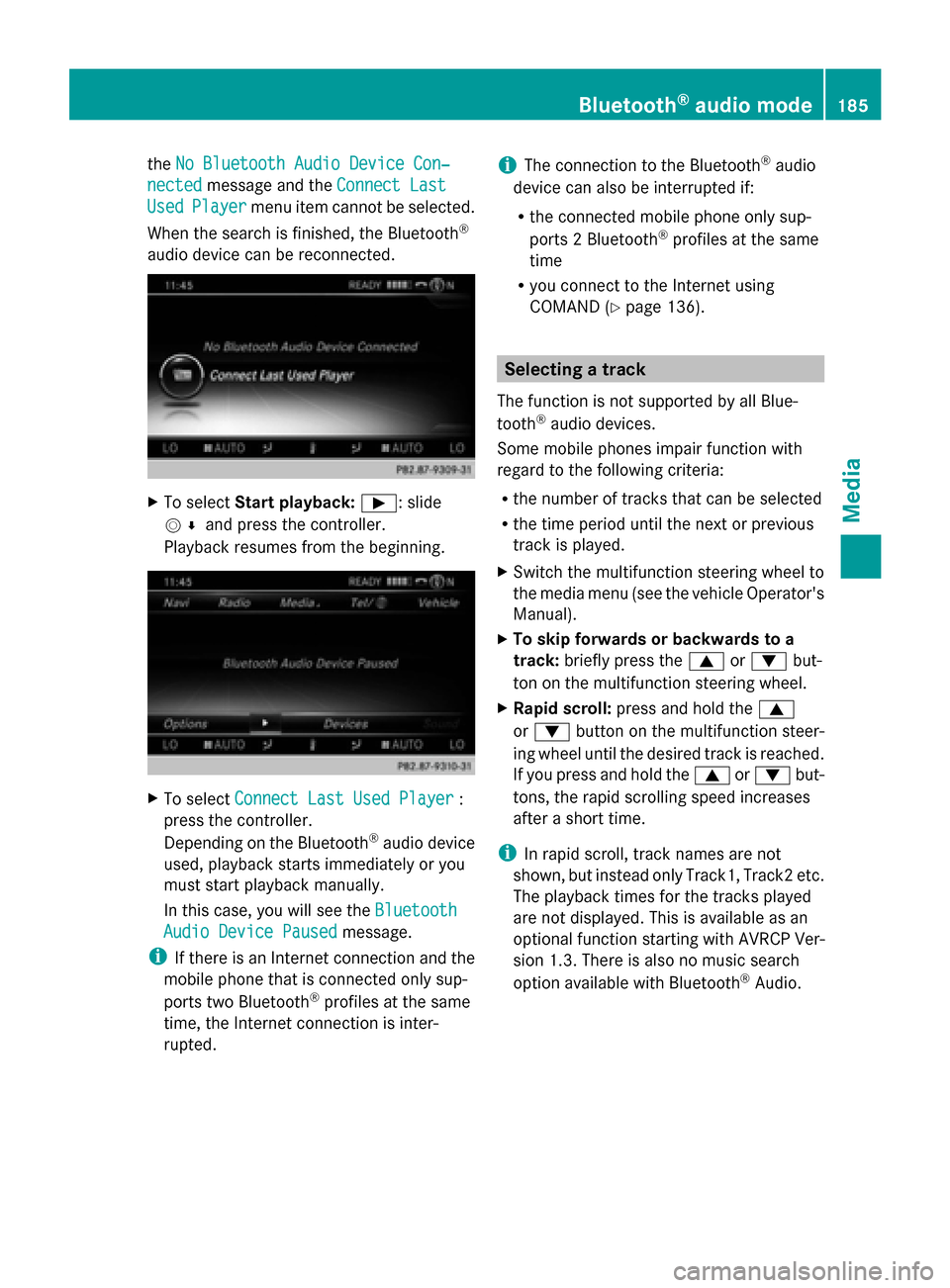
the
No Bluetooth Audio Device Con‐
No Bluetooth Audio Device Con‐
nected
nected message and the Connect Last
Connect Last
Used
Used Player
Player menu item cannot be selected.
When the search is finished, the Bluetooth ®
audio device can be reconnected. X
To select Start playback: 00D0: slide
005200C5 and press the controller.
Playback resumes from the beginning. X
To select Connect Last Used Player
Connect Last Used Player :
press the controller.
Depending on the Bluetooth ®
audio device
used, playback starts immediately or you
must start playback manually.
In this case, you will see the Bluetooth
Bluetooth
Audio Device Paused
Audio Device Paused message.
i If there is an Internet connection and the
mobile phone that is connected only sup-
ports two Bluetooth ®
profiles at the same
time, the Internet connection is inter-
rupted. i
The connection to the Bluetooth ®
audio
device can also be interrupted if:
R the connected mobile phone only sup-
ports 2 Bluetooth ®
profiles at the same
time
R you connect to the Internet using
COMAND (Y page 136). Selecting a track
The function is not supported by all Blue-
tooth ®
audio devices.
Some mobile phones impair function with
regard to the following criteria:
R the number of tracks that can be selected
R the time period until the next or previous
track is played.
X Switch the multifunction steering wheel to
the media menu (see the vehicle Operator's
Manual).
X To skip forwards or backwards to a
track: briefly press the 0063or0064 but-
ton on the multifunction steering wheel.
X Rapid scroll: press and hold the 0063
or 0064 button on the multifunction steer-
ing wheel until the desired track is reached.
If you press and hold the 0063or0064 but-
tons, the rapid scrolling speed increases
after a short time.
i In rapid scroll, track names are not
shown, but instead only Track1, Track2 etc.
The playback times for the tracks played
are not displayed. This is available as an
optional function starting with AVRCP Ver-
sion 1.3. There is also no music search
option available with Bluetooth ®
Audio. Bluetooth
®
audio mode 185Media Z
Page 207 of 214
X
Press the 002Bbutton.
X To select TEL/ 00A7in the main function bar:
slide 5, turn and press the controller.
The menu for selecting telephone and Inter-
net applications appears.
X To select SIRIUS Weather
SIRIUS Weather : turn and press
the controller.
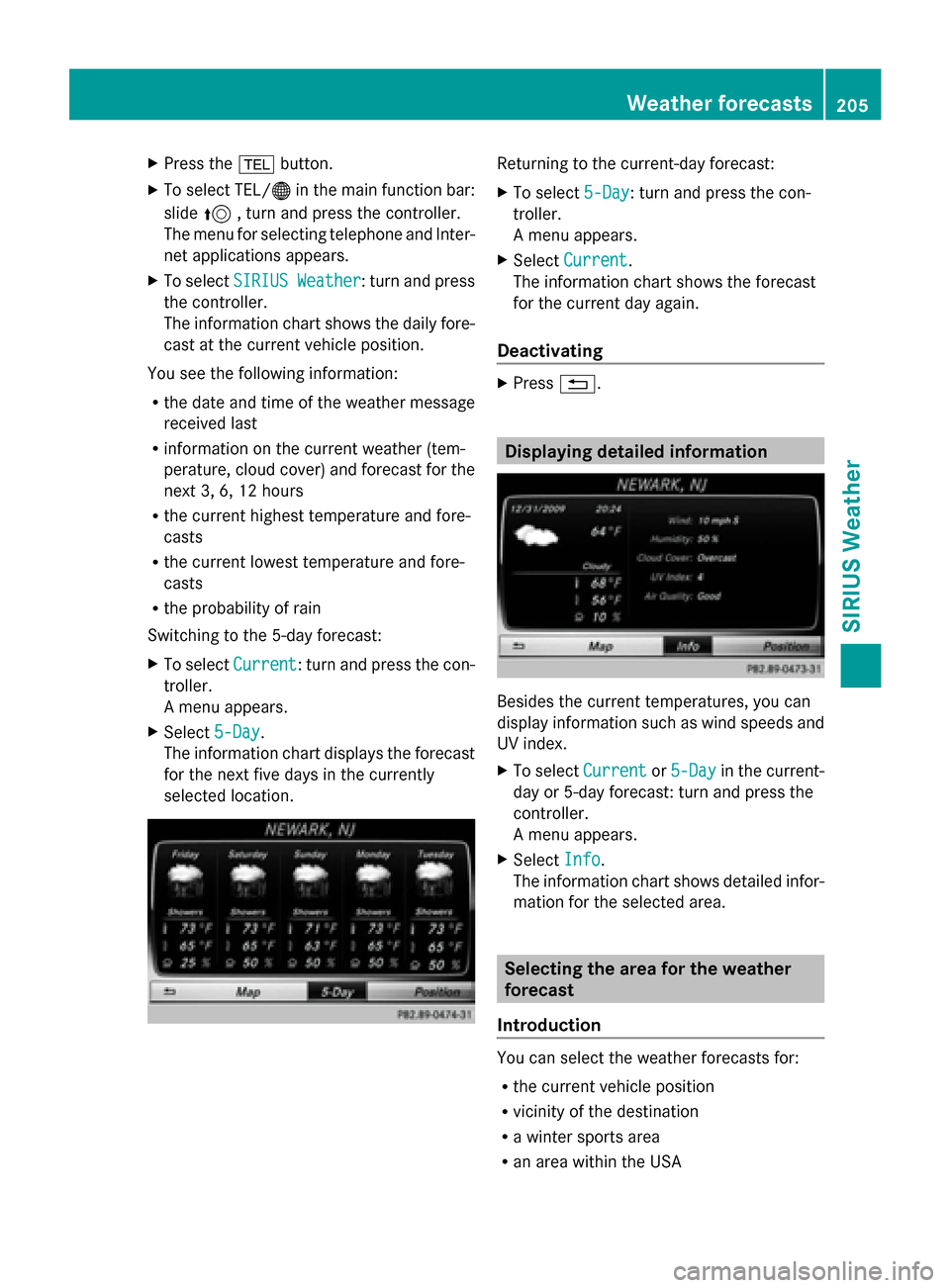
The information chart shows the daily fore-
cast at the current vehicle position.
You see the following information:
R the date and time of the weather message
received last
R information on the current weather (tem-
perature, cloud cover) and forecast for the
next 3, 6, 12 hours
R the current highest temperature and fore-
casts
R the current lowest temperature and fore-
casts
R the probability of rain
Switching to the 5-day forecast:
X To select Current
Current: turn and press the con-
troller.
A menu appears.
X Select 5-Day
5-Day.
The information chart displays the forecast
for the next five days in the currently
selected location. Returning to the current-day forecast:
X
To select 5-Day 5-Day: turn and press the con-
troller.
A menu appears.
X Select Current Current.
The information chart shows the forecast
for the current day again.
Deactivating X
Press 0038. Displaying detailed information
Besides the current temperatures, you can
display information such as wind speeds and
UV index.
X
To select Current Currentor5-Day
5-Day in the current-
day or 5-day forecast: turn and press the
controller.
A menu appears.
X Select Info Info.
The information chart shows detailed infor-
mation for the selected area. Selecting the area for the weather
forecast
Introduction You can select the weather forecasts for:
R
the current vehicle position
R vicinity of the destination
R a winter sports area
R an area within the USA Weather forecasts
205SIRIUS Weather