2015 LINCOLN NAVIGATOR remote
[x] Cancel search: remotePage 92 of 475

DIRECTION INDICATORS•Push down to activate the left
turn signal.
• Push up to activate the right turn
signal.
WELCOME LIGHTING
The Lincoln welcome mat projection lights are on the bottom of the
exterior mirror housings. They project light onto the ground a short
distance from you vehicle when welcome lighting or lighted entry turns
on.
For auto-fold mirrors, the Lincoln welcome mat turns on when welcome
lighting or lighted entry turns on and the mirrors have been
automatically folded in upon locking or using the switch on the door.
Note: Moisture, frost and ice build-up or other types of contamination
on the surface of the light lens can cause non-permanent distortion or
reduced brightness of the image. Do not use abrasive materials to clean
the lens.
Note: If you enable auto-fold and then you fold the mirrors in manually
to the door window glass, then the welcome lights will not turn on.
INTERIOR LAMPS
Front Row Map Lamps
To turn on the map lamps, press the
outer edge of the clear lens. The
front row map lamp lights when:
•any door is opened.
• the instrument panel dimmer
switch is rotated until the courtesy
lamps come on.
• the remote entry controls are pressed and the ignition is off.
120
Lighting 91
2015 Navigator(nav)
Owners Guide gf, 2nd Printing, December 2014
USA (fus)
Page 93 of 475

Second Row Map LampsThe second row map lamps are
located in the headliner above the
second row seats.
The second row map lamp lights
when:
•any door is opened,
• the instrument panel dimmer
switch is rotated until the
courtesy lamps come on, and
• any of the remote entry controls are pressed and the ignition is off.
Press the controls to activate the lamps.
Rear Cargo Lamp
The rear cargo lamp lights when: •any door is opened, and the
switch is in the middle position.
• the instrument panel dimmer
switch is rotated until the
courtesy lamps come on.
• any of the remote entry controls
are pressed and ignition is off
(and switch is in the middle
position).
With the ignition key in the accessory or on position, the rear cargo lamp
can be turned on or off by sliding the control.
Battery saver
The battery saver will shut off the exterior lamps and interior lamps,
except the hazard warning lamps if activated, 10 minutes after the
ignition control has been turned off. The system will not turn off the
parking lamps if the lighting control is in the parking lamps on position.
92 Lighting
2015 Navigator(nav)
Owners Guide gf, 2nd Printing, December 2014
USA (fus)
Page 111 of 475

Settings
Advanced
Settings VehicleEasy Entry / Exit - check enabled or uncheck disabled
Lighting Autolamp Delay Select time interval
Locks Autolock - check enabled or uncheck
disabled
Autounlock - check enabled or uncheck
disabled
Remote Unlock All Doors or Driver
Oil Life Remaining Life XXX% — Hold OK to reset
Power Liftgate Enable or Disable switch
Pwr Running
Boards Auto, Off or Out
Remote Start Climate Control Auto or Last Setting
Seats Auto or Off
Duration 5, 10 or 15 minutes
System - check enabled or uncheck
disabled
Wipers Courtesy Wipe - check enabled or uncheck disabled
Rain Sensing - check enabled or
uncheck disabled
*MyKey MyKey Status
Number of Admin Keys, MyKeys and
MyKey Mileage
Create MyKey Hold OKto Create MyKey
911 Assist Always On or User Selectable
Do Not Disturb Always On or User Selectable
Traction
Control Always On or User Selectable
Max Speed 65 MPH (105 km/h), 70 MPH (110 km/h), 75 MPH (120 km/h),
80 MPH (130 km/h) or Off
Speed Minder 45 mph (72 km/h), 55 mph (89 km/h), 65 mph (105 km/h) or Off
Volume Limiter - check enabled or uncheck disabled
Clear MyKeys Hold OKto Clear All MyKeys
Display
Setup Distance Miles & GAL, L/100km or km/L
Temperature °Fahrenheit or °Celsius
Gauge Display Fuel Gauge or Fuel + Tach
Language Select Language — Hold
OKto Set
*Some MyKey items will only appear if a MyKey is set.
11 0 Information Displays
2015 Navigator (nav)
Owners Guide gf, 2nd Printing, December 2014
USA (fus)
Page 119 of 475

Park Aid MessagesAction / Description
Check Park Aid Displays when the transmission is
in R (Reverse) and the park aid is
disabled.
Rear Park Aid On Off Displays the park aid status.
Check Rear Park Aid Displays when the transmission is
in reverse (R) and the park aid is
disabled.
Check Front Park Aid Displays when the system has
detected a condition that requires
service. See Parking Aid chapter.
Front Park Aid On Off Displays the park aid status.
Power Steering Messages Action / Description
Steering loss Stop safely The power steering system has
detected a condition that requires
service. See an authorized dealer.
Steering fault Service now The power steering system has detected a condition within the
power steering system that
requires service immediately. See
an authorized dealer.
Steering assist fault Service
required The power steering system has
disabled power steering assist due
to a system error. See an
authorized dealer.
Remote Start Messages
Action / Description
To Drive: Turn Key to On Displays as a reminder to turn the key on to drive the vehicle after a
remote start.
To Drive: Press Brake and START
Button Displays as a reminder to apply
the brake and the start button to
drive the vehicle after a remote
start.
11 8
Information Displays
2015 Navigator (nav)
Owners Guide gf, 2nd Printing, December 2014
USA (fus)
Page 128 of 475

REMOTE START (IF EQUIPPED)
The remote start feature allows you to pre-condition the interior of your
vehicle. The climate control system works to achieve comfort according
to your previous settings.
Note:You cannot adjust the system during remote start operation.
Turn the ignition on to return the system to its previous settings. You
can now make adjustments normally, but you need to turn certain
vehicle-dependent features back on, such as:
• Heated seats.
• Cooled seats.
• Heated steering wheel.
• Heated mirrors.
• Heated rear window.
You can adjust the default remote start settings using the information
display controls. See the Information Displayschapter.
Automatic Settings
In hot weather, the system is set to 72°F (22°C). The cooled seats are
set to high (if available, and selected to AUTO in the information
display).
In moderate weather, the system either heats or cools (based on
previous settings). The rear defroster, heated mirrors and heated seats
do not automatically turn on.
In cold weather, the system is set to 72°F (22°C). The heated seats are
set to high (if available, and selected to AUTO in the information
display). The rear defroster and heated mirrors automatically turn on.
Climate Control 127
2015 Navigator(nav)
Owners Guide gf, 2nd Printing, December 2014
USA (fus)
Page 134 of 475
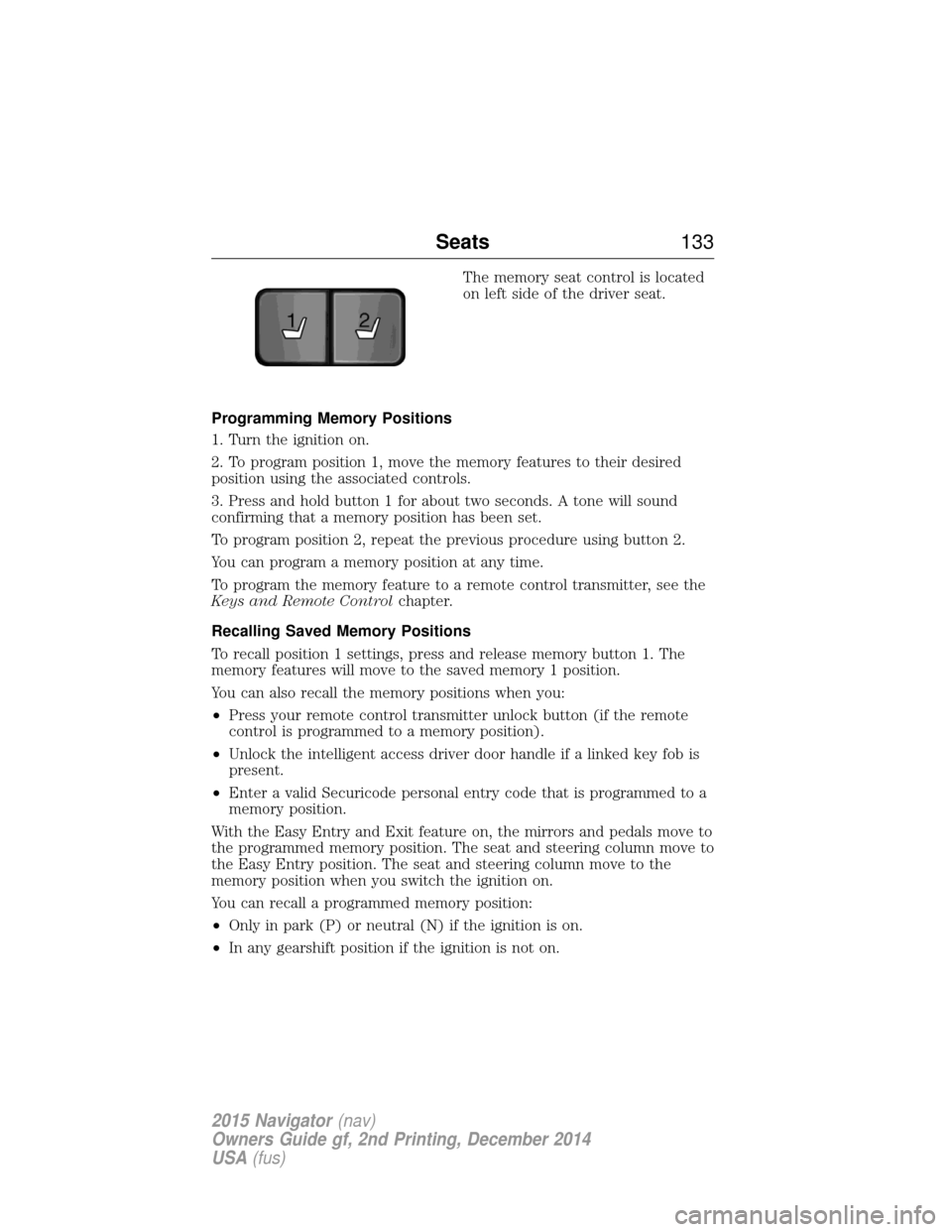
The memory seat control is located
on left side of the driver seat.
Programming Memory Positions
1. Turn the ignition on.
2. To program position 1, move the memory features to their desired
position using the associated controls.
3. Press and hold button 1 for about two seconds. A tone will sound
confirming that a memory position has been set.
To program position 2, repeat the previous procedure using button 2.
You can program a memory position at any time.
To program the memory feature to a remote control transmitter, see the
Keys and Remote Control chapter.
Recalling Saved Memory Positions
To recall position 1 settings, press and release memory button 1. The
memory features will move to the saved memory 1 position.
You can also recall the memory positions when you:
• Press your remote control transmitter unlock button (if the remote
control is programmed to a memory position).
• Unlock the intelligent access driver door handle if a linked key fob is
present.
• Enter a valid Securicode personal entry code that is programmed to a
memory position.
With the Easy Entry and Exit feature on, the mirrors and pedals move to
the programmed memory position. The seat and steering column move to
the Easy Entry position. The seat and steering column move to the
memory position when you switch the ignition on.
You can recall a programmed memory position:
• Only in park (P) or neutral (N) if the ignition is on.
• In any gearshift position if the ignition is not on.
21
Seats 133
2015 Navigator(nav)
Owners Guide gf, 2nd Printing, December 2014
USA (fus)
Page 148 of 475

HOMELINK® WIRELESS CONTROL SYSTEM (IF EQUIPPED)
WARNING:Make sure that the garage door and security device
are free from obstruction when you are programming. Do not
program the system with the vehicle in the garage.
WARNING: Do not use the system with any garage door opener
that does not have the safety stop and reverse feature as
required by U.S. Federal Safety Standards (this includes any garage
door opener manufactured before April 1, 1982).
Note: Make sure you keep the original remote control transmitter for
use in other vehicles as well as for future system programming.
Note: We recommend that upon the sale or lease termination of your
vehicle, you erase the programmed function buttons for security reasons.
See Erasing the function button codes later in this section.
Note: You can program a maximum of three devices. To change or
replace any of the three devices after it has been initially programmed,
you must first erase the current settings. See Erasing the function
button codes later in this section.
The universal garage door opener
replaces the common hand-held garage
door opener with a three-button
transmitter that is integrated into the
driver’s sun visor.
The system includes two primary
features, a garage door opener and a
platform for remote activation of devices with the home. As well as being
programmed for garage doors, the system transmitter can be
programmed to operate entry gate operators, security systems, entry
door locks, and home or office lighting.
Additional system information can be found online at www.homelink.com
or by calling the toll-free help line on 1-800-355-3515.
Programming
Note: Put a new battery in the hand-held transmitter. This will ensure
quicker training and accurate transmission of the radio-frequency signal.
Universal Garage Door Opener (If Equipped) 147
2015 Navigator(nav)
Owners Guide gf, 2nd Printing, December 2014
USA (fus)
Page 157 of 475

GENERAL INFORMATION
WARNING:Extended idling at high engine speeds can produce
very high temperatures in the engine and exhaust system,
creating the risk of fire or other damage.
WARNING: Do not park, idle, or drive your vehicle on dry grass
or other dry ground cover. The emission system heats up the
engine compartment and exhaust system, which can start a fire.
WARNING: Do not start your vehicle in a closed garage or in
other enclosed areas. Exhaust fumes can be toxic. Always open
the garage door before you start the engine.
WARNING: If you smell exhaust fumes inside your vehicle, have
your vehicle checked by an authorized dealer immediately. Do
not drive if you smell exhaust fumes.
If you disconnect the battery, your vehicle may exhibit some unusual
driving characteristics for approximately 5 miles (8 kilometers) after you
connect it. This is because the engine management system must realign
itself with the engine. You may disregard any unusual driving
characteristics during this period.
The powertrain control system meets all Canadian interference-causing
equipment standard requirements regulating the impulse electrical field
or radio noise.
Do not press the accelerator pedal while starting the engine. If you have
difficulty starting the engine, see Failure to startlater in this section.
KEYLESS STARTING
Note: The keyless starting system may not function if the key is close to
metal objects or electronic devices such as cellular phones.
Note: A valid key must be located inside your vehicle to switch the
ignition on and start the engine.
Note: When locking your vehicle, any remote controls left inside the
vehicle may become disabled. A message may appear in the information
display indicating that there is no key detected if you try to start the
engine. Press the unlock button on the remote control to enable it, and
then start the engine.
156 Starting and Stopping the Engine
2015 Navigator (nav)
Owners Guide gf, 2nd Printing, December 2014
USA (fus)