2015 LINCOLN MKT sport
[x] Cancel search: sportPage 18 of 500
GENERAL INFORMATION
See the following sections for directions on how to properly use safety
restraints for children.
WARNING:Always make sure your child is secured properly in a
device that is appropriate for their height, age and weight. Child
safety restraints must be bought separately from your vehicle. Failure
to follow these instructions and guidelines may result in an increased
risk of serious injury or death to your child.
WARNING:All children are shaped differently. The
recommendations for safety restraints are based on probable
child height, age and weight thresholds from NHTSA and other safety
organizations, or are the minimum requirements of law. Ford
recommends checking with a NHTSA Certified Child Passenger Safety
Technician (CPST) and consulting your pediatrician to make sure your
child seat is appropriate for your child, and is compatible with and
properly installed in your vehicle. To locate a child seat fitting station
and CPST, contact the NHTSA toll free at 1-888-327-4236 or on the
internet at http://www.nhtsa.dot.gov. In Canada, check with your local
St. John Ambulance office for referral to a CPST or for further
information, contact your provincial ministry of transportation, or locate
your local St. John Ambulance office by searching for St. John
Ambulance on the internet, or Transport Canada at 1–800–333–0371
(http://www.tc.gc.ca). Failure to properly restrain children in safety
seats made especially for their height, age, and weight may result in an
increased risk of serious injury or death to your child.
WARNING:Do not leave children or animals unattended in the
vehicle. On hot days, the temperature in the trunk or vehicle
interior can rise very quickly. Exposure of people or animals to these
high temperatures for even a short time can cause death or serious
heat-related injuries, including brain damage. Small children are
particularly at risk.
Child Safety17
2015 MKT(mkt)
Owners Guide gf, 1st Printing, October 2014
USA(fus)
Page 51 of 500
PRINCIPLES OF OPERATION
WARNING:Airbags do not inflate slowly or gently, and the risk
of injury from a deploying airbag is the greatest close to the trim
covering the airbag module.
WARNING:All occupants of your vehicle, including the driver,
should always properly wear their safety belts, even when an
airbag supplemental restraint system is provided. Failure to properly
wear your safety belt could seriously increase the risk of injury or
death.
WARNING:Airbags can kill or injure a child in a child seat.
Always transport children 12 years old and under in the back
seat and always properly use appropriate child restraints.
WARNING:Never place your arm over the airbag module, as a
deploying airbag can result in serious arm fractures or other
injuries.
WARNING:Airbags can kill or injure a child in a child seat.
Never place a rear-facing child seat in front of an active airbag. If
you must use a forward-facing child seat in the front seat, move the
seat upon which the child seat is installed all the way back.
WARNING:Do not attempt to service, repair, or modify the
airbag supplemental restraint systems or its fuses as you could be
seriously injured or killed. Contact your authorized dealer as soon as
possible.
WARNING:Several airbag system components get hot after
inflation. Do not touch them after inflation as this may result in
serious injury.
50Supplementary Restraints System
2015 MKT(mkt)
Owners Guide gf, 1st Printing, October 2014
USA(fus)
Page 121 of 500

Settings
Vehicle
Drive ControlHandling in D Sport / Normal / Comfort
Handling in S Sport / Normal
Auto Engine Off — check enabled / uncheck disabled
DTE Calculation Normal / Towing
Easy Entry/Exit — check enabled / uncheck disabled
Lighting Adaptive Head
LampsTraffic Set Up Right Hand / Left
Hand Traffic
Auto Highbeam — check enabled (default) / uncheck
disabled
Autolamp Delay Off or number of seconds
Locks Autolock — check enabled (default) / uncheck disabled
Autounlock — check enabled (default) / uncheck
disabled
Remote Unlocking All doors / Driver’s door
Oil Life Reset Remaining Life XXX %
Power Liftgate Enable / Disable
Remote Start Climate Control
(using this
feature allows you
to select different
climate control
modes when the
vehicle is started
using the remote
start feature)Auto / Last Settings
Seats and wheel
or Seats onlyAuto / Off
Duration 5 / 10 /15 minutes
System — check enabled (default) / uncheck disabled
Windows Remote Open / Close
WipersCourtesy Wipe — check enabled (default) / uncheck
disabled
Rain Sensing — check enabled (default) / uncheck
disabled
120Information Displays
2015 MKT(mkt)
Owners Guide gf, 1st Printing, October 2014
USA(fus)
Page 125 of 500

Battery and
Charging System
MessagesAction / Description
Check Charging
SystemDisplayed when the charging system needs
servicing. If the warning stays on or continues
to come on, contact your authorized dealer as
soon as possible.
Turn Power Off to
Save BatteryDisplayed when the battery management
system determines that:
•the battery is at a low state of charge or,
•the ignition has been in accessory position
or on position with the engine off for
approximately 45 minutes.
Turn the ignition off as soon as possible to
protect the battery. This message will clear
once the vehicle has been started and the
battery state of charge has recovered. Turning
off unnecessary electrical loads will allow
faster battery state-of-charge recovery.
Transport Mode
Contact DealerContact your authorized dealer as soon as
possible.
Factory Mode Contact
DealerContact your authorized dealer as soon as
possible.
BLIS® Messages Action / Description
Blindspot Not
Available Sensor
Blocked See ManualDisplayed when the blind spot information
system/cross traffic alert system sensors are
blocked. Driver can typically clean the sensor
to resolve.
Blindspot System Fault Displayed when a fault with the blind spot
information system has occurred. Contact your
authorized dealer as soon as possible.
Cross Traffic Not
Available Sensor
BlockedDisplayed when the blind spot information
system/cross traffic alert system sensors are
blocked. Driver can typically clean the sensor
to resolve.
124Information Displays
2015 MKT(mkt)
Owners Guide gf, 1st Printing, October 2014
USA(fus)
Page 189 of 500
S (Sport)
Moving the gearshift lever to S (Sport):
•Provides additional grade (engine) braking and extends lower gear
operation to enhance performance for uphill climbs, hilly terrain or
mountainous areas. This will increase engine RPM during engine
braking.
•Provides additional lower gear operation through the automatic
transmission shift strategy which reacts to vehicle inputs (vehicle
acceleration, accelerator pedal, brake pedal and vehicle speed).
•Gears are selected more quickly and at higher engine speeds.
SelectShift Automatic® Transmission (If Equipped)
Your SelectShift automatic transmission gives you the ability to manually
change gears if you’d like. To use SelectShift, move the gearshift lever
into S (Sport). Now you can use select shift to manually change gears.
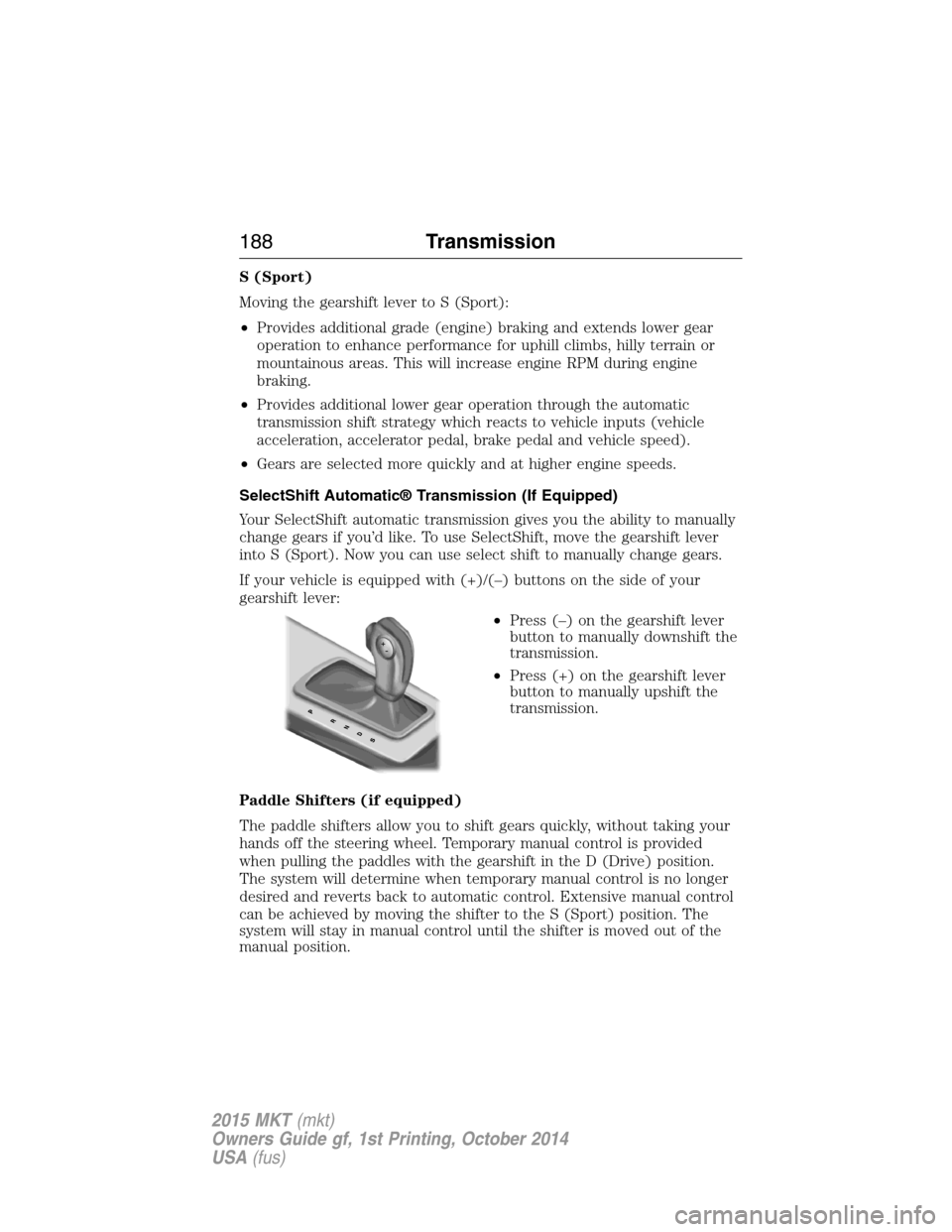
If your vehicle is equipped with (+)/(–) buttons on the side of your
gearshift lever:
•Press (–) on the gearshift lever
button to manually downshift the
transmission.
•Press (+) on the gearshift lever
button to manually upshift the
transmission.
Paddle Shifters (if equipped)
The paddle shifters allow you to shift gears quickly, without taking your
hands off the steering wheel. Temporary manual control is provided
when pulling the paddles with the gearshift in the D (Drive) position.
The system will determine when temporary manual control is no longer
desired and reverts back to automatic control. Extensive manual control
can be achieved by moving the shifter to the S (Sport) position. The
system will stay in manual control until the shifter is moved out of the
manual position.
188Transmission
2015 MKT(mkt)
Owners Guide gf, 1st Printing, October 2014
USA(fus)
Page 190 of 500
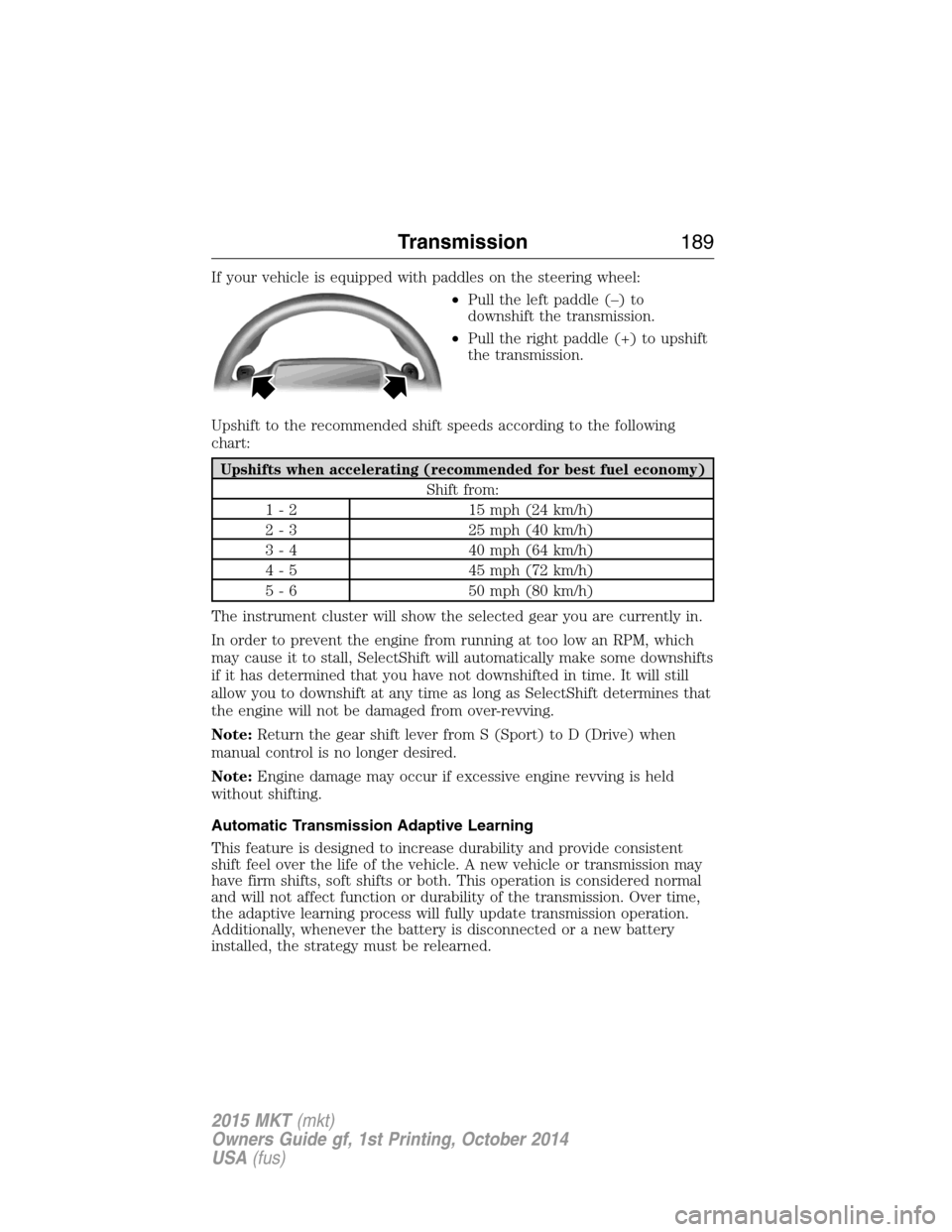
If your vehicle is equipped with paddles on the steering wheel:
•Pull the left paddle (–) to
downshift the transmission.
•Pull the right paddle (+) to upshift
the transmission.
Upshift to the recommended shift speeds according to the following
chart:
Upshifts when accelerating (recommended for best fuel economy)
Shift from:
1 - 2 15 mph (24 km/h)
2 - 3 25 mph (40 km/h)
3 - 4 40 mph (64 km/h)
4 - 5 45 mph (72 km/h)
5 - 6 50 mph (80 km/h)
The instrument cluster will show the selected gear you are currently in.
In order to prevent the engine from running at too low an RPM, which
may cause it to stall, SelectShift will automatically make some downshifts
if it has determined that you have not downshifted in time. It will still
allow you to downshift at any time as long as SelectShift determines that
the engine will not be damaged from over-revving.
Note:Return the gear shift lever from S (Sport) to D (Drive) when
manual control is no longer desired.
Note:Engine damage may occur if excessive engine revving is held
without shifting.
Automatic Transmission Adaptive Learning
This feature is designed to increase durability and provide consistent
shift feel over the life of the vehicle. A new vehicle or transmission may
have firm shifts, soft shifts or both. This operation is considered normal
and will not affect function or durability of the transmission. Over time,
the adaptive learning process will fully update transmission operation.
Additionally, whenever the battery is disconnected or a new battery
installed, the strategy must be relearned.
Transmission189
2015 MKT(mkt)
Owners Guide gf, 1st Printing, October 2014
USA(fus)
Page 220 of 500
•the vehicle speed falls below 16 mph (26 km/h)
•a new gap distance is set.
The vehicle brakes will be automatically applied to slow your vehicle to
maintain a safe distance from the vehicle in front. The maximum braking
which is applied by the system is limited and can be overridden by the
driver applying the brakes.
If the system predicts that its maximum braking level will not be
sufficient, an audible warning will sound while the system continues to
brake. This is accompanied by a heads-up display; a red warning bar
illuminating on the windshield. You should take immediate action.
To help you to pass, the system may provide a small temporary
acceleration when the you switch on your left-turn indicator while
following a lead car.
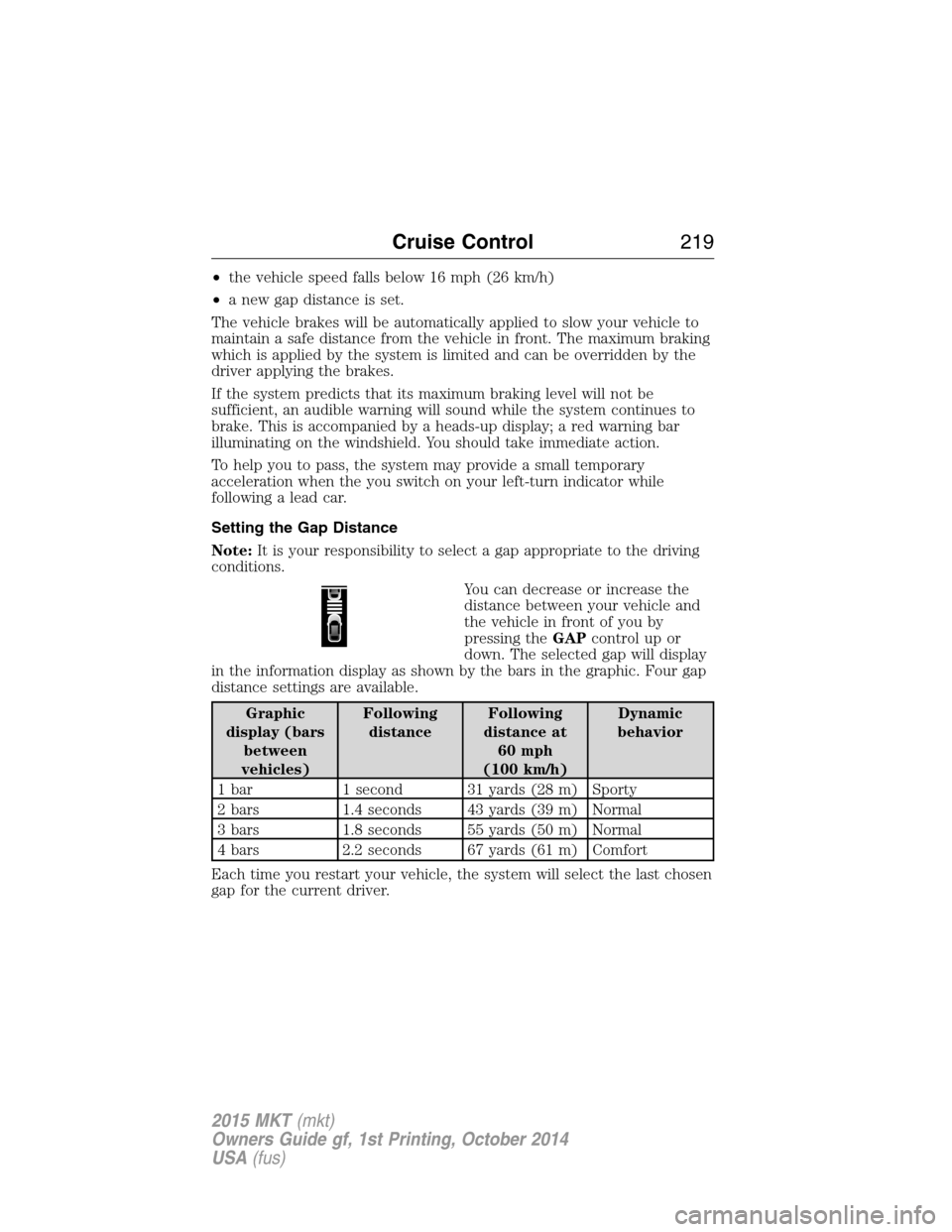
Setting the Gap Distance
Note:It is your responsibility to select a gap appropriate to the driving
conditions.
You can decrease or increase the
distance between your vehicle and
the vehicle in front of you by
pressing theGAPcontrolupor
down. The selected gap will display
in the information display as shown by the bars in the graphic. Four gap
distance settings are available.
Graphic
display (bars
between
vehicles)Following
distanceFollowing
distance at
60 mph
(100 km/h)Dynamic
behavior
1 bar 1 second 31 yards (28 m) Sporty
2 bars 1.4 seconds 43 yards (39 m) Normal
3 bars 1.8 seconds 55 yards (50 m) Normal
4 bars 2.2 seconds 67 yards (61 m) Comfort
Each time you restart your vehicle, the system will select the last chosen
gap for the current driver.
Cruise Control219
2015 MKT(mkt)
Owners Guide gf, 1st Printing, October 2014
USA(fus)
Page 241 of 500

LINCOLN DRIVE CONTROL (IF EQUIPPED)
Lincoln Drive Control delivers the Lincoln driving experience through a
suite of sophisticated electronic vehicle systems. These systems
continuously monitor both your driving inputs and the road conditions to
optimize ride comfort, steering, handling, powertrain response and
sound. You can preset your preferences for these systems within the
information display. Lincoln Drive Control will respond to your
preferences based on what gear position you select. This provides a
single location to control multiple systems performance settings.
Lincoln Drive Control consists of the following systems:
•Continuously Controlled Damping (CCD) dynamically adjusts the
shock absorbers stiffness in real time to match the road surface and
driver inputs. Vehicle motion (roll, pitch, bounce), suspension
position, vehicle loading, vehicle speed, road conditions, and steering
are continuously monitored to adjust the suspension damping for
optimal vehicle control.
•Electronically Power-Assisted Steering (EPAS) adjusts steering effort
and feel based on vehicle speed and your inputs.
•Active Noise Control (ANC) utilizes vehicle electronics to enhance the
acoustic experience.
•Electronic Stability Control and Traction Control (ESC and TC)
maintain vehicle control in adverse conditions or high performance
driving.
•Electronic Throttle Control (ETC) which enhances the powertrain
response to your inputs.
These systems have a range of modes which you can choose from in
order to customize your ideal driving experience:
•Comfort – Provides a more relaxed driving experience, maximizing
comfort. Steering effort is decreased and suspension movement is
more fluid. Comfort mode is ideal when enhanced traveling comfort is
desired.
•Normal – Delivers a balanced combination of comfortable, controlled
ride and confident handling. This mode provides an engaging drive
experience and a direct connection to the road without sacrificing any
of the composure demanded from a luxury vehicle.
•Sport – Provides a sportier driving experience. Suspension stiffens,
with an emphasis on handling and control. The engine responds more
directly to your inputs and takes on a more powerful tone. Sport mode
is intended to be used during more spirited driving.
240Driving Aids
2015 MKT(mkt)
Owners Guide gf, 1st Printing, October 2014
USA(fus)