2015 LINCOLN MKS instrument panel
[x] Cancel search: instrument panelPage 110 of 424

Note:
If you select AUTO during cold outside
temperatures, the system directs airflow to
the windshield and side window vents. In
addition, the fan may run at a slower speed
until the engine warms up.
Note: If you select
AUTO during hot outside
temperatures, or when the inside of the vehicle
is hot, the system automatically uses
recirculated air to maximize interior cooling.
When the interior reaches the selected
temperature, the system automatically
switches to using outside air.
Heating the Interior Quickly
1. Press the
AUTO button.
2. Adjust the temperature control to the desired setting.
Recommended Settings for Heating
1. Press the
AUTO button.
2. Adjust the temperature control to the desired setting. Use 72°F (22°C) as a
starting point, then adjust the setting as
necessary.
Cooling the Interior Quickly
Press the
MAX A/C button. Recommended Settings for Cooling
1. Press the
AUTO button.
2. Adjust the temperature control to the desired setting. Use 72°F (22°C) as a
starting point, then adjust the setting as
necessary.
Side Window Defogging in Cold
Weather
1. Press the defrost button.
2. Adjust the temperature control to the desired setting. Use 72°F (22°C) as a
starting point, then adjust the setting as
necessary.
3. Direct the instrument panel side air vents
toward the side windows.
4. Close the instrument panel vents.
HEATED WINDOWS AND
MIRRORS
Heated Rear Window
Note: Make sure the engine is running before
operating the heated windows. Press the button to clear the
heated rear window of thin ice and
fog. Press the button to switch the
system off. The heated rear window will
automatically turn off after a short period of
time.
Do not use razor blades or other sharp
objects to clean or remove decals from
the inside of the heated rear window. This
may cause damage to the heated rear
window grid lines. The vehicle warranty
does not cover damage caused to the
heated rear window grid lines.
Heated Exterior Mirror
Note: Do not remove ice from the mirrors with
a scraper or adjust the mirror glass when it is
frozen in place. These actions could cause
damage to the glass and mirrors.
Note: Do not clean the mirror housing or glass
with harsh abrasives, fuel or other
petroleum-based cleaning products.
The heated exterior mirrors will remove ice,
mist and fog. When you switch the heated
rear window on, the heated exterior mirrors
will automatically turn on.
107
MKS (), enUSA Climate ControlE72507
Page 153 of 424

PRINCIPLE OF OPERATION
The traction control system helps avoid drive
wheel spin and loss of traction.
If your vehicle begins to slide, the system
applies the brakes to individual wheels and,
when needed, reduces engine power at the
same time. If the wheels spin when
accelerating on slippery or loose surfaces,
the system reduces engine power in order to
increase traction.
USING TRACTION CONTROL
Note:
If your vehicle is equipped with MyKey®,
it is possible to prevent turning the traction
control system off. See MyKey ™ (page 50).
In certain situations for example, stuck in
snow or mud, turning the traction control off
may be beneficial as this allows the wheels
to spin with full engine power. Depending on
the type of system you have on your vehicle,
you can either turn the system off using the
information display or by pressing the button. Switching the System Off Using the
Information Display Controls
(If
Equipped)
Your vehicle comes with this feature already
enabled. If required, you can switch this
feature off using the information display
controls. See Principle of Operation (page
150
).
Switching the System Off Using a
Switch
(If Equipped)
The button is located in the instrument panel.
Press the button. You will see a message in
conjunction with an illuminated icon in the
display. Press the button again to return the
system to normal mode.
When you switch the traction control system
off, stability control remains fully active. System Indicator Lights and
Messages WARNING
If a failure has been detected within the
AdvanceTrac system, the stability
control light will illuminate steadily.
Verify that the AdvanceTrac system was not
manually disabled through the information
display. If the stability control light still
illuminates steadily, have the system serviced
by an authorized dealer immediately.
Operating your vehicle with AdvanceTrac
disabled could lead to an increased risk of
loss of vehicle control, vehicle rollover,
personal injury and death. The stability control light
temporarily illuminates on engine
start-up and flashes when a driving
condition activates the stability system. The stability control off light
temporarily illuminates on engine
start-up and stays on when you
turn the traction control system off.
When you turn the traction control system
off or on, a message appears in the
information display showing system status.
150
MKS (), enUSA Traction ControlE138639
Page 163 of 424

REAR VIEW CAMERA (If Equipped)
WARNINGS
The rear view camera system is a
reverse aid supplement device that still
requires the driver to use it in
conjunction with the interior and exterior
mirrors for maximum coverage. Objects that are close to either corner
of the bumper or under the bumper,
might not be seen on the screen due to
the limited coverage of the camera system. Back up as slow as possible since
higher speeds might limit your reaction
time to stop the vehicle.
Use caution when using the rear video
camera and the trunk is ajar. If the trunk
is ajar, the camera will be out of
position and the video image may be
incorrect. All guidelines (if enabled) have
been removed when the trunk is ajar. Use caution when turning camera
features on or off while in R (Reverse).
Make sure the vehicle is not moving. The rear view camera system provides a
video image of the area behind your vehicle.
The image will display in either the rear view
mirror or the display in the center of the
instrument panel.
During operation, lines will appear in the
display that represent your vehicle
’s path and
proximity to objects behind your vehicle. The camera is located on the trunk.
Using the Rear View Camera System
The rear view camera system displays what
is behind your vehicle when you place the
transmission in Reverse (R).The system uses three types of guides to help
you see what is behind your vehicle:
•
Active guidelines: Show the intended
path of your vehicle when reversing.
• Fixed guidelines: Show the actual path
your vehicle is moving in while reversing
in a straight line. This can be helpful when
backing into a parking space or aligning
your vehicle with another object behind
you.
• Centerline (if applicable): Helps align the
center of your vehicle with an object
(trailer).
Note: If the transmission is in Reverse (R) and
the luggage compartment is ajar, no rear view
camera features will display.
Note: If the image comes on while the
transmission is not in Reverse (R), have the
system inspected by an authorized dealer.
Note: When towing, the camera only sees
what you are towing behind your vehicle. This
might not provide adequate coverage and you
might not see some objects. In some vehicles,
the guidelines may disappear once you
connect the trailer tow connector.
160
MKS (), enUSA Parking AidsE192471
Page 211 of 424

driving, logging, autocross and any other form
of off-road use. Well maintained roads and
surfaces help ensure safe travel for the
Supplier, and allow their representatives to
perform service as per the standard operating
procedures.
In Remote Locations
If our supplier cannot take your vehicle by
road to the nearest authorized dealership,
transportation by rail or water may be
necessary. The program covers a tow to the
dock or rail terminal and also to the
dealership at the end of the trip.
For rail or water transportation, however,
contact your authorized dealer to confirm if
you are eligible for additional coverage before
you authorize or pay for the service.
Call the Lincoln Roadside Assistance at
1-800-387-9333 for additional information.
Vehicles Sold In Canada: Using
Roadside Assistance
Canadian Roadside coverage and benefits
may differ from the United States coverage.
Please refer to your warranty information or
visit our website at www.lincolncanada.com
for information on Canadian services and
benefits.
Canadian clients who need to obtain roadside
information, call 1-800-387-9333 or visit our
website at www.lincolncanada.com.
HAZARD WARNING FLASHERS
Note:
If used when the vehicle is not running,
the battery will lose charge. There may be
insufficient power to restart your vehicle. The hazard warning button is
located on the instrument panel.
Use it when your vehicle is creating
a safety hazard for other motorists.
• Press the button to turn on the hazard
warning function, and the front and rear
direction indicators will flash.
• Press the button again to turn them off.
FUEL SHUTOFF WARNING
Failure to inspect and, if necessary,
repair fuel leaks after a collision may
increase the risk of fire and serious
injury. Ford Motor Company recommends
that the fuel system be inspected by an
authorized dealer after any collision. In the event of a moderate to severe collision,
this vehicle includes a fuel pump shutoff
feature that stops the flow of fuel to the
engine. Not every impact will cause a shutoff.
Should your vehicle shut off after a collision,
you may restart your vehicle. For vehicles
equipped with a key system:
1. Switch off the ignition.
2. Switch on the ignition.
3.
Repeat Steps 1 and 2 to re-enable the fuel
pump.
For vehicles equipped with a push button
start system:
1. Press the START/STOP button to
switch off the ignition.
2. Press the brake pedal and press the START/STOP
button to start the
vehicle.
3. Remove your foot from the brake pedal and press the
START/STOP button to
switch off the ignition.
4. You can either attempt to start the engine
by pressing the brake pedal and the
START/STOP
button, or switch on the
ignition only by pressing the
START/STOP
button without pressing
the brake pedal. Both ways re-enable the
fuel system.
208
MKS (), enUSA Roadside Emergencies
Page 229 of 424
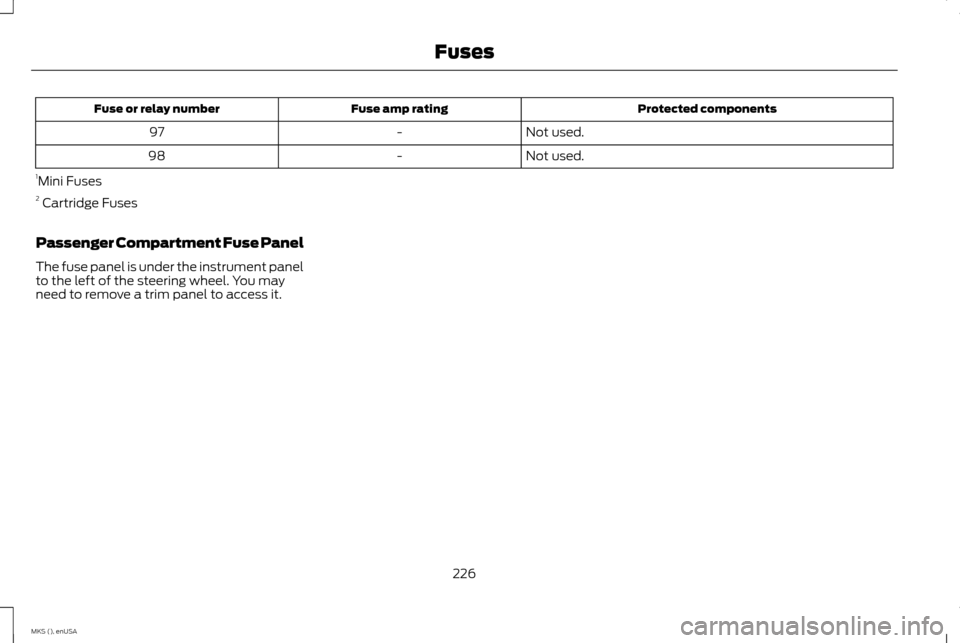
Protected components
Fuse amp rating
Fuse or relay number
Not used.
-
97
Not used.
-
98
1 Mini Fuses
2 Cartridge Fuses
Passenger Compartment Fuse Panel
The fuse panel is under the instrument panel
to the left of the steering wheel. You may
need to remove a trim panel to access it.
226
MKS (), enUSA Fuses
Page 237 of 424

GENERAL INFORMATION
Have your vehicle serviced regularly to help
maintain its roadworthiness and resale value.
There is a large network of authorized dealers
that are there to help you with their
professional servicing expertise. We believe
that their specially trained technicians are
best qualified to service your vehicle properly
and expertly. They are supported by a wide
range of highly specialized tools developed
specifically for servicing your vehicle.
To help you service your vehicle, we provide
scheduled maintenance information which
makes tracking routine service easy. See
Scheduled Maintenance (page 392).
If your vehicle requires professional service,
an authorized dealer can provide the
necessary parts and service. Check your
warranty information to find out which parts
and services are covered.
Use only recommended fuels, lubricants,
fluids and service parts conforming to
specifications. Motorcraft® parts are
designed and built to provide the best
performance in your vehicle. Precautions
•
Do not work on a hot engine.
• Make sure that nothing gets caught in
moving parts.
• Do not work on a vehicle with the engine
running in an enclosed space, unless you
are sure you have enough ventilation.
• Keep all open flames and other burning
material (such as cigarettes) away from
the battery and all fuel related parts.
Working with the Engine Off
1. Set the parking brake and shift to park (P).
2. Switch off the engine.
3. Block the wheels.
Working with the Engine On WARNING
To reduce the risk of vehicle damage
and/or personal burn injuries, do not
start your engine with the air cleaner
removed and do not remove it while the
engine is running. 1. Set the parking brake and shift to park
(P). 2. Block the wheels
OPENING AND CLOSING THE
HOOD
1. Inside the vehicle, pull the hood release
handle located under the left-hand side
of the instrument panel. 234
MKS (), enUSA MaintenanceE166491 E173323
Page 257 of 424

Trade number
Function
D3S
* Headlamp (high intensity discharge) Low and High
LED
* Sidemarker - front
LED
* Park lamp - front
7444NA
* Turn lamp - front
LED
Signal indicator mirror lamp
LED
Approach lamp
LED
* Tail and brake lamp
LED
* Turn lamp - rear
LED
* Backup lamp
W5W
License plate lamp
LED
* High-mount brake lamp
W5W
Interior lamps
* To replace these lamps, see an authorized dealer.
To replace instrument panel lights, see an authorized dealer.
254
MKS (), enUSA Maintenance
Page 263 of 424

•
If grease or tar is present on the material,
spot-clean the area first with Motorcraft
Spot and Stain Remover. In Canada, use
Motorcraft Multi-Purpose Cleaner.
• If a ring forms on the fabric after spot
cleaning, clean the entire area
immediately (but do not oversaturate)
or the ring will set.
• Do not use household cleaning products
or glass cleaners, which can stain and
discolor the fabric and affect the flame
retardant abilities of the seat materials.
CLEANING THE INSTRUMENT
PANEL AND INSTRUMENT
CLUSTER LENS WARNING
Do not use chemical solvents or strong
detergents when cleaning the steering
wheel or instrument panel to avoid
contamination of the airbag system. Note:
Follow the same procedure as cleaning
leather seats for cleaning leather instrument
panels and leather interior trim surfaces. See
Cleaning Leather Seats (page 260). Clean the instrument panel and cluster lens
with a clean, damp and soft cloth, then use
a clean, dry and soft cloth to dry these areas.
•
Avoid cleaners or polishes that increase
the gloss of the upper portion of the
instrument panel. The dull finish in this
area helps protect you from undesirable
windshield reflection.
• Do not use any household cleaning
products or glass cleaners as these may
damage the finish of the instrument
panel, interior trim and cluster lens.
• Wash or wipe your hands clean if you
have been in contact with certain
products such as insect repellent and
suntan lotion to avoid possible damage
to the interior painted surfaces.
• Do not allow air fresheners and hand
sanitizers to spill onto interior surfaces. If
a spill occurs, wipe off immediately. Your
warranty may not cover these damages.
If a staining liquid like coffee or juice has been
spilled on the instrument panel or on interior
trim surfaces:
1. Wipe up spilled liquid using a clean, soft cloth as quickly as possible. 2. Use Motorcraft Premium Leather and
Vinyl Cleaner or a commercially available
leather cleaning product for automotive
interiors. Test any cleaner or stain
remover on an inconspicuous area.
3. Alternatively, wipe the surface with a clean, soft cloth and a mild soap and
water solution. Dry the area with a clean,
soft cloth.
4. If necessary, apply more soap and water solution or cleaning product to a clean,
soft cloth and press it onto the soiled
area. Allow this to set at room
temperature for 30 minutes.
5. Remove the soaked cloth, then with a clean, damp cloth, use a rubbing motion
for 60 seconds on the soiled area.
6. Dry the area with a clean, soft cloth.
CLEANING LEATHER SEATS
(If
Equipped)
Note: Follow the same procedure as cleaning
leather seats for cleaning leather instrument
panels and leather interior trim surfaces.
For routine cleaning, wipe the surface with a
soft, damp cloth and a mild soap and water
solution. Dry the area with a clean, soft cloth.
260
MKS (), enUSA Vehicle Care